
Arsvita CD Laser Lens Cleaner Disc Cleaning Set
4.2Editor score
Affordable entry option
Includes glasses cloth
Fixes slow loading issues
This guide compares ten top CD and DVD player cleaner options to help you choose the right lens cleaning solution for your media devices and game consoles.
Keeping your optical drives running smoothly requires regular maintenance. A quality CD and DVD player cleaner removes dust and debris that cause skipping or freezing during playback of your favorite media discs.
We evaluated ten highly rated cleaning kits based on user feedback and technical specifications. Each product offers unique brush systems and fluid options designed to restore laser lens performance without causing damage to sensitive components.
Every selection in this list highlights specific strengths for different needs. Please note that pricing and availability may change over time so check current listings before making your final purchase decision for your setup.
4.2Editor score

4.3Editor score

4.3Editor score
This side-by-side comparison details the key specifications and included items for each of the ten selected cleaning kits to help you find the best match for your optical drive maintenance needs.





This cleaner disc earns top marks for its comprehensive kit and reliable performance. It features a 2-brush system that targets the laser lens directly to remove dust and debris that cause playback issues.
We may earn a commission when you buy through this link, at no additional cost to you.
Users report significant improvements in sound and image quality after using this product. The included cleaning fluid and glasses cloth add value by allowing you to maintain the discs themselves as well.
The main limitation is that it is not compatible with many gaming consoles or specific high-end players. However for standard CD and DVD players the cleaning effect is consistent and safe.
Choose this if you want a complete solution that addresses both lens and disc cleanliness. It is an excellent investment for anyone looking to extend the service life of their optical drive.
The cleaning process removes deposits that cause audio and video dropouts during playback.
Includes a cleaning disc plus fluid and cloth for a complete maintenance routine.
We may earn a commission when you buy through this link, at no additional cost to you.
This set offers an economical entry point for maintaining your optical drives. It provides the essential cleaning disc and a glasses cloth to handle basic maintenance needs without a high cost.
We may earn a commission when you buy through this link, at no additional cost to you.
It effectively removes dirt and dust deposits that cause video dropouts and distortions. Users appreciate the simple process that helps extend the service life of their players.
The absence of cleaning fluid means you might need to purchase that separately for discs. But for lens cleaning specifically it delivers solid results at a very low price point.
This is ideal for users who need a quick fix for skipping or freezing. It is a practical choice for home offices or casual listening setups.
Provides essential cleaning tools at a very accessible price for all budgets.
The brush process targets dirt deposits that cause audio and video distortions.
We may earn a commission when you buy through this link, at no additional cost to you.
This lens cleaner is designed for broad compatibility across various optical devices. It safely cleans the lens of any device that is CD DVD compatible making it versatile for many setups.
We may earn a commission when you buy through this link, at no additional cost to you.
It is perfect for office desktops and school environments where multiple users might access the drive. The simplicity of use ensures it can be applied easily without technical knowledge.
While it lacks the specialized brushes of some other kits it gets the job done efficiently. The instructions are straightforward requiring you to turn audio on once the disc is inserted.
Choose this if you need a reliable cleaner for a shared or office environment. It is a trusted solution for ensuring your equipment remains clean and functional.
Works safely with any device that supports CD DVD formats for broad use.
Perfect for office desktops and school use where frequent cleaning is needed.
We may earn a commission when you buy through this link, at no additional cost to you.
This model is similar to other Arsvita options but includes a single bottle of cleaning fluid. It uses the same 2-brush process to remove dirt and dust deposits from the lens.
We may earn a commission when you buy through this link, at no additional cost to you.
Cleaning the laser lens can extend the service life of your player while improving sound quality. It addresses common issues like slow loading and freezing during playback effectively.
The value lies in the included fluid which many budget options exclude. However it is still not compatible with gaming consoles like Xbox or PlayStation.
This is a solid choice for users who want a middle ground between price and features. It provides essential maintenance tools for standard optical drives.
Includes one bottle of disc cleaning fluid for added convenience.
Helps resolve slow loading and freezing issues during playback.
We may earn a commission when you buy through this link, at no additional cost to you.
Maxell recommends cleaning the lens after every 10 hours of use for best performance. This cleaner features ultra-fine synthetic fibers impregnated with copper for maximum cleaning and demagnetization.
We may earn a commission when you buy through this link, at no additional cost to you.
It is safe for use with many systems including Xbox and older PlayStation models. The Thunder on brush system is designed to remove scratches and dirt from the lens.
The product should be replaced when the brush shows signs of wear or after 20 usages. This ensures consistent performance and prevents damage to the lens from a worn disc.
Consider this if you have a gaming system that requires compatible cleaning tools. It provides a durable solution for maintaining playback quality over time.
Features synthetic fibers impregnated with copper for effective demagnetization.
Safe for use with Xbox and older PlayStation gaming systems.
We may earn a commission when you buy through this link, at no additional cost to you.
This kit is designed for users who want a straightforward cleaning process. It includes voice guidance and channel testing to ensure the device is functioning correctly during cleaning.
We may earn a commission when you buy through this link, at no additional cost to you.
The whole process only takes 3 minutes which makes it efficient for quick maintenance. It comes with a microfiber cloth that can be used to clean CD discs as well.
While it does not support gaming consoles it works well for standard CD VCD DVD equipment. The 6-month after-sales service period adds peace of mind for the buyer.
Choose this if you prefer a guided approach to cleaning your player. It is a reliable option for home entertainment systems that need regular dusting.
Features voice guidance and channel testing for confidence during use.
The entire process takes just 3 minutes for quick maintenance.
We may earn a commission when you buy through this link, at no additional cost to you.
This variant is similar to the NS-2 model but with a faster 1.5 minute cycle. It uses voice guidance and left right channel testing to verify the system is working.
We may earn a commission when you buy through this link, at no additional cost to you.
It is designed for basic CD VCD DVD equipment and helps resolve issues like slow loading. The kit includes a microfiber cloth for additional cleaning tasks.
Like other models in this family it is not compatible with gaming consoles. The after-sales service period ensures you can reach out if you have any issues.
This is a good option for those who need a quicker cleaning cycle. It offers essential maintenance tools for standard optical drives in your home.
Completes the cleaning process in just 1.5 minutes for quick results.
Includes left and right channel testing to verify system function.
We may earn a commission when you buy through this link, at no additional cost to you.
These wipes provide a convenient way to clean the surface of your discs. They effectively remove dirt dust smudges and fingerprints that can impact playback quality and cause skipping.
We may earn a commission when you buy through this link, at no additional cost to you.
The pack contains 20 individual non-abrasive wipes that are safe for your media. They are ideal for routine maintenance to ensure your discs remain in top condition.
While these are not for the player lens itself they complement a cleaning routine. The company also offers a dedicated lens cleaner for your device internal parts.
Use these to keep your media collection clean and scratch-free. They are an excellent addition to any optical drive maintenance kit.
Non-abrasive wipes safely remove fingerprints and smudges from disc surfaces.
Helps prevent skipping and ensures a smooth uninterrupted experience.
We may earn a commission when you buy through this link, at no additional cost to you.
This cleaner utilizes an eight brush carbon system to remove static buildup and debris. It is designed for DVD CD drives and game players to restore playback performance.
We may earn a commission when you buy through this link, at no additional cost to you.
The carbon system helps prevent skipping by ensuring the lens is clear of dust. It is a compact solution for maintaining the integrity of your optical devices.
Packaging may vary so the physical look of the product might differ. The core function remains consistent with other lens cleaners in its class.
This is a solid option for gamers and home theater enthusiasts. It helps keep your game consoles and media players running smoothly.
Eight brush carbon system removes static buildup effectively.
Designed for DVD CD drives and game players.
We may earn a commission when you buy through this link, at no additional cost to you.
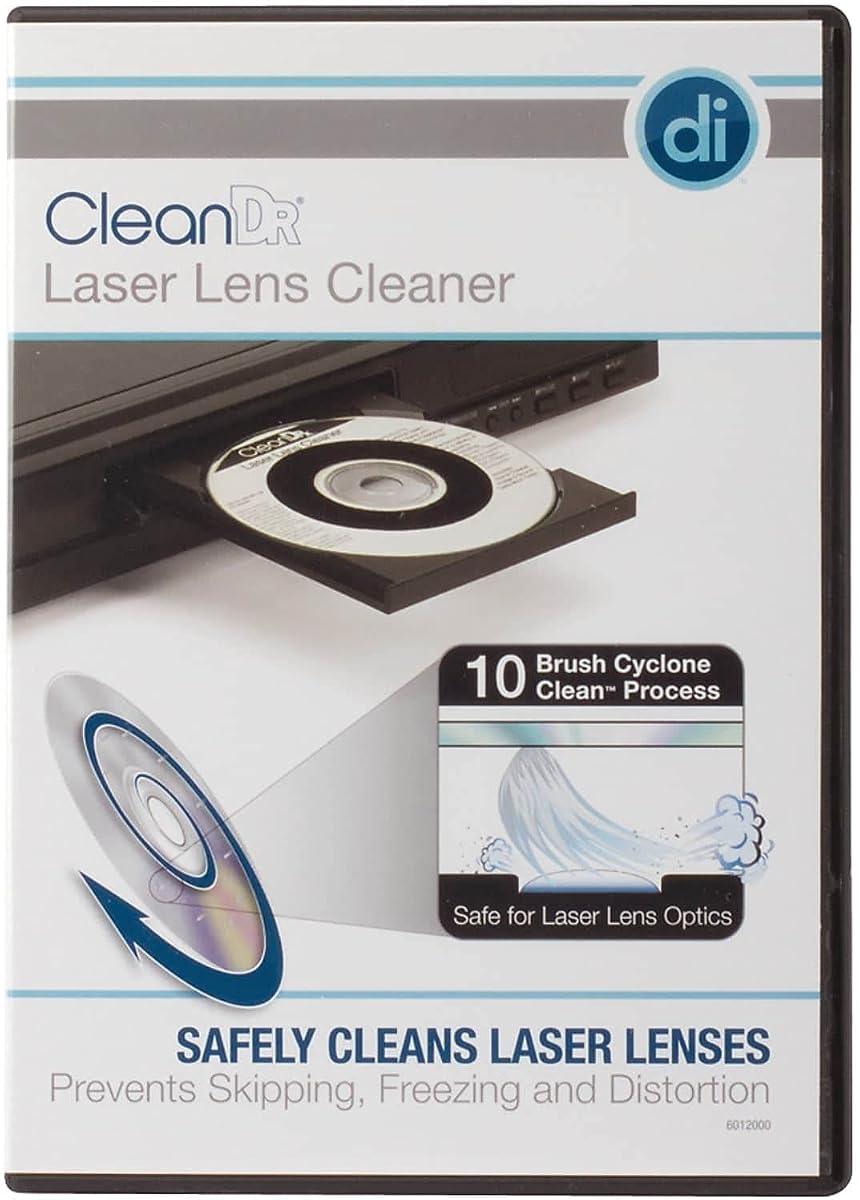
This cleaner features an exclusive 10-brush Cyclone Clean Process for thorough maintenance. It removes dust dirt and debris from the laser lens while demagnetizing it for optimal performance.
We may earn a commission when you buy through this link, at no additional cost to you.
It is safe for CD and DVD players computers and Xbox systems. The process optimizes performance to ensure your discs load quickly and play without errors.
It is not recommended for multi-disc players or Blu-Ray players to avoid damage. This limitation ensures safety for standard single-disc units in home setups.
Choose this if you want a high-tech approach to lens cleaning. It offers advanced features like demagnetization to maintain your device's efficiency.
Exclusive 10-brush process removes dust debris from the lens.
Unique process demagnetizes the lens to ensure optimal performance.
We may earn a commission when you buy through this link, at no additional cost to you.
Selecting the right cleaner depends on your device type and specific cleaning needs.
Check if the cleaner supports your specific player type. Many cleaners work for standard CD DVD players but exclude gaming consoles or Blu-Ray drives.
Ensure the product lists your device to avoid damaging sensitive components.
Brush systems vary from two brushes to ten brushes. More brushes may provide better coverage but simpler systems are often effective for basic dust.
Choose a method that balances thoroughness with ease of use for your routine.
Some kits include cleaning fluids or cloths while others do not. Additional accessories add value and allow you to maintain discs as well.
Look for sets that provide everything you need for a complete cleaning session.
Products like voice guidance or clear instructions simplify the process. Simpler operation is helpful for users who are not technically inclined.
Select a model with clear steps to ensure safe and effective cleaning every time.
Trusted brands often provide better quality control and customer support. Reading reviews helps gauge real-world performance and reliability.
Prioritize well-known manufacturers for consistent results and safety.
Some products are designed for single use while others last multiple times. Consider how often you clean your device to determine value.
A durable option may be worth the higher initial cost over time.
Prices vary based on features and included items. Budget options may lack fluids while premium ones offer comprehensive kits.
Decide how much you are willing to spend for the best results.
Some kits include after-sales service periods for assistance. This support can be valuable if you encounter issues during use.
Look for products that offer support to protect your purchase.
Insert the cleaner disc into your player with any graphics facing up. Ensure the arrow points forward as indicated by the packaging instructions.
Start the cleaning cycle by playing the disc or allowing the voice guidance to guide you. Do not open the tray while the disc is inside.
Allow the process to complete before removing the disc. Store the cleaner in a cool dry place to maintain its effectiveness for future use.
It is recommended to clean the lens after every 10 hours of use or if you notice skipping. Regular maintenance helps prevent long-term damage to the laser lens.
Many cleaners are not recommended for Blu-Ray players due to differences in the laser mechanism. Always check the compatibility list before use to avoid damage.
A dirty disc can cause poor playback or scratching. Use a soft microfiber cloth to wipe the disc gently before cleaning the player lens.
Proper cleaning discs use soft bristles that are safe for the lens. Avoid using homemade tools that may be too abrasive.
Some discs are reusable for multiple cleanings while others are single use. Check the product description to determine how many uses it supports.
Many cleaners are compatible with Xbox and older PlayStation systems but not newer consoles. Verify your specific console model before purchasing.
We have reviewed ten top options ranging from budget sets to premium kits. Each offers unique features to keep your optical drives in excellent condition.
Prioritize compatibility and ease of use to ensure the cleaner works effectively for your setup. Quality maintenance extends the life of your equipment significantly.
Remember to check current listings for the best deals. Prices vary and staying updated helps you get the most value for your investment.