
GIGABYTE GeForce RTX 3050 WINDFORCE OC V2 6G Graphics Card
4.6Editor score
6GB GDDR6 Memory
2x WINDFORCE Fans
RTX 3050 Powered
This guide compares the top ten Linux graphics cards for gaming, workstation tasks, and multi-monitor setups to help you find the right GPU for your system.
Selecting the right graphics card for a Linux system requires careful consideration of driver support, architecture compatibility, and performance needs. Whether you are gaming, doing 3D rendering, or managing multiple displays, the GPU you choose defines your workflow efficiency and visual fidelity across the operating system.
We analyzed ten distinct graphics cards ranging from budget-friendly legacy options to modern workstation and gaming GPUs. Our comparison focuses on open-source driver readiness, memory capacity, output ports, and architectural features that matter most to Linux users who prioritize stability and performance over proprietary lock-in.
Each pick below highlights specific strengths such as multi-monitor support, power efficiency, or AI inference capabilities tailored for open-source environments. Note that product availability and pricing fluctuate frequently, so verify current stock and costs before making your final decision to ensure you get the best value available today.
4.6Editor score

4.7Editor score

3.9Editor score
This side-by-side comparison lists all ten selected graphics cards with their key specifications to help you quickly identify which model fits your Linux workstation or gaming build requirements based on memory, connectivity, and architectural support.


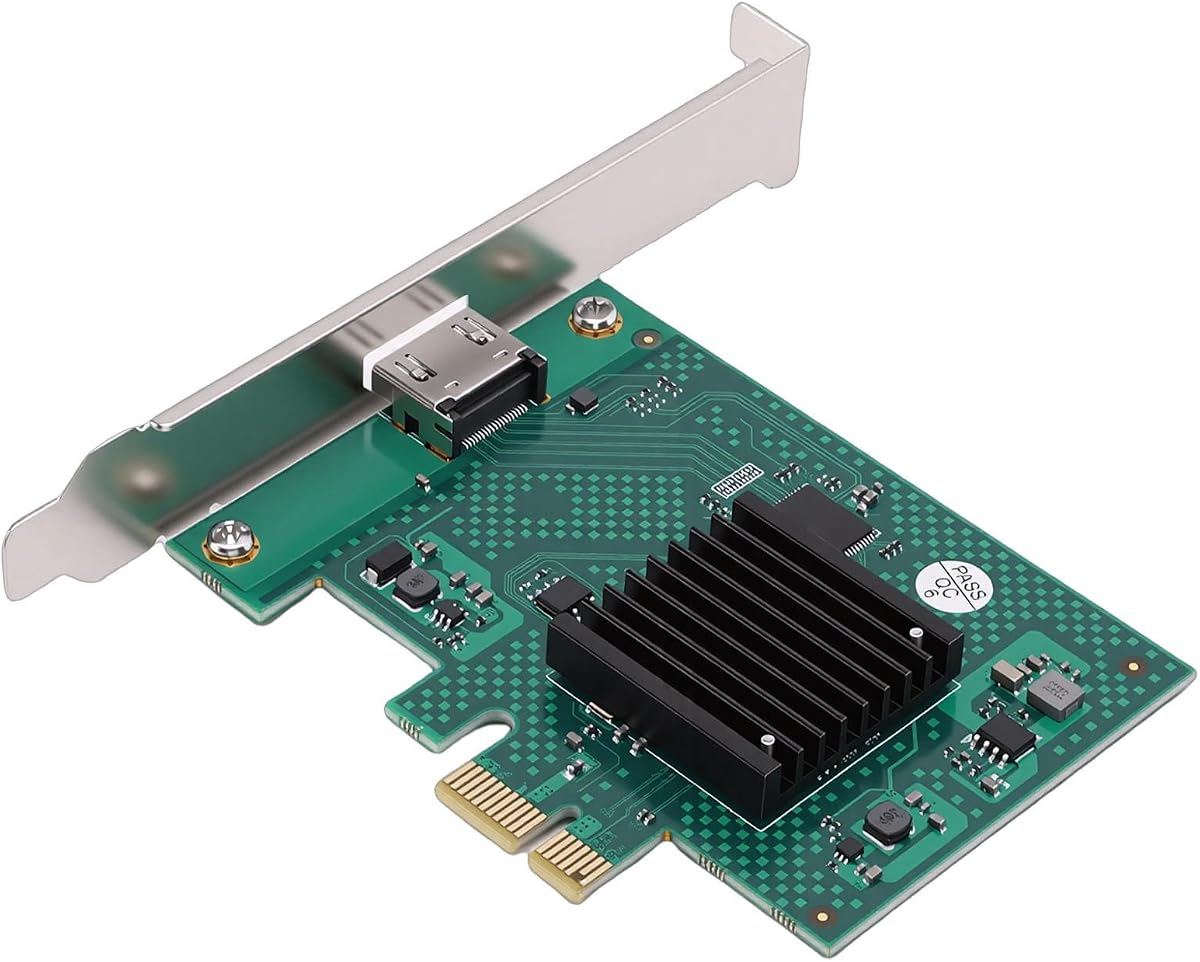


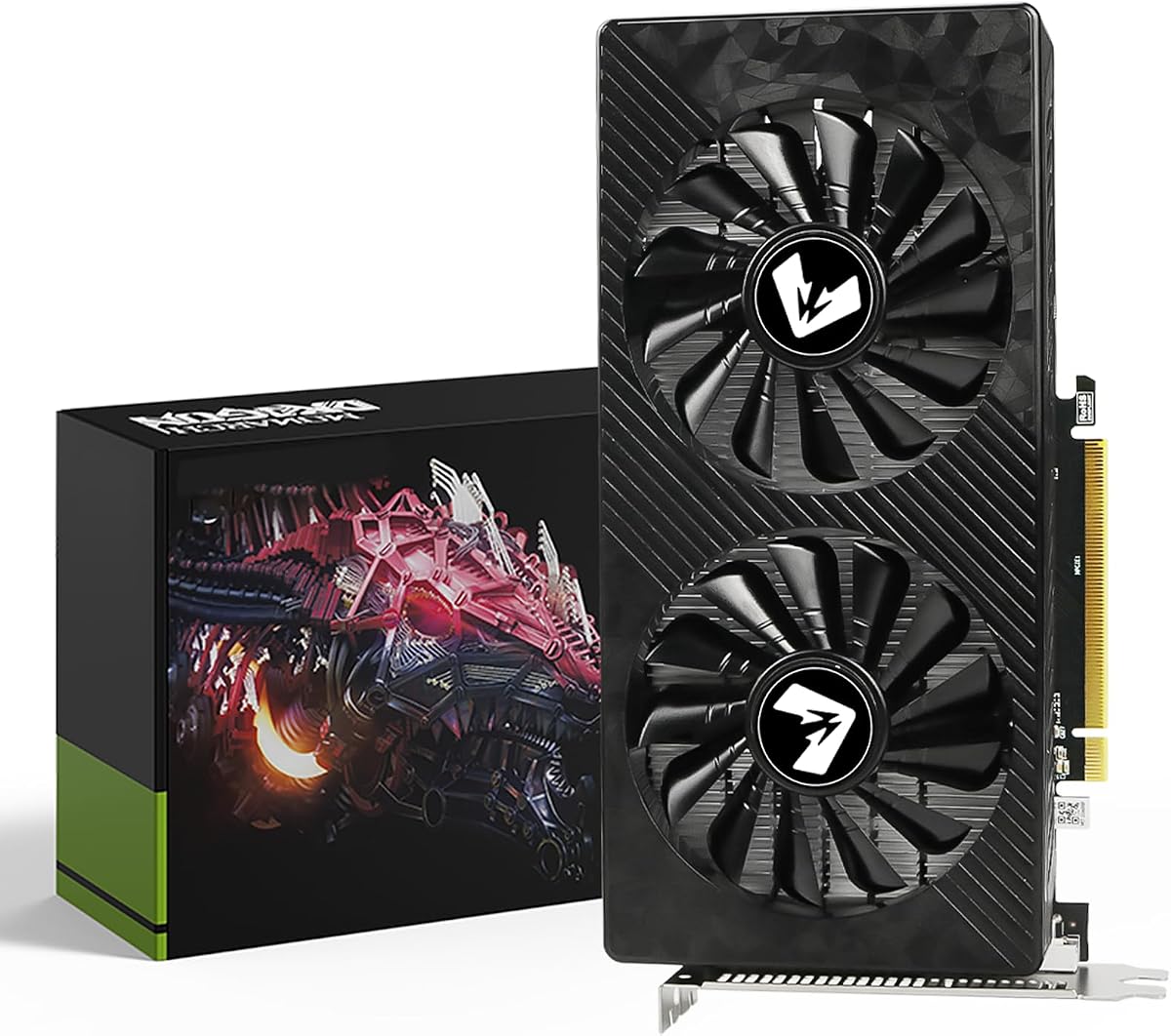
This graphics card delivers robust performance for Linux users seeking a balance between gaming and professional tasks. With a high rating and NVIDIA Ampere architecture, it offers significant efficiency gains over previous generations while maintaining compatibility with modern open-source drivers.
We may earn a commission when you buy through this link, at no additional cost to you.
The card features dedicated Tensor and RT cores that accelerate AI workflows and ray tracing even in Linux environments where drivers are stable. Its dual axial-tech fan design ensures quiet operation while the IP5X dust resistance protects internal components from particulate ingress over long periods of use.
While it lacks the raw power of higher-end GPUs, the 6GB memory is sufficient for most workstation tasks and entry-level gaming. The trade-off is acceptable given the power efficiency and compact form factor that fits easily into standard and small chassis without requiring additional cooling.
Buy this if you need reliable performance for Linux development, light gaming, and multi-monitor setups without breaking your budget. It remains a top choice for systems requiring stability and broad software compatibility across professional and casual applications.
Tensor cores enable faster AI inference and training tasks on Linux workstations using supported frameworks.
IP5X dust resistance and stainless steel brackets ensure longevity in varied operating environments.
We may earn a commission when you buy through this link, at no additional cost to you.
This budget-friendly GPU offers excellent value for Linux users needing reliable graphics acceleration without overspending. It shares the core architecture of higher-tier cards, ensuring compatibility with existing software stacks and driver ecosystems commonly used in open-source environments.
We may earn a commission when you buy through this link, at no additional cost to you.
The 6GB GDDR6 memory interface supports smooth multitasking and moderate gaming or rendering tasks. Its WINDFORCE fan design maintains safe operating temperatures even under load while keeping noise levels low enough for office or home setups.
Although it lacks advanced features like multiple display outputs or extreme power headroom, the core performance is solid for daily tasks. The lack of external power connectors simplifies installation in older systems but may limit overclocking potential for advanced users.
Choose this card if you are upgrading an older desktop or building a cost-effective Linux workstation. It provides essential modern features at an accessible price point while maintaining the stability expected from reputable hardware brands.
Delivers modern GPU features at a price point suitable for entry-level Linux builds and upgrades.
WINDFORCE fans ensure stable performance and quiet operation in confined PC cases.
We may earn a commission when you buy through this link, at no additional cost to you.
This workstation GPU is engineered for demanding Linux environments that require substantial memory and professional driver support. Its 24GB VRAM capacity enables complex rendering and AI tasks that would otherwise be impossible on consumer-grade graphics cards.
We may earn a commission when you buy through this link, at no additional cost to you.
The card features specific optimizations for Linux multi-GPU deployments making it ideal for scaling AI performance across multiple systems. ISV certification ensures stability with professional design software while PCIe 5.0 support future-proofs your investment against emerging bandwidth demands.
While the price is significantly higher than consumer models, the capabilities justify the cost for professional users. The blower-style cooling ensures adequate heat dissipation in dense server configurations though it may run louder than open-air alternatives in home setups.
Invest in this GPU if you manage heavy workloads like large language model inference or 3D rendering in Linux. Its specialized features and high memory capacity make it unmatched for professional and scalable computing environments.
Massive 24GB memory handles large models and datasets locally without relying on external compute.
Four DisplayPort 2.1 outputs support expansive setups ideal for trading and monitoring tasks.
We may earn a commission when you buy through this link, at no additional cost to you.
This professional graphics card targets Linux workstations requiring certified stability for engineering and design applications. It delivers substantial performance improvements over prior generations while supporting industry-standard APIs essential for professional software compatibility.
We may earn a commission when you buy through this link, at no additional cost to you.
The card handles large models and high-resolution displays efficiently thanks to dedicated decode engines and robust GPU support. Its ability to drive multiple 5K or 8K screens makes it perfect for users managing complex visualization tasks and detailed design workflows.
While it may lack features tailored for high-end gaming, its focus on stability and compatibility ensures smooth operation in critical environments. The independent video encoding allows seamless media workflows without taxing the main 3D pipeline during rendering tasks.
Select this card for professional Linux environments where driver certification and display fidelity matter most. It provides the reliability needed for continuous operation while supporting the high-resolution outputs required for modern creative and engineering software.
Validated with over 100 professional apps ensuring stability during critical Linux workflows.
Supports up to four 5K displays enabling expansive multi-monitor environments.
We may earn a commission when you buy through this link, at no additional cost to you.
This card stands out for its unique configuration of four HDMI ports, making it exceptionally versatile for multi-monitor Linux setups. It offers a plug-and-play solution that works well with modern drivers, ensuring stability for office or media center applications.
We may earn a commission when you buy through this link, at no additional cost to you.
Designed specifically for small form factor systems, the low profile bracket fits neatly into compact cases while the silent cooling maintains a quiet workspace. The 4GB memory allows for smooth handling of basic graphics tasks and high-definition video playback across multiple screens.
Although it lacks modern gaming capabilities or advanced compute features, its reliability and connectivity make it ideal for specific use cases. The included brackets provide flexibility for installation whether you need standard or low-profile configurations for your specific chassis.
Buy this GPU if you need a dedicated solution for trading desks, digital signage, or home theater PCs on Linux. Its straightforward installation and dedicated multi-monitor support simplify desktop management without requiring complex driver configurations.
Four HDMI ports allow direct connection to multiple monitors without needing adapters or hubs.
Low profile design and silent fan make it suitable for noise-sensitive office environments.
We may earn a commission when you buy through this link, at no additional cost to you.
This graphics card provides an affordable way to revive older desktop PCs running Linux by adding dedicated graphics capabilities. Its triple output support including VGA ensures compatibility with both modern and legacy displays found in older office environments.
We may earn a commission when you buy through this link, at no additional cost to you.
Operating without external power connectors simplifies installation in systems with limited power supply capacity. The 4GB memory supports smooth 1080p playback and multitasking which is a significant upgrade from integrated graphics found on older motherboards.
While performance is modest compared to modern cards, it handles essential tasks like web browsing and streaming efficiently. The reliable cooling system ensures stable temperatures even during extended use which is critical for business continuity and 24/7 operation.
Choose this card to upgrade entry-level systems that require basic graphics acceleration without complex setup. It offers an easy plug-and-play experience that restores usability to older hardware while keeping costs low.
VGA ports ensure compatibility with older monitors common in legacy office setups.
Runs entirely on PCIe power making it ideal for systems with weak power supplies.
We may earn a commission when you buy through this link, at no additional cost to you.
This specialized accelerator is designed for industrial and POS applications requiring robust 2D graphics performance on Linux. It supports screen rotation and wide temperature ranges ensuring reliability in harsh environments where standard consumer cards might fail.
We may earn a commission when you buy through this link, at no additional cost to you.
The card functions effectively in extreme temperatures making it suitable for unconditioned spaces or outdoor kiosks. Its compatibility with multiple display panels ensures flexibility for different industrial setups where space and orientation constraints vary significantly.
While it lacks the power for modern gaming or complex 3D tasks, its focus on stability and environmental tolerance is unmatched. Single-port simplicity reduces potential points of failure while maintaining sufficient resolution for most control and monitoring tasks.
Use this GPU for industrial Linux systems that prioritize durability over raw performance. Its specialized features and temperature resilience make it a reliable choice for embedded and commercial display applications.
Wide temperature range ensures consistent operation in challenging physical environments.
Supports 90 degree screen rotation for flexible display positioning in tight spaces.
We may earn a commission when you buy through this link, at no additional cost to you.
This AMD card is a strong contender for Linux users prioritizing open-source driver stability. The RX 550 chipset balances performance and power efficiency making it suitable for light gaming and everyday Linux workstation tasks without heavy resource consumption.
We may earn a commission when you buy through this link, at no additional cost to you.
Its triple display connectivity enables versatile multi-monitor setups for productivity. The card supports modern APIs ensuring compatibility with common applications and gaming platforms while maintaining a stable thermal profile even during extended use.
Performance is solid for entry-level tasks though it may struggle with demanding 3D titles. However the strong support from the open-source community ensures long-term stability and access to future updates without proprietary bottlenecks.
Opt for this GPU if you prefer AMD hardware for better integration with Linux drivers and open-source tools. It provides a reliable foundation for general computing and multimedia consumption without requiring high-end specs.
Strong mainline driver support ensures long-term stability on Linux distributions.
Triple output ports allow flexible connection to mixed modern and legacy displays.
We may earn a commission when you buy through this link, at no additional cost to you.
This compact GPU is ideal for Linux users needing reliable graphics in small form factor systems. Its low profile design fits into tight cases while delivering enough power for basic tasks and 1080p media playback.
We may earn a commission when you buy through this link, at no additional cost to you.
NVIDIA driver support on Linux is mature ensuring smooth operation for both gaming and professional applications. The single fan design maintains low noise levels which is beneficial for quiet desktop environments and home theater setups.
While the memory bus width is narrow the card remains sufficient for standard display and multimedia tasks. It offers excellent power efficiency and stability without requiring external power connectors or complex cooling solutions.
Choose this card for silent and space-constrained Linux builds. It delivers consistent performance for essential applications and provides a reliable upgrade path for integrated graphics.
Low profile bracket fits perfectly into mini-ITX and compact office cases.
Draws minimal power from PCIe slot simplifying PSU requirements.
We may earn a commission when you buy through this link, at no additional cost to you.
This GPU offers impressive budget performance for Linux gaming and content creation. Its 8GB memory provides ample space for modern game textures and video rendering tasks making it versatile for entry-level to mid-range builds.
We may earn a commission when you buy through this link, at no additional cost to you.
Triple display connectivity supports productivity workflows while dual-fan cooling ensures stable temperatures during extended gaming sessions. Open-source driver compatibility ensures this card remains usable on Linux systems without relying solely on proprietary drivers.
While power consumption is higher than modern equivalents the performance per dollar remains competitive for budget builds. It handles popular titles effectively and supports common APIs ensuring smooth gameplay and media processing.
Select this card for cost-effective gaming Linux rigs requiring more memory than entry-level cards. It balances performance and affordability making it a solid choice for gamers on a budget.
Delivers solid frame rates in popular titles at a fraction of high-end card costs.
HDMI DP and DVI ports support flexible multi-screen setups for gaming or work.
We may earn a commission when you buy through this link, at no additional cost to you.
Selecting a graphics card for Linux involves specific factors beyond raw performance metrics including driver stability open-source compatibility and multi-display capabilities.
Linux users rely heavily on open-source drivers like Nouveau or AMDGPU for stability. Check if your chosen card has mainstream support in the kernel and Mesa stack to avoid performance bottlenecks and manual configuration. Proprietary NVIDIA drivers exist but can complicate updates on some distributions.
Prioritize GPUs with strong community support to ensure long-term compatibility and easier troubleshooting.
Workstation and gaming tasks demand sufficient VRAM to handle large datasets or high-resolution textures. Aim for 6GB or more for modern workflows and ensure the memory interface width provides adequate bandwidth to avoid stalling during heavy rendering.
Memory speed and capacity directly impact rendering speed and multitasking smoothness on Linux.
Linux desktop environments often benefit from multiple displays for productivity. Verify the card offers enough HDMI DisplayPort or legacy ports to support your setup without external docks. Check maximum resolution support per port to ensure your screens are driven correctly.
Sufficient output options simplify cabling and maximize desktop workspace flexibility.
Case clearance is critical for Linux desktops especially in compact builds. Measure your chassis space and check slot width requirements to ensure fit. Blower coolers suit multi-GPU setups but may be louder than open-air designs for single-card builds.
Choose cooling that matches your system's airflow needs to maintain stable temperatures.
Check TDP and power connector needs before buying. Some cards require additional PCIe power cables while others run purely from the slot. Ensure your power supply has enough headroom and correct connectors to avoid installation delays.
Proper power planning prevents system instability and protects your hardware investments.
Applications like Blender or gaming engines rely on specific APIs like OpenGL Vulkan or DirectX. Confirm the card supports the APIs required by your Linux software stack. Newer GPUs often support newer APIs that improve rendering performance.
Matching API support ensures all software features work as intended without glitches.
Balance upfront costs with expected lifespan and performance. Higher-end cards may cost more initially but provide better longevity and support for future updates. Budget cards might be cheaper but require replacements sooner as software demands grow.
Invest in a card that meets current needs without sacrificing future upgrade flexibility.
Begin by checking compatibility with your Linux distribution using official documentation or community wikis. Install the appropriate drivers through your package manager to ensure stable operation. Verify installation by checking device detection in system settings.
Keep your system updated regularly to maintain driver compatibility and security. Monitor temperature and clock speeds using tools like lm-sensors or GPU utilities to prevent overheating. Adjust power settings to balance performance and noise based on your use case.
Physical care involves ensuring adequate airflow inside the chassis. Dust fans and heatsinks periodically to maintain cooling efficiency. Handle the card gently during installation or removal to avoid damage to connectors or PCB components.
AMD GPUs generally offer the best out-of-the-box experience on Linux due to strong open-source driver support in the kernel. NVIDIA cards work well but may require proprietary drivers for full functionality. Intel integrated or Arc GPUs are also becoming increasingly compatible with modern distributions.
No many games work well with open-source Mesa drivers especially on AMD GPUs. NVIDIA cards benefit from proprietary drivers for performance optimization but open-source drivers are improving. Most modern games support Vulkan which is well supported across platforms.
Yes Linux supports multi-GPU setups for rendering or compute tasks. Tools like Xorg or Wayland can distribute workloads or outputs across cards. Ensure your motherboard and PSU have sufficient resources and cooling to handle multiple cards without throttling.
Check logs in /var/log/Xorg.0.log or system journal for errors. Reinstall drivers or switch between open-source and proprietary versions as needed. Ensure your kernel version matches driver requirements. Community forums are valuable for specific hardware issues.
Yes GPUs can accelerate video decoding, AI inference, and general compute tasks. Cards with dedicated accelerators improve productivity workloads like video editing and machine learning. Proper driver installation is key to unlocking these non-graphic benefits.
Switching can be smooth if you choose compatible hardware and drivers. Many applications have native Linux versions or open-source alternatives. Plan your workflow in advance to ensure critical tools are supported on the target platform.
The ASUS Dual RTX 3050 stands out as the top overall choice for balanced performance and driver compatibility on Linux. The GIGABYTE RTX 3050 offers excellent value for budget builds while the ASRock Arc Pro B60 provides premium workstation capabilities for professional users.
Prioritize driver support, memory capacity, and output connectivity based on your specific workflow needs. Ensure the card fits your physical space and power constraints before purchasing to avoid installation issues and return hassle.
Remember that product availability and pricing change frequently. Verify current stock and prices before finalizing your purchase to ensure you secure the best deal available for your Linux system upgrade.