
AJAZZ AK029
4.5Editor score
Hall Effect switches
8KHz polling rate
Compact 29-key layout
Discover the best left handed gaming keyboards for 2026. We compare top models including mechanical, magnetic switch, and ergonomic options for every budget
Left handed gamers often struggle to find peripherals that fit their natural hand position. A dedicated left handed keyboard can transform your setup by placing essential keys under your dominant hand. This guide explores the top models designed specifically for southpaw users seeking comfort and performance.
We evaluated ten real products based on build quality, switch technology, customization options, and ergonomic design. Our analysis covers everything from budget friendly keypads to high end mechanical boards. Each entry includes detailed specifications and honest insights to help you make an informed decision.
Every pick showcases unique features like Hall Effect switches, programmable keys, and wireless connectivity. Prices may vary over time so check current listings before buying. Read on to find the perfect match for your gaming habits and desk space needs today.
4.5Editor score

4.6Editor score

4.6Editor score
This table provides a side-by-side look at all ten products we reviewed. Compare key specifications to find the device that fits your specific gaming needs and budget constraints.


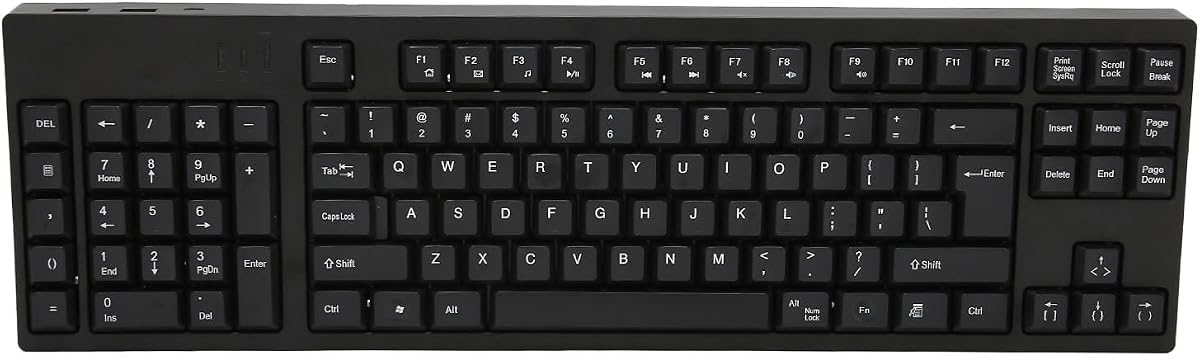

The RK ROYAL KLUDGE L98 stands out as a top tier mechanical keyboard designed with left-handed users in mind. With a rating of 4.6 stars it offers a robust feature set that balances performance and comfort effectively for extended sessions.
We may earn a commission when you buy through this link, at no additional cost to you.
Its Southpaw layout relocates the numpad to the left side freeing up space for your mouse on the right. The gasket structure with PBT keycaps provides a soft cushioned touch while five layers of dampening ensure a smooth satisfying typing experience.
While the price is higher than basic keypads the versatility justifies the cost. You get seamless tri-mode connectivity and an 8000mAh battery. The hot-swappable design lets you personalize switches without soldering for true customization.
This keyboard is ideal for gamers who need a full-size experience but want ergonomic benefits. It supports both work and gaming needs. We recommend it for those seeking a premium left-handed mechanical solution.
The relocated numpad allows you to use both mouse and numpad comfortably without stretching your wrist.
Internal padding layers reduce hollow sounds delivering a professional acoustic experience during intense gaming.
We may earn a commission when you buy through this link, at no additional cost to you.
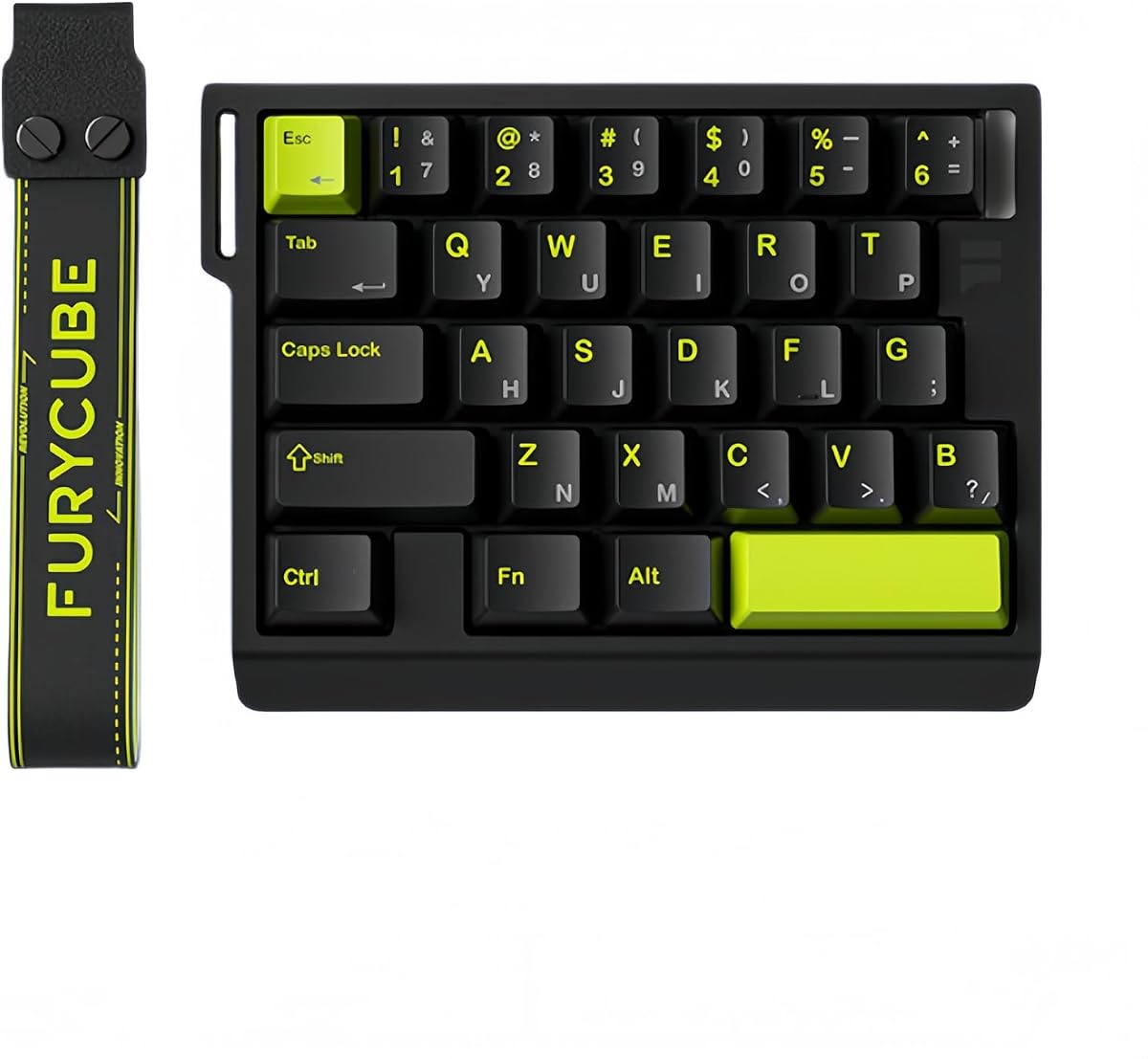
The AJAZZ AK029 is an affordable powerhouse for competitive gamers. It features magnetic switches and Rapid Trigger technology at a price point that rivals entry level mechanical boards making it highly accessible.
We may earn a commission when you buy through this link, at no additional cost to you.
Its Hall Effect switches provide 0.01mm actuation precision with no dead zones. The 8KHz polling rate ensures near-zero latency which is crucial for fast-paced shooters. The SOCD and DKS technologies enhance movement control significantly.
Though it lacks wireless connectivity the wired connection guarantees stability. The 29-key layout saves desk space. The aluminum build and five-layer sound dampening offer a premium feel despite the budget friendly price tag.
Buy this if you need a compact FPS keypad without spending hundreds. It delivers high performance for movement and firing. It is perfect for gamers on a budget seeking pro-level features.
SOCD and DKS allow complex movement bindings on a single key for instant counter-strafing.
The rugged aluminum plate and acoustic structure ensure long-lasting use with satisfying feedback.
We may earn a commission when you buy through this link, at no additional cost to you.
The AZERON Keyzen is a top-tier device for users who need deep customization. It offers a 360-degree Hall-Effect joystick and Cherry MX switches for unmatched tactile and analog control in gaming scenarios.
We may earn a commission when you buy through this link, at no additional cost to you.
The analog joystick provides drift-free control for movement or camera angles. With 32 mappable keys and 3D printed construction you can adapt this device to various genres. Adjustable ergonomics ensure it fits your hand perfectly.
It is expensive and requires a larger desk area. The modular design allows upgrades over time. RGB profiles and onboard storage keep settings ready for multiple games without reloading software every time.
Choose this for serious gaming setups where every input matters. It replaces both keyboard and mouse controls for specific titles. It is best for enthusiasts who want a bespoke solution.
The joystick allows smooth acceleration and deceleration in games supporting 360-degree input.
Modular components mean you can replace switches or parts as technology evolves.
We may earn a commission when you buy through this link, at no additional cost to you.
The AZERON Cyborg II offers advanced adjustability and ergonomics for gamers seeking analog control. With a Hall Effect thumbstick it eliminates drift and supports WASD or 360-degree movement in compatible games.
We may earn a commission when you buy through this link, at no additional cost to you.
Thirty mappable inputs let you configure keyboard mouse or controller inputs individually. The software enables RGB lighting profiles and fine-tuned thumbstick settings. Each button connects independently without matrices to reduce conflicts.
It can be complex to set up for new users. The medium size may not fit all hand sizes perfectly. However its modular design allows future updates and enhancements as software improves over time.
This device fits MOBA and RPG players well. It integrates analog inputs seamlessly with keyboard commands. Consider it if you need deep customization and reliable analog performance.
Dead zones and sensitivity are adjustable via software for precise control customization.
The main board supports future software updates and hardware enhancements for longevity.
We may earn a commission when you buy through this link, at no additional cost to you.
The RedThunder One Handed Keyboard is a straightforward option for gamers needing macro support. With 35 keys and fast response times it handles essential game inputs effectively without requiring complex setup or drivers.
We may earn a commission when you buy through this link, at no additional cost to you.
Macro recording is done via FN keys allowing quick command sequences. The RGB backlight adds visual flair with multiple modes. The ergonomic design includes a wrist rest to reduce fatigue during long sessions.
It uses simple ABS materials and lacks advanced switch tech. It does not support advanced features like analog movement. However for its price it delivers reliability and essential functions without extra cost or hassle.
Buy this if you need a portable macro pad. It works well for casual gamers or quick setups. It is ideal for those who want simple functionality.
Recording macros is simple using FN key combos without needing extra software.
Its small size makes it easy to carry for LAN parties or remote gaming.
We may earn a commission when you buy through this link, at no additional cost to you.
The Keychron C0 HE features a unique web-based configurator that simplifies customization. It supports Hall Effect switches with Rapid Trigger and an 8K polling rate making it a strong competitor for competitive FPS players.
We may earn a commission when you buy through this link, at no additional cost to you.
You can map keys and adjust actuation via browser without installing drivers. This works on Windows and macOS. It is great for creators who need shortcuts for OBS or streaming apps alongside gaming commands.
Internet connectivity is needed for setup and updates. Onboard profiles are limited compared to software-based solutions. The 35-key layout keeps commands accessible while reducing clutter on your desk.
It suits users who dislike installing local software. It is also good for multi-system setups. Consider it if you want flexible and simple customization tools.
The web tool works on macOS and Windows enabling seamless switching between systems.
Beyond gaming it supports streaming shortcuts and video editing commands easily.
We may earn a commission when you buy through this link, at no additional cost to you.
The FKZ M30HE delivers rapid trigger performance with fully adjustable sensitivity and hot-swap capability. It features Hall Effect magnetic switches with 0.01mm precision for tailored actuation points suited to individual preferences.
We may earn a commission when you buy through this link, at no additional cost to you.
You can bind four operations to one key using dynamic keystrokes. The north-facing LEDs improve RGB visibility during gameplay. The compact 30-key layout is portable and fits on crowded desks easily.
Software configuration may require time to master fully. Build quality is good but not exceptional for the price. The RGB customization offers millions of colors for unique setups that reflect personal style.
It is suitable for gamers wanting to tweak switches without tools. Consider it if you like customization and rapid response. It is great for e-sports enthusiasts.
Adjust sensitivity between 0.1mm and 3.4mm for precise control over key presses.
Swap switches easily to change feel without soldering or technical knowledge.
We may earn a commission when you buy through this link, at no additional cost to you.
This Ergonomic Left Handed Keyboard is tailored for business users prioritizing comfort. With a Natural_A key structure it reduces strain on shoulders and back for all-day typing sessions in professional environments.
We may earn a commission when you buy through this link, at no additional cost to you.
Eight multimedia hotkeys allow quick access to common tasks. The patented design helps eliminate repetitive stress injuries. It works on Windows and Mac with both PS/2 and USB connections for older systems.
It lacks gaming features like RGB or mechanical switches. It is built for productivity and comfort rather than speed. The design focuses on physical health and long-term usability for office workers.
Buy this for office desks or accounting roles. It supports healthy posture effectively. It is best for business users needing ergonomic benefits.
The key shape encourages natural wrist angles reducing strain over hours of use.
Hotkeys streamline common tasks improving workflow efficiency in daily office work.
We may earn a commission when you buy through this link, at no additional cost to you.
This 109-key keyboard offers a complete typing experience for left-handed professionals. The layout supports number entry on the left while keeping the right hand for mouse use to improve efficiency.
We may earn a commission when you buy through this link, at no additional cost to you.
It connects via Micro USB and includes two extra USB ports for peripherals. The ergonomic layout reduces hand fatigue during data entry. The ABS material ensures durability for everyday business or design tasks.
It is heavier than compact options and uses older Micro USB. Gaming features are minimal. However it provides stability and full functionality. The plug and play design makes setup straightforward and quick.
Use this for design work or heavy data entry. It is suitable for business users. It is best if you need a full keyboard.
The left numpad supports fast number input without stretching your right hand.
Extra USB ports allow you to connect drives or dongles directly to the keyboard.
We may earn a commission when you buy through this link, at no additional cost to you.
The A4tech Ergonomic Left Handed Keyboard provides essential ergonomic benefits at a low cost. It is designed to reduce shoulder and back strain using a patented layout optimized for natural posture during work.
We may earn a commission when you buy through this link, at no additional cost to you.
Eight multimedia hotkeys support quick control for common software actions. The wired USB connection ensures stability without setup. It is ideal for accountants or designers needing comfort without complex features.
It lacks mechanical switches or advanced gaming capabilities. The membrane feel is standard and functional. For its price it delivers reliable input and physical comfort. It is practical for office environments.
Buy this for cost-effective ergonomic support. It suits business users or students. It is best for entry-level ergonomic needs.
This model delivers ergonomic health benefits without a premium price tag.
Plug and play functionality means you start working instantly without drivers.
We may earn a commission when you buy through this link, at no additional cost to you.
Choosing a left handed keyboard involves evaluating switch type, layout, and ergonomic needs.
Switch type affects speed and tactile feedback. Mechanical switches offer durability while magnetic switches provide adjustable actuation and Rapid Trigger. For competitive gaming consider Hall Effect or rapid trigger technology to enhance responsiveness.
Prioritize switch type based on your game genre and preference for tactile feedback versus speed.
Layouts vary from compact keypads to full-size boards. Smaller units save desk space for mouse movement. A full numpad is useful for accounting or RPGs. Ensure the numpad placement suits your dominant hand.
Choose a layout that balances key availability with room for your mouse movements.
Ergonomic features reduce strain during long sessions. Look for curved keycaps wrist rests or adjustable heights. Natural_A or split designs help align wrists properly. Comfort impacts productivity and injury prevention.
Select ergonomic features that support natural hand positioning to prevent fatigue.
Connectivity impacts your setup flexibility. Wired USB offers stability for competitive play. Wireless Bluetooth reduces cable clutter. Tri-mode options allow switching between devices easily. Battery life matters for wireless use.
Decide between wired and wireless based on your priority for latency or flexibility.
Software lets you remap keys and record macros. Web-based tools simplify installation while onboard profiles store settings. Check for cross-platform support if you use multiple systems. Advanced features help tailor inputs.
Look for software that fits your technical comfort and platform needs.
Build quality ensures longevity. Aluminum frames resist flex while ABS plastic is lighter. Keycaps may vary in texture and durability. A solid build prevents wobble and improves typing feel over time.
Prefer durable materials if you plan to use the device daily.
Prices vary widely from budget keypads to premium devices. Higher cost often means better switches and ergonomics. Determine your spending limit before comparing features. Value depends on your specific usage needs.
Set a budget that matches your feature priorities and usage intensity.
Gaming keyboards prioritize speed and customization. Business models focus on ergonomics and key density. Some devices bridge both worlds with versatile layouts. Match the device to your primary tasks for best results.
Align your choice with whether you game more or work more often.
To set up your keyboard plug it into the USB port or connect via Bluetooth. Install necessary software if provided to map keys and macros. Adjust wrist rests to keep hands neutral.
Clean regularly using compressed air and a soft cloth to remove dust. Avoid spills by keeping drinks away from the desk. Periodically wipe keycaps to maintain hygiene and feel.
Store the device in a cool dry place when not in use. Update firmware to keep features current and bug-free. Adjust settings as your habits change to maintain comfort.
Yes most left handed keyboards use standard HID protocols so they work with Windows and Mac software. Some models require custom apps for macros or RGB control but most basic functions work without extra steps.
Many models are plug and play and do not need drivers. However customization tools like macro recording or RGB control often require specific software. Check the product page for driver requirements before buying.
Right handed users can adapt to left handed layouts though it may take time. The layout shifts numpads or function keys to the left. Some find the ergonomic benefits appealing even if they prefer right side mouse use.
Hall Effect switches use magnets for actuation which reduces wear and offers precise adjustments. They support Rapid Trigger for instant key resets and allow adjustable actuation points for faster competitive responses in games.
Magnetic switches often last longer than traditional mechanical ones because they lack physical contact wear. With proper care they can endure millions of keystrokes. Build quality and usage intensity also impact overall lifespan.
Wireless models with low latency are viable but wired connections offer the most stable response. If you need wireless look for 2.4GHz connections with fast polling rates. Wired is safer for high-stakes matches.
We have explored ten top models from budget keypads to premium mechanical boards. The RK ROYAL KLUDGE L98 leads with comfort and versatility while the AJAZZ AK029 offers value for speed. The AZERON Keyzen stands out for premium analog control.
Prioritize features that match your main gaming or work needs. If speed matters choose magnetic switches. If comfort matters choose ergonomic layouts. Balance cost with build quality for the best long-term results.
Prices may change so check current listings before purchase. We hope this guide helps you find the ideal left handed gaming keyboard. Your comfort and performance are worth the right investment.