Finding the right display is crucial for both work and play. Aoc offers a wide range of screens tailored to different needs and budgets. From high refresh gaming panels to crisp office displays, their lineup covers many use cases effectively.
We evaluated ten standout models based on performance, build quality, and value. Our analysis covers panel types, resolution options, and key gaming features. This list helps you narrow down choices without overwhelming technical jargon or guesswork.
Each pick highlights specific strengths and ideal user scenarios. Prices and availability can fluctuate frequently on retail sites. Always verify current specs before purchasing to ensure you get the exact model you need for your setup.
Top 3 Picks for Best Aoc Monitors
Best Budget
AOC 22B30HM2 21.5" Gaming Monitor Full HD 1920×1080, 100HzRefresh Rate, 1ms Response Time, Flicker-Free, FreeSync, Blue Light Filter, VGA/HDMI, Gaming Monitor for PC with VESA Mount(Black) (Renewed)
As an Amazon Associate we earn from qualifying purchases.
Top 10 Best Aoc Monitors in 2026 Compared
This side-by-side comparison highlights the key specifications across all ten models. You can quickly identify which screen matches your resolution, size, and performance needs.
AOC 22B30HM2 21.5" Gaming Monitor Full HD 1920×1080, 100HzRefresh Rate, 1ms Response Time, Flicker-Free, FreeSync, Blue Light Filter, VGA/HDMI, Gaming Monitor for PC with VESA Mount(Black) (Renewed)
The AOC 27-inch QHD gaming monitor is a top contender for competitive gamers. With its 240Hz refresh rate and IPS panel, it delivers smooth motion and accurate colors. Users praise its responsive performance in fast-paced titles.
Pros
High refresh rate
Vibrant IPS colors
Low input lag
Multiple ports
Cons
Limited stand adjustment
No USB hub
We may earn a commission when you buy through this link, at no additional cost to you.
Its 2560×1440 resolution ensures sharp details while keeping input lag minimal. The Adaptive-Sync support works with both NVIDIA and AMD GPUs to eliminate screen tearing. This balance of speed and visual fidelity makes it a strong choice.
While the stand only offers tilt adjustment, the frameless design helps for multi-monitor setups. The lack of a USB hub might inconvenience some users needing extra connectivity. These trade-offs are acceptable given the price-to-performance ratio.
If you want a reliable monitor for serious gaming without overspending, this model fits well. It covers the essentials for competitive play and daily use effectively. Consider it your first stop when building a high-speed setup.
Smooth Competitive Performance
The 240Hz refresh rate ensures fluid visuals during rapid gameplay moments.
Versatile Connectivity
Multiple HDMI and DisplayPort options allow easy integration with various devices.
This 24-inch model focuses on delivering crisp visuals and fast speeds at a reasonable price. The 200Hz refresh rate makes motion look fluid, perfect for esports titles. Its IPS panel offers wide viewing angles and vivid color reproduction.
Pros
Sharp Full HD clarity
High refresh rate
Good color coverage
Multi-monitor friendly
Cons
Smaller screen size
No HDR actual
We may earn a commission when you buy through this link, at no additional cost to you.
The 116% sRGB coverage ensures colors appear true to life for media and games. Adaptive-Sync compatibility reduces tearing when using AMD or NVIDIA cards. The frameless bezel design helps reduce distractions during intense gaming sessions.
However, the 24-inch size might feel small for immersive single-player experiences. HDR readiness is present but not full HDR implementation. For budget-conscious gamers prioritizing speed over screen real estate, this is a solid pick.
Ideal for desks with limited space or as a secondary display. It balances performance and affordability well for general gaming needs. You get high refresh rates without needing a high-end graphics card.
Crisp Visuals
Full HD resolution delivers clear details suitable for competitive gaming.
Console Ready
Designed to support up to 120Hz frame rates on modern consoles.
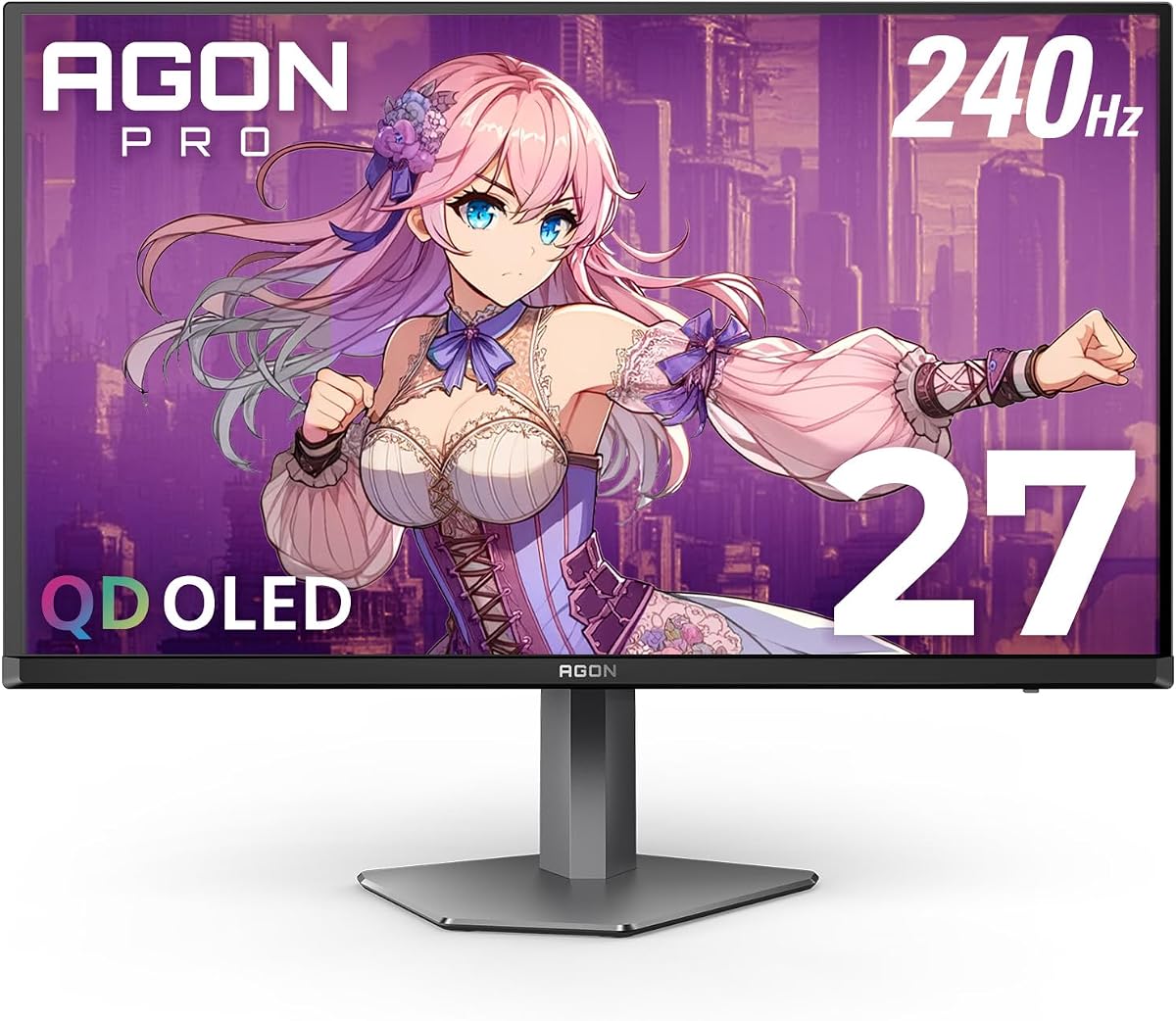
AOC Agon Pro 27 Inch Gaming Monitor QD OLED 240Hz 0.03ms, AG276QZD2
2560×1440 resolution
240Hz refresh rate
0.03ms GTG
HDR10
The Agon Pro brings OLED technology to the mid-range gaming market. Its self-luminous panel creates genuine blacks and extreme color accuracy. The 240Hz refresh rate paired with 0.03ms response times ensures instant reactions.
Pros
True blacks from OLED
Ultra-fast response
Wide color gamut
Backlighting effects
Cons
Higher price point
Potential burn-in risk
We may earn a commission when you buy through this link, at no additional cost to you.
HDR10 support enriches contrast and detail in compatible content. The unique backlighting features let you sync ambient lighting with your setup. This adds a visual flair that many users find immersive during long sessions.
While excellent for visuals, OLED panels carry a risk of burn-in over time. The price is higher than LCD options but justified by the image quality. It stands out for those wanting premium visuals without flagship costs.
Best suited for users who prioritize image quality above all else. It transforms single-player games with stunning depth and brightness. Ensure you take advantage of screen savers to protect the panel.
Unmatched Contrast
OLED technology delivers perfect blacks that LCDs cannot match.
Gaming Ambience
Rear lighting syncs with in-game action for enhanced immersion.
This monitor prioritizes productivity with its sharp 4K UHD resolution. The IPS panel provides consistent colors from various angles, useful for design work. Built-in speakers save desk space by eliminating external audio needs.
Pros
4K UHD clarity
Wide viewing angles
Integrated audio
Frameless design
Cons
No gaming features
Basic stand
We may earn a commission when you buy through this link, at no additional cost to you.
HDR support enhances media playback quality for streaming videos. The 3-sided frameless design reduces bezel distractions during multitasking. It is ideal for office environments needing high clarity and clean aesthetics.
It lacks the high refresh rates or adaptive sync needed for serious gaming. The stand is basic with limited adjustment options. For professionals focused on content creation or general office tasks, it is sufficient.
Consider this if screen real estate and image sharpness matter most. It connects easily to laptops via HDMI or DisplayPort. The price reflects its role as a reliable workstation display.
Workspace Efficiency
4K resolution fits more windows and files on one screen.
Clean Aesthetics
Minimal bezels create a sleek look for modern desks.
Gaming 27-inch monitor combines large screen space with high speeds. The 260Hz overclocked refresh rate ensures smooth motion even in competitive games. It offers excellent value for those wanting a big display on a budget.
Pros
Large 27-inch size
High overclocked refresh
Tilt adjustability
Low power usage
Cons
FHD on 27 inches
Basic OSD controls
We may earn a commission when you buy through this link, at no additional cost to you.
Adaptive-Sync keeps gameplay free from tearing or stuttering. Flicker-free technology reduces eye strain during long sessions. The VESA mount compatibility gives you flexibility to customize your setup later.
The 1080p resolution might look pixelated on a 27-inch panel compared to QHD. Controls are simple but lack advanced customization. If you prioritize size and speed over sharpness, this is a smart buy.
Perfect for casual gamers or secondary setups where budget is key. It delivers high performance per dollar without compromising on motion. Expect a clean, modern look with frameless sides.
Immersive Size
A 27-inch screen fills your field of view effectively.
Eco Friendly
Power-efficient design keeps energy usage low over time.
AOC 32 Inch Curved Gaming Monitor 2K QHD 180Hz VA 0.5ms HDR, CQ32G4VE
2560×1440 resolution
180Hz refresh rate
0.5ms MPRT
1500R curvature
This 32-inch curved model wraps around your vision for deep immersion. The QHD resolution provides sharp text and game details. VA panel technology delivers high contrast ratios for dark scenes.
Pros
32-inch QHD
Curved screen
High contrast VA
Multiple ports
Cons
VA panel ghosting
No USB hub
We may earn a commission when you buy through this link, at no additional cost to you.
HDR support enriches colors and brightness in supported titles. The 180Hz refresh rate ensures fluid action without lag. It is designed to maximize performance on consoles up to 120Hz.
VA panels may show slight ghosting in very fast scenes compared to IPS. Stand adjustments are limited to tilt which might not suit everyone. For immersive single-player gaming, this is a strong contender.
Ideal for players who want a wide, enveloping view. The frameless design reduces distraction between monitors. Use it for both gaming and media consumption effectively.
Wide Field of View
Curved design keeps all screen edges within peripheral vision.
High Contrast
VA panel provides deep blacks and vibrant color saturation.
AOC C32G2ZE 32" Curved Frameless Gaming Monitor, Full HD 1920×1080, VA, 0.5ms 240Hz, AMD FreeSync Premium, DP/HDMI/VGA, VESA, 3-3-1 Re-Spawn Program, Xbox PS5 Switch,Black
1920×1080 resolution
240Hz refresh rate
0.5ms MPRT
1500R curvature
Combining a 32-inch screen with 240Hz refresh makes this unique. The 1080p resolution ensures high frame rates without needing powerful hardware. AMD FreeSync Premium eliminates tearing for smoother gameplay.
Pros
High refresh on 32
Fast response time
FreeSync Premium
Frameless design
Cons
1080p on large screen
Basic stand
We may earn a commission when you buy through this link, at no additional cost to you.
Low latency mode improves input responsiveness for competitive play. The curved design helps immersion even at lower resolutions. Frameless bezels allow easy multi-monitor setups if needed.
The large pixel density means some might notice pixels up close. Stand adjustment options are minimal. If speed matters more than sharpness, this delivers well for shooters.
Perfect for FPS gamers wanting wide views without lag. It supports consoles and PCs effectively. Consider it for secondary setups where speed is priority.
Instant Response
0.5ms response minimizes blur in fast action games.
Console Optimized
Supports high refresh rates on current generation consoles.
This OLED model brings exceptional color accuracy and speed. QD OLED tech delivers 1.07 billion colors for stunning realism. The 240Hz refresh rate handles competitive needs seamlessly.
Pros
QD OLED colors
Fast 240Hz
Wide color gamut
Low input lag
Cons
Price varies
Care required
We may earn a commission when you buy through this link, at no additional cost to you.
HDR10 support enriches contrast in bright and dark scenes. Synchronization with GPUs ensures smooth action without artifacts. It is designed for next-gen console compatibility up to 120Hz.
OLED panels need care to prevent burn-in during static use. The price reflects the premium tech inside. For users wanting the best colors, this is a top choice.
Ideal for visual-focused gamers and content creators. It balances high refresh with image fidelity. Take advantage of screen savers to extend panel life.
Color Precision
Over 130% sRGB coverage ensures accurate vibrant images.
Action Ready
Near instant response times eliminate motion blur completely.
AOC Agon Pro AG276QZD2-27-inch QHD OLED Monitor, 240 Hz, 0.03 ms GtG, FreeSync Premium Pro, G-Sync, HDR400 (2560×1440, 2X HDMI 2.1, DisplayPort, USB Hub) Black
2560×1440 resolution
240Hz refresh rate
0.03ms GTG
HDMI 2.1
This OLED model features full HDMI 2.1 connectivity for next-gen consoles. The built-in USB hub reduces cable clutter significantly. QD OLED provides sharp, deep images with fast response.
Pros
QD OLED tech
HDMI 2.1 ports
USB hub included
Height adjustable
Cons
High cost
Limited HDR
We may earn a commission when you buy through this link, at no additional cost to you.
Height adjustable stand allows ergonomic flexibility. HDR400 ensures decent dynamic range though not premium. It suits users needing full console compatibility and extra ports.
The price is higher than most due to advanced ports. HDR support is basic compared to true HDR. For console users, this is a top-tier option.
Ideal for next-gen gaming setups needing versatility. Consider it if you need hub connectivity. Ensure your GPU supports the refresh rate.
Console Connectivity
HDMI 2.1 allows full 4K at 120Hz on consoles.
Ergonomics
Height and tilt adjustability support comfortable viewing.
AOC 22B30HM2 21.5" Gaming Monitor Full HD 1920×1080, 100HzRefresh Rate, 1ms Response Time, Flicker-Free, FreeSync, Blue Light Filter, VGA/HDMI, Gaming Monitor for PC with VESA Mount(Black) (Renewed)
1920×1080 resolution
100Hz refresh rate
1ms response time
Blue light filter
An entry-level model offering reliable performance for casual use. The 100Hz refresh rate is smooth for general gaming tasks. Eye care features like blue light filter help during long sessions.
Pros
Affordable price
100Hz refresh
Blue light filter
VESA mount
Cons
Smaller screen
No adaptive sync
We may earn a commission when you buy through this link, at no additional cost to you.
VESA mount support gives flexibility for wall mounting. Frameless design looks modern even at smaller sizes. It is renewed which adds value and eco-friendliness.
Larger gaming setups might need more screen real estate. Adaptive sync is not included. For tight budgets, this offers solid basic functionality.
Best for students or secondary displays. It supports general gaming without high cost. Check the warranty on renewed items before buying.
Budget Friendly
Affordable option for those starting their setup.
Eye Care
Flicker-free and blue light features reduce eye strain.
We may earn a commission when you buy through this link, at no additional cost to you.
Buying Guide – How to Choose the Best Aoc Monitors
Selecting the right AOC monitor involves weighing several technical and practical factors. This section breaks down the most important elements to consider before making a purchase.
Panel Type
IPS panels offer wide viewing angles and color accuracy which are great for most users. VA panels provide higher contrast ratios suitable for dark rooms. OLED panels deliver true blacks and instant response times for premium visuals.
Choose IPS for general use or gaming. Go with VA if you prioritize contrast and watch many movies. OLED is best for those willing to pay for top-tier image quality.
Refresh Rate
Refresh rate determines how many frames the monitor can display per second. Higher rates like 144Hz or 240Hz make motion smoother especially in fast games. Standard 60Hz is adequate for office work and casual browsing.
Aim for at least 144Hz for competitive gaming. Check your PC capabilities to ensure it can drive high refresh rates effectively.
Resolution
Resolution impacts how sharp your image appears on the screen. 1080p works well on smaller screens like 24 inches. 1440p offers more detail and is ideal for 27-inch displays. 4K provides maximum clarity but needs powerful hardware.
Match resolution to your screen size and PC power. 1440p is often the sweet spot for gaming clarity and performance.
Response Time
Response time measures how fast pixels change color. Lower values like 1ms reduce motion blur and ghosting. This is critical for first-person shooters and racing games. High response times can cause smearing in fast scenes.
Look for 1ms or lower for competitive gaming. Don't worry too much about this if you mainly watch videos.
Adaptive Sync
Adaptive Sync technologies like FreeSync and G-SYNC match the monitor refresh rate to your GPU. This eliminates screen tearing and stuttering during gameplay. Ensure compatibility with your graphics card brand for best results.
Always choose a monitor with sync tech if you game. It makes a huge difference in visual smoothness.
Connectivity Ports
Ports determine what devices you can connect to the monitor. HDMI and DisplayPort are standard for PCs and consoles. USB hubs add convenience for peripherals. Ensure you have enough slots for your setup.
Check your devices require specific ports like HDMI 2.1 for next-gen consoles. Verify cable availability before buying.
Ergonomics and Design
Adjustable stands allow you to set the monitor at eye level. Tilt height and swivel options improve comfort. VESA mounting lets you attach the screen to arms or walls. Frameless designs help with multi-monitor setups.
Prioritize adjustability to avoid neck strain. A stand that lacks movement might need a separate arm.
Eye Care Features
Modern monitors include flicker-free technology and low blue light filters. These reduce eye strain during long work or gaming sessions. Features like auto-brightness can also help adjust to room lighting.
If you use your monitor daily, eye care features are vital. Look for these certifications when shopping.
How to Use and Care for Your Aoc Monitors
Set up your monitor on a stable surface to prevent accidents. Connect cables carefully to avoid damaging ports. Adjust brightness and color settings to match your room lighting.
Use built-in presets for different tasks like gaming or movies. Enable eye care modes if you spend long hours in front of the screen. Regularly update firmware for performance improvements.
Clean the screen with a microfiber cloth and avoid harsh chemicals. Dust the stand and vents regularly to prevent overheating. Power off the device when not in use to extend its lifespan.
Frequently Asked Questions
Are AOC monitors good for gaming?
Yes, AOC offers a wide range of gaming monitors with high refresh rates and adaptive sync. Their models often balance price and performance well. Many users find them reliable for competitive and casual play.
What is the difference between IPS and VA panels?
IPS panels provide better color accuracy and viewing angles than VA panels. VA panels offer higher contrast ratios for deeper blacks. Choose IPS for color work or VA for movie watching.
Do AOC monitors support HDR?
Many AOC monitors feature HDR support though quality varies. Higher-end models have better HDR implementation. Check specifications for true HDR certification if you prioritize brightness.
Can I mount an AOC monitor on a wall?
Most AOC monitors support VESA wall mounting. This allows flexible placement options beyond the included stand. Ensure the mounting kit matches the specific monitor model.
How long do AOC monitors typically last?
AOC monitors often last several years with regular use. Regular maintenance helps extend their lifespan. Warranty terms vary by model so review them before buying.
Do these monitors work with Mac computers?
AOC monitors work with Macs via HDMI or DisplayPort. Some USB-C models offer power delivery for Macs. Ensure your cable supports your device requirements.
Final Thoughts on Choosing the Best Aoc Monitors
Our top picks cover different needs from budget to premium gaming. The Agon Pro OLED shines for image quality while the 27G51Z offers great value. Each model serves specific user scenarios effectively.
Prioritize features that matter most to you like refresh rate or color accuracy. Balance your budget with the performance you actually need. High-end features only help if your PC can support them.
Always verify current pricing and stock before purchasing. Monitor prices fluctuate based on demand and inventory. Check return policies to ensure you can swap the unit if needed.