
RisoPhy Mechanical Gaming Keyboard
4.5Editor score
Clicky Blue Switches
Ultra-Slim Design
RGB Backlit Keyboard
Discover the top loud mechanical keyboards for 2026. We compare clicky switches, build quality, and features to help you find the perfect audible typing
Finding the right loud mechanical keyboard can transform your typing and gaming sessions. Users who crave auditory feedback often seek clicky switches that provide a distinct sound with every keystroke. This guide explores ten top models designed to deliver that satisfying acoustic response.
We evaluated each keyboard based on switch type, build quality, customization options, and overall value. Our analysis focuses on models known for their audible feedback and durability. Whether you need a full-size layout or a compact design, this list covers a wide range of preferences.
Each pick highlights key features, pros, and cons to help you make an informed decision. Prices and availability can change frequently, so check the latest offers before purchasing. We hope this guide helps you find the perfect loud mechanical keyboard for your setup.
4.5Editor score
4.6Editor score

4.6Editor score
This comparison table lists all ten keyboards side by side. It highlights essential specifications to help you quickly identify which model fits your needs and budget.





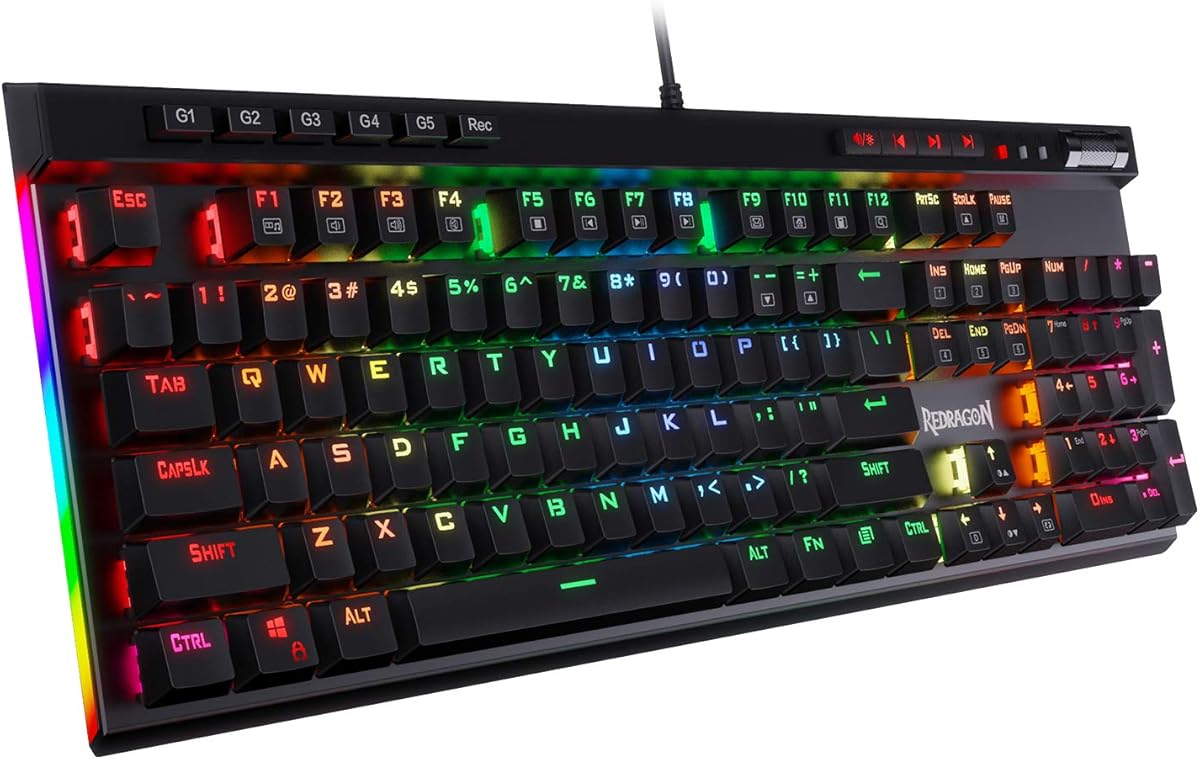
The Redragon K671 offers a budget-friendly entry into hot-swap keyboards. While its stock switches are quiet reds, the ability to change them makes it versatile for users wanting loud feedback. Its PBT keycaps and RGB lighting add value at this price point.
We may earn a commission when you buy through this link, at no additional cost to you.
Key strengths include the hot-swap PCB, which allows easy switch customization without soldering. The double-shot PBT keycaps resist wear better than ABS, ensuring long-term durability. The 11 backlit modes provide ample customization for ambient lighting needs.
Trade-offs involve the stock red switches, which are smooth but not clicky or loud. Users must buy loud switches separately to achieve the desired auditory experience. The software is basic and does not allow color changes beyond preset modes.
This keyboard is ideal for budget-conscious builders planning to mod switches later. If you want a loud mechanical keyboard without breaking the bank, this board provides a solid foundation for customization and long-term use.
The hot-swap sockets support 3-pin and 5-pin switches, making it easy to upgrade to louder clicky switches later.
Double-shot PBT keycaps ensure the legends do not fade over time and provide a textured surface for comfortable typing.
We may earn a commission when you buy through this link, at no additional cost to you.
The RisoPhy Mechanical Gaming Keyboard delivers a loud typing experience right out of the box. Its blue switches provide the audible click many users seek. The ultra-slim design and spill-resistant features make it practical for everyday use.
We may earn a commission when you buy through this link, at no additional cost to you.
Strengths include the clicky blue switches that offer tactile feedback and sound. The rainbow backlight enhances the visual appeal, especially in low light. The spill-resistant holes help protect the internals from accidental liquid damage.
Trade-offs involve the use of ABS keycaps, which may wear down faster than PBT. The backlight software does not allow color customization beyond the preset modes. However, these limitations are acceptable given the budget price.
This keyboard is perfect for those wanting loud sound without spending much. Its balance of features and cost makes it a top choice for entry-level mechanical keyboard users seeking auditory feedback.
Blue switches provide a distinct click sound that satisfies users who enjoy audible typing feedback.
Hydrophobic holes allow water to drain quickly, reducing the risk of damage from accidental spills.
We may earn a commission when you buy through this link, at no additional cost to you.
The SteelSeries USB Apex 5 stands out with its hybrid blue mechanical switches and OLED smart display. It combines the clicky feel of mechanical switches with the durability of membrane technology. The aluminum frame ensures a premium build quality.
We may earn a commission when you buy through this link, at no additional cost to you.
Key strengths include the OLED display for game info and Discord messages. The hybrid switches offer a unique tactile click with high durability. The per-key RGB illumination allows for vibrant and customizable lighting effects across the keyboard.
Trade-offs involve the higher cost compared to entry-level models. The software is necessary for full macro and lighting customization, which may not appeal to plug-and-play users. However, the features justify the investment for many.
This keyboard is ideal for gamers and enthusiasts seeking a blend of features and sound. Its hybrid design offers reliable performance, while the OLED display adds a unique element to any desk setup.
Hybrid switches combine mechanical clicky tactile with membrane smoothness for 20 million keystroke durability.
The smart OLED screen displays customizable gifs, game stats, and chat messages for an interactive experience.
We may earn a commission when you buy through this link, at no additional cost to you.
The RK ROYAL KLUDGE S108 brings a vintage typewriter aesthetic to modern mechanical keyboards. Its clicky blue switches provide the loud feedback desired. The metal panel and round keycaps offer a distinctive look and feel.
We may earn a commission when you buy through this link, at no additional cost to you.
Strengths include the retro round keycaps that enhance the vintage vibe. The aluminum alloy panel ensures sturdiness. The detachable wrist rest adds ergonomic comfort for long typing sessions. The yellow backlight offers a warm alternative to RGB.
Trade-offs include the software being Windows-only, which limits Mac users. The switches are not hot-swappable, so customization is limited. Despite this, the build quality and aesthetic appeal make it a strong choice.
This keyboard suits users seeking a unique style with loud sound. Its retro design and clicky switches make it perfect for those who value aesthetics alongside performance in their setup.
Retro round keycaps mimic classic typewriters, offering a vintage look that stands out from standard keyboards.
The aluminum alloy top plate provides durability and resistance to scratches, ensuring a sleek finish.
We may earn a commission when you buy through this link, at no additional cost to you.
The Redragon K668 is a feature-rich full-size keyboard with hot-swap capability. It includes extra hotkeys for quick access to media and system functions. The RGB lighting and mixed color keycaps add customization to your setup.
We may earn a commission when you buy through this link, at no additional cost to you.
Strengths include the dedicated shortcut keys that improve workflow efficiency. The hot-swap sockets allow for easy switch changes. The RGB modes offer music sync and adjustable brightness for various environments.
Trade-offs involve the stock linear switches being quiet, so users need to swap them for loudness. The extra hotkeys take up space but provide utility. The mixed keycap sets allow for visual customization.
This keyboard is great for those wanting modularity on a budget. If you plan to install loud switches, this board offers the flexibility and features needed for a custom loud mechanical keyboard setup.
Four extra keys default to mute and calculator functions, streamlining daily tasks and media control.
The RGB lighting can sync with desktop audio, creating a dynamic visual experience during gaming or music listening.
We may earn a commission when you buy through this link, at no additional cost to you.
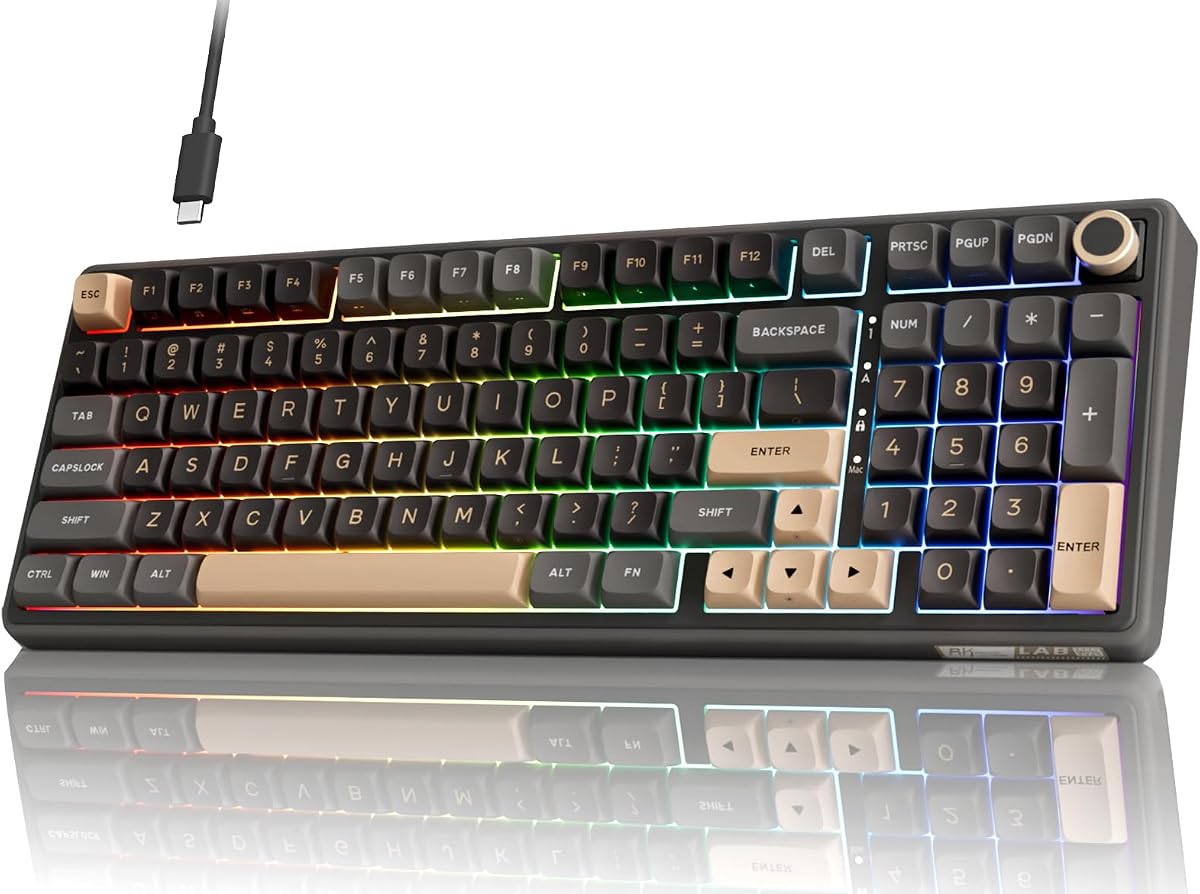
The RK ROYAL KLUDGE R98 Pro offers a 96% layout that saves space without losing the number pad. Its gasket mount provides a soft typing feel. The volume knob and PBT keycaps add premium features to this board.
We may earn a commission when you buy through this link, at no additional cost to you.
Strengths include the compact layout that retains essential keys. The gasket mount and sound-absorbing foam create a premium typing experience. The detachable volume knob offers quick audio control.
Trade-offs involve the stock pre-lubed linear switches, which are smooth but not loud. Users must swap these for clicky switches to achieve a loud mechanical keyboard. The online driver supports customization for Windows and Mac.
This keyboard is ideal for those wanting a compact yet full-function setup. With loud switch swaps, it delivers a premium feel with space efficiency for any desk.
Gasket mounting allows the PCB to flex slightly, enhancing typing comfort and providing a softer sound profile.
The compact layout retains the numpad and arrow keys while reducing overall footprint compared to full-size boards.
We may earn a commission when you buy through this link, at no additional cost to you.
The Logitech G413 SE is a reliable full-size keyboard from a trusted brand. It features tactile mechanical switches and durable PBT keycaps. The brushed aluminum top case ensures a premium look and feel.
We may earn a commission when you buy through this link, at no additional cost to you.
Strengths include the PBT keycaps that resist wear and shine. The robust design minimizes flex during intense use. The FN media controls offer quick access to volume and playback.
Trade-offs include limited customization compared to gaming-specific boards. The switches are tactile but not as clicky as blue switches. This makes it better for general use rather than loud mechanical enthusiasts.
This keyboard suits users seeking a reliable brand and durable build. While not the loudest option, it offers a solid typing experience with longevity.
Heat-resistant PBT keycaps provide a textured feel and resist wear over time better than standard ABS plastics.
Dedicated FN keys allow quick access to volume, play/pause, and lighting toggle without leaving your game.
We may earn a commission when you buy through this link, at no additional cost to you.
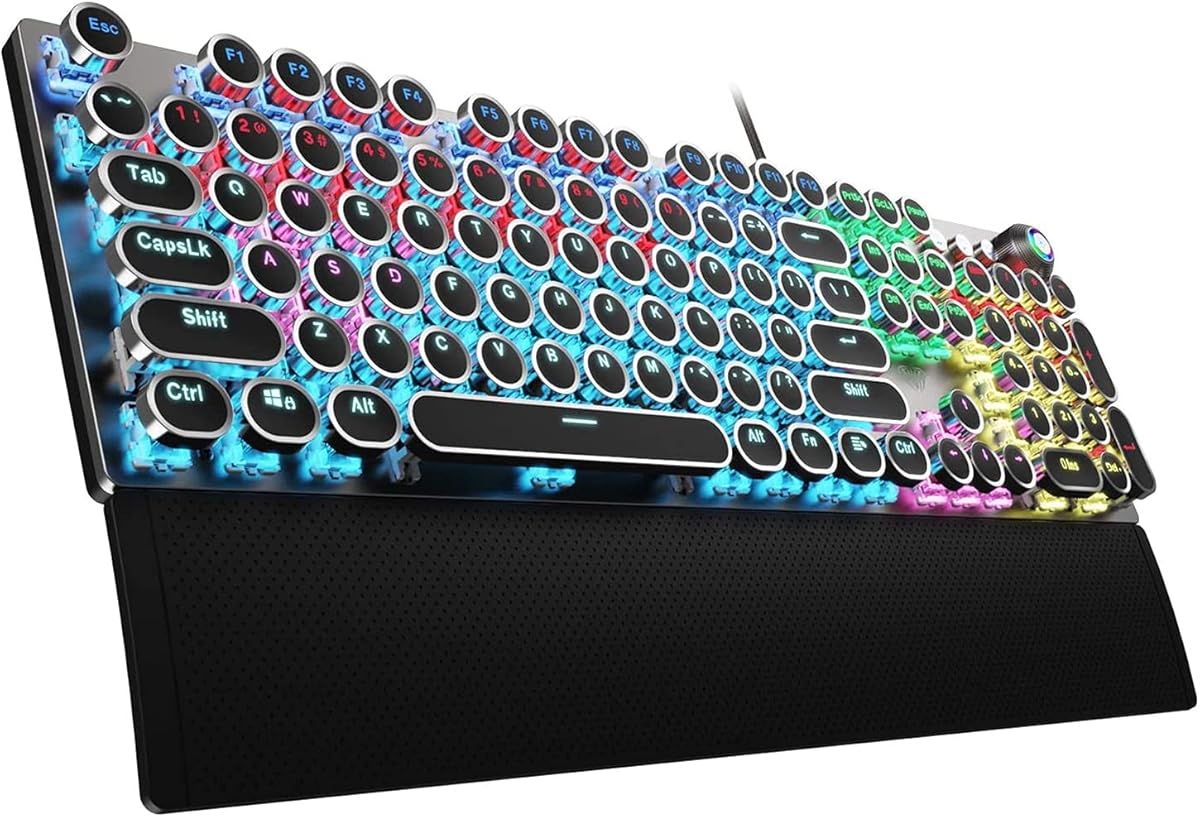
The AULA F2088 Typewriter offers a unique steampunk design with blue switches. Its metal panel and media knob provide added functionality. The floating keycaps ensure precise positioning and reduce fatigue.
We may earn a commission when you buy through this link, at no additional cost to you.
Strengths include the retro aesthetic that stands out visually. The media knob controls volume and lighting easily. The anti-ghosting technology ensures accurate inputs during gaming.
Trade-offs include the lack of driver software, limiting customization. However, the plug-and-play nature simplifies setup. The design makes it a standout piece on any desk.
This keyboard is perfect for those seeking a unique look and loud sound. Its blend of style and functionality makes it a great choice for individualistic setups.
A dedicated knob adjusts volume and lighting effects, streamlining control without complex key combinations.
Round keycaps and floating layout mimic vintage typewriters, offering a nostalgic yet modern aesthetic.
We may earn a commission when you buy through this link, at no additional cost to you.
The AULA F99 offers wireless connectivity with hot-swap capability. Its gasket structure provides a solid typing feel. The large battery ensures long usage without frequent charging. It supports multiple devices for versatile use.
We may earn a commission when you buy through this link, at no additional cost to you.
Strengths include the tri-mode connection for switching between devices easily. The hot-swap PCB allows customization for loud switches. The gasket fill reduces cavity noise and enhances stability.
Trade-offs involve the stock linear switches needing replacement for loud feedback. The wireless option adds convenience but may concern users preferring wired stability. Overall, it offers a premium wireless experience.
This keyboard is ideal for those wanting wireless freedom with customizability. With loud switch swaps, it delivers a great setup for portable and loud mechanical typing.
Supports Bluetooth, 2.4GHz wireless, and USB-C for seamless switching between devices up to five at once.
Extended silicone pads and gasket mount provide better resilience and reduce noise for a solid typing feel.
We may earn a commission when you buy through this link, at no additional cost to you.
The Redragon K580 includes five dedicated macro keys and a media wheel. Its hot-swap design allows for future customization. The stock blue switches provide a clicky and loud experience out of the box.
We may earn a commission when you buy through this link, at no additional cost to you.
Strengths include the macro keys for quick access to complex combos. The media wheel offers easy volume control. The hot-swap sockets provide flexibility for users wanting different switch types later.
Trade-offs involve the software being optional for advanced users. The default blue switches are clicky but not the loudest available. However, this model offers excellent value for its features.
This keyboard is great for gamers needing macros and loud feedback. Its mix of features and price makes it a top contender for budget-friendly loud mechanical setups.
Five macro keys allow you to record complex combos without needing software for basic functionality.
A dedicated media wheel provides quick volume and playback control, streamlining daily audio adjustments.
We may earn a commission when you buy through this link, at no additional cost to you.
Choosing a loud mechanical keyboard involves considering switch types, build quality, and layout. This guide outlines the key factors to help you find the right model.
Switches determine the sound and feel of your keyboard. Blue switches are clicky and loud, making them ideal for those seeking auditory feedback. Brown switches are tactile but quieter. Red switches are smooth and quiet. For a loud experience, prioritize blue or clicky tactile switches.
Focus on clicky blue switches for maximum audible feedback and a distinct typing sound.
Hot-swappable keyboards allow you to change switches without soldering. This offers flexibility to experiment with different loudness levels. If you buy a board with quiet switches, you can upgrade later. This feature extends the lifespan of your keyboard.
Choose a hot-swappable board to future-proof your setup for louder switch upgrades.
Durability depends on materials like aluminum frames or sturdy plastics. Metal cases reduce flex and improve acoustic resonance. Higher-end models often use aircraft-grade aluminum. This ensures the keyboard withstands years of heavy typing and gaming.
Look for metal plates or frames to ensure durability and better sound quality.
Keycaps affect typing feel and long-term appearance. PBT keycaps resist wear and shine better than ABS. They also provide a textured surface for comfortable typing. While ABS is common, PBT is a premium choice for longevity.
Select PBT keycaps for a textured feel and better resistance to fading.
Full-size layouts include a numpad and all function keys. Compact boards like TKL save space but omit some keys. Consider your desk space and need for number input. Full-size keyboards offer versatility for office and gaming tasks.
Choose full-size for all keys or compact for a cleaner desk setup.
Wired keyboards offer lower latency and stable connections. Wireless options provide flexibility but rely on battery life. For competitive gaming, wired is often preferred. If convenience is key, wireless mechanical keyboards offer great mobility.
Opt for wired for stability or wireless for a clean desk experience.
Look for RGB lighting and macro support. RGB enhances visual appeal, while macros automate complex commands. Software support adds value for power users. Ensure the brand provides drivers for customizing lighting and key functions.
Prioritize RGB and software support for deeper customization options.
Prices vary from budget-friendly to premium options. Budget boards often have ABS keycaps and fewer features. Premium boards offer metal cases and better switches. Determine how much you are willing to spend for the features you need.
Set a budget range to balance features and cost effectively.
Place your keyboard on a flat surface and ensure it is securely connected. Adjust the angle using kickstands for ergonomic comfort. This reduces strain on your wrists during long typing sessions.
Clean your keyboard regularly by unplugging it and removing keycaps to brush out dust. Use compressed air to clear debris between switches. Replace keycaps carefully to maintain their alignment.
Update drivers or software to access full features like RGB and macros. Check the manufacturer's site for the latest firmware. Proper maintenance ensures your keyboard lasts longer and performs optimally.
No, mechanical keyboards vary in noise. Blue switches are loud and clicky, while red and silent switches are quiet. If you want a loud experience, look for clicky blue or tactile switches. Some boards come with dampeners that reduce noise.
Yes, loud keyboards can be disruptive in shared spaces. Clicky switches produce distinct sounds with every keystroke. If you share a room, consider silent or quiet switches to avoid disturbing others. Headphones can also help minimize sound.
You can upgrade switches to clicky types like blues. This requires a hot-swappable board. If soldering is needed, it may void the warranty. Always check compatibility before swapping switches.
Loud switches can improve typing speed due to tactile feedback. The click indicates the actuation point clearly. However, some may find the sound distracting. It depends on personal preference and adaptation.
Yes, mechanical keyboards are rated for 50 million keystrokes. The switches use metal springs and plastic housings that withstand heavy use. High-end models use stronger materials for added durability and longevity.
Most mechanical keyboards work on Mac but require key remapping. Software support varies by brand. Check compatibility before buying. Some keyboards offer dedicated Mac modes for seamless use.
This guide reviewed ten loud mechanical keyboards for 2026. The RisoPhy offers a budget-friendly entry point, while the SteelSeries Apex 5 brings premium features. The Redragon models provide excellent customization options.
When choosing, consider switch type, build quality, and layout. Prioritize models that match your specific needs. Whether for work or gaming, the right loud keyboard enhances your experience.
Prices and availability change regularly. Always check current offers before purchasing. We hope this guide helps you find the perfect loud mechanical keyboard for your desk setup.