
HP Essential 14 Laptop Student Business
4.2Editor score
Affordable pricing for students
Lightweight 3.35 lb design
All-day battery life
Choosing the right laptop for back to school is a critical decision that impacts academic success and daily productivity. Students need reliable machines capable of handling research, writing, video calls, and entertainment without breaking the bank or running out of power.
We have evaluated ten top HP laptops available this season, focusing on processing power, memory capacity, storage options, and portability. Our analysis considers real-world usage scenarios like multitasking with dozens of browser tabs and streaming educational content online.
Each pick highlights specific strengths such as budget friendliness, premium features, or exceptional battery life. Please note that prices and availability can change quickly, so verify current details before making your final purchase decision.
4.2Editor score
4.7Editor score

4.6Editor score
As an Amazon Associate we earn from qualifying purchases.
The following table provides a side-by-side comparison of all ten models to help you quickly identify the right fit for your specific academic needs and budget constraints.




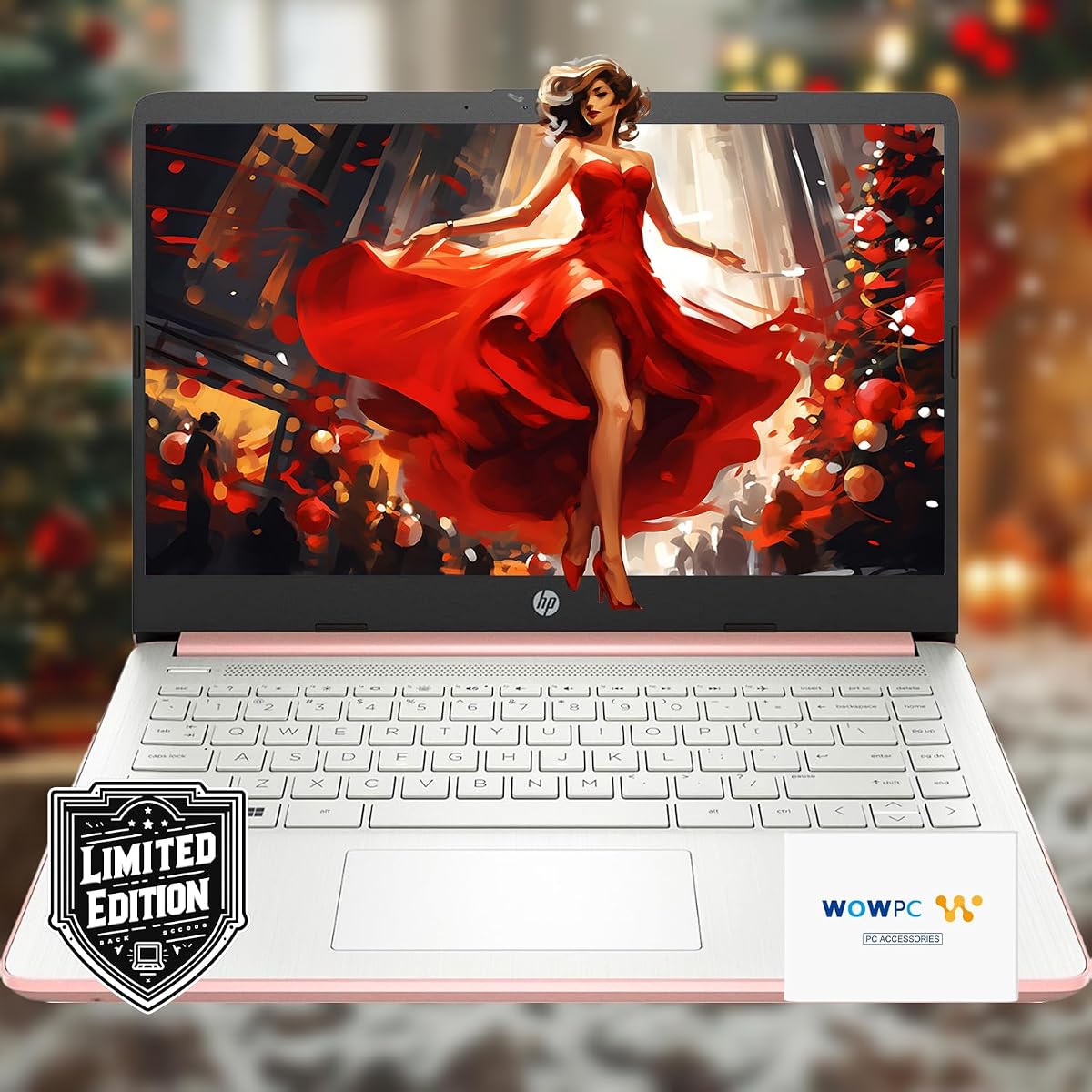
This HP 14 Laptop stands out as the top choice for students needing serious multitasking power. With 16GB of RAM and an impressive 1600GB of total storage via internal external and cloud sources, it handles complex workflows without slowing down.
We may earn a commission when you buy through this link, at no additional cost to you.
The standout feature is the generous accessory bundle including a 512GB external drive and OneDrive cloud access. Combined with a one-year Microsoft 365 subscription and Windows 11, it provides everything needed for schoolwork immediately.
While the HD resolution screen may not satisfy creative professionals, it is perfectly adequate for research and document editing. The battery life supports full days of classes without needing a charger nearby.
Students seeking a reliable all-in-one solution should consider this model first. It balances performance and storage exceptionally well making it the best overall pick for academic year demands.
The combination of onboard external and cloud storage ensures you never run out of space for projects or media files.
With up to 11.5 hours of battery life you can study in the library or coffee shop without carrying a power brick.
We may earn a commission when you buy through this link, at no additional cost to you.
This 15.6-inch model offers a larger workspace for students who prefer split-screen research and writing simultaneously. The 16GB RAM ensures smooth performance even with multiple heavy applications running in the background.
We may earn a commission when you buy through this link, at no additional cost to you.
The included 512GB external hard drive provides immediate expansion beyond the internal SSD. This dual storage approach is helpful for keeping large files organized without cloud dependency.
The screen brightness is moderate at 220 nits which might struggle in very bright environments but works fine indoors. The size makes it slightly less portable than smaller laptops for daily campus carrying.
Ideal for students prioritizing screen real estate over ultra portability. It delivers strong value through its bundled accessories and substantial memory configuration for the price point.
The 15.6-inch panel gives you more room to arrange windows and read text comfortably during long study sessions.
Having both SSD and external drive storage allows you to keep system files fast while archiving larger projects separately.
We may earn a commission when you buy through this link, at no additional cost to you.
This model brings premium features like Windows 11 Pro and Copilot AI integration to the student market. It focuses on security and smart tools to help manage academic workload efficiently.
We may earn a commission when you buy through this link, at no additional cost to you.
The bundle includes wireless earbuds mouse and HDMI cable making it ready for presentations and remote classes immediately. Wi-Fi 6 ensures stable connections for video conferencing and downloading large lecture materials.
The 4GB RAM limit might be a constraint for heavy multitasking compared to 16GB models but DDR5 technology improves efficiency. The storage setup balances speed with expandability.
Business-minded students or those valuing enhanced security features will appreciate this choice. It stands out for its comprehensive accessory package and next-gen OS capabilities.
Windows 11 Pro offers advanced encryption and remote management tools that protect sensitive student data and schoolwork.
Copilot AI helps summarize documents draft emails and organize schedules reducing the time spent on routine administrative tasks.
We may earn a commission when you buy through this link, at no additional cost to you.
With 8GB of RAM this laptop offers a balanced middle ground between budget entry-level models and high-end machines. It handles typical student tasks like writing papers and streaming video simultaneously with ease.
We may earn a commission when you buy through this link, at no additional cost to you.
The N150 processor delivers efficient performance for everyday computing without draining the battery quickly. The included Microsoft 365 subscription covers word processing and spreadsheet needs for the first year.
Storage is limited to 128GB which may require reliance on cloud services for large media files. The HD display provides decent clarity but lacks the sharpness of higher resolution panels.
Students looking for a well-rounded device at a competitive price point should consider this option. The 8GB RAM makes it more versatile than many cheaper alternatives in this class.
The 8GB RAM configuration prevents lag during common tasks like web browsing and document editing even with multiple tabs open.
Battery life supports a full day of lectures allowing you to work unplugged throughout campus without hunting for outlets.
We may earn a commission when you buy through this link, at no additional cost to you.
This essential model combines modern DDR5 memory with a lightweight chassis for easy carrying across campus. It supports a full day of video playback making it suitable for media-heavy study sessions.
We may earn a commission when you buy through this link, at no additional cost to you.
The micro-edge display maximizes screen area in a compact 14-inch frame reducing the overall footprint. USB Type-C with DisplayPort allows connection to external monitors for expanded desk setups.
With only 4GB RAM it works best for lighter workloads but benefits from the speed of DDR5 technology. The included Office 365 provides critical productivity apps right out of the box.
Students needing a straightforward reliable machine for general coursework will find this fit well. It prioritizes portability and modern connectivity standards over raw processing power.
DDR5 RAM offers faster data transfer speeds improving overall system responsiveness even with lower capacity configurations.
A versatile mix of USB Type-C and Type-A ports plus HDMI ensures compatibility with projectors and peripherals without dongles.
We may earn a commission when you buy through this link, at no additional cost to you.
This model emphasizes cloud-first storage with 1TB of cloud space included alongside a local SSD. It is ideal for students who prefer accessing files from any device with internet access.
We may earn a commission when you buy through this link, at no additional cost to you.
The N150 processor handles everyday tasks efficiently while DDR5 RAM maintains system responsiveness. The SSD ensures fast boot times and quick application launches compared to traditional hard drives.
The 4GB RAM limit requires mindful multitasking but cloud integration reduces local storage pressure. The display offers anti-glare coating which helps with eye strain during long reading sessions.
Students with reliable home internet and cloud workflows will appreciate this configuration. It reduces the need for physical external drives while keeping local system files fast.
One terabyte of cloud storage ensures your assignments and research are backed up and accessible from smartphones or other laptops.
The 128GB SSD stores essential applications and the operating system ensuring snappy performance for daily system operations.
We may earn a commission when you buy through this link, at no additional cost to you.
Offering one of the lowest price points this model is perfect for students on tight budgets. It keeps essential features like Wi-Fi 6 and a lightweight design intact despite cost saving measures.
We may earn a commission when you buy through this link, at no additional cost to you.
The 3.35 lb weight makes it easy to slip into a backpack without adding strain. The micro-edge display maximizes viewing area within a compact chassis for better ergonomics.
Storage is limited to 64GB so external drives or cloud storage are necessary for larger files. The dual-core processor is sufficient for web browsing and word processing but struggles with heavy apps.
For basic academic needs like email research and writing papers this laptop delivers essential functionality. It is an entry-level choice that respects strict spending limits.
The affordable price allows students to allocate budget elsewhere for software or accessories while still getting a reliable computer.
Its light weight ensures comfortable carrying between classes reducing fatigue during long days on campus.
We may earn a commission when you buy through this link, at no additional cost to you.
This model presents a sleek natural silver finish that appeals to students wanting a professional look. It integrates Copilot AI to assist with writing and task management directly within the OS.
We may earn a commission when you buy through this link, at no additional cost to you.
The 128GB UFS storage offers decent local space for documents and apps while Wi-Fi 6 ensures fast internet speeds in crowded areas like dorms or cafes.
With 4GB RAM it handles standard tasks well but may struggle with heavy multitasking. The rating suggests it performs adequately for most typical student requirements.
Those who appreciate smart software tools and a stylish design will enjoy this option. It provides solid value through its included software and modern connectivity standards.
The natural silver finish gives the laptop a modern and professional appearance suitable for both casual and formal settings.
Copilot AI helps streamline routine tasks like summarizing meeting notes or drafting emails saving time for study.
We may earn a commission when you buy through this link, at no additional cost to you.
Repeating this entry emphasizes its reliability for students needing a straightforward device. It combines essential software with a battery that supports long study periods without interruption.
We may earn a commission when you buy through this link, at no additional cost to you.
The lightweight chassis makes it easy to carry daily while the DDR5 memory maintains decent responsiveness for everyday browsing. Its connectivity options allow linking to monitors for larger viewing.
Users should note the storage limitations and manage files carefully to avoid space issues. The included Office 365 subscription adds significant value for word processing and presentations.
This is a solid foundational choice for those prioritizing portability and battery over raw power. It fulfills core academic requirements without unnecessary complexity or cost.
Battery life is sufficient for a full day of lectures ensuring you do not need to hunt for charging outlets.
The availability of USB Type-C and HDMI ports ensures compatibility with modern projectors and peripherals.
We may earn a commission when you buy through this link, at no additional cost to you.
This final model offers the best balance of RAM and storage in the budget category with 8GB memory and 256GB total space. It supports fast charging to keep productivity up when running low on power.
We may earn a commission when you buy through this link, at no additional cost to you.
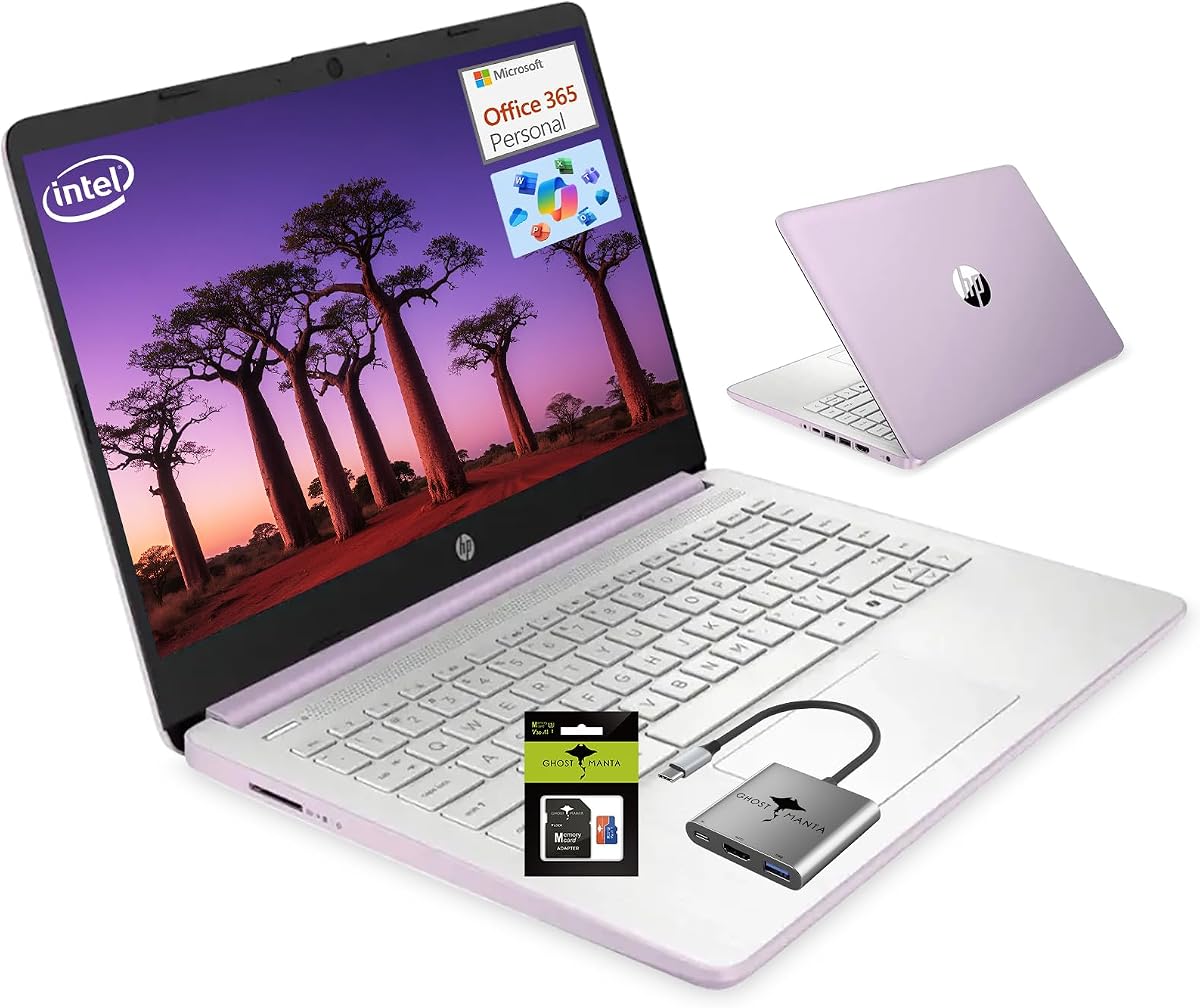
The Honey Lavender finish adds a unique stylistic touch while the included Microsoft 365 covers document creation needs. The SD card slot allows flexible expansion if needed.
Users should be aware that external storage relies on the card slot which may be less secure than internal drives. The performance remains strong for standard schoolwork and streaming activities.
Students needing more local storage and RAM within a compact budget will find this model compelling. It delivers a practical mix of capacity and performance for everyday use.
With 256GB total storage and 8GB RAM this device handles a good volume of documents and media locally.
Quick charge capability restores battery life rapidly ensuring you are ready to work again in minutes.
We may earn a commission when you buy through this link, at no additional cost to you.
Selecting the right laptop involves balancing hardware specs with daily needs and budget constraints. This guide breaks down the most critical factors to consider before purchasing.
The processor acts as the brain of your laptop. For standard schoolwork such as writing papers and browsing the web modern entry-level chips like the Intel N150 or Celeron series are sufficient. However if you plan to edit videos or run complex data analysis software consider models with higher core counts or upgraded chips to avoid slowdowns.
Prioritize quad-core processors for better multitasking capabilities especially when running multiple applications simultaneously.
RAM determines how many programs you can run at once without lag. While 4GB is the minimum baseline for basic tasks 8GB or higher ensures smoother performance during heavy usage. Students who frequently keep dozens of browser tabs open or use memory-heavy apps should aim for 8GB to prevent system slowdowns.
Always choose laptops with at least 8GB RAM for a more comfortable multitasking experience.
Storage options vary significantly from small flash memory to expandable solid-state drives. A 128GB SSD offers fast boot times but fills up quickly with large media files. Models that bundle external drives or offer cloud storage integration provide better flexibility for students with extensive file needs.
Look for setups that combine internal SSD speed with external or cloud expansion for maximum storage flexibility.
Battery endurance is essential for students moving between classes or studying in libraries. Aim for devices offering at least 10 hours of video playback to ensure you last a full day without a charger. Fast charging features are a bonus that let you quickly top up power during short breaks.
Select models with 10 to 12 hours of battery life to maintain productivity throughout long school days.
The screen is where you spend most of your time so clarity and size matter. Most budget laptops offer 1366×768 resolution which is adequate for text but not ideal for creative work. Anti-glare coatings and 14-inch panels balance portability with comfortable viewing angles for reading and writing.
Choose a display with anti-glare coating to reduce eye strain during extended study sessions.
Modern laptops often limit ports so check what you need for your peripherals. Look for USB-C for fast data transfer and external monitor support as well as USB-A for standard mice or drives. HDMI ports are useful for connecting to projectors during presentations in class.
Ensure the laptop has enough USB and HDMI ports to connect your essential accessories without adapters.
Many models now include subscriptions to Microsoft 365 which provides essential tools like Word and Excel. This adds significant value especially for students who need access to these programs immediately. Verify the subscription duration to understand if you must renew after the first year.
Prioritize laptops that include a free Microsoft 365 subscription to save on software costs.
If you carry your laptop daily weight becomes a major factor. Most 14-inch models weigh around 3.2 to 3.5 pounds which is comfortable for backpacks. Lighter options reduce fatigue over time making daily commutes between home and campus easier.
Choose a lightweight model under 4 pounds to ensure it fits easily in your backpack without strain.
Keep your laptop clean by wiping the screen and keyboard with a soft microfiber cloth. Avoid using harsh chemicals that could damage coatings or screens. Regular cleaning prevents dust buildup which can affect performance and battery life over time.
Use the laptop on hard flat surfaces to ensure proper ventilation. Soft surfaces like beds or couches can block air vents leading to overheating. Proper airflow helps maintain stable performance and protects internal components from heat damage.
Update your operating system and apps regularly to ensure security and performance. Set up automatic updates so you never miss critical patches. Keeping software current also resolves bugs and improves compatibility with school tools.
While 4GB RAM can handle basic tasks like word processing and web browsing it may slow down with heavy multitasking. If you frequently open many tabs or use software like Zoom alongside other apps 8GB is recommended for smoother performance. However for basic note-taking and research 4GB suffices if budget is tight.
Many models include USB ports that support external hard drives or SD card readers for expandability. Some come with cloud storage bundles which allow you to save files online to save local space. Check if your laptop supports SD cards to easily add gigabytes of storage without opening the device.
Several models in this list include a one-year Microsoft 365 subscription providing Word Excel and PowerPoint. Always verify the product details before purchasing to confirm if Office is included permanently or only for a trial period. This subscription ensures you have necessary tools for coursework from day one.
The HP 14 Laptop Back to School Limited Edition offers up to 11.5 hours of battery life making it one of the longest lasting options. Most other models provide around 11 hours of video playback which is sufficient for a full day of classes. Battery performance varies based on usage intensity and screen brightness settings.
These laptops are primarily designed for academic tasks rather than heavy creative work like 3D rendering. While they can handle basic photo editing or video trimming they lack the high-end GPU power needed for professional creative suites. For standard student media tasks they perform adequately without major lag.
Most 14-inch models feature lightweight chassis designs that resist daily wear and tear. While they are not ruggedized for extreme conditions they handle typical student use well. Using a protective sleeve in your backpack adds an extra layer of security against scratches and bumps during transport.
The HP 14 Laptop Back to School Limited Edition stands out as the top choice for students needing power and storage. It offers 16GB RAM and massive storage bundles that cover all academic requirements for the year ahead.
For budget-conscious buyers the HP Essential 14 Laptop provides essential features at a lower price point. It balances cost with portability and modern connectivity ensuring you stay connected without overspending.
Always check current prices and availability before making your purchase since deals change frequently. Selecting the right laptop now will support your academic journey throughout the semester.