
NIMO 15.6 AI Ready
4.9Editor score
Affordable metal top cover
Silent efficient operation
Full stack I/O ports
All metal laptops offer durability and premium build quality that plastic alternatives simply cannot match. They provide superior heat dissipation and a sleek aesthetic suitable for professional environments. Choosing the right one requires understanding your specific needs and budget constraints carefully.
We evaluated ten top models based on build quality, performance, display clarity, and connectivity options. Each device was analyzed for its metal construction integrity and overall user experience potential. This list covers various price points to suit different buyer profiles effectively.
Every pick highlights key strengths and potential trade-offs to guide your decision-making process. Note that pricing and availability can change frequently across different retailers. Always verify current stock and warranty terms before finalizing your purchase decision online.
4.9Editor score

5.0Editor score

5.0Editor score
As an Amazon Associate we earn from qualifying purchases.
This side by side comparison highlights key specifications across all ten selected models to help you identify the best fit for your daily tasks and professional requirements efficiently.




This model stands out with its high-end all-metal body and generous 32GB RAM plus 2TB SSD storage. It features a 16-inch touchscreen that enhances interaction significantly for daily tasks. The fingerprint reader adds a layer of security convenient for quick access.
We may earn a commission when you buy through this link, at no additional cost to you.
The metal construction ensures excellent thermal performance which helps maintain stability during extended use. The processor handles office work and design tasks smoothly due to the ample memory. The display offers clear visuals suitable for both work and media consumption efficiently.
While the N95 processor is capable for everyday use it may struggle with heavy rendering or virtualization. The FHD resolution is good but not as sharp as higher tier panels found in more expensive models. These trade-offs are acceptable given the overall value proposition.
This laptop is ideal for users needing robust storage and a tactile interface without breaking the bank. It suits office work accounting or light design projects well. We recommend it for those prioritizing durability and memory over raw processing power.
The metal body dissipates heat effectively keeping the system cool under load and improving longevity.
With 2TB SSD space you can store extensive files locally without needing external drives.
We may earn a commission when you buy through this link, at no additional cost to you.
The Dell Latitude Rugged 5430 offers a robust metal chassis built to withstand demanding environments. It pairs a Core i7 processor with 32GB RAM for smooth multitasking across professional applications. The touchscreen adds versatility for interactive tasks and field work scenarios.
We may earn a commission when you buy through this link, at no additional cost to you.
Its rugged build includes features like enhanced security and encryption suitable for enterprise needs. The 1TB SSD provides fast access to large datasets while the processor ensures quick response times. Battery life is solid for a machine of this capability class.
The weight and thickness reflect its durability which may not suit portable light users. The price is higher than consumer models but justified by the build quality and support. These aspects make it a strong choice for field professionals.
Recommend this for users who need reliability and performance in tough conditions. It fits IT professionals engineers or anyone requiring a secure durable device. Prioritize this if build integrity outweighs portability concerns.
Windows 11 Pro includes BitLocker encryption and Active Directory support for secure data protection.
Rugged construction ensures the laptop survives drops and dust common in field work environments.
We may earn a commission when you buy through this link, at no additional cost to you.
The HP OmniBook 3 14 features a premium metal body and a stunning 2K OLED display. Its Snapdragon X processor delivers impressive battery life exceeding 40 hours for all-day use. The integrated AI assistant helps with notes and summaries automatically.
We may earn a commission when you buy through this link, at no additional cost to you.
The OLED panel offers rich colors and deep blacks enhancing media viewing significantly. Qualcomm Adreno GPU ensures smooth graphics performance while optimizing power consumption effectively. Wi-Fi 6E provides fast connectivity for seamless cloud work and streaming.
Storage is limited to 256GB which may require external solutions for large libraries. Some legacy apps may not run as efficiently on ARM architecture compared to Intel. These limits are manageable for most modern productivity workflows.
Ideal for users prioritizing battery life and screen quality over heavy native app compatibility. It suits students travelers and content consumers well. Choose this if mobility and display excellence are your top priorities.
With up to 41 hours of battery life you can work unplugged for multiple days.
The 2K OLED panel delivers accurate colors perfect for media and design tasks.
We may earn a commission when you buy through this link, at no additional cost to you.
The NIMO 15.6 offers a metal top cover and silent N150 processor ideal for quiet spaces. It comes with 8GB RAM and 256GB SSD expandable for more storage needs later. The laptop includes a fingerprint reader for quick secure login.
We may earn a commission when you buy through this link, at no additional cost to you.
Its 180 degree hinge allows easy sharing in collaborative settings and the port suite is comprehensive. The 2-year warranty provides peace of mind for students and professionals alike. It handles multitasking well despite the lower base specs.
RAM is limited to 8GB which might slow down heavy multitasking without upgrades. The screen is FHD which is standard but not exceptional for color work. These trade-offs are acceptable for the low price point.
Best for students or budget users needing a reliable lightweight device. It supports study and light work tasks well. Prioritize this if cost and portability are your main constraints.
Includes USB-C USB-A HDMI and SD slot eliminating the need for dongles often.
The silent processor design keeps fan noise low perfect for libraries or offices.
We may earn a commission when you buy through this link, at no additional cost to you.
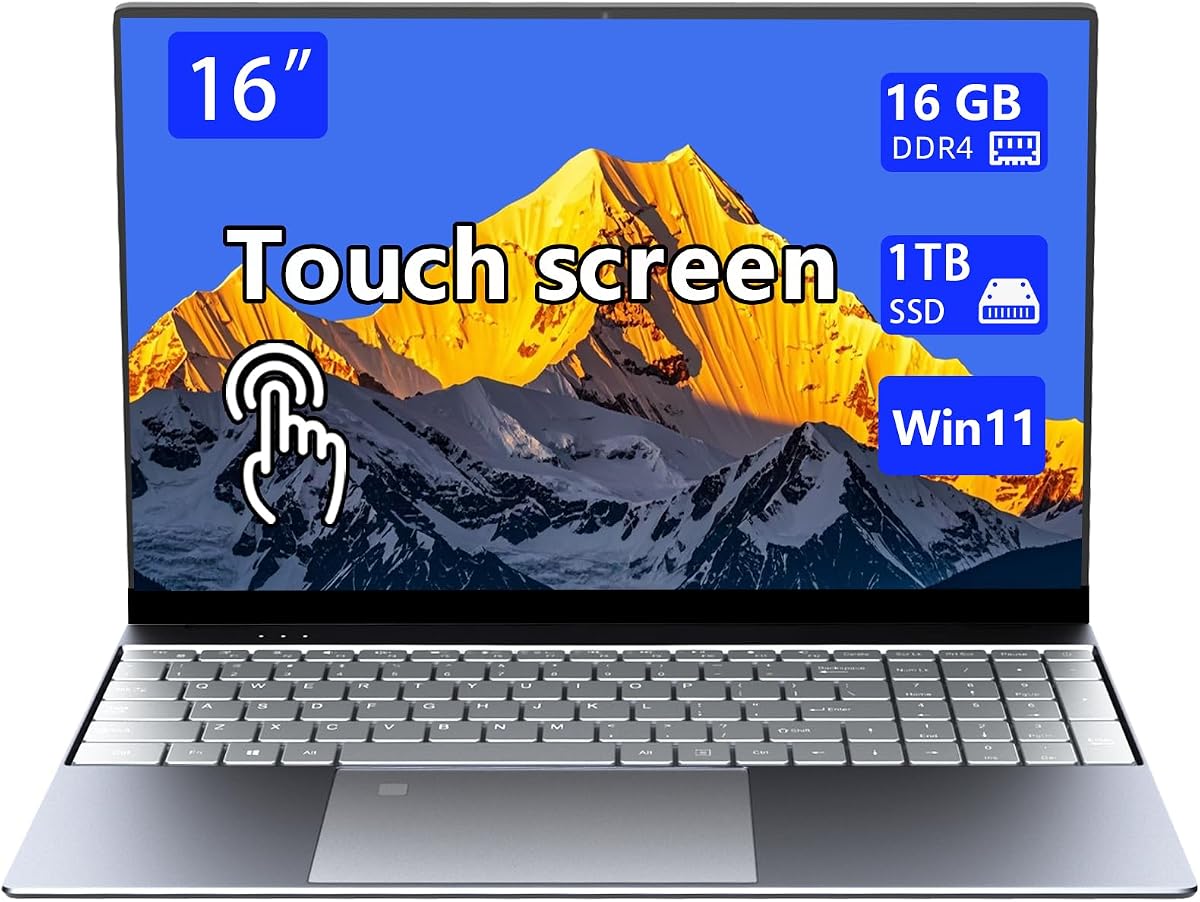
This variant offers 16GB RAM and 1TB SSD with a metal body at a lower price. It includes a touchscreen for interactive use and a backlit keyboard for low light typing. The fingerprint reader adds convenience for quick access.
We may earn a commission when you buy through this link, at no additional cost to you.
The metal casing provides better heat dissipation than plastic models ensuring stable performance. The display offers clear visuals suitable for documents and media consumption comfortably. It handles everyday tasks smoothly without major lag.
The processor is limited for heavy computing tasks like video editing or 3D work. The screen resolution is FHD which is adequate but not premium. These limitations are reasonable for the target user base.
Suits home users and students needing storage and a tactile interface. It is a solid choice for general productivity. Prioritize if you want metal build on a budget.
The 1TB SSD provides ample space for files and apps without external drives.
Backlit keys and fingerprint reader ensure easy typing and secure login anywhere.
We may earn a commission when you buy through this link, at no additional cost to you.
The HP Everyday Slim is designed for mobility with a thin profile and light weight. It includes Office 365 and 1TB OneDrive to maximize storage without local constraints. The AI features help streamline productivity tasks like summarizing notes.
We may earn a commission when you buy through this link, at no additional cost to you.
With up to 12 hours of video playback it supports long travel days effectively. The Wi-Fi 6 ensures fast connectivity in crowded networks. Ports are sufficient for basic peripherals and external displays.
Local storage is limited to 128GB so reliance on cloud is high. The processor is entry level which is fine for web browsing but not heavy apps. These trade-offs fit the portable focus well.
Ideal for travelers and students needing light productivity and cloud access. It suits general browsing and email tasks efficiently. Prioritize this if weight and battery are your top concerns.
Integrated 1TB OneDrive ensures you have space for files without local limits.
Copilot AI tools assist with meeting summaries and task management quickly.
We may earn a commission when you buy through this link, at no additional cost to you.
This 16-inch model features a full metal body and Core i7 processor for reliable performance. The 512GB SSD and 16GB RAM support smooth multitasking and storage needs. The IPS display offers sharp details and wide viewing angles.
We may earn a commission when you buy through this link, at no additional cost to you.
The metal casing ensures durability and better heat management during active sessions. Ports include USB-C and HDMI for versatile connectivity options. The backlit keyboard facilitates typing in low light environments.
Bluetooth 4.2 is older than standard 5 versions for wireless peripherals. The weight is higher than ultrabooks which may affect portability. These issues are minor compared to the performance offered.
Suits professionals needing a balance of power and display quality. It fits office work and moderate content creation well. Prioritize if screen and CPU performance are key needs.
The IPS display ensures accurate colors and good viewing angles for presentations.
Full metal enclosure protects internal components from impacts and heat.
We may earn a commission when you buy through this link, at no additional cost to you.
This Dell model features a Ryzen 7 processor and DDR5 RAM for fast performance. The 16-inch touchscreen offers productivity space and interactive input. The carbon chassis design provides a sleek and durable build.
We may earn a commission when you buy through this link, at no additional cost to you.
The 256GB SSD ensures quick boot times though storage may need expansion later. The display has IPS tech for vibrant colors and wide viewing angles. Connectivity includes USB-C with DisplayPort for external monitors.
Storage is limited to 256GB which may require cloud or external drives. The weight is moderate making it portable but not ultralight. These factors are typical for this performance tier.
Ideal for professionals needing power and modern memory tech on the go. It suits multitasking and light media work well. Prioritize if speed and screen real estate are priorities.
DDR5 RAM offers faster data transfer speeds for smoother multitasking.
The 16-inch FHD+ display gives extra vertical space for productivity.
We may earn a commission when you buy through this link, at no additional cost to you.
This 2026 laptop features a metal shell and 16GB RAM for smooth multitasking. The N95 processor handles basic work and web tasks efficiently. The IPS display ensures clear visuals for documents and media consumption.
We may earn a commission when you buy through this link, at no additional cost to you.
The fast M.2 SSD allows quick app loading and file transfers. Connectivity includes USB-C and USB 3.2 for modern peripherals. The weight and thin profile make it easy to carry daily.
The CPU is entry level which limits heavy creative tasks. The screen resolution is standard FHD which is good but not premium. These trade-offs make it suitable for general education use.
Suits students needing a lightweight and capable device for school. It fits general work tasks well. Prioritize if portability and RAM are key needs.
M.2 SSD provides rapid data transfer for smooth app launches.
Multiple USB and HDMI ports ensure easy connection to projectors.
We may earn a commission when you buy through this link, at no additional cost to you.
This FIREBAT model features a Ryzen 7 H255 and 32GB DDR5 RAM for high performance. The WQXGA display with 120Hz refresh delivers smooth visuals and detail. It includes a 1TB SSD for ample storage of large files.
We may earn a commission when you buy through this link, at no additional cost to you.
The all metal body ensures durability and better thermal management under load. RGB backlit keyboard adds style and usability in dark environments. The battery supports heavy use but is shorter under load.
Weight is higher due to powerful components making it less portable. Battery life is moderate compared to low power chips. These trade-offs are expected for a performance focused device.
Best for professionals needing desktop class power on the go. It suits video editing and 3D rendering well. Prioritize if raw power and screen quality are top needs.
The 120Hz display provides smooth motion for creative work and media.
Ryzen 7 H255 delivers desktop class speeds for demanding tasks.
We may earn a commission when you buy through this link, at no additional cost to you.
Choosing the right all metal laptop requires balancing build quality performance and specific use cases effectively.
Look for laptops with full metal chassis rather than partial covers for better heat dissipation and durability. This ensures longevity and a premium feel in daily use.
Prioritize models with reinforced metal bodies if you travel frequently to prevent damage from impacts.
Select a processor that matches your workload such as N95 for light tasks or Core i7/Ryzen 7 for heavy use. Higher clocks and cores help with multitasking and rendering.
Ensure the CPU has thermal throttling protection to maintain performance under sustained load.
Aim for at least 16GB RAM for smooth multitasking and future proofing against growing app demands. Models with 32GB offer more headroom for virtualization.
Check if the RAM is expandable via slots for flexibility in the future.
Choose a SSD with at least 512GB to accommodate your system and essential files. Faster PCIe NVMe drives ensure quick boot and data access.
Confirm support for expansion via M.2 slots or SD cards for growing needs.
Look for displays with IPS panels for better color accuracy and viewing angles. Higher resolutions like 2K or WQXGA enhance clarity for detail work.
Touchscreen features can improve interaction for specific workflows like design or presentations.
Consider laptops with at least 10 hours of battery for mobility needs. Look for fast charging support to minimize downtime during travel.
Efficient processors like Snapdragon or lower watt CPUs help extend usage times.
Ensure the laptop has enough ports like USB-C HDMI and USB-A to avoid carrying adapters. Wi-Fi 6E ensures fast and stable network connections.
Check for Thunderbolt support if you plan to use high-speed external storage or docking stations.
Look for fingerprint readers or IR cameras for quick secure login without typing passwords. Hardware encryption support protects your data from unauthorized access.
Secure boot and TPM chips add extra layers of protection for business use.
Always use a soft microfiber cloth to clean the metal surface avoiding abrasive cleaners that scratch the finish. Ensure the device is powered off before cleaning to prevent electrical issues.
Allow the metal body to cool down before packing it away in a bag to avoid trapped heat that can damage components. Use a breathable sleeve for best thermal protection.
Keep ports clear of dust and debris using a soft brush to ensure connections remain reliable over time. Avoid forcing connectors into tight slots to maintain metal integrity.
Yes all metal laptops generally offer better heat dissipation durability and a premium feel that justifies the higher price. They are ideal for users who value longevity and professional aesthetics in their devices daily.
Yes metal chassis dissipate heat more efficiently than plastic which helps maintain consistent performance during long sessions. This is especially beneficial for high load tasks like rendering or virtualization workloads.
Use a dry microfiber cloth to wipe the surface gently and avoid harsh chemicals that could damage the finish. Ensure the device is unplugged and powered off to prevent any electrical issues during cleaning.
For general work and browsing processors like N95 or Core i5 are sufficient and offer good balance. For heavy multitasking consider Core i7 or Ryzen 7 for smoother performance under load.
Many metal laptops allow RAM upgrades via accessible slots but some ultrabooks have soldered memory. Check product specs for expansion options before purchasing to ensure future flexibility.
Not all but many modern all metal models offer touchscreen variants for interactive workflows. Look for product details specifying touch support if this feature is important to your usage.
The Dell Latitude Rugged 5430 and NIMO 15.6 AI Ready offer top tier performance and budget value respectively for most buyers. Each model brings unique strengths in build quality and usability for diverse workflows.
Prioritize build quality and thermal performance if you need a device that withstands frequent travel. Balance your memory and storage needs against your daily tasks to ensure long term satisfaction.
Always verify current pricing and warranty details before purchasing since offers can change rapidly. Choosing the right model ensures you get the durability and performance needed for professional tasks.