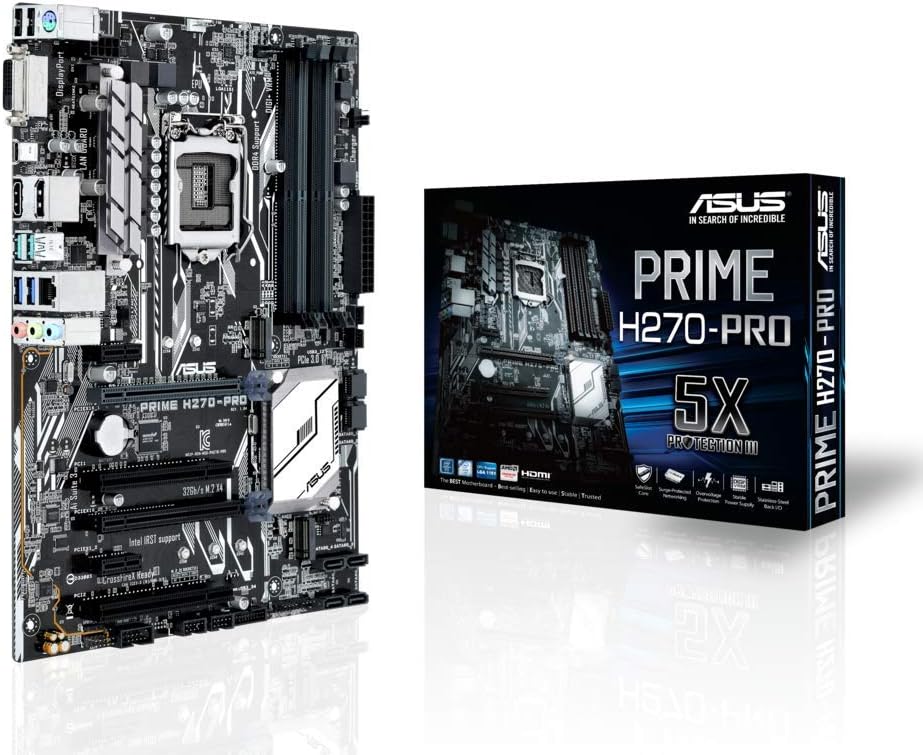
Asus Prime H270-PRO
4.3Editor score
5X Protection III
USB 3.1 Type C
DDR4 2133
This guide compares the top H270 motherboards for gaming and productivity, evaluating features, connectivity, and performance to help you choose the right
Choosing the right motherboard is crucial for building a stable and efficient computer system. The H270 chipset offers a balance of performance and features for mid-range Intel processors.
We have analyzed ten top-rated H270 motherboards based on user reviews, technical specifications, and brand reputation. This list covers options from various manufacturers to suit different needs.
Each pick highlights key strengths and weaknesses to help you make an informed decision. Remember that availability and pricing can change, so verify details before purchasing.
4.3Editor score

4.2Editor score

4.2Editor score
The following table provides a side-by-side comparison of all ten H270 motherboards evaluated in this guide. Use this to quickly identify key specifications and features.


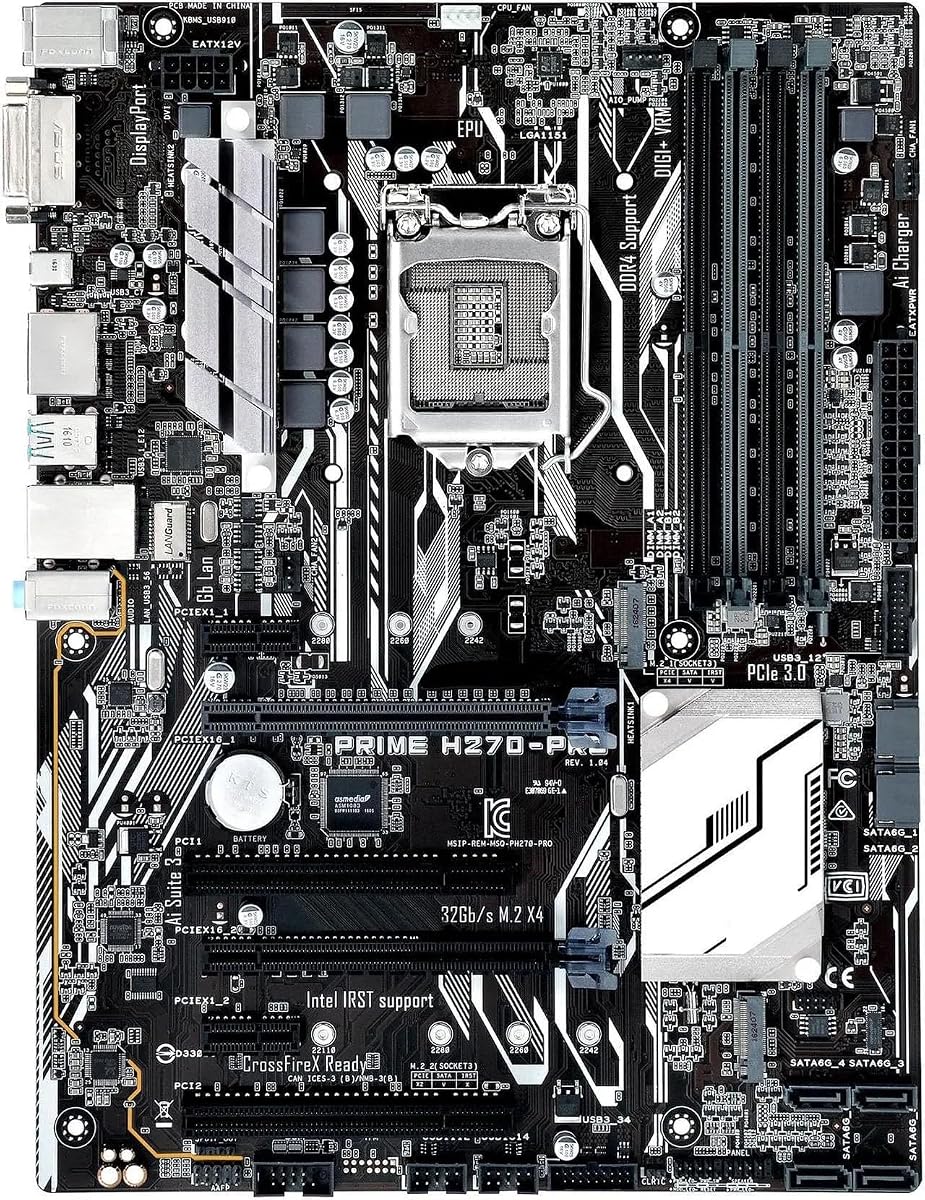


The ASUS ROG Strix H270F Gaming motherboard stands out as a top choice for gamers and enthusiasts. With a solid 4.2 rating, it offers high-end features like dual M.2 slots and advanced RGB lighting.
We may earn a commission when you buy through this link, at no additional cost to you.
Its unique personalization options include AURA Sync RGB lighting and a 3D-printing friendly mount. The board also supports Intel Optane Memory, which can significantly boost system speed and responsiveness.
While the price is higher than average, the build quality justifies the cost. The patent-pending Safe Slot features an injection molding process that integrates metal framing for a stronger, firmly anchored PCIe slot.
If you want a board that looks great and performs well with heavy GPUs, this is an excellent investment. The industry-leading 8-channel HD audio ensures immersive sound quality for gaming.
FanXpert 4 allows for dynamic fan calibration and optimized system cooling while gaming for sustained performance.
ROG exclusive SupremeFX S1220A driven by Japanese capacitors delivers industry-leading audio quality.
We may earn a commission when you buy through this link, at no additional cost to you.
The Asus Prime H270-PRO is a premium option designed for stability and longevity. It features the 5X Protection III hardware safeguard for all-round protection against potential damage.
We may earn a commission when you buy through this link, at no additional cost to you.
Its connectivity is robust, including USB 3.0 Type A, USB3.0 Type C, USB3.1 Type A, and Ethernet LAN. It supports 7th and 6th Generation Intel Core processors effectively.
The board includes 64GB Dual Channel DDR4-2133 support, ensuring ample memory capacity for demanding applications. Multiple display outputs like HDMI and Displayport offer flexibility for multi-monitor setups.
Ideal for users seeking a reliable workstation or high-performance home PC, this board delivers peace of mind. The advanced hardware safeguards ensure component longevity and system reliability.
Includes 5X Protection III for advanced hardware safeguard for all-round protection.
Ports include USB2.0, USB 3.0 Type A, and USB3.0 Type C for versatile connections.
We may earn a commission when you buy through this link, at no additional cost to you.
The ASRock H270 PRO4 offers exceptional value for those needing a reliable platform without excessive costs. It supports 6th generation Intel Core processors via socket 1151.
We may earn a commission when you buy through this link, at no additional cost to you.
Storage connectivity is a strong point with 6 SATA3 ports and 1 Ultra M.2 slot supporting both Pie Gen3 x4 and SATA3. This allows for versatile storage configurations.
The board supports Dual Channel DDR4 2133 memory, which is standard for this generation. It also includes 2 Pie 3.0 x16 slots and 3 Pie 3.0 x1 slots for expansion.
If you are building a budget gaming PC or a home office system, this board handles the basics very well. Its straightforward design ensures stability and compatibility with common components.
Features 1 SATA Express, 6 SATA3, and 1 Ultra M.2 slot for versatile storage.
Supports 6th generation Intel Core processors with socket 1151 compatibility.
We may earn a commission when you buy through this link, at no additional cost to you.
The MSI H270 Gaming PRO Carbon targets gamers with specific enhancements for stability and performance. It supports 7th and 6th Gen Intel Core processors on the LGA 1151 socket.
We may earn a commission when you buy through this link, at no additional cost to you.
Gaming features include DDR4 boost, Mystic light sync, and Audio boost 4 with Nahomi 2. It also comes with Gaming LAN with LAN protect to reduce latency during online sessions.
The board supports Crossfire for multi-GPU setups, though it is less common now. Its design prioritizes cooling and audio clarity for an immersive gaming environment.
For gamers looking for a cost-effective platform with dedicated audio and network tweaks, this board is worth considering. The Mystic Light sync helps integrate your system aesthetics seamlessly.
Includes Gaming LAN with LAN protect for optimized online gaming performance.
Features Mystic light and Mystic light sync for consistent lighting across components.
We may earn a commission when you buy through this link, at no additional cost to you.
The ASUS Prime H270-PLUS holds the highest rating among the selected boards at 4.4. It maximizes connectivity with integrated Dual M.2 slots and front panel USB 3.0.
We may earn a commission when you buy through this link, at no additional cost to you.
Intel Optane Memory compatibility ensures faster boot times and application loading. The board includes 5X Protection III for component longevity and reliability.
Its Safe Slot Core fortified PCIe slot prevents damage from heavy GPUs, similar to the ROG series. On-board 3D-printing mounts allow for creating unique designs on your customized build.
For those who need reliability and storage speed without the cost of a gaming-focused board, this is a strong pick. The FanXpert 2 PLUS provides advanced fan control for dynamic cooling.
Maximize your connectivity and speed with integrated Dual M.2 slots and Optane support.
FanXpert 2 PLUS delivers advanced fan control for dynamic cooling systems.
We may earn a commission when you buy through this link, at no additional cost to you.
The GIGABYTE GA-H270-Gaming 3 offers solid performance for multi-GPU configurations. It supports 7th and 6th Generation Intel Core Processors efficiently.
We may earn a commission when you buy through this link, at no additional cost to you.
Networking is handled by the Killer E2500 Gaming Networks, which prioritizes gaming traffic for smoother online experiences. It includes 4 DIMMs for Dual Channel DDR4 support.
Connectivity includes As media USB3.1 Type-C, ensuring modern port availability. The board supports 2-Way Crossfire Graphics for users who want extra graphical power.
If you need a board that can handle multiple graphics cards or specialized networking, this is a functional choice. It balances performance and cost effectively for most users.
Features Killer E2500 Gaming Networks for prioritized traffic during gameplay.
Supports 2-Way Crossfire Graphics for expanded visual performance.
We may earn a commission when you buy through this link, at no additional cost to you.
This motherboard is a specialized replacement option designed for systems with contact or power issues. It resolves contact issues caused by poor contact, short circuits, or burnout.
We may earn a commission when you buy through this link, at no additional cost to you.
It features an optimized power design that supports multi-core processors. The advanced heatsink design increases heat dissipation area for professional-grade stability.
It is designed to replace old components damaged by rust, corrosion, or loss of elasticity. High-quality assurance promises a stable and uninterrupted computing experience.
This is a good choice for restoring older systems that have suffered physical damage. However, ensure compatibility with your specific needs before purchasing a third-party option.
Advanced heatsink design increases heat dissipation area for stability under heavy loads.
Replaces components damaged by rust or corrosion to restore optimal performance.
We may earn a commission when you buy through this link, at no additional cost to you.
This motherboard provides standard performance features for typical home or office computing. It supports specific CPUs like the i5-7400 and i3-7300 via LGA1151.
We may earn a commission when you buy through this link, at no additional cost to you.
The board supports DDR4 64GB memory capacity and includes an M.2 slot for modern storage drives. It fits the ATX form factor, making it compatible with standard cases.
It is a straightforward option for users who need a working board without advanced gaming features. The support for both i5 and i3 processors offers flexibility in budget selection.
For basic computing tasks, this board offers sufficient capabilities. Always verify exact CPU compatibility lists before installation to ensure system stability.
Supports i5-7400 and i3-7300 processors for flexible build options.
Supports DDR4 64GB memory capacity for robust system performance.
We may earn a commission when you buy through this link, at no additional cost to you.
This H270 motherboard is a basic option for users seeking standard functionality. It provides LGA 1151 socket support for compatible Intel processors.
We may earn a commission when you buy through this link, at no additional cost to you.
It supports DDR4 64GB memory capacity, ensuring it can handle memory-intensive tasks effectively. The board focuses on essential connectivity and stability.
Ideal for budget builds where cost is the primary concern, it covers the fundamental requirements. Always check specific port layouts to ensure they meet your peripheral needs.
For simple office or home tasks, this board provides reliable support. It serves as a practical choice when advanced features are not necessary.
Supports DDR4 64GB memory capacity for versatile computing tasks.
Provides LGA 1151 socket support for 6th and 7th gen processors.
We may earn a commission when you buy through this link, at no additional cost to you.
This motherboard is a generic option with broad CPU support including i7-6700 and i3-6100. It fits the ATX form factor and supports M.2 storage drives.
We may earn a commission when you buy through this link, at no additional cost to you.
It supports DDR4 64GB capacity, allowing for significant multitasking capabilities. The board is designed to be a versatile choice for various system configurations.
For users seeking a flexible base with broad compatibility, this model offers a good foundation. However, verify the BIOS version for newer CPUs before purchasing.
It is suitable for budget upgrades where a reliable socket and memory support are needed. Always confirm case compatibility when selecting an ATX board.
Supports i3-6100, i5-6500, and i7-6700 CPUs for varied builds.
Includes M.2 ATX support for fast modern storage options.
We may earn a commission when you buy through this link, at no additional cost to you.
Selecting the right motherboard involves understanding socket compatibility, expansion slots, and connectivity options. Use this guide to focus on the most critical factors.
Ensure the motherboard supports your chosen CPU generation. Most H270 boards use the LGA1151 socket for 6th and 7th gen Intel processors.
Check the CPU support list to confirm compatibility before purchasing to avoid installation issues.
Look for boards that support DDR4 2133 speed and up to 64GB capacity. Dual channel configurations improve bandwidth for general tasks.
Verify the number of DIMM slots available to allow for future memory upgrades.
Modern H270 boards offer M.2 slots for fast SSDs. Check if your board supports both SATA and PCIe modes for M.2.
Ensure there are enough SATA ports for your hard drive and optical drive needs.
Evaluate the number and type of PCIe slots for graphics cards and sound cards. Look for robust slots like Safe Slot Core if using heavy GPUs.
Check if the board supports multi-GPU configurations like CrossFire or SLI if needed.
Gaming boards often include specialized Ethernet controllers to reduce lag. Look for LAN protect or Killer E2500 features for performance.
Standard Gigabit Ethernet is sufficient for most home users.
High-end boards use dedicated audio codecs like SupremeFX or Audio Boost. These ensure better sound clarity without external cards.
Check for high-quality capacitors if you listen to music or game with high-fidelity audio.
Materials and heatsinks affect stability and longevity. Look for boards with robust protection features like 5X Protection III.
Quality construction prevents damage from power surges and dust accumulation.
Verify USB 3.0 and USB 3.1 availability for fast peripherals. Display outputs like HDMI and Displayport are essential for monitors.
Front panel USB ports add convenience for connecting devices frequently.
Install the motherboard in a compatible ATX case using standoff screws to prevent short circuits. Ensure the rear I/O shield is properly seated.
Connect the CPU power and main power cables securely to avoid boot failures. Check that all peripheral cables are firmly attached to their respective headers.
Keep the board dust-free and in a cool environment to maintain performance. Regularly update the BIOS from the manufacturer's website for stability.
No, the H270 chipset does not support CPU overclocking. You would need a Z-series chipset for overclocking unlocked processors.
H270 motherboards work with 6th and 7th generation Intel Core processors using the LGA1151 socket. It does not support newer generations.
Yes, H270 motherboards support DDR4 memory. Most support speeds up to 2133MHz and capacities up to 64GB.
Many H270 motherboards support Intel Optane Memory for accelerating SSD performance. Check the specific product page for Optane compatibility.
Most H270 boards support up to 64GB of DDR4 RAM. This is usually achieved by using four 16GB DIMMs in dual channel.
Typically 10 boards offer multiple USB 3.0 and 3.1 ports. Exact counts vary by model, with some including USB-C connectors.
We have reviewed ten H270 motherboards ranging from budget to premium options. The ASUS ROG Strix H270F Gaming stands out for gaming while the ASRock H270 PRO4 offers great value.
When choosing, prioritize features like M.2 support and USB connectivity based on your specific needs. Reliability and build quality are also essential for long-term stability.
Remember to check current stock and pricing as availability can change. Select the board that best fits your budget and performance requirements.