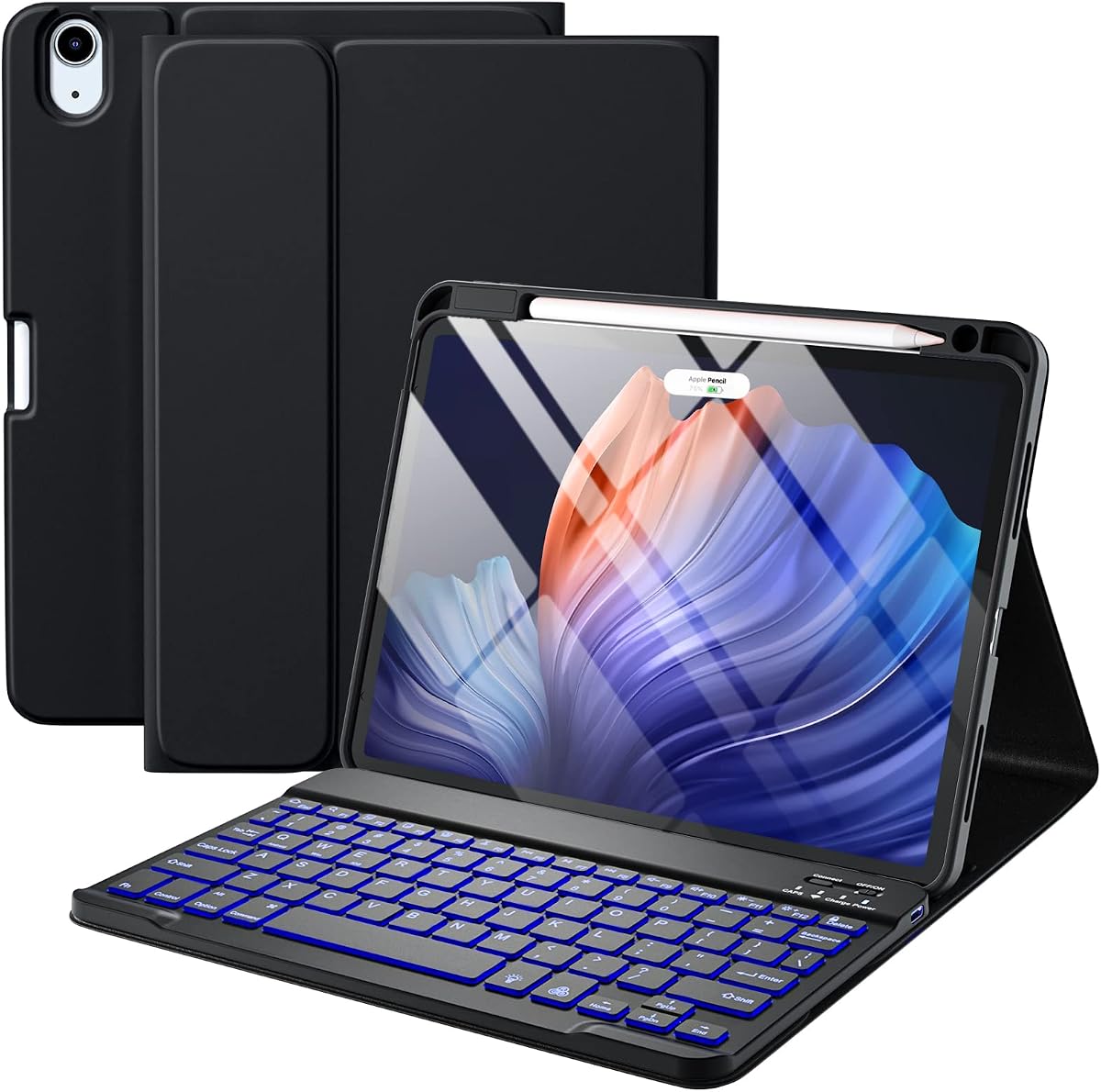
Harvopu for iPad Air 11 Inch & Air 5th 4th Generation Case with Keyboard
4.3Editor score
Detachable backlit keyboard design
Multi-color breathing backlight modes
Pencil holder with charging support
This guide compares the top iPad Air Folio Case with Keyboard options for 2026, evaluating trackpads, typing comfort, battery life, and overall protection
Finding the right accessory for your tablet can transform your daily workflow significantly. A quality Folio case with a built-in keyboard provides laptop-like functionality while protecting your device from scratches and drops during travel.
We analyzed ten leading models based on compatibility, build quality, trackpad precision, and typing experience. Our selection includes premium options with Smart Connectors and budget-friendly alternatives with Bluetooth connectivity for diverse user needs.
Each pick highlights unique strengths such as backlit keys, detachable designs, or magnetic stands. Please note that availability and pricing fluctuate frequently, so verify current details before making your final purchase decision today.
4.3Editor score

4.5Editor score

4.5Editor score
The following table provides a side-by-side overview of key specifications and features across all ten selected products to help you identify the best fit for your specific workflow and budget requirements.




This Logitech model stands out as a top choice for users needing reliability. It features a high-precision trackpad and backlit keys that adjust to your environment automatically.
We may earn a commission when you buy through this link, at no additional cost to you.
The laptop-like typing experience is enhanced by a full row of iPadOS shortcut keys. The case offers four versatile use modes for typing, sketching, viewing, and reading.
While the price is higher, the military-grade drop protection justifies the investment. The magnetic latch keeps the case secure during transport.
Ideal for professionals who need consistent performance, this case transforms your iPad into a workstation. It is a robust solution for daily heavy use.
Power sources directly from iPad Air so you never have to charge separately. Instant pairing occurs via the Smart Connector for zero setup effort.
Meets MIL STD 810G standards to keep your device protected from bumps and scratches. The sturdy case design ensures long-lasting durability.
We may earn a commission when you buy through this link, at no additional cost to you.
The Harvopu case offers an affordable way to add keyboard functionality. It includes a detachable backlit keyboard with 7-color breathing modes for comfortable typing in any lighting.
We may earn a commission when you buy through this link, at no additional cost to you.
Built-in features include a pencil holder that supports charging without removing the case. The Type-C charging port ensures fast power-up for the keyboard battery.
While you must charge the keyboard separately, the long standby time makes this a minor trade-off. The honeycomb design aids in heat dissipation.
Students and casual users will appreciate the value here. It provides essential protection and typing utility without breaking the bank.
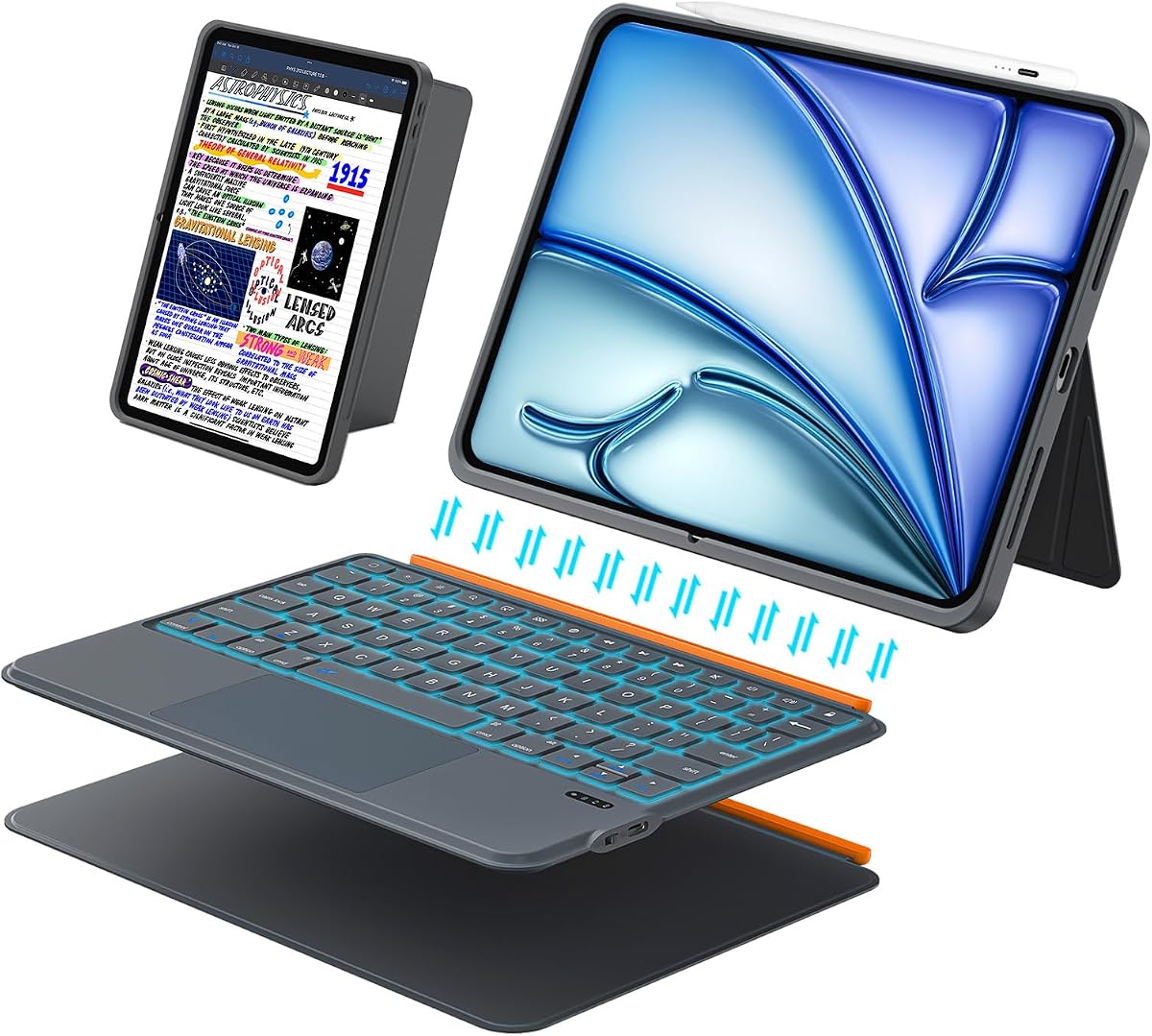
Attached via strong magnets or detach completely for pure tablet mode. Use it remotely when typing then simply detach for reading or watching videos.
Backlit keys allow smooth typing even at night. The energy-saving mode helps maximize battery life during extended sessions.
We may earn a commission when you buy through this link, at no additional cost to you.
Apple's Magic Keyboard delivers an amazing typing experience with a full function row and built-in trackpad. The floating cantilever design provides smooth, adjustable viewing angles.
We may earn a commission when you buy through this link, at no additional cost to you.
No pairing or charging is required as it powers directly from the iPad. The case folds to provide front and back protection wherever you go.
Its premium build quality is matched by a premium price tag. The USB-C pass-through allows charging while typing without interrupting workflow.
Best for power users wanting a seamless ecosystem experience. It transforms your iPad into a true laptop replacement.
Two-cantilever hinge design for smooth viewing angles. Physical keycaps with a scissor mechanism ensure comfort and versatility.
Full 14-key function row for enhanced productivity. The built-in trackpad supports intuitive gestures for easy navigation.
We may earn a commission when you buy through this link, at no additional cost to you.
This ESR case is designed for those who prioritize lightness. The ultra-thin profile makes it easy to carry anywhere without adding bulk.
We may earn a commission when you buy through this link, at no additional cost to you.
It features an extra-large precision trackpad that supports intuitive gestures. The magnetic detachable design allows seamless switching between tablet and laptop modes.
Lack of backlight might be a drawback in dark environments. However, the two viewing angles provide good versatility for work or sketching.
Perfect for travelers needing minimal weight. The case keeps your device safe with reinforced Air Guard corners.
Enjoy a 65% larger touchpad than regular keyboards. Supports intuitive gestures from one-finger drag to three-finger scroll.
Durable form-fit cover with magnetic strips keeps your iPad safe. Precise cutouts ensure full access to buttons and ports.
We may earn a commission when you buy through this link, at no additional cost to you.
This case mimics premium Magic Keyboard functionality at a lower cost. It includes a multi-touch trackpad with gesture support for efficient navigation.
We may earn a commission when you buy through this link, at no additional cost to you.
The vegan leather case offers unmatched protection with a sturdy keyboard base. The 750mAh battery allows work for 3 months on a single charge.
The floating cantilever stand transforms your iPad into a laptop in seconds. Brightness levels let you work comfortably at any time of day.
A solid choice for those wanting premium features on a budget. It works well for both stationary work and travel scenarios.
3 brightness levels let you work comfortably at any time. The 750mAh battery ensures long life before recharging.
Full multi-touch gesture support lets you redefine productivity. Adjust brightness levels, volume or change your music with one tap.
We may earn a commission when you buy through this link, at no additional cost to you.
This versatile case supports a wide range of iPad and iPad Pro models. It uses Bluetooth 5.3 for a stable, lag-free connection.
We may earn a commission when you buy through this link, at no additional cost to you.
The scissor structure keys with 1mm travel ensure quiet and comfortable typing. The stand supports both vertical and horizontal placement effectively.
The modular concept allows you to switch between work and leisure easily. It keeps your tablet safe with skin-friendly PU leather.
Great for households with multiple devices. Its flexibility makes it a smart choice for various daily needs.
Support full multi-touch gesture and smart palm rejection. Navigate iPad with multi-finger gesture controls like tap and swipe.
The back stand supports 160-degree angle adjustment in landscape mode. Keeps stable for both typing and viewing.
We may earn a commission when you buy through this link, at no additional cost to you.
The Smart Keyboard Folio is a classic accessory offering full-size keyboard functionality. It requires no pairing or charging, providing instant usability.
We may earn a commission when you buy through this link, at no additional cost to you.
Doubles as a cover and folds into a stand for viewing. It is a renewed option, offering a cost-effective entry into Apple's ecosystem.
While it lacks a trackpad, the keyboard quality is consistent. The design is simple and focuses purely on typing utility.
Ideal for those who prefer official accessories. It provides basic protection without extra features.
No pairing or pairing required for immediate use. Works directly with compatible iPad models instantly.
Doubles as cover and folds into stand effectively. Provides front and back protection for your device.
We may earn a commission when you buy through this link, at no additional cost to you.
This renewed version offers the same features as the standard Folio Touch at a lower cost. It includes a high-precision trackpad and backlit keys.
We may earn a commission when you buy through this link, at no additional cost to you.
Power sources directly from iPad Air so you never have to charge. The military-grade drop protection ensures your device stays safe.
While it is renewed, it can still provide excellent service. The adjustable kickstand supports various working modes.
A good option for budget-conscious buyers wanting brand reliability. Check the condition carefully before purchasing.
Power sources directly from iPad Air via Smart Connector. Instant pairs without needing extra batteries.
Kickstand with 40-degree range of angles for comfort. Adjust easily for typing or viewing modes.
We may earn a commission when you buy through this link, at no additional cost to you.
This model highlights customization with its 7-color backlit keyboard. It features a magnetic detachable design for easy transitions between modes.
We may earn a commission when you buy through this link, at no additional cost to you.
Multiple adjustable viewing positions allow you to find the perfect angle. The high sensitivity trackpad enhances productivity significantly.
Setup is easy with quick Bluetooth pairing. The case ensures seamless access to all ports without removal.
Best for users wanting visual customization. It is a practical choice for work and creative tasks.
Enjoy hassle-free setup with quick BT pairing. Customize your experience with seven vibrant colors and brightness levels.
Enhance productivity with the built-in high sensitive touchpad. Navigate, browse, and control your tablet with precision.
We may earn a commission when you buy through this link, at no additional cost to you.
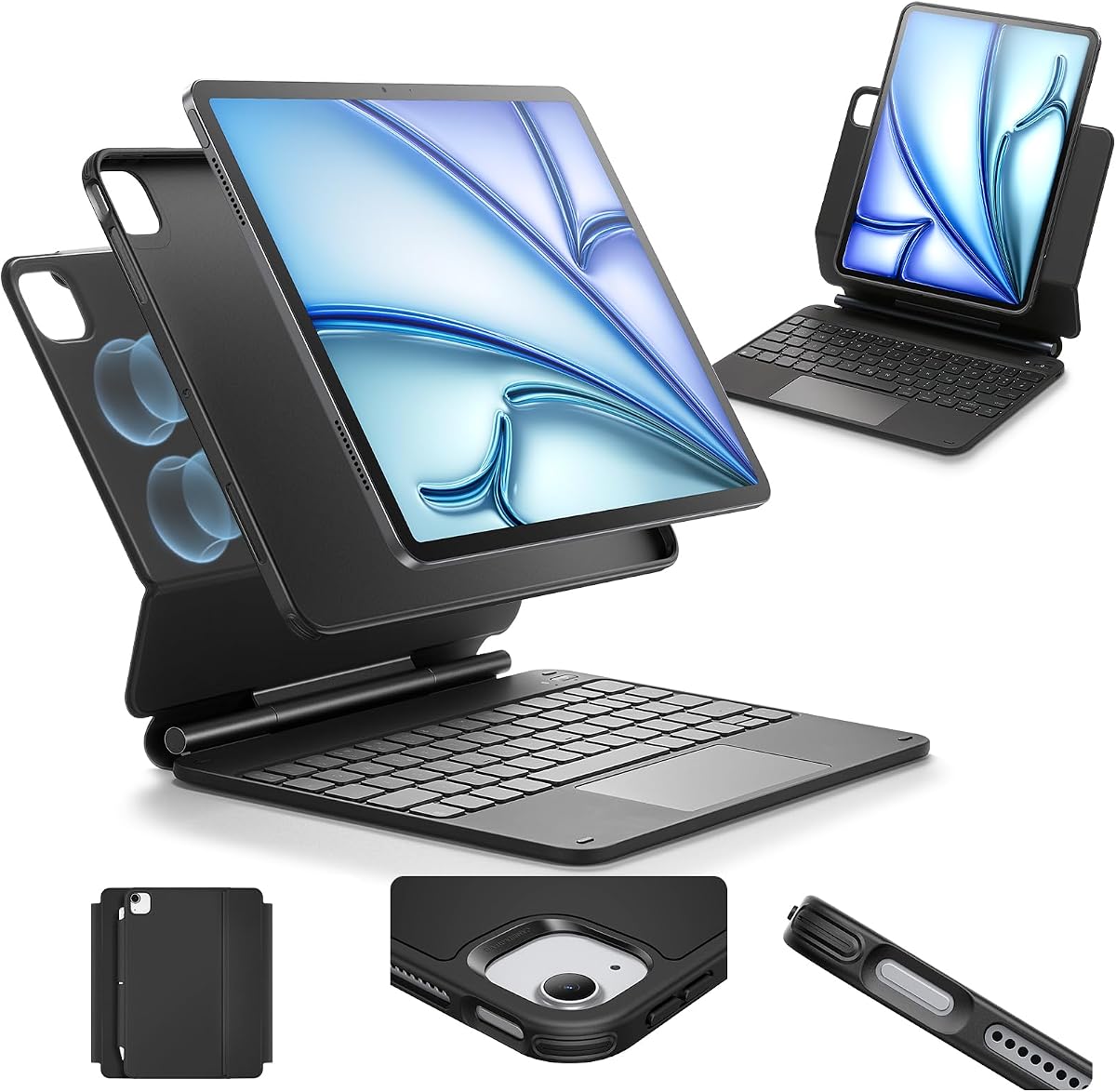
This ESR option focuses on ergonomics with a raised screen view for better posture. It transforms your iPad into a portable productivity machine.
We may earn a commission when you buy through this link, at no additional cost to you.
The quick-set magnetic stand lets you easily open the floating cantilever stand. Use every millimeter of the extended trackpad for perfect precision.
The case back detaches for instant hands-on access. It supports portrait mode for FaceTime calls efficiently.
Best for users prioritizing health and comfort. It offers a practical workflow solution for long sessions.
Set up in raised screen view for better posture during use. Transform your iPad to get-stuff-done mode anywhere.
Quick and Easy Navigation with every millimeter of extended trackpad. Navigate your iPad in a whole new way.
We may earn a commission when you buy through this link, at no additional cost to you.
Selecting the right keyboard case involves considering connectivity, protection, and typing experience to ensure it meets your specific needs.
Connectivity types include Smart Connector for direct power and Bluetooth for wireless flexibility. Smart Connector models save battery life but limit iPad compatibility.
Choose Smart Connector for convenience or Bluetooth for broader device support.
Typing experience depends on key travel and layout. Scissor mechanism keys often provide a better feel than rubber dome switches.
Look for a layout that matches your typing style.
A quality trackpad supports multi-touch gestures like scrolling and swiping. Larger trackpads generally offer better navigation precision.
Prioritize a responsive trackpad for efficient multitasking.
Protection levels vary from basic covers to military-grade drop cases. Ensure the case protects both front and back effectively.
Check for reinforced corners if you travel often.
Backlighting allows typing in dark environments. Some models offer adjustable brightness or color modes for customization.
Select a backlight if you often work in low light.
Detachable designs allow switching between tablet and keyboard modes easily. Magnetic attachments ensure stability during typing.
Choose detachable if you prefer a pure tablet experience often.
Battery life impacts how long you can use without recharging. Some draw power from the iPad while others have built-in batteries.
Consider usage frequency when evaluating battery needs.
Compatibility is crucial as models differ by iPad generation. Always check model numbers before purchasing.
Verify model numbers to avoid fit issues.
Start by aligning the keyboard with the iPad and securing the magnetic attachment. Ensure all connections are stable before typing.
Clean the keys regularly with a soft, dry cloth to maintain responsiveness. Avoid using liquids directly on the keyboard.
Store the case flat or folded as designed to prevent damage to the hinges. Keep it away from extreme temperatures.
Many models support Apple Pencil charging without removing the case. However, verify specific compatibility as designs vary between brands. Look for dedicated pencil holders or magnetic slots.
Bluetooth keyboards generally work with any iPad supporting Bluetooth. But physical cutouts may not fit older models. Always check compatibility lists before buying.
Battery life ranges from a few weeks to several months depending on usage. Smart Connector models do not require separate batteries. Check product specs for estimates.
Yes, detachable designs allow using the iPad independently. The case usually provides protection even when the keyboard is removed. This adds flexibility for entertainment.
Most cases offer basic splash protection but are not fully waterproof. Avoid exposure to heavy rain or liquids. Dry them immediately if they get wet.
Most reputable brands include a limited warranty for defects. Amazon Renewed items may have separate policies. Check seller terms for specific coverage details.
The top picks offer excellent value across different price ranges. Whether you need premium build or budget utility there is a suitable option.
Prioritize features like trackpad quality and keyboard layout based on your daily tasks. Comfort and functionality should drive your decision.
Prices and availability change often so verify current listings before purchase. Choosing the right case enhances your iPad experience significantly.