
CORSAIR Vengeance SODIMM DDR5 RAM 16GB
4.8Editor score
16GB capacity single module
5600MHz speed potential
Easy installation process
This guide compares the top DDR5 laptop RAM kits available in October 2026 to help users select the right memory upgrade for performance laptops.
DDR5 laptop RAM offers significant speed improvements over older generations, enabling smoother multitasking and faster application loading for modern mobile computing needs.
We evaluated ten leading DDR5 memory kits based on compatibility, speed ratings, voltage efficiency, and customer feedback to ensure reliable performance across various laptop models.
Each pick highlights specific strengths like capacity or frequency, helping you match your system requirements accurately, though current prices may vary at time of purchase.
4.8Editor score

4.8Editor score

4.5Editor score
The following table provides a quick side-by-side comparison of specifications and key features for all ten memory kits reviewed in this guide.




The Crucial 32GB DDR5 RAM Kit is our top recommendation for users needing substantial memory upgrades. It boasts a high 4.8 rating and delivers robust performance for demanding tasks.
We may earn a commission when you buy through this link, at no additional cost to you.
Operating at 5600MHz with options to downclock to 5200MHz or 4800MHz, this kit ensures compatibility across various systems. Its dual channel design significantly boosts speed and efficiency for gaming and workloads.
While it comes at a premium cost, the performance gains and reliability justify the investment. The Micron heritage ensures rigorous testing, reducing the risk of instability during heavy usage.
This kit is ideal for professionals and gamers alike who need extra headroom for memory. We recommend verifying motherboard compatibility before purchase to ensure seamless integration.
The ability to operate at multiple speeds ensures this RAM works well with different system requirements without manual tweaking.
A matched 2x16GB kit provides dual channel bandwidth, doubling memory throughput compared to single module setups.
We may earn a commission when you buy through this link, at no additional cost to you.
This CORSAIR Vengeance 16GB module offers an accessible entry point for upgrading to DDR5. With a 4.8 rating, it provides excellent value for users on a budget.
We may earn a commission when you buy through this link, at no additional cost to you.
The kit supports speeds up to 5600MHz and is designed for easy installation with minimal tools. It fits a wide range of Intel and AMD laptops seamlessly.
While it requires system adjustments for maximum speed, the performance improvement is noticeable. The single stick allows room for future expansion if needed.
Choose this if you want a cost-effective upgrade without sacrificing raw speed potential. Always check your BIOS settings to enable XMP profiles properly.
Most laptops require only a screwdriver to access memory slots, making this an easy weekend upgrade project.
Users can leverage overclocking features to reach top speeds, improving gaming and rendering performance significantly.
We may earn a commission when you buy through this link, at no additional cost to you.
The TEAMGROUP Elite 32GB kit delivers solid performance with a focus on energy efficiency and stability. It supports on-die ECC for better system reliability.
We may earn a commission when you buy through this link, at no additional cost to you.
With a 5600MHz frequency and new structural composition, it aims to maximize throughput. The kit is designed to support powerful multitasking needs.
Although the rating is slightly lower than others, it still offers good value. The lifetime warranty adds confidence to the purchase decision.
Ideal for users wanting balanced performance without breaking the bank. Ensure your laptop supports the specific voltage requirements before installing.
Built-in error correction helps maintain data integrity during intensive operations without external ECC memory.
1.1V operating voltage reduces power draw, extending battery life on mobile platforms significantly.
We may earn a commission when you buy through this link, at no additional cost to you.
GIGASTONE offers a robust 32GB kit designed for high-performance notebook upgrades. It includes a Power Management Integrated Circuit (PMIC) for better efficiency.
We may earn a commission when you buy through this link, at no additional cost to you.
The 5600MHz speed ensures fast data processing for demanding workloads. It is compatible with a wide range of laptops and all-in-one computers.
The 4.7 rating reflects strong reliability and performance. However, users should verify system compatibility due to specific voltage needs.
This is a great option for those needing dual-channel capacity efficiently. The PMIC helps manage power better than older DDR4 standards.
PMIC on the module improves power regulation, leading to better stability and efficiency across varying loads.
Two 16GB modules provide 32GB total, ideal for heavy multitasking and large file editing.
We may earn a commission when you buy through this link, at no additional cost to you.
G.SKILL Ripjaws is a premium choice with a lower CL40 latency rating. This reduces access times for faster application launches and processing.
We may earn a commission when you buy through this link, at no additional cost to you.
It supports Intel XMP 3.0 profiles, allowing optimized settings for compatible systems. The 32GB kit is perfect for professional creative work.
The 4.5 rating indicates good performance, though setup may need BIOS tweaks. Mixing kits is discouraged to prevent stability issues.
Select this if latency is critical for your workflow. Always consult the QVL tool for hardware compatibility before buying.
CL40 timing is tighter than standard CL46, offering quicker response times for demanding applications.
Intel XMP 3.0 profiles automate speed settings, making overclocking easier for end users.
We may earn a commission when you buy through this link, at no additional cost to you.
This CORSAIR Vengeance kit brings 32GB capacity to DDR5 laptops with solid performance. It supports 5600MHz speeds and features C48 latency.
We may earn a commission when you buy through this link, at no additional cost to you.
The modules are designed for easy installation, often needing just a screwdriver. Compatibility spans most Intel and AMD gaming systems.
With a 4.7 rating, it offers reliable performance for most users. However, BIOS settings may need tweaking for maximum speed.
It is an excellent choice for users wanting a proven brand. Verify system requirements to ensure full compatibility before installation.
Increased frequency and dual channel setup reduce boot and application load times significantly.
Standard SODIMM form factor ensures wide compatibility across popular laptop brands and chassis types.
We may earn a commission when you buy through this link, at no additional cost to you.
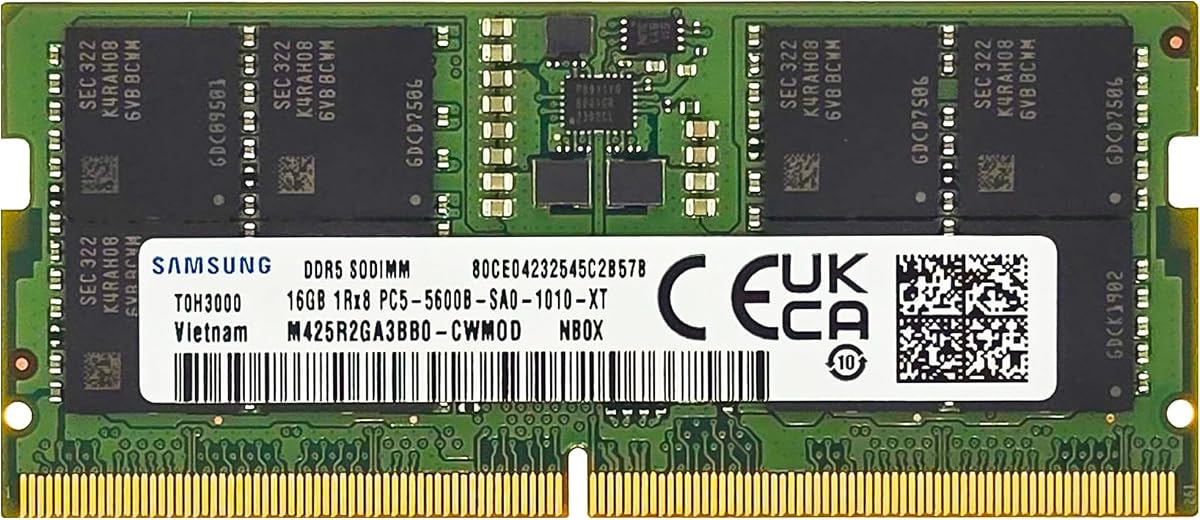
Samsung delivers high-quality memory with this 16GB module. It is a genuine OEM product designed for select laptops and notebooks.
We may earn a commission when you buy through this link, at no additional cost to you.
Running at 5600MHz with single rank configuration, it helps expand system resources effectively. This can reduce bottlenecks in heavy workloads.
The 4.5 rating reflects consistent performance for standard usage. It is ideal for users needing to match existing OEM specifications.
Choose this for a reliable upgrade that maintains original system standards. Check your laptop specifications for single rank support.
As an OEM supplier, Samsung ensures chips meet strict standards for quality and performance consistency.
Single Rank memory is often more compatible with stricter laptop motherboard configurations than Dual Rank.
We may earn a commission when you buy through this link, at no additional cost to you.
This Samsung kit provides 32GB capacity with standard OEM quality standards. It is designed for select laptop and notebook upgrades.
We may earn a commission when you buy through this link, at no additional cost to you.
Operates at 5600MHz with CL46 latency, ensuring efficient data throughput. The modules are Non-ECC and unbuffered for standard use.
While ratings are not listed, Samsung products are generally reliable. Ensure you check for potential part number substitutions before buying.
Ideal for users seeking original equipment manufacturer reliability. Always verify voltage and slot specifications before purchasing.
OEM kits are tested to specific standards ensuring they work seamlessly with certified laptop systems.
The 32GB capacity allows for smooth multitasking even when running multiple heavy applications simultaneously.
We may earn a commission when you buy through this link, at no additional cost to you.
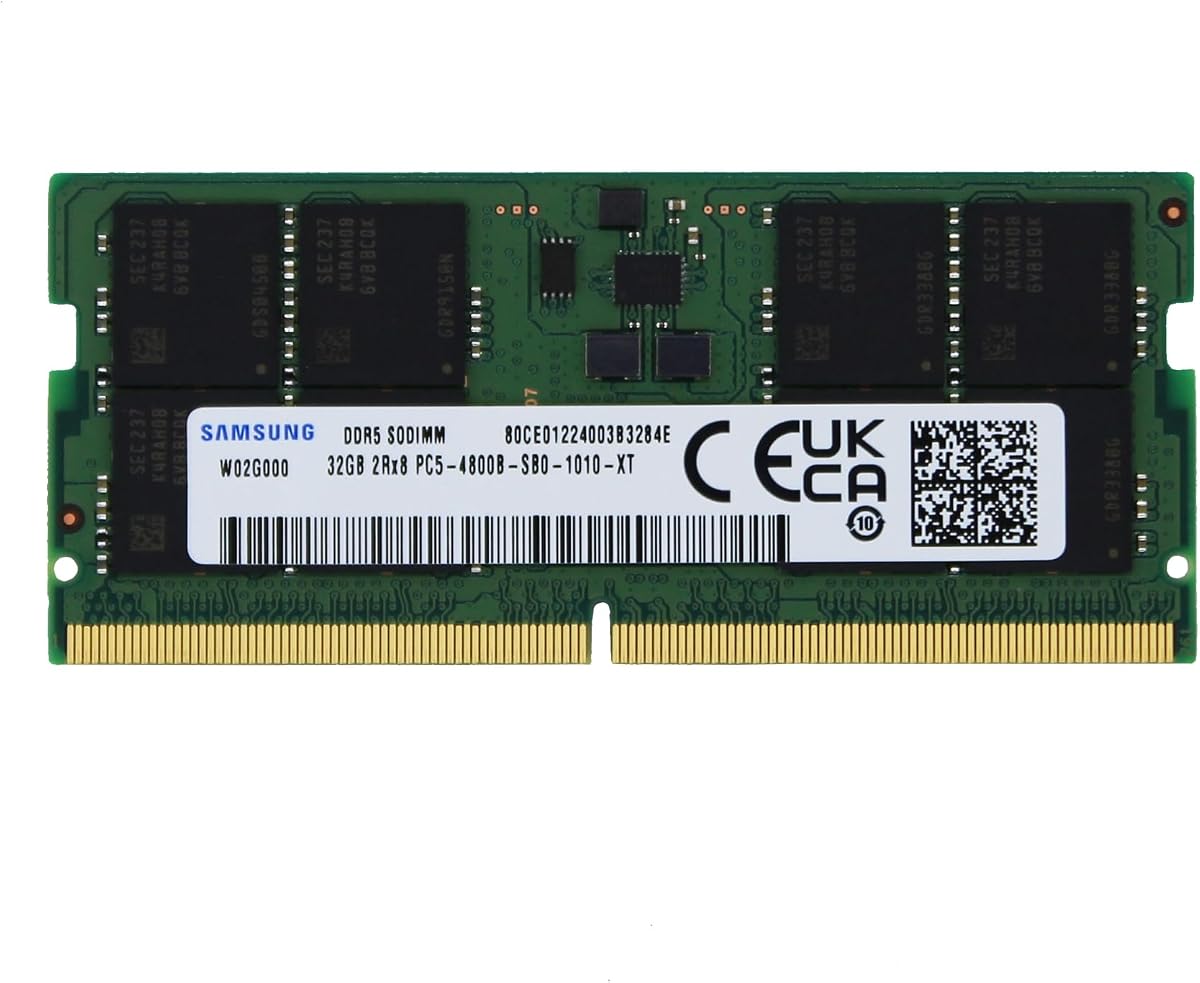
Samsung offers a single 32GB module that simplifies memory setup. It features dual rank architecture for better bandwidth efficiency.
We may earn a commission when you buy through this link, at no additional cost to you.
While operating at 4800MHz, the CL40 rating is excellent for system stability. It expands resources effectively without needing dual sticks.
This product has a perfect 5.0 rating, indicating high user satisfaction. It is suitable for systems preferring single module configurations.
Choose this if you want a clean install with fewer sticks. Verify your system supports single rank high capacity modules.
Dual Rank modules allow memory controller to access more data banks, improving bandwidth efficiency.
JEDEC standard speeds ensure the memory runs reliably without needing special BIOS settings.
We may earn a commission when you buy through this link, at no additional cost to you.
This kit provides 16GB total using two 8GB modules. It is designed for select DDR5 laptops and notebook systems.
We may earn a commission when you buy through this link, at no additional cost to you.
Running at 5600MHz, it offers high performance for general tasks. The single rank x16 configuration ensures wide compatibility.
Ratings are not listed but Samsung reliability is well established. Verify part numbers as substitutions may occur in stock.
Ideal for users wanting dual channel on a budget. Ensure your laptop supports single rank 8GB modules.
Matching pair of modules ensures dual channel memory is enabled for maximum performance.
5600MHz frequency allows for quick data processing and faster application responsiveness.
We may earn a commission when you buy through this link, at no additional cost to you.
Selecting the right DDR5 laptop RAM involves checking specific technical factors to ensure your system runs smoothly.
Capacity determines how many applications you can run simultaneously. For modern multitasking, 16GB is minimum, while 32GB is ideal for heavy workloads.
Choose 32GB if you handle large files or multiple virtual machines.
DDR5 RAM speeds range from 4800MHz to 5600MHz. Higher speeds improve data transfer rates and reduce loading times.
Ensure your laptop supports the target speed to avoid automatic downclocking.
Latency indicates the delay in clock cycles before data is accessed. Lower numbers like CL40 are faster than CL46.
Look for CL40 if available for better response times in games.
DDR5 modules typically use 1.1V, which is more energy efficient than DDR4. Lower voltage extends battery life on laptops.
Always verify voltage compatibility with your motherboard to avoid boot issues.
Laptops use SODIMM modules. Ensure you buy the correct form factor that fits your laptop's specific memory slots.
Standard SODIMM fits most modern laptops but check physical dimensions.
Dual channel kits (2x16GB) offer better bandwidth than single stick. Always buy matched kits for optimal dual channel performance.
Single modules may limit speed and capacity expansion.
Check your motherboard's Qualified Vendor List (QVL) for supported memory models. Incompatible RAM may not boot.
Verify CPU generation support such as Intel 12th Gen or AMD Ryzen 7000.
Reputable brands like Crucial, Samsung, and Corsair offer better quality control and warranties. This reduces failure risks.
Prioritize brands with good customer support for warranty claims.
Before installing, shut down your laptop completely and unplug it from power. Discharge static electricity by touching a grounded metal object to avoid damage.
Insert the RAM modules into the slots at a 45-degree angle until the locking tabs click. Ensure the notches align with the slot for correct orientation.
After installation, restart the system and check BIOS settings to confirm memory speed. Update BIOS if necessary for best compatibility.
No, DDR5 and DDR4 RAM use different physical slots and voltages. They are not compatible with each other or the same motherboard.
For modern AAA games, 16GB is usually sufficient. However, 32GB ensures smoother performance when running background applications while gaming.
Yes, DDR5 operates at lower voltages like 1.1V. This reduces power consumption which can extend your laptop's battery life slightly.
No, some laptops have soldered memory that cannot be upgraded. Check your laptop manual to see if memory slots are accessible.
Dual channel mode doubles the memory bandwidth. This improves overall system performance and speeds up data transfer significantly.
Yes, updating BIOS helps ensure compatibility with newer DDR5 speeds. It can resolve boot issues when installing higher speed modules.
No, most laptops use non-ECC RAM. ECC is only required for servers or specialized workstation systems requiring error correction.
Open Task Manager in Windows and go to Performance tab. Click on Memory to view current speed and capacity details.
DDR5 RAM kits like Crucial and CORSAIR lead the market with reliable high-speed performance. These choices suit most modern laptops well.
Prioritize capacity and speed based on your specific workload. Higher speeds help gaming, while more capacity aids multitasking.
Always verify compatibility and check current prices before purchasing. Market changes may affect availability and value.