
5-in-1 Extemal CD/DVD Drive
4.2Editor score
Built-in SD/TF card reader
Extra USB 2.0 ports
Affordable price point
Discover the top 10 external DVD drives for Windows 11. This guide compares speed, compatibility, portability, and value to help you choose the perfect optical
Finding a reliable external DVD drive for Windows 11 is essential for accessing legacy media or installing software from physical discs. Modern laptops often lack internal optical drives, making a portable solution necessary for users who still rely on CDs and DVDs for data storage or entertainment.
We evaluated ten top-rated external drives based on compatibility with Windows 11, transfer speeds, build quality, and ease of use. Our comparison focuses on real-world performance, plug-and-play functionality, and support for various disc formats to ensure you get a drive that works seamlessly with your system.
Each product pick highlights specific strengths like budget friendliness, premium features, or compact design. Prices and availability change frequently, so verify the latest details before purchasing. This guide aims to simplify your decision-making process with honest insights and technical specifications for every option.
4.2Editor score

4.4Editor score

4.5Editor score
This side-by-side comparison highlights key specifications across all ten external DVD drives. Reviewing these details helps you identify which model offers the best balance of speed, compatibility, and portability for your specific Windows 11 setup and usage needs.




The ROOFULL External CD DVD Drive stands out as a top choice for Windows 11 users needing reliable optical access. With over 1.65 million units sold globally, this drive offers proven performance for playing movies, burning data, or installing software from physical discs.
We may earn a commission when you buy through this link, at no additional cost to you.
Its standout features include a built-in dual USB 3.0 and Type-C cable for versatile connectivity. The drive delivers high-speed transfer rates up to 5Gbps with strong error correction, ensuring smooth playback without skipping. A durable carrying case protects it during travel, making it ideal for frequent commuters or students.
Users should note it does not support Blu-ray discs or ChromeOS devices. On Mac systems, the tray button may not eject discs after burning due to macOS restrictions, requiring software-based ejection. These minor limitations are acceptable given the drive's robust build and universal compatibility.
This drive is perfect for anyone prioritizing durability and ease of use. Whether you need to install legacy software or enjoy a DVD collection on a modern thin laptop, the ROOFULL model provides a dependable solution with excellent support and a two-year warranty.
The integrated 2-in-1 USB cable supports both Type-A and Type-C ports, eliminating the need for extra adapters on modern laptops.
Included protective sleeve shields the drive from dust, scratches, and drops, extending its lifespan during daily commuting or travel.
We may earn a commission when you buy through this link, at no additional cost to you.
This 5-in-1 external drive offers exceptional value by combining optical functionality with card reading and USB hub capabilities. It is ideal for budget-conscious buyers needing versatile connectivity without purchasing multiple accessories separately.
We may earn a commission when you buy through this link, at no additional cost to you.
Key strengths include two USB 2.0 ports and SD/TF card slots, enabling direct photo transfers and peripheral connections. The drive uses USB 3.0 for optical tasks but provides extra ports for mice or keyboards. It supports Windows 11 and macOS seamlessly, with a 24-month warranty for peace of mind.
Trade-offs include slower USB 2.0 speed for the hub ports and a basic design. It is not suitable for Chromebooks or tablets. These limitations are minor considering the multifunctional features at this price point.
Buy this if you want an all-in-one solution for media, data transfers, and extra USB connectivity. It is a smart choice for home offices or students needing compact, versatile tech at an accessible price.
Two USB 2.0 ports let you connect extra peripherals like mice or coolers while using the drive simultaneously.
Built-in SD/TF slots allow quick import of photos and videos from cameras without separate card readers.
We may earn a commission when you buy through this link, at no additional cost to you.
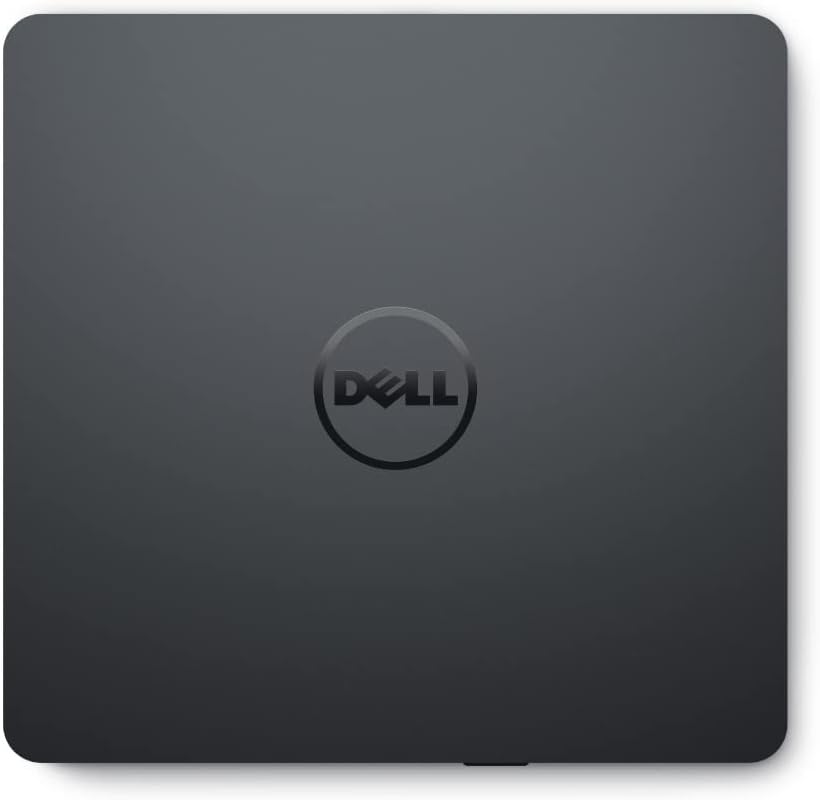
The Dell External USB Slim DVD RW Drive delivers premium performance for users seeking reliability and brand support. Its sleek design and included software make it a standout choice for professionals and power users needing trusted hardware.
We may earn a commission when you buy through this link, at no additional cost to you.
Key advantages include pre-loaded CyberLink Media Suite for easy disc burning and playback. The 14mm thin chassis weighs only 200g, making it highly portable. It works via USB without external power, blending seamlessly with notebooks. Dell provides a 1-year limited warranty for added confidence.
Trade-offs involve a higher cost and USB 2.0 connectivity. However, for standard DVD operations, speeds remain sufficient. This is not ideal for high-speed data transfer needs.
Choose this if you value brand reputation, software bundles, and premium design. It suits business travelers or professionals requiring dependable hardware for presentations or archival tasks.
CyberLink Media Suite simplifies burning and playing media without needing third-party installations.
Ultra-slim form factor ensures the drive fits easily in laptop sleeves or briefcases for travel.
We may earn a commission when you buy through this link, at no additional cost to you.
The Amicool External DVD Drive offers solid performance with dual USB 3.0 and Type-C ports for flexible connectivity. It is an excellent choice for users needing reliable optical access without complex setups.
We may earn a commission when you buy through this link, at no additional cost to you.
Its dual interface support ensures compatibility with both older and newer laptops. The built-in cable design keeps things tidy. It delivers speeds up to 5Gbps with error correction to minimize read errors. Windows 11 users will appreciate the plug-and-play experience.
Limitations include lack of Blu-ray support and power dependency on direct USB ports. Avoid using hubs. These are standard for budget drives and do not significantly impact basic CD/DVD use.
Buy this if you need a simple, fast solution for everyday optical tasks. It is a cost-effective pick for home users or students needing occasional disc access.
USB 3.0 and Type-C options ensure compatibility across various laptop generations.
No driver installation is needed; just connect and start reading or burning discs immediately.
We may earn a commission when you buy through this link, at no additional cost to you.
The Rioddas External CD/DVD Drive stands out for its robust construction and thoughtful design features like a physical eject button. It is built for reliability in varied environments.
We may earn a commission when you buy through this link, at no additional cost to you.
Its copper mesh technology enhances stability during data transfer, reducing errors. The brushed metal look adds style to the sleek, portable design. It supports Windows 11 and macOS seamlessly, making it ideal for cross-platform users.
Drawbacks include internal cable storage which may limit quick swapping, and no Blu-ray support. These are minor trade-offs for a reliable, stylish drive focused on standard CD/DVD operations.
Choose this if you need a reliable, stylish drive with safety features for your disc collection. It is great for office use or home entertainment systems.
Physical eject button releases discs even if the system fails to recognize the drive.
Copper mesh technology minimizes interference and maintains steady data flow.
We may earn a commission when you buy through this link, at no additional cost to you.
The ORIGBELIE External CD DVD Drive prioritizes portability with an ultra-slim 13mm form factor and included storage bag. It is designed for travelers who need minimal bulk.
We may earn a commission when you buy through this link, at no additional cost to you.
It supports USB 3.0 and Type-C, delivering fast data transfer speeds. The anti-skid bottom keeps the drive steady during use. Windows 11 and Mac users will appreciate its plug-and-play simplicity.
Limitations include lack of additional ports or software. It focuses purely on optical functionality. This simplicity keeps the design clean and affordable.
Buy this if lightweight portability is your main concern. It is perfect for students or professionals who need a reliable drive that fits anywhere in their bag.
Slim profile and included bag ensure the drive stays safe and hidden during transit.
Anti-skid bottom prevents slipping during disc ejection or burning tasks.
We may earn a commission when you buy through this link, at no additional cost to you.
The HP Inc. USB External DVDRW Drive offers straightforward optical access backed by a reputable manufacturer. It is a practical choice for those needing a reliable drive without extra frills.
We may earn a commission when you buy through this link, at no additional cost to you.
It works via standard USB and supports Windows 11 natively. Users appreciate its simplicity and consistent performance. The compact form fits well in office settings.
It lacks advanced features like dual interfaces or hubs. This is a basic solution for standard burning and reading tasks. Still, HP's reputation suggests durability.
Select this if you want a no-nonsense, reliable drive. It is suitable for general home or office use where brand trust matters.
Official HP branding ensures consistent quality and support for enterprise or home users.
Focuses on core read/write capabilities for CD and DVD formats.
We may earn a commission when you buy through this link, at no additional cost to you.
The ASUS ZenDrive Black stands out for M-Disc support and security features like Disc Encryption II. It targets users needing secure, long-term data storage options.
We may earn a commission when you buy through this link, at no additional cost to you.
M-Disc compatibility allows for durable archival storage. The included USB 2.0 and Type-C cables add flexibility. Windows 11 users can secure data effectively.
Trade-offs include slower USB 2.0 speeds and premium pricing. However, for security-focused or archival tasks, these features justify the cost.
Choose this if data longevity and encryption are priorities. It suits professionals needing secure backups or archival solutions.
M-Disc technology ensures data remains readable for decades without degradation.
Disc Encryption II provides password control for sensitive files burned to disc.
We may earn a commission when you buy through this link, at no additional cost to you.
This Portable External USB DVD Drive emphasizes stability with pure-copper-knitted-net technology for reliable data transfer. It is a solid general-purpose option for diverse users.
We may earn a commission when you buy through this link, at no additional cost to you.
The copper-knitted-net design minimizes resistance, ensuring smooth operations. Intelligent burning supports various disc modes. Embedded cables prevent loss. It works seamlessly with Windows 11.
Trade-offs include lack of advanced branding or software. Performance remains solid for standard tasks. This is an efficient choice for everyday optical needs.
Buy this if you value stable, consistent performance. It fits well for general home or office optical tasks.
Pure-copper-knitted-net design ensures steady data flow and minimal interruptions.
Intelligent burning technology adapts to various media types for optimal write quality.
We may earn a commission when you buy through this link, at no additional cost to you.
The Dell Slim DW316 is a professional-grade drive supporting DVD-RAM for reusable media. It targets businesses or professionals needing robust optical solutions.
We may earn a commission when you buy through this link, at no additional cost to you.
DVD-RAM support allows for rewritable archival. Dell hardware reliability ensures minimal failures. The slim profile fits modern laptops. Windows 11 users benefit from its compatibility.
Limitations include USB 2.0 speeds and potential lack of included cables. However, the performance and durability outweigh these for critical tasks.
Choose this for professional environments requiring dependable hardware. It suits office setups needing reusable media solutions.
Supports DVD-RAM for reusable and rewritable media for long-term projects.
Official Dell hardware ensures stable performance and integration with enterprise systems.
We may earn a commission when you buy through this link, at no additional cost to you.
Selecting the right external DVD drive involves evaluating compatibility, speed, portability, and additional features to match your specific needs.
Check whether your laptop has USB-A or USB-C ports. Modern drives often support both via dual connectors. Ensure the drive supports USB 3.0 for faster data transfer and smoother playback without lag.
Choose a drive with compatible connectors to avoid needing extra adapters.
Verify the drive supports Windows 11, as some older drives may lack drivers for newer systems. Most modern external drives work plug-and-play without installation. Confirm macOS or Linux compatibility if using multiple OS.
Always confirm OS compatibility before purchasing to ensure seamless operation.
Look for drives supporting 8x DVD speeds and 24x CD speeds. Faster speeds reduce burn times and improve video playback reliability. Ensure the drive can write to various formats like DVD+R, DVD-R, and CD-RW for maximum flexibility.
Higher read/write speeds enhance efficiency for frequent disc burning tasks.
Slim drives under 15mm fit easily in laptop bags. Look for lightweight models with built-in cables to prevent losing adapters. Durable designs with protective cases help withstand daily commuting or travel.
A compact, cable-integrated design reduces clutter and travel bulk.
Some drives offer M-Disc support for long-term archival or USB hubs for extra connectivity. Others include software like Nero or CyberLink for burning tasks. Consider if these extras justify the higher price.
Extra features can add value depending on your specific workflow requirements.
Most drives are USB-powered but may require direct connection for stable power. Avoid USB hubs if your laptop port lacks sufficient power. Some models include optional power cables for low-power scenarios.
Direct USB connection ensures reliable performance without external adapters.
Higher-rated drives often have better build quality. Look for anti-shock and error correction tech. Check warranty length; reliable brands offer at least one year of support for peace of mind.
A solid warranty protects against early hardware failures or defects.
Prices range from budget-friendly under $20 to premium models over $50. Basic drives suffice for occasional playback. Multi-function hubs cost more but save buying extra accessories.
Set a budget based on needed features and frequency of use.
To set up your external DVD drive, connect the USB cable directly to your computer. Wait for automatic detection, then insert the disc. If using a Mac, open the disc via Finder. For Windows, use File Explorer to access content.
For stable operation, connect directly to the laptop or desktop motherboard port rather than a hub. Ensure your computer has adequate power. If reading errors occur, restart the device or try a different port.
Maintain your drive by keeping it dry and avoiding physical shocks. Store in the provided case when not in use. Avoid touching the laser lens with fingers to prevent scratches or damage over time.
Yes, most modern external DVD drives are plug-and-play on Windows 11. They install default drivers automatically upon connection. If issues arise, check Device Manager to confirm the drive is recognized.
You can use external drives via USB-C or USB-A ports. If your laptop lacks USB-A, use a USB-C adapter. Ensure the drive is compatible with your OS and has enough power.
Standard external DVD drives do not support Blu-ray. You need a dedicated external Blu-ray drive for that format. Most budget DVD drives only read and write CD and DVD discs.
Connectivity issues often stem from insufficient power or bad USB ports. Try connecting directly without a hub. Restarting your computer or testing another port often resolves detection problems.
Yes, many are slim and lightweight under 200g, designed for travel. Look for built-in cables and protective cases. These features keep them organized and safe in your laptop bag.
Yes, most external drives support reading and burning CD and DVD formats. Use Windows Media Player or free software like ImgBurn. Ensure your drive supports the specific disc type like DVD+R or DVD-R.
The ROOFULL External CD DVD Drive leads our list with its versatility and carrying case, making it the best overall pick. For budget buyers, the 5-in-1 Extemal CD/DVD Drive offers unmatched value with extra connectivity options.
When selecting a drive, prioritize connection compatibility and build quality to ensure long-term reliability. Consider whether you need additional features like M-Disc support or USB hubs for your workflow.
Prices and availability fluctuate frequently. Always verify current specifications before purchasing to ensure you get the best model for your specific Windows 11 setup and needs.