
Vilros Raspberry Pi 5 AI Kit
5.0Editor score
Hailo-8 AI Accelerator
Includes Active Cooler
Preloaded OS on SD
This guide compares the top ten AI Raspberry Pi kits available in October 2026 to help you find the perfect starter set for building intelligent projects.
Artificial intelligence is transforming how we interact with technology, and the Raspberry Pi remains a favorite platform for hobbyists and developers. These compact boards allow users to build custom AI solutions ranging from simple sensors to complex vision systems. Choosing the right kit can simplify the learning curve and ensure you have the necessary components to start experimenting immediately.
We have carefully evaluated ten distinct kits available in the market to determine which ones offer the best value and educational resources. Our comparison focuses on hardware compatibility, included sensors, software support, and the quality of learning materials provided. This list covers a wide range of budgets and skill levels, ensuring there is an option for everyone interested in embedded AI development.
Each pick in this guide highlights specific strengths such as camera integration, voice processing capabilities, or preloaded software environments. We aim to help you understand exactly what each kit offers so you can make an informed decision for your next project. Please note that product availability and pricing may change over time, so always verify details before purchasing.
5.0Editor score

4.6Editor score
4.5Editor score
This side-by-side comparison table helps you quickly assess the key specifications and components included in each of the top ten AI kits available for Raspberry Pi users.
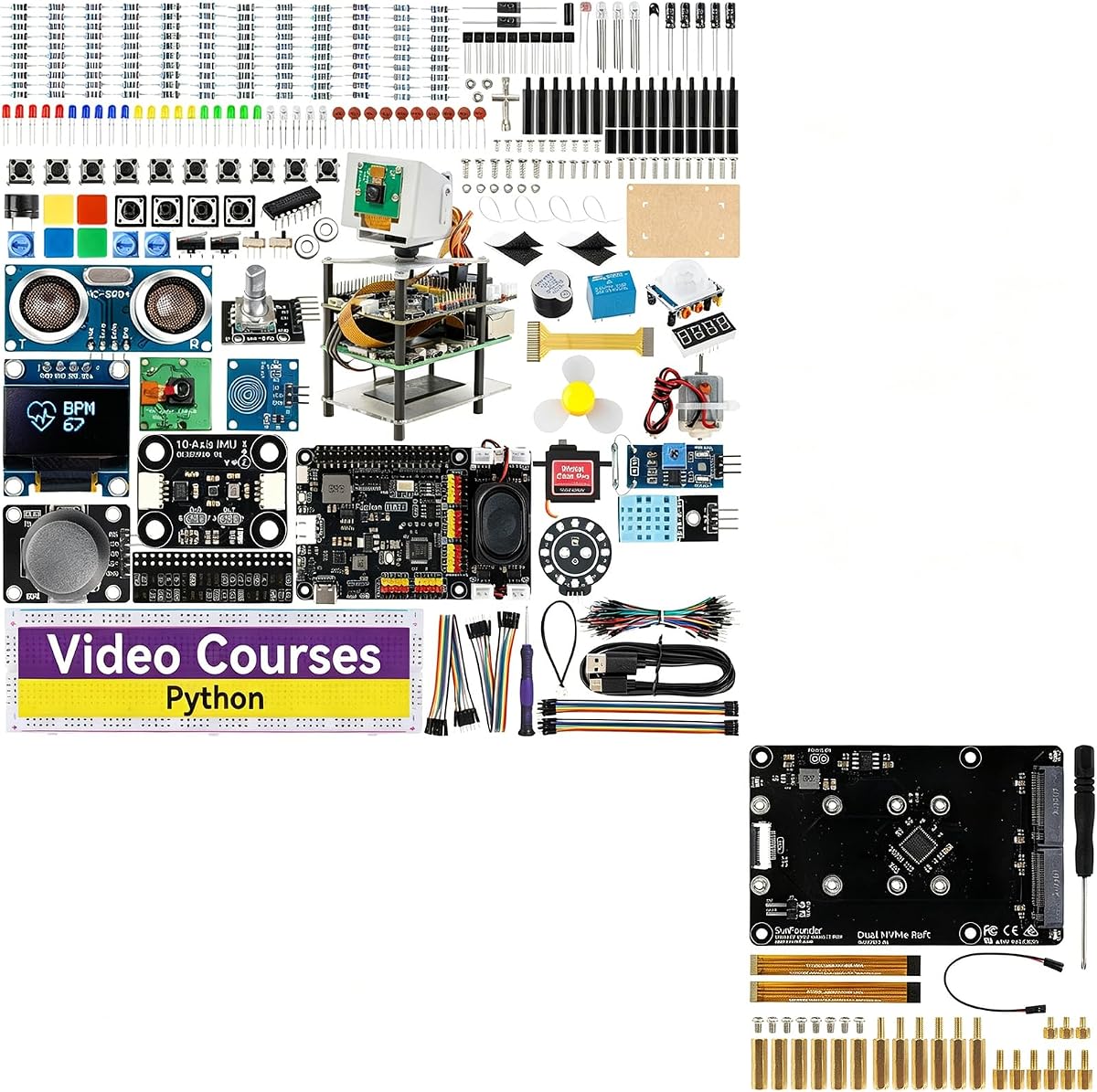


The SunFounder AI Fusion Lab Kit stands out as a top choice for those looking to dive into AI with a Raspberry Pi. It boasts a solid rating and includes a wide array of components that simplify the setup process. Its standout quality lies in the seamless integration of voice, vision, and sensor data through a unified Python library.
We may earn a commission when you buy through this link, at no additional cost to you.
This kit enables users to build multi-modal projects using popular models like ChatGPT and Gemini alongside computer vision tools like YOLO and OpenCV. The included Pan-Tilt HAT allows for dynamic tracking of objects and movements, making the projects feel interactive and alive. The video lessons are specifically designed to guide beginners through complex concepts step by step.
One trade-off to consider is that the Raspberry Pi board itself is not included in the package, so you will need to procure one separately. Additionally, while the kit is beginner-friendly, mastering the full range of features requires patience and practice. These factors are acceptable given the rich learning resources and hardware quality provided.
We recommend this kit for educators, hobbyists, and engineers who want a structured path into AI development without worrying about hardware compatibility. It is an excellent investment for anyone aiming to build interactive voice or vision-based projects quickly. The combination of hardware and curriculum makes it a reliable starting point for your AI journey.
The kit allows you to combine speech recognition with computer vision to create smart assistants that can see and hear.
Guided video lessons help you understand how to connect sensors and run models without getting overwhelmed by technical details.
We may earn a commission when you buy through this link, at no additional cost to you.
The Vilros Raspberry Pi 5 AI Kit is designed for users who need maximum performance for demanding AI workloads. With a perfect rating, it delivers reliability and speed that rivals desktop setups. The inclusion of the Hailo-8L accelerator ensures that neural network inference runs smoothly without overloading the CPU.
We may earn a commission when you buy through this link, at no additional cost to you.
This kit provides everything needed to start immediately including the board case active cooler and a preloaded 128GB SD card. The integrated Hailo accelerator is fully compatible with the Pi 5 camera software allowing you to leverage native support for object detection and segmentation tasks. The active cooler maintains optimal temperatures even during heavy computation.
While the price is higher than basic starter kits, the performance gain and completeness justify the investment for serious developers. The requirement for the Pi 5 board means you cannot use older models but the speed benefits are substantial. This makes it a premium choice for those prioritizing raw AI computing power.
We suggest this kit for professionals and advanced makers who need to run complex models locally on the edge. It is ideal for projects requiring real-time processing or those that involve significant data throughput. The all-in-one nature saves time on setup and ensures every component works perfectly together.
The Hailo-8L chip accelerates deep learning tasks allowing for faster object detection and image analysis.
Everything from power to storage is included so you can focus on coding rather than sourcing parts.
We may earn a commission when you buy through this link, at no additional cost to you.
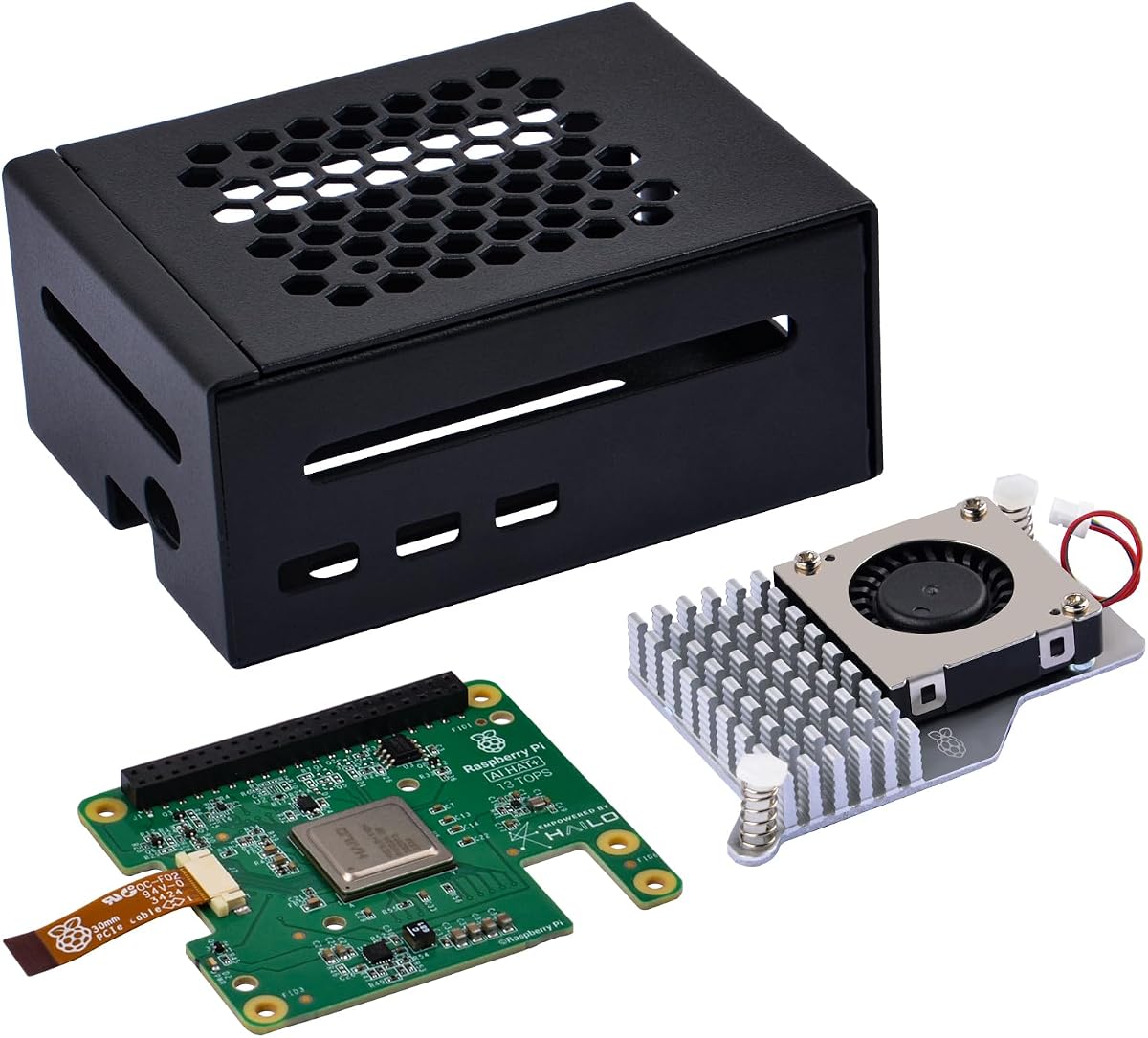
The GeeekPi AI HAT+ Kit offers an accessible entry point into AI development for Raspberry Pi 5 users. It receives strong ratings for its ability to provide significant performance boosts at a lower cost. The kit focuses on delivering essential hardware like the AI accelerator and cooling system in a durable metal package.
We may earn a commission when you buy through this link, at no additional cost to you.
This package includes the AI HAT which features a built-in Hailo accelerator capable of running networks for detection and pose estimation. The metal case protects the board from dust and scratches while the active cooler ensures stable performance. The setup is simple as the OS automatically detects the NPU for easy integration into tasks.
A minor trade-off is that the kit does not include the Raspberry Pi board itself which adds to the overall budget. The 13 TOPS performance is slightly lower than higher-end variants but sufficient for most learning and prototyping needs. These limitations are acceptable for the value it provides to budget-conscious makers.
We recommend this kit for students and hobbyists who want to experiment with AI acceleration without breaking the bank. It is perfect for small projects involving object detection or simple classification tasks. The solid build quality ensures your hardware stays safe during experiments and regular use.
The metal case safeguards your Pi 5 from physical damage and environmental factors during handling.
The active cooler keeps the board at safe temperatures ensuring consistent performance during extended runs.
We may earn a commission when you buy through this link, at no additional cost to you.
This bundle combines the versatile AI Fusion Lab with a powerful Dual NVMe Raft for expanded storage and speed. It is tailored for users who need to handle large datasets or build network-attached storage alongside AI projects. The inclusion of RAID support adds reliability and performance for data-intensive workflows.
We may earn a commission when you buy through this link, at no additional cost to you.
The Raft supports two M.2 SSDs allowing for fast data storage and retrieval essential for training models or logging data. Combined with the AI Fusion components like the Pan-Tilt HAT and voice interfaces it offers a complete server and lab solution. This setup transforms your Pi into a robust server capable of running complex tasks.
The complexity of managing RAID and multiple SSDs might be overwhelming for absolute beginners. However, the performance gains are significant for those running media centers or Home Assistant with extensive logs. These trade-offs are worth it for power users who need reliable storage in their AI setup.
We recommend this for developers planning to run home servers or large-scale AI experiments locally. It is ideal for those who want to combine the AI lab features with a robust backend for data management. The comprehensive package ensures you have the hardware to support growing project needs.
RAID options protect your data against drive failures ensuring your experiments are safe and secure.
NVMe speeds allow for quick loading of large models and datasets without waiting times.
We may earn a commission when you buy through this link, at no additional cost to you.
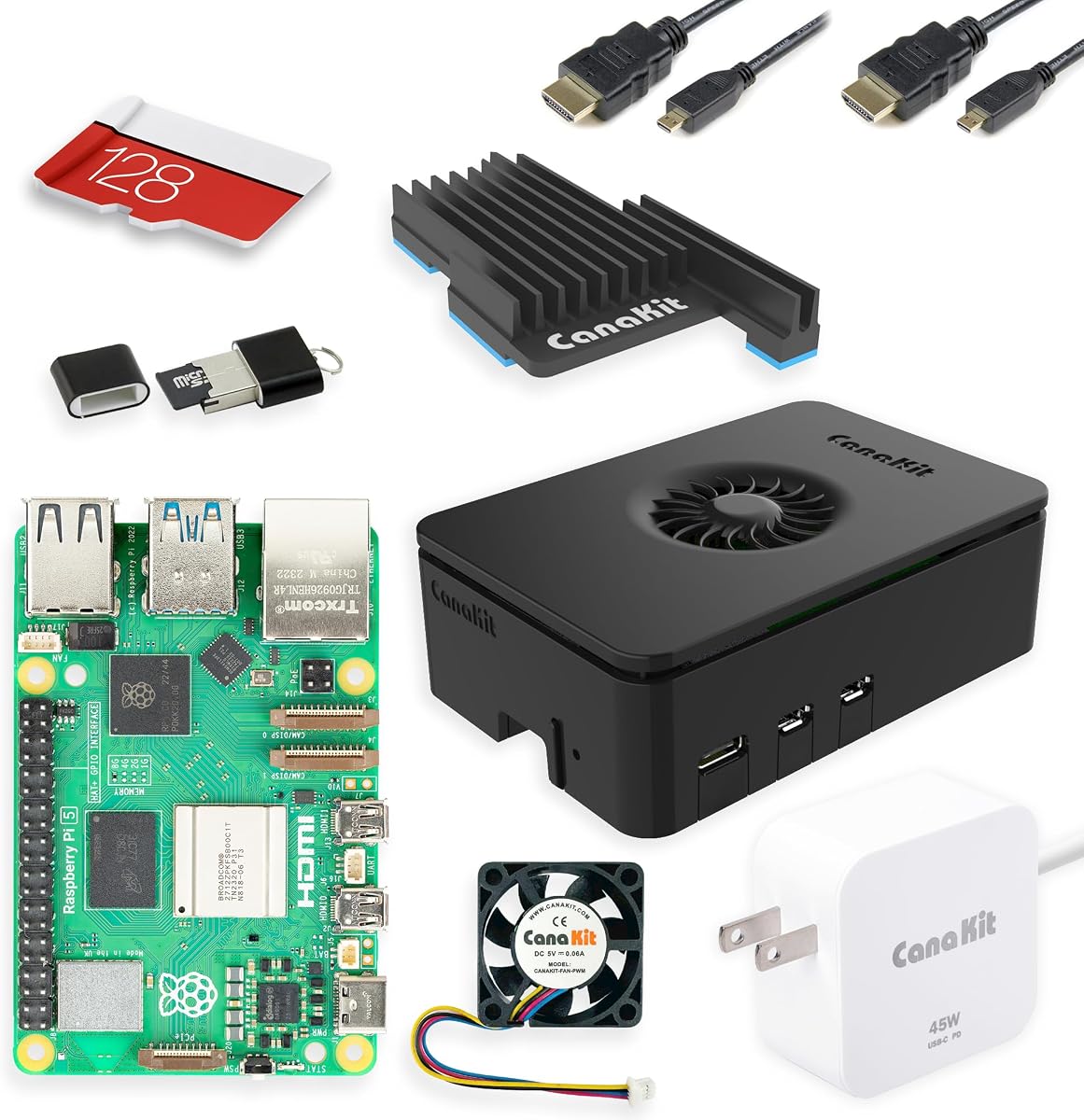
The CanaKit Raspberry Pi 5 Starter Kit PRO provides a high-quality foundation for general computing and development. It receives excellent ratings for its durability and reliable power delivery. While not an AI specific kit it includes a powerful board and robust case suitable for running standard operating systems.
We may earn a commission when you buy through this link, at no additional cost to you.
This kit features a turbine-style case with a low noise bearing system that keeps the Pi cool during operation. The 45W power supply is ample for running multiple USB devices and peripherals without stability issues. The included 128GB card ensures you have plenty of space for installing software and storing data.
It lacks specific AI accelerators or sensors which means you may need to source those separately for vision projects. However, the raw performance of the 8GB Pi 5 makes it capable of handling light AI inference tasks. The trade-off is that you lose some out-of-box convenience for specialized kits.
We recommend this for general hobbyists who want a reliable Pi 5 setup before adding specific AI modules. It is great for learning Linux and Python before diving into complex neural networks. The quality of components ensures longevity and consistent performance for your projects.
The low noise fan keeps the environment quiet while maintaining effective cooling for the processor.
The dedicated power supply ensures stable operation even when multiple peripherals are connected.
We may earn a commission when you buy through this link, at no additional cost to you.
This kit focuses on providing the core hardware needed to add AI acceleration to your existing setup. It is highly rated for its value proposition and ability to upgrade a standard Pi 5 quickly. The inclusion of the metal case and active cooler ensures that the hardware remains stable during operation.
We may earn a commission when you buy through this link, at no additional cost to you.
The Hailo accelerator allows for efficient processing of visual data reducing the load on the main CPU. It integrates directly with the camera system making it easy to implement object detection tasks. The active cooler ensures that the board does not throttle even under heavy computational work.
You will need to supply the Raspberry Pi board yourself which adds to the total cost of the project. Documentation is minimal compared to full learning kits so you may need to rely on community resources. These factors are acceptable given the low price and high performance of the hardware.
We suggest this for users who already have a Pi 5 and want to add AI capabilities without buying a whole new kit. It is ideal for developers who need specific hardware performance without the extras of a full educational package. The hardware quality ensures it will handle various tasks effectively.
The dedicated NPU offloads AI tasks allowing the main processor to handle other applications smoothly.
The metal case protects the sensitive components from static and physical impacts.
We may earn a commission when you buy through this link, at no additional cost to you.
This kit offers a reliable and fully supported way to start using the latest Raspberry Pi 5 hardware. It receives strong ratings for stability and ease of setup. The use of official components ensures compatibility and consistent performance across all tasks including basic AI experimentation.
We may earn a commission when you buy through this link, at no additional cost to you.
The official case includes active cooling which is designed to manage the heat generated by the Pi 5 effectively. The power supply delivers exactly what the board needs to operate stable without risk of underpowering. The SD card comes preloaded so you can boot up and start working immediately.
It does not include specific AI accelerators or specialized sensors so you may need to expand it later. This makes it a great starting point but not a complete solution for advanced vision tasks. The trade-off is a focus on general reliability over specialized features.
We recommend this for users who want the official experience and a solid base for future expansion. It is perfect for learning the basics of the OS and hardware before moving to AI specific kits. The warranty and support provide peace of mind for your investment.
Using official parts ensures that your hardware works exactly as the Raspberry Pi Foundation intended.
The preloaded OS saves time so you can start coding immediately without complex setup steps.
We may earn a commission when you buy through this link, at no additional cost to you.
This kit is designed for building a physical robot that can interact with users through voice and vision. It is popular among those who want a hands-on experience with robotics and AI. The integration of ChatGPT-4o allows for natural language conversations and responses to visual queries.
We may earn a commission when you buy through this link, at no additional cost to you.
The robot features twelve servos that enable a wide range of movements from walking to tail wagging. It includes a camera and microphone for sensing the environment and responding to inputs via an app. The FPV feature lets you see what the robot sees in real time for better control.
The Raspberry Pi Zero 2 W has less power than the Pi 5 which may limit complex model performance. Assembly requires careful handling and patience to get all the servos and wires connected correctly. These challenges add to the learning experience and make the final result more rewarding.
We recommend this for kids and hobbyists interested in building a friendly companion robot. It is a fun way to learn about electronics programming and AI interactions simultaneously. The visual and voice features make it stand out as a highly interactive project.
Voice command support lets you talk to the robot and receive meaningful responses instantly.
Twelve servos provide a wide range of motions making the robot feel lifelike and responsive.
We may earn a commission when you buy through this link, at no additional cost to you.
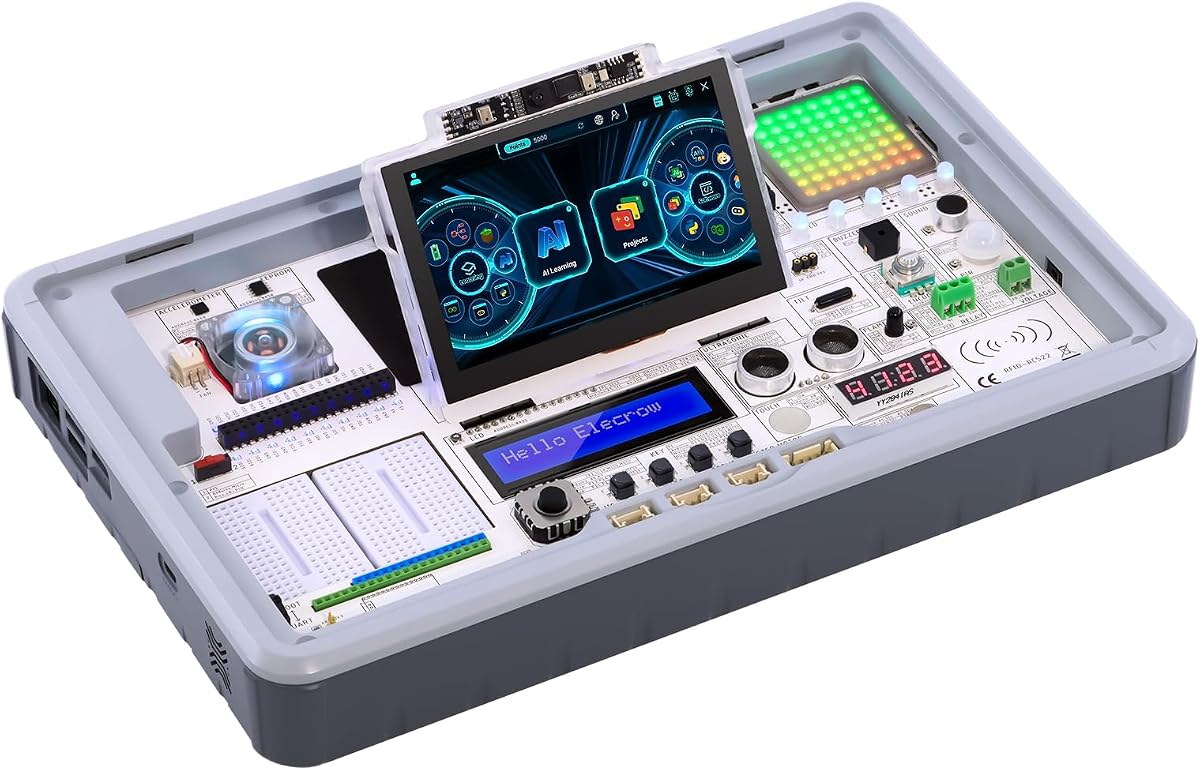
The CrowPi 3 is a dedicated development station that bundles sensors and a display for easy learning. It is rated well for its comprehensive approach to teaching AI and electronics concepts. The layout allows for quick prototyping without the need for complex wiring or external breadboards.
We may earn a commission when you buy through this link, at no additional cost to you.
It includes forty-one sensors and modules that cover a wide range of inputs like touch temperature and light. The touch display and microphone enable interactive projects that respond to user input directly. The course library offers hundreds of lessons designed to guide you from basics to advanced concepts.
You must purchase a Raspberry Pi 5 separately which adds to the total cost of the platform. The layout is specific to the board which may limit flexibility if you want to swap in other boards later. These factors are acceptable given the ease of use and educational value provided.
We recommend this for students and educators who want a structured environment for teaching AI. The all-in-one design reduces setup time and lets you focus on coding and logic. The touch interface makes it intuitive for users of all ages to interact with projects.
The extensive course library ensures you have enough content to grow your skills over time.
Pre-arranged sensors mean you spend more time building and less time wiring circuits.
We may earn a commission when you buy through this link, at no additional cost to you.
This package combines the CrowPi 3 station with the high-performance Raspberry Pi 5 16GB board. It receives strong ratings for its capability to handle demanding AI projects with ease. The inclusion of the board makes it a truly out-of-box solution ready for immediate use.
We may earn a commission when you buy through this link, at no additional cost to you.
The 16GB RAM ensures that large models and datasets can be loaded without running out of memory. The station features a touchscreen and microphone that allow for intuitive interaction with your code and projects. The comprehensive course library helps you get the most out of the hardware capabilities.
The price point is higher than other options but it removes the need to source additional components. The physical footprint is larger than a standard board which requires more desk space for experiments. These trade-offs are acceptable for those who want a complete high-end educational setup.
We recommend this for serious learners or schools that need a robust and ready-to-use AI station. The large memory and extensive sensor suite make it capable of advanced tasks. It provides a seamless experience for exploring the full potential of AI development.
Sixteen gigabytes of RAM support complex model training and large data processing tasks.
The complete package eliminates the need to find and buy a separate compatible board.
We may earn a commission when you buy through this link, at no additional cost to you.
Choosing the right kit involves understanding your specific needs and the resources available to support your learning.
Check if the kit includes the Raspberry Pi board itself or if you need to buy it separately. Kits that include the board often cost more but save you the hassle of sourcing compatible parts. Ensure the components like cases and power supplies match the official specifications for reliability.
Look for kits that provide essential hardware like cameras and sensors if you plan to do vision or interaction projects.
Some kits come with dedicated AI accelerators like the Hailo-8L which significantly speed up inference tasks. These are crucial for running complex models without overloading the main processor. Check the TOPS rating to understand the raw power available for your specific use cases.
A kit with an accelerator is best for projects requiring real-time processing like video analysis or robotics.
High-quality educational materials are essential for beginners who need guidance on code and setup. Look for kits that include video tutorials, documentation, and step-by-step project guides. This ensures you can progress from basic concepts to advanced implementations without getting stuck.
Select a kit with structured lessons to maximize your learning efficiency and enjoyment of the hobby.
The number and type of sensors included determine what kind of projects you can build easily. Kits with diverse sensors allow for experiments involving touch temperature and motion without extra purchases. A broad selection of modules supports more interactive and responsive AI applications.
Aim for a kit with a wide sensor range to avoid buying extra components later.
AI kits vary widely in price from basic starters to complete workstation packages. Determine how much you are willing to spend before browsing to narrow down your options. Remember to account for the cost of the Pi board if it is not included in the kit.
Set a budget that balances cost with the features you truly need for your projects.
Ensure the kit supports the operating system and libraries you plan to use. Official Raspberry Pi OS compatibility is a must for stability and access to community tools. Check if the provided code works well with standard AI frameworks like OpenCV and TensorFlow.
Strong software support ensures your projects run smoothly and you can easily find help online.
An active community and responsive technical support can make a big difference when you run into issues. Check if there are forums or active groups associated with the kit to ask questions. This helps you solve problems faster and learn from other users experiences.
Choose a kit from a vendor that values customer feedback and provides ongoing support.
Consider whether the kit allows for expansion as your skills grow. Look for options that support adding more sensors or modules without replacing the whole system. Future-proofing your purchase ensures it remains useful for longer term development.
A scalable kit grows with your skills so you do not need to replace it quickly.
Start by setting up the operating system on the SD card using a reliable imaging tool. Follow the instructions provided in the kit to connect power and peripherals safely.
Keep the kit in a dry and cool environment to prevent overheating during long sessions. Regularly check the cooling fans to ensure they are free from dust and debris.
Experiment with the included sensors and code examples to understand how they work. Modify the code to create your own projects and save your work regularly.
Most kits are designed specifically for the Raspberry Pi 5 due to its improved performance. However some kits like the SunFounder Fusion Lab are compatible with multiple models including the 4 and Zero 2W. Always check the product description for compatibility before purchasing.
Basic coding knowledge in Python is helpful but many kits include beginner-friendly tutorials. You can start with simple projects and gradually learn more advanced techniques. The guides are designed to help you learn as you build.
Yes most kits are suitable for prototyping and commercial development. The hardware is durable enough for repeated use and the software is flexible. Ensure you comply with licensing terms for any AI models or libraries used.
AI models can be large so having at least 128GB of storage is recommended. Many kits come with a 128GB SD card which is sufficient for several projects. You can also add external storage if you run out of space.
Yes several kits like the Robot Kit and CrowPi 3 are designed for students and children. The interactive nature of the projects makes learning fun and engaging. Parental supervision is recommended for handling small parts.
You need a display to set up the Pi initially but you can use headless mode afterward. This allows you to control the Pi from your computer over a network. It is a common setup for server-based AI projects.
We have explored ten excellent options ranging from budget-friendly starters to high-performance kits. Each kit offers unique strengths that cater to different learning goals and project types. Whether you want to build a robot or a vision system there is a choice for you.
Prioritize kits that offer comprehensive learning materials and reliable hardware support. Consider your budget and the specific AI capabilities you need before making a purchase. This will ensure you get the most value from your investment.
Prices and availability change frequently so check current listings before buying. We hope this guide helps you find the perfect kit for your AI journey.