
Ezekers Portable 500GB External Hard Drive
4.3Editor score
Affordable 500GB capacity
USB 3.0 and USB C
Compact portable design
Discover the top external PS5 storage options for expanding your game library with detailed comparisons of speed, capacity, and compatibility.
Gaming on the PlayStation 5 offers incredible experiences but often falls short on internal storage space. External storage options provide a vital solution for gamers who want to keep their libraries intact without constant management.
We compared ten leading external drives based on compatibility, speed, capacity, and value. Our analysis focuses on official licensing, transfer rates, and reliability to help you choose the right expansion for your setup.
Each pick highlights specific strengths and ideal use cases for different gamer needs. Note that availability and pricing can shift frequently so check current listings before making your final purchase decision today.
4.3Editor score

4.8Editor score

4.7Editor score
This side-by-side comparison evaluates all ten top-rated drives based on key specifications and real-world performance metrics to help you find the perfect fit.



This officially licensed M.2 SSD stands out as the top choice for serious gamers needing top tier performance. With a 4.8 rating it delivers the fastest load times and seamless play directly from storage.
We may earn a commission when you buy through this link, at no additional cost to you.
Its optimized heatsink ensures stable performance during long sessions while read speeds up to 7300MB/s eliminate waits. You can store up to 200 games and play them without transfers.
The main trade off is the higher cost compared to standard hard drives and the need for internal installation. However the speed boost and official licensing make it worth the investment.
Buy this if you demand maximum performance and want to play PS5 games directly from external storage without copying back and forth to internal space.
Sony approves this drive to work flawlessly with the PS5 system software for worry free gameplay.
With up to 7300MB/s you enjoy near internal SSD load times for all your favorite titles.
We may earn a commission when you buy through this link, at no additional cost to you.
This portable drive offers the most affordable entry point for PS5 storage expansion with 500GB of space. It is ideal for archiving PS4 games and transferring files quickly.
We may earn a commission when you buy through this link, at no additional cost to you.
With USB 3.0 and USB C support it works across PS5 phones and PCs easily. Its compact design makes it easy to carry in a bag or pocket.
The trade off is limited capacity compared to larger drives which may require more frequent management. Speeds are decent but not competitive with premium SSDs.
Buy this if you need a budget friendly way to store PS4 games or backup files without spending much money on expansion.
Perfect for users needing a small budget option to store PS4 games specifically.
Compatible with PS5 Xbox phones and PCs for versatile use across devices.
We may earn a commission when you buy through this link, at no additional cost to you.
This drive brings a massive 6TB capacity in a portable form factor for holding up to 150 games. Its high rating and metal cover suggest great durability for daily use.
We may earn a commission when you buy through this link, at no additional cost to you.
It supports PS5 PS4 and Xbox systems making it a versatile choice for multi console households. The USB 3.0 connection provides reliable transfer speeds for large game files.
The main drawback is its larger physical size compared to smaller portable drives and slower speeds than NVMe SSDs. Still it offers unbeatable value per gigabyte.
Buy this if you want to archive a huge library of games without paying SSD prices and need durability for travel.
Hold up to 150 games easily with 6TB space reducing need to delete titles.
Works across PS5 Xbox and PC so you can share libraries across devices.
We may earn a commission when you buy through this link, at no additional cost to you.
Officially licensed by Sony this drive matches PS5 firmware for seamless performance without compatibility issues. Its 5TB capacity offers ample space for growing libraries.
We may earn a commission when you buy through this link, at no additional cost to you.
The blue LED adds a stylish touch and the USB 3.0 connection ensures reliable data speeds. You can store PS5 games and copy them to play quickly.
The price is higher than non licensed drives and the design might not suit all aesthetics. However the official licensing ensures guaranteed performance on PS5.
Buy this if you want a branded option with guaranteed compatibility and like the visual design with LED lighting.
Matches PS5 firmware for seamless integration and reliable performance.
Blue LED lighting adds style to your console setup.
We may earn a commission when you buy through this link, at no additional cost to you.
This high performance NVMe SSD is designed specifically for PS5 consoles to provide top tier speed. It allows you to play games directly from the drive without copying.
We may earn a commission when you buy through this link, at no additional cost to you.
Read speeds up to 7300MB/s mean loading times are minimal and gameplay is smooth. The optimized heatsink keeps temperatures in check during extended play sessions.
Installation is more involved than external drives and the cost is higher. However the performance gains and official approval make it a strong choice.
Buy this if you want internal SSD like performance from a storage expansion solution that supports the latest PS5 games.
Experience near internal SSD load times with 7300MB/s read rates.
Eliminate need to copy PS5 games back to internal storage before playing.
We may earn a commission when you buy through this link, at no additional cost to you.
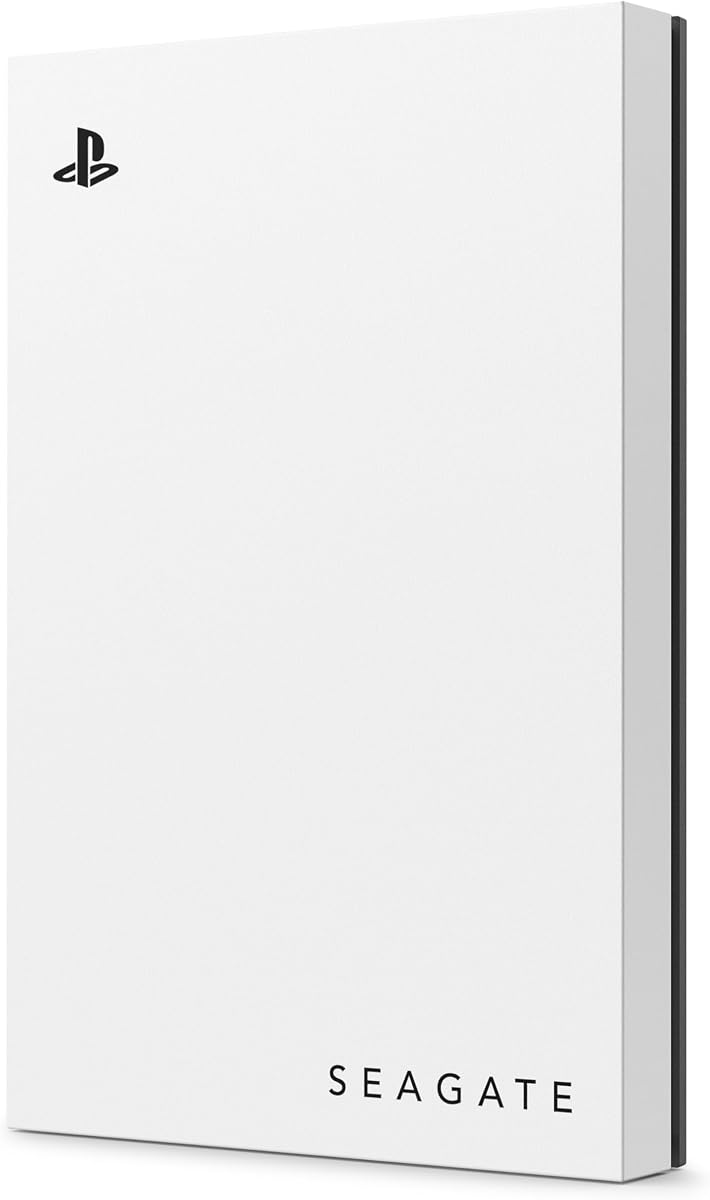
This white edition of the Seagate Game Drive offers 5TB storage with firmware adapted for PS5 use. It is portable and ready to use straight out of the box.
We may earn a commission when you buy through this link, at no additional cost to you.
The blue LED light complements the white casing and the USB 3.0 connection ensures good speeds. You can store PS5 games and copy them to internal storage to play.
It is more expensive than some alternatives and the design may not fit all setups. Still the official firmware support ensures reliable performance on PS5.
Buy this if you prefer a stylish white drive with official Sony support and need lots of space for PS4 and PS5 games.
White casing with blue LED offers a fresh look for your console.
Firmware optimized for PS5 and PS4 systems for smooth operation.
We may earn a commission when you buy through this link, at no additional cost to you.
This portable SSD is designed and tested for PS5 consoles to deliver fast speeds and high durability. With IP65 rating it resists water and dust for travel.
We may earn a commission when you buy through this link, at no additional cost to you.
Read speeds up to 1050MB/s are quick for transferring games to internal storage. The 5-year warranty shows confidence in its reliability and longevity.
It is more expensive than standard hard drives and lacks official Sony licensing but still performs well. The durability makes it great for on the go gaming.
Buy this if you need a rugged fast portable drive for transferring PS5 games and value durability over official licensing.
Protects against water and dust so you can take your games anywhere.
Quick 1050MB/s speeds help you move games fast internal storage easily.
We may earn a commission when you buy through this link, at no additional cost to you.
This officially licensed SSD features a compact stick design that connects directly to PS5 USB ports without cables. It reduces loading times and expands system space.
We may earn a commission when you buy through this link, at no additional cost to you.
With USB3.2 Gen2 speeds it transfers data quickly. Its small size means it does not take up space near your console and blends in easily.
It is pricey per TB and offers only 1TB which may fill up quickly for large libraries. Still the compact design and official license are strong points.
Buy this if you want a minimalist cable free drive that is officially licensed for PS5 and value space saving design.
Compact stick form connects directly without extra cables cluttering your setup.
Certified to work with PS5 and PS4 systems without issues.
We may earn a commission when you buy through this link, at no additional cost to you.
This gaming specific drive features customized firmware for responsive gaming and a 2TB capacity. It is highly rated and works with PS5 Xbox and PC.
We may earn a commission when you buy through this link, at no additional cost to you.
The Always-On mode ensures fast access and the sleek design is portable. You can store PS4 games and play them directly from the drive.
It does not support playing PS5 games directly and lacks official Sony licensing. Still it is reliable and good for archiving PS4 titles.
Buy this if you want a reliable drive optimized for gaming that handles PS4 titles well without needing official PS5 support.
Custom firmware ensures responsive gaming experience for PS4 titles.
Strong 4.7 rating indicates solid build quality and performance.
We may earn a commission when you buy through this link, at no additional cost to you.
This drive offers a massive 8TB capacity using enterprise grade HDD components for reliability. It is white and supported by a 2 year warranty for peace of mind.
We may earn a commission when you buy through this link, at no additional cost to you.
You can store PS4 games directly and copy PS5 games faster than re-downloading. The USB 3.0 connection is standard and works with PS5 easily.
It is not officially licensed and is bulkier than portable drives. Still the huge capacity makes it a great option for large libraries.
Buy this if you need maximum storage space for archiving hundreds of games and do not need to play PS5 titles directly.
8TB space lets you store hundreds of games without deleting old ones.
Uses 7200RPM enterprise components for stable performance and reliability.
We may earn a commission when you buy through this link, at no additional cost to you.
Selecting the right storage involves weighing capacity, speed, and compatibility needs. Here are key factors to consider before you buy.
Consider how many games you want to store at once. Modern PS5 titles often take over 100GB each so 1TB may fill quickly. If you have a large library look for 4TB or 5TB options.
Higher capacity drives cost more but reduce the need to delete and redownload games frequently.
SSDs offer much faster speeds than HDDs reducing transfer and load times. However most PS5 games must run from internal SSD so speed matters mainly for copying.
If you want to play PS5 games directly from external storage choose a licensed NVMe SSD like the SN850P.
Officially licensed drives ensure compatibility with PS5 system updates. Non licensed drives may work but could face issues after system software changes.
Check if the drive supports playing PS4 games directly or just storing PS5 games.
USB 3.0 and USB 3.1 Gen 2 are standard for external drives. Ensure your PS5 USB port supports the speed for optimal performance.
USB C ports are common on newer drives but adapters may be needed for PS5 USB A ports.
Portable 2.5 inch drives are easy to move but may be slower than larger desktop models. If you travel often choose a compact model.
Desktop models offer more capacity but require more space and power supply.
Look for drives with strong build quality and warranties. SSDs are more durable against shock than HDDs since they have no moving parts.
Extended warranties can provide peace of mind for expensive storage solutions.
Compare price per TB across options. HDDs offer better value for large capacities while SSDs are better for speed and durability.
Set a budget and prioritize either capacity or performance based on your needs.
Consider future game sizes and console updates. A drive with room to grow ensures you won't need to replace it soon.
Choosing licensed drives also helps guarantee long term software compatibility.
To use an external drive connect it to your PS5 USB port and follow the on screen prompts to format it for gaming. This usually takes a few moments and prepares the drive for use.
Keep the drive in a well ventilated area to prevent overheating. Avoid moving the drive while it is running to prevent data corruption especially for HDD models.
Regularly check for system software updates to maintain compatibility. If you plan to travel remove the drive carefully to avoid damage during transit.
No most PS5 games must run from internal SSD storage or licensed NVMe SSD expansion. You can store PS5 games on USB drives but must copy them to internal storage to play.
Most USB 3.0 drives work for storing PS4 games and PS5 game storage. However official licensed drives guarantee compatibility with system software updates.
SSDs are faster and more durable but cost more. For transferring games an SSD is better. For large libraries an HDD offers better capacity value.
You need one if your 825GB internal storage fills up. PS5 games are large and an external drive helps you archive older titles.
Yes if it uses USB 3.0 or higher but you may need an adapter. PS5 has USB A ports so drives with USB A or adapters work best.
Assuming 50GB per game you could store about 80 games. If games average 100GB you can store around 40 titles easily.
The WD_BLACK SN850P stands out for top performance while the Seagate 5TB and WD_Black 6TB offer massive capacity for large libraries.
Prioritize official licensing if you want guaranteed compatibility and consider speed for frequent transfers to ensure smooth gameplay experiences.
Always check current prices and availability before buying since models and stock levels change regularly to fit your needs.