
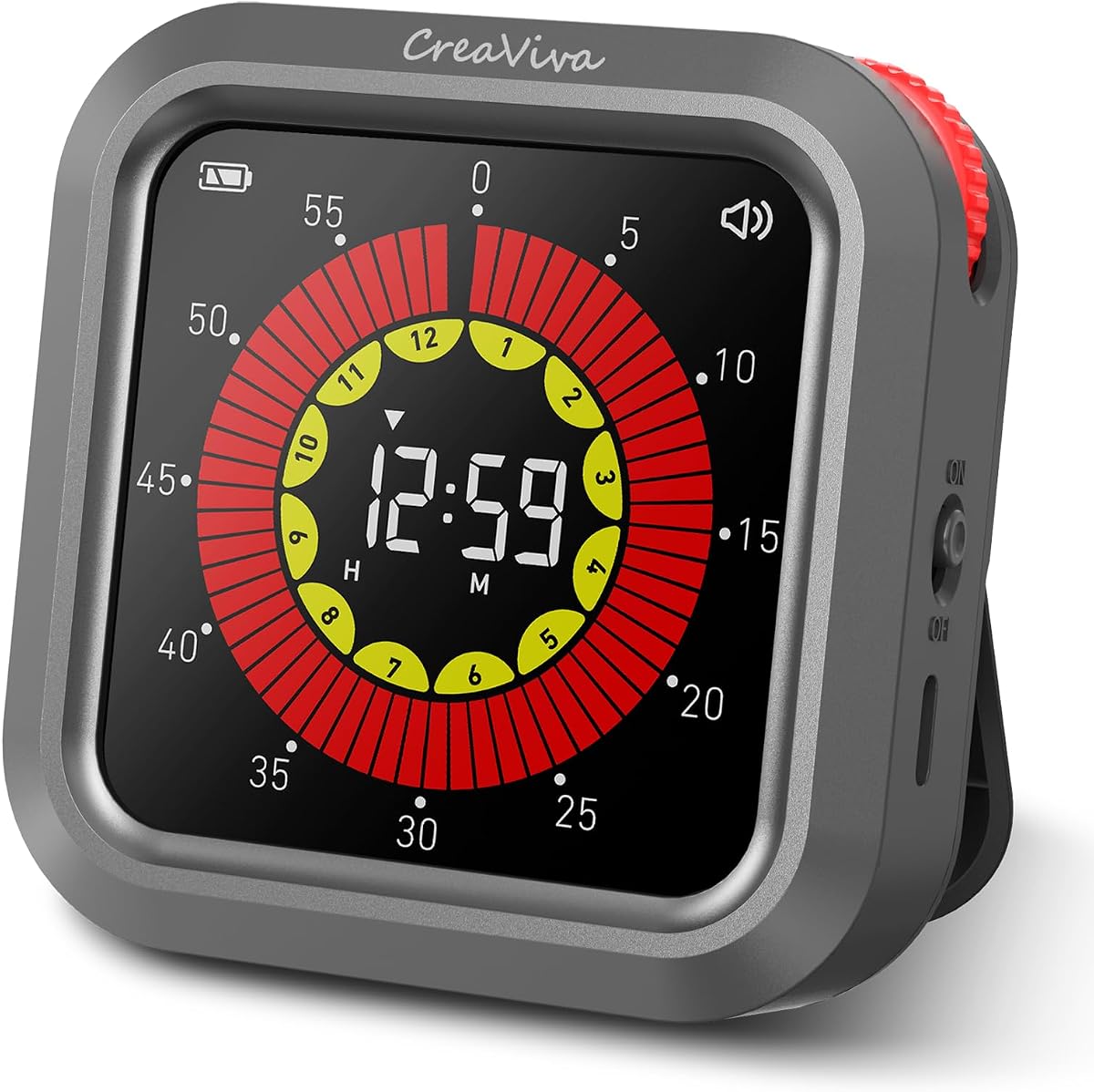
Visual Digital Timer 60 Min Countdown
4.2Editor score
Red visual disc for countdown
Magnetic back with anti-slip pads
Simple one-touch control dial
Finding the right digital visual timer can transform how you manage daily tasks and routines. These devices provide clear visual cues that help users understand time passing without relying solely on abstract numbers.
We compared ten leading models based on display clarity, battery performance, and intuitive controls. Our analysis covers features like magnetic backs, silent operation, and customizable brightness to suit various environments.
Each pick highlights specific strengths for different needs such as classrooms, kitchens, or home offices. Please note that product availability and specifications may change over time as manufacturers update their offerings.
4.2Editor score

4.6Editor score
4.3Editor score
As an Amazon Associate we earn from qualifying purchases.
The following table provides a side-by-side look at key specifications for all ten models to help you quickly identify which features matter most for your specific use case.

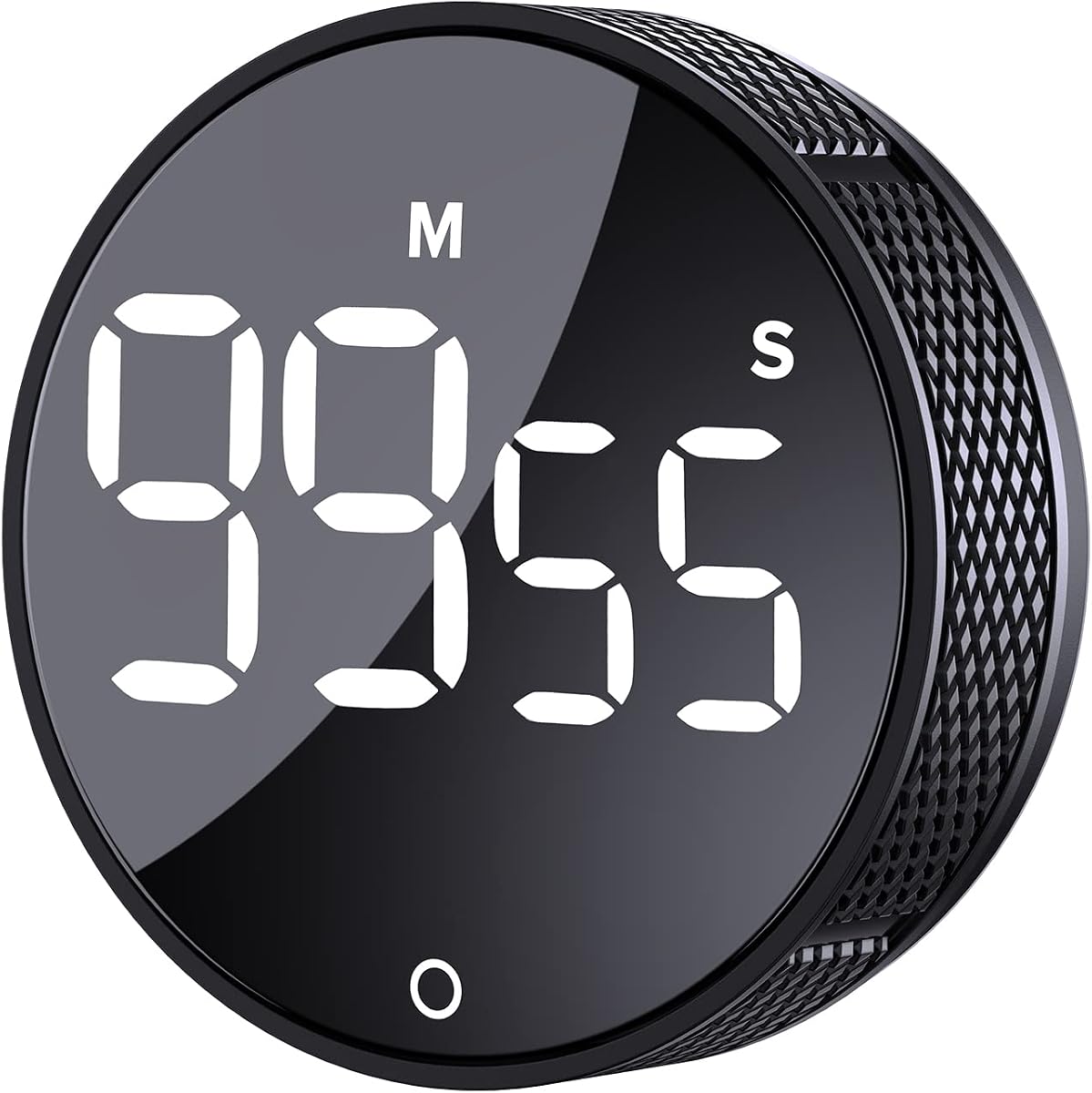


The PERSUPER Visual Timer offers a straightforward approach to time management with a clean interface designed for kids and general household use. It holds a solid rating from users who appreciate its simplicity and long battery life on a single charge.
We may earn a commission when you buy through this link, at no additional cost to you.
This model features a white progress bar that disappears counterclockwise to visually represent time passing. The knobs on both sides allow for quick adjustments while the mute function ensures it works well in quiet environments like libraries or bedrooms.
While the build is functional, the knobs may require a bit of pressure to turn smoothly for some users. Additionally, the brightness settings are adequate but might not be visible enough in very bright sunlight without direct viewing angles.
It is an excellent choice for parents looking to teach children the concept of time without overwhelming them with complex digital interfaces. The rechargeable battery makes it a cost-effective solution over time compared to battery-operated models.
The disappearing white bar provides a clear visual cue that helps children understand how much time remains without needing to read numbers.
With a built-in 800mAh battery, you can charge this via USB-C and avoid frequent battery replacements during daily use.
We may earn a commission when you buy through this link, at no additional cost to you.
The AVINIA Digital Kitchen Timer is built for environments where noise might mask a subtle alarm sound. Its loud alarm ensures that you will hear the alert even if you are in another room or the kitchen is busy with cooking noises.
We may earn a commission when you buy through this link, at no additional cost to you.
Operation is intuitive thanks to the rotary outer ring that lets you twist to set the time and a single button to start or stop the countdown. The large LED digits are bright and easy to read from across the room.
One downside is the reliance on three AAA batteries which means ongoing costs and waste unless you use rechargeable ones. Also the rotary ring might be tricky for users with limited dexterity to grip and turn precisely.
This timer is ideal for cooks who need to move freely around the kitchen without worrying about missing a countdown. The magnetic back allows you to stick it to the fridge or oven for immediate visibility.
Three alarm levels up to 90dB ensure you never miss a critical moment like boiling water or checking on a roast.
Twisting the outer ring makes setting time faster than pressing plus or minus buttons repeatedly for common intervals.
We may earn a commission when you buy through this link, at no additional cost to you.
The VOCOO Large 7.8 Inch Digital Timer stands out for its massive display which makes it perfect for classrooms or large kitchens where visibility from a distance is essential. It carries a high user rating for its reliability and ease of use.
We may earn a commission when you buy through this link, at no additional cost to you.
With numbers that are 2.3 inches tall, students or family members can see the time remaining without straining. The 7-day battery life on low brightness means you can use it throughout the school week on a single charge.
The silent mode option with screen flash alerts is particularly useful in quiet environments like libraries or nap times where sound would be disruptive. However the unit is slightly heavier than typical tabletop timers due to its size.
Educators and busy parents will find this timer invaluable for keeping everyone on task during activities. The strong magnets and kickstand offer flexible placement options ensuring the timer is always within sight.
The 7.8 inch screen with 2.3 inch tall digits ensures that even those seated far away can read the time accurately.
USB-C charging provides days of continuous use on low brightness reducing the need for constant power management.
We may earn a commission when you buy through this link, at no additional cost to you.
This timer features a dynamic progress bar with yellow for hours and red for minutes which is highly effective for users with ADHD who benefit from seeing time pass visually. It is designed to help maintain focus during work sessions without complex setup.
We may earn a commission when you buy through this link, at no additional cost to you.
You can set the timer for up to 12 hours which covers most deep work tasks or long cooking sessions. The memory function stores your last setting so you can reuse it with a single press which saves time daily.
The trade-off is that it does not exceed the 12-hour limit which might be restrictive for some marathon study sessions. Additionally the display colors are fixed so you cannot customize them to match your desk setup.
It is an ideal tool for anyone who needs a visual cue to stay on task without being overwhelmed by digital complexity. The magnetic back and stand make it versatile for use on desks or kitchen counters.
Yellow and red progress bars provide distinct visual cues that make it easy to distinguish between hour and minute intervals at a glance.
Automatic memory recall means you can set your routine once and reuse it instantly every day without adjusting settings again.
We may earn a commission when you buy through this link, at no additional cost to you.
The Visual Digital Timer 60 Min Countdown combines a vivid red visual disc with large digital numbers to provide dual tracking methods. It is particularly helpful for kids or individuals with autism who need to see time physically decrease or increase.
We may earn a commission when you buy through this link, at no additional cost to you.
The outer ring makes setting time easy by twisting clockwise or counter-clockwise for precise increments. You get three batteries in the package so you can start using it immediately without needing to buy extra power.
The maximum of 60 minutes means it is not suitable for long activities like overnight charging or extended work sessions. You will also need to replace batteries eventually which adds to maintenance compared to rechargeable options.
For basic daily routines like homework or cooking this model offers excellent value and clarity. The anti-slip pads ensure it stays put on smooth surfaces when you adjust the dial with one hand.
The synchronized red disc and digital numbers help reinforce the concept of time passing for learners of all ages.
One touch control and intuitive ring adjustments make this timer accessible even for those who struggle with complex buttons.
We may earn a commission when you buy through this link, at no additional cost to you.
This timer focuses on helping children manage transitions smoothly with a friendly interface that includes colorful dots and a smiley face. It is designed to reduce anxiety around time limits by making the process feel more like a game.
We may earn a commission when you buy through this link, at no additional cost to you.
Kids can set the time themselves using the twist and press controls which builds independence and responsibility. The rechargeable battery lasts up to two weeks so you do not need to worry about it dying during a routine.
The design is heavily geared towards toddlers and young children which might not appeal to older kids or adults using it for productivity. The 99-minute limit is sufficient for playtime but not for longer projects.
It is an excellent tool for families looking to establish consistent routines for brushing teeth or bedtime. The durable construction ensures it can handle daily use in busy households or therapy settings.
The smiley face and colorful dots reduce stress for children who struggle with transitions or rigid time schedules.
Two weeks on a single charge means less interruption for charging and more consistency for daily routines.
We may earn a commission when you buy through this link, at no additional cost to you.
This timer is crafted with sensory needs in mind offering a silent operation that avoids the distraction of ticking sounds. It features a cute interface that encourages engagement without overwhelming users who are sensitive to stimuli.
We may earn a commission when you buy through this link, at no additional cost to you.
The backlit display ensures visibility in low light so children can check the time at night or in dimly lit rooms. The knob design makes it simple to adjust time which is helpful for little hands that may struggle with buttons.
It is restricted to 99 minutes which limits use for longer tasks and it relies on batteries rather than a rechargeable system. This means you will need to replace batteries occasionally to keep it running.
For children with ADHD or autism this device helps build routines and improve focus in a calm way. It serves as a gentle tool to manage activities like playtime or study sessions without causing stress.
Silent ticking free operation prevents auditory overload for users who are sensitive to noise during concentration tasks.
The backlit screen ensures you can read the timer clearly even in low light conditions or at night.
We may earn a commission when you buy through this link, at no additional cost to you.
The TIME TIMER Home MOD brings the iconic visual timer design to a digital form that fits well on any desk or workspace. It uses a silent operation mode to ensure distractions are kept to a minimum during study sessions.
We may earn a commission when you buy through this link, at no additional cost to you.
You can choose from a variety of covers to color-code different activities which helps with organizing your day effectively. The optional audible alert means you can decide whether you need a sound or a visual cue to finish a task.
The 60-minute limit may not be enough for longer homework assignments or meetings. It also uses a single AA battery which is convenient but requires you to have spares on hand for uninterrupted use.
This timer is best for students or professionals who want a reliable tool to manage focus blocks without complex digital features. The compact size ensures it does not take up much space on your desk.
Removable covers allow you to assign colors to different tasks for better visual organization of your schedule.
The silent mode makes this timer suitable for libraries or quiet offices where noise would be disruptive to others.
We may earn a commission when you buy through this link, at no additional cost to you.
The Time Timer Twist offers a flexible way to track time with a visual disk that represents the duration you choose. It allows you to pause the countdown which is useful if you need to take a break during a task.
We may earn a commission when you buy through this link, at no additional cost to you.
The magnetic back and kickstand make it easy to display on the fridge or table depending on where you are working. The continuous alert ensures you notice the timer even if you are not looking at it directly.
The 90-minute limit is decent but might fall short for longer work sprints or cooking sessions. It also runs on a single AAA battery which means you will need to replace it occasionally to keep it running.
This model is great for users who need a timer that can adapt to interruptions without resetting. The combination of magnetic and stand options gives you freedom in how you position it during daily tasks.
The ability to pause the countdown allows you to handle interruptions without losing your place in the timer.
Magnetic back and kickstand options let you display the timer on vertical surfaces or tables depending on your needs.
We may earn a commission when you buy through this link, at no additional cost to you.
This timer is shaped like a blue dinosaur which makes it instantly appealing to young children. It has an LED display that is easy to read even from a distance or in low light conditions.
We may earn a commission when you buy through this link, at no additional cost to you.
The safe smooth edges ensure it is durable for use by toddlers who might drop or bump it around. It allows for up to 100 minutes of countdown which covers most play sessions or bedtime routines.
The design is limited to the dinosaur shape which might not suit older children looking for a more neutral look. It runs on batteries so you will need to change them when they run out of power.
It is a fun choice for parents who want to make time management an engaging activity for their kids. The bright visuals help children stay focused without feeling stressed about the time passing.
The dinosaur shape and colorful bars turn a boring task into a fun activity that keeps kids engaged.
Smooth edges and sturdy materials ensure the timer is safe for young children to handle without sharp parts.
We may earn a commission when you buy through this link, at no additional cost to you.
Choosing the right timer depends on your specific needs such as display size, battery type, and sound preferences. This section breaks down the key factors to help you make an informed decision.
Larger displays make it easier to read the time from across the room which is crucial for classrooms or busy kitchens. Look for high contrast screens and bright LED or digital numbers so the timer is visible in different lighting conditions.
Prioritize display size based on where you plan to place the timer to ensure everyone can see it without strain.
Some models use replaceable batteries while others offer rechargeable options via USB-C. Rechargeable timers save money and reduce waste over time but you need access to a charger. Battery powered timers are convenient if you keep spares on hand.
Consider how often you use the timer and whether you prefer the convenience of rechargeability or the simplicity of AAA batteries.
Silent modes are essential for libraries or quiet offices where noise would be disruptive. Audible alarms ensure you hear the alert even when not looking at the screen. Look for adjustable volume levels to match your environment.
Check if the timer offers visual alerts like flashing lights for quiet spaces where sound is not desired.
Easy to use controls prevent frustration when setting time. Rotary knobs allow for quick adjustments while buttons require more precise input. Intuitive designs help children and seniors use the timer independently.
Choose a control method that matches your dexterity level and the users who will operate the device.
Most timers cap at 60 minutes while others go up to 90 or 120 minutes. For long tasks like work sessions or cooking you need a model that supports longer durations. Check the max limit before buying.
Ensure the timer supports the duration you need for your longest routine without requiring you to reset it.
Magnetic backs allow you to stick the timer to fridges or whiteboards for easy visibility. Built-in kickstands let you place it on flat surfaces. Some models offer hanging holes for additional placement options.
Select a mounting style that fits where you want to use the timer most frequently.
If you plan to use the timer in a busy household with children look for sturdy materials and smooth edges. Durability ensures it lasts through daily use and accidental drops. Check user reviews for long-term reliability.
Invest in a well-built timer that can withstand the demands of your specific environment.
Some models include memory recall to save your last setting or dual timers for multitasking. These features can streamline your workflow and reduce setup time. Decide which extras add real value to your routine.
Extra features are only useful if they fit your habits and save time.
To get started place the timer on a flat surface or attach it to a magnetic surface where you can see it easily. Adjust the brightness to suit the room lighting so the display is readable throughout the day.
Set the time by turning the rotary knob or pressing the plus minus buttons depending on your model. Press the start button once to begin the countdown and press again to pause if you need a break.
Keep the device clean by wiping it with a dry cloth to prevent dust from affecting the buttons. Store it in a dry place when not in use to protect the battery terminals and internal components from moisture.
Look for a timer with a clear visual progress bar and silent operation to reduce sensory overload. Models with color coding and simple controls are also helpful for maintaining focus.
Yes many models feature loud alarm settings and magnetic backs to stick to the fridge. This ensures you hear the alert and see the timer even in a busy kitchen.
Some models support up to 12 hours of timing which is sufficient for extended tasks. However others may limit to 90 minutes so check the maximum range before buying.
Visual timers use a graphical representation like a progress bar to show time passing while digital timers rely on numeric displays. Visual ones are often better for kids and people with cognitive needs.
Battery life varies by model and usage. Rechargeable timers can last days on a single charge while battery powered ones depend on the number of times you use them between changes.
Many modern timers offer a silent mode that uses visual alerts like flashing lights. This allows you to track time without making any noise which is ideal for quiet spaces.
Most models come with a built-in kickstand or magnetic back that works on desk surfaces. This allows you to place them where they are visible during work or study sessions.
Many timers are designed with smooth edges and durable materials to ensure safety for kids. Always supervise young children when using electronic devices to prevent accidents.
We highlighted the VOCOO Large 7.8 Inch Digital Timer for classrooms and the Visual Digital Timer 60 Min Countdown for budget buyers. Each model offers unique benefits to help you manage time effectively in various settings.
When choosing a timer prioritize the factors that matter most to your daily routine such as battery life or sound options. This ensures you get a device that fits your lifestyle without unnecessary features.
Please remember to check current availability and details on Amazon before making a purchase as offerings may change over time.