
VSD Mini Macro Pad
4.1Editor score
Compact six LCD keys
Dual side RGB lighting
Portable USB powered design
This guide compares the top ten macro pads for streaming to help creators find the best customizable keypad for OBS, Twitch, and YouTube workflows.
Streamers and content creators need efficient tools to manage complex workflows without interrupting their broadcasts. A macro pad for streaming offers customizable keys that trigger actions instantly, saving valuable time during live sessions. These devices transform how you interact with software like OBS and Discord, making multitasking seamless and professional.
We evaluated ten leading macro pads based on key count, customization options, software compatibility, and build quality. Our analysis focused on real-world performance for streaming scenarios, including scene switching, audio control, and chat management. Each product was reviewed for ease of use and reliability under pressure.
Every selection in this list highlights unique strengths tailored to different creator needs and budgets. You will find compact options for small desks as well as premium decks with extra knobs and screens. Remember that prices and availability can change, so verify details before purchasing your new streaming companion.
4.1Editor score

4.8Editor score

4.4Editor score
The following table provides a side-by-side comparison of all ten macro pads evaluated in this guide. Each entry highlights core specifications to help you quickly identify the device that matches your streaming setup requirements and workflow preferences.




The VSD M18 Macro Pad stands out as an affordable option for streamers needing extensive control. It features eighteen programmable keys including fifteen LCD visual keys that allow for deep customization. This device is ideal for users who want to automate complex tasks without breaking the bank.
We may earn a commission when you buy through this link, at no additional cost to you.
Its standout quality lies in the flexible programming capabilities. You can assign single actions or multi-step sequences to each key using the VSD Craft software. The support for JPG PNG and GIF images on LCD keys helps identify functions quickly during live streams.
While the price is competitive, there are minor trade-offs. Linux users will find limited native support compared to Windows and macOS systems. However, the provided SDK allows for custom development if you have the technical expertise to utilize it.
This pad is best suited for budget-conscious creators starting their streaming journey. It offers robust functionality that rivals more expensive units. We recommend it for anyone looking to streamline OBS scene switching and media control efficiently.
The fifteen LCD keys support dynamic images helping you recognize functions instantly during high-pressure streaming moments.
The adjustable RGB light ring adds visual flair to your setup while keeping track of active modes at a glance.
We may earn a commission when you buy through this link, at no additional cost to you.
The Stream Dock N1 offers a unique vertical design that saves valuable desk space. Its ability to switch between three modes makes it a versatile tool beyond just streaming. With a high rating from users, it proves reliable for daily productivity tasks too.
We may earn a commission when you buy through this link, at no additional cost to you.
Key strengths include the calculator and numeric keypad modes. These features are useful for creators who do not want a separate device for calculations. The fifteen LCD keys allow drag-and-drop customization for quick access to files and apps.
One trade-off is the need to install specific software to unlock full functionality. This setup time might be a hurdle for beginners seeking plug-and-play simplicity. However, the extensive plugin library compensates by offering ready-made shortcuts for popular apps.
We recommend this deck for users with limited desk space. Its compact footprint and multi-mode utility make it a smart investment. Whether streaming or editing videos, this device enhances your workflow efficiency significantly.
The vertical orientation reduces horizontal desk footprint allowing more room for microphones and other peripherals.
Switching between shortcut calculator and numeric modes adapts the device to various tasks without extra hardware.
We may earn a commission when you buy through this link, at no additional cost to you.
This VSD M18 variant focuses on reliability and speed. It shares the eighteen key layout with its sibling but emphasizes one-touch operations. The build quality ensures stability during long streaming sessions which is crucial for professional creators.
We may earn a commission when you buy through this link, at no additional cost to you.
Its strengths include robust macro programming and dynamic icons. You can set complex sequences to run with a single tap. The RGB ring adds atmosphere to your setup while providing visual cues for active profiles.
The dependency on firmware for some features means updates are necessary for optimal performance. Users should ensure they install the latest software to avoid glitches. This maintenance requirement is standard but worth noting.
For streamers prioritizing performance and aesthetics this pad is a strong contender. It balances cost and features effectively. We suggest it for those needing a dependable deck for daily content production.
Execute complex multi-step tasks instantly with dedicated macro keys designed for rapid workflow activation.
High-quality materials ensure the device withstands frequent use and maintains functionality over time.
We may earn a commission when you buy through this link, at no additional cost to you.
The VSD Mini Macro Pad is perfect for small desks where space is at a premium. Despite its size, it offers six customizable LCD keys capable of triggering essential macros. It is an excellent entry point for those new to streaming hardware.
We may earn a commission when you buy through this link, at no additional cost to you.
Its main advantage is portability and visual customization. The dual side RGB light bars provide ambiance without taking up extra room. You can program it to launch apps or switch scenes with minimal effort.
The limited number of keys means you might miss complex multi-key shortcuts found on larger models. However, for basic needs like launching OBS or muting the mic, it suffices. It requires constant USB connection as it has no battery.
We recommend this pad for travelers or minimalists. It delivers essential functionality without cluttering your workspace. If you need simple control, this compact deck meets the requirement effectively.
The miniature design fits easily on crowded desks leaving room for other critical streaming gear.
Side lighting adds visual impact while maintaining a sleek and minimalist aesthetic profile.
We may earn a commission when you buy through this link, at no additional cost to you.
The VSD N4 Pro stands out with its audio control features. Ten LCD keys paired with four RGB knobs provide precise control over streaming audio. This deck is designed for creators who want tactile control over mix levels without touching a screen.
We may earn a commission when you buy through this link, at no additional cost to you.
Its strengths include haptic feedback and a built-in USB dock. The knobs allow you to adjust volume or media playback intuitively. The dock expands connectivity for peripherals like mice or storage drives directly from the deck.
The higher price reflects the advanced feature set. It requires more setup time to configure audio paths correctly. However, for professional streamers needing granular audio control, this cost is justified.
We recommend this deck for serious content creators. It bridges the gap between basic macro pads and professional audio mixers. If audio precision is a priority, this tool delivers superior results.
Rotary knobs offer precise adjustments for volume and media that touch buttons cannot provide.
The built-in USB dock adds extra ports reducing cable clutter on your desk.
We may earn a commission when you buy through this link, at no additional cost to you.
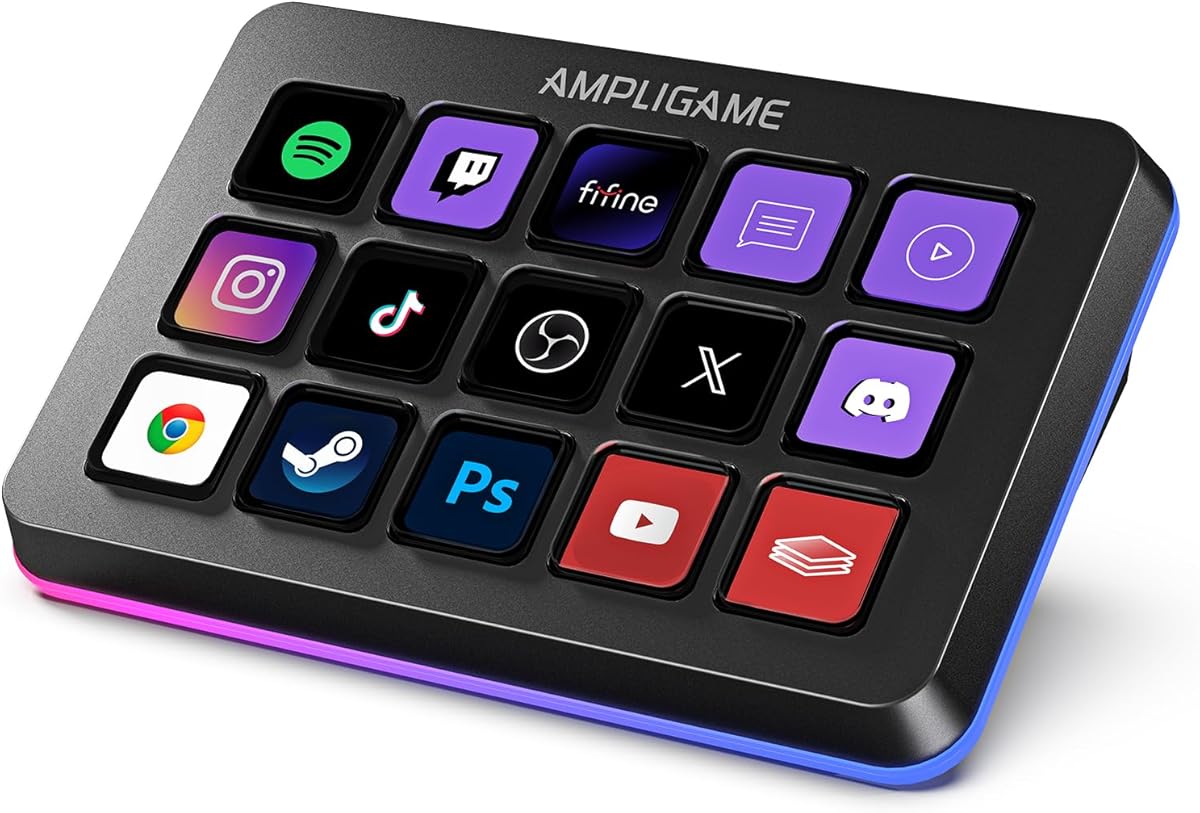
The fifine D6 RGB is praised for its seamless integration with streaming software. Its fifteen buttons provide ample space for essential commands. Users report high satisfaction due to its intuitive design and responsive keys.
We may earn a commission when you buy through this link, at no additional cost to you.
Its visual operation keypad allows direct control without switching windows. The vivid RGB ring enhances your setup visually. You can drag-and-drop icons to customize the interface quickly.
Regular firmware updates are required to maintain compatibility with new software versions. This maintenance is manageable but adds a step to setup. It remains a solid choice for those seeking simplicity.
We recommend this deck for beginners and intermediate streamers. It offers a balance of features and ease of use. For daily tasks like scene switching and media control, it performs reliably.
Optimized software ensures quick setup and reliable scene switching for professional broadcasting.
Customizable icons make identifying functions easy during live streams.
We may earn a commission when you buy through this link, at no additional cost to you.
The TreasLin VSDinside N1 differentiates itself with dynamic icon capabilities. It allows GIFs and animations on keys which adds personality to your deck. With eighteen keys, it offers extensive control for complex workflows.
We may earn a commission when you buy through this link, at no additional cost to you.
Its plugin marketplace is a significant strength. You can download pre-made actions for Spotify and Discord easily. The rotary knob adds another dimension of control for volume or scrolling.
Customizing dynamic icons requires familiarity with the software tools. This might take time for those unfamiliar with animation files. However, once set up, the visual feedback is highly effective.
We recommend this deck for users who value visual customization. It is ideal for creators wanting a unique stream setup. The combination of key count and animation support makes it stand out.
Support for GIFs and animations adds unique visual feedback to your macro keys.
The integrated knob provides tactile control for volume or scrolling adjustments.
We may earn a commission when you buy through this link, at no additional cost to you.
The Streonor S15 offers unique real-time information displays. Three status panels show weather or system stats alongside your keys. This keeps you informed without looking at your main monitor during streams.
We may earn a commission when you buy through this link, at no additional cost to you.
Its preset control pages simplify scenario switching. You can build dedicated layouts for gaming or office work instantly. The action flows feature allows multiple commands to execute with one press.
Linux users are not supported by this device which limits its audience. Additionally, software conflicts may occur if other controller apps are installed. Uninstalling prior software helps avoid these issues.
We recommend this deck for creators needing system monitoring. It keeps vital data at your fingertips. For Windows and macOS users seeking workflow efficiency, this deck is a strong choice.
Display panels show vital metrics like CPU temperature to prevent overheating.
Trigger sequences of commands with a single key press to save time.
We may earn a commission when you buy through this link, at no additional cost to you.
The Streonor S10 is highly rated for its audio-focused design. It combines LCD keys with a touchscreen and programmable knobs. This hybrid approach gives you precise control over volume and levels without using sliders.
We may earn a commission when you buy through this link, at no additional cost to you.
Its standout feature is the integrated touchscreen and knobs. You can adjust levels quickly while keeping your eyes on the stream. This is essential for maintaining engagement during live interactions.
The higher cost reflects its professional capabilities. It is designed for demanding workflows that require accuracy. Linux support is missing which limits platform choice for some users.
We recommend this deck for audio-focused streamers. It offers the precision of a mixer in a compact form. If sound quality is paramount, this device delivers superior control.
Interactive touch display allows quick access to system metrics and settings.
Four knobs provide tactile feedback for adjusting audio and scrolling speed.
We may earn a commission when you buy through this link, at no additional cost to you.
The Elgato Stream Deck MK.2 sets the standard for streaming control. Fifteen customizable keys and a vast plugin ecosystem make it versatile. Its visual feedback ensures you know commands are executed instantly.
We may earn a commission when you buy through this link, at no additional cost to you.
Its strengths lie in reliability and support. The software integrates seamlessly with popular apps. You can automate virtually any task from posting tweets to adjusting lights.
It comes at a premium price compared to generic alternatives. Physical knobs are absent on this model compared to newer pro versions. However, its stability makes it worth the investment.
We recommend this deck for professional creators. It offers unmatched reliability and customization. If you want a tool that works out of the box, this is the safest choice.
Thousands of plugins exist to control almost any software on your computer.
Each press lights up confirming the action was received and executed.
We may earn a commission when you buy through this link, at no additional cost to you.
Choosing the right macro pad depends on your specific workflow needs and setup constraints. We outline the essential factors to consider before making a purchase.
The number of programmable keys determines how many actions you can automate simultaneously. Decks with fifteen to eighteen keys offer extensive control for complex scenes while smaller models suit basic needs.
Consider your daily tasks to decide the right count.
Look for support for custom images GIFs and animations on keys. Visual feedback helps identify functions quickly during live broadcasts without looking away from your stream.
Prioritize devices with high-resolution LCD screens for better clarity.
Ensure the device supports your operating system whether Windows or macOS. Some units offer limited or no support for Linux systems which might be a dealbreaker for some users.
Check the official website for full OS requirements before buying.
A robust plugin marketplace allows you to control third-party apps like Discord and Twitch directly. This expands the utility of the deck beyond basic shortcuts.
Choose brands with active developer communities for ongoing support.
Streaming setups involve frequent usage which demands durable materials. Look for sturdy plastic or metal frames that withstand daily pressing.
Invest in a deck with solid construction to ensure longevity.
Most macro pads connect via USB-C offering fast data transfer and power. Ensure the included cable is long enough to reach your computer easily.
Prefer USB-C models for modern compatibility and speed.
RGB lighting can enhance the aesthetic of your setup significantly. Adjustable rings or side bars add visual interest and help indicate active modes.
Consider if visual customization matters to your streaming style.
Prices vary widely from affordable entry-level units to premium decks with extra knobs. Set a budget that aligns with the features you actually need.
Don't overspend on advanced features you won't use regularly.
Start by installing the manufacturer's software to configure your keys. Map common actions like scene switching and muting the mic to specific buttons.
Keep the device clean by avoiding liquid spills and dust accumulation. Use a soft dry cloth to wipe the LCD screens regularly to maintain visibility.
Update your software firmware periodically to ensure compatibility with new applications. This maintenance keeps your workflow smooth and prevents unexpected glitches.
Some macro pads offer limited Linux support through open-source SDKs but most are optimized for Windows and macOS. Always check the product specifications for native support if you use Linux. Custom development might be required for full functionality.
You program keys using the dedicated desktop software provided with the device. Install the software and assign actions like launching apps or triggering shortcuts to each key. The interface usually allows drag-and-drop customization.
Most macro pads are powered directly via the USB connection to your computer. They do not need external adapters or batteries for operation. This plug-and-play design simplifies your desk setup.
They are compatible with major streaming software like OBS Studio and Streamlabs. Many also integrate with communication apps like Discord and social platforms like Twitter and YouTube.
Yes most models allow you to customize key icons using images or GIFs. You can upload personal graphics to identify functions visually. This customization enhances usability during live streams.
Yes some premium models include rotary knobs for precise volume or scroll control. These knobs add tactile feedback that is useful for audio adjustments. Check the specifications for knob availability.
Most macro pads require a desktop operating system to function correctly. They generally do not support mobile devices directly due to software limitations. Use a PC or Mac for full functionality.
Choosing the right macro pad can transform your streaming workflow. The VSD M18 offers great value while the Elgato Stream Deck MK.2 remains the industry standard.
Prioritize features that match your daily tasks like key count and plugin support. Selecting the right device ensures you stay focused on content rather than technical adjustments.
Remember to check current prices and availability before purchasing as deals change frequently. Investing in the right tool today will enhance your production quality for years to come.