
PowerA Joy Con Comfort Grips
4.7Editor score
Lightweight ergonomic design
Double-injected rubber grips
Visible player indicator lights
This guide compares the top Joycon Charging Grip options for Nintendo Switch and OLED models, focusing on ergonomics, charging speed, and build quality.
Finding the right Joycon Charging Grip can transform your handheld gaming experience significantly. These accessories allow you to play while charging, ensuring your controllers never run out of power during critical gameplay moments. A good grip combines ergonomic comfort with reliable charging technology to keep your sessions uninterrupted.
We have carefully evaluated ten top-rated Joycon Charging Grip models available in the current market. Our analysis considers build quality, charging efficiency, ergonomic design, and user feedback to determine which options offer the best value. Each product was assessed on its ability to support extended play sessions comfortably.
Each pick in this list highlights specific strengths tailored to different gaming needs and preferences. You will find options ranging from basic charging grips to advanced models with battery packs. Please note that product availability and specifications may change over time as manufacturers update their offerings.
4.7Editor score
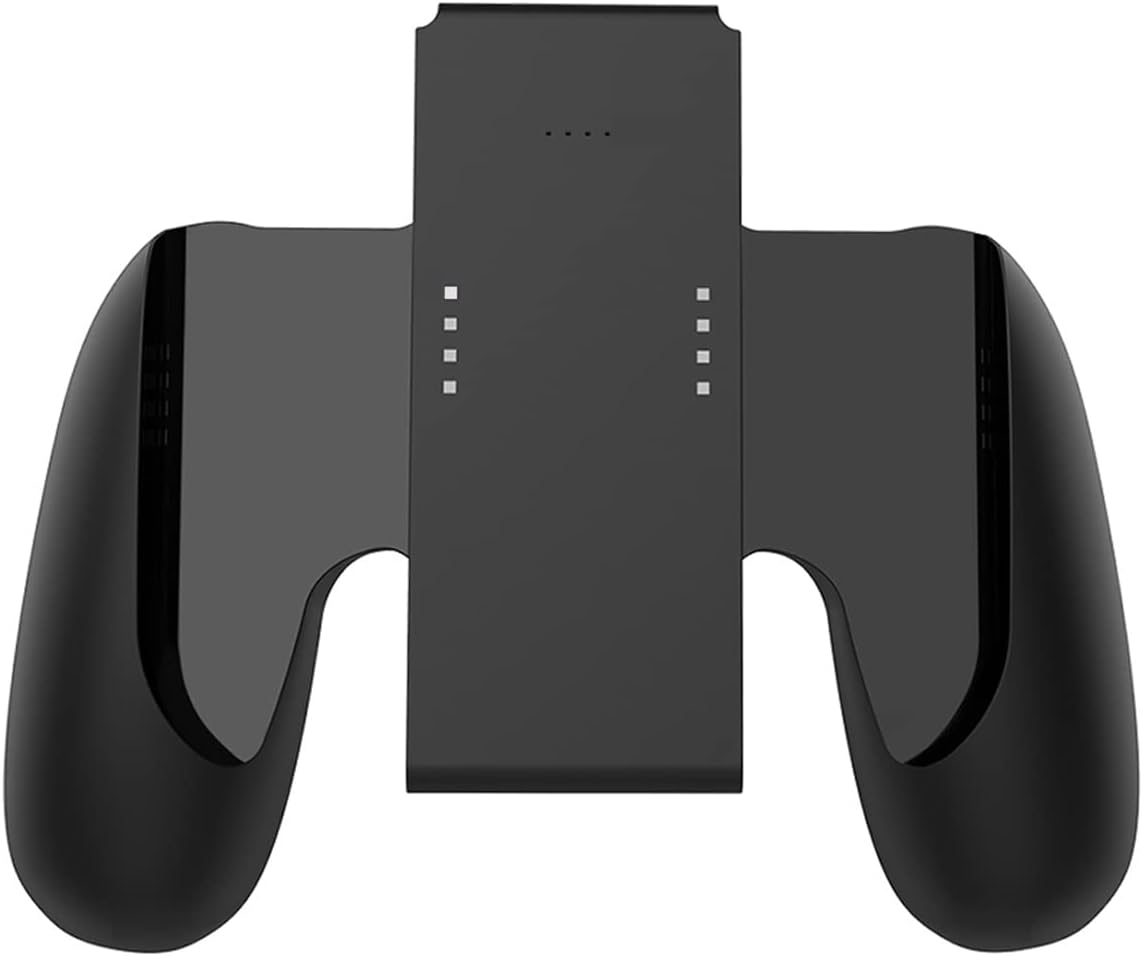
4.7Editor score

4.5Editor score
This table provides a side-by-side comparison of all ten Joycon Charging Grip models analyzed in this guide. Each entry highlights key specifications to help you quickly identify the features that matter most to your specific gaming needs.


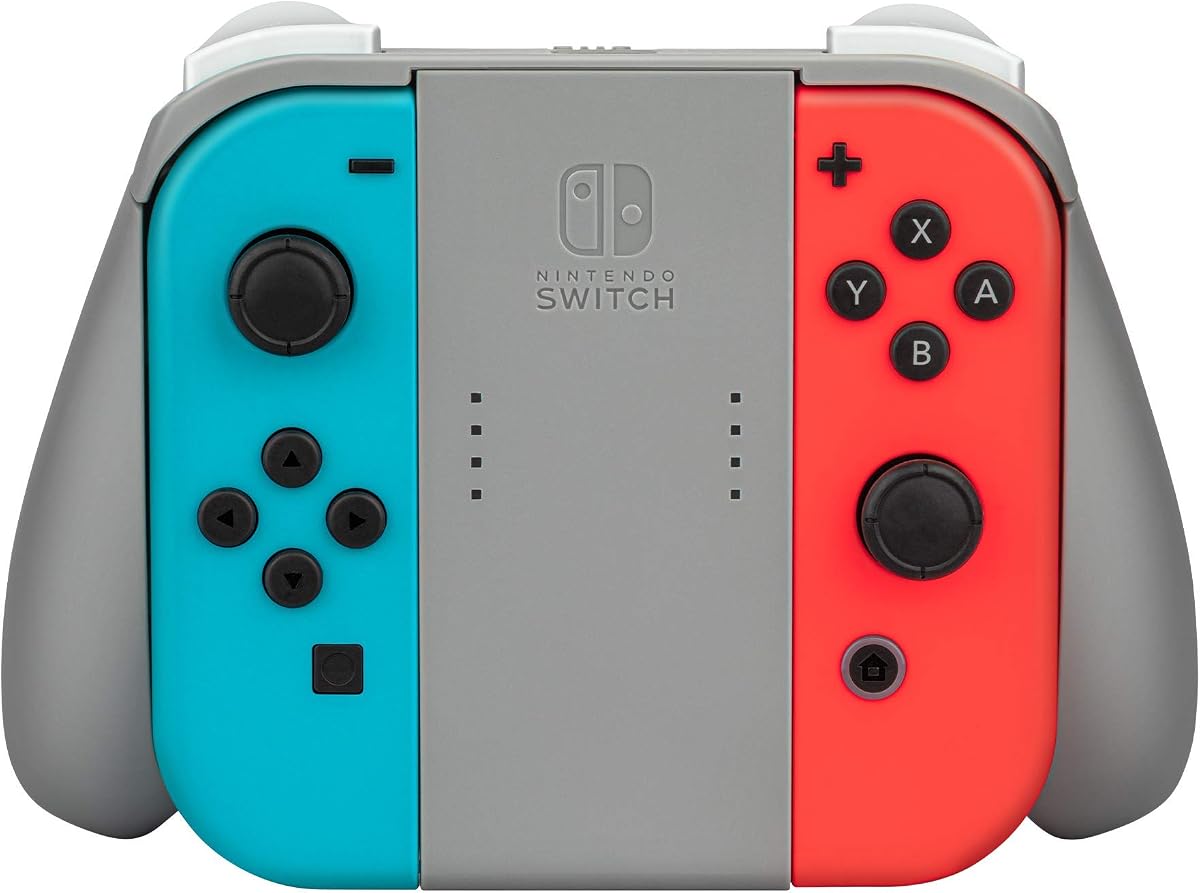
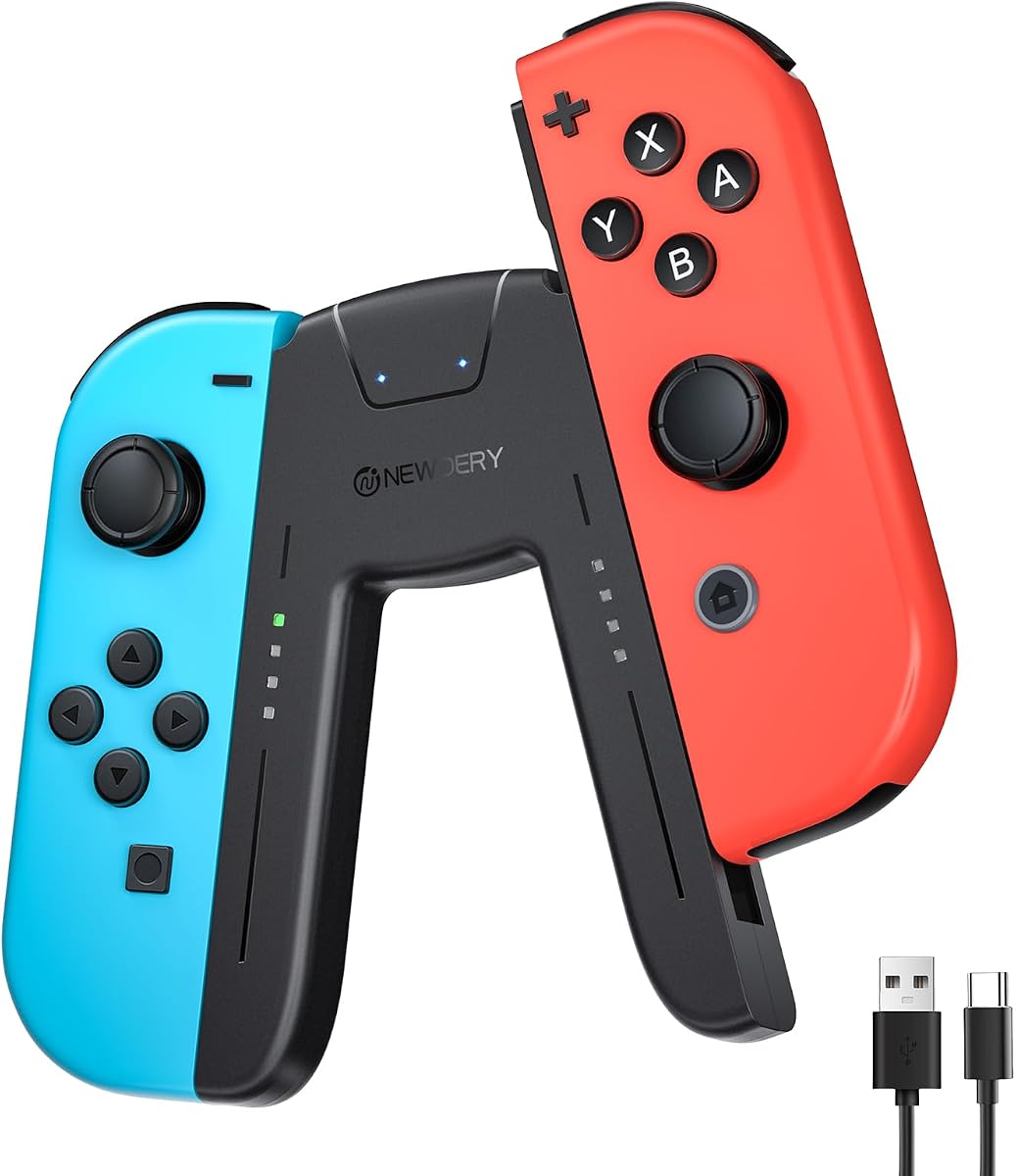
This JINGDU charging grip offers a reliable solution for players who want to keep their controllers powered during gameplay. It features a solid build quality that protects your Joycons while allowing uninterrupted play sessions. The intelligent control circuit ensures safe charging without risking damage to your devices.
We may earn a commission when you buy through this link, at no additional cost to you.
The ergonomic design provides a comfortable hold that reduces hand fatigue over time. You can easily slide the controllers in and out of the rails without worrying about scratching them. The red and green LED indicators give you instant feedback on the charging status of each controller.
While it does not come with a charging cable included, the grip itself is built to last. The flame retardant shell adds a layer of safety during extended charging sessions. Some users may find the lack of included accessories slightly inconvenient compared to other options.
This grip is ideal for casual gamers who need a straightforward and effective charging solution. It balances price and performance well for most standard gaming needs. We recommend it for anyone looking for a trustworthy companion for their Switch controllers.
The intelligent control circuit and resettable fuse protect your devices from power surges during charging.
Its lightweight construction makes it easy to take your gaming setup on trips without adding bulk.
We may earn a commission when you buy through this link, at no additional cost to you.
This charging grip stands out due to its exceptionally long USB-C cable which offers greater flexibility during use. It is designed to provide a comfortable and secure hold for your controllers during intense gaming sessions. The ergonomic shape helps maintain a natural hand position for better control.
We may earn a commission when you buy through this link, at no additional cost to you.
The inclusion of a 6.6ft cable means you can sit further from your power source without being tethered tightly. The LED indicators are clear and easy to read so you always know when your controllers are ready. The build quality feels robust enough to handle regular daily use.
While it provides excellent value with the long cable, some users might prefer a more compact size. It is heavier than some minimalist options which could affect portability slightly. However the flexibility gained from the cable often outweighs this minor drawback for home setups.
This option is perfect for players who need reach flexibility during long gaming sessions at home. The sturdy construction ensures durability over time. It is a solid choice for those who prioritize cable length in their setup.
The 6.6ft cable allows you to play comfortably without being close to a power outlet.
The shaped handle reduces wrist strain during extended periods of gameplay.
We may earn a commission when you buy through this link, at no additional cost to you.
This set provides two charging grips which is ideal for couples or families who game together frequently. Both units feature the same reliable intelligent control circuit technology to ensure safe charging. The lightweight design makes it easy to carry around or store when not in use.
We may earn a commission when you buy through this link, at no additional cost to you.
Having two grips means you do not have to wait for controllers to charge sequentially. The included USB-C charging cable adds convenience to the package right out of the box. The red and green LED indicators work effectively to show charging status clearly.
The main trade-off is that having two units means more storage space is required. They are made of plastic which is durable but not as premium as metal options. However for the price of getting two units this is generally acceptable for most buyers.
This set is perfect for households where multiple players need simultaneous access to charging. It offers excellent value for money. We recommend this for families or friends who share a console regularly.
Getting two grips in one package ensures both players can charge and play at the same time.
The package includes the necessary cable so you can start using it immediately.
We may earn a commission when you buy through this link, at no additional cost to you.
This grip offers a unique stand function that allows you to display your controllers when they are not in use. It transforms your Joycons into a larger gamepad for enhanced comfort during long sessions. The non-slip grooves ensure a secure hold even during intense gameplay.
We may earn a commission when you buy through this link, at no additional cost to you.
The charging station capability means you can keep your controllers powered without docking them elsewhere. The reflective player indicator light design helps you see status lights clearly from a distance. The enhanced comfort materials reduce hand fatigue significantly.
The larger size means it takes up more space on your desk compared to slim models. It is also heavier which might be less ideal for travel. However the stability it provides at home makes it a great choice for stationary setups.
This is an excellent choice for home gamers who value a tidy setup and comfort. The ability to stand upright adds a decorative element to your gaming area. We recommend it for players who spend long hours on the couch.
The grip stands upright on its own allowing you to store controllers neatly when not in use.
Special abrasive material reduces slippage ensuring a secure grip during active games.
We may earn a commission when you buy through this link, at no additional cost to you.
This charging grip features a unique Kingdom Gold Trim design that appeals to fans of themed accessories. It is made from high-quality ABS materials that ensure durability and longevity. The V-shaped anti-slip handle provides a comfortable grip for extended play.
We may earn a commission when you buy through this link, at no additional cost to you.
The red and blue indicator lights clearly show when your controllers are charging and when they are full. It comes with a 1.5M cable which offers good range for casual setups. The compact size makes it easy to slip into a bag for travel.
The specific design theme might not appeal to everyone looking for a plain aesthetic. It is priced slightly higher due to the design work. However the quality remains consistent with other reliable models on the market.
This grip is ideal for players who want their accessories to stand out visually. It balances style and function well. We recommend it for those who appreciate unique themed designs.
The Kingdom theme sets it apart from standard black grips with gold borders and symbols.
Red means charging and blue means complete providing a simple visual status check.
We may earn a commission when you buy through this link, at no additional cost to you.
This is a simple and affordable option for those who need comfort without charging features. The double-injected rubber grips provide excellent comfort for extended sessions. It is lightweight and easy to use with a slide-in design.
We may earn a commission when you buy through this link, at no additional cost to you.
The visible player indicator lights help you track controller status easily. It is durable enough for daily use. While it does not charge your controllers it solves the ergonomic issue efficiently.
Some users might want charging capabilities which this model lacks. It is strictly a comfort grip. However for the price it offers great value for comfort.
Ideal for casual gamers on a budget who prioritize comfort. We recommend it as a secondary accessory for non-charging needs.
The rubber grips reduce hand fatigue significantly during long play sessions.
An affordable solution for those who need comfort without extra features.
We may earn a commission when you buy through this link, at no additional cost to you.
This premium grip includes a 2000mAh battery that extends controller playtime by up to 40 hours. It allows you to play while charging the grip itself if needed. The overcharge protection ensures safety during overnight charging.
We may earn a commission when you buy through this link, at no additional cost to you.
The 32 inch USB-C cable gives you flexibility. The ergonomic design mimics a standard controller for comfort. It is ideal for travel or long sessions where outlets are scarce.
It is heavier than basic grips due to the battery. The price is higher but the battery value justifies it. Most users find it essential for travel.
Perfect for travelers or serious gamers needing extended playtime. We recommend it for those who value freedom from cables.
The internal battery allows you to play for hours without needing an outlet.
Overcharge protection cuts power after charging to prevent overheating or damage.
We may earn a commission when you buy through this link, at no additional cost to you.
This grip is officially licensed by Nintendo ensuring compatibility and quality standards. It features enhanced trigger extensions for quicker reaction times. The individual charging indicators make it easy to check battery status.
We may earn a commission when you buy through this link, at no additional cost to you.
The full size plus design offers a comfortable hold. The 5-foot cable provides decent reach for home use. The red and blue color scheme matches the Switch aesthetic nicely.
It is slightly bulkier than slim options. The cable could be longer for some setups. However the official licensing adds trust.
Ideal for fans who want official accessories. We recommend it for reliability and style.
The extended triggers provide better access for competitive gaming scenarios.
Being officially licensed ensures it meets Nintendo quality and compatibility standards.
We may earn a commission when you buy through this link, at no additional cost to you.
This grip focuses on safety with over charge protection technology. It is compact and portable for easy transport. The LED indicator shows charging status clearly.
We may earn a commission when you buy through this link, at no additional cost to you.
The ABS construction ensures durability. It allows charging while playing. Some users report slightly higher weight than expected.
It is basic but functional. The safety features are a plus. It suits simple needs.
Good for safety-conscious users. We recommend it for basic protection.
Over charge protection prevents battery damage during long charging sessions.
Its small size fits easily into travel bags or storage bins.
We may earn a commission when you buy through this link, at no additional cost to you.
This grip features an angled handle for natural wrist position. It supports charging while playing efficiently. Precision rails ensure secure fit. It is safe and reliable.
We may earn a commission when you buy through this link, at no additional cost to you.
The ergonomic angle reduces hand soreness. It is lightweight for portability. Case compatibility is a bonus. Some find color limited.
Overall a solid ergonomic option. It suits those who play long sessions. The angled design helps prevent strain.
Ideal for comfort-focused gamers. We recommend it for ergonomic benefits.
The angled design keeps your wrist in a natural position during play.
You can keep protective cases on your controllers while using this grip.
We may earn a commission when you buy through this link, at no additional cost to you.
Choosing the right Joycon Charging Grip involves evaluating several factors to ensure comfort and reliability. Here is what you need to consider.
Ensure the grip supports both the standard Switch and OLED models. Some grips are designed specifically for the OLED layout or require specific Joycon versions. Verify the product details to confirm it works with your console type.
Always check compatibility labels before purchasing to avoid fit issues.
Most grips allow you to play while charging which is essential for long sessions. This feature ensures you do not lose progress when batteries run low. Look for explicit mentions of this capability in the product description.
Prioritize grips that support play while charging for uninterrupted gameplay.
Comfort is key during extended gaming. Look for ergonomic handles that reduce strain on your wrists and palms. Features like rubber grips or angled handles improve comfort significantly over time.
Select a grip that feels natural in your hands to reduce fatigue.
Durable materials like flame retardant ABS plastic ensure the grip lasts. Strong rails prevent controllers from sliding or getting damaged. A solid build also protects internal components during charging.
Choose models with durable materials to ensure longevity.
Some grips include a built-in battery bank for extended play without power. This is useful for travel or remote play. Standard grips rely on external power sources.
Decide if an internal battery is necessary for your lifestyle.
Overcharge protection and intelligent circuits protect your devices from damage. Look for indicators that show safe charging status. Safety ensures your controllers remain functional over time.
Ensure the grip includes safety mechanisms to prevent damage.
The included cable length impacts where you can sit while playing. Longer cables offer more freedom of movement. Some models provide cables up to 6.6 feet for flexibility.
Check cable length to ensure it fits your setup needs.
Consider the balance between cost and features. Basic grips are affordable while premium options with batteries cost more. Select based on your specific gaming habits.
Evaluate value based on how much you use your gaming console.
To use the grip, slide the Joycons into the rails firmly until they click. Connect the USB-C cable to the grip and power source. LEDs will show when charging begins.
For care, avoid exposing the grip to moisture or extreme heat. Clean the rails periodically to remove dust. Store controllers inside when not in use to keep them protected.
If you use a battery grip, ensure it is fully charged before extended play. Monitor the LED indicators for status updates. Follow manufacturer instructions for battery maintenance to extend lifespan.
Many grips are designed to be compatible with protective cases so you do not need to remove them before inserting. However some thicker cases may require removal due to rail width. Check product specifications to confirm compatibility with your specific case.
No these grips are designed only for charging the Joycon controllers not the console. The charging circuit is specific to the Joycon ports. The console must be charged via its own USB-C port or dock.
Charging time depends on the power source and controller battery level. Typically it takes about two to three hours to fully charge controllers. Grips with larger power banks may take longer to charge fully.
Most modern grips include safety features to prevent overheating. Intelligent circuits cut power when charging is complete. Always ensure proper ventilation during long sessions to avoid potential heat buildup.
No these grips are specifically designed for the Joycon controllers. The shape and size differ from the Pro Controller. You cannot use them with Pro Controllers due to physical incompatibility.
Once fully charged the LED indicators turn green or blue depending on the model. Some grips cut off charging automatically to protect battery health. This prevents overcharging and extends controller life.
We have reviewed the top Joycon Charging Grip options to help you make an informed choice. The KINVOCA model with battery stands out for extended playtime while others offer budget-friendly alternatives.
Prioritize ergonomic comfort and safety features to ensure a pleasant gaming experience. Consider how often you play and whether you need portability or home flexibility.
Remember to check current product availability before purchasing. These accessories can improve your setup significantly by keeping your controllers ready for action.