
Laptop Monitor Light Bar with Clip
4.6Editor score
USB powered memory function
Compact clip-on design
Three color temperatures
Working long hours on a laptop can strain your eyes and reduce productivity. A dedicated laptop monitor light bar provides focused illumination directly onto your workspace without reflecting off the screen. This setup minimizes distractions and keeps your eyes comfortable during extended sessions.
We evaluated ten highly rated light bars based on optical design, brightness control, and build quality. Each product was reviewed for its ability to reduce glare, save desk space, and offer versatile lighting modes. Our goal is to help you find the perfect match for your specific needs.
Each pick highlights key strengths and potential trade-offs to guide your decision. You will find options ranging from budget-friendly clips to premium curved monitors. Prices and availability may change over time, so verify details before purchasing to ensure the best value.
4.6Editor score

4.6Editor score

4.7Editor score
As an Amazon Associate we earn from qualifying purchases.
This side-by-side comparison evaluates each light bar across key performance metrics. We look at optical design, brightness levels, color temperature range, and mounting compatibility to help you decide quickly.

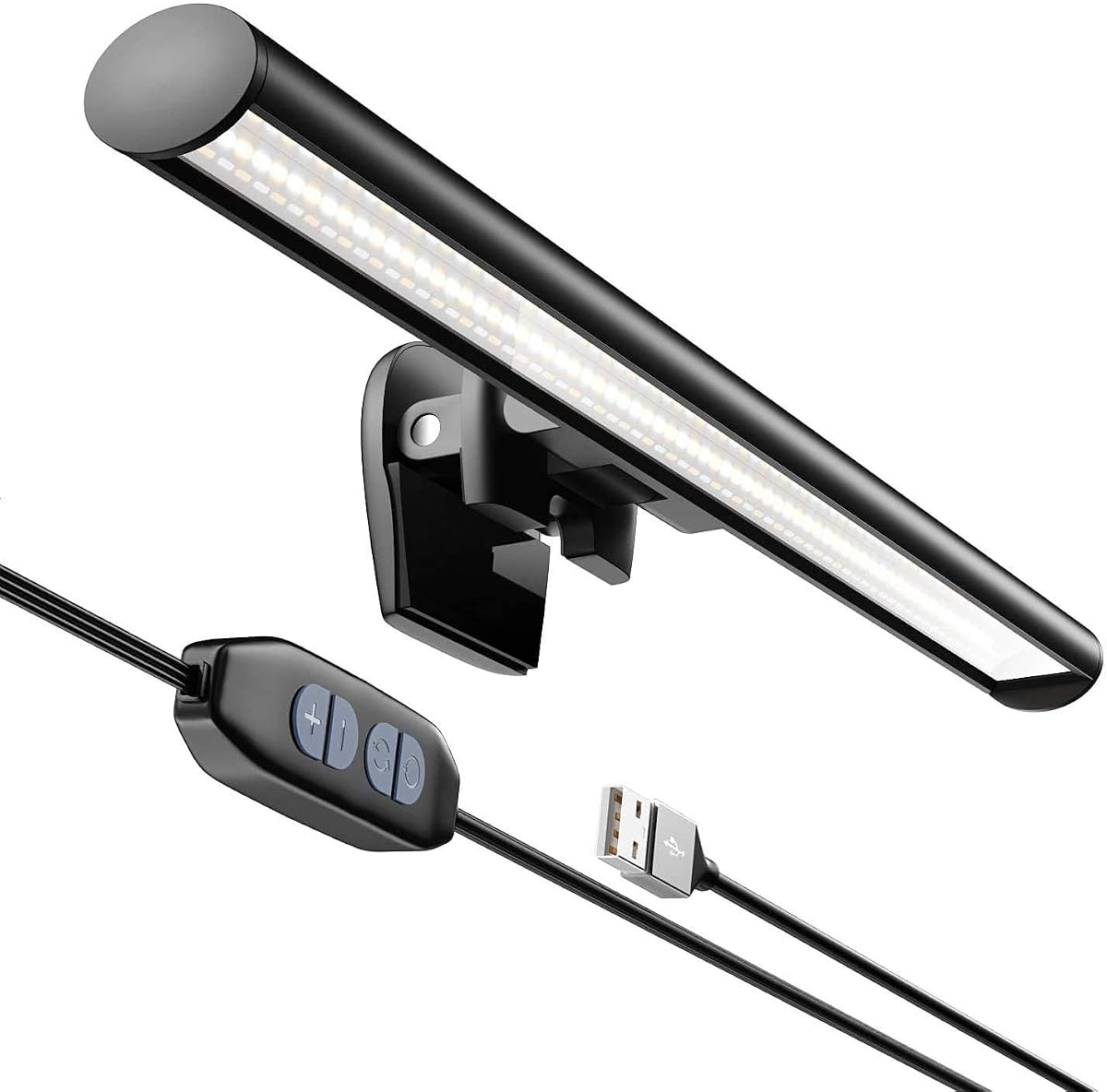


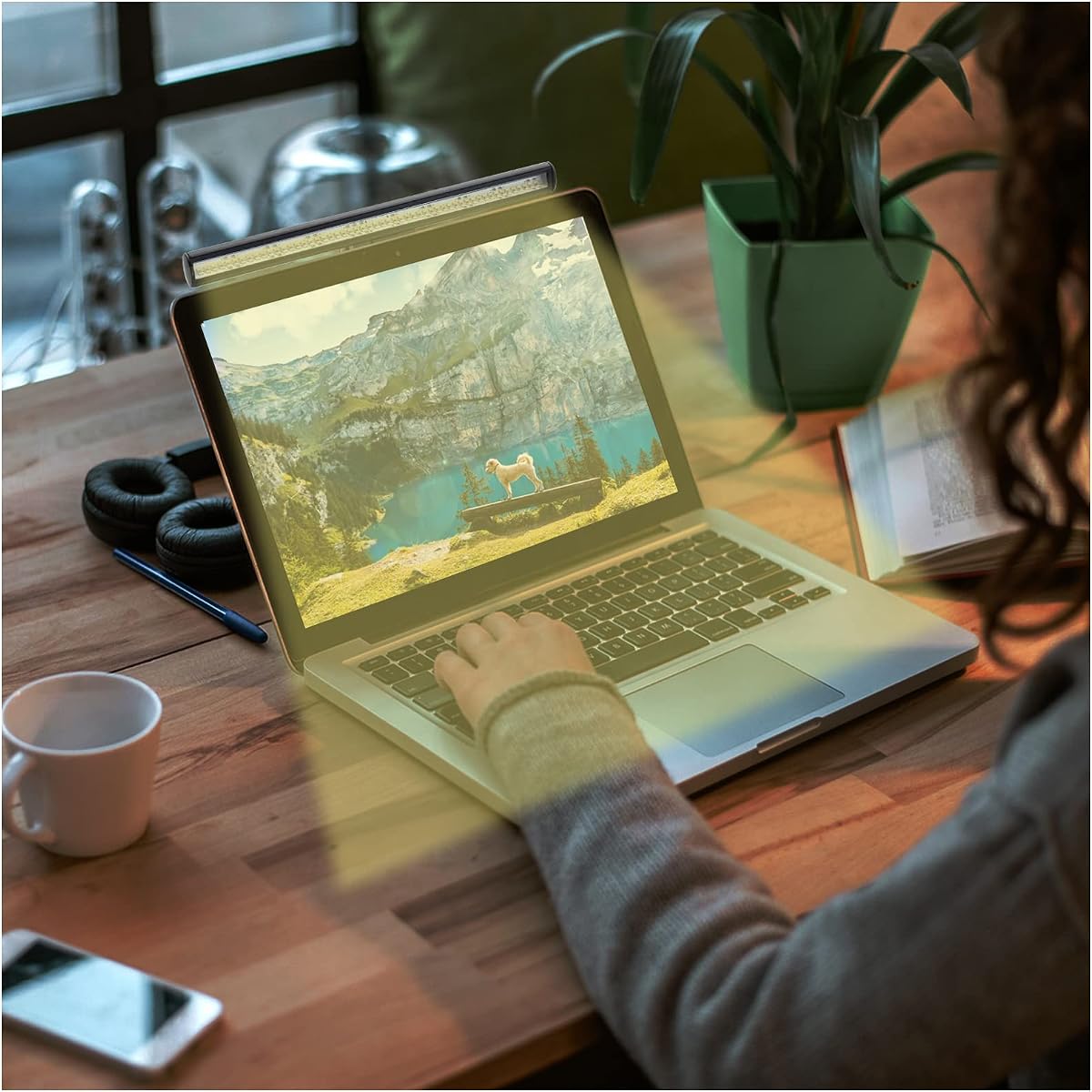


The Quntis Computer Monitor Lamp stands out as the top choice for professionals seeking advanced eye care features. With a 4.6 rating, it delivers high-quality illumination that reduces strain during long workdays. Its unique auto-dimming sensor ensures optimal brightness levels automatically.
We may earn a commission when you buy through this link, at no additional cost to you.
This lamp features an ultra-high CRI of 98, making it ideal for designers needing accurate color representation. The asymmetrical optical design directs light solely on your desk, preventing reflections on your screen. Certified to meet strict blue light safety standards, it offers reliable protection.
While the price is higher than basic models, the investment pays off in comfort and visual clarity. The touch controls offer stepless dimming for precise adjustments to your preferences. Some users might find the sensors occasionally too reactive in changing light environments.
Anyone spending hours in front of a screen will benefit from this lamp's intelligent lighting capabilities. It is perfect for home offices where professional tasks require consistent, high-quality illumination. We recommend it for those prioritizing eye health and color accuracy above all else.
The ambient light sensor continuously monitors your surroundings to adjust brightness. This prevents visual fatigue by avoiding excessive or insufficient lighting throughout the day.
With Ra98 CRI, colors on your screen and desk appear vibrant and true to life. This helps minimize eye fatigue caused by constantly adapting to poor lighting conditions.
We may earn a commission when you buy through this link, at no additional cost to you.
For those seeking essential features without breaking the bank, this clip-on light bar offers excellent value. It maintains a high rating of 4.6 by delivering reliable illumination for daily tasks. The setup is incredibly simple, requiring no tools or screws to attach securely.
We may earn a commission when you buy through this link, at no additional cost to you.
The asymmetrical optical design ensures that light is directed to your desk rather than your screen. This helps reduce glare and reflections effectively. Users appreciate the memory function that recalls the last brightness and color settings automatically after power cycles.
While it lacks advanced sensors like auto-dimming, the manual controls are straightforward and responsive. The clip fits most monitors comfortably without damaging them. However, the plastic construction feels less premium than higher-end alternatives in this roundup.
This model is perfect for students or remote workers on a tight budget who still need eye protection. It fits seamlessly into small desks and home offices. We recommend it for anyone prioritizing affordability and basic ergonomic lighting needs.
The clip-on design fits monitors between 0.2 and 0.4 inches thick. It stays in place without obstructing cameras or taking up desk space.
Powered via USB, you can plug it into laptops, power banks, or adapters. The memory function ensures your preferred settings are ready immediately.
We may earn a commission when you buy through this link, at no additional cost to you.
This premium light bar is engineered for large ultrawide curved monitors exceeding 34 inches. It boasts an impressive 4.7 rating due to its exceptional brightness and versatile lighting modes. The unique foldable design allows flexible positioning to suit various desk setups.
We may earn a commission when you buy through this link, at no additional cost to you.
The 15 RGB backlight modes add a creative touch for gamers and streamers. This dual lighting approach reduces contrast between the screen and surrounding walls. High CRI ensures accurate colors while maintaining strong illumination even in well-lit rooms.
While the price tag is significant, the features justify it for specific high-end users. The ambient light sensor helps maintain consistent brightness levels. However, the sheer size might be too large for compact desks or standard monitors.
Gamers and creative professionals with large displays will find this lamp unmatched in performance. It delivers a cinematic lighting experience while protecting eyes during intense sessions. We recommend it for those who demand top-tier features and have the budget for them.
The rear RGB lights create a soft bias light against the wall. This enhances immersion during gaming and reduces eye strain during late-night sessions.
A precision light sensor adjusts brightness automatically based on ambient conditions. This keeps your workspace comfortable from day to night without manual intervention.
We may earn a commission when you buy through this link, at no additional cost to you.
The Wodgreat Lamp offers a stylish solution for eye care with its sleek matte black frame. It focuses on reducing glare through an asymmetrical optical design that protects your eyes. The 54 LED beads provide even light coverage across your workspace.
We may earn a commission when you buy through this link, at no additional cost to you.
Users can choose from three color temperatures to match their activity, from warm relaxation to cool focus. The memory function saves your last settings for convenience. Its slim profile ensures it doesn't block your laptop camera during video calls.
While it lacks advanced sensors, it provides reliable performance for daily use. The clip is sturdy and fits most monitor thicknesses. Some users report the touch buttons require a firm press to activate effectively.
This lamp is ideal for students and professionals needing a cost-effective eye-care tool. It looks elegant on modern desks and is easy to carry between locations. We suggest it for those valuing design and straightforward functionality.
The unique fixing structure keeps the lamp stable without obstructing your webcam. This ensures clear visibility during online meetings and calls.
The product includes a two-year warranty and responsive customer service. This adds peace of mind for long-term reliability and support.
We may earn a commission when you buy through this link, at no additional cost to you.
The CATPOWER Light is designed for users who move frequently between locations. It offers a lightweight build that fits easily into a bag without adding bulk. The flicker-free design helps reduce eye strain during prolonged reading or writing tasks.
We may earn a commission when you buy through this link, at no additional cost to you.
It features three color modes and ten brightness levels to suit different environments. The mounting system secures it firmly to your laptop screen without tools. This space-saving design ensures your desk remains uncluttered while you work.
While it does not offer advanced auto-dimming features, it performs reliably for general tasks. The USB power supply makes it compatible with various devices like power banks. Some users prefer more robust controls found in higher-end models.
This lamp is perfect for travelers, students, and remote workers needing flexible lighting. Its portability makes it a practical addition to any workspace setup. We recommend it for those prioritizing ease of transport and basic ergonomic benefits.
The LED technology eliminates flickering that causes headaches. This ensures a stable light source for long study sessions.
You can connect it to laptops, computers, or portable power banks. This flexibility ensures you have light wherever you go.
We may earn a commission when you buy through this link, at no additional cost to you.
This ultrawide light bar spans 11.8 inches to cover larger workspaces effectively. It delivers up to 800 lux of brightness for uniform illumination without dark spots. The design targets your desk area to minimize glare and eye fatigue.
We may earn a commission when you buy through this link, at no additional cost to you.
Users can switch between three color temperatures easily with the mechanical switch. The memory function recalls your preferred settings after power off. This setup is straightforward and requires no complicated pairing or apps.
While the build is functional, it lacks premium features like touch controls. The clip is secure but may require adjustment for thicker screens. Some users find the brightness levels adequate but not exceptional compared to top models.
This lamp suits users needing broader coverage for dual setups or large desks. It is a solid choice for gaming or casual work environments. We recommend it for those prioritizing width and brightness over advanced features.
The wide design ensures light reaches all corners of your workspace. This reduces shadows and creates a balanced lighting environment.
Short press toggles power or color temperature while long press adjusts brightness. This intuitive design works for all users quickly.
We may earn a commission when you buy through this link, at no additional cost to you.
This light bar features a dual control design that allows fine-tuning of your lighting environment. It reaches up to 800 lux for high visibility and productivity. The 45-degree asymmetric angle ensures light goes where you need it without screen reflection.
We may earn a commission when you buy through this link, at no additional cost to you.
You can adjust color temperature from warm to cool white easily. The universal mount fits curved or flat screens with varying thicknesses. It is designed to minimize eye strain during late-night work sessions effectively.
While it offers solid performance, the build feels utilitarian compared to premium options. The controls are physical rather than touch, which some prefer for reliability. Users may appreciate the consistent output for long hours of use.
This lamp is a great middle-ground option for home offices and study rooms. It provides reliable lighting without extra frills. We recommend it for users needing a strong, simple light source with dual control options.
The 45-degree angle directs light downward only. This eliminates screen reflections and keeps your focus sharp.
The mount supports screens from thin to thick including curved models. It secures firmly without sliding or damaging surfaces.
We may earn a commission when you buy through this link, at no additional cost to you.
This light bar is specifically designed to illuminate your keyboard and desk area efficiently. It uses a low voltage supply to ensure safety and stability during use. The counterweight clip keeps the lamp steady without affecting your monitor screen.
We may earn a commission when you buy through this link, at no additional cost to you.
The four-key controller lets you adjust brightness and color temperature precisely. The ABS housing is durable and provides a soft texture that is gentle on hands. It is portable enough for travel between home and office spaces.
While it does not offer advanced sensors, it fulfills basic lighting needs well. The lighting is concentrated on your keyboard, reducing glare on the screen. Users appreciate the safety features and straightforward operation.
This lamp is suitable for users who need focused typing illumination without distractions. It fits well on standard laptops and monitors. We recommend it for typists and writers who prioritize safety and compact design.
Powered by a safe low voltage DC supply for reliability. This ensures consistent performance without overheating issues.
The light reflects directly onto your keyboard area. This helps prevent eye fatigue from dark typing environments.
We may earn a commission when you buy through this link, at no additional cost to you.
The YEELIGHT Monitor Light Bar combines premium metal construction with advanced eye care features. Its RG0 rating provides the highest standard for blue light safety to protect your vision. The high CRI ensures colors appear accurate on your screen.
We may earn a commission when you buy through this link, at no additional cost to you.
Stepless dimming allows you to adjust brightness precisely to your needs. The retractable clip adapts to many screen types including curved ones. Its low-profile design ensures your webcam is never obstructed during calls.
While it costs more than basic options, the build quality and durability are superior. The stepless control offers smooth transitions between settings. Some users might find it lacks an auto-dimming sensor found in other premium units.
This lamp is ideal for professionals wanting a durable and high-quality lighting solution. It fits well in modern setups where aesthetics matter. We recommend it for those valuing safety standards and premium materials.
The metal body provides durability and effective heat conduction. This keeps the unit cool and extends its lifespan significantly.
Certified as safe for eyes with no harmful blue light hazards. This supports long-term health during extended screen time.
We may earn a commission when you buy through this link, at no additional cost to you.
The OOWOLF light bar introduces a dual light design with front and rear ambient lights. This unique setup reduces eye irritation by lighting the dark surroundings around your monitor. It helps maintain visual comfort in low light environments effectively.
We may earn a commission when you buy through this link, at no additional cost to you.
With CRI greater than 95, it delivers accurate colors for creative work. The blue light filtering feature protects your vision during long periods of use. Memory dimming ensures your preferred settings return immediately after unplugging.
While the dual light adds complexity, the benefits to eye comfort are significant. The Type C cable provides modern connectivity for various devices. Some users find the rear light less necessary but appreciate the overall reduction in eye strain.
This lamp suits users who need high color accuracy and unique lighting environments. It is a strong choice for designers and heavy computer users. We recommend it for those willing to invest in advanced eye care technology.
The rear ambient lights reduce eye pressure in dark surroundings. This creates a balanced lighting environment for prolonged reading.
With CRI above 95, colors appear natural and accurate. This minimizes color errors and visual fatigue during work.
We may earn a commission when you buy through this link, at no additional cost to you.
Selecting the right light bar requires considering several technical and practical factors. We break down the most important features to help you make an informed decision for your workspace.
The most critical feature of a monitor light bar is its optical design. Look for asymmetrical or angled designs that direct light downward onto your desk rather than onto your screen. This prevents reflections and glare that can cause eye strain. Standard desk lamps often project light upward, creating unwanted reflections on glossy displays. A proper light bar uses reflectors or lenses to focus the beam precisely where needed. This ensures you get illumination for your work area without compromising screen visibility.
Prioritize models explicitly labeled as having no glare or anti-glare optical features.
Brightness should be adjustable to suit different times of day and environments. Look for stepless dimming rather than fixed levels for finer control over light intensity. Higher lux values ensure you can work in low-light conditions without straining. Some models offer ambient light sensors that adjust brightness automatically based on room conditions. This feature reduces the need for constant manual adjustments during long work sessions. Ensure the dimming mechanism is smooth and responsive to your touch or controls.
Choose a model with sufficient brightness range to handle both day and night tasks.
Different tasks require different color temperatures for optimal focus and comfort. Cool light (6500K) is ideal for focus and reading during the day. Neutral or warm light (3000K-4000K) is better for relaxing in the evening. Look for bars that offer multiple preset modes or a wide range of temperatures. Being able to switch colors easily helps match your workflow and circadian rhythm. Some models include memory functions to recall your preferred color settings automatically.
Ensure the lamp offers at least three distinct color modes for versatility.
The clip must fit your specific monitor or laptop thickness securely. Check the adjustable range of the clip to ensure it accommodates your screen. Some bars support curved screens or monitors with irregular backs which is essential for wide setups. Stability is key to prevent the lamp from sliding or damaging your device. Look for silicone pads or rubberized contact points to protect your screen while mounting. Verify the maximum thickness limit matches your hardware specifications before buying.
Verify the clip range matches your monitor thickness to ensure stability.
Most light bars run on USB power which offers flexibility for laptops and adapters. Ensure the cable length is sufficient to reach your USB port without tangles. USB-C options are becoming more common for modern laptops. Check if the bar requires a specific voltage like 5V for compatibility. Longer cables allow you to route the wire discreetly behind your desk. Avoid models with short cables that force you to use a power bank instead.
Check cable length and USB type to ensure compatibility with your devices.
Durability matters for a device used daily over many years. Metal bodies dissipate heat better and feel more premium than plastic ones. Look for sturdy construction that can withstand travel and movement. Heat conduction properties prevent the lamp from becoming too hot during extended use. High-quality LEDs ensure consistent light output without fading over time. A well-built unit often comes with better warranties and customer support.
Prefer metal or high-grade ABS materials for better durability and heat management.
Certifications like RG0 or specific blue light standards ensure safety for your eyes. These ratings indicate the device filters harmful blue light wavelengths effectively. Flicker-free lighting prevents eye fatigue and headaches during long sessions. Look for mentions of IEC standards or eye health safety in product descriptions. Proper eye care features are essential for users with sensitive vision or high screen exposure. These certifications add reliability beyond basic functional claims.
Look for RG0 or blue light safety certifications to protect your vision.
Controls can range from physical buttons to touch panels or apps. Touch controls are sleek but may be less reliable than physical buttons. Physical buttons often provide tactile feedback which some users prefer. Remote controls or app integration can add convenience for smart setups. Ensure the interface is intuitive and easy to reach without moving your hands too much. Memory functions are crucial so you do not have to reset settings every time.
Select control types that match your workflow and desk accessibility needs.
Start by attaching the clip to the top center of your monitor or laptop. Ensure the light beam points directly downward onto your keyboard or desk area. Adjust the angle until the light covers your workspace without reflecting on the screen.
Connect the USB cable to your laptop or power bank to turn on the device. Cycle through the color modes using the control button to find your preferred setting. Adjust brightness to a comfortable level that does not strain your eyes in low light.
Regularly dust the lens and body of the light bar to maintain brightness. Do not pull the cable forcefully when disconnecting it to avoid damage. If not used for a while, store it in a dry place to protect the electronics.
Yes, they significantly reduce eye strain by eliminating screen glare and providing focused task lighting. Asymmetrical designs direct light to the desk so your screen remains clear. This reduces the need for your eyes to constantly adjust to bright reflections.
Many modern light bars are designed with flexible clips that accommodate curved monitors. However you should check the specifications to ensure the clip range matches your curvature. Some models explicitly mention compatibility with curved or irregular screen backs.
The memory function saves your last brightness and color settings when you power off the lamp. When you turn it back on, it automatically restores those settings for immediate use. This saves you from readjusting parameters every time you start work.
Yes, most light bars provide up to 800 lux which is sufficient for reading physical books. The focused beam illuminates the surface directly in front of you. Just ensure the angle directs the light onto your book rather than the desk edge.
LED lights generate minimal heat compared to traditional bulbs. Metal models dissipate heat better than plastic ones. While the body may feel slightly warm after hours of use it does not get hot enough to cause burns or damage.
Use a soft dry cloth to wipe the surface gently. Avoid using liquids or chemicals directly on the lens or electrical parts. Dusting regularly prevents buildup that can reduce light output and clarity.
Most LED light bars are rated for over 30000 hours of use. This equates to years of daily operation before any dimming occurs. High-quality units maintain consistent brightness throughout their lifespan.
Yes, you can plug it into any USB source like a wall adapter or power bank. It does not require a laptop to function as long as power is available. This flexibility allows you to use it with desktops or even gaming consoles.
We explored ten top-rated light bars offering a range of features and price points. The Quntis Computer Monitor Lamp leads with intelligent auto-dimming and high color accuracy for professionals. Budget shoppers can rely on the affordable clip-on light bar for essential ergonomic needs.
Prioritize optical design and eye safety certifications when making your choice. A good light bar should never reflect on your screen or cause discomfort. Consider how you work daily to decide between basic brightness or advanced customization.
Remember that prices and availability change frequently on the Amazon store. Always check current listings to ensure you get the best value for your purchase. Investing in proper lighting now will pay dividends in eye health and productivity.