
ASUS RT-AX1800S
4.3Editor score
WiFi 6 Dual Band
AiProtection Classic Security
Five Gigabit Ports
This guide compares the top ten ASUS WiFi routers for speed coverage and security to help you choose the right model for your home or business.
Choosing the right wireless network hardware is essential for modern connectivity. ASUS offers a wide range of reliable routers designed for gaming streaming and smart homes with advanced security.
We evaluated ten top ASUS models based on speed standards coverage area and specialized features. Our comparison highlights key differences to help you find the perfect fit for your needs.
Each selection below includes detailed specs pros and cons to guide your decision. Please note that availability and pricing may change so check the latest details before buying.
4.3Editor score

4.3Editor score
3.4Editor score
The following table provides a side-by-side overview of the top ten ASUS routers to help you quickly compare their key specifications and capabilities.
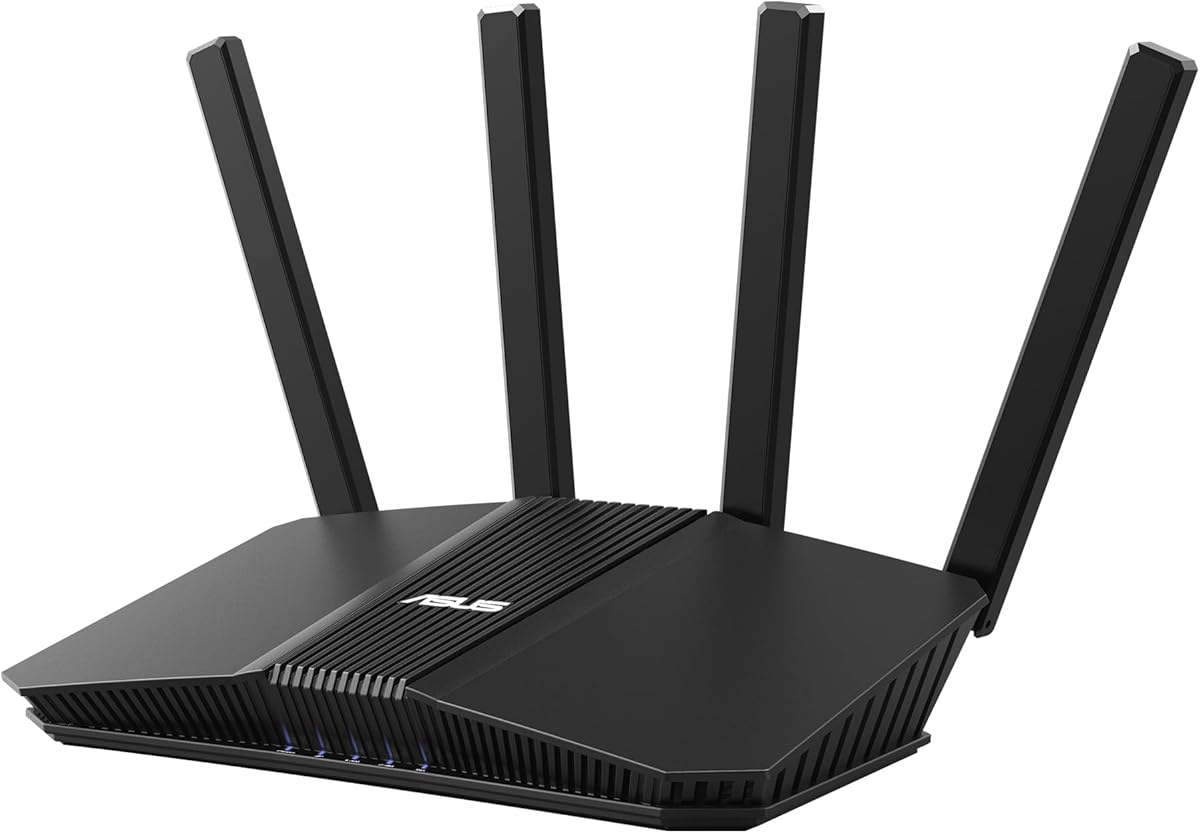



The ASUS RT-AX1800S is a solid entry-level option for those needing reliable connectivity. It holds a rating of 4.3 stars from users who appreciate its ease of setup and consistent performance.
We may earn a commission when you buy through this link, at no additional cost to you.
It features WiFi 6 technology which supports MU-MIMO and OFDMA for efficient data allocation across multiple devices. The router comes equipped with a dual-core processor and four external antennas to ensure stable coverage.
While it does not offer the highest throughput speeds available, it handles daily streaming and browsing tasks with ease. Users note that the commercial-grade security without a subscription is a major advantage for families.
This router is ideal for small to medium homes seeking an upgrade from older standards without overspending. It balances performance and features well making it a top pick for budget-conscious buyers.
This model brings next-gen wireless efficiency to the budget sector allowing better handling of connected devices.
AiProtection Classic powered by Trend Micro provides essential network protection without recurring fees.
We may earn a commission when you buy through this link, at no additional cost to you.
The ASUS RT-BE58U represents the cutting edge of home networking with its WiFi 7 support. It has received positive feedback for its ability to handle heavy data loads efficiently.
We may earn a commission when you buy through this link, at no additional cost to you.
This router utilizes Multi-link Operation to link multiple bands simultaneously for ultra-smooth connectivity. It supports speeds up to 3600 Mbps with 4096-QAM which increases transmission speed significantly.
Users will appreciate the versatile WAN configuration which includes AI WAN detection and a USB port for mobile tethering. These features ensure you stay connected even if your primary line fails.
It is a great choice for early adopters who want the fastest possible speeds now. The inclusion of commercial-grade security and Smart Home Master makes it versatile for modern networks.
WiFi 7 brings massive speed improvements and better handling of congested networks.
Multiple ways to connect to the internet including cellular backup for reliability.
We may earn a commission when you buy through this link, at no additional cost to you.
The ROG Rapture GT-BE98 Pro is the ultimate choice for serious gamers and power users. It boasts a rating of 4.3 stars reflecting its exceptional performance in high-demand scenarios.
We may earn a commission when you buy through this link, at no additional cost to you.
With WiFi 7 and 320MHz channels in the 6GHz band it delivers speeds up to 30Gbps. The router includes external dual-feeding antennas and multiple high-speed ports to maximize wired and wireless throughput.
Triple-Level Game Acceleration ensures your traffic is prioritized from your PC to the game server. This minimizes latency and lag which is crucial for competitive online gaming experiences.
While the cost is high the performance benefits are undeniable for those who need top-tier networking. It is built to handle the heaviest network loads without compromising stability.
Advanced acceleration tools ensure low latency for responsive online gameplay.
Dual 10G ports allow for future-proof wired connections to high-speed devices.
We may earn a commission when you buy through this link, at no additional cost to you.
The ASUS RT-BE92U offers a balanced approach to WiFi 7 technology with its tri-band design. It is highly rated for its stability and ability to manage multiple devices efficiently.
We may earn a commission when you buy through this link, at no additional cost to you.
Speeds reach up to 9700 Mbps thanks to 320MHz channels and 4096-QAM. The router supports multi-link operation which ensures stable internet connections even during heavy usage periods.
Security is a strong point here with commercial-grade AiProtection Pro and one-tap scans. You also get Smart Home Master for easy IoT setup which simplifies managing smart devices.
This model fits well in medium to large homes needing robust performance without the gaming overhead. It is a solid investment for those planning to use modern wireless standards.
Three frequency bands reduce congestion and improve speed for connected devices.
Includes free advanced threat protection to keep your network safe.
We may earn a commission when you buy through this link, at no additional cost to you.
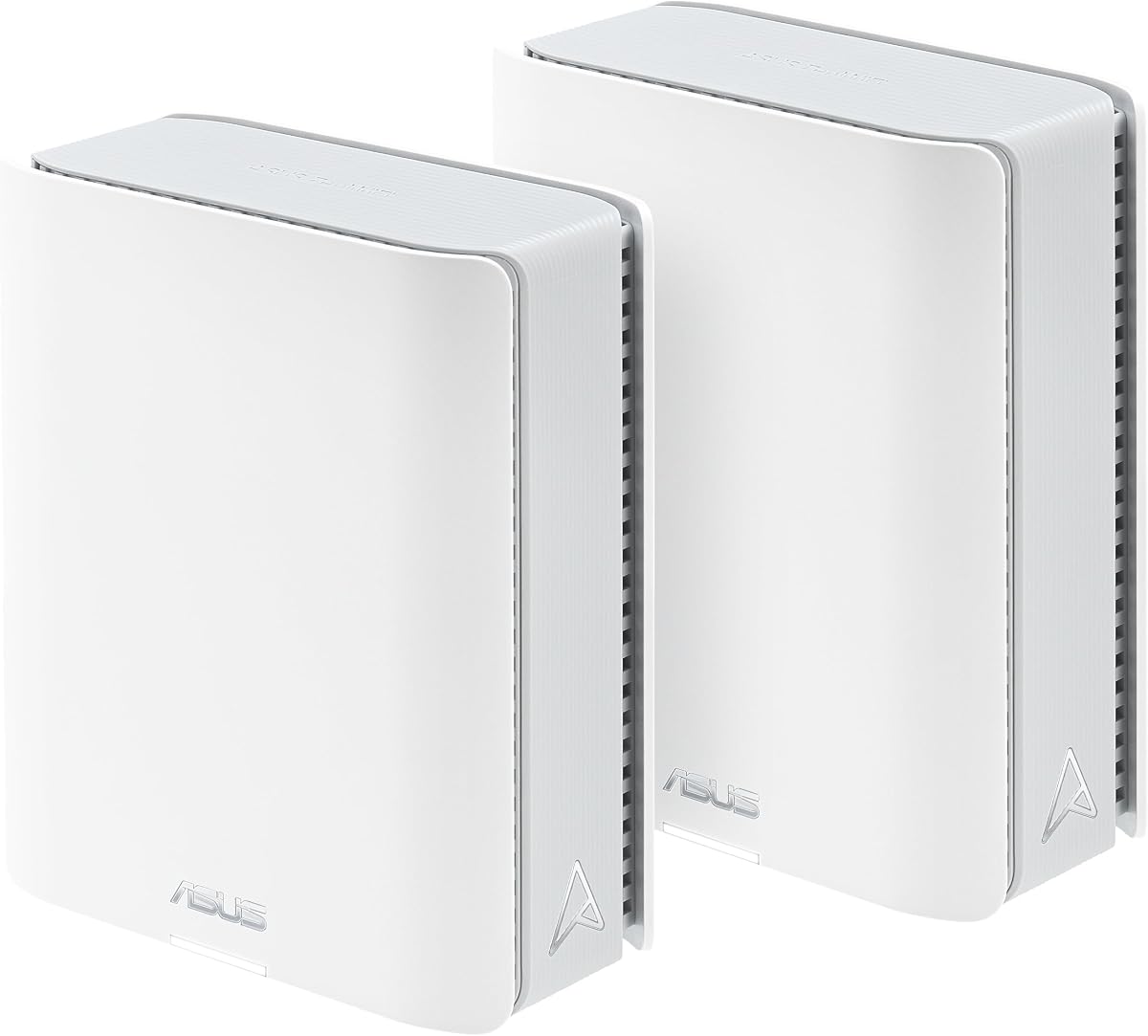
The ZenWiFi BT10 system is designed for large properties that need seamless connectivity everywhere. Although it has a rating of 3.4 it offers impressive specs like tri-band WiFi 7.
We may earn a commission when you buy through this link, at no additional cost to you.
This 2-pack covers up to 6000 square feet with powerful internal antennas and front-end modules. The mesh system uses AI to deliver robust backhaul connections for reliable whole-home performance.
It includes dual 10G ports which allows for high-speed wired backhaul or connection to multi-gig internet plans. Smart Home Master helps organize network traffic for different device types easily.
Despite some initial user feedback the potential for high performance remains clear. It is best suited for homeowners who need expansive coverage and future-proof speeds throughout their property.
Two units provide extensive reach eliminating dead zones in large spaces.
10G Ethernet ports ensure your network can handle next-gen internet speeds.
We may earn a commission when you buy through this link, at no additional cost to you.
The RT-AX82U is a popular gaming router that balances speed with aesthetic appeal. It holds a 4.4 rating for its ability to reduce lag and enhance the gaming experience.
We may earn a commission when you buy through this link, at no additional cost to you.
Supporting WiFi 6 with 160MHz channels it delivers speeds up to 5400 Mbps. The dedicated Mobile Game Mode minimizes latency for mobile gamers via a simple tap on the app.
Customize the look with Aura RGB lighting effects to match your setup vibe. It also supports AiMesh so you can expand your network easily if needed later.
This router is a great choice for gamers who want performance and style without a top-tier price tag. The renewed option offers a budget-friendly way to get this quality.
Dedicated acceleration tools optimize traffic for smoother online matches.
Adjustable lighting lets you align your router with your room theme.
We may earn a commission when you buy through this link, at no additional cost to you.
The ZenWiFi BT8 is a powerful mesh unit that provides robust coverage for average-sized homes. It offers a 4.0 rating from users who value its seamless connectivity and security.
We may earn a commission when you buy through this link, at no additional cost to you.
Tri-band WiFi 7 delivers speeds up to 14 Gbps with 6 GHz support and MLO. Seven internal antennas help eliminate dead zones and ensure consistent signal strength across rooms.
Protection is continuous with 24/7 end-to-end security and VPN support. The Smart Home Master feature simplifies network segmentation for IoT devices which adds convenience.
It is ideal for those who need a single high-performance unit or want to expand later. The ease of use and solid performance make it a strong contender in mesh routers.
Multiple high-power modules work together to maximize signal coverage.
Dedicated networks for smart devices keep traffic organized and secure.
We may earn a commission when you buy through this link, at no additional cost to you.
The RT-AX3000 is a trusted choice for families needing reliable and fast internet. It holds a 4.5 rating due to its consistent performance and user-friendly features.
We may earn a commission when you buy through this link, at no additional cost to you.
With 160MHz bandwidth and 1024-QAM it achieves total speeds of 3000 Mbps. The Adaptive QoS ensures your streaming and gaming get priority when the network is busy.
It includes AiProtection Pro for family safety with advanced parental controls. Mesh compatibility lets you expand coverage later if your home grows or changes.
This router is perfect for most households that want next-gen speed without complexity. It balances cost and performance effectively making it a top seller in its category.
QoS settings automatically prioritize important traffic like video calls.
Add more units to create a larger seamless network across your home.
We may earn a commission when you buy through this link, at no additional cost to you.
The RT-AC68U remains a favorite for users who value stability over the latest features. It has a 4.5 rating reflecting years of dependable service for many users.
We may earn a commission when you buy through this link, at no additional cost to you.
With a dual-core CPU and TurboQAM it offers solid speeds up to 1900 Mbps. Five gigabit ports provide excellent wired connectivity for computers and media centers.
Security is provided by AiProtection which blocks malicious sites and infected devices. The setup is straightforward via the web interface making it easy to manage.
This router is a solid choice for smaller homes that do not need WiFi 6 speeds. Its durability and performance make it a lasting option for basic networking needs.
Dedicated lanes for Wi-Fi and USB ensure smooth multitasking.
Easy access via browser makes configuration intuitive for everyone.
We may earn a commission when you buy through this link, at no additional cost to you.
The ExpertWiFi EBR63 is designed specifically for small businesses needing secure networks. It holds a 4.2 rating for its professional features and reliable connection quality.
We may earn a commission when you buy through this link, at no additional cost to you.
It allows separation of usage with up to five SSIDs for different scenarios. A custom guest portal helps you tailor the experience for visitors matching your brand style.
Enterprise-grade security includes free AiProtection Pro and VPN support. Management is easy via the app which allows remote setup and monitoring efficiently.
This router is ideal for offices where guest Wi-Fi and staff networks must remain separate. It scales well with ExpertWiFi AIMesh making it a smart choice for growing businesses.
Branded portals improve the visitor experience while keeping staff data safe.
Add more units to expand your network as your business grows.
We may earn a commission when you buy through this link, at no additional cost to you.
Selecting the right router requires balancing speed standards and specific features to match your usage needs.
WiFi standards like 6 and 7 determine speed and efficiency. Newer standards support faster data rates and better traffic handling for modern devices.
Look for WiFi 6 or 7 if you want future-proof performance and lower latency.
The physical size of your space dictates the type of router you need. Large homes may require mesh systems to eliminate dead zones effectively.
Check the rated coverage area and consider expandable mesh options for flexibility.
Ports like Gigabit LAN or 10G determine wired connection speeds. If you have many wired devices prioritize models with more ports.
Ensure the router has enough ports for your setup without needing extra switches.
Built-in security protects connected devices from external threats. ASUS provides AiProtection which offers parental controls and malware blocking.
Choose models that include subscription-free security for ongoing protection.
Gamers benefit from routers with QoS and game acceleration. These tools prioritize traffic to reduce lag during online play.
Look for dedicated gaming features if low latency is a top priority.
Routers with SSID segmentation help organize IoT devices safely. Smart Home Master features simplify setup and management of smart gadgets.
Prioritize routers that offer multiple SSIDs if you have many smart home devices.
Mesh compatibility allows you to add units later for larger coverage. AiMesh supports many models to create a seamless whole-home network.
Check compatibility with other units if you plan to expand your network later.
Balance the cost of the router against the speed you actually need. High-end models are great for power users but may be overkill for casual browsing.
Pick a model that meets your current needs without paying for unused features.
Begin by placing the router in a central elevated location to maximize signal range. Avoid placing it inside cabinets or near large metal objects that block signals.
Install the latest firmware using the ASUS app or web interface to ensure security patches are applied. Regular updates improve performance and protect against new vulnerabilities.
Use the app to manage parental controls and device priorities to keep your network running smoothly. Check connection logs occasionally to identify any unauthorized access or performance issues.
Yes these routers connect to a modem to provide internet. The modem connects to the router via Ethernet to enable wireless access.
Yes models like the ROG Rapture and RT-AX82U offer gaming tools. They prioritize traffic to reduce lag for a smoother experience.
You can manage controls via the ASUS app or web interface. Use the built-in tools to filter content and manage usage schedules.
AiMesh allows you to connect compatible units to form a mesh system. This expands coverage seamlessly across multiple rooms or floors.
Yes many models include built-in VPN servers and clients. This allows secure remote access to your network or encrypted browsing.
Use the ASUS Router app or access the web admin panel. Check for updates in the settings menu to install the latest patches.
If your modem fails the router will still manage your local network. You will need a backup connection like mobile tethering via USB.
Yes routers with SSID segmentation help manage IoT devices securely. Features like Smart Home Master simplify setup for smart gadgets.
These top picks cover a wide range of needs from budget to premium. Each model offers distinct strengths in speed security and specific use cases.
Prioritize standards like WiFi 6 or 7 based on your device compatibility and future needs. Consider your home size and the number of connected devices carefully.
Prices and availability fluctuate so always check current listings before making a purchase. Ensure you select a model that fits your budget and performance goals.