
Samsung 990 PRO
4.7Editor score
Max PCIe Gen4 performance
Ultra-slim heatsink
Superior random speed
This guide compares the top 2TB Ssds for PS5 consoles, evaluating speed, compatibility, cooling, and value to help gamers choose the right expansion drive.
Expanding your PlayStation 5 storage is essential for modern gaming libraries. A quality 2TB Ssds for PS5 ensures fast load times and seamless play without compromising system performance or stability.
We evaluated ten leading models based on speed, heatsink design, and official compatibility. Each drive meets strict performance standards to guarantee smooth operation during intense gaming sessions on your console.
Every pick highlights unique strengths like raw speed or budget value. Note that prices fluctuate frequently so check current listings before purchasing to secure the best deal for your needs today.
4.7Editor score

4.8Editor score

4.6Editor score
The following table provides a side by side look at every top contender. Compare speeds and specs easily to find the perfect match for your gaming needs.




This drive leads the pack with official licensing and massive speeds. It ensures perfect fit and play experience on your console for all major titles.
We may earn a commission when you buy through this link, at no additional cost to you.
WD_BLACK delivers optimized cooling and raw power here. You get seamless load times and zero compatibility worries thanks to the specific PS5 authorization included.
While it costs more than some rivals the assurance of official support is worth it. The included heatsink simplifies installation significantly for most users.
Buy this if you want the most trusted solution for storage expansion. It balances speed and safety perfectly for serious PlayStation gamers today.
Official approval ensures the system recognizes the drive instantly without issues.
The optimized heatsink keeps drive temps low during long sessions.
We may earn a commission when you buy through this link, at no additional cost to you.
The 990 PRO sets the standard for high-end storage with blazing speeds. It handles everything from heavy gaming to file transfers effortlessly.
We may earn a commission when you buy through this link, at no additional cost to you.
Its heatsink is ultra-slim to fit the PS5 slot perfectly. This design prevents overheating while maintaining top-tier performance levels consistently.
It is expensive but the raw power makes it worth the investment. You gain future-proof capacity that lasts through years of gaming evolution.
Choose this for top-tier performance if budget allows. It is the ultimate choice for enthusiasts demanding maximum efficiency.
Achieves near maximum PCIe 4.0 potential for all tasks.
Integrated heatsink maintains low temps under heavy loads.
We may earn a commission when you buy through this link, at no additional cost to you.
This drive offers incredible value with top speeds at a fraction of the cost. It performs remarkably well for the price point compared to others.
We may earn a commission when you buy through this link, at no additional cost to you.
MOVE SPEED includes a heatsink and tools to simplify setup. The graphene composite helps cool the drive effectively during intense gaming.
The brand is less known but performance tests confirm reliability. You get excellent speed without the premium cost of major names.
It is ideal for budget-conscious gamers who need space. This choice saves money while delivering necessary power for PS5.
Delivers high-end performance at a much lower cost.
Package includes screws and screwdriver for easy install.
We may earn a commission when you buy through this link, at no additional cost to you.
Lexar brings a strong drive that balances speed and efficiency. It stands out for its reduced power consumption compared to rivals.
We may earn a commission when you buy through this link, at no additional cost to you.
The heatsink design keeps thermal output low naturally. HMB technology helps smooth out transfer speeds without adding bulk.
While it lacks some specific gaming marketing it performs excellently. The balance of performance and efficiency makes it a smart buy.
Choose this if you value quiet and cool operation. It provides ample space without unnecessary power usage.
Uses up to 40% less power than DRAM cache SSDs.
Designed with a heatsink to keep your rig cool.
We may earn a commission when you buy through this link, at no additional cost to you.
This model is built specifically for gaming workloads and performance. It delivers fast access to large game files smoothly.
We may earn a commission when you buy through this link, at no additional cost to you.
WD_BLACK ensures consistent speed under heavy load conditions. The heatsink manages heat well during extended sessions.
It is a solid pick for serious players. The performance is reliable though the price point may be higher.
Buy it if you want a dedicated gaming drive. It handles the demands of modern AAA titles well.
Designed for top-tier gaming performance and speed.
Trust WD for stable operation and quick load times.
We may earn a commission when you buy through this link, at no additional cost to you.
This drive is versatile for gaming and PC tasks. It works seamlessly with both consoles and laptops effortlessly.
We may earn a commission when you buy through this link, at no additional cost to you.
Crucial brings Micron quality to ensure reliability. The speeds are fast enough for smooth game loading.
It is not the fastest but very dependable for general use. The compatibility makes it great for multi device owners.
Choose this if you need a universal solution. It performs well across different devices.
Supports PS5 and backward compatibility with Gen3 systems.
Built with advanced Micron NAND for reliability.
We may earn a commission when you buy through this link, at no additional cost to you.
This drive uses Host Memory Buffer for better performance. It is a solid option for gamers on a budget.
We may earn a commission when you buy through this link, at no additional cost to you.
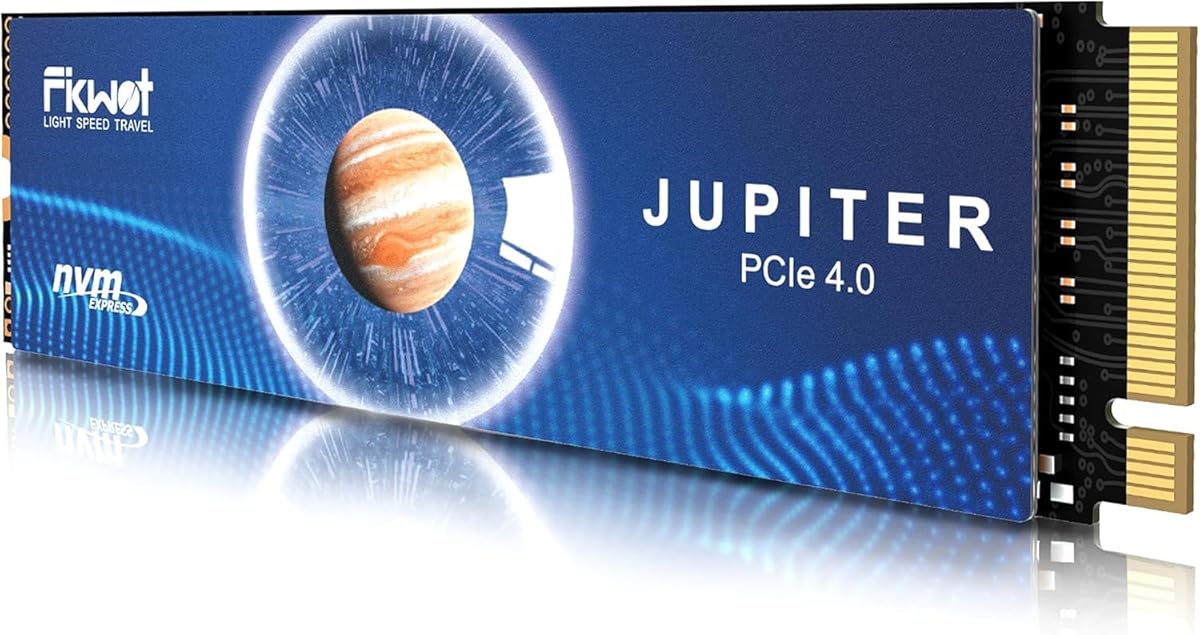
Fikwot ensures thermal management with a graphite heatsink. The speed is quick for daily gaming needs.
The QLC NAND is cost effective but may vary in endurance. The 5 year warranty gives you confidence in the product.
It is a great value pick for PS5 expansion. Just ensure your needs match the tech specs.
Uses system DRAM to boost speed without onboard memory.
Includes a limited service of up to 5 years.
We may earn a commission when you buy through this link, at no additional cost to you.
This drive is perfect for basic needs without breaking the bank. It handles game loads well enough for casual play.
We may earn a commission when you buy through this link, at no additional cost to you.
The SLC cache helps boost real world speed. Cooling is effective with the included sink to prevent heat issues.
Speeds are lower than top models but acceptable. It suits those who do not need the absolute fastest drive.
Choose this for cost effective storage expansion. It gets the job done reliably.
Uses SLC cache to improve performance for bursts.
Unique heatsink design ensures low temps.
We may earn a commission when you buy through this link, at no additional cost to you.
This model offers huge power for the price. It works well in gaming scenarios and content creation.
We may earn a commission when you buy through this link, at no additional cost to you.
Predator ensures stability with good thermal controls. The software helps you manage drive health easily.
It is a strong contender for value. The speed is fast enough for any modern game.
Buy it if you prioritize raw speed. It is reliable for high demand tasks.
Uncompromising speeds up to 7400 MB/s read.
Biwin Intelligence software helps manage drive features.
We may earn a commission when you buy through this link, at no additional cost to you.
This model is a classic choice for a reason. It balances speed and heat control perfectly for all uses.
We may earn a commission when you buy through this link, at no additional cost to you.
The heatsink is thin to fit the PS5 slot. Samsung Magician software helps optimize performance and health easily.
It is a solid pick for any gamer. The reliability makes it a safe buy for anyone.
Choose it for a proven track record. It delivers consistent results across tasks.
Nickel-coated controller delivers effective thermal control.
Use Samsung Magician to monitor drive health.
We may earn a commission when you buy through this link, at no additional cost to you.
Selecting the right drive involves more than just speed numbers. Here are the key factors that determine performance and stability.
The PS5 requires a PCIe 4.0 interface for full performance. Look for drives that offer read speeds above 5500MB/s to match console capabilities.
Prioritize drives with 7000MB/s for the fastest load times.
Heat buildup can throttle speed and damage your drive. Ensure the model includes a heatsink designed for the 2280 form factor.
A heatsink is mandatory to prevent overheating and slowdowns.
Officially licensed drives guarantee seamless recognition by the system. This reduces the risk of installation errors or formatting issues.
Licensed drives ensure maximum compatibility out of the box.
TLC NAND generally offers better longevity and speed than QLC. If you transfer large files often, TLC is a better choice for endurance.
TLC flash provides the most reliable performance for gaming.
Storage drives face frequent read write cycles. A longer warranty period indicates manufacturer confidence in the product durability.
Look for at least a 5 year warranty for peace of mind.
The PS5 M.2 slot has strict width and height limits. Verify the drive is 2280 and includes a slim heatsink that fits within 11.25mm height.
Correct dimensions are critical to ensure the cover closes properly.
Cost per gigabyte matters when comparing options. A cheaper drive might save money now but cost more in performance later.
Balance speed with price to find the best overall value.
Top controllers manage data transfer efficiently. Brands like Samsung and Western Digital use in-house controllers for better thermal management.
Reputable controllers ensure stable performance over long periods.
To install the drive, power off your PS5 and remove the side panel. Locate the M.2 slot on the motherboard and align the drive notch with the connector.
Secure the drive with the included screw and place the heatsink if required. Ensure it sits flat before replacing the cover and powering up.
Initialize the new drive in settings to format it for games. Use Biwin Intelligence or Samsung Magician to monitor health and apply updates regularly.
Yes a heatsink is mandatory for PS5 expansion. The system requires strict thermal control to prevent overheating during gameplay. Any drive you choose must include one or have room for an external one.
You cannot play PS5 native games from USB external drives. However you can use them to store games and transfer them to the M.2 slot when needed.
The console supports M.2 2280 solid state drives. You must ensure the total height including heatsink does not exceed 11.25mm to fit inside the system.
NAND flash prices fluctuate based on global supply and demand. Retailers adjust costs accordingly to reflect current market conditions and promotions.
Speeds of 5500MB/s or higher are recommended. Faster drives reduce load times significantly in demanding titles and large open world games.
Yes a 2TB SSD provides ample space for around 40 to 50 modern games. It is a popular choice for expanding storage without upgrading later.
The WD_BLACK SN850P stands out for official compatibility and speed. The Samsung 990 PRO offers top-tier performance for enthusiasts needing maximum efficiency.
Prioritize drives with proven cooling solutions to maintain stability. A good heatsink ensures your system runs cool and fast during long sessions.
Remember to check current listings for the best prices. Storage costs vary so comparing today ensures you get the most value.