
FLASHFORGE AD5X
4.4Editor score
Multi-Color with IFS
Fully Auto Leveling
600mm/s High Speed
This guide compares the top 3D printer for figurines and models available in 2026 based on speed, precision, and material capabilities.
Finding the right 3D printer for figurines and models requires balancing speed, precision, and ease of use. Whether you are a hobbyist or a professional, the best machine delivers consistent results without frustrating calibration.
We evaluated ten leading printers based on build volume, multi-color capabilities, and print quality. Our analysis focuses on how each model handles intricate details essential for high-quality figurine production.
Each pick highlights specific strengths like high-speed printing or advanced material support. Note that prices and availability may fluctuate, so verify current details before making your final purchase decision.
4.4Editor score

4.7Editor score

4.0Editor score
The following table provides a side-by-side comparison of all ten printers evaluated. It highlights key specifications to help you quickly identify the model that fits your specific modeling needs.





The Bambu Lab A1 stands out as a top contender for detailed modeling with its high-speed precision and auto calibration. It earns a solid rating for balancing advanced features with user-friendly operation suitable for diverse skill levels.
We may earn a commission when you buy through this link, at no additional cost to you.
Its acceleration reaches 10000 mm/s2 enabling fast prints without sacrificing detail. The Active Flow Rate Compensation ensures smooth surfaces ideal for figurines. Additionally, the AMS lite system unlocks vibrant multi-color capabilities for artistic projects.
While the base unit is powerful, full multi-color functionality requires purchasing the AMS lite combo. Users may find the initial setup straightforward but should ensure proper ventilation for optimal performance in enclosed spaces.
This printer is perfect for hobbyists seeking reliability and speed. If you want professional results without complex tuning, the A1 offers a seamless workflow that brings designs to life efficiently.
The high acceleration and flow compensation ensure that even intricate figurine details are rendered sharply without common speed-related artifacts.
With the optional AMS lite, you can switch between filaments automatically, making it easy to create colorful characters without manual intervention.
We may earn a commission when you buy through this link, at no additional cost to you.
The P2S Combo brings professional-grade capabilities to the table with its AMS 2 Pro and high-speed performance. It is rated highly for those needing consistent results for complex models requiring multiple materials or colors.
We may earn a commission when you buy through this link, at no additional cost to you.
Prints reach up to 600 mm/s while maintaining sharp corners and smooth layers. The built-in filament drying ensures consistent quality across different spools. The adaptive airflow system manages temperature for reliable printing.
This machine is an investment, but the reliability and speed justify the cost for serious creators. However, users must ensure they select the combo version to access the full multi-color benefits immediately.
Ideal for professional studios or advanced hobbyists, the P2S Combo offers a complete ecosystem. From setup to finished print, it provides a unified workflow that minimizes downtime.
The AMS 2 Pro allows switching between materials and colors without interrupting the print, enabling intricate designs that were previously too time-consuming.
The adaptive airflow and chamber heating ensure that engineering-grade materials like ABS print without warping, expanding the range of projects you can tackle.
We may earn a commission when you buy through this link, at no additional cost to you.
The Creator 5 Pro is designed for industrial engineering but excels at detailed modeling with its four independent toolheads. It is a strong choice for those needing robust performance and safety in a workshop environment.
We may earn a commission when you buy through this link, at no additional cost to you.
Its FlashSwap changer eliminates purge waste while switching nozzles in seconds. The heated chamber prevents warping in advanced filaments. Safety features like HEPA filters maintain a clean workspace during extended printing sessions.
While powerful, this printer demands more technical know-how than simpler consumer models. Users should be prepared for setup complexities that come with industrial-grade versatility. It is best suited for specialized needs.
For creators focused on functional parts or complex multi-material prototypes, this unit offers unmatched flexibility. It prioritizes efficiency and safety, making it a top contender for professional work.
The FlashSwap system avoids purging between colors, saving filament and reducing environmental impact during multi-color modeling sessions.
Built-in HEPA filters and carbon systems trap fumes and particles, ensuring a healthier breathing environment for users working with industrial materials.
We may earn a commission when you buy through this link, at no additional cost to you.
The P1S combines speed with reliability, offering a fully enclosed design that protects prints from drafts. It is highly rated for its ease of use and ability to handle various materials without frustration.
We may earn a commission when you buy through this link, at no additional cost to you.
Print speeds reach 500mm/s, making it efficient for large batches. The automatic bed leveling simplifies startup, allowing you to start printing quickly. It supports a broad range of filaments for versatile projects.
Although it lacks integrated multi-color features without the AMS, it remains a solid single-color workhorse. Users looking for a durable machine that can handle tougher materials like ASA will find it suitable.
This printer is recommended for those needing a balanced mix of speed and reliability. Whether for hobby projects or functional parts, it delivers consistent results with minimal maintenance.
The enclosed design helps manage heat, allowing for the use of advanced materials like ASA that are prone to warping in open frames.
With its user-friendly design, you can assemble and start your first print in under 15 minutes, saving time on preparation.
We may earn a commission when you buy through this link, at no additional cost to you.
The AD5X brings multi-color capabilities to budget buyers through its IFS technology. It is a strong option for those wanting vibrant prints without investing in high-end multi-system setups.
We may earn a commission when you buy through this link, at no additional cost to you.
With speeds up to 600mm/s, it keeps projects moving quickly. The high-temperature nozzle supports a wide range of filaments. Fully automatic leveling ensures a good start for every print job.
While the build volume is decent, it may be small for very large statues. However, for standard figurines, it offers ample space. The cost savings on multi-color printing make it a standout choice.
This model is perfect for beginners or small shops looking to add color to prints affordably. It balances performance and price effectively for most hobbyist projects.
The IFS system allows for four colors in one job, making it easy to add detail without manual filament swaps during printing.
The 600mm/s speed means you can produce multiple prototypes in a single day, accelerating your workflow significantly.
We may earn a commission when you buy through this link, at no additional cost to you.
The Snapmaker U1 stands out with its SnapSwap system allowing tool changes in just 5 seconds. It is highly rated for efficiency and precision, making it great for detailed, multi-material work.
We may earn a commission when you buy through this link, at no additional cost to you.
Switching between rigid and flexible materials is seamless. The system reduces waste compared to traditional methods, saving money on expensive filaments. CoreXY motion ensures accuracy across the build volume.
While the build size is limited, it is perfect for detailed miniatures. The cost may be a hurdle for some, but the time saved on setup justifies the investment for frequent users.
Ideal for creators who need versatility without sacrificing speed. Whether for functional parts or artistic models, this printer offers a streamlined experience for professionals and hobbyists alike.
The rapid toolchanger allows you to switch between different materials mid-print, enabling complex designs that require varying properties.
By minimizing waste during color changes, you save material and reduce environmental impact while lowering operational costs.
We may earn a commission when you buy through this link, at no additional cost to you.
The SPARKX i7 introduces AI that turns portraits into 3D models instantly. This unique feature simplifies creating custom figurines, making it appealing for users wanting quick, personalized results.
We may earn a commission when you buy through this link, at no additional cost to you.
It arrives mostly assembled, allowing you to start printing in just 5 minutes. The AI detection camera alerts you to failures like spaghetti, saving filament. Its quiet operation is perfect for home environments.
While AI modeling is convenient, results may need adjustment for perfect quality. The base printer offers solid performance, but its main draw is the innovative software suite for rapid creation.
This printer is best for casual users interested in quick custom gifts. If you value convenience and speed over industrial precision, this model offers an exciting entry point.
Upload a photo and get a model instantly, removing the need for 3D design skills for creating unique keepsakes.
The built-in AI watches your print and alerts you if issues arise, preventing wasted time and material on failed prints.
We may earn a commission when you buy through this link, at no additional cost to you.
The Adventurer 5M Pro is designed for high-speed printing with a quick-swap nozzle system. It is rated for users needing precision and speed, offering a reliable enclosure for various materials.
We may earn a commission when you buy through this link, at no additional cost to you.
Prints reach 600mm/s, supported by CoreXY for accuracy. The 3-second nozzle change allows easy maintenance. The dual filtration keeps the workspace clean, while smart camera monitoring aids remote access.
While it supports many materials, managing advanced settings may require some tuning. For most users, the speed and quality balance is excellent. It is a solid choice for active workshops.
This printer is ideal for those who want speed without constant maintenance issues. Its features support efficiency, making it a great tool for regular production runs.
Changing nozzles in 3 seconds means you can switch sizes for detail or speed without interrupting your workflow for long periods.
The dual filtration system captures fumes, ensuring a healthier air quality in your home or office while printing.
We may earn a commission when you buy through this link, at no additional cost to you.
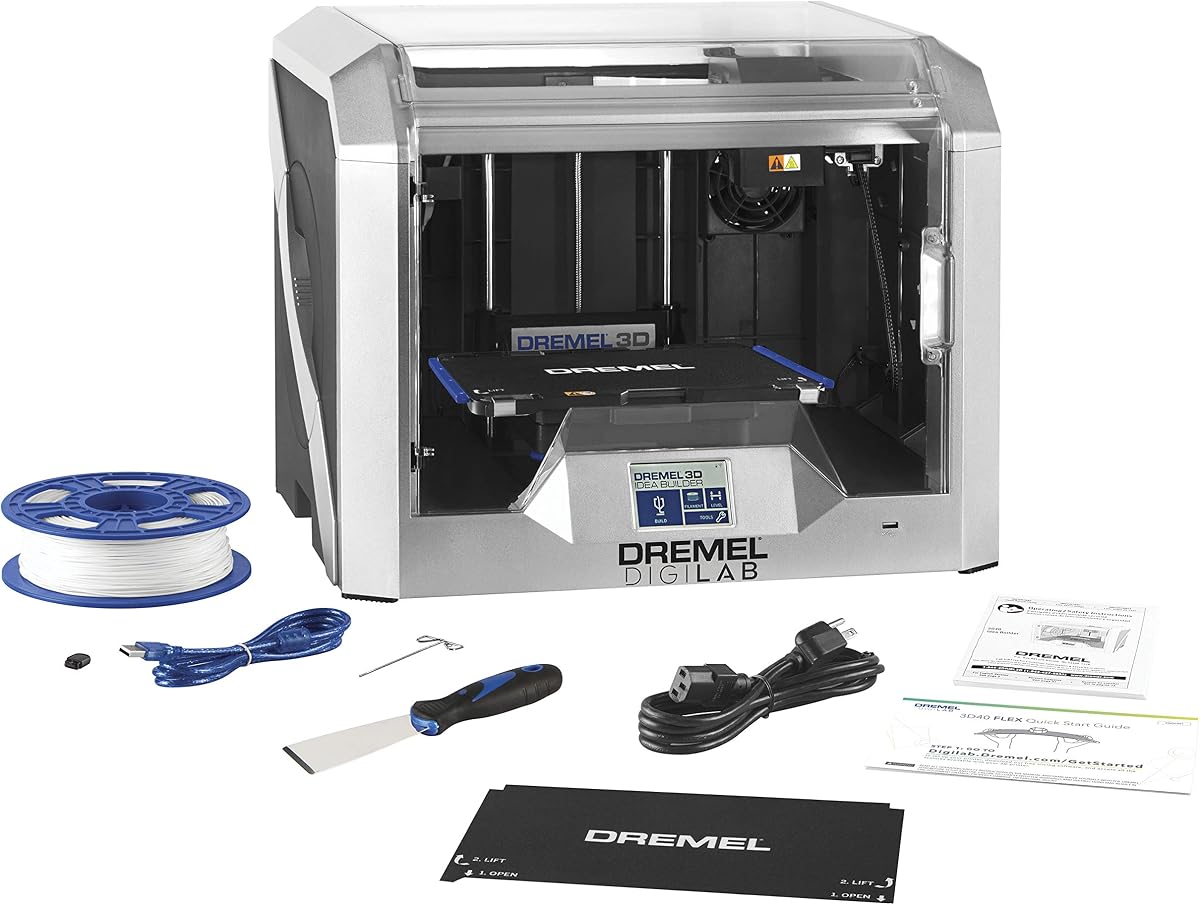
The Dremel 3D40 Flex offers trusted quality with a flexible build plate for easy removal. It is highly rated for safety and reliability, making it a great option for schools or professional environments.
We may earn a commission when you buy through this link, at no additional cost to you.
Its direct drive extruder minimizes clogs and ensures smooth prints. The 9-point leveling sensor detects bed variations automatically. With UL listing, it meets strict safety standards for enclosed use.
While not the fastest printer, it prioritizes reliability and ease of use. Users get peace of mind from Dremel's customer support. It suits those who value quality over raw speed.
This model is perfect for educators and small businesses needing a dependable machine. Its simple design ensures consistent results without technical hassle, making it a safe bet.
With UL listing and enclosed housing, this printer ensures that your workspace remains safe and secure during long printing sessions.
The flexible build plate allows you to pop off finished models easily, preventing damage to your detailed prints.
We may earn a commission when you buy through this link, at no additional cost to you.
The A1 Combo delivers everything needed for vibrant prints out of the box. It is rated highly for including the AMS Lite system, offering a complete solution for color without extra purchases.
We may earn a commission when you buy through this link, at no additional cost to you.
Active flow compensation ensures high accuracy even at fast speeds. The full auto calibration saves time, and noise cancellation keeps it quiet. This makes it suitable for home offices.
While it lacks a heated chamber, it excels in standard filaments like PLA and PETG. The convenience of the bundle makes it a strong value proposition. You save time on setup and purchasing.
Recommended for creators wanting immediate multi-color results. It simplifies the workflow, making high-quality, detailed modeling accessible to anyone with basic skills.
The combo includes everything for multi-color printing, so you avoid the hassle of sourcing additional components after purchase.
Active motor noise cancellation keeps the environment peaceful, making it ideal for shared spaces where loud machinery is disruptive.
We may earn a commission when you buy through this link, at no additional cost to you.
Selecting the right printer involves balancing several factors to match your specific needs.
Print speed determines how quickly you can finish a model. Faster printers like the Bambu Lab A1 reduce wait times significantly, allowing for more rapid prototyping. However, high speed often requires precise calibration to maintain quality.
Prioritize speed if you need multiple iterations quickly, but ensure the machine maintains detail.
For figurines, precision is critical to capture facial features and textures. Look for printers with high-resolution settings and stable motion systems like CoreXY. This ensures sharp edges and smooth surfaces.
Choose a machine that emphasizes resolution if you are creating detailed miniatures.
Multi-color printing enhances visual appeal. Systems like the AMS Lite or SnapSwap allow different colors in one print. Consider whether you need this feature or if post-painting is sufficient for your workflow.
If color variety is essential, invest in a printer with a built-in color system.
The build volume dictates the maximum size of your model. A larger volume allows printing full figures without splitting them. However, larger frames can be harder to calibrate and maintain.
Ensure the build volume fits the typical size of your projects to avoid unnecessary post-processing.
Different materials suit different projects. PLA is easy to use, while ABS or PETG offer durability. Check if the printer supports the temperature required for these materials.
Select a printer that handles your preferred filaments to expand your creative possibilities.
Automation like auto-leveling and calibration saves significant time. Beginners benefit from user-friendly interfaces and guided setup processes that reduce frustration.
Prioritize automated features if you want to focus on design rather than machine maintenance.
Printing can release fumes. Enclosed designs with HEPA filters protect health and manage odors. This is important for indoor home setups.
Look for safety features like UL listing and filtration if you plan to print frequently in shared spaces.
A strong community offers tutorials, troubleshooting, and model libraries. This support helps resolve issues faster and expands your learning curve.
Choose a brand with active forums to ensure long-term usability and assistance.
Start by leveling the bed and checking nozzle height. Proper calibration prevents adhesion issues that ruin the first layer of a model.
Regularly clean the nozzle to prevent clogs. Use a soft brush and remove debris to ensure smooth extrusion during complex prints.
Store filament in a dry environment to avoid moisture absorption. Dry filament ensures consistent quality and reduces failed prints due to bubbles.
For detailed miniatures, a printer with high precision and small nozzle options like the 0.2mm is ideal. The Bambu Lab A1 offers great detail due to its stable motion system and flow compensation.
Not necessarily, but it saves post-processing time. If you want vibrant details without painting, a printer like the Flashforge AD5X offers affordable multi-color options.
It helps with temperature stability and reduces drafts. While not strictly necessary for PLA, enclosed units like the Bambu Lab P1S protect prints from warping.
PLA is the standard due to ease of use and detail. For durability, PETG is a good alternative, though PLA remains the top choice for most hobbyists.
Regularly clean the nozzle and bed. Also, ensure your software settings are optimized for the layer height and speed suitable for detailed models.
Yes, most modern printers handle supports well. Features like water-soluble support filaments can make cleanup easier for complex geometries.
Beginner models like the Dremel 3D40 Flex have a low curve. Advanced models may require more time to master but offer greater control.
Costs depend on filament usage and power. Generally, hobby printers use moderate electricity and filament, making them affordable for regular personal use.
The top picks offer a range of options from budget-friendly to premium. The Bambu Lab A1 leads in performance while the AD5X saves on costs.
Prioritize speed, precision, and ease of use based on your specific needs. Choosing the right balance will ensure you get the best results for your projects.
Remember to check current prices and availability before purchasing as they change frequently. This guide aims to simplify your search for the perfect modeling tool.