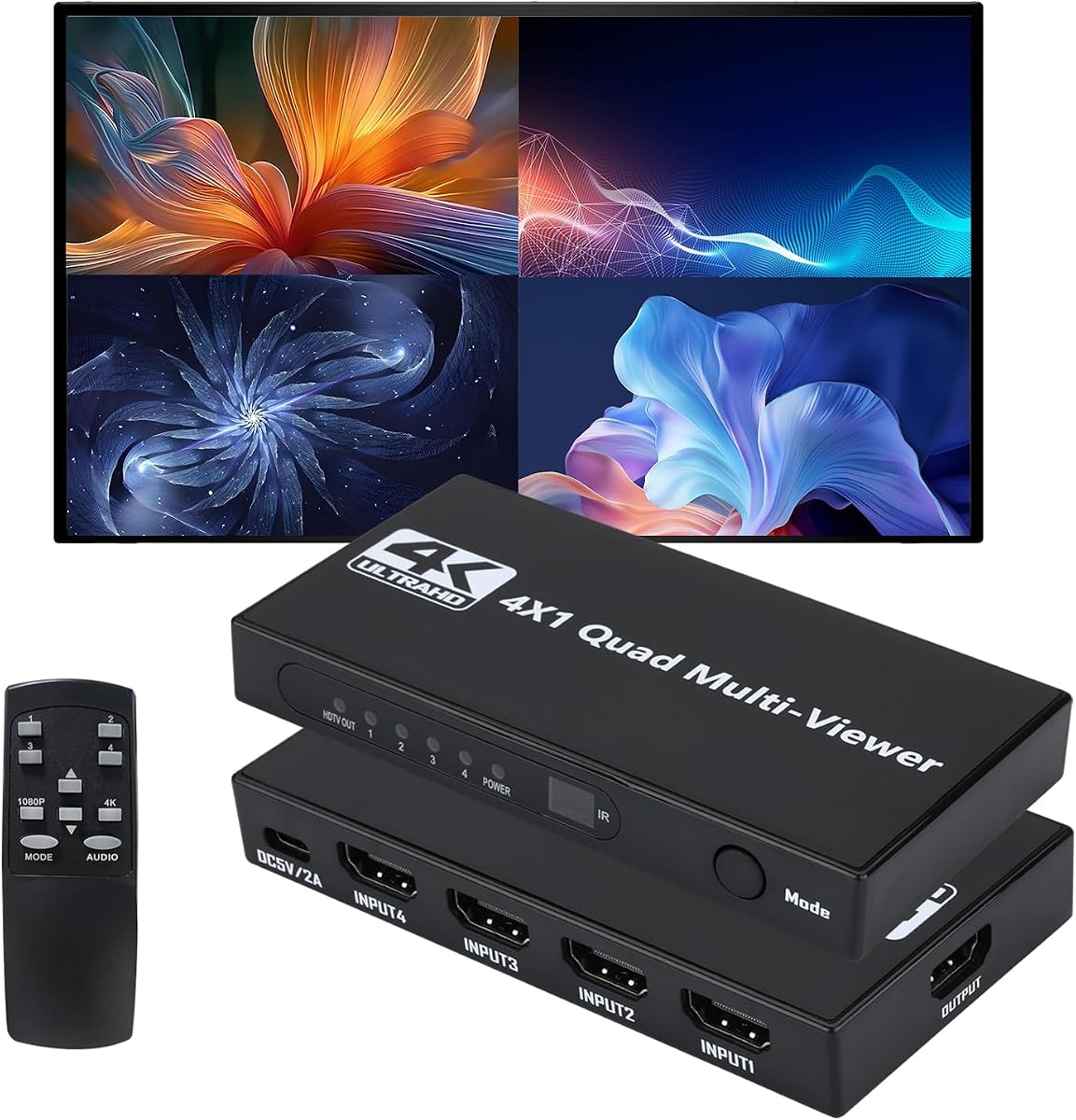
HDMI Multiviewer Switch, 4 in 1 Out HDMI Quad Multi-Viewer switcher
4.8Editor score
12 Display Modes
4K @ 30Hz Full Screen
IR Remote Control
Plug and Play Setup
This comprehensive guide compares the top HDMI Multiviewer models for 2026, evaluating display modes, resolution support, and compatibility to help you choose
Finding the right HDMI Multiviewer is essential for monitoring multiple video sources on a single display. These devices allow you to split your screen to show feeds from cameras, consoles, or computers simultaneously without needing multiple monitors.
We evaluated ten leading models based on resolution support, viewing modes, switching speed, and connectivity options. Our analysis focuses on real-world performance for home offices, security setups, and gaming environments to ensure reliability.
Each pick highlights unique strengths like 4K support or seamless switching. Prices and availability can change frequently, so please check the current listings before making your final purchase decision for the best value.
4.8Editor score

4.3Editor score

4.2Editor score
The following comparison table breaks down the key specifications for each model to help you quickly identify which unit meets your specific display and connectivity needs.




This PORTTA HDMI Multiviewer Switch earns our Editor's Choice award for its reliable performance in everyday monitoring tasks. With a solid 4.3 rating from users, it balances cost and functionality effectively for home and small office setups.
We may earn a commission when you buy through this link, at no additional cost to you.
The seamless switching feature ensures that transitions between sources are instant, which is critical for security monitoring or live gaming. It offers six distinct viewing modes including quad view and PIP allowing you to customize the layout on your screen.
While it lacks 4K support, the device handles 1080p at 60Hz well enough for most use cases. The inclusion of Toslink and 3.5mm audio outputs provides flexibility for connecting to soundbars or external speakers without extra adapters.
We recommend this unit for users who need a straightforward solution for splitting four HDMI feeds. It is particularly well suited for PS4 and Xbox users who want to monitor gameplay alongside chat streams on one monitor.
The device switches inputs without freezing the screen, ensuring smooth transitions that are vital for real-time monitoring scenarios.
Dual audio outputs allow you to route digital sound to an amp or analog sound to headphones independently.
We may earn a commission when you buy through this link, at no additional cost to you.
This budget friendly HDMI Multiviewer Switch stands out with an impressive 4.8 rating, proving that affordability does not mean sacrificing quality. It is an excellent entry point for users needing basic quad view capabilities.
We may earn a commission when you buy through this link, at no additional cost to you.
It supports up to twelve display modes which is more than most competitors in this price range. The unit operates seamlessly with Windows, Linux, and Mac OS without requiring any driver installations for immediate usability.
The trade off for the low cost is that 4K resolution is limited to 30Hz. For full HD 1080p usage at 60Hz it performs perfectly making it suitable for standard home theater or office monitoring.
We suggest this model for anyone needing a reliable multiviewer without breaking the bank. Just remember to purchase AAA batteries separately for the remote control to ensure full functionality out of the box.
Compatibility with multiple OS platforms ensures it works in diverse environments from gaming PCs to server racks.
Twelve screen modes offer extensive flexibility for arranging four inputs in various configurations.
We may earn a commission when you buy through this link, at no additional cost to you.
The J-Tech Digital 4×4 Matrix is our top Premium pick for users requiring professional grade video routing and wall control. It supports 4K inputs at 60Hz ensuring high fidelity video across four independent sources simultaneously.
We may earn a commission when you buy through this link, at no additional cost to you.
With LAN and web control features you can manage the device remotely through a browser. This makes it ideal for command centers where physical access to the unit might be restricted or inconvenient during operation.
The matrix capabilities allow any input to be routed to any output combining multiviewing with routing flexibility. The ten video wall modes support various layouts like 2×2 or 4×1 for large scale display setups.
We recommend this unit for professional AV integrators or advanced home theater enthusiasts. Its robust feature set justifies the higher cost for those needing reliability and remote control in critical environments.
LAN web control allows for management from any connected computer enabling easy access and monitoring.
4K 60Hz input support ensures that high data rate video streams are handled without degradation.
We may earn a commission when you buy through this link, at no additional cost to you.
OREI is a known name in AV accessories and this 4×1 Out Quad Screen Multiviewer continues that tradition. With a 4.3 rating it delivers consistent performance for standard high definition content monitoring.
We may earn a commission when you buy through this link, at no additional cost to you.
The device supports up to 1080p resolution and includes a VGA output which is useful for connecting to older monitors. This extra port adds versatility if your main display uses VGA instead of HDMI.
It offers five display modes and comes with an IR remote for easy control. The analog audio output via 3.5mm makes it simple to connect directly to standard headphones or basic speaker systems.
We recommend this model for users needing a budget friendly and reliable splitter. It is an excellent choice if you need VGA compatibility alongside your HDMI multiviewing needs.
The VGA output allows connection to older displays without needing additional adapters.
Analog audio support simplifies connectivity to standard audio equipment.
We may earn a commission when you buy through this link, at no additional cost to you.
OREI model OREI 4×1 Multiviewer Switch brings 4K support to the mid range market. With a 4.3 rating it is a strong contender for those needing higher resolution than 1080p.
We may earn a commission when you buy through this link, at no additional cost to you.
It features audio extraction which allows you to send sound to an external receiver while sending video to a display. This is particularly useful for setups where you want to listen via a sound system but watch on a screen.
RS-232 control makes it suitable for automation systems allowing you to trigger switches via software. The device also supports international voltages so you can use it with different plug adapters.
We recommend this for users needing 4K support without a high price. It is ideal for presentations where you want to separate audio and video streams efficiently.
Audio extraction lets you manage sound independently of video signals for better quality.
RS-232 control allows integration into larger professional automated setups.
We may earn a commission when you buy through this link, at no additional cost to you.
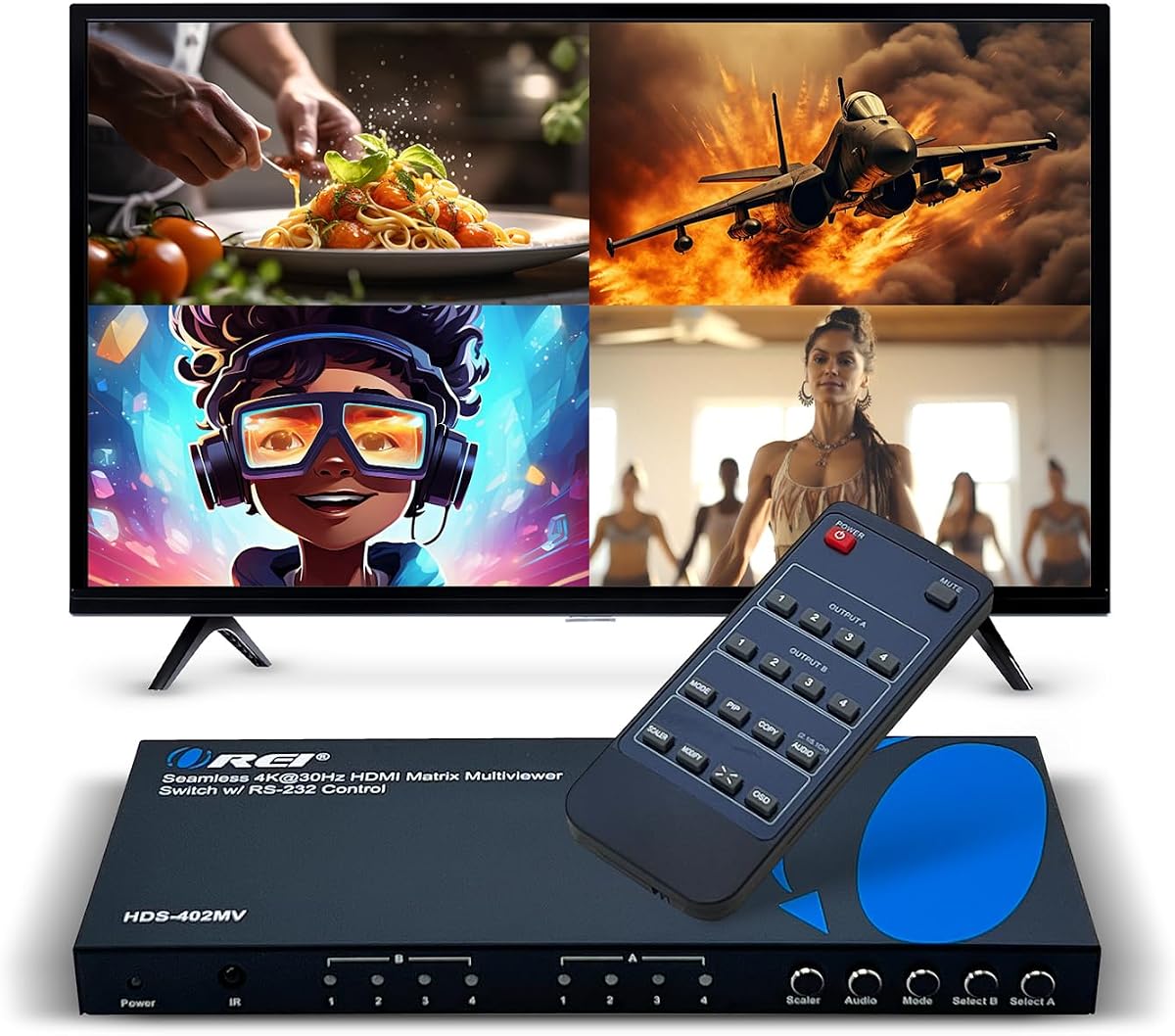
OREI 4×2 Quad Multi HDMI Viewer stands out by supporting two simultaneous outputs. With a high 4.7 rating it is praised for its ability to mirror quad view across two screens effectively.
We may earn a commission when you buy through this link, at no additional cost to you.
The device supports 4K downscale which helps optimize video for different monitor resolutions. You can control it via RS-232 which is valuable for integrators needing remote management capabilities.
Advanced PIP allows you to position windows anywhere on the display giving you more layout flexibility. The OSD menu provides on screen adjustments without needing external software interfaces.
We recommend this model for setups requiring mirrored displays. It is perfect for retail kiosks or security monitoring where the same quad view needs to appear on multiple screens.
Two outputs allow you to show the same multiview feed on two different monitors.
Advanced PIP lets you place sub windows in any corner for better visibility.
We may earn a commission when you buy through this link, at no additional cost to you.
OREI 4×1 Multi HDMI Viewer Quad offers true 4K at 60Hz support which is rare in this category. With a 4.0 rating it targets high end users who need smooth motion for 4K content.
We may earn a commission when you buy through this link, at no additional cost to you.
The unit supports HDCP 2.2 ensuring compatibility with premium 4K content sources like streaming boxes. EDID management helps prevent resolution handshake issues that often occur with multiple devices.
It includes an integrated audio converter for simultaneous digital and analog output. This dual voltage design allows it to be used internationally with a plug adapter included.
We recommend this for users needing smooth 4K video without dropouts. It is best for gaming or movie playback where frame rates matter more than multi view flexibility.
60Hz 4K support ensures fluid video playback for motion sensitive content.
HDCP 2.2 ensures you can watch premium content without handshake errors.
We may earn a commission when you buy through this link, at no additional cost to you.
This 4K@60Hz HDMI Multiviewer delivers high speed switching with zero latency. With a 3.9 rating it provides good performance but may have a steeper learning curve for new users.
We may earn a commission when you buy through this link, at no additional cost to you.
It features eight viewing modes and supports 4K at 60Hz for crisp motion. The seamless switching ensures that when you toggle inputs the image remains stable without black screens.
Audio transmission is synchronized with video to avoid lip sync issues which are common in cheaper units. It is compatible with almost all HDMI devices making it versatile for different setups.
We recommend this for users prioritizing smooth motion. It is a solid choice for gaming setups where frame rate stability is more important than complex layout options.
4K 60Hz support ensures fast moving scenes remain sharp and clear.
Instant input changes prevent any delay when switching between sources.
We may earn a commission when you buy through this link, at no additional cost to you.
J-Tech Digital 4×1 HDMI Multi-Viewer offers a professional design with durable construction. With a 3.6 rating it is rated lower by average users but praised by pros for reliability.
We may earn a commission when you buy through this link, at no additional cost to you.
The device supports 4K at 60Hz and includes an advanced OSD to adjust window sizes easily. Audio extraction via RCA and optical outputs helps connect to high quality sound systems.
It includes mounting ears for professional installation and lifetime support which adds value. The zero latency switching ensures smooth transitions during live streaming or presentations.
We recommend this for professional environments where durability matters. It is best for control rooms or studios needing reliable performance and physical mounting options.
Mounting ears allow you to rack mount the device securely in a closet.
Lifetime technical support ensures help is available if issues arise later.
We may earn a commission when you buy through this link, at no additional cost to you.
OREI 4×1 Out Quad Screen Multiviewer offers a budget friendly option with a solid 4.4 rating. It is a reliable choice for basic 1080p monitoring needs without extra features.
We may earn a commission when you buy through this link, at no additional cost to you.
The device includes a VGA output which is rare in newer devices allowing legacy monitor connections. It supports 1080p at 60Hz ensuring smooth video for standard content playback.
Stereo audio output via 3.5mm makes it easy to connect to basic audio setups. The IR remote control simplifies switching between inputs without reaching for the device.
We recommend this for users needing simple and affordable quad view. It is ideal for home offices where 4K is not required and cost is a primary concern.
The VGA port ensures you can use older monitors without extra adapters.
IR remote control makes it easy to switch inputs without technical skill.
We may earn a commission when you buy through this link, at no additional cost to you.
Selecting the right HDMI Multiviewer depends on your resolution needs and how many outputs you require. This guide helps you understand key technical factors to simplify your decision.
Resolution support defines the maximum clarity your device can display. Most budget units top out at 1080p while premium models support 4K. If you need crisp visuals for graphics or modern gaming choose a 4K model.
Always verify the refresh rate as 4K 30Hz may be laggy for fast motion compared to 60Hz.
Standard units offer 4 inputs and 1 output but some support 2 outputs for dual screen setups. Ensure the input count matches the number of devices you plan to connect permanently.
More inputs allow you to plug in multiple sources simultaneously without unplugging cables.
Seamless switching ensures you do not see a black screen when changing inputs. This is vital for security or live streams where missing a second of video matters.
Check reviews for specific mentions of lag-free transitions to ensure performance.
Audio extraction lets you route sound to speakers while video goes to a screen. Look for optical Toslink or 3.5mm outputs depending on your sound system connection type.
Dual audio channels give you flexibility if you need to connect to both headphones and an amp.
IR remotes allow you to change views from a distance without walking to the unit. Some models include advanced remote features like PIP resizing or source selection buttons.
If you have a complex setup ensure the remote has dedicated buttons for each input source.
Advanced models support RS-232 or LAN control for automation. This is useful if you are integrating the multiviewer into a smart home or professional control system.
For simple home use IR control is usually sufficient but check for Ethernet ports if you need remote management.
HDCP 2.2 support is required for streaming 4K content from services like Netflix. Older HDMI 1.4 units may fail to display protected high resolution video.
Verify the HDMI version matches your sources to avoid handshake errors.
Reliable devices often come with metal housings and longer warranties. A standard warranty of one to two years indicates manufacturer confidence in durability.
Check if mounting brackets are included if you plan to install it in a rack.
To use your multiviewer start by connecting each HDMI source to the input ports. Connect the single output HDMI cable to your monitor or TV. Ensure all devices are powered on before switching inputs.
Use the remote or front panel buttons to cycle through display modes like quad view or PIP. Adjust volume separately on your TV as audio extraction does not always control speaker output.
For care keep the unit in a well ventilated area to prevent overheating. Dust the ports gently with a soft cloth and avoid yanking cables to maintain connection integrity over time.
In most cases it does not reduce video quality if the unit supports the source resolution. High quality multiviewers maintain the original bitrate so you will not notice compression unless the screen is split into small windows.
Yes many users connect security DVRs or IP cameras via HDMI to view feeds on one monitor. Ensure the camera output matches the multiviewer resolution requirements like 1080p for best results.
Seamless switching models minimize delay to under a second while older units may show a brief black screen. Look for 'seamless' or 'instant switching' in the product description to avoid lag.
No most HDMI Multiviewers are plug and play and require no drivers. They rely on standard HDMI signals so Windows Mac or Linux will recognize them immediately after connection.
Audio cutting out often happens if the HDMI handshake is unstable or the cable is faulty. Try swapping HDMI cables or enabling HDCP compatible modes on your source device to fix the issue.
Yes you can connect a multiviewer to a 4K TV but check if the unit supports 4K resolution. If it only supports 1080p the image will still display but will be downscaled to that limit.
A splitter sends one input to multiple screens while a multiviewer sends multiple inputs to one screen. You need a multiviewer if you want to see four cameras on one monitor.
We hope this guide helped you find a model that fits your budget and needs. Whether you want the Editor's Choice PORTTA unit or the premium J-Tech Matrix there is a fit for every setup.
Prioritize seamless switching and resolution support since these impact daily usage the most. Avoid cutting corners on HDMI version compatibility to ensure your devices work correctly.
Prices change quickly on Amazon so please check current listings before purchasing. Verify that you are using the right cables to ensure the best performance from your new device.