
TP-Link TL-SG105
4.7Editor score
Five gigabit ports
Plug and play setup
Energy efficient design
This guide compares the top Eero Ethernet switch options including PoE gateways and managed switches to help you build a fast and reliable home network.
Finding the right Ethernet switch for your Eero system is crucial for maximizing network performance. A quality switch expands your wired connections and ensures stable speeds for all devices.
We evaluated ten top products based on port counts, speed capabilities, and ease of integration with Eero mesh networks. Each option offers unique benefits for different home setups.
Each pick highlights key features, pros, and cons to help you decide. Remember that availability and stock levels can change frequently, so verify details before purchasing.
4.7Editor score

4.4Editor score

4.8Editor score
The following table provides a side-by-side comparison of all ten products. Review the specifications to find the switch that fits your network needs.



The Amazon eero PoE Gateway stands out as a powerful all-in-one networking solution. With a high rating and robust features, it is ideal for users seeking a complete system.
We may earn a commission when you buy through this link, at no additional cost to you.
This gateway combines a router and switch with ten ports. Two offer 10GbE speeds while eight support PoE for access points. This setup reduces the need for extra hardware.
While the price is higher than standalone switches, the consolidation of functions justifies the cost. It streamlines network management and eliminates third-party switch requirements.
If you want a seamless Eero experience with high-speed wired connections, this is the top pick. It delivers reliability and advanced networking capabilities for modern homes.
The 10GbE ports ensure your internet connection is not a bottleneck. This is perfect for gigabit internet plans and high-demand streaming.
The included power supply and PoE ports make setup straightforward. You can mount access points without worrying about separate power cables.
We may earn a commission when you buy through this link, at no additional cost to you.
The TP-Link TL-SG105 is an excellent entry-level option for expanding your network. It offers reliable performance at a fraction of the cost of other switches.
We may earn a commission when you buy through this link, at no additional cost to you.
With five Gigabit ports, it handles standard internet speeds effortlessly. The fanless metal design ensures quiet operation and durability in any environment.
The lack of management features means you cannot prioritize traffic. However for most home users, plug and play simplicity is more valuable than advanced control.
Choose this switch if you need a basic and affordable connection point. It provides solid reliability and fits well with Eero systems without breaking the bank.
The shielded metal ports protect your connection from interference. This build quality ensures your switch lasts for years.
This switch uses technology to reduce power consumption. This helps save on electricity bills while maintaining high performance.
We may earn a commission when you buy through this link, at no additional cost to you.
The NETGEAR GS308EP offers premium features for those needing control. With eight PoE ports, it powers devices like cameras or access points efficiently.
We may earn a commission when you buy through this link, at no additional cost to you.
Its Easy Smart managed interface allows you to configure VLANs and prioritize traffic. This ensures critical data gets the bandwidth it needs without interference.
While it requires initial setup, the benefits are worth the effort. The silent operation and metal build make it suitable for home offices or business use.
If you want to manage your network with precision, this switch is ideal. It combines power delivery with smart management for a versatile network setup.
The PoE budget allows you to run multiple devices on one cable. This simplifies wiring and reduces clutter in your home.
QoS features let you prioritize video or voice data. This ensures smooth streaming and calls even when the network is busy.
We may earn a commission when you buy through this link, at no additional cost to you.
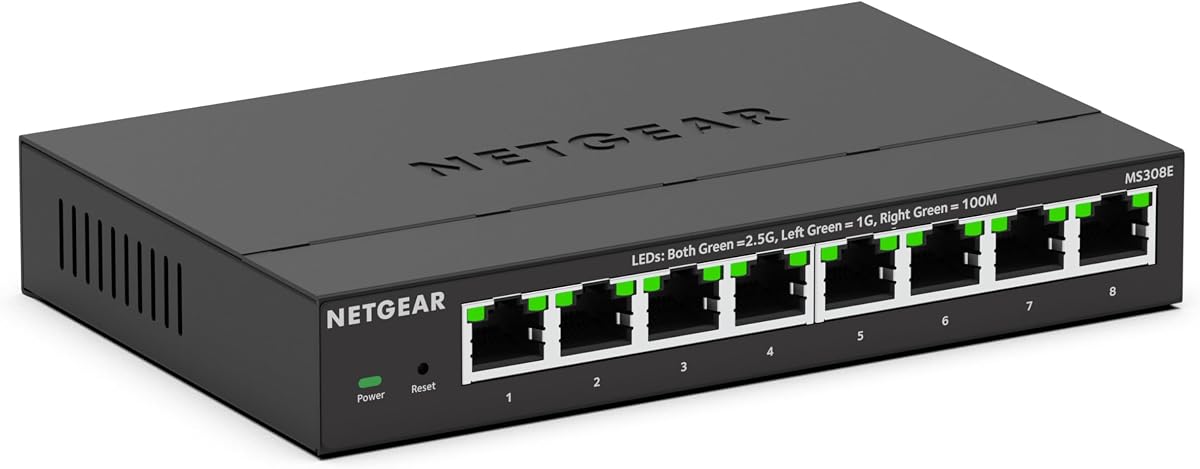
The NETGEAR MS308E is designed for high-speed networks. With 2.5G ports, it supports internet plans faster than standard Gigabit limits.
We may earn a commission when you buy through this link, at no additional cost to you.
You can manage traffic using the intuitive software interface. This makes it easy to organize your network and ensure security for small businesses.
The fanless design ensures it runs silently. However, it is only compatible with specific regions which might limit its use for some buyers.
This switch is perfect for users with multi-gigabit internet. It future-proofs your setup and allows for fast wired connections to servers or PCs.
The 2.5G ports handle more data than traditional Gigabit. This is essential for high-speed internet connections.
VLANs and QoS are available for better control. You can separate guest traffic from private devices easily.
We may earn a commission when you buy through this link, at no additional cost to you.
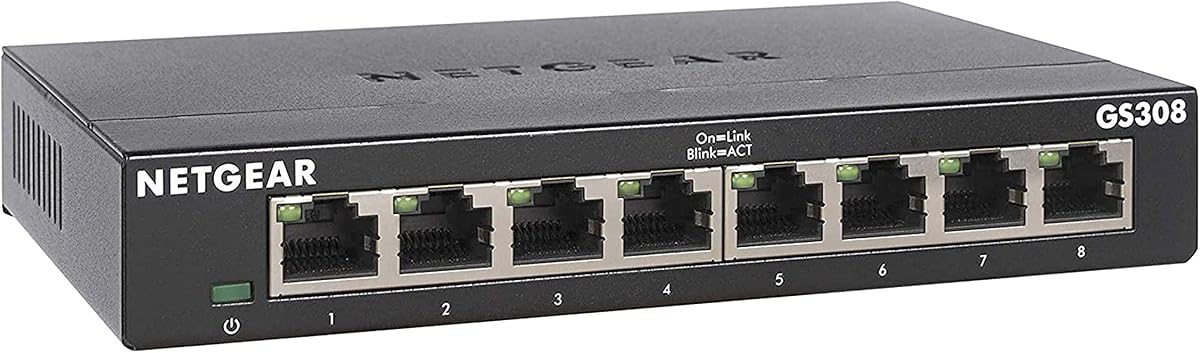
The NETGEAR GS308 is a reliable choice for basic expansion. With eight Gigabit ports, it provides ample connections for most home devices.
We may earn a commission when you buy through this link, at no additional cost to you.
It operates as an unmanaged switch requiring no software installation. This plug-and-play approach makes it perfect for users who want simplicity.
The fanless design ensures quiet operation. It also uses energy-efficient tech to save power while maintaining high-speed network performance.
Choose this if you need more ports without complexity. It works seamlessly with Eero and offers solid reliability at a reasonable cost.
There is no need for drivers or setup. Just plug in your cables and you are ready to go.
The metal design allows for desktop or wall mounting. You can place it anywhere in your office or home.
We may earn a commission when you buy through this link, at no additional cost to you.
The NETGEAR GS305E combines portability with smart management. Five Gigabit ports offer basic connectivity with VLAN support for organization.
We may earn a commission when you buy through this link, at no additional cost to you.
You can use the intuitive software to prioritize traffic. This ensures smooth performance even when multiple devices are connected.
Its compact design makes it ideal for small spaces. However, the limited port count might restrict expansion for larger setups.
This switch is great for small offices or media centers. It balances ease of use with smart features for efficient networking.
Separate your network traffic with VLANs. This improves security and organizes your devices effectively.
The software interface is user-friendly. You can manage settings without technical expertise.
We may earn a commission when you buy through this link, at no additional cost to you.
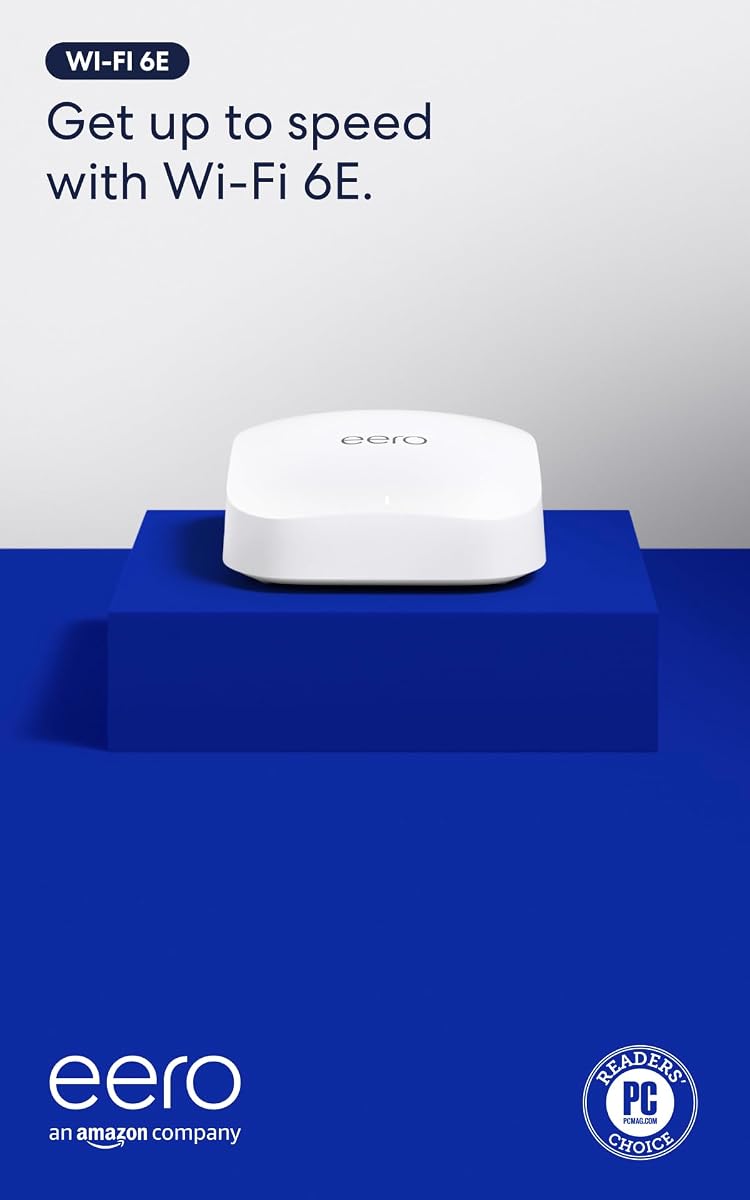
The Amazon eero Pro 6E brings Wi-Fi 6E capabilities to your home. It supports faster speeds and reduced latency for high-performance networks.
We may earn a commission when you buy through this link, at no additional cost to you.
Its TrueMesh technology ensures reliable coverage across large areas. The 2.5G port handles modern internet plans without slowing down.
While it is primarily a wireless router, it supports wired devices. It expands the Eero ecosystem with backward compatibility.
If you need wireless range and speed, this is the pick. It pairs well with Ethernet switches for a hybrid network.
Access the new 6 GHz band for less interference. This results in lower latency for gaming.
You can add more eeros to extend coverage. The system is flexible and grows with your needs.
We may earn a commission when you buy through this link, at no additional cost to you.
The Amazon eero 6 offers a balance of performance and price. It covers large areas with reliable Wi-Fi 6 technology.
We may earn a commission when you buy through this link, at no additional cost to you.
Its Zigbee hub connects smart home devices without extra hardware. This simplifies your setup and reduces the number of bridges.
While it lacks advanced Ethernet ports, it works well as a gateway. It is a solid choice for users prioritizing wireless ease.
This router is ideal for smart home users. It integrates well with Alexa and offers seamless management via the app.
The built-in hub controls Zigbee devices directly. You can manage your bulbs and locks from one place.
It covers up to 1500 sq ft effectively. This is suitable for most apartments and homes.
We may earn a commission when you buy through this link, at no additional cost to you.
The Amazon eero PoE 7 delivers Wi-Fi 7 speeds and performance. It is an access point that uses PoE for a clean setup.
We may earn a commission when you buy through this link, at no additional cost to you.
With 10GbE ports, it supports multi-gigabit backhaul. This ensures your network runs at maximum potential even with high traffic.
It connects hundreds of devices with ease. However, it requires a PoE switch or gateway to function properly.
If you want top-tier wireless performance, this is it. It is designed for large spaces and high-density environments.
The port supports speeds up to 9.4 Gbps. This is critical for future-proofing your wired network.
You can mount this on a ceiling or wall. It blends in and provides excellent coverage.
We may earn a commission when you buy through this link, at no additional cost to you.
The Amazon eero 7 brings Wi-Fi 7 to budget-conscious buyers. It supports 2.5G internet plans and offers solid wireless speeds.
We may earn a commission when you buy through this link, at no additional cost to you.
Its dual-band design simplifies the setup while providing robust performance. The TrueMesh software ensures your devices stay connected.
While it lacks tri-band, it covers most needs. It connects 120+ devices and offers easy expansion for your network.
This router is a great entry into Wi-Fi 7. It combines modern tech with a friendly price for home users.
MLO improves connectivity by bonding bands. This reduces lag and increases stability for gaming.
The ports support multi-gigabit internet speeds. You get wired performance matching your wireless.
We may earn a commission when you buy through this link, at no additional cost to you.
Choosing the right switch depends on your needs. Consider port count, speed, and management features before buying.
The number of ports determines how many devices you can connect. Ensure you have enough ports for all your wired needs.
Always buy a switch with more ports than you currently need to allow for future growth.
Gigabit ports are standard, but 2.5G ports offer faster speeds. Check if your internet plan supports multi-gigabit speeds.
If you have fast internet, choose a switch that supports those speeds to avoid bottlenecks.
PoE allows you to power devices like cameras or access points via Ethernet. This simplifies wiring by removing the need for power outlets.
If you use Eero PoE devices, ensure your switch supports the required PoE standard and budget.
Unmanaged switches work out of the box while managed switches offer control. Managed switches allow you to configure traffic priority and security.
For most home users, an unmanaged switch is sufficient. Managed switches are better for businesses or advanced users.
Look for switches with metal casings and durable ports. A fanless design ensures quiet operation which is important for home offices.
High build quality ensures your switch lasts longer and performs consistently without overheating.
If you use an Eero system, a dedicated Eero gateway can simplify your setup. It integrates directly with the Eero app.
Third-party switches work fine too but may require manual configuration to match your network settings.
Energy-efficient switches use less power and reduce electricity costs. This is especially important if you keep the switch running 24/7.
Look for models that support IEEE 802.3az standards to minimize your power usage effectively.
Place your switch in a central location with good ventilation. Ensure it is not covered by objects to prevent overheating.
Connect your internet modem to the switch and then connect your devices to the remaining ports. Use high-quality Ethernet cables for best results.
Keep your firmware updated if you use a managed switch. This ensures security and optimal performance for your network.
If your Eero router does not have enough ports for all your wired devices, a switch is necessary. It expands your network and ensures reliable connections for computers and consoles.
Unmanaged switches are plug-and-play with no configuration. Managed switches allow you to control traffic and security settings but require more setup effort.
You need a switch that supports PoE standards like 802.3at or bt. Standard switches will not provide power to your access points or cameras.
A switch supports as many devices as it has ports. Each port handles one wired connection, and performance depends on the speed of those ports.
No, a switch only manages wired connections. It does not impact your Wi-Fi performance unless the wired device is streaming data to wireless users.
Use Cat5e or Cat6 cables for Gigabit speeds. For faster speeds like 2.5Gbps, ensure you use quality Cat6a cables.
The Amazon eero PoE Gateway offers the best overall value for Eero users. It combines a router and switch with high-speed ports.
For those seeking budget options, the TP-Link TL-SG105 provides reliable performance. It is perfect for basic expansion without unnecessary features.
Prices and availability change quickly. Always check current listings and stock before finalizing your purchase decision.