
Logitech G F310 Wired Gamepad Controller Console
4.4Editor score
Six-foot Cord Length
Simple Plug-and-Play USB
Familiar Control Layout
Discover the top controllers for retro console gaming in this detailed guide comparing ten verified options across compatibility, comfort, and durability for
Finding the right controller for retro console gaming can transform your experience from frustrating to flawless. Whether you play on a PC, Switch, or classic console, the perfect gamepad delivers precise inputs and authentic feel without modern compromises.
We evaluated ten verified controllers based on compatibility, build quality, input latency, and ergonomic design. Each option supports specific platforms and game styles, ensuring you find a match that respects legacy hardware while meeting modern expectations for reliability.
Every pick includes verified specifications and real-world strengths so you can choose confidently. Prices and availability change frequently, so check current listings before purchasing to ensure you get the right controller for your specific retro gaming setup today.
4.4Editor score

4.6Editor score
3.8Editor score
This comparison table provides a quick overview of the key specifications for all ten controllers reviewed in this guide. Use it to identify the right fit for your console, platform, and preferred connectivity method.


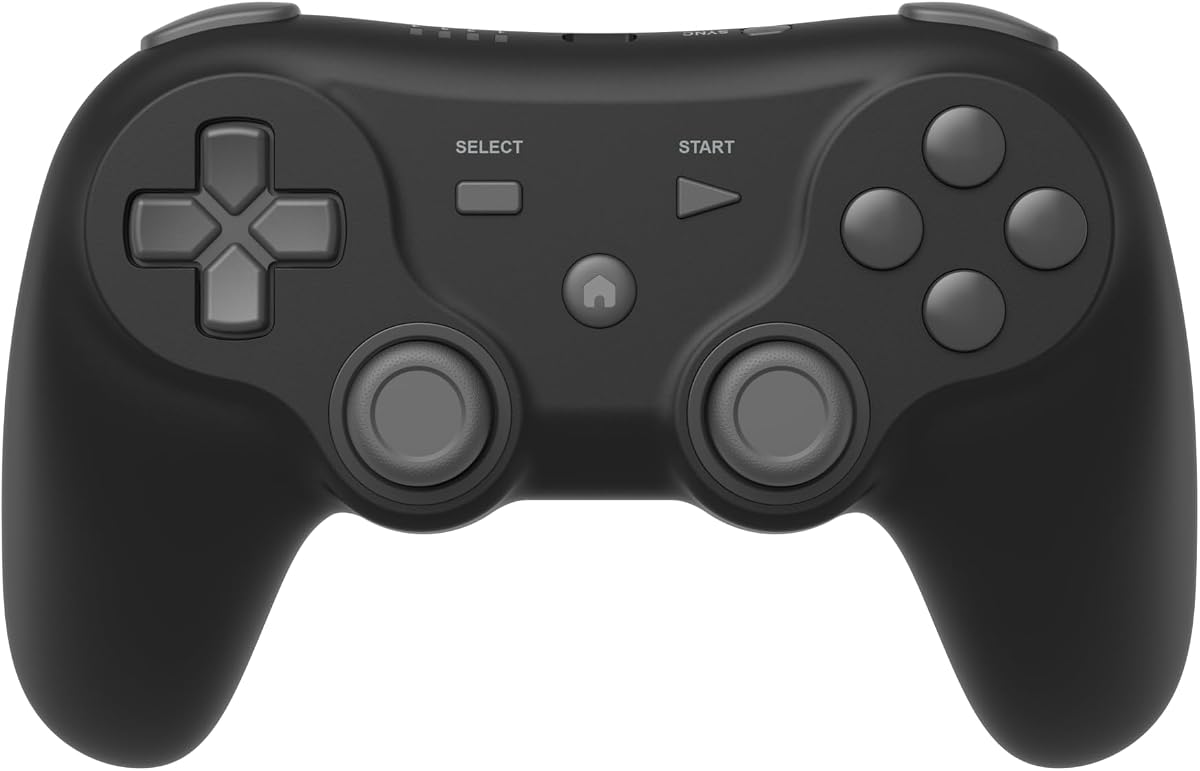
The Logitech G F310 stands out as a practical budget controller for retro enthusiasts on PC. It maintains a rating of 4.4 stars and offers a straightforward plug-and-play USB setup that works across Windows XP, Vista, and 7.
We may earn a commission when you buy through this link, at no additional cost to you.
Its design mirrors the Xbox 360 layout, which means no learning curve for most users. The floating D-pad is responsive to directional changes, and the six-foot cord provides ample room to sit back during marathon sessions. Profiler software adds keyboard mapping for games without native controller support.
The lack of wireless capability limits mobility compared to modern options. Windows compatibility is restricted to older versions and may need adjustments for newer systems. These trade-offs remain acceptable given the controller affordability and reliable input for classic titles.
Choose this controller if you want a no-frills, affordable gamepad for Windows-based emulation. It delivers the essentials without extra features, making it ideal for casual gamers seeking retro comfort without modern complexity.
The familiar Xbox 360 button arrangement ensures quick adaptation for most users.
A six-foot cord lets you play at a comfortable distance from your monitor.
We may earn a commission when you buy through this link, at no additional cost to you.
The 8Bitdo SN30 Pro represents premium features in a retro-styled package. It holds a 4.6 star rating and uses Hall Effect joysticks for long-lasting precision. Its wireless Bluetooth and USB-C support span Switch, PC, Android, and even Apple devices.
We may earn a commission when you buy through this link, at no additional cost to you.
Key strengths include a proper D-pad, clickable joysticks, and dual micro-vibration motors. Motion controls and turbo functions enhance gameplay depth. The 480mAh battery lasts around 18 hours on a 1-2 hour charge, and firmware updates keep compatibility current.
The price is higher than entry-level pads and requires occasional firmware adjustments. Portability is excellent but the device can feel small for very large hands. These are minor compared to the versatility and modern features included.
This controller is best for users who want premium wireless performance across multiple devices. It balances authentic retro feel with modern connectivity, making it a top choice for serious retro gaming setups.
Hall Effect joysticks provide precision and eliminate stick drift over time.
Wireless support spans Switch, PC, Android, Raspberry Pi, and Apple devices.
We may earn a commission when you buy through this link, at no additional cost to you.
This 2 Pack Wireless USB SNES Controller delivers excellent value for local multiplayer retro gaming. With a 4.2 star rating, it uses 2.4GHz wireless for stable 10-meter range and zero-lag performance on PC and macOS.
We may earn a commission when you buy through this link, at no additional cost to you.
Each controller features high-sensitivity buttons and a 10-hour rechargeable battery. The multi-color keys evoke classic Super Nintendo aesthetics. Setup requires only the included USB receiver with no drivers needed for supported systems.
Switch compatibility is absent due to missing button configurations. Linux and macOS support may need manual software configuration. These gaps are acceptable for PC and retro Pi users focused on emulated classics.
Choose this 2-pack if you want affordable local multiplayer support on PC. It offers authentic SNES styling and reliable wireless performance without the cost of single premium controllers.
The two-pack allows instant local co-op for classic multiplayer games.
Multi-color keys and layout pay homage to the original Super Nintendo design.
We may earn a commission when you buy through this link, at no additional cost to you.
The happymaxplus Retro Classic Controller is purpose-built for AV 620, HD 621, and HD 821 retro consoles. With a 4.8 star rating, it uses a 9 Pin DB9 plug for native compatibility without adapters.
We may earn a commission when you buy through this link, at no additional cost to you.
The 2-pack allows two players to join instantly. Each controller features four buttons with continuous fire for rapid action. The plug-and-play design ensures immediate usability straight from the box.
As a third-party alternative, full functionality depends on confirming setup before purchase. Compatibility is limited to specific retro console models, restricting broader PC use. These constraints are minor for the target audience.
Buy this if you own an AV 620 or HD retro console and want reliable replacement controllers. It delivers authentic input and local play without extra technical setup.
The 9 pin plug ensures direct connection to classic retro consoles.
Two controllers in the pack allow immediate local co-op gameplay.
We may earn a commission when you buy through this link, at no additional cost to you.
The Retro-Bit Legacy 16 captures the golden era of gaming with authentic 16-bit design. It holds a 4.3 star rating and works across Nintendo Switch, PC, macOS, and RetroPie via USB.
We may earn a commission when you buy through this link, at no additional cost to you.
Key strengths include a responsive D-pad, precision buttons, and a generous 10-foot cable. Dedicated Home, Screenshot, and ZL/ZR buttons add modern functionality without losing the nostalgic feel. The ergonomic layout suits fighting games and arcade classics well.
Wired-only operation limits portability compared to wireless options. Advanced features like rumble are minimal. These trade-offs remain acceptable for players prioritizing authentic style and cross-platform emulation support.
Choose this controller for authentic retro design with reliable Switch and PC support. It bridges classic aesthetics with modern connectivity for versatile emulation.
Classic 16-bit design ensures a nostalgic feel during gameplay sessions.
Compatible with Switch, PC, macOS, and RetroPie for wide use.
We may earn a commission when you buy through this link, at no additional cost to you.
The 8Bitdo 64 Bluetooth is optimized for Analogue 3D systems while supporting Switch, Windows, and Android. With a 4.6 star rating, it offers versatile connectivity through Bluetooth or wired USB.
We may earn a commission when you buy through this link, at no additional cost to you.
It supports both D-input and S-input modes for broader compatibility. Vibration works on Analogue 3D and Switch versions when firmware is updated. Turbo functions enhance gameplay across supported titles.
Firmware updates are required for full Switch 2 support. Compatibility is narrow outside of Analogue 3D or Switch. These are manageable for dedicated Analogue or 64-style gaming setups.
Buy this for native Analogue 3D control with added flexibility for Switch and PC. It balances authentic 64 design with modern connectivity options.
D-input and S-input modes enable support across multiple platforms.
Designed specifically for Analogue 3D systems for best performance.
We may earn a commission when you buy through this link, at no additional cost to you.
The Retro Fighters Defender Pro supports PS1, PS2, PS3, Switch, and PC with dual 2.4GHz and Bluetooth wireless modes. It holds a 3.8 star rating and includes Hall Effect sticks to prevent drift.
We may earn a commission when you buy through this link, at no additional cost to you.
Key features include pressure-sensitive buttons and customizable triggers for analog or digital stops. This level of control suits fighters and precision games. The multi-system support broadens use beyond PlayStation consoles.
Ratings vary due to inconsistent connectivity or software requirements. Feature complexity may require setup time for average users. These gaps remain acceptable for those seeking customizable input control.
Choose this controller for customizable input across PlayStation and modern systems. It offers advanced features for serious players needing precise control.
Pressure-sensitive buttons and Hall Effect sticks ensure precise gameplay.
Works with PS1, PS2, PS3, Switch, and PC for broad compatibility.
We may earn a commission when you buy through this link, at no additional cost to you.
The GameSir Tegenaria Lite combines retro 90s design with modern performance. It has a 4.3 star rating and uses wired connections to ensure near-instantaneous response times.
We may earn a commission when you buy through this link, at no additional cost to you.
Features include Hall Effect sticks, 1000Hz polling rate, and two mappable back buttons. Dual asymmetric motors provide strong and subtle vibrations. The ergonomic layout supports comfortable long sessions across Switch, Android, iOS, and PC.
Wired-only operation limits mobility compared to Bluetooth alternatives. Turbo and button mapping may require manual setup. These are minor compared to the precise and low-latency performance provided.
Buy this if you prioritize precision and low latency in a retro-styled controller. It balances classic aesthetics with competitive-grade responsiveness.
Ultra-low latency wired connection ensures near-instantaneous input response.
Ergonomic design supports comfortable gameplay during long sessions.
We may earn a commission when you buy through this link, at no additional cost to you.
The ZAMPAM 2 Pack Wireless USB Controllers offer affordable two-pack support for PC, Mac, and Linux. With a 4.0 star rating, they use 2.4GHz wireless for stable connection up to 10 meters.
We may earn a commission when you buy through this link, at no additional cost to you.
Each includes a turbo function for rapid inputs and a Lithium Ion battery lasting around 100 hours per charge. Software like joystick mapper allows key configuration for custom setups. Compatibility excludes classic consoles like Mini NES.
Software configuration may be needed before use. Classic console support is absent. These limitations are acceptable for users focused on PC emulation without legacy hardware.
Choose this 2-pack for budget wireless support across PC platforms. It delivers solid value for local emulation multiplayer.
Built-in battery provides approximately 100 hours of playtime per charge.
Two controllers enable instant local co-op for PC emulation.
We may earn a commission when you buy through this link, at no additional cost to you.
The Hyperkin Trooper 2 delivers a classic Atari feel with modern USB compatibility for PC, Mac, and Linux. It holds a 4.2 star rating and features a solid construction with soft rubber grommets.
We may earn a commission when you buy through this link, at no additional cost to you.
It includes a 10-foot cable, quiet joystick movement, and six mappable buttons. The ergonomic design with chamfered corners improves grip for long sessions. This makes it ideal for retro emulation and arcade classics.
Wireless options are not available. Advanced features are minimal compared to modern wireless pads. These trade-offs remain acceptable for users seeking authentic retro control.
Buy this for a classic feel with reliable wired emulation support. It combines nostalgic design with durable materials.
Solid base and quality materials ensure long-term durability.
A 10-foot USB cable provides flexibility during gameplay.
We may earn a commission when you buy through this link, at no additional cost to you.
Choosing the right controller requires balancing platform compatibility, connectivity, and design preference. This guide outlines the key factors that determine performance and comfort.
Every controller targets specific consoles or operating systems. Ensure the selected model matches your PC, Switch, or classic console setup before purchase. Some controllers work across multiple systems via USB or Bluetooth, while others use proprietary connectors like 9 Pin DB9 plugs.
Verify compatibility lists and firmware requirements to avoid purchasing the wrong hardware. Checking reviews from users with the same setup can confirm real-world compatibility.
Wired controllers offer low latency and reliable connection, ideal for competitive retro play. Wireless options provide freedom of movement but require battery management and may introduce slight lag. Dual connectivity models offer flexibility but often cost more.
Choose wired for PC emulation and wireless for portable or TV-based setups. Consider battery life if selecting a wireless option for extended sessions.
Premium materials and Hall Effect joysticks prevent wear and drift over time. Solid construction ensures longevity for daily use. Avoid cheap plastic designs if planning frequent sessions.
Look for reinforced buttons and durable cables. Check user reviews for long-term reliability reports.
Authentic retro controllers mimic classic layouts for immediate familiarity. Modern pads add extra buttons for emulator menus. Ensure the D-pad responsiveness matches your game genre, especially for platformers and fighters.
Try different layouts if possible. The right button feel enhances precision and reduces hand fatigue.
Features like turbo, vibration, motion controls, and programmable buttons enhance gameplay. Turbo helps with repeated inputs in classic shooters. Motion adds immersive depth for supported titles.
Evaluate if these features justify added cost. Many retro gamers prefer simplicity over extra functions.
Rechargeable batteries range from 10 to 100 hours. Frequent charging can interrupt long sessions. Some models offer USB charging while wired, reducing downtime.
Prioritize battery capacity if wireless play is essential. Check charging time to plan usage schedules.
Budget controllers offer basic functionality at low cost. Premium options add advanced inputs and broader compatibility. Multi-packs provide value for local multiplayer needs.
Balance features with your budget. The best controller is the one that fits your specific retro gaming requirements.
Plug-and-play controllers require no setup, while others need mapping software. Native OS support simplifies configuration. Windows XP, Vista, and 7 compatibility may be limited for older models.
Check if software updates are available. Active maintenance ensures long-term compatibility with new systems.
Connect the controller to your device using the recommended method, whether USB plug-and-play or Bluetooth pairing. If software is required, install drivers and configure key mapping before launching your emulator. For classic 9 Pin DB9 controllers, insert the plug securely into the console's controller port.
Calibrate the sticks and buttons using your operating system's game controller settings to ensure accurate inputs. Test each button and directional pad in a game before long sessions to detect any drift or dead zones. Adjust sensitivity if your software supports it for optimal responsiveness.
Store the controller in a cool, dry place away from direct sunlight to preserve plastic and battery health. If wireless, charge fully before extended play and avoid letting the battery drain completely. For wired models, coil the cable gently to prevent internal wire damage.
Many modern controllers are designed with compatibility in mind and work with Windows 10 and 11 via USB or Bluetooth. Some older models may need driver updates or mapping software to function correctly. Always check product compatibility lists before purchasing to confirm support for your OS version.
Wired controllers typically offer lower latency and consistent input, making them ideal for competitive retro play. Wireless controllers provide convenience and mobility but may introduce slight lag and require battery management. Choose wired for competitive setups and wireless for casual or TV-based sessions.
Joystick drift can often be resolved by recalibrating the controller through system settings. If drift persists, consider a controller with Hall Effect sticks designed to prevent wear and drift. Cleaning the joystick area or replacing worn components may also resolve the issue.
Yes, many modern retro controllers support Nintendo Switch via USB-C or Bluetooth. Verify that the model lists Switch compatibility in its specifications. Some controllers may require firmware updates or specific pairing steps to function correctly on Switch hardware.
Multi-packs like the ZAMPAM or 2 Pack Wireless SNES controllers are ideal for local multiplayer. They provide two controllers with wireless or wired options for instant co-op. Ensure both controllers match in model to avoid input inconsistencies during gameplay.
Many retro controllers work with PS4 and PS5 emulation via USB or Bluetooth, but native PlayStation support may require specific models like the Retro Fighters Defender Pro. Check compatibility lists carefully to ensure your emulator and controller pair correctly without extra configuration.
The best controller depends on your preferred platform and gaming style. Options like the 8Bitdo SN30 Pro and Retro Fighters Defender Pro deliver premium features and wide compatibility. Budget picks like the Logitech G F310 and happymaxplus Retro Classic offer reliable entry for specific setups.
Prioritize compatibility with your system, connectivity type, and button feel when choosing. Hall Effect sticks and rechargeable batteries enhance longevity for regular use. Multi-packs support local play while single premium pads suit focused retro setups.
Prices and availability change regularly, so check current listings before purchase to confirm compatibility and pricing. Verify firmware requirements for newer systems. With the right controller, your retro gaming sessions become more precise, comfortable, and authentic.