
Thermaltake Pure 20
4.5Editor score
High airflow design
Anti-vibration system
Long life bearing
Choosing the right cooling solution is essential for maintaining optimal system performance and longevity. A 200mm case fan offers a unique balance of high airflow and quiet operation, making it a popular choice for enthusiasts seeking efficient thermal management without excessive noise.
We evaluated ten top-rated 200mm case fans based on airflow performance, noise levels, build quality, and compatibility. Our analysis considers real-world specifications, user feedback, and technical features to provide a comprehensive overview for builders looking to upgrade their airflow.
Each recommendation highlights specific strengths and trade-offs to help you find the perfect match for your chassis. Note that availability and stock levels may vary over time, so always verify current product details before making a purchase decision.
4.5Editor score
4.8Editor score

4.6Editor score
As an Amazon Associate we earn from qualifying purchases.
The following table provides a side-by-side comparison of the top ten 200mm case fans available today, highlighting key specifications and features to assist in your selection process.


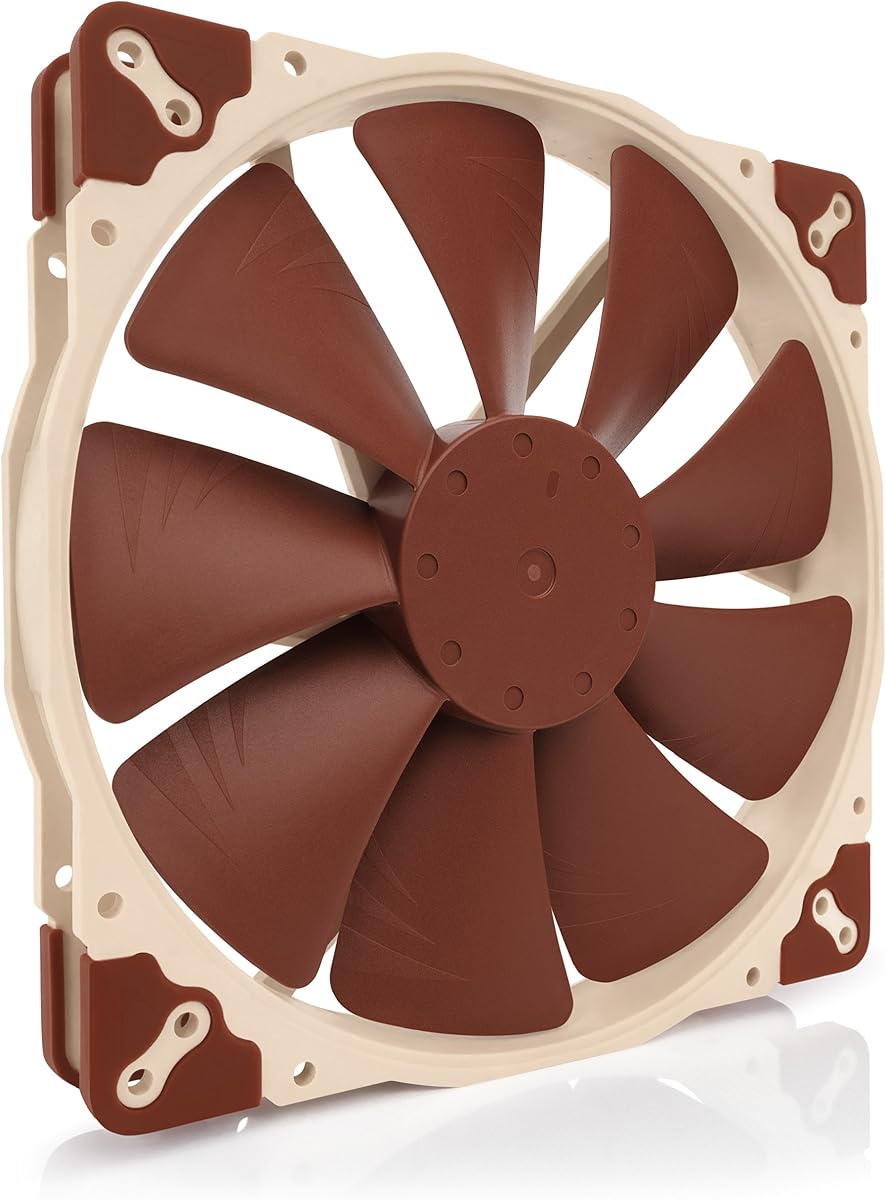
The Noctua NF-A20 PWM stands out as a premier cooling solution for cases supporting 200mm fans. With a high rating and advanced acoustic optimization, it delivers superior quiet performance while maintaining strong airflow. This model is ideal for users who prioritize silence without sacrificing thermal efficiency.
We may earn a commission when you buy through this link, at no additional cost to you.
Its Flow Acceleration Channels and optimized fan blade design ensure smooth airflow with reduced turbulence. The 4-pin PWM connection allows precise speed control via motherboard headers. Accessories include anti-vibration mounts, screws, and a Low-Noise Adaptor to adjust RPM for even quieter operation.
While the price is higher than standard options, the build quality and included accessories justify the cost. The only trade-off is limited color variety, as it comes in a classic brown frame. However, performance and reliability remain unmatched in this size category.
This fan is perfect for silent PC builds, home office systems, or workstations where noise matters. If you need dependable cooling with minimal sound, the NF-A20 PWM is the top recommendation. It balances engineering excellence with practical usability for any builder.
Advanced Acoustic Optimisation frame reduces noise without compromising cooling power.
Three sets of mounting holes ensure compatibility with most modern PC cases.
We may earn a commission when you buy through this link, at no additional cost to you.
The Thermaltake Pure 20 Series offers excellent value for builders seeking effective cooling at a budget-friendly price. Its thick 30mm design promotes high air pressure, ensuring efficient heat dissipation. This fan is designed to balance silence, style, and efficiency for everyday use.
We may earn a commission when you buy through this link, at no additional cost to you.
Enhanced airflow blades focus air movement while reducing noise, creating a strong torrent without excess sound. The long-life sleeve bearing extends reliability. Installation is straightforward with a shaved frame design that accommodates standard chassis mounts effectively.
While it lacks advanced PWM control or premium features, it delivers solid performance for the cost. The main limitation is basic aesthetics compared to RGB or color-matched options. However, for functional cooling without breaking the bank, it remains a top choice.
Ideal for budget builds or secondary systems, this fan provides reliable airflow where silence is valued but not critical. If you need a no-frills cooling upgrade, the Pure 20 is a practical and efficient selection. It proves high performance doesn't always require a high price.
Optimized blade structure focuses airflow while maintaining quiet operation levels.
Shaved frame allows flexible mounting on various chassis types without tools.
We may earn a commission when you buy through this link, at no additional cost to you.
The Noctua NF-A20 PWM chromax.Black.swap brings premium quality with customizable style. It maintains the high performance of the original A-series but in an all-black design. Swappable anti-vibration pads allow users to match their system theme effortlessly.
We may earn a commission when you buy through this link, at no additional cost to you.
Flow Acceleration Channels and acoustic optimization ensure minimal noise at low RPM. The 4-pin PWM header offers automatic speed control between 350 and 800 RPM. This makes it suitable for quiet builds where appearance is as important as cooling efficiency.
Cost is higher than standard versions, but the color customization adds value. The weight and packaging are substantial due to premium materials. Still, the flexibility to choose pad colors like red, blue, or green makes it unique.
Perfect for enthusiasts who want quiet cooling with style, this fan blends performance and looks seamlessly. If you care about color coordination in your build, it is the ideal choice. It represents the best in customizable premium fan technology.
Swappable pads let you match your system theme with multiple color options.
Advanced acoustics deliver high airflow at near-silent noise levels.
We may earn a commission when you buy through this link, at no additional cost to you.
The Thermaltake CT200 PWM is designed to complement the existing CT fan lineup. It delivers high airflow up to 131.6 CFM and strong static pressure. This makes it excellent for pushing air through radiators or restrictive filters in modern builds.
We may earn a commission when you buy through this link, at no additional cost to you.
Hydraulic bearings ensure silent and reliable operation. The daisy chain connectors simplify cable management, allowing multiple fans to connect via one header. This reduces clutter inside your case while maintaining control over speeds.
The fan runs between 500 and 900 RPM, balancing airflow and noise. However, extension cables are short which may complicate routing in larger cases. Still, the performance and clean design offer great value for cooling-focused users.
If you need high airflow without excessive noise, the CT200 PWM is a solid pick. It suits builds where thermal performance is a priority. The daisy chain feature adds practicality for multi-fan setups.
Optimized blades deliver over 130 CFM for effective thermal dissipation.
Daisy chain connectors reduce cable clutter with simple fan connections.
We may earn a commission when you buy through this link, at no additional cost to you.
The Cooler Master SickleFlow 200 aRGB delivers striking visuals with efficient cooling. Its frosted blades enhance lighting dispersion for a vibrant glow. The hybrid frame design minimizes noise and resonance for a smoother experience.
We may earn a commission when you buy through this link, at no additional cost to you.
Dynamic PWM control lets you balance noise and airflow up to 800 RPM. The air balance blades reduce turbulence while improving cooling. This fan suits builds where aesthetics matter alongside functionality.
Stability is improved via a two-tier sealing mechanism preventing oil leakage. While lighting is impressive, software setup may be needed for customization. The frame durability ensures long-term resistance to warping or degradation.
For users wanting a mix of looks and performance, this fan is ideal. It suits gaming rigs with RGB themes. The frosted design makes lights look soft and uniform across the case.
Frosted blades diffuse RGB lighting for a uniform and vibrant effect.
Dual-layer sealing prevents leaks and extends the fan's operational life.
We may earn a commission when you buy through this link, at no additional cost to you.
The Noctua NF-A20 FLX is a straightforward option for non-PWM setups. It provides two fixed speeds via a Low-Noise Adaptor for flexibility. The classic design ensures consistent cooling performance without digital control.
We may earn a commission when you buy through this link, at no additional cost to you.
It uses a 3-pin Molex connection, compatible with older headers. Anti-vibration mounts minimize noise transmission to the case. This model excels in systems where PWM headers are limited.
While it lacks modern digital features, the reliability is high. The adaptor allows you to choose between airflow and silence. Packaging includes an extension cable and 3:4-pin adaptor for power.
Ideal for retro builds or systems without PWM headers, this fan offers simplicity. It delivers trusted quality and long life. The two-speed flexibility helps tailor noise without complex software.
Low-Noise Adaptor allows easy switching between two optimal speeds.
3-pin design ensures connection to older motherboard headers easily.
We may earn a commission when you buy through this link, at no additional cost to you.
The Noctua NF-A20 5V PWM offers unique flexibility with USB power capability. It runs on 5V, allowing connection to host ports or power banks. This is perfect for external enclosures or non-standard setups.
We may earn a commission when you buy through this link, at no additional cost to you.
The fan maintains high performance with low noise. Polarity protection safeguards against incorrect wiring. The OmniJoin adaptor set supports proprietary fan headers for broader compatibility.
While standard motherboards may not use 5V PWM, this model suits specific needs. USB adaptors allow operation without main power headers. The build quality remains consistent with other Noctua fans.
Ideal for mini-PCs, external drives, or niche projects, this fan offers versatility. It works where traditional power is limited. The noise level is minimal for sensitive environments.
USB adaptor cable allows power from any standard USB host port.
Polarity protection prevents damage from incorrect voltage connections.
We may earn a commission when you buy through this link, at no additional cost to you.
The Cooler Master MF200R RGB is an affordable way to add color to your system. It features silent cooling technology and an anti-jam sensor for protection. The hybrid design balances airflow with quiet performance.
We may earn a commission when you buy through this link, at no additional cost to you.
RGB lights sync with popular motherboard software. Noise levels stay low during operation. The fan sensor stops the motor if jammed, protecting the unit from damage. A controller is required for lighting effects.
Airflow is modest compared to high-performance fans, making it better for intake. This fan is suitable for budget RGB builds where looks matter. The anti-jam feature is a practical safety addition.
For those needing affordable RGB without high CFM, this fits well. It works best where lighting takes priority. Ensure your build includes a controller for full functionality.
Anti-jam sensor protects the motor from damage due to blockages.
Rubber pads and tech reduce noise for quiet system operation.
We may earn a commission when you buy through this link, at no additional cost to you.
The CHICIRIS 200mm ARGB offers solid cooling with stylish lighting. Its hydraulic bearing ensures stable performance over time. With 34 LEDs, it provides vibrant illumination for the price.
We may earn a commission when you buy through this link, at no additional cost to you.
Airflow reaches 95 CFM for effective heat dissipation. The fan syncs with 5V ARGB systems. PWM control allows automatic speed changes from 400 to 1000 RPM. Installation is straightforward with standard tools.
Lighting is diffused evenly across the translucent blades. While the brand is less known, ratings show user satisfaction. It suits entry-level RGB builds needing reliable cooling.
Ideal for budget-conscious users seeking ARGB functionality, this fan balances cost and looks. Check compatibility with your motherboard headers. It is a practical choice for basic aesthetic upgrades.
34 LED beads provide even and bright ARGB illumination across blades.
Hydraulic bearing design ensures quiet and stable long-term operation.
We may earn a commission when you buy through this link, at no additional cost to you.
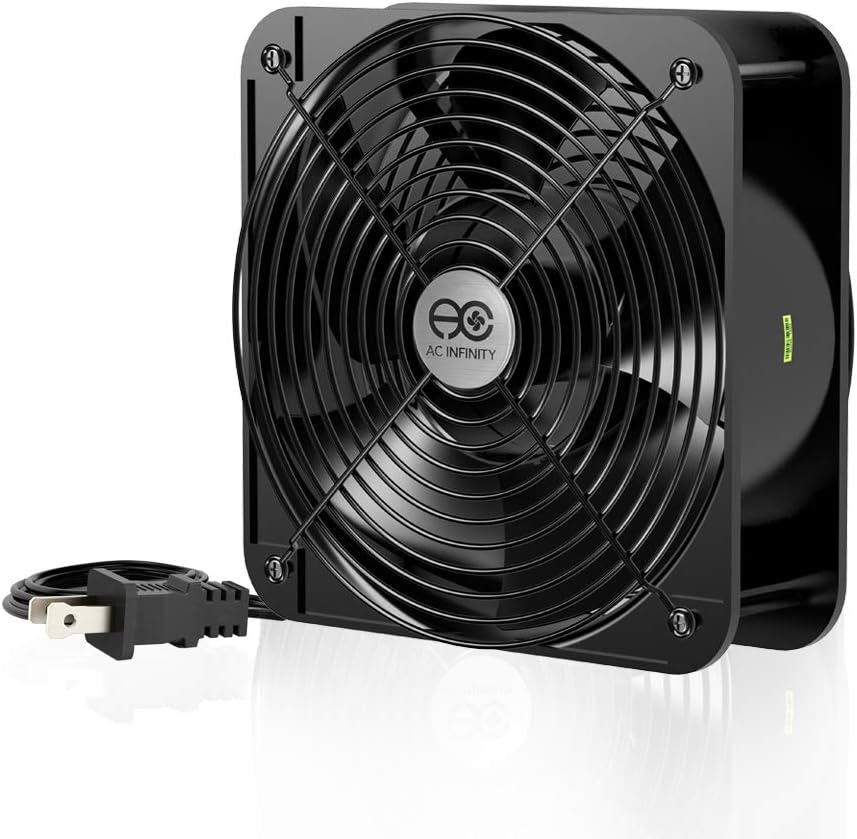
The AC IN AXIAL 2060 is a high-performance industrial fan for extreme cooling. It delivers over 425 CFM airflow at high speed. This makes it suitable for server racks, industrial enclosures, or specialized projects.
We may earn a commission when you buy through this link, at no additional cost to you.
Dual-ball bearings ensure a lifespan of 67000 hours. It connects to standard 120V AC outlets. The metal frame and guards provide durability in demanding environments. Noise is higher but expected for such power.
While too loud for typical gaming PCs, it excels in ventilation. It includes a power cord and mounting screws. The upright or flat orientation adds flexibility for setup.
Perfect for non-standard cooling needs like workshop ventilation, this fan is powerful. It is not for quiet desktops. Choose this when raw airflow is more important than silence.
Delivers over 400 CFM for maximum cooling in demanding applications.
Metal frame and dual-ball bearings ensure reliability in industrial settings.
We may earn a commission when you buy through this link, at no additional cost to you.
Selecting the right fan involves balancing airflow, noise, and compatibility. This guide outlines key factors to ensure your choice meets your cooling and aesthetic needs.
Airflow determines how much air moves through your case, measured in CFM. Higher CFM helps cool components faster but can increase noise if unoptimized. Look for fans that offer a balance suitable for your case size.
Prioritize high CFM for hot components like GPUs or CPUs.
Noise is measured in decibels (dB). Quiet fans run below 25 dB during normal operation. For silent builds, choose fans with optimized blades and rubber mounts to reduce vibrations.
Lower dB ratings ensure a peaceful workstation or gaming experience.
Bearing technology affects lifespan and sound. Hydraulic and dual-ball bearings are durable and quiet. Sleeve bearings are cheaper but may degrade faster over time.
Select bearings that match your expected usage duration.
PWM fans allow speed control via the motherboard for dynamic cooling. FLX fans use adaptors for fixed speeds. PWM is better for automated temperature-based adjustments.
PWM headers offer more flexibility for performance tuning.
Ensure your case supports 200mm dimensions. Some cases have unique screw holes or spacing. Check if standard screws or adapters are included.
Verify screw patterns before purchase to avoid installation issues.
RGB fans add color but require control headers or hubs. 5V ARGB offers customization. Ensure your motherboard supports your chosen protocol.
Check controller requirements for full visual effects.
Plastic frames reduce noise, while metal frames provide durability. Hybrid designs combine both for stability. Thick frames help dampen vibrations effectively.
Stable frames reduce unwanted resonance during operation.
Connectors must match motherboard headers. 3-pin and 4-pin are common. USB power adaptors exist for external setups. Verify the cable length for routing.
Correct connectors ensure proper speed and power delivery.
Install the fan securely using provided screws and anti-vibration mounts to reduce noise. Ensure the fan direction pushes air toward exhaust or intake paths for proper airflow.
Connect the fan to compatible headers like PWM or Molex. If using a controller, verify the RGB header type to sync lighting correctly.
Clean dust from blades and filters regularly using compressed air. This maintains performance and prevents noise increases from imbalance or debris.
No, cases must have mounting brackets supporting 200mm dimensions. Check your chassis manual to confirm space. Some cases offer adapter brackets for smaller sizes if 200mm is unavailable.
Use a 3-pin header or an adapter for 4-pin slots. Most boards support 3-pin voltage control. Connect pins carefully to avoid shorting.
Loud noise may stem from vibration, dust, or poor mounts. Use rubber pads and secure screws. Balance blades and clean regularly to maintain silence.
PWM offers automatic speed control for thermal efficiency. FLX uses fixed speeds via adapters. Choose PWM for smarter cooling management.
Yes, using Y-splitters or daisy chain connectors. Ensure total current does not exceed header limits. This simplifies cable management.
Often, larger fans move more air at lower RPMs. This reduces noise for similar cooling. They are preferred for quiet builds.
This guide highlights ten options ranging from premium Noctua models to affordable budget picks. Each provides distinct benefits depending on noise, lighting, or airflow needs.
Prioritize fans with reliable bearings and compatible connectors. Consider your case mounting space and control requirements before purchasing.
Always verify current availability and specifications on product pages. This ensures you select the best fit for your unique build.