
MikroTik D53G-5HacD2HnD-TC&EG06-A Chateau LTE6-US
4.2Editor score
LTE6 modem with high efficiency
5 Gigabit Ethernet ports
Rural environment optimization
Discover the top 5G router with external antenna ports for reliable high-speed internet. This guide compares features, speeds, and connectivity options.
Finding a reliable 5G router with external antenna ports is essential for users in rural areas or RVs. These devices support high-speed cellular data and offer flexible signal enhancement through detachable antennas for better coverage.
We evaluated ten top-rated models based on their 5G capabilities, Wi-Fi standards, and external antenna support. Each product was assessed for performance, security features, and ease of use in diverse network environments.
Each review highlights key strengths and potential limitations to help you choose the right device. Note that availability and pricing may change over time, so verify current details before purchasing your ideal 5G router.
4.2Editor score

4.2Editor score

4.8Editor score
This side-by-side comparison helps you evaluate the technical capabilities and intended use cases of the top 5G routers with external antenna ports available today.




The GL.iNet GL-X3000 (Spitz AX) stands out as a robust 5G router with external antenna ports. It offers Wi-Fi 6 speeds and dual-SIM support for reliable connectivity in rural or mobile setups.
We may earn a commission when you buy through this link, at no additional cost to you.
Its six detachable antennas ensure strong signal reception, while its OpenWrt firmware allows extensive customization. The device supports VPN tunneling and multi-WAN, making it versatile for remote work or home networking.
However, the firmware can be complex for beginners. Additionally, while the hardware is powerful, the price point might be higher than basic routers. These trade-offs are acceptable for users needing advanced control and reliable internet.
It is ideal for tech-savvy users, RV travelers, or those in rural areas. If you prioritize customization and signal reliability, this router is a top choice.
The proprietary OpenWrt-based firmware supports over 5,000 plugins, giving users deep control over network settings and security features.
Dual-SIM slots enable automatic failover between carriers, ensuring uninterrupted internet even if one network experiences downtime or weak signal.
We may earn a commission when you buy through this link, at no additional cost to you.
The RM520N AX3000 offers high-speed 5G connectivity with a powerful Qualcomm SDX62 modem. Its nine detachable antennas make it a strong option for users needing enhanced signal strength in remote locations.
We may earn a commission when you buy through this link, at no additional cost to you.
It supports AX3000 Wi-Fi 6 and includes multiple VPN clients for secure browsing. Multi-WAN features allow load balancing between cellular and wired connections. However, its software may lack polish compared to established brands.
The antenna setup can be tricky for some users. Additionally, the lower user rating suggests potential inconsistencies in performance. These issues are mitigated by its powerful hardware and competitive pricing.
It suits users seeking raw performance at an affordable price. If you value high-speed data and flexibility over brand reputation, this router is worth considering.
With nine detachable high-gain antennas, the RM520N allows precise signal optimization for both cellular and Wi-Fi in challenging environments.
Built-in support for PPTP, L2TP, WireGuard, and more ensures secure connectivity with various VPN providers, enhancing privacy and access.
We may earn a commission when you buy through this link, at no additional cost to you.
The Teltonika RUTM50 is designed for industrial applications with robust 5G connectivity. Its rugged design ensures reliability in extreme environments, and its RMS platform enables efficient remote management.
We may earn a commission when you buy through this link, at no additional cost to you.
It features dual-SIM failover and advanced security protocols like IPsec and WireGuard. Gigabit Ethernet ports provide flexible wired networking. While it lacks Wi-Fi 6, its performance and durability are unmatched for professional use.
The cost is high for typical consumers. Also, its focus on industrial features may mean unnecessary complexity for home users. These are acceptable trade-offs for businesses prioritizing uptime and security.
It is ideal for businesses, IoT deployments, or harsh environments. If you need reliable, secure, and remotely manageable connectivity, this router is the best choice.
Teltonika's RMS allows seamless monitoring and configuration updates from anywhere, reducing the need for onsite technical support and maintenance.
Designed for extreme temperatures and conditions, the RUTM50 ensures consistent performance where consumer-grade routers might fail or degrade.
We may earn a commission when you buy through this link, at no additional cost to you.
The Cudy P5 offers excellent connectivity with Qualcomm X62 5G speeds and Wi-Fi 6. Its dual-SIM slots and triple failover make it perfect for businesses needing uninterrupted internet access.
We may earn a commission when you buy through this link, at no additional cost to you.
It features four Gigabit Ethernet ports and wall-mount options for flexible deployment. The Cudy Mesh support allows whole-home roaming. However, initial configuration can be complex for some users.
While priced moderately, it offers features typical of higher-end routers. Some users may find the setup process technical. These are minor issues compared to its strong performance and reliability.
It suits small businesses or remote offices. If you need reliable internet with failover and Wi-Fi 6 performance, the Cudy P5 is an excellent option.
Triple failover ensures internet stays live by automatically switching between WAN and cellular connections, crucial for maintaining business continuity.
Support for Cudy Mesh enables seamless roaming across large areas, making it ideal for offices or homes needing extended wireless coverage.
We may earn a commission when you buy through this link, at no additional cost to you.
The MikroTik D53G is a cost-effective 5G router with strong LTE6 support. It provides fast speeds in rural areas and includes multiple Gigabit Ethernet ports for wired connectivity.
We may earn a commission when you buy through this link, at no additional cost to you.
Its quad-core CPU ensures efficient performance, and carrier aggregation doubles speeds in supported regions. However, it lacks Wi-Fi 6, and the design is dated. These are minor drawbacks for budget-conscious buyers.
While affordable, it may not match newer routers in wireless features. Some users may need to upgrade antennas for better signal. These are acceptable trade-offs for its price and performance.
It is ideal for budget home setups or areas with strong LTE coverage. If you want reliable internet without high costs, this MikroTik router is a solid choice.
Carrier aggregation combines multiple frequency bands to increase speeds, making this router ideal for areas with limited bandwidth availability.
Five Gigabit Ethernet ports allow flexible wired connections for PCs, consoles, and smart TVs without needing a separate switch.
We may earn a commission when you buy through this link, at no additional cost to you.
The MikroTik NetBox 5 is an outdoor Wi-Fi 6 AP/CPE with a rugged enclosure. It works well with external 5G routers to provide extended wireless coverage across large properties.
We may earn a commission when you buy through this link, at no additional cost to you.
Its PoE-in support simplifies installation in hard-to-reach areas. However, it does not include a cellular modem, so pairing with a 5G router is necessary. This adds cost but enhances flexibility.
Some users may find it less convenient than all-in-one solutions. Additionally, outdoor setups require careful planning for optimal signal. These are minor inconveniences for its durable and versatile design.
It suits users needing expanded coverage alongside 5G internet. If you want reliable outdoor Wi-Fi, the NetBox 5 complements 5G routers effectively.
The durable outdoor enclosure ensures reliable performance in various weather conditions, making it ideal for outdoor AP deployments.
Power over Ethernet support allows installation in remote locations without needing additional power outlets, streamlining deployment.
We may earn a commission when you buy through this link, at no additional cost to you.
The MikroTik LHG XL 5 ax is designed for long-range wireless links up to 30 km. Its 27 dBi antenna ensures stable connectivity between buildings or remote sites.
We may earn a commission when you buy through this link, at no additional cost to you.
It is weather-resistant with IP54 protection and uses passive PoE for efficiency. However, it lacks a built-in 5G modem. Pairing with a separate 5G router adds complexity but extends capability.
Its perfect score reflects reliability and ease of use. Some users may need technical skills for setup. These are acceptable trade-offs for its unmatched range and performance.
It suits rural users or businesses needing distant connectivity. If you require reliable point-to-point Wi-Fi, this LHG XL is an excellent choice.
The high-gain grid antenna minimizes interference and provides stable links over long distances, ideal for remote rural deployments.
IP54 rating ensures resistance to dust and water, making it suitable for harsh outdoor environments without additional protection.
We may earn a commission when you buy through this link, at no additional cost to you.
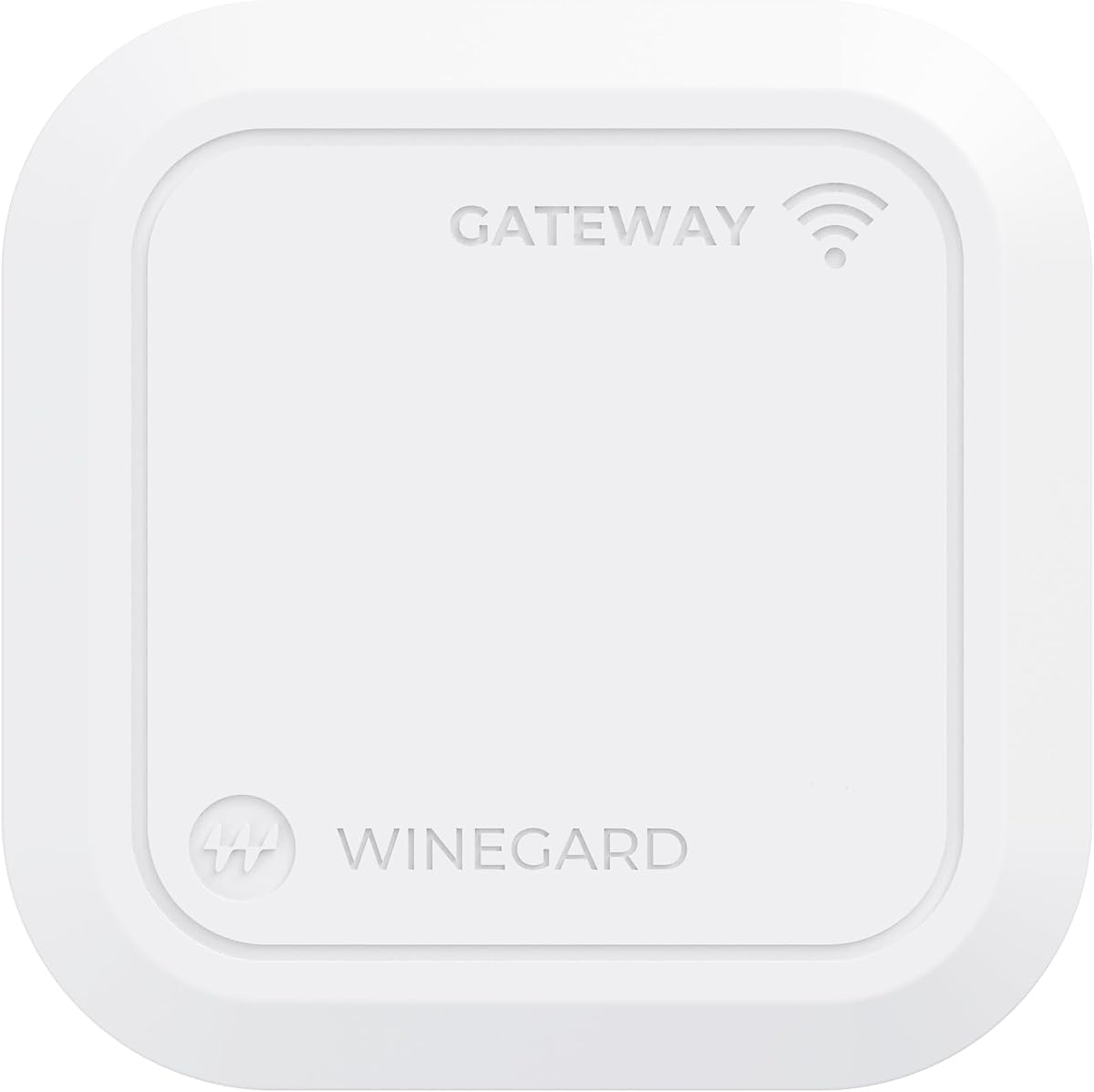
The Winegard Gateway 5G is designed for RV users, integrating with Winegard's Air 360+ 5G system. It supports multiple carriers and hybrid internet setups, ensuring connectivity on the road.
We may earn a commission when you buy through this link, at no additional cost to you.
It offers dual-band Wi-Fi and ceiling mounting for seamless RV deployment. However, Wi-Fi speeds are limited compared to newer models. Also, it requires Winegard's dome system. These are minor drawbacks for RV-specific users.
Some users may find it restrictive due to system requirements. Its rating reflects niche applicability. These trade-offs are acceptable for RV owners seeking convenience.
It suits RV travelers needing integrated solutions. If you have a Winegard system and want reliable mobile internet, this router is a practical choice.
Hybrid connectivity supports Ethernet WAN and Starlink, enabling multiple internet sources for improved reliability while traveling.
The ceiling mount design and system integration ensure minimal installation hassle, keeping RV setups clean and functional.
We may earn a commission when you buy through this link, at no additional cost to you.
The GL.iNet GL-E5800 NA MUDI 7 is a cutting-edge travel router with 5G and Wi-Fi 7. It offers tri-band speeds and built-in eSIM support for seamless connectivity worldwide.
We may earn a commission when you buy through this link, at no additional cost to you.
Its 2.5G Ethernet port supports high-speed backhaul, and its battery ensures portability. However, it lacks external antenna ports. This limits signal enhancement for users in weak areas.
Its price is high compared to traditional routers. Some travelers may not need Wi-Fi 7. These are acceptable for tech enthusiasts or professionals needing high performance on the go.
It suits business travelers or content creators. If you want premium performance and portability, this router is a standout choice for mobile setups.
Tri-band Wi-Fi 7 delivers unmatched wireless performance for streaming and gaming, ensuring low latency even with multiple devices.
Built-in eSIM and dual SIM slots allow easy carrier switching without physical SIM swaps, simplifying international travel connectivity.
We may earn a commission when you buy through this link, at no additional cost to you.
The Waveform QuadMini is a high-quality external antenna designed to improve 5G router performance. Its 4×4 MIMO design boosts data rates and reduces latency when paired with routers having four antenna ports.
We may earn a commission when you buy through this link, at no additional cost to you.
It is omnidirectional, eliminating the need for precise aiming. The complete kit includes cables and mounting options. However, it is not a router itself. This limits use to devices needing antenna upgrades.
Some users may expect standalone functionality. Its pricing is significant for an accessory. These trade-offs are acceptable for users needing enhanced signal without replacing hardware.
It suits users with compatible routers in weak signal areas. If you want faster 5G speeds without buying a new router, the QuadMini is an effective upgrade.
MIMO isolation and polarization maximize signal quality, ensuring stable data rates even in challenging cellular environments.
The omnidirectional design simplifies placement, allowing users to focus on location rather than technical signal aiming adjustments.
We may earn a commission when you buy through this link, at no additional cost to you.
Selecting the right 5G router with external antenna ports requires evaluating several technical and practical factors. This guide outlines key considerations to help you make an informed decision.
The modem determines maximum download and upload speeds. Look for routers with Qualcomm SDX62 or similar chipsets that support both SA and NSA 5G standards. Higher modem capability ensures better compatibility with evolving networks and consistent throughput.
Choose a router with a modern 5G modem that supports the latest carrier standards to future-proof your connectivity and avoid outdated limitations.
External antenna ports allow users to upgrade signal strength by connecting high-gain antennas. Ensure the router has SMA or TS-9 connectors compatible with your desired antenna type. More ports, like four or six, enable 4×4 MIMO configurations for better data rates.
Prioritize routers with multiple external ports to maximize signal flexibility and performance in weak-coverage or rural areas.
Wi-Fi 6 or Wi-Fi 7 standards provide faster speeds and better device management than older protocols. For homes or offices with many devices, these newer standards reduce latency and congestion. Consider dual-band or tri-band options to separate traffic effectively.
Opt for Wi-Fi 6 or newer to ensure smooth connectivity across multiple devices and future compatibility with newer smart home tech.
Dual-SIM or multi-WAN features allow automatic switching between cellular carriers or wired connections if one fails. This ensures uninterrupted internet for remote work or critical applications. Look for routers supporting load balancing and configurable priorities.
Select models with robust failover systems to maintain reliable internet during network outages or signal drops.
Security features like built-in VPN clients or servers help protect data traffic. Routers supporting WireGuard, OpenVPN, or IPsec offer strong encryption. For privacy-conscious users, routers with firewall protections and secure firmware are essential.
Ensure the router supports modern VPN protocols to secure data across public or remote networks effectively.
For outdoor or mobile use, rugged design and temperature tolerance are vital. Industrial-grade routers withstand extreme conditions better than consumer models. Check for weather-resistant enclosures and certifications if deploying in harsh environments.
Choose durable routers designed for your environment to avoid hardware failures and ensure consistent long-term performance.
User-friendly interfaces and mobile apps simplify setup and management. OpenWrt support allows advanced users to customize settings extensively. However, beginners may prefer streamlined UIs. Evaluate firmware complexity based on your technical expertise.
Match the router's firmware and interface complexity to your skill level for a smoother setup and daily management experience.
Start by inserting a SIM card into the designated slot and powering on the router. Access the admin panel via the provided IP address to configure network settings. Update the firmware to the latest version for security and performance improvements.
Connect external antennas to the SMA ports and adjust them based on signal strength. Use a mobile app or the admin dashboard to monitor signal levels. Proper placement and secure connections enhance data rates and reliability.
Keep the router in a well-ventilated area to prevent overheating. Regularly check antenna connections and update security settings. For outdoor units, ensure weatherproofing remains intact to protect against environmental damage.
External antenna ports are connectors that allow you to attach separate antennas to improve signal strength. They are typically SMA or TS-9 ports. Using high-gain antennas can boost data rates in areas with weak cellular coverage.
You must use antennas compatible with the router's connector types and frequency bands. Check the product's specifications for supported antenna types. Mismatched antennas may not provide optimal performance or could damage the device.
No, many modern 5G routers have internal antennas for convenience. Look for models that explicitly list detachable or external antenna ports. These allow flexibility to enhance signal for rural or specialized setups.
External antennas capture stronger cellular signals and reduce interference, leading to better data rates. They are especially useful in remote or rural areas where signal strength is inconsistent. High-gain options can extend effective range significantly.
Dual-SIM failover allows the router to switch to a backup SIM card if the primary network fails. This ensures uninterrupted connectivity by using different carriers. It is ideal for critical applications or remote locations.
Some routers are designed for outdoor use with weather-resistant enclosures. Others need protective cases or placement in sheltered areas. Always check the device's IP rating or environmental specifications before outdoor deployment.
Most routers support major carriers but may have regional or frequency limitations. Check compatibility with your local providers before purchasing. Dual-SIM models offer additional flexibility to switch between carriers as needed.
Most routers have a physical reset button or software reset options in the admin panel. Hold the button briefly to restore factory settings. Reconfigure your network after resetting to avoid connectivity issues.
The best 5G router with external antenna ports depends on your needs. The GL.iNet GL-X3000 offers great versatility, while the Teltonika RUTM50 suits industrial users. Budget-friendly options like the MikroTik Chateau LTE6-US provide reliable entry-level performance.
Prioritize factors like modem speed, antenna flexibility, and failover features. Ensure the router supports your carrier and offers sufficient Wi-Fi capabilities for your setup. Security and durability matter for long-term reliability.
Prices and availability may change frequently. Always check current product details and reviews before purchasing. Choosing the right router ensures stable high-speed internet tailored to your environment.