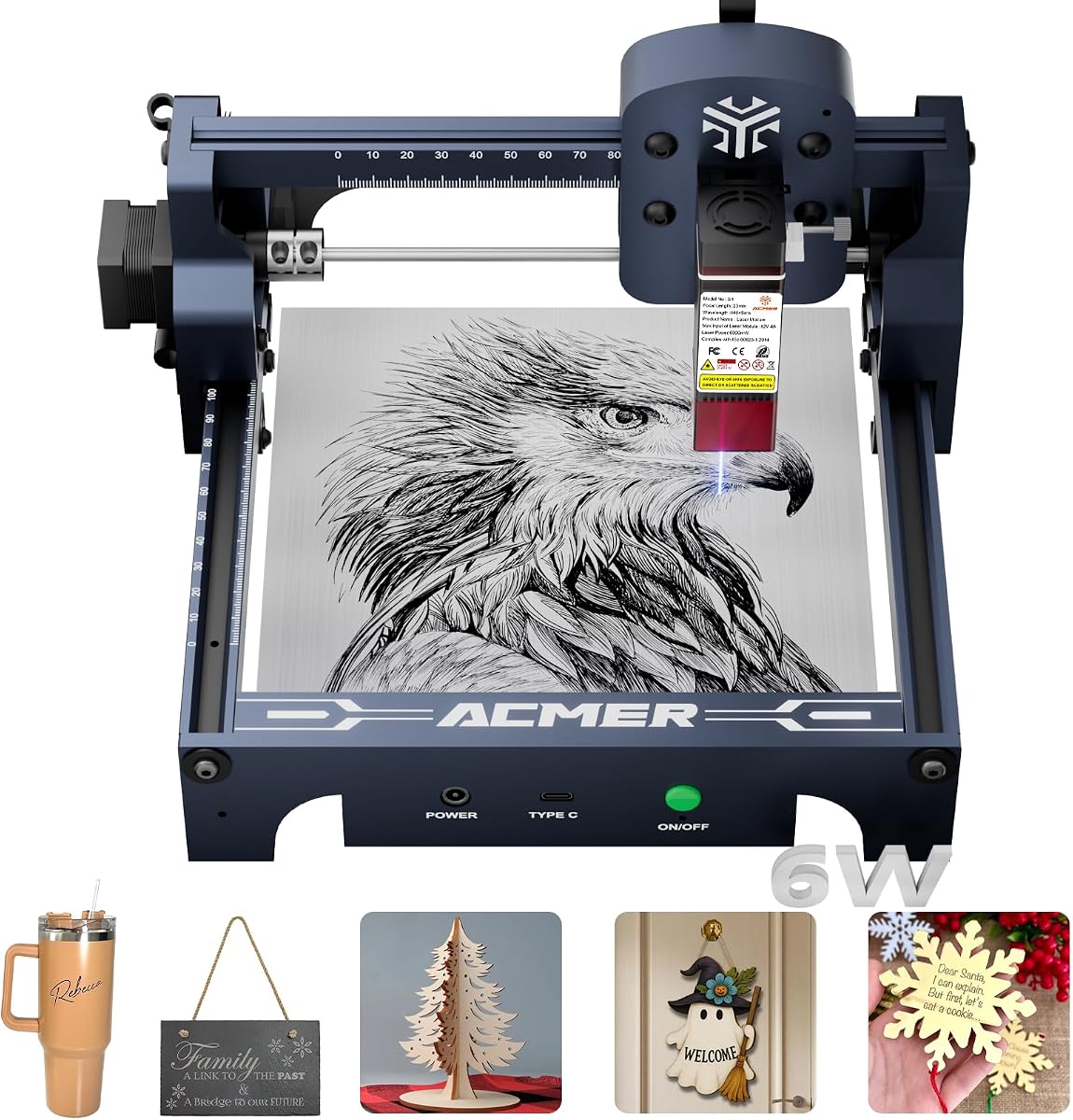
ACMER S1 Laser Engraver Machine
4.3Editor score
99% Preassembled Design
6000mW Laser Power
130x130mm Workspace
Discover the top Acmer laser engraver models for 2026. This guide compares features, precision, safety, and software compatibility to help you choose the right
Finding the right laser engraver can transform your creative projects into professional-grade outcomes. Acmer offers a diverse range of diode laser machines designed for hobbyists and small businesses alike. These devices combine precision, speed, and safety features to handle everything from wood cutting to detailed photo engraving with ease.
We evaluated ten distinct Acmer laser engraver models based on power output, workspace size, software compatibility, and user safety mechanisms. Each unit was assessed for its ability to handle various materials including wood, acrylic, leather, and coated metals. Our analysis focuses on real-world performance metrics and build quality to ensure reliable recommendations for all skill levels.
Every selection in this guide highlights specific strengths such as air assist integration, closed housing designs, or budget-friendly entry points. Prices and availability change frequently so always verify current listings before purchasing. Use this resource to identify the model that best matches your specific crafting needs and workspace constraints today.
4.3Editor score

4.4Editor score

5.0Editor score
This side-by-side comparison breaks down the key specifications of every Acmer laser engraver model available. Review power levels, workspace dimensions, safety features, and connectivity options to find the perfect fit for your workshop requirements quickly.


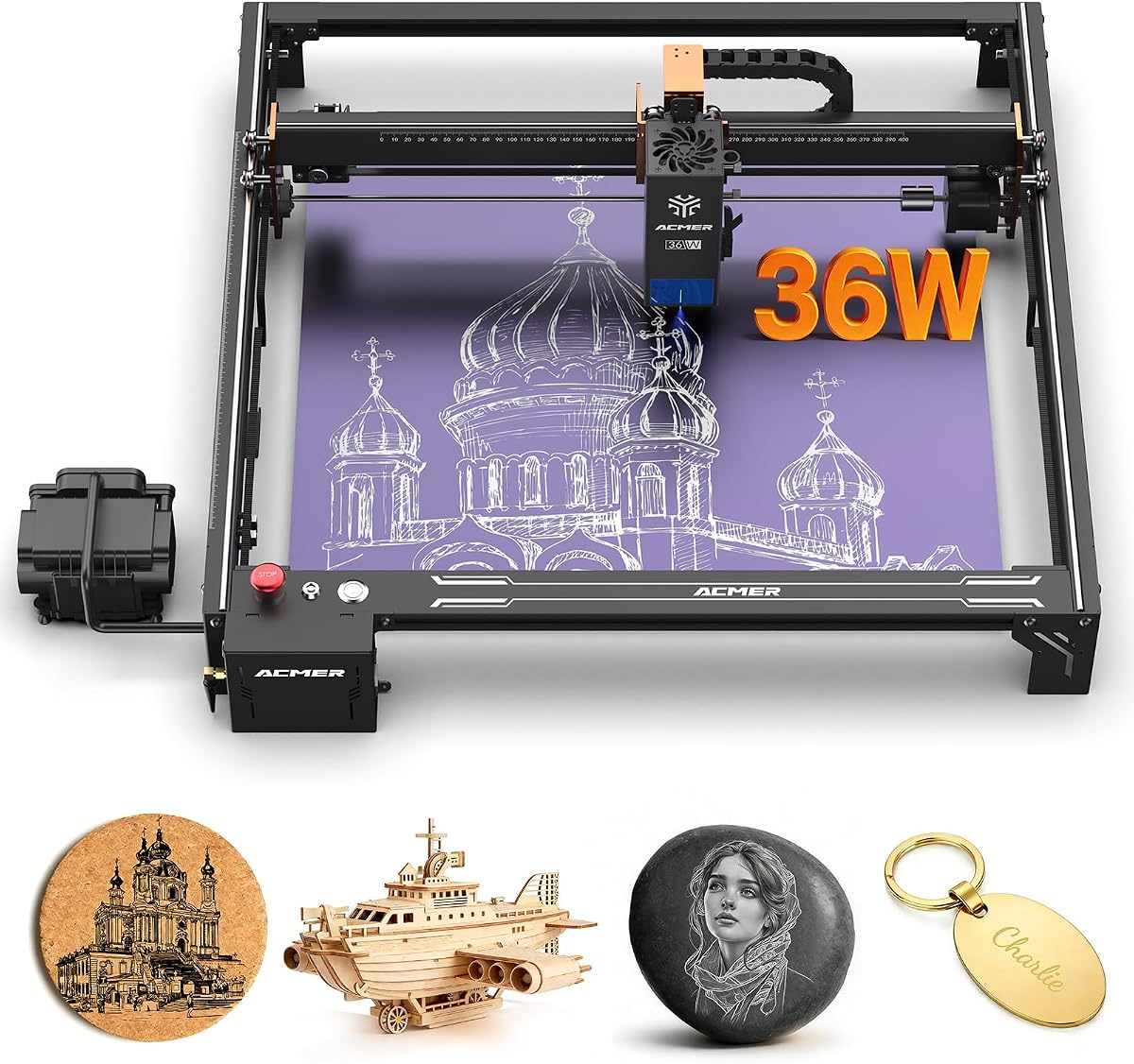
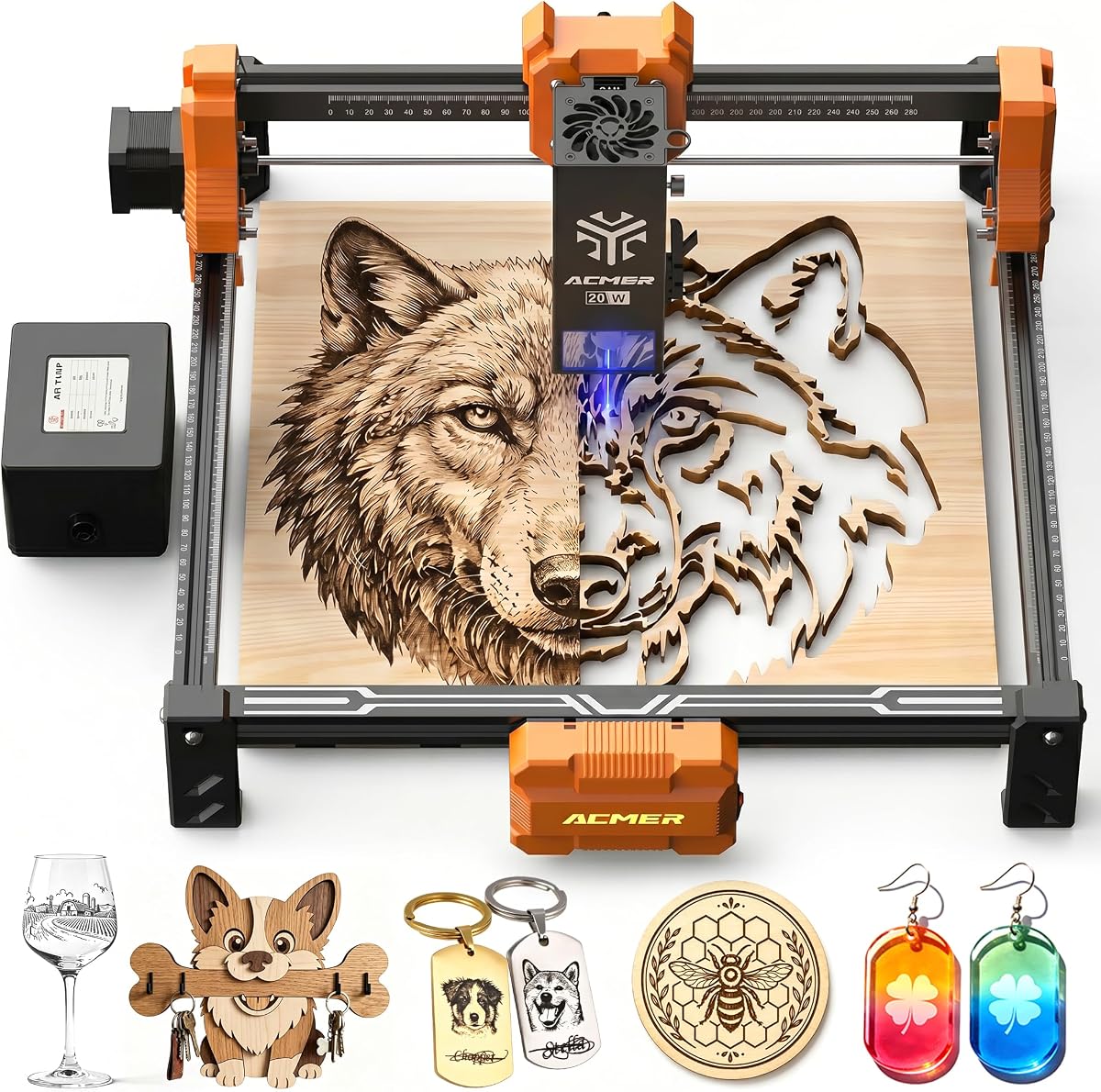
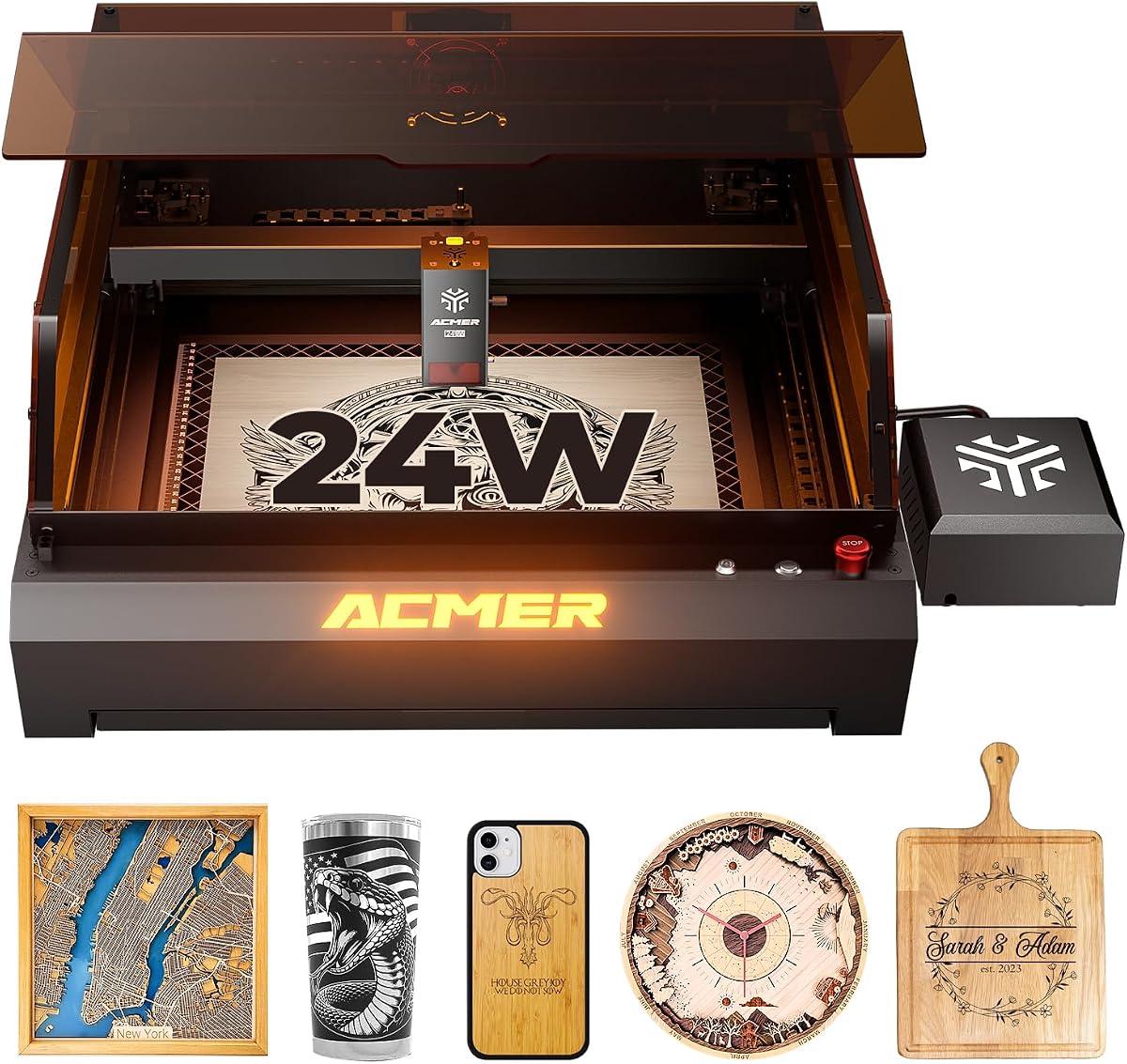

The ACMER S2 Laser Engraver stands out as the top choice for users seeking a balance of power and precision. With a rating of 4.4 stars it has garnered significant trust from the community for its reliable performance across various materials. This model delivers true 12W power enabling it to handle cutting tasks that many entry level machines struggle with effectively.
We may earn a commission when you buy through this link, at no additional cost to you.
Its standout quality lies in the refined 0.08 by 0.08mm laser spot which ensures fine details are reproduced with clarity. The 300 by 300mm workspace provides ample room for larger projects like signs or multi piece layouts without constant repositioning. Software flexibility is another major strength as it supports ACMER Studio LightBurn and LaserGRBL for seamless workflow integration.
While the machine is powerful it does require a dedicated setup process that might take time for beginners. Some users may find the need to purchase optional rotary modules or air assist pumps adds to the initial investment. However these trade-offs are acceptable given the professional grade results and expandability this unit offers to serious makers.
Anyone looking to start a small business or elevate their hobby projects should consider the S2 model highly. Its combination of speed precision and safety features makes it suitable for both home workshops and creative studios. We recommend this engraver for those ready to invest in a versatile tool that grows with their skills.
The 0.01mm positioning accuracy allows users to engrave intricate patterns and text that remain sharp and consistent throughout the entire design process.
Optional accessories like risers and rotary modules let you adapt the machine for cylindrical objects or taller workpieces as your project needs evolve.
We may earn a commission when you buy through this link, at no additional cost to you.
The ACMER S1 Laser Engraver Machine is designed specifically for beginners who want to start creating without a steep learning curve. Rated at 4.3 stars this model is praised for its simplicity and preassembled nature which reduces setup frustration. It delivers 6000mW power sufficient for engraving on wood leather and acrylic with decent speed and accuracy.
We may earn a commission when you buy through this link, at no additional cost to you.
One of its key strengths is the 99 percent preassembled design meaning users spend more time creating and less time putting the machine together. The included AI tools in ACMER Studio help turn text or photos into designs automatically. Its compact 2kg weight makes it highly portable allowing you to move it between rooms or store it easily when not in use.
The smaller 130 by 130mm workspace is a limitation for larger projects but is perfect for personalized gifts or small craft items. Cutting capacity is modest compared to higher wattage models so thick wood or deep acrylic cuts may require multiple passes. These constraints are acceptable given the affordable price point and ease of use it offers to newcomers.
This unit is ideal for hobbyists students or anyone testing the waters of laser engraving before committing to a more expensive system. It provides a safe and reliable introduction to the technology with proper safety certifications and included protective gear. We recommend the S1 for those prioritizing portability and user friendliness over raw cutting power.
With just one minute of setup required users can begin engraving almost immediately after unboxing the device and connecting it to their computer.
The device comes with Class 4 laser certification and includes necessary eye protection to ensure safe operation even in home environments.
We may earn a commission when you buy through this link, at no additional cost to you.
The ACMER P3 Laser Engraver represents the pinnacle of home laser technology with its switchable 24W and 48W dual laser output. Achieving a perfect 5.0 star rating this machine is built for professionals who demand extreme speed and precision in their work. It handles over 200 materials and provides a closed box design that significantly reduces smoke and noise compared to open frame units.
We may earn a commission when you buy through this link, at no additional cost to you.
Its CoreXY structure ensures high speed precision maintaining stability even during rapid movements which is critical for detailed commercial work. The visual camera module allows for precise material positioning saving time on setup and ensuring designs land exactly where intended. Safety features like automatic fire detection and over temperature protection make it a responsible choice for unattended operation.
The premium price tag is a consideration for budget conscious buyers but the durability and performance justify the cost for serious users. The closed box design requires a dedicated stable space which may not fit all home workshop layouts easily. These trade-offs are well worth it for those who prioritize safety efficiency and top tier results in their business.
This engraver is best suited for small business owners or advanced makers who need to produce high volume or high quality work consistently. Its robust construction and advanced safety systems provide peace of mind while operating at high power levels. We recommend the P3 for users ready to invest in a professional grade tool that delivers industry leading capabilities.
Switchable power levels allow you to choose between speed and precision depending on the material thickness and detail required for each specific project.
The closed box enclosure reduces smoke pollution by ninety percent while integrated fire detection ensures a secure working environment for everyone.
We may earn a commission when you buy through this link, at no additional cost to you.
The ACMER S2 7W Laser Engraver is a reliable choice for users focused on engraving rather than heavy cutting tasks. With a flawless 5.0 star rating it excels in delivering precise results on various materials like wood leather and coated metals. Its 300 by 300mm workspace offers generous room for signs and decorations while maintaining a compact footprint for home use.
We may earn a commission when you buy through this link, at no additional cost to you.
Safety is a primary focus with motion detection auto-pause features that stop operation when abnormal movement is detected to prevent accidents. The included free Acmerstudio software simplifies the design process allowing you to turn photos into engraving designs effortlessly. This makes the machine accessible for beginners who want professional results without complex technical setups.
While it performs well for engraving its cutting capacity is limited compared to higher wattage models and may require multiple passes for thicker materials. The lack of a built-in air assist means users might see more smoke or burn marks on certain surfaces without external additions. These are acceptable trade-offs for a machine priced to offer strong performance and safety for most hobbyists.
Anyone looking for a safe and easy to use engraver for personalized gifts or small business items will find this model appealing. It balances performance with user friendliness making it a solid stepping stone for those growing their crafting skills. We recommend this unit for users who prioritize safety and software ease over maximum cutting power.
Turn text prompts or photos into designs instantly with built-in AI tools that simplify the creative workflow for non technical users.
Optional accessories like air assist pumps and risers can be added later to enhance cutting performance as your skills improve.
We may earn a commission when you buy through this link, at no additional cost to you.
The ACMER P1 S Pro 20W delivers robust performance with a true 20000mW laser module suitable for both fine detailing and deeper cuts. It holds a perfect 5.0 star rating reflecting user satisfaction with its ability to handle diverse materials like acrylic wood and ceramic effectively. The built-in 25L per minute air assist pump is a key feature that minimizes burn marks and keeps the cutting surface clean.
We may earn a commission when you buy through this link, at no additional cost to you.
Its compressed 0.08 by 0.1mm laser spot ensures sharp lines and smooth gradients making it ideal for photo engraving and logos. The lens lifespan is rated at 8000 hours providing long-term value for consistent users who need reliability over time. Acceleration up to 500mm per second squared ensures the machine runs smooth and stable even during batch production runs.
The air assist pump while beneficial does add a level of noise to the operation which might be a consideration for shared spaces. Some users may find the price slightly higher than non air assist models but the cleaner cut quality often justifies the extra cost. These factors are minor when weighed against the consistent professional results this unit provides to hobbyists.
This engraver is an excellent choice for those who frequently work with materials that benefit from air blowing like wood or acrylic. It offers a complete solution for cutting and engraving without needing external accessories which simplifies the setup process. We recommend this model for users seeking a balance of power and cut quality in a single integrated system.
The airflow keeps the cutting surface clean and protects your lens making a noticeable difference on materials like wood and acrylic.
Run smooth and stable whether you're doing small batch production or larger creative projects with high acceleration support.
We may earn a commission when you buy through this link, at no additional cost to you.
The ACMER S2 Pro 36W is designed for users who need industrial-level stability and speed for small business production. Rated at 4.1 stars it is praised for its dual linear rail system which ensures smooth movement and minimal vibration even at high engraving speeds. This reduces misalignment when working on fine text or complex graphics ensuring high quality output over long production runs.
We may earn a commission when you buy through this link, at no additional cost to you.
A built-in 30L per minute air pump provides automatic assistance that clears smoke and debris to improve edge quality and protect the laser lens. The 400 by 400mm workspace supports both small detailed work and larger creative projects without constant repositioning. Connectivity options include WiFi TF card and USB PC allowing wireless control and convenient offline engraving for flexible workflows.
The machine is somewhat complex for complete beginners due to its advanced features and larger physical footprint requiring a dedicated workspace. While the power is impressive it may be overkill for casual hobbyists who only need occasional engraving capabilities. These trade-offs are acceptable for businesses looking to maximize efficiency and output volume consistently.
This model is ideal for DIY users and small businesses looking to create or monetize laser engraving projects effectively. Its safety features like tilt protection and emergency stop ensure safe operation in professional environments. We recommend the S2 Pro for users ready to scale up their production capabilities with a robust and versatile machine.
Dual linear rails deliver significantly better stability than single-rail designs keeping the machine running smoothly with minimal vibration.
Support WiFi TF card and USB PC connection allowing wireless control and convenient offline engraving without needing a constant PC link.
We may earn a commission when you buy through this link, at no additional cost to you.
The ACMER S2 20W Laser Engraver offers strong cutting and engraving performance suitable for both DIY and professional applications. With a 5.0 star rating users appreciate its true 20W diode laser module that handles materials like acrylic leather and ceramic effectively. The 25L per minute air assist pump reduces burn marks and improves cutting edge quality for cleaner finished products.
We may earn a commission when you buy through this link, at no additional cost to you.
Its compressed 0.09 by 0.1mm laser spot produces clean lines and sharp details ideal for photo engraving and intricate designs. The machine supports speeds up to 10000mm per minute with high acceleration ensuring efficient and stable operation. Built-in limit switches help define the working area accurately preventing the laser head from hitting the frame during operation.
The price point is higher than basic models which may be a factor for those just starting out without immediate professional needs. Some users might need to spend time calibrating the machine to get the best results from the air assist and laser alignment. These factors are minor given the professional grade output and versatility this unit provides to experienced makers.
Anyone looking for a balanced machine that handles both detailed engraving and cutting well will find this model highly capable. It supports a wide range of file formats and operating systems making it adaptable to different workflows easily. We recommend this unit for users who need reliable performance for frequent projects without excessive complexity.
Supports engraving speeds up to 10000mm per minute and acceleration up to 300mm per second squared ensuring efficient operation.
Built-in limit switches prevent the laser head from hitting the frame during operation improving safety and machine longevity.
We may earn a commission when you buy through this link, at no additional cost to you.
The ACMER P3 24W Laser Engraver provides a safe and efficient desktop solution with its closed box design and 24W laser power. Rated at 5.0 stars it is highly praised for reducing smoke pollution by ninety percent which makes it suitable for indoor environments without excessive ventilation. The CoreXY structure and motion compensation algorithm solve blurring issues under high-speed motion for realistic engraving images.
We may earn a commission when you buy through this link, at no additional cost to you.
An aviation grade aluminum frame ensures excellent stability and durability allowing the highest speed to remain stable during operation. The built-in camera module allows for free dragging of engraving materials with positioning accuracy up to 2mm which simplifies alignment tasks. A 30L per minute air pump provides powerful airflow to enhance the cutting and engraving process while clearing smoke and cool materials.
The unit is relatively heavy and costly compared to open frame models which requires a solid table and budget commitment. Users may find the setup more involved than simpler units but the safety and stability benefits outweigh this learning curve. These considerations are worth it for those prioritizing a clean and safe working environment for frequent engraving sessions.
This machine is best for users who need a safe and reliable engraver for professional projects in shared or indoor spaces. Its compatibility with professional software ensures flexibility for different file types and design requirements. We recommend this unit for those seeking a closed system that balances power with environmental safety and precision.
Closed box engraving machine reduces 90% smoke pollution and can block smoke and noise with automatic detection of fire and alarm.
The laser engraving machine adopts aviation grade aluminum frame which has excellent stability and durability for long-term use.
We may earn a commission when you buy through this link, at no additional cost to you.
The ACMER P1 S Pro 6W is a compact unit offering a generous 380 by 370mm workspace ideal for larger scale designs. With a 5.0 star rating it is recognized for its ability to engrave over 100 materials including wood acrylic and coated metals effectively. The modular frame design makes installation and maintenance quick and hassle-free for users who value efficiency.
We may earn a commission when you buy through this link, at no additional cost to you.
Data transfer is available through WiFi USB and TF card allowing flexible operation without being tied to a PC. It includes a pair of protective laser glasses with 97 percent UV filtering to ensure safe and confident operation under Class 1 safety certification. The 0.06mm spot size achieves engraving precision down to 0.01mm for fine details and accurate cuts.
While it offers a large workspace the 6W laser power limits cutting depth compared to higher wattage models requiring multiple passes for thick materials. The setup process is simple but still requires careful attention to ensure the frame is square and aligned properly. These factors are acceptable given the flexibility and safety this unit provides for home and business use.
This model is perfect for users who need a large working area for DIY or business applications without the bulk of industrial machines. It balances portability with capability making it a versatile tool for various creative projects. We recommend this engraver for those seeking a safe and spacious machine with flexible connectivity options.
Data transfer is available through WiFi USB and TF card and it works seamlessly with both PC software and mobile apps for flexible operation.
The 380 by 370mm workspace gives you plenty of room for large-scale designs with optional rotary attachment for curved objects.
We may earn a commission when you buy through this link, at no additional cost to you.
The ACMER S2 12W Variant offers a compelling value proposition with its integrated AI design tools and powerful laser module. Rated at 4.3 stars it is appreciated for allowing users to start creating right away with free Acmerstudio software on your computer. The advanced 32-bit chip enables engraving speeds of up to 10000mm per minute making it efficient for batch production.
We may earn a commission when you buy through this link, at no additional cost to you.
With a true 12W laser head it can engrave over 100 different materials and cut up to 15mm paulownia wood with multiple passes. The spacious 300 by 300mm workspace allows large-scale projects without constant repositioning of the material for flexibility. AI design tools help turn text prompts or photos into engraving designs with built-in automation to simplify the workflow.
While the AI tools are powerful they may take time to master for beginners who prefer traditional design methods initially. The machine also requires separate purchases for rotary modules or risers to fully expand its capabilities beyond flat surfaces. These trade-offs are minor considering the speed and ease of use this unit offers for creative makers.
Anyone seeking a machine that combines power with software intelligence will find this variant highly useful for their projects. It balances performance with user friendliness making it a strong candidate for both hobbyists and small businesses. We recommend this model for users who want to streamline their design process without sacrificing cutting power.
Turn text prompts or photos into engraving designs with built-in AI tools or continue using familiar programs such as LightBurn and LaserGRBL.
With an advanced 32-bit chip engraving speed reaches up to 10000 mm/min and the spacious workspace allows large-scale projects.
We may earn a commission when you buy through this link, at no additional cost to you.
Selecting the right laser engraver involves understanding power needs workspace size and safety features that match your specific projects.
Laser power measured in milliwatts or watts determines how quickly and deeply the machine can cut or engrave. Higher wattage like 20W or 48W allows for faster cutting of thicker materials but comes with a higher price. For beginners starting with wood or acrylic a 6W to 12W unit is often sufficient and budget friendly.
The working area size dictates the maximum material size you can process without repositioning. Larger formats like 300 by 300mm are ideal for signs or multi-piece layouts while smaller ones suit gifts. Always measure your available table space to ensure the machine fits comfortably before making a purchase decision.
Air assist pumps blow air during cutting to clear smoke and debris which reduces burn marks on the surface. Built-in options add convenience and cleaner results especially for acrylic wood or deep cuts. If your model does not include one consider budgeting for an external pump later to maintain edge quality.
Check if the machine works with your preferred design software like LightBurn or ACMER Studio for seamless workflow. Open systems that support multiple formats and OS platforms ensure you can edit and send files easily. Proprietary software might be limiting so look for open standards if you plan to expand your design skills.
Look for closed box designs auto-pause motion detection and included protective eyewear to minimize risks during operation. Certified Class 1 safety ensures that the enclosure prevents laser exposure to users and pets. Safety should never be compromised so prioritize models with reliable sensors and proper housing even if they cost more.
Modern engravers offer WiFi USB or TF card connectivity to allow wireless control and offline work. This flexibility is crucial if you want to operate the machine without a constant computer connection. Evaluate your workspace setup to decide if wireless control will simplify your production workflow effectively.
Sturdy frames with linear rails or industrial guides ensure vibration free movement for precise engraving results. Cheap plastic parts may flex under high speeds leading to misaligned or blurry designs. Investing in a solid aluminum frame will provide longevity and better consistency over time for your projects.
Consider if the system supports optional add-ons like rotary modules or risers for future project needs. A modular approach allows you to start basic and upgrade components as your skills grow. This flexibility ensures your investment remains relevant even if your crafting requirements change significantly over time.
Start by placing the machine on a stable level surface to ensure accurate engraving and reduce vibration. Connect the power and data cables securely and install the protective eyewear provided before turning it on. Always keep the workspace clean and free of flammable materials to prevent accidents during operation.
Use the ACMER Studio software to import your file and set the material type so parameters match your project. Adjust laser power and speed settings based on test runs to achieve the desired depth and quality. Monitor the process closely especially when cutting new materials to make sure the laser behaves as expected.
Regularly clean the lens and mirrors with a soft cloth to maintain sharp focus and consistent output. Keep the air assist pump free of dust and debris to ensure it functions effectively during cutting tasks. Store the machine in a dry place to prevent corrosion and extend its lifespan for years of reliable use.
No these diode laser models cannot cut through solid metal directly. However they can engrave coated metal or anodized aluminum with proper settings. For cutting raw metal you would need a fiber laser system or specialized attachments not included with these devices.
Most ACMER laser engraver models support LightBurn software for design control and file management. Check the specific compatibility list for your unit before purchasing to ensure full functionality. Open systems generally work better with third party software than closed proprietary systems.
They are designed with safety features like protective shields goggles and motion detection auto-pause systems. Closed box models provide additional containment for smoke and laser exposure. Always follow the safety manual and never leave the machine running unattended for long periods.
Wood leather acrylic and coated metals work exceptionally well with these diode laser units. Transparent materials like clear acrylic do not absorb the laser light and may not engrave well. Always test a small area first to confirm compatibility and settings for any new material.
Some models support WiFi and TF card for wireless control and offline engraving capabilities. This allows you to operate the machine without being tethered to a computer. Check the specific product description to confirm if your desired model includes wireless connectivity options.
You should clean the lens every few weeks or whenever you notice a drop in cutting performance. Use a soft lint-free cloth to gently remove dust and residue. Regular maintenance ensures the machine stays efficient and extends the lifespan of your optical components.
The top picks highlight a range of options from budget friendly entry models to powerful professional units. The ACMER S2 stands out for its balance of power and precision while the P3 offers unmatched safety and output for serious users. Each model delivers distinct advantages depending on your project scope and skill level.
Prioritize safety and software compatibility when selecting a machine that fits your workspace and workflow needs. Ensure you have the space and accessories required like air assist or rotary modules for your specific goals. Choosing the right tool early saves time and money as you grow your creative capabilities.
Prices and availability change so verify the latest listings before committing to a purchase online. Always check current specs and customer reviews to confirm the product meets your latest requirements. This guide serves as a foundation for making an informed decision on your next engraving investment.