
Lenovo Chromebook S330
4.2Editor score
Affordable price point
Decent battery life
Chrome OS simplicity
Finding a reliable computer that fits your budget is essential for modern productivity. A cheap laptop for everyday use should handle web browsing, document editing, and streaming without slowing down. These devices offer practical value for students and professionals seeking efficiency without high costs.
We analyzed ten top models based on processor power, memory capacity, and screen quality. Each option provides unique benefits tailored to different needs like portability or long battery life. Our comparisons help you identify the right machine for daily tasks and entertainment.
Every pick highlights key features such as storage speed and connectivity options. Prices fluctuate frequently so verify current listings before making a purchase decision. This guide ensures you find a dependable device that supports your workflow comfortably and affordably.
4.2Editor score

4.4Editor score

4.5Editor score
As an Amazon Associate we earn from qualifying purchases.
This side-by-side comparison evaluates all ten models on critical specs like processor speed and storage type to help you choose wisely.




This Chromebook stands out for its strong value and reliable performance. With an Intel N100 processor and 8GB of RAM it manages daily tasks smoothly. Users appreciate the responsive experience and secure operating system.
We may earn a commission when you buy through this link, at no additional cost to you.
The UFS storage ensures quick application launches and file access. It handles web browsing and document editing without lag. The anti-glare display is easy on the eyes during long sessions.
While the screen resolution is standard the portability makes up for it. The battery life supports full days of work or study. Chrome OS simplifies maintenance and keeps the system tidy.
Ideal for students and casual users needing a dependable tool. Its balance of speed and efficiency makes it a top choice. We recommend it for anyone prioritizing performance in an affordable package.
The Intel N100 provides a solid boost over older chips allowing smooth multitasking across multiple browser tabs.
Chrome OS automatically updates to protect your data and offers virus-free security without extra software needed.
We may earn a commission when you buy through this link, at no additional cost to you.
This model offers a practical solution for basic computing needs. It features a long battery life that extends through school or work days. The thin design makes it easy to carry in any backpack.
We may earn a commission when you buy through this link, at no additional cost to you.
Streaming content remains smooth thanks to 4K graphics support. The HD display is clear enough for media consumption. Fast Charge ensures you can power up quickly during breaks.
Storage is limited to 64GB so cloud storage is recommended. The processor handles light tasks well but may struggle with heavy loads. It is best suited for browsing and simple applications.
Great for budget-conscious buyers needing a secondary device. Its simplicity and portability shine in everyday scenarios. Consider it if you mostly use web-based apps and media.
Battery life reaches up to 14 hours of video playback making it ideal for travel and all day use.
Fast Charge technology brings the battery from zero to fifty percent in just about 45 minutes.
We may earn a commission when you buy through this link, at no additional cost to you.
This laptop delivers a spacious viewing experience at a low cost. The FHD display is sharp and clear for media or work. It runs Windows 11 for compatibility with standard desktop apps.
We may earn a commission when you buy through this link, at no additional cost to you.
Expansion via TF card adds flexibility for storing photos and files. The Type-C charging keeps your setup tidy with fewer cables. It weighs just over three pounds which is manageable.
Performance is adequate for light tasks but not heavy editing. The fanless design keeps it silent but may throttle under load. It suits those needing a simple home or school machine.
Best for users wanting a big screen without spending much. Its simplicity and portability make it a strong contender. Verify system limits before relying on it for complex tasks.
The 1920 by 1080 resolution offers crisp text and vibrant images for a better viewing experience.
Multiple USB and Type-C ports allow easy connection to peripherals without needing extra adapters.
We may earn a commission when you buy through this link, at no additional cost to you.
This 2026 edition combines style with practical features for daily use. It includes Microsoft Copilot to assist with productivity tasks. The Natural Silver finish gives it a professional look.
We may earn a commission when you buy through this link, at no additional cost to you.
Battery life supports long stretches away from an outlet. Wi-Fi 6 ensures stable connections for streaming and calls. The SSD provides quicker access to files than older storage types.
The display resolution is standard but brightness helps in various lighting. RAM is fixed so choose carefully if you multitask heavily. It balances form and function well for students.
Recommended for those needing a sleek laptop for school or home. Its AI tools and design make it a fresh choice. Check current specs before buying to match your needs.
Copilot AI helps summarize research and draft emails enhancing workflow without extra cost.
Wi-Fi 6 offers faster wireless speeds and better performance in crowded networks.
We may earn a commission when you buy through this link, at no additional cost to you.
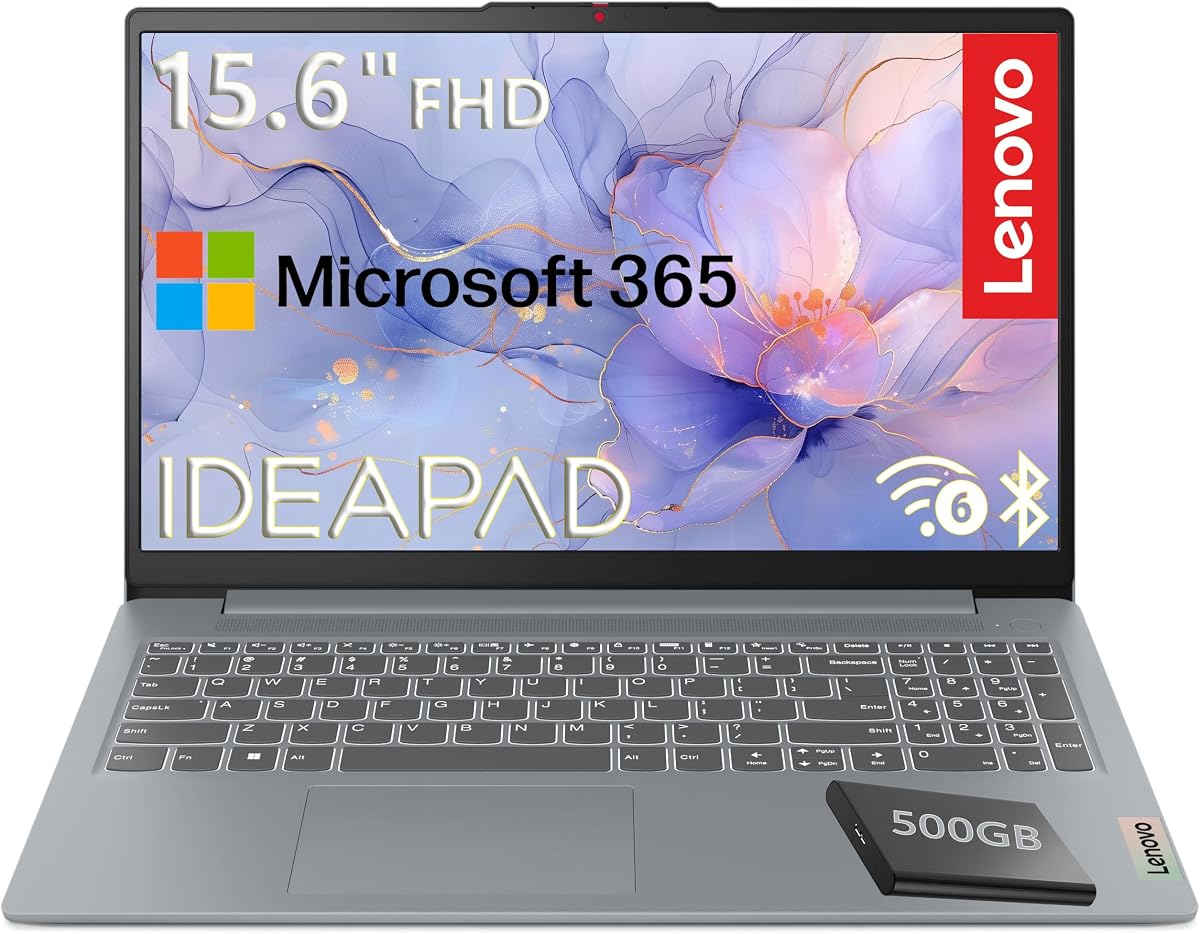
This laptop offers generous storage with a portable external drive included. The FHD display is sharp and bright for comfortable viewing. DDR5 RAM supports responsive system performance daily tasks.
We may earn a commission when you buy through this link, at no additional cost to you.
Military-grade certification ensures durability against bumps and drops. The port selection is versatile for connecting peripherals and displays. Wi-Fi 6 keeps your internet connection stable and fast.
The external drive provides space for backups but adds weight. Performance is suited for web work and media consumption. It is a practical choice for families needing shared use.
Ideal for users who need extra storage without cloud fees. Its build quality and screen make it reliable for daily tasks. Consider the weight if portability is your top priority.
The included external hard drive offers half a terabyte of extra space for files and media.
MIL-STD-810H certification means the laptop can withstand rigorous tests for reliability.
We may earn a commission when you buy through this link, at no additional cost to you.
This Chromebook provides an entry point for digital tasks at minimal cost. It comes with two years of Google Drive cloud storage. Setup is quick requiring only a Google account to start.
We may earn a commission when you buy through this link, at no additional cost to you.
Battery life supports ten hours of activity which covers most school days. The device is thin and light enough for daily commuting. Built-in virus protection keeps your data secure automatically.
Local storage is very limited so you must rely on cloud apps. The processor handles basic browsing but may slow with many tabs. It is best for simple online use cases.
Perfect for students needing a secondary device or backup. Its simplicity and affordability make it a strong value. Ensure cloud connectivity is reliable for your workflow.
Google Drive provides ample space for documents reducing the need for internal storage.
Chrome OS starts instantly and updates in the background so you spend less time waiting.
We may earn a commission when you buy through this link, at no additional cost to you.
This model stands out by including a one year Office 365 subscription. It comes preloaded with Word and Excel for immediate productivity. The Copilot key offers quick access to AI assistance.
We may earn a commission when you buy through this link, at no additional cost to you.
DDR5 RAM keeps system performance snappy for daily workflows. Wi-Fi 6 ensures stable internet for video meetings and streaming. The screen is bright and clear enough for indoor use.
After the first year you will need to renew Office 365. Performance is adequate for general tasks but not heavy editing. It serves well for students starting college or remote work.
Best for users needing productivity software without upfront costs. The AI features and design make it modern and efficient. Check the subscription terms before purchasing to plan ahead.
One year of Microsoft 365 includes access to Word Excel and cloud storage.
A dedicated key launches Copilot AI to assist with drafting and summaries.
We may earn a commission when you buy through this link, at no additional cost to you.
This Chromebook adds a vibrant touchscreen for interactive browsing. The FHD display uses IPS tech for wide viewing angles. The processor handles apps well providing quick response times.
We may earn a commission when you buy through this link, at no additional cost to you.
Portability is a key strength with a slim profile. It fits easily in backpacks for daily travel. Google Play Store access extends the app selection significantly.
Touch interaction consumes more power but enhances usability. Offline capabilities depend on installed Android apps. It is great for visual learners and digital note taking.
Ideal for users wanting touch input on a budget. Its screen quality and build make it a premium feel. Consider battery needs if you work without charging often.
The touchscreen supports gestures for smooth navigation and direct interaction.
The Kompanio 520 offers strong battery life and stable connectivity.
We may earn a commission when you buy through this link, at no additional cost to you.
This laptop prioritizes mobility with a sleek and lightweight form. DDR5 memory ensures snappy performance for web and office work. Battery life supports up to 11 hours of video playback.
We may earn a commission when you buy through this link, at no additional cost to you.
The camera features noise reduction for clear video calls. It includes essential ports for connecting monitors and peripherals. Wi-Fi 6 keeps your internet connection stable and fast.
Memory is fixed which limits multitasking options. The screen is functional but not high resolution. It serves well for users who travel often.
Best for professionals needing a portable machine. Its balance of features and weight makes it a reliable daily driver. Check RAM needs before relying on it for heavy loads.
Weighing just over 3 pounds it fits easily in a backpack for commuting.
Noise reduction technology improves voice quality during online meetings and calls.
We may earn a commission when you buy through this link, at no additional cost to you.
This laptop offers a high RAM count for the price. It handles multiple apps and browser windows better than 4GB models. The IPS screen provides vibrant colors and wide angles.
We may earn a commission when you buy through this link, at no additional cost to you.
USB-C ports allow for versatile connectivity options. The physical privacy slider adds security during calls. It weighs around 3.5 pounds which is easy to carry.
Performance depends on the processor which is entry level. Heavy multitasking may slow it despite the RAM. It suits general use and light editing tasks.
Great for users needing extra memory for efficiency. Its display and connectivity options are strong points. Consider CPU limits before using it for demanding apps.
Twelve GB of RAM allows more apps to stay open without slowing down.
A physical camera slider covers the lens when not in use for security.
We may earn a commission when you buy through this link, at no additional cost to you.
Selecting the right affordable computer requires balancing performance needs with portability and features. This section breaks down key factors to consider.
The CPU determines how fast tasks run. For everyday use look for processors like Intel N-series or AMD Athlon which handle web browsing and office apps efficiently. Avoid older generations unless your budget is extremely tight as newer models offer better power efficiency.
Prioritize a quad-core unit if possible for smoother multitasking and longer lifespan.
RAM affects how many apps can run at once. Four gigabytes is minimum but eight gigabytes is better for keeping multiple tabs open. If you plan on streaming and working simultaneously aim for 8GB to prevent lag.
Fixed memory limits upgrades so choose enough upfront to avoid bottlenecks.
Solid State Drives (SSD) are faster than traditional hard drives. eMMC or UFS storage offers good speed for the price point. Look for at least 128GB to store local files comfortably without relying solely on cloud services.
If you need more space check if the laptop supports external cards or drives.
Screen resolution impacts text clarity and media enjoyment. Full HD (1920×1080) is ideal but HD (1366×768) is common at lower prices. Consider panel type as IPS offers better viewing angles than TN panels.
Anti-glare coatings reduce eye strain in bright environments.
Portable use depends heavily on battery longevity. Aim for models promising 8 hours or more of real world usage. Fast charging features are a bonus to get back to work quickly.
Check reviews for actual runtime rather than manufacturer claims.
Choose between Windows for full compatibility and Chrome OS for simplicity and security. Windows handles more software but requires more maintenance. Chrome OS is faster but relies on web apps.
Consider your existing workflow before picking the OS.
A variety of ports prevents the need for extra dongles. Ensure you have USB-C or USB-A for peripherals and HDMI for external monitors. An SD card slot helps with photo transfers.
More ports mean fewer adapters to carry in your bag.
Physical construction matters if you carry your laptop daily. Metal frames usually last longer than plastic ones. Look for military-grade certifications if you work in rugged environments.
A solid hinge prevents screen damage over time.
Keep your device updated by installing system patches immediately. This ensures security and performance remain stable over time without extra cost.
Use cloud storage for important files to prevent data loss from hardware issues. Back up daily documents to an external drive or online service regularly.
Protect your battery by avoiding extreme temperatures and unplugging when fully charged. Store it in a protective sleeve when carrying to avoid scratches and impacts.
Yes, many affordable laptops handle web browsing and document editing well. Look for models with at least 4GB RAM and an SSD to ensure smooth performance for assignments.
Most budget models have soldered memory so upgrading is not possible. Always check specs before buying to ensure it meets your long term needs.
Chrome OS is lightweight and secure requiring minimal maintenance. It is ideal for users who rely mostly on web apps and cloud storage.
Battery life typically ranges from 8 to 12 hours depending on usage. Streaming or heavy tasks will reduce runtime compared to idle browsing.
Some models include a one year subscription. Others require purchasing separately or using free online alternatives like Google Docs.
Build quality varies so check for reinforced hinges and robust materials. Look for warranties to protect against early hardware failures.
We highlighted top models like the HP Chromebook and Lenovo S330 that offer strong value. Each option balances performance and portability to suit different users.
Prioritize storage type and memory capacity to ensure smooth multitasking. A clear display and reliable battery will make your daily tasks easier.
Prices change often so verify current listings before purchase. Check for bundle deals that include software or accessories to maximize value.