
SMALLRIG 22 Magic Arm Clamp
4.4Editor score
22 inch flexible magic arm
Anti-deflection stability design
Includes phone clamp adapter
Finding the right clamp on webcam arm can transform your streaming setup or work from home environment. A sturdy mount keeps your camera steady at the perfect height without cluttering your desk. It ensures your video calls look professional and your content stays focused on you.
We have compared ten highly rated models based on build quality, adjustability, and compatibility with common devices. Our analysis focuses on real-world performance, ease of installation, and how well each arm holds its position during use. This list helps you find the best fit for your needs.
Each pick in this guide highlights specific strengths and ideal use cases. You will see detailed reviews and a comparison table to make an informed decision. Remember that availability and offers can change, so check the latest details before purchasing your new mount.
4.4Editor score
4.1Editor score

4.5Editor score
As an Amazon Associate we earn from qualifying purchases.
This side-by-side comparison highlights the key specifications and strengths of each model to help you quickly identify the best fit for your workspace and device requirements.



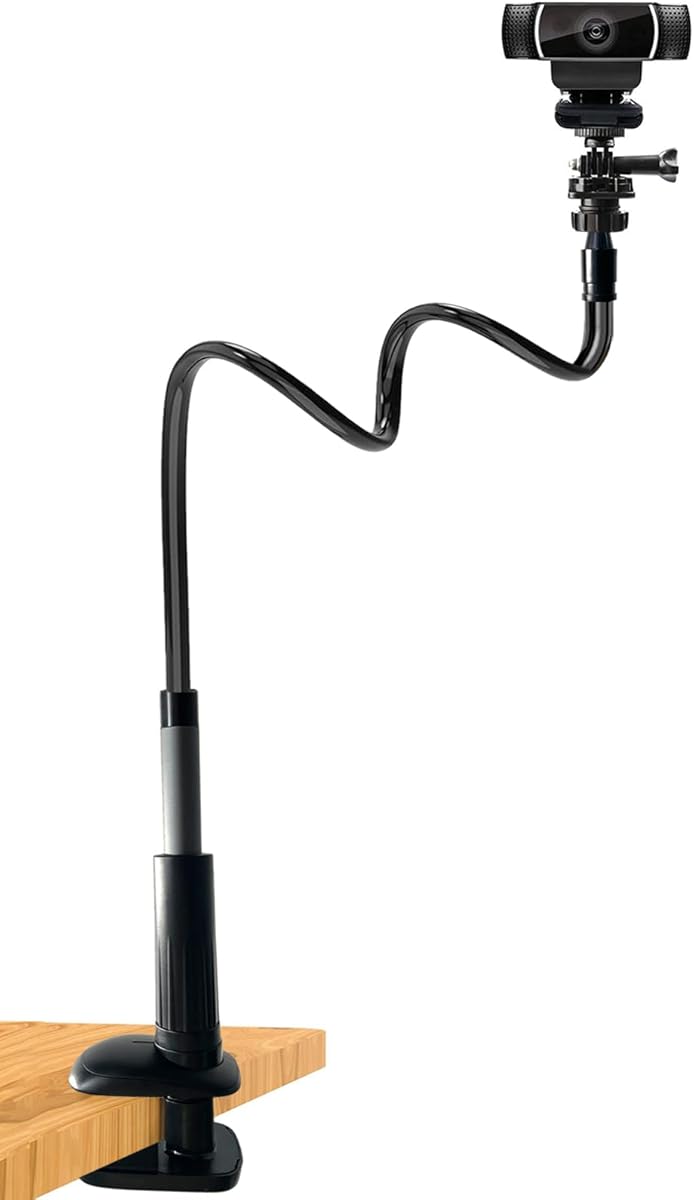
This stand offers an impressive 30 inch reach that lets you position your camera exactly where you need it. It holds a solid 4.1 star rating and is perfect for streamers and remote workers who need a clear overhead view.
We may earn a commission when you buy through this link, at no additional cost to you.
The upgraded thick clamping base provides superior stability on most flat surfaces. You can bend the gooseneck into an S-shape to minimize bouncing. It supports devices up to 0.7kg and works with popular webcams like the C920 and C930e.
While the load capacity is modest, it is ideal for standard webcams and light action cameras. Users note that tightening the clamp correctly is key to preventing cracks in the desk edge. Proper use ensures a secure hold.
If you need a reliable and affordable solution for high-angle video calls or content creation, this is a top choice. It balances flexibility and sturdiness well for most home office setups.
The 30 inch length and flexible neck allow you to capture perfect angles without moving your desk or chair.
The thick base and non-slip pads keep the mount steady and protect your furniture from scratches.
We may earn a commission when you buy through this link, at no additional cost to you.
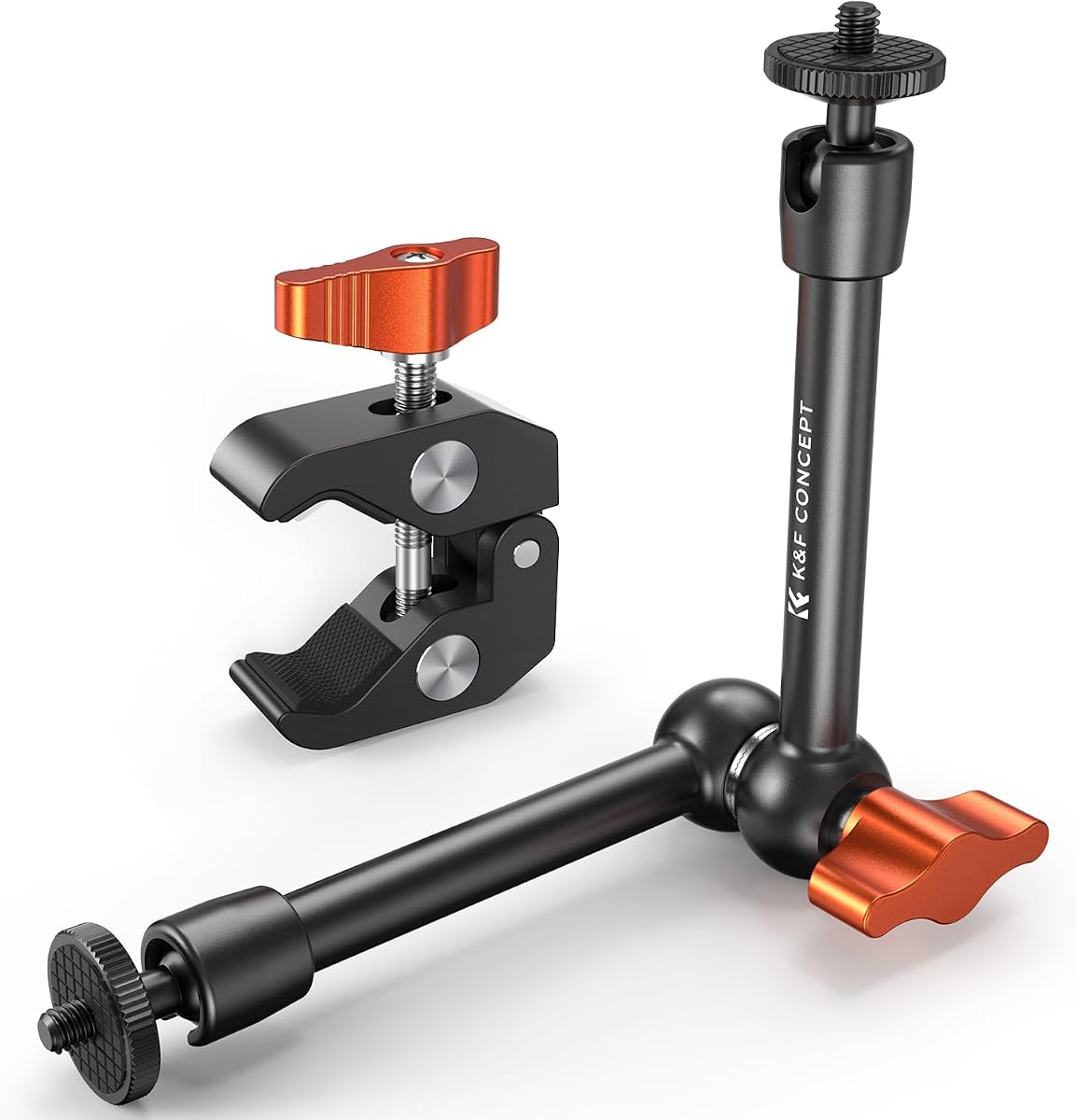
This budget-friendly option delivers professional quality without a high price tag. It features a 22 inch magic arm that is longer than typical gear arms, making it ideal for live streaming and vlogging.
We may earn a commission when you buy through this link, at no additional cost to you.
The anti-deflection design connects securely to the clamp for a stable setup. It includes a phone clamp and adapters for various screws. You can use it with microphones, webcams, and action cameras easily.
While the load capacity is 600g, you should adjust the arm length for heavier phones to avoid slippage. The aluminum alloy build ensures durability. It is a solid choice for light to medium equipment.
For anyone looking to upgrade their setup on a budget, this arm offers excellent flexibility and support. It is a versatile tool for content creators who need multiple mounting angles.
The unique interface keeps the arm locked in place even if bumped during intense shooting sessions.
Includes screws and adapters to fit webcams, phones, and microphones seamlessly.
We may earn a commission when you buy through this link, at no additional cost to you.
This premium mount is designed for users who value precision and reliability. It offers a 11.6 inch flexible gooseneck that provides enough reach for most desk setups without taking up too much space.
We may earn a commission when you buy through this link, at no additional cost to you.
The mini tripod head allows for 360 degree rotation to get the perfect angle. It is compatible with many webcams and action cameras. Users recommend placing it on a stable object to maintain high-quality video.
While the load capacity is limited to 500g, it is perfect for standard webcams and light action cameras. The clamp opens to 1.8 inch wide for easy installation. It is a thoughtful choice for stable setups.
If you need a high-quality and compact solution for your streaming or filming needs, this clamp is worth the investment. It ensures your device stays steady during use.
The 11.6 inch length offers just the right reach for most home office and studio setups.
Rotate the head freely to capture any angle without needing to move the base.
We may earn a commission when you buy through this link, at no additional cost to you.
This model is built with high-quality aluminum alloy to ensure long-term durability. The 27.5 inch gooseneck arm holds devices securely and can be adjusted to capture various angles for different shooting needs.
We may earn a commission when you buy through this link, at no additional cost to you.
The upgraded desk clamp is designed for flat surfaces and features soft rubber pads to prevent scratching. You can use the arm in an S-shape for better stability. It works well with many popular webcams.
While the clamp is best for flat tables, the silicone wrap on the arm prevents debris from falling off. It is a practical solution for remote workers and streamers who need a sturdy mount.
For those who need a reliable and tool-free installation, this mount is a great choice. It offers a good balance of strength and flexibility for daily use.
The aluminum alloy and silicone wrap ensure the mount stays fresh and functional for years.
The upgraded clamp and rubber pads keep the mount steady on standard desks.
We may earn a commission when you buy through this link, at no additional cost to you.
This kit offers a 9.8 inch magic arm that is great for close-up shots and detailed work. It features a 2kg load capacity which is higher than many other options in this comparison.
We may earn a commission when you buy through this link, at no additional cost to you.
The all-metal design ensures sturdiness for various mounting needs. It is easy to adjust with the knob screw for tension. However, it is recommended for static scenes to avoid stress on the ball head.
While the arm is shorter, it provides excellent control for positioning lights or small cameras. The anti-slip cushions protect your gear. It is a solid choice for photographers needing a stable mount.
For users who need a strong and adjustable mount for static setups, this kit is a strong contender. It offers reliability and flexibility in a compact package.
The 2kg limit allows for heavier accessories like monitors or large cameras.
Built from durable metal to withstand repeated adjustments and long-term use.
We may earn a commission when you buy through this link, at no additional cost to you.
This professional mount is designed for versatility with its ability to fit flat and round surfaces. It features a 22 inch arm that extends to provide an ideal overhead angle for calls and recording.
We may earn a commission when you buy through this link, at no additional cost to you.
The anti twist pin at each interface ensures the device stays firmly connected. Padded rings on the ball heads prevent drops. It works well with webcams, microphones, and action cameras.
While the load limit is 500g, the design is perfect for light equipment used in streaming. It can mount on poles and tripods as well. It is a flexible tool for creators.
For those who need a reliable mount for overhead photography and video, this option stands out. It offers professional features at an accessible price point.
The clamp adapts to both tables and round poles like stabilizer handles.
The pin system ensures your camera does not rotate unexpectedly during use.
We may earn a commission when you buy through this link, at no additional cost to you.
This kit includes a phone holder and action camera adapter for versatile mounting options. The 22 inch magic arm features three ball heads for flexible multi-angle adjustments. It is great for live streaming and content creation.
We may earn a commission when you buy through this link, at no additional cost to you.
The super clamp grips both flat and cylindrical objects securely. Non-slip silicone pads enhance friction and protect equipment. The all-metal construction ensures durability for regular use in your studio.
While it is designed for static scenes, it provides excellent stability for desktop setups. The foam padding prevents scratches. It is a thoughtful choice for streamers needing multiple angles.
For users who need a complete kit with multiple adjustment points, this is a strong option. It balances performance and features well for professional work.
Three ball heads let you pivot and lock your device in any orientation quickly.
Includes phone holders and adapters for easy setup of various devices.
We may earn a commission when you buy through this link, at no additional cost to you.
This mount has a perfect 5.0 star rating and is designed for video conferences and streaming. It features a 36.6 inch total length that reaches high enough for ideal eye-level positioning.
We may earn a commission when you buy through this link, at no additional cost to you.
The gooseneck arm is made with a solid aluminum-magnesium alloy core for stability. The base fits surfaces up to 2.56 inches thick. You can fold it for easy storage or portability.
While the base is sturdy, users should note that the arm needs shaping to prevent bouncing. The universal thread works with phones and cameras. It is a top choice for remote workers.
If you need a space-saving and portable solution for calls and content, this stand is excellent. It combines high ratings with practical features for daily use.
The foldable profile allows you to tuck it away when not in use.
The alloy core keeps the arm steady while allowing full flexibility.
We may earn a commission when you buy through this link, at no additional cost to you.
This stand offers multiple combinations for various uses like makeup, baking, or streaming. It includes a phone holder and ballhead for flexible positioning. The desktop stand height is adjustable from 12.79 to 21.65 inches.
We may earn a commission when you buy through this link, at no additional cost to you.
The overhead holding arm is 13 inches long and connects to the stand for height. It is made of high-quality steel and ABS for durability. It is ideal for video conferences and online classes.
While the clamp opening is 1.77 inches, it fits standard desks well. The 500g load capacity is sufficient for most webcams. It provides a practical solution for creative content.
For users needing a flexible stand for different projects, this option delivers value. It combines height adjustment with versatile mounting options.
The desktop base can be adjusted to suit different user heights and setups.
Includes phone and camera adapters for a range of creative tasks.
We may earn a commission when you buy through this link, at no additional cost to you.
This 11 inch arm is designed for strong support with a 2kg load capacity. It is great for attaching cameras, flashes, and microphones to various surfaces. The super clamp opens to 55mm to fit many objects.
We may earn a commission when you buy through this link, at no additional cost to you.
The design includes cushion pads and a rubber pad to protect equipment. It features an anti-scratch design that adds to its longevity. The knob screw makes it easy to lock positions securely.
While the reach is shorter, the strength allows for heavier gear. It is suitable for static scenarios to ensure safety. It is a robust tool for professional rigging needs.
If you need a sturdy and reliable clamp for heavy accessories, this is an excellent choice. It combines strength with protective features.
The 2kg limit makes it suitable for heavy microphones and monitors.
Cushion and rubber pads prevent wear on your expensive equipment.
We may earn a commission when you buy through this link, at no additional cost to you.
Choosing the right clamp on webcam arm requires attention to key factors like reach, load capacity, and compatibility. This guide breaks down what matters most for a stable and functional setup.
The length of the arm determines how high or far you can position your camera. A longer arm offers more flexibility for overhead shots but may require additional support to stay steady.
Look for a length that matches your desk depth and the height you need. Longer arms are great for large setups while shorter ones work well for compact spaces.
Every arm has a maximum weight limit it can safely support. Exceeding this can cause the mount to tip or sag during use. Check the capacity against the weight of your webcam.
For standard webcams, a capacity of 500g to 1kg is usually enough. If you use heavier cameras or add lights, ensure the arm supports at least 2kg.
The clamp must grip your surface securely without damaging it. Flat clamps work best for desks while round clamps can attach to poles or bed frames.
Ensure the opening width matches your surface thickness. A good clamp will have rubber pads to prevent slipping and protect the furniture.
Look for arms with ball heads or joints that allow 360-degree rotation. This helps you tilt or swivel the camera to the perfect angle.
A flexible gooseneck is ideal for small adjustments while a magic arm offers rigid locking for stability. Choose based on your need for flexibility.
Materials like aluminum alloy and ABS plastic determine durability. Metal parts usually offer better strength while plastic keeps the price lower.
Check for silicone coatings and non-slip pads. These add to the lifespan and protect your equipment from scratches.
Ensure the mount has a standard 1/4 inch screw hole which fits most webcams and cameras. Adapters may be needed for phones or microphones.
Check the product description for specific device lists. Universal mounts save you from needing extra accessories.
A good arm should be easy to set up without tools. Look for knobs that allow quick tightening or loosening of the joints.
Some models come with all necessary screws and adapters. This saves time and ensures you can start shooting right away.
Consider your primary goal. If you stream, a stable mount is key. If you teach online, a higher reach might be better.
Static scenes require less rigidity than dynamic activities. Choose an arm designed for your specific environment.
Start by securing the clamp on a flat and sturdy surface. Ensure it is tight enough to hold the arm but not so tight that it damages the desk.
Bend the gooseneck or adjust the ball joints to position the camera at eye level. Lock the joints firmly to prevent wobble during video calls.
Regularly check the screws and pads for wear. Keep the mount free from dust and avoid placing heavy objects on it to extend its life.
Most standard arms hold between 500g and 1kg which fits most webcams. Heavy-duty models can support up to 2kg for cameras and lights. Always check the product specs before buying.
Yes many models include adapters or holders for phones. Some have a universal 1/4 inch thread that fits both phones and cameras. Check the compatibility list for your device.
To reduce shaking tighten all joints fully and shape the gooseneck into an S or Z curve. Ensure the clamp is on a solid surface. This minimizes vibrations during recording.
Yes as long as the arm has rubber pads to protect the surface. Avoid over-tightening the clamp which may cause cracks. Place a small board under the clamp for extra protection if needed.
A gooseneck is flexible and holds shape on its own. A magic arm has ball joints that lock at specific angles for precise positioning. Choose based on how much flexibility you need.
Many arms support multiple accessories via the 1/4 inch screw. Some come with phone holders or adapters for lights. Check the load capacity before adding extra gear.
Most kits include standard 1/4 inch screws and adapters. Some may require you to buy specific screws for microphones or lights. Review the included accessories before purchasing.
Wipe the metal and plastic parts with a dry cloth to remove dust. Avoid using harsh chemicals that may damage the rubber pads. Check the joints regularly for debris buildup.
The top picks offer a range of options for different budgets and needs. The 30 Inch Webcam Stand provides great reach while the SMALLRIG arm is a budget-friendly versatile choice.
Consider your desk setup and camera weight before deciding. A stable arm will improve your video quality and comfort during long work sessions.
Prices and availability can change so review the latest details before making your final purchase. With the right mount your streaming or work setup will be more professional and efficient.