
OMTech K40+ 45W Desktop CO2 Laser Engraver & Cutter
4.4Editor score
45W laser performance
Compact 12×8 workspace
Integrated air assist
LightBurn software support
This comprehensive guide compares the top CO2 Laser Cutters available today, evaluating power, speed, safety features, and versatility to help you choose the
CO2 laser cutters have revolutionized the way makers and professionals approach material processing. These machines offer precise cutting and engraving capabilities across a wide range of non-metallic materials. Choosing the right model depends on your specific needs, budget, and the complexity of your projects.
We have meticulously compared ten leading CO2 laser cutters to provide you with a clear overview of the market. Our analysis focuses on key performance metrics such as laser power, working area, software compatibility, and safety features to ensure you find a machine that meets your expectations.
Each pick in this list highlights unique strengths and potential trade-offs to help you make an informed decision. Remember that product specifications and availability can change, so always verify the latest details before making your final purchase decision for your workshop.
4.4Editor score

4.5Editor score

4.0Editor score
This comparison table provides a side-by-side overview of the top ten CO2 laser cutters available today. Review the key specifications to find the model that best fits your workspace and production requirements.



The xTool P3 80W stands out as the top choice for serious makers and professionals seeking industrial-grade performance. With a high rating of 4.5 stars, it delivers exceptional cutting speed and precision across various materials.
We may earn a commission when you buy through this link, at no additional cost to you.
Its revolutionary Automated Creation System integrates LiDAR ranging and dual HD cameras to simplify setup significantly. The large 36×18 workspace allows for expansive projects, while the Class 1 safety rating ensures a secure working environment.
While the initial investment is higher, the efficiency gains from features like AI-powered Smart Nesting justify the cost for production workflows. The modular versatility also allows for future expansions like rotary engraving.
This machine is ideal for those who need reliability, speed, and safety in a unified package. It represents the cutting edge of desktop laser technology available today.
ACS integrates LiDAR ranging for perfect autofocus and dual HD cameras for precise positioning to automate setup significantly.
Command a massive 36×18 workspace with a fully enclosed Class 1 safety-rated design with lid interlocks and active detection.
We may earn a commission when you buy through this link, at no additional cost to you.
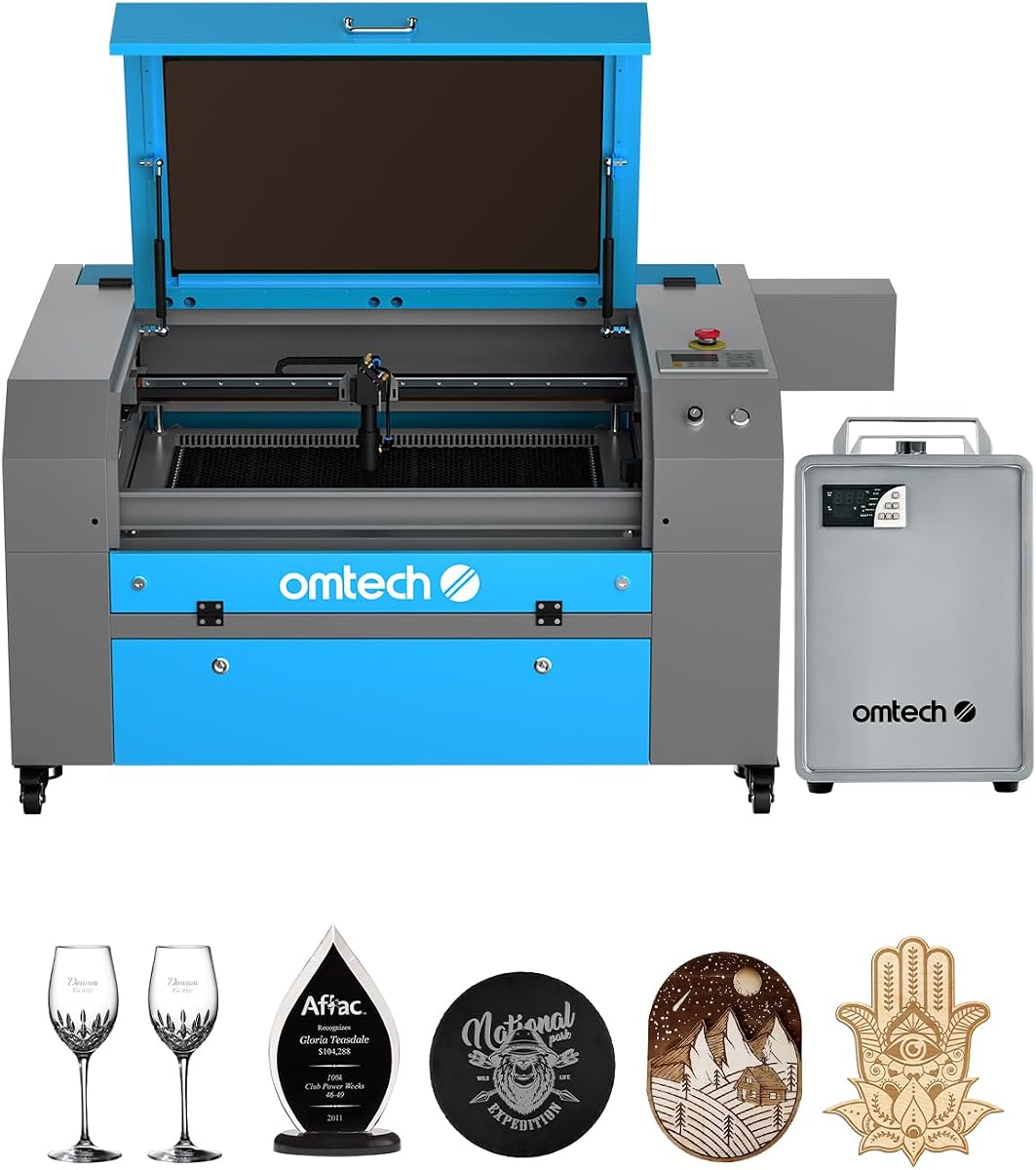
The OMTech K40+ 45W is the perfect entry point for hobbyists and small businesses on a budget. It holds a solid 4.4 rating and offers upgraded performance that rivals more expensive models in specific tasks.
We may earn a commission when you buy through this link, at no additional cost to you.
This machine cuts through 10mm acrylic and 8mm wood with ease, delivering professional results for personal and commercial use. The integrated air assist system helps clear smoke and debris to protect the lens.
Although the workspace is compact at 12×8 inches, it supports both standard and irregular materials effectively. It also offers flexibility with a detachable base for cylindrical objects via optional rotary axes.
Choose this model if you need reliable performance without breaking the bank. It is an excellent choice for those starting their laser journey or handling smaller projects.
Upgraded to 45W, this laser cutter slices through materials with ease and boosts cutting speed by 1.5 to 2 times.
It fully supports LightBurn and LaserGRBL, offering seamless control whether you are a beginner or an expert user.
We may earn a commission when you buy through this link, at no additional cost to you.
The OMTech Pro 130W is designed for industrial use and professionals who need maximum power and speed. It combines a massive workspace with advanced cooling and control systems for heavy-duty production tasks.
We may earn a commission when you buy through this link, at no additional cost to you.
With 130W of power and speeds up to 1200mm/s, this machine handles large items and thick materials with exceptional efficiency. The built-in CW-5200 water chiller maintains stable temperatures for extended sessions.
Upgraded ball-bearing guide rails and servo motors ensure precise and rapid engraving that meets high-quality standards. The Ruida touchscreen and WiFi connectivity add modern convenience to your workflow.
Invest in this model if you require the highest performance available for large-scale projects. It is a robust solution for businesses scaling up their laser cutting operations.
Achieve engraving speeds up to 1200mm/s with upgraded ball-bearing guide rails and X and Y-axis servo motors.
This cutter features tri-color status lights and a widened tempered glass viewing window for enhanced safety and visibility.
We may earn a commission when you buy through this link, at no additional cost to you.
The VEVOR 100W CO2 Laser Engraver is a powerhouse for users who need a large working area without compromising on power. With a perfect 5.0 rating, it promises extreme speed and precision for your projects.
We may earn a commission when you buy through this link, at no additional cost to you.
Its 24×35 inch workspace provides generous space to fit all your projects comfortably. The honeycomb bed ensures high structural stability while front and back pass-through doors allow for longer items.
The intelligent laser head features a red-dot pointer to indicate the engraving point effectively. The linear guide rail ensures smooth curve cutting without burr for clean results.
Choose this model if you need to process large sheets or multiple items at once. It balances size and power well for small workshop environments.
This engraver features a spacious 24×35 inch working area providing 840 square inches of workspace for all your projects.
The laser head creates smooth incisions without burr while the red-dot pointer indicates the engraving point effectively.
We may earn a commission when you buy through this link, at no additional cost to you.
The OMTech Maker 90W is a commercial-grade cutter bundled with a water chiller for effective cooling during extended sessions. It features a high-performance tube designed for durability and consistent performance.
We may earn a commission when you buy through this link, at no additional cost to you.
With 90W power, it engraves deep into wood and acrylic at speeds up to 23.6 inches per second. The four-way pass-through doors make accommodating larger items significantly easier.
The bundled water chiller provides effective cooling which extends the tube lifespan when used at lower settings consistently. Enhanced safety features ensure lasting safe use with the flame retardant viewing window.
Select this machine for professional environments where cooling efficiency and reliability are paramount. It strikes a good balance between power and operational longevity.
This 90W CO2 laser engraver engraves as deep as 0.4 inch on wood and glass at high speeds.
The widened viewing window is made from flame retardant material while the cover interlock automatically cuts the beam.
We may earn a commission when you buy through this link, at no additional cost to you.
The OMTech Maker 60W comes with a valuable bundle including the water chiller and LightBurn software for intuitive navigation. This package offers consistent performance right out of the box for beginners.
We may earn a commission when you buy through this link, at no additional cost to you.
Autofocus capabilities mean no more manual adjustments or guesswork during setup. The workbeds adjust up and down at the touch of a button to find the right focal distance automatically.
Safety is prioritized with a flame retardant viewing window and efficient built-in air assist that removes smoke and dust. This protects your laser lenses and reflective mirrors during operation.
Choose this bundle if you want a comprehensive setup without buying software separately. It is highly rated and offers ease of use for new laser owners.
No more manual adjustments as the workbeds adjust up and down at the touch of a button automatically.
The widened viewing window is made from flame retardant material to ensure lasting safe use in your workspace.
We may earn a commission when you buy through this link, at no additional cost to you.
The OMTech K40+ 45W continues to be a favorite for those needing a compact solution. It holds a 4.5 rating and offers excellent global support and local care for any technical guidance needed.
We may earn a commission when you buy through this link, at no additional cost to you.
Its 45W performance slices through acrylic and wood with ease while high-speed engraving capabilities help you complete bulk orders faster. The integrated air assist clears smoke and debris to reduce fire risk.
The honeycomb bed handles flat items while the detachable base and optional rotary axis allow engraving on cylindrical objects. This flexibility expands your creative potential in a small form factor.
Select this model for home offices or small workspaces where space is limited. It delivers professional quality results despite its compact design.
Our 24/7 global support team delivers expert assistance including technical guidance and local demos by appointment.
The built-in 45 degree air assist auto-adjusts airflow to clear smoke and protect the lens during cutting.
We may earn a commission when you buy through this link, at no additional cost to you.
The OMTech Pronto 100W offers unmatched efficiency with engraving speeds up to 39.4 inches per second. This power gives you a competitive edge in transforming creative visions into reality quickly.
We may earn a commission when you buy through this link, at no additional cost to you.
Its 100W laser tube delivers consistent high-quality results with minimal effort thanks to advanced autofocus technology. The 40×24 workspace accommodates large items comfortably with two-way pass-through doors.
Equipped with a powerful air pump and fan, your cuts remain precise and clean with reduced material burn. Comprehensive protection features like water protection and temperature alarms prioritize your safety.
Invest in this machine if speed is your top priority for production tasks. It transforms artistic visions into realities at record time.
Experience revolutionary engraving speeds of up to 39.4 inches per second which is 37 percent faster than traditional models.
Advanced autofocus technology takes the guesswork out of setup for consistent high-quality results with minimal effort.
We may earn a commission when you buy through this link, at no additional cost to you.
The OMTech Pronto 130W is a powerhouse that engraves as deep as 0.4 inch on various nonmetallic materials. With a 5.0 rating, it is designed for those who demand deep precision and large workspace capacity.
We may earn a commission when you buy through this link, at no additional cost to you.
Its 51×35 inch work area is massive, fitting most projects with ease. The 130W tube delivers power for up to 12000 hours of usage when used consistently at lower settings.
Global support and local care ensure peace of mind with 2 years of comprehensive service. The preinstalled autofocus automatically finds the right focal distance for you without struggle.
This model is perfect for large workshops needing to engrave deep or cut large sheets. It transforms artistic visions into realities that draw wows.
This engraver engraves as deep as 0.4 inch on wood and glass at speeds up to 1000mm per second.
The honeycomb and aluminum blade beds feature a 51×35 inch work area to fit most projects comfortably.
We may earn a commission when you buy through this link, at no additional cost to you.
The OMTech K40+ 45W continues to be a popular choice for beginners looking to enter the world of laser cutting. It maintains a solid reputation for reliability and ease of use.
We may earn a commission when you buy through this link, at no additional cost to you.
Its 45W power is sufficient for most DIY projects and small business tasks. The compact design fits easily on a desktop without overwhelming your workspace.
Comprehensive safety features like door protection and emergency stop ensure safe operation. The high-powered exhaust fan efficiently removes smoke for a clean workspace.
This machine is ideal for DIY enthusiasts who want to start small. It offers a smooth learning curve with robust support for future upgrades.
It fully supports LightBurn and LaserGRBL offering seamless control whether you are a beginner or expert user.
Prioritizing user safety the machine includes door protection and an emergency stop function for secure operation.
We may earn a commission when you buy through this link, at no additional cost to you.
Selecting the right CO2 laser cutter involves evaluating several key factors to ensure it meets your specific needs and budget requirements.
Laser power is measured in watts and directly affects the thickness and speed of your cuts. Higher wattage allows you to cut through thicker materials faster but usually comes with a higher price tag.
Look for at least 40W for hobbyist use and 90W or more for commercial production.
The working area defines the maximum size of material you can process in one go. Measure your typical project dimensions before selecting a machine to avoid limitations.
Ensure the bed size accommodates your largest common materials comfortably.
Most modern cutters support industry standard software like LightBurn and LaserGRBL. Verify that the controller is compatible with software you are comfortable using.
Compatibility ensures you can design and control your laser efficiently.
Safety is paramount when working with high-power lasers. Look for enclosures, interlocks, and Class 1 or Class 2 ratings to protect your eyes and workspace.
Always prioritize models with reliable safety interlocks and emergency stops.
Laser tubes generate significant heat during operation and require effective cooling. Built-in water chillers are essential for extended work sessions to prevent overheating.
A stable cooling system extends the lifespan of your laser tube.
Air assist uses compressed air to blow away smoke and debris during cutting. This improves cut quality and protects the lens from contamination.
Integrated air assist systems are a valuable feature for clean results.
Technical support can be crucial when you encounter issues or need setup guidance. Reputable brands offer 24/7 support and local demos to help you succeed.
Choose brands known for responsive and helpful customer service.
CO2 lasers work best on non-metallic materials like wood acrylic and leather. Ensure the machine you choose is optimized for the materials you plan to use most.
Some machines offer specialized options for materials like glass or stone.
Always start by preparing your workspace with adequate ventilation and safety gear. Ensure the material is flat on the bed to avoid uneven cuts.
Calibrate the focus height before every engraving or cutting job. Use the autofocus feature or manual ruler to find the optimal focal point for your lens.
Regularly clean the lens and mirrors to maintain optimal performance and prevent debris buildup. Check the water chiller levels and replace the water periodically to avoid algae growth.
CO2 laser cutters are versatile machines that can cut and engrave a wide range of non-metallic materials including wood acrylic leather fabric and paper. They also work well on glass and stone for engraving but typically cannot cut through metals without specialized coatings.
To maintain your laser tube ensure the cooling system is functioning properly and the water levels are maintained. Avoid running the tube at maximum power for extended periods and keep the optics clean to prevent damage.
Some models include LightBurn software as part of a bundle while others require a separate purchase. Check the product specifications carefully to see if the software is preinstalled or available as an add-on.
Class 1 lasers are fully enclosed and considered safe for use without protective eyewear. Class 2 lasers have viewing windows and require protective eyewear and safety protocols during operation.
Higher power lasers generally require a water chiller to prevent overheating during operation. Built-in chillers are convenient while external ones may offer more cooling capacity for continuous production.
Clean the lens using a lint-free cloth and a mild lens cleaning solution. Avoid touching the surface with your fingers to prevent oil residue which can affect laser quality.
Yes wood is one of the primary materials cut and engraved with CO2 lasers. Hardwood and plywood cut cleanly while chipboard may produce more smoke and require air assist.
There is a risk of fire when operating laser cutters so always monitor the process and have a fire extinguisher nearby. Proper airflow and material selection also help reduce fire hazards.
Our top picks highlight the best options for different needs ranging from the xTool P3 for automation to the OMTech K40+ for budget-conscious buyers.
Prioritize features like laser power and workspace size based on the specific projects you plan to tackle to ensure efficiency.
Remember to check current availability and warranty terms before making your final purchase decision for your workshop.