
Frameo Digital Picture Frame 10.1
4.6Editor score
Affordable price point
32GB internal storage
Non-WiFi transfer option
Finding the right digital picture frame for grandparents can help bridge the distance between family members. These devices allow loved ones to share photos and videos instantly, keeping everyone connected without complex technology.
We have carefully evaluated the best options available in November 2026 to ensure you choose a device that is simple to set up and use. Our comparison focuses on user-friendly interfaces, reliable connectivity, and high-quality displays.
Each pick in this guide highlights specific features that make it suitable for seniors or long-distance families. Please note that prices and availability may change frequently so check the latest details before purchasing.
4.6Editor score
4.7Editor score

4.7Editor score
As an Amazon Associate we earn from qualifying purchases.
This comparison table provides a side-by-side overview of the top ten digital picture frames selected for their reliability and ease of use for seniors.


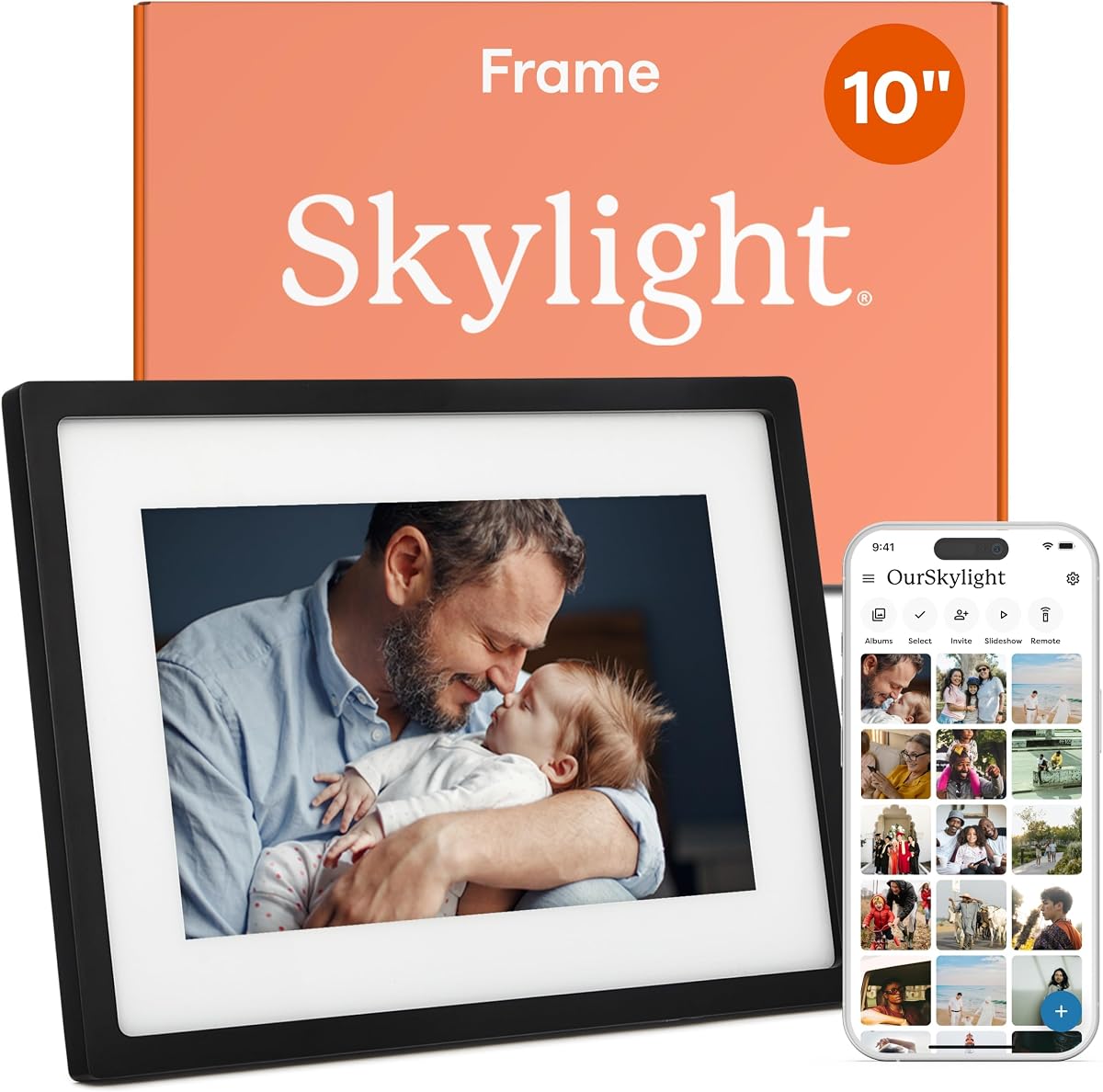
The Skylight Digital Picture Frame stands out as an ideal choice for grandparents who value simplicity. With its plug-and-play setup and email-based sharing, it removes the complexity often associated with smart devices.
We may earn a commission when you buy through this link, at no additional cost to you.
Its Full HD touchscreen display ensures that photos are viewed with clarity and vibrant colors. The ability to connect via email means anyone with an address can send memories instantly without needing to learn a new app.
While it lacks SD card support for local storage expansion, the cloud-based system ensures that photos are safe and accessible from anywhere. The offline mode allows viewing of existing photos even if Wi-Fi is temporarily unavailable.
This frame is best suited for families who want a reliable, easy-to-use solution for sharing memories. Its elegant design and user-friendly interface make it a thoughtful gift that keeps everyone connected.
Sending photos is as simple as emailing them to a unique address, making it accessible for non-tech-savvy users.
The frame comes in premium packaging with a Gift Mode that allows you to preload photos before giving it to a loved one.
We may earn a commission when you buy through this link, at no additional cost to you.
The Frameo Digital Picture Frame offers excellent value for families looking to connect without breaking the bank. Its combination of affordability and essential features makes it a strong contender in the budget category.
We may earn a commission when you buy through this link, at no additional cost to you.
Users can share photos via the Frameo app or transfer files without Wi-Fi using SD cards or USB drives. This flexibility ensures that even those uncomfortable with Wi-Fi can still enjoy digital memories.
The HD touchscreen display provides clear images, and the magnetic stand allows for easy switching between landscape and portrait modes. However, video uploads via the app are limited to fifteen seconds which may restrict longer clips.
Ideal for budget-conscious buyers, this frame delivers a reliable experience for everyday photo sharing. Its versatility in connection methods makes it accessible for a wide range of users.
Whether using Wi-Fi or local storage, the frame accommodates different comfort levels with technology.
The magnetic stand and wall mount options allow the frame to fit seamlessly into any room decor.
We may earn a commission when you buy through this link, at no additional cost to you.
The Aura Digital HD Picture Frame is a premium option designed for those who want unlimited storage without monthly fees. Its sleek design and advanced features make it a standout choice for modern homes.
We may earn a commission when you buy through this link, at no additional cost to you.
Users can share photos via the Aura app, email, or text, and the frame automatically adjusts brightness based on ambient light. This smart functionality ensures the display is always at the perfect level for viewing.
While the price is higher than budget models, the absence of subscription fees and the quality of the display justify the investment. The screen mirroring feature allows for quick photo transfers from Windows PCs.
This frame is perfect for families who want a sophisticated device that grows with their photo collection. Its user-friendly setup and premium build quality make it a long-lasting gift.
Unlike many competitors, Aura does not charge for storage, allowing you to share unlimited photos freely.
The built-in light sensor adjusts brightness automatically, ensuring images are always clear without glare.
We may earn a commission when you buy through this link, at no additional cost to you.
This Frameo model stands out for its impressive 15.6-inch display, which is ideal for grandparents who prefer larger visuals. The Full HD IPS screen ensures that details are crisp and colors are vibrant from any angle.
We may earn a commission when you buy through this link, at no additional cost to you.
With 64GB of internal storage and support for SD cards, you can store thousands of photos locally. The built-in speaker adds audio to videos, making memories more vivid and engaging for viewers.
The reply function allows you to send emojis back to senders, adding a layer of interaction to shared memories. However, the USB port has limitations regarding data transfer and the power adapter requires careful handling.
Best for those prioritizing screen size and storage capacity, this frame delivers a premium viewing experience. Its interactive features and large display make it a center of attention in any living room.
The 15.6-inch display provides a cinema-like experience, making photos and videos feel larger than life.
Built-in speakers allow for playing videos with sound, adding emotion to shared memories.
We may earn a commission when you buy through this link, at no additional cost to you.
The Pastigio Frameo model offers a large 15.6-inch display that brings photos to life with its Full HD resolution. It is designed to be user-friendly with features like auto-rotation and adjustable brightness.
We may earn a commission when you buy through this link, at no additional cost to you.
One of its standout features is the React function, which lets you send emojis in response to photos shared by family. This adds a fun, personal touch to the digital sharing experience.
It supports non-WiFi transfers via SD cards or USB drives, making it accessible even without an internet connection. However, video uploads through the app are limited to fifteen seconds, which might be restrictive for some users.
This frame is an excellent choice for families who want a large screen and interactive features. Its ability to connect in multiple ways ensures that everyone can participate in sharing memories.
Send emojis back to loved ones to show appreciation for the photos they share instantly.
Eco-friendly sleep mode helps save energy and maintains the screen when not in use.
We may earn a commission when you buy through this link, at no additional cost to you.
The AEEZO Digital Picture Frame is designed with convenience in mind, featuring an auto-rotate sensor that adjusts photos based on orientation. This ensures that images are always displayed correctly without manual intervention.
We may earn a commission when you buy through this link, at no additional cost to you.
Its HD IPS touchscreen provides clear visuals, and the Fill Frame mode allows for flexible display adjustments. You can also choose to show time and weather in the corner for added utility.
While it does not play photos directly from SD cards, importing them ensures smooth operation within the frame. The inclusion of a one-year warranty adds peace of mind for new buyers.
This model is perfect for users who want a smart, responsive frame that adapts to their setup. Its features make it easy to keep memories organized and displayed beautifully.
The built-in gravity sensor adjusts photo orientation automatically ensuring landscapes and portraits look perfect.
Stay informed at a glance with optional displays for current time and weather conditions.
We may earn a commission when you buy through this link, at no additional cost to you.
The Akimart Frameo model combines functionality with family organization by integrating calendar sync capabilities. This allows users to view daily schedules alongside their favorite photos on the same screen.
We may earn a commission when you buy through this link, at no additional cost to you.
With a 10.1-inch IPS touch screen, images are clear and vibrant from any angle. The collage mode lets you display up to six photos at once, perfect for capturing group memories.
Users can react to photos with emojis and organize them into custom albums directly on the frame. While video uploads are limited, the focus on photo sharing and organization makes it highly practical.
Ideal for busy families, this frame helps keep everyone connected and organized. Its blend of memory display and scheduling features makes it a unique and useful gift.
Sync calendars from various providers to view events alongside photos keeping you organized.
Create vibrant layouts displaying multiple photos at once to showcase group events beautifully.
We may earn a commission when you buy through this link, at no additional cost to you.
The Flyruit digital frame offers a large 15.6-inch display that captures every detail of your memories with vivid colors. Its Greeting feature allows you to send themed pictures for special occasions like birthdays.
We may earn a commission when you buy through this link, at no additional cost to you.
Users can adjust images for optimal display and switch between portrait and landscape modes easily. The frame supports non-WiFi transmission via SD cards or USB drives ensuring accessibility even without internet.
The support team is available around the clock to assist with any setup or usage questions. This commitment to customer service adds value to the purchase and ensures a smooth experience.
Best for those looking for a large screen with special occasion features, this frame stands out. Its combination of display quality and responsive support makes it a reliable choice.
Send greeting pictures for birthdays and holidays to add personal meaning to shared memories.
24/7 technical support ensures help is always available if you encounter any issues.
We may earn a commission when you buy through this link, at no additional cost to you.
This product listing provides a link to a specific Amazon page but lacks detailed specifications in our source. We recommend checking the current listing to understand its full capabilities before purchasing.
We may earn a commission when you buy through this link, at no additional cost to you.
Digital frames vary widely in size and features so verifying the specifications ensures it meets your needs. Comparing user reviews can also provide insight into real-world performance and reliability.
Since details are unavailable, proceed with caution and confirm all specs match your expectations. This is common with new or less documented products on major retail platforms.
Always check the product page for the latest size and feature details before buying.
We may earn a commission when you buy through this link, at no additional cost to you.
This entry links to another Amazon product page with limited descriptive data in our source. To make an informed decision, please review the current product specifications on the site.
We may earn a commission when you buy through this link, at no additional cost to you.
Digital picture frames offer various features from touch screens to app connectivity so checking each model helps find the right fit. Reviews from other buyers can also guide your choice effectively.
Ensure that any frame you consider matches the needs of your grandparents or family members. Prioritize ease of use and reliable connectivity when making your final selection.
Reading customer reviews can provide practical insights into how well the frame works for others.
We may earn a commission when you buy through this link, at no additional cost to you.
Choosing the right digital frame requires considering ease of use, connectivity, and display quality to ensure it meets the needs of seniors.
Grandparents may not be tech-savvy so a frame with simple plug-and-play setup is ideal. Look for options that allow photo sharing via email or simple apps without complex configurations.
Prioritize models that require minimal steps to connect to Wi-Fi and send photos to avoid frustration.
Larger screens like 15.6 inches make photos easier to see without squinting which is important for older users. High-resolution displays ensure colors are vibrant and details are clear.
Choose a frame with an IPS screen for better viewing angles so photos are visible from anywhere in the room.
Consider whether the frame has internal storage or relies on cloud storage. Large internal memory allows you to store thousands of photos locally without needing constant internet access.
Ensure the device supports SD cards or USB drives if you plan to manage photos manually.
Some users prefer Wi-Fi sharing while others may want offline options via USB or SD cards. A frame that supports both offers flexibility for different comfort levels with technology.
Check if the frame supports both 2.4GHz and 5GHz Wi-Fi networks to avoid connection issues at home.
Touchscreens are intuitive but buttons may be easier for some seniors with dexterity issues. Decide based on what feels more comfortable for the user in daily operation.
Models with simple interface icons and clear feedback are better for older hands and eyes.
Features like auto-rotate, brightness sensors, and calendar sync add value but may complicate use. Keep it simple with essential functions like slideshow and photo sharing for better adoption.
Interactive features like emoji reactions can add fun but are not necessary for basic use.
Reliable customer support is crucial in case of setup issues or defects. Look for brands that offer warranties and accessible help channels like email or phone.
Strong support ensures peace of mind for the giver and the receiver of the gift.
Digital frames range from budget to premium so set a budget before shopping. Compare features against price to ensure you get the best value without unnecessary extras.
Sometimes spending a bit more for ease of use is worth it to avoid future frustration.
Begin by plugging the frame into a power source and connecting it to your home Wi-Fi network using the provided instructions or app. This step is essential for receiving photos from family members remotely.
Once connected, encourage family members to download the companion app if required or simply send photos to the frame's email address. Most frames have a simple interface to manage albums and slideshow settings.
Clean the screen regularly with a soft dry cloth to avoid scratches and keep the display clear. Avoid placing the frame in direct sunlight or near heat sources to prevent screen damage.
Most frames do not require a subscription for basic photo sharing. Some brands offer premium cloud storage plans but many provide free unlimited storage as seen with the Aura frame.
Yes, many models support SD cards or USB drives for offline photo transfers. This is ideal if Wi-Fi is unreliable or if you prefer manual updates.
Touchscreens are user-friendly but not essential. Some frames offer button controls which may be easier for users with dexterity challenges.
Video playback varies by model but some limit clips to fifteen seconds via app uploads. Local transfer via USB may support longer videos depending on the brand.
Yes, most frames allow unlimited members to share photos through the app or email. This keeps everyone in the loop without needing separate accounts.
The frame continues to display stored photos offline but cannot receive new ones until connection is restored. Some models also support local storage to mitigate this issue.
We have explored the top digital picture frames available in November 2026 focusing on ease of use and connectivity. The Skylight, Frameo, and Aura models lead in simplicity and reliability.
Prioritize frames with large displays and simple setup processes to ensure a smooth experience for seniors. Features like auto-rotate and offline modes add value without complicating daily use.
Always check current prices and availability before purchasing to get the best deal for your family. Remember that the best frame is one that keeps loved ones connected effortlessly.