
Canon Color imageCLASS LBP646Cdw Wireless Laser Printer
4.1Editor score
Fast 26 PPM print speed
Automatic duplex printing feature
Wireless connectivity support
This guide compares the top 10 Duplex Color Laser Printer models for speed quality and connectivity to help businesses choose the right office printing
Finding the right printing solution is essential for modern offices that need vibrant color documents and efficient workflows. A Duplex Color Laser Printer offers fast output speeds and automatic double-sided printing to save paper and time while maintaining professional quality results.
We evaluated ten leading models based on performance metrics connectivity options and user feedback to create this comprehensive ranking. Each product was assessed for print quality speed capabilities and reliability to ensure they meet the demands of professional environments and home offices alike.
Every pick highlights specific strengths such as budget friendly pricing premium features or all-in-one functionality for complete workspace needs. Please note that pricing and availability can change frequently so verify current details before making your final purchase decision online.
4.1Editor score

4.4Editor score

4.2Editor score
This side-by-side comparison highlights the key specifications and capabilities of each ranked Duplex Color Laser Printer to help you identify the model that best fits your specific office requirements and budget constraints effectively.


The Brother MFC-L8930CDW stands out as a top performing business machine rated highly for its speed and reliability in professional settings. It delivers sharp color and black printing with fast output that helps maintain productivity throughout busy workdays.
We may earn a commission when you buy through this link, at no additional cost to you.
Key strengths include a rapid 33ppm print and copy speed along with high-speed two-sided scanning up to 104ipm with an 80-page auto document feeder. The device also features advanced security including an integrated NFC card reader and robust network protection to safeguard sensitive data.
While the price point is higher than basic models the value comes from built-in toner cartridges and lower cost per page with optional high yield replacements. The larger size might be a consideration for very small spaces but the performance justifies the footprint.
This printer is ideal for small teams or offices that need reliable high-volume color printing with strong security measures. If you require robust all-in-one functionality and fast scanning this model is a strong recommendation for demanding business environments.
With speeds up to 33ppm for print and copy this device keeps workflow moving quickly without sacrificing output quality.
Triple Layer Security and an integrated NFC card reader help protect devices and documents in transit to and from print.
We may earn a commission when you buy through this link, at no additional cost to you.
The Canon Color imageCLASS MF753Cdw II offers comprehensive printing solutions with a rating reflecting its solid performance in office environments. It combines color laser printing with scanning copying and faxing into one wireless duplex enabled machine for versatile document handling.
We may earn a commission when you buy through this link, at no additional cost to you.
This model delivers professional quality documents with vibrant graphics and crisp text supported by high capacity toner options to reduce replacement frequency. Its wireless duplex features allow for efficient double-sided printing from multiple devices helping to streamline office workflows and reduce paper use.
While it comes at a premium price the all-in-one functionality eliminates the need for separate machines. Users may find initial setup requires some technical attention but the long term reliability and feature set make it a valuable investment.
Choose this printer for a fully equipped workspace where color quality and multifunctional capabilities are priorities. It suits businesses needing fax capabilities alongside modern wireless printing and copying options in a single unit.
Print scan copy and fax functions in one device simplify your desk setup and support diverse office document needs.
Automatic two-sided printing reduces paper usage while wireless connectivity ensures easy access from laptops and mobile devices.
We may earn a commission when you buy through this link, at no additional cost to you.
The Canon Color imageCLASS LBP646Cdw provides an efficient and affordable solution for users who primarily need high quality color printing. It holds a strong rating for its speed and ease of use making it accessible for various office needs without extra features.
We may earn a commission when you buy through this link, at no additional cost to you.
Key benefits include fast print speeds up to 26ppm and automatic 2-sided printing that helps limit paper waste and replacement frequency. The simple wireless setup and 5-inch LCD screen make navigation straightforward while mobile device printing options add flexibility for modern workflows.
Since it is print only there are no scanning copying or faxing capabilities which may not suit users needing an all-in-one machine. However for those focused on cost effective document output this model delivers excellent value and reliable performance.
This printer is perfect for small offices or home users seeking fast color laser printing without a high price tag. If your workflow does not require scanning this budget friendly option meets core printing needs effectively.
With a lower price point and efficient toner use this model keeps printing costs down while maintaining quality results.
Up to 26 pages per minute ensures documents are ready quickly reducing wait times during busy periods.
We may earn a commission when you buy through this link, at no additional cost to you.
The Brother HL-L3220CDW is designed for home offices and small teams needing professional quality documents without advanced multifunction capabilities. It receives moderate ratings for its consistent output and productivity enhancing features suited to lighter workloads.
We may earn a commission when you buy through this link, at no additional cost to you.
Standout features include a generous 250-sheet paper tray to minimize refills and automatic duplex printing that saves time and paper while delivering double-sided documents. Wireless connectivity allows seamless printing from laptops smartphones and tablets with built-in security protocols to safeguard sensitive business documents.
Though print speeds are moderate at 19 pages per minute this unit transforms a home office into a productivity hub. It may not match faster models for high volume but provides reliable performance for everyday business tasks and mobile printing.
This model works well for individuals or small groups focused on document printing with strong connectivity options. It balances affordability and functionality to support efficient professional home office printing without unnecessary complexity.
A 250-sheet tray reduces interruptions by allowing longer print jobs without frequent paper replenishment needs.
Seamless compatibility with mobile platforms ensures you can print from your preferred devices easily.
We may earn a commission when you buy through this link, at no additional cost to you.
The Brother MFC-L3720CDW delivers professional performance with essential all-in-one capabilities at a competitive price point. It offers a solid rating for its ability to handle varied business needs including printing scanning copying and faxing with reliable wireless connectivity.
We may earn a commission when you buy through this link, at no additional cost to you.
This device features a 50-sheet auto document feeder and a 250-sheet adjustable paper tray to support uninterrupted workflow. Advanced connectivity includes dual-band wireless networking Wi-Fi Direct and USB 2.0 to enable multiple users to connect and print from any device seamlessly.
While print speeds are moderate the 3.5-inch color touchscreen provides 48 customizable shortcuts and access to cloud services for efficient document management. Users seeking a balanced feature set without premium pricing will find this model practical for small to mid-sized business tasks.
Ideal for offices requiring fax and scanning capabilities alongside standard printing this unit supports productivity and integration. It is a dependable choice for teams prioritizing workflow efficiency and mobile accessibility over maximum speed.
Featuring an auto document feeder and paper tray this printer keeps tasks moving without constant manual input.
Direct access to cloud services like Google Drive and Dropbox simplifies document management within the workflow.
We may earn a commission when you buy through this link, at no additional cost to you.
The Brother HL-L3280CDW is a compact digital color printer rated well for consistent dependability and laser-quality output in small offices. Its design balances size and functionality making it a capable timesaver for environments with limited desk space.
We may earn a commission when you buy through this link, at no additional cost to you.
Key capabilities include print speeds up to 27ppm and automatic duplex printing to maximize efficiency and reduce paper usage. An integrated 2.7-inch touchscreen allows users to print from cloud-based apps including Google Drive Dropbox and EverNote commonly used by businesses and entrepreneurs.
While it focuses solely on printing this model ensures professional document quality with wireless and Ethernet connectivity options for flexible setup. The included trial adds value but users should note the lack of scanning features compared to multifunction units.
This printer suits small offices or entrepreneurs who prioritize speed and cloud integration over multifunctionality. It delivers professional results consistently while fitting comfortably into space-constrained workspaces.
Achieving print speeds up to 27 ppm ensures your documents are ready quickly without compromising output quality.
Print directly from cloud-based apps to keep your workflow streamlined and accessible from various sources.
We may earn a commission when you buy through this link, at no additional cost to you.
The Canon Color imageCLASS MF665Cdw combines color wireless and duplex capabilities into a 4-in-1 device that supports print scan copy and fax. It holds a solid rating for its balance of features speed and warranty coverage suitable for various office needs.
We may earn a commission when you buy through this link, at no additional cost to you.
Print speeds reach up to 26ppm in both color and monochrome with a quick first print time to reduce waiting. A 50-sheet duplex automatic document feeder saves time by scanning double-sided pages in one pass while the intuitive touchscreen offers easy feature access.
Users benefit from high capacity toner options to limit replacements and a 3-Year limited warranty for peace of mind. While the standard cassette holds 250 sheets the overall footprint and setup steps may require attention during installation.
This model is a strong candidate for small to medium offices needing fax capabilities alongside modern wireless printing. It supports Chromebooks and mobile devices making it versatile for contemporary work environments.
Quick first print time and 26 ppm speeds ensure minimal waiting for documents during peak work hours.
A three-year limited warranty provides long term protection and confidence in your investment.
We may earn a commission when you buy through this link, at no additional cost to you.
The Canon Color imageCLASS MF662Cdw delivers color wireless and duplex printing with scanning and copying in a 3-in-1 design. It earns a positive rating for performance and warranty coverage making it a reliable choice for offices needing core multifunction capabilities.
We may earn a commission when you buy through this link, at no additional cost to you.
Print speeds are consistent at 26ppm for both color and monochrome with a first print time that keeps work moving quickly. The 5-inch color touchscreen provides intuitive access to features via an Application Library while mobile device printing via Canon PRINT AirPrint and Mopria ensures flexibility.
High-capacity toner options limit replacements and a 3-Year limited warranty offers lasting support. Without faxing this model suits teams focused on print copy and scan tasks who value speed and compatibility with Chromebooks and mobile devices.
Choose this printer for a streamlined multifunction solution that avoids fax redundancy. It balances performance ease of use and cost efficiency for small office document workflows.
Print up to 26 ppm in color and monochrome to reduce downtime and improve office throughput.
Compatible with Canon PRINT AirPrint and Mopria for effortless printing from your preferred mobile devices.
We may earn a commission when you buy through this link, at no additional cost to you.
The HP Color Laserjet Pro 3201dw is built for small teams needing professional color documents and reliable performance. It offers a moderate rating but leverages HPs reputation for consistency with TerraJet toner that brings vivid colors to business reports.
We may earn a commission when you buy through this link, at no additional cost to you.
Features include print speeds up to 26 ppm for black and color an auto 2-sided printing function and a 250-sheet input tray. Dual-band Wi-Fi with self-reset detects and resolves connection issues automatically helping maintain uptime in demanding business environments.
Users should note the restrictive cartridge policy that limits use to original HP chips which may increase long term costs. Despite this the award-winning reliability and wireless capabilities keep it competitive for businesses prioritizing uptime and print quality.
This printer fits well for teams that value brand trust and reliable wireless output. It is best for offices willing to manage cartridge policies in exchange for consistent performance.
TerraJet toner enhances your business documents with vivid colors and sharp output suitable for client reports.
Designed to perform page after page this unit supports high demands with dependable readiness.
We may earn a commission when you buy through this link, at no additional cost to you.
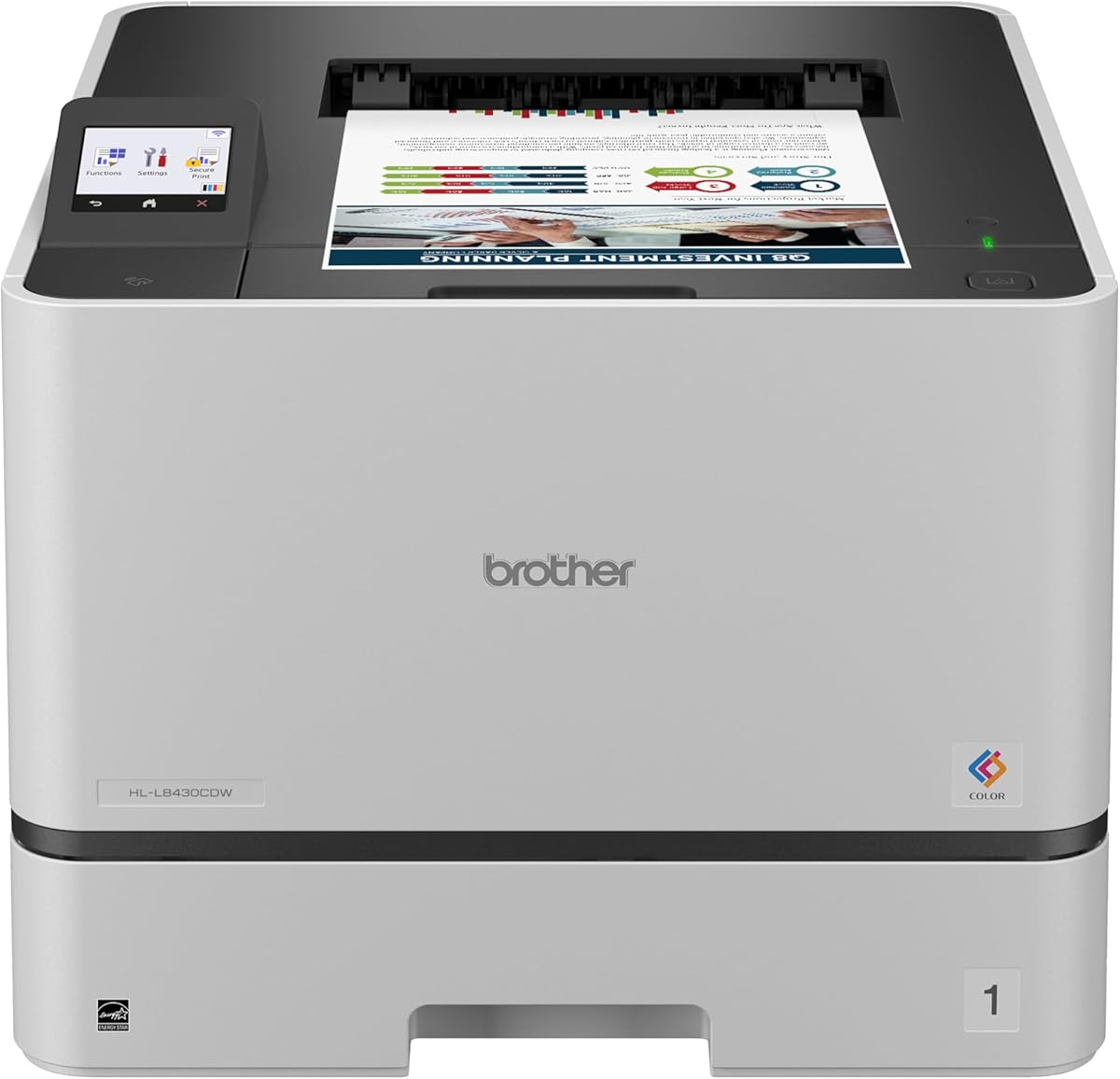
The Brother HL-L8430CDW is a business-focused printer rated for dependable performance and professional results in busy offices. Its combination of speed and low-cost printing options makes it an efficient choice for teams prioritizing output volume and budget management.
We may earn a commission when you buy through this link, at no additional cost to you.
Print speeds reach 33ppm with vibrant color and sharp black output while expandable paper capacity allows up to 1340 sheets with optional trays. Triple Layer Security protects devices and networks and eco-friendly features include ENERGY STAR certification and EPS-free packaging.
Although it lacks scanning capabilities the included toner and optional high yield replacements lower the cost per page. Users needing secure fast printing for custom media and envelopes will appreciate the multipurpose tray and flexible connectivity.
This printer suits businesses requiring speed and security without multifunctionality. If high-volume output and cost efficiency are priorities this model delivers reliable results for professional work environments.
Built for dependable performance this printer supports busy offices with rapid 33ppm output and sharp results.
Triple Layer Security helps protect devices and documents in transit to and from print devices.
We may earn a commission when you buy through this link, at no additional cost to you.
Selecting the right printer involves balancing speed features and cost to match your specific workflow demands.
Print speed measured in pages per minute affects how quickly documents are ready. High volume offices should look for models offering 26ppm or faster to reduce waiting times and maintain workflow efficiency during busy periods.
Choose a speed that matches your typical daily print volume to avoid bottlenecks in document processing.
Automatic duplex printing saves paper and reduces costs by printing on both sides without manual intervention. Ensure the model includes this feature as it is essential for environmentally conscious printing and professional double-sided output.
Look for automatic duplex features to streamline production and minimize paper use effectively.
Decide if you need scanning copying or faxing capabilities alongside printing. All-in-one models provide a comprehensive workspace solution but print-only units often offer better value for focused document needs.
Assess your scanning and faxing requirements to choose between multifunction or single-function printers.
Modern offices rely on wireless dual-band Wi-Fi Ethernet and mobile printing support to connect various devices. Check for compatibility with your network and cloud services to ensure seamless access from laptops smartphones and tablets.
Confirm wireless and Ethernet options match your office network setup for reliable connectivity.
Adequate paper trays minimize refills during busy work. Look for at least a 250-sheet standard cassette and a multipurpose tray for specialty media or envelopes to maintain continuous operation.
Select a capacity that supports your volume to reduce interruptions in workflow.
Security becomes critical as offices handle sensitive documents. Advanced security layers secure access and protection during transmission are vital for businesses to prevent unauthorized access and data breaches.
Prioritize models with robust security protocols if data protection is a high priority.
Consider the long-term cost of toner replacements. High-capacity toners and options for super high yield cartridges reduce cost per page and limit how often replacements are needed.
Calculate expected toner expenses to ensure total cost of ownership fits your budget.
A solid warranty provides peace of mind for repairs and support. Models offering three years of coverage reduce financial risk and ensure longevity for your investment in the long run.
Check warranty terms carefully to confirm protection duration and what is included.
Begin by installing the printer and connecting it to your network via Wi-Fi or Ethernet. Follow the on-screen setup prompts and install the necessary drivers on your computers to ensure all functions work properly from the start.
To maintain quality always use genuine or compatible high-quality toner cartridges and load paper carefully into the tray to avoid jams. Regularly clean the exterior and rollers with a soft dry cloth to remove dust and debris that could interfere with operation.
Update firmware periodically to benefit from performance improvements and security patches. Monitor toner levels through the device interface and replace cartridges before they run out completely to prevent interruptions during critical print jobs.
A Duplex Color Laser Printer automatically prints on both sides of the paper which reduces paper consumption and lowers costs. This feature is particularly valuable for offices that need to produce large volumes of professional documents efficiently while maintaining vibrant color quality.
Choose an all-in-one model if you need scanning copying or faxing capabilities alongside printing. Print-only models are more affordable and simpler for users who have separate devices for scanning or do not require fax functionality in their workflow.
Yes wireless features enable users to print directly from laptops smartphones and tablets without being tethered to a physical connection. Dual-band Wi-Fi adds reliability by allowing the printer to switch between frequencies if interference occurs.
Use high-capacity or high-yield toner cartridges to get more pages per replacement. Additionally enable duplex printing to cut paper and ink usage in half and consider models that offer compatible aftermarket toner options if available.
Look for devices with built-in secure access protocols network protection and the ability to control user access. Some models offer NFC badge authentication or encrypted data transmission to keep sensitive business documents secure during printing.
Yes a warranty provides protection against manufacturing defects and repair costs. Models with longer warranties like three years offer greater peace of mind and can help offset unexpected service expenses down the line.
Choosing the right Duplex Color Laser Printer depends on your specific needs for speed security and multifunctionality. The top picks like the Brother MFC-L8930CDW Canon MF753Cdw II and Canon LBP646Cdw offer strong solutions ranging from premium to budget friendly options.
Prioritize features that align with your workflow such as automatic duplex capability robust connectivity and security to ensure productivity. Investing in a reliable model reduces long-term costs and keeps your office operations running smoothly without interruptions.
Always verify current pricing and availability before making your final decision as these factors can fluctuate frequently. By selecting a printer that fits your budget and performance requirements you will enhance your office efficiency and document output quality.