
be quiet! Pure Wings 3 120mm
4.7Editor score
7 airflow-optimized fan blades
80,000 hours bearing life
Very low minimum rpm operation
This guide compares the top exhaust fans for PC to help you find the best cooling solution for your system, gaming console, or server setup today.
Keeping your computer system cool is essential for performance and longevity. An effective exhaust fan for PC ensures hot air exits the case efficiently, preventing thermal throttling and hardware damage during heavy loads.
We evaluated ten top-rated cooling solutions based on airflow, noise levels, bearing technology, and user feedback. Each product was selected for its ability to maintain optimal temperatures across various device types and build configurations.
Each pick highlights key specifications and real-world benefits to help you decide. Note that product availability and pricing may fluctuate, so check current details before purchasing to ensure you get the best value for your needs.
4.7Editor score

4.8Editor score

4.7Editor score
The following table provides a side-by-side comparison of all ten exhaust fans reviewed in this guide. We highlight key specifications like airflow, speed, noise levels, and unique features to help you make an informed decision.




This Easy Cloud axial fan stands out for its variable speed control and AC plug design. With a rating of 4.4 stars, it offers flexibility for users needing customizable cooling across PCs, servers, or routers without internal 12V power.
We may earn a commission when you buy through this link, at no additional cost to you.
The 95.8 CFM airflow ensures effective heat removal, while the dual-ball bearings promise a 50,000-hour lifespan. Speed ranges from 700 to 2800 RPM, letting you balance noise and cooling power based on your environment.
While powerful, it lacks standard motherboard connectivity, relying on an AC outlet instead. This makes it less ideal for sealed builds but perfect for open cases or external cooling needs where direct control is preferred.
Buyers seeking versatile, plug-and-play cooling for varied setups will appreciate this fan. It extends device life and maintains performance without complex wiring, making it a practical choice for hobbyists and professionals alike.
Adjust speed from 700 to 2800 RPM to match cooling needs with minimal noise intrusion.
Ideal for PCs, gaming consoles, routers, and more with simple AC power setup.
We may earn a commission when you buy through this link, at no additional cost to you.
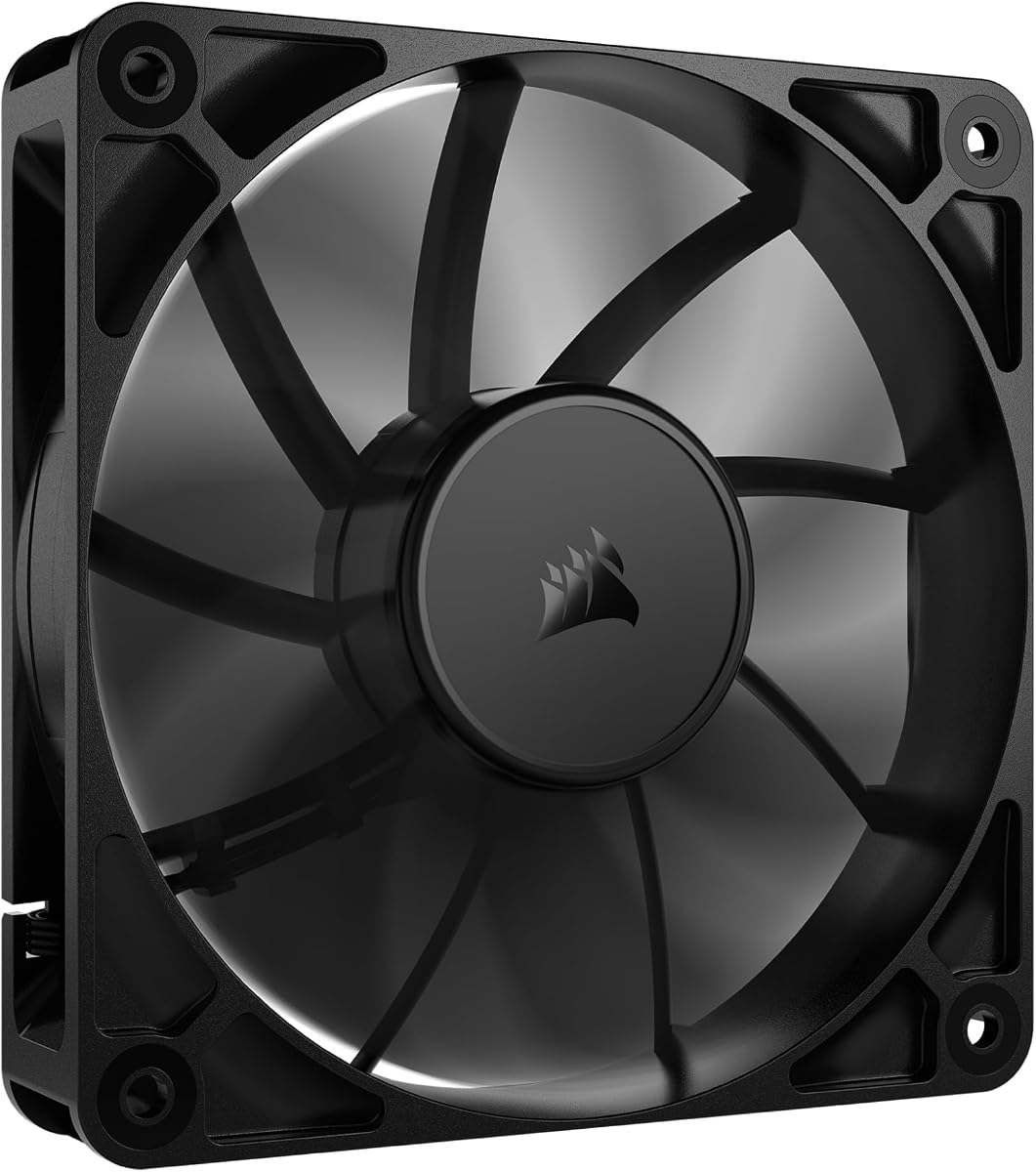
The be quiet! Pure Wings 3 earns a 4.7-star rating for balancing silence and performance. Designed with seven optimized blades, it reduces noise while maintaining maximum airflow for demanding configurations in PC cases or radiators.
We may earn a commission when you buy through this link, at no additional cost to you.
Its rifle bearing offers an 80,000-hour lifespan, ensuring durability over years of use. Operation at very low minimum RPM makes it perfect for quiet builds where thermal performance matters without constant fan noise.
Users note a lack of RGB features, but the focus remains on pure cooling efficiency. The German engineering approach guarantees consistent quality, making it a reliable choice for those prioritizing acoustics over aesthetics.
Recommend this fan for quiet office PCs or home setups where noise is a concern. It delivers strong cooling with minimal disruption, ensuring your system stays cool during peak workloads without distraction.
Frame optimized for peak performance on radiators and case mounts alike.
Low minimum RPM settings allow for whisper-quiet performance in any environment.
We may earn a commission when you buy through this link, at no additional cost to you.
This 3-pack from DARKROCK offers exceptional value with a 4.6-star rating. Each fan reaches 1200 RPM while staying under 32.1 dBA, making it ideal for multiple case installs without sacrificing quiet operation or cooling power.
We may earn a commission when you buy through this link, at no additional cost to you.
Hydraulic bearings ensure stable rotation and reduce noise, extending service life to an average of 30,000 hours. The PBT material provides insulation and heat resistance, enhancing durability for long-term use in varied environments.
Installation is straightforward, suitable for users with little experience. While lacking RGB, the focus remains on practical cooling and affordability, allowing you to upgrade airflow across your system efficiently.
Choose this pack for budget-friendly multi-fan upgrades needing reliable performance. It keeps cases cool with minimal noise, ensuring hardware longevity without expensive RGB features or complex setup requirements.
Nine-blade design provides maximum airflow while maintaining quiet operation levels.
Compatible with all case types for simple setup without prior experience needed.
We may earn a commission when you buy through this link, at no additional cost to you.
Rated 4.4 stars, the X1 USB fan excels in portable cooling for consoles and routers. Its 18dB noise level is quieter than library silence, ensuring distraction-free cooling for gaming setups or home offices without loud whirring.
We may earn a commission when you buy through this link, at no additional cost to you.
With 55.8 CFM airflow, it drops device temperatures by 20% quickly. The shock-absorbing pads protect surfaces, and the built-in cable eliminates extra wires, making setup clean and efficient for narrow spaces.
Durability is strong with a 40,000-hour lifespan and eco-friendly ABS construction. It may lack high-end PC case compatibility but works seamlessly with gaming consoles, streaming devices, and mini PCs for stable operation.
Buy this if you need simple, quiet cooling without internal wiring. It’s perfect for external devices where overheating slows performance, offering reliable protection without permanent installation steps.
18dB noise level ensures cooling happens without disrupting audio or gaming.
Integrated cable connects to chargers or laptops for plug-and-play convenience.
We may earn a commission when you buy through this link, at no additional cost to you.
The CORSAIR RS120 delivers 4.6-star performance with daisy-chain connectivity for streamlined builds. Up to 72.8 CFM airflow pushes air effectively through obstructions, making it ideal for radiators or high-pressure cooling scenarios.
We may earn a commission when you buy through this link, at no additional cost to you.
Magnetic Dome bearings reduce friction and noise, ensuring longevity. AirGuide vanes direct concentrated airflow to hottest components, enhancing efficiency without increasing RPM unnecessarily for better system stability overall.
Users appreciate the low-noise operation despite high speeds. It fits well in premium builds where aesthetics matter, though it lacks RGB features. Setup is simple, reducing cable clutter in tight-case environments.
Opt for this fan when building a multi-fan system requiring clean wiring. It balances high static pressure with quiet operation, ensuring your system stays cool without visual or auditory distraction.
Control multiple fans with one 4-pin PWM connector for cleaner setups.
Anti-vortex vanes direct air exactly where it is needed most.
We may earn a commission when you buy through this link, at no additional cost to you.
This Thermalright pack earns 4.7 stars for combining cooling power with vibrant RGB lighting. With five fans included, it offers full-case coverage while S-FDB bearings keep noise minimal during operation at up to 1550 RPM.
We may earn a commission when you buy through this link, at no additional cost to you.
The ARGB lighting reflects softly on blades, matching coolers perfectly. 17 light modes allow customization through motherboard ports, syncing colors for a cohesive look that enhances visual appeal significantly.
Airflow reaches 66.17 CFM, sufficient for most standard cases. The bearings solve blade shaking issues, ensuring stable rotation and extended life. Installation is easy for both case and CPU cooler mounting.
Choose this for builds needing complete RGB airflow coverage. It balances performance with aesthetics, delivering quiet, reliable cooling that transforms your system’s look without excessive noise or complexity.
High-brightness LED blades reflect light perfectly for smoother color effects.
S-FDB technology prevents blade shaking for quieter long-term performance.
We may earn a commission when you buy through this link, at no additional cost to you.
Rated 4.5 stars, the Kingwin 80mm fan excels in small form factor builds. Its optimized blade design reduces system heat buildup effectively, offering maximum airflow despite compact dimensions for older or space-restricted PCs.
We may earn a commission when you buy through this link, at no additional cost to you.
Built for long life bearings, it ensures consistent cooling for servers and mining rigs. The rugged black frame holds up under heavy-duty use, making it reliable for continuous operation in demanding environments without failure.
Users note it’s quieter than expected for the size. While it lacks 120mm power, it fits standard 80mm mounts perfectly. Ideal as a replacement when space or mounting points limit fan size options.
Select this for older cases needing simple upgrades. It maintains ventilation efficiently without noise, ensuring hardware longevity even in tight spots where larger fans won’t fit or perform well.
Designed for low noise levels suitable for office desktops and home servers.
Built to handle high-performance environments and minimize overheating risks.
We may earn a commission when you buy through this link, at no additional cost to you.
This Noctua model is a top-rated 4.8-star choice for quiet enthusiasts. It delivers high static pressure and strong CFM, perfect for air-based CPU coolers and water cooling radiators where noise is a priority over aesthetics.
We may earn a commission when you buy through this link, at no additional cost to you.
Maxing at 1700 RPM with only 25.1 dB(A) noise, it balances performance and silence. MTTF exceeds 150,000 hours, ensuring long-term reliability. PWM support allows automatic speed control during idle or heavy loads seamlessly.
The redux edition keeps core Noctua quality affordable. Optional accessories like anti-vibration mounts and splitters add value. Users appreciate the proven track record across hundreds of thousands of satisfied builds worldwide.
Choose for silence-focused builds needing cooling power. It delivers top-tier quiet operation without sacrificing airflow, ensuring your system runs cool and silently through years of demanding tasks.
Blade design maximizes airflow through radiators and coolers efficiently.
MTTF over 150,000 hours ensures years of stable quiet cooling.
We may earn a commission when you buy through this link, at no additional cost to you.
Rated 4.5 stars, the Wathai 12038 delivers massive 230 CFM airflow for extreme cooling. Ideal for mining rigs and projects needing ventilation, it reaches 5300 RPM, offering powerful static pressure where standard fans fail.
We may earn a commission when you buy through this link, at no additional cost to you.
Dual-ball bearings promise a 67,000-hour lifespan, supporting flat or upright mounting. Intelligent speed regulation adjusts based on temperature thresholds, increasing RPM when needed and reducing noise at lower loads.
Noise is significant at full speed, but acceptable for industrial use. The fan includes mounting screws and a grill, simplifying installation. It excels where airflow is prioritized over acoustic comfort.
Opt for this if you need industrial cooling power. It handles heat buildup in high-load environments effectively, ensuring stability for specialized projects without compromising performance.
230 CFM pushes more air through obstacles than standard case fans.
BIOS-set triggers increase speed only when temperature thresholds are met.
We may earn a commission when you buy through this link, at no additional cost to you.
This Thermalright trio mirrors the 5-pack value with 4.7-star ratings. It offers full ARGB customization with S-FDB bearings ensuring stable, quiet rotation up to 1550 RPM while maintaining 66.17 CFM airflow for standard builds.
We may earn a commission when you buy through this link, at no additional cost to you.
Blade lighting reflects softly for perfect color matching. Up to 17 modes sync via motherboard ports. It handles both case and CPU cooler mounting efficiently, removing dry heat from system operation quickly.
The bearings prevent blade shaking common in cheaper models. Users appreciate the blend of aesthetics and cooling power. Installation is simple, suitable for gamers wanting visual flair without performance trade-offs.
Choose this for RGB-centric builds needing cooling. It balances performance with aesthetic customization, ensuring your system looks stunning while maintaining reliable, silent operation across multiple points.
S-FDB bearings reduce noise while maintaining maximum cooling when needed.
Ideal for cases, radiators, and CPU coolers for complete thermal control.
We may earn a commission when you buy through this link, at no additional cost to you.
Selecting the right exhaust fan for your PC requires evaluating several technical factors. This section covers what to look for to ensure compatibility, performance, and longevity for your specific setup.
Airflow measured in Cubic Feet per Minute (CFM) indicates how much air the fan moves. Higher CFM is crucial for high-performance systems needing rapid heat removal. Look for ratings over 60 CFM for standard cases.
Prioritize higher CFM for gaming or workstation PCs to prevent thermal throttling during intensive tasks.
Noise is measured in decibels (dB). Quieter fans stay under 30 dB for silent environments. Balanced fans range 30 to 40 dB for moderate performance. High-speed fans exceed 40 dB but offer more cooling power.
Choose based on your tolerance; office builds need low dB while industrial setups prioritize airflow.
Bearing types determine lifespan and noise. Rifle, Hydraulic, or S-FDB bearings reduce vibration and extend life up to 80,000 hours. Dual-ball bearings offer durability for high-speed applications and heavy-duty cooling.
Invest in advanced bearings for quiet, long-lasting performance without frequent replacements or maintenance.
Fans come in sizes like 80mm, 120mm, or 140mm. Match your case mounting points exactly. Standard 120mm is most versatile, but compact builds may require smaller options for fit and clearance.
Always verify case specifications before purchase to ensure physical installation fits your hardware frame.
Connectors vary between 3-pin, 4-pin PWM, or USB. PWM allows motherboard speed control. USB or AC plugs work for external devices. Ensure your motherboard supports the connector type for proper functionality.
Select PWM for integrated control; USB or AC for external cooling like routers or consoles.
Features like ARGB lighting, daisy-chain connections, or anti-vibration mounts add value. RGB enhances aesthetics; daisy-chain simplifies wiring. Mounts reduce noise by absorbing vibrations effectively.
Pick features that match your build goals, prioritizing noise reduction or visual appeal accordingly.
MTTF (Mean Time To Failure) indicates expected lifespan. High-end fans offer over 150,000 hours. Budget options range 30,000 to 50,000 hours. Longer lifespan reduces replacement frequency and long-term costs.
Check MTTF ratings for durability expectations; longer hours mean better value over time.
Static pressure measures airflow through obstructions like radiators or dust filters. High static pressure is vital for liquid cooling. Look for ratings above 1.5mm H2O for restricted airflow scenarios.
Choose high static pressure for radiator or dust filter setups to maintain airflow efficiency.
Install your fan securely using mounting screws and anti-vibration pads if provided. Ensure the fan points outward to expel hot air from the case effectively, maintaining proper airflow direction.
Connect the fan to the correct header on your motherboard or power supply. If using PWM, verify your BIOS supports automatic speed adjustments to balance noise and cooling dynamically.
Regularly clean dust from fan blades and filters to maintain performance. Inspect bearings annually for noise or wobble, replacing fans showing signs of wear to protect your hardware components.
For standard cases, a fan with 60 to 80 CFM is ideal for balancing noise and cooling. High-performance builds may need 80+ CFM, while quiet home office PCs can work well with lower CFM fans under 60.
Check your case manual or manufacturer website for fan mounting dimensions. Most mid-tower cases support 120mm fans, but compact SFF cases may only fit 80mm or 140mm options depending on chassis design.
4-pin PWM fans are preferred for modern motherboards because they allow automatic speed control via BIOS. 3-pin fans run at full speed constantly, producing more noise unless manually adjusted via voltage.
Fluid Dynamic Bearings (FDB) and Magnetic Dome bearings typically last the longest, offering over 100,000 hours of lifespan. They also reduce noise and vibration compared to basic sleeve or ball bearings in standard fans.
USB fans are designed for external devices like routers and consoles rather than internal cases. Internal fans require motherboard 3-pin or 4-pin connections; USB fans lack proper mounting and power management for cases.
Replace fans every three to five years if they show noise, vibration, or reduced performance. High-quality fans with 50,000+ hour lifespans often last longer, but regular cleaning extends their usable life significantly.
The top picks for exhaust fans for PC include the Noctua NF-P12 redux-1700 PWM for silence and performance, be quiet! Pure Wings 3 for budget quietness, and the Thermalright TL-C12C-S packs for RGB value and versatility.
Prioritize airflow, noise, and bearing type based on your specific needs. Silent setups should focus on lower dB ratings, while high-performance rigs need higher CFM and static pressure to prevent overheating during stress.
Remember that prices and stock fluctuate regularly. Always verify current availability and pricing before purchasing to ensure you secure the best value for your cooling configuration and hardware requirements.