
Zunate External Optical Drive Enclosure
4.5Editor score
Slim 9mm drive support
USB-C and USB 3.0
Portable lightweight design
This guide compares the top external optical drive enclosure options for 2026, evaluating compatibility, speed, build quality, and ease of use to help you
Finding the right external optical drive enclosure can transform old internal drives into functional USB devices. A good enclosure ensures stable power, fast data transfer, and durable protection for your sensitive optical hardware.
We compared ten top-rated models based on connectivity options, build materials, and compatibility with various drive sizes. Our analysis focuses on real-world performance, ease of installation, and value for money across different user needs.
Each pick highlights key strengths and potential limitations to help you make an informed decision. Please note that availability and pricing may change frequently, so verify current details before purchasing your preferred model.
4.5Editor score
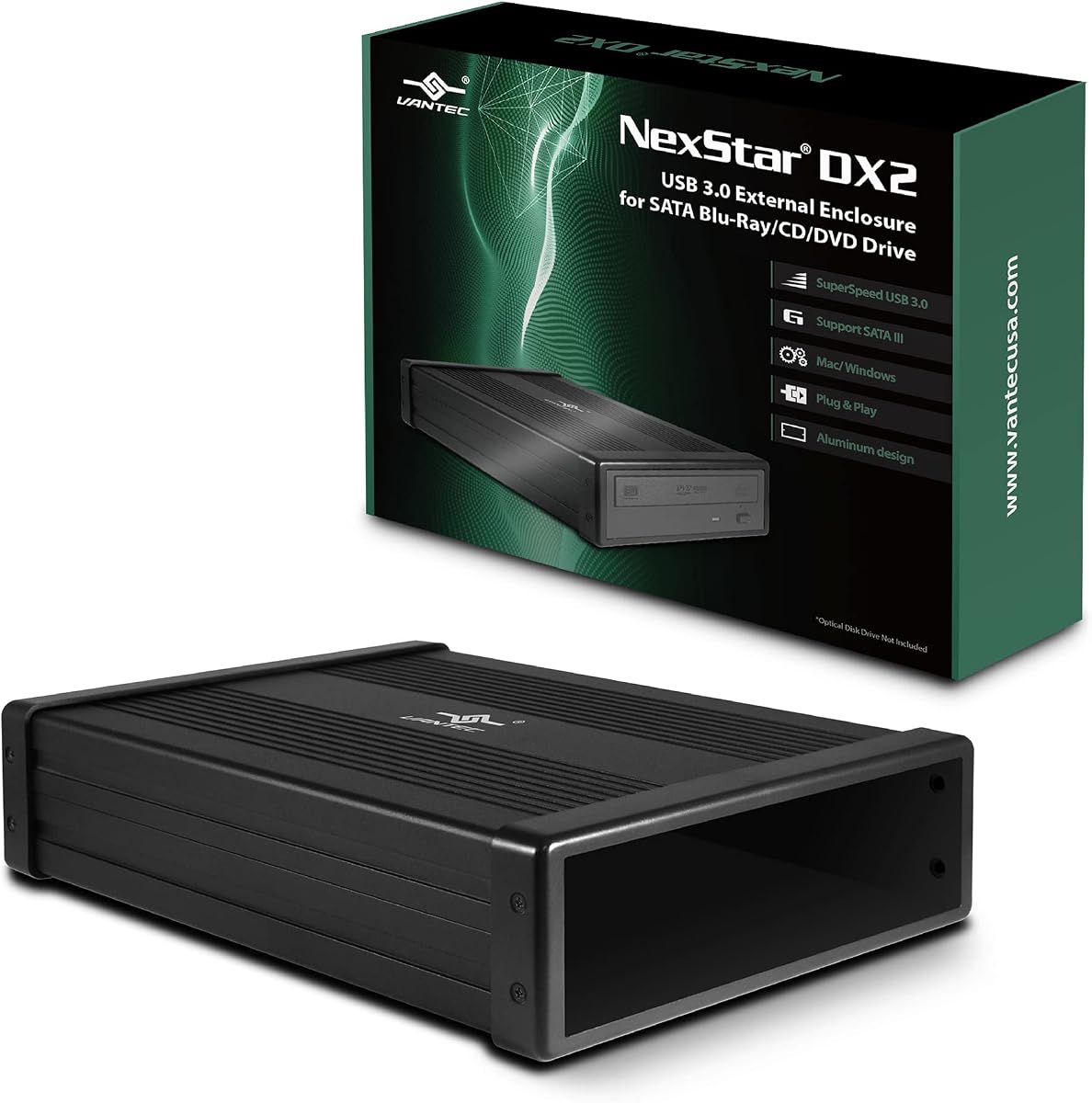
4.6Editor score

4.6Editor score
The following table provides a side-by-side comparison of all ten selected models, highlighting their primary compatibility, interface speeds, and key design features to simplify your selection process.


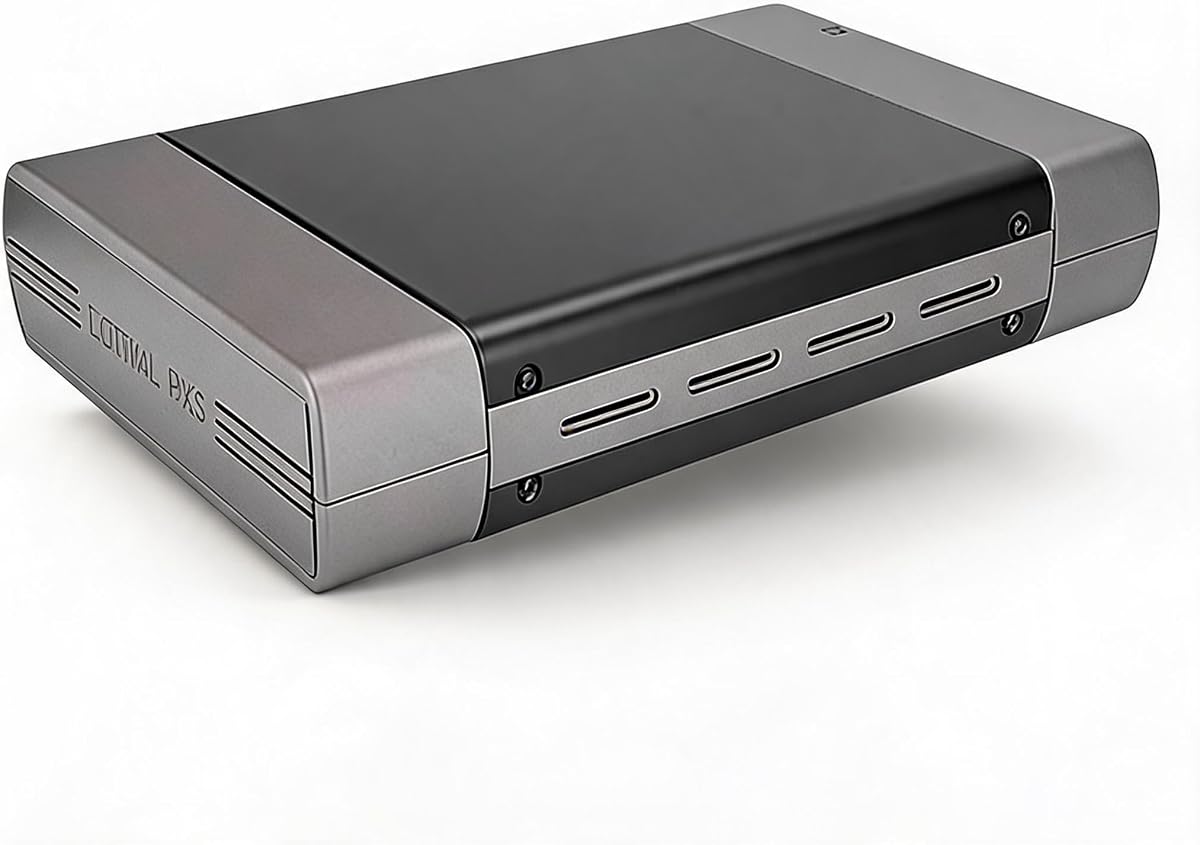


The NexStar DX2 stands out as the top choice for users needing a robust enclosure for standard 5.25-inch optical drives. With a rating of 4.6 stars, it balances build quality and functionality effectively.
We may earn a commission when you buy through this link, at no additional cost to you.
Its standout feature is the ability to fit optical drives of any depth up to 185mm, making it incredibly versatile for various legacy hardware. The aluminum alloy casing not only looks premium but also significantly reduces noise and vibration during operation.
While it requires an external 12V power adapter which adds to the cable clutter, this ensures stable power for high-performance Blu-ray drives that might struggle with bus-powered alternatives. The hot-swappable design allows easy drive changes without shutting down your system.
This model is ideal for professionals or enthusiasts who need reliable access to physical media archives and want a durable solution that can handle daily use. Its TAA compliance makes it suitable for government procurement projects as well.
The internal flexible SATA cable allows connection regardless of the drive interface position, solving common mounting issues found in rigid enclosures.
Constructed from aluminum alloy, this enclosure provides superior heat dissipation and physical protection compared to plastic alternatives.
We may earn a commission when you buy through this link, at no additional cost to you.
This enclosure offers a modern twist by including both USB-A and USB-C ports, catering to newer laptops while maintaining compatibility with older systems. It supports optical drives up to 171mm in depth.
We may earn a commission when you buy through this link, at no additional cost to you.
The aluminum alloy construction helps manage heat effectively during long read or write sessions. Users appreciate the hot-swappable feature which allows quick drive swaps without powering down the host machine.
Installation can be slightly tricky if screw holes do not align perfectly, so watching the provided video guide is recommended. Despite this minor hurdle, the performance remains consistent across different drive models.
It is a strong candidate for users who need a balance between legacy support and modern connectivity options. The lack of an included drive means you must source one separately, but this keeps the cost lower.
The inclusion of a USB-C port future-proofs the enclosure for devices that have phased out traditional USB-A ports.
The aluminum casing acts as a heat sink, preventing overheating during extended disc burning or data retrieval tasks.
We may earn a commission when you buy through this link, at no additional cost to you.
The Zunate enclosure is designed specifically for users with slim 9mm optical drives from laptops who want to use them externally. It offers a plug-and-play experience without requiring any drivers or extra power adapters.
We may earn a commission when you buy through this link, at no additional cost to you.
Its compact design makes it easy to carry in a laptop bag, perfect for travelers or students. The woven data cable provides strong anti-interference capabilities ensuring stable connections during file transfers.
While it is limited to 9mm drives and cannot accommodate thicker desktop models, it performs admirably within its scope. The brushed material finish gives it a stylish look that resists scratches.
For budget-conscious buyers needing a simple solution for slim drives, this is an excellent choice. It saves space and power while maintaining reliable 5Gbps transfer speeds over USB 3.0.
Bus-powered operation means you do not need to hunt for power outlets when traveling with your optical media.
The slim profile and folded cable design allow this unit to fit easily into small pockets or sleeves.
We may earn a commission when you buy through this link, at no additional cost to you.
The JOTEC enclosure is a solid mid-range option that provides dual cable options for maximum flexibility. It supports 9.5mm thick SATA drives and includes non-slip feet to keep the unit stable during use.
We may earn a commission when you buy through this link, at no additional cost to you.
Its aluminum-alloy construction ensures excellent heat dissipation which prevents overheating during long burning sessions. The power-saving sleep mode helps extend drive life and save energy when idle.
Users must confirm their drive dimensions before purchase since it is specific to 9.5mm models. However, once installed, it supports a wide range of disc formats from CD to DVD and Blu-ray.
This model is well-suited for office environments where reliability and ease of use are paramount. The included cables mean you can connect to almost any modern desktop or laptop immediately.
Having both USB 3.0 and Type-C cables in the box reduces the need to buy extra adapters separately.
Non-slip feet and a ventilated design ensure the unit stays put and remains cool during operation.
We may earn a commission when you buy through this link, at no additional cost to you.
The Tbest enclosure offers a unique advantage by supporting both 12.7mm and 9.5mm drives which is rare at this price point. This flexibility makes it a good backup choice for users with mixed inventory.
We may earn a commission when you buy through this link, at no additional cost to you.
It utilizes the INIC3609 chipset to ensure broad device compatibility and automatic sleep mode for energy efficiency. The USB 3.0 interface provides blazing fast transfer speeds up to 5Gbps.
However, user reviews indicate some inconsistency in build quality and long-term reliability. While the features are impressive on paper, physical durability may vary between units.
If you need to support multiple drive thicknesses without buying two enclosures, this is a viable option. Just be aware that quality control might not match higher-priced alternatives.
Supporting both standard and slim drives means fewer adapters are needed when switching between different hardware.
The INIC3609 solution ensures stable connections across different operating systems without requiring manual drivers.
We may earn a commission when you buy through this link, at no additional cost to you.
The Vantec NexStar is engineered for performance with explicit support for SATA III 6Gbps speeds and UASP technology. This ensures your optical drives operate at peak efficiency without bottlenecks.
We may earn a commission when you buy through this link, at no additional cost to you.
Its anti-slip mat helps dampen noise and protects your desk surface from scratches. The compact and lightweight design makes it easy to store when not in use.
While it looks utilitarian compared to others, the performance is top-tier for data transfer and media playback. The hot-swappable nature allows seamless integration into workstations without rebooting.
This is the best choice for power users who prioritize speed and reliability over aesthetic design. It handles both optical drives and SATA storage drives effectively.
UASP support ensures that data requests are handled more efficiently than standard USB protocols.
The integrated mat reduces vibration noise which is crucial for quiet office environments.
We may earn a commission when you buy through this link, at no additional cost to you.
This model is straightforward and designed for users who only need basic functionality for standard 5.25-inch drives. It includes an AC power adapter to ensure stable performance during read-write tasks.
We may earn a commission when you buy through this link, at no additional cost to you.
The aluminum housing protects the installed drive from bumps and scratches while maintaining a compact footprint on your desk. It is ideal for backup tasks and software installs from physical media.
The main limitation is the USB 2.0 connection which is significantly slower than USB 3.0 options. If speed is not a priority for simple reading tasks, this remains a reliable solution.
Best suited for legacy systems or environments where USB 3.0 ports are unavailable but standard optical access is needed.
The included AC adapter ensures consistent operation even for high-power drives that need extra juice.
The lightweight aluminum shell protects the drive internals from physical damage during office use.
We may earn a commission when you buy through this link, at no additional cost to you.
The Bewinner enclosure balances portability and style with a brushed ABS material finish that resists scratches. It supports 9.5mm optical drives and features a detachable panel for easy installation.
We may earn a commission when you buy through this link, at no additional cost to you.
Its woven cable minimizes interference ensuring stable data transfer speeds up to 5Gbps. The eject key on the front prevents discs from getting stuck which is a common frustration with external drives.
While the material is plastic rather than metal, it remains lightweight and durable enough for regular transport. The integrated cable folds neatly into the bottom for convenient storage.
This unit is perfect for students and professionals who travel frequently and need to access optical media on the go.
The woven cable adds durability and reduces wear on the connection ports during frequent plugging and unplugging.
The detachable panel design allows you to swap drives without tools which speeds up the setup process.
We may earn a commission when you buy through this link, at no additional cost to you.
This enclosure is built for reliability with a built-in woven data cable that minimizes signal loss during transfers. It supports 9mm ultra slim Serial ATA drives found in most modern laptops.
We may earn a commission when you buy through this link, at no additional cost to you.
The USB-C and USB 3.0 interface ensures you get maximum speed compatibility. It detects instantly upon connection requiring no additional drivers or external power supply.
The compact construction makes it easy to carry in a laptop sleeve while maintaining a premium look. Its main limitation is that it only supports slim drives and not standard desktop models.
For users with slim laptop drives who need a reliable external solution this is a solid choice.
The reinforced cable design ensures your data connection stays steady even in noisy wireless environments.
Plug and play compatibility means you save time by not having to install any software.
We may earn a commission when you buy through this link, at no additional cost to you.
This model emphasizes ease of use with a tool-free detachable design that lets you swap drives in seconds. It fits standard 12.7mm Serial ATA optical drives commonly found in laptops.
We may earn a commission when you buy through this link, at no additional cost to you.
The reinforced woven cable ensures a reliable connection that resists damage from bending or twisting. It supports stable high-speed data transfer up to 5Gbps for efficient disc operations.
The scratch-resistant brushed finish keeps the unit looking new even after regular use in a backpack or bag. The dedicated eject key prevents frustrating stuck disc situations during use.
Ideal for users who need a simple and durable solution to extend the life of their existing optical drives.
No need for screwdrivers or technical skills to install your drive which saves time during setup.
The premium ABS material resists fingerprints and scratches keeping the enclosure looking professional.
We may earn a commission when you buy through this link, at no additional cost to you.
Choosing the right enclosure depends on several technical factors that ensure compatibility and performance with your existing hardware.
The first critical step is determining the thickness of your optical drive. Most laptops use 9.5mm or 9mm slim drives while desktops use 5.25 inch standard drives. Ensure the enclosure explicitly states support for your specific drive thickness.
Verify the millimeter specifications before purchasing to avoid buying an enclosure that is too thick or too thin for your hardware.
Look for USB 3.0 or USB 3.1 ports which offer significantly faster data transfer rates compared to USB 2.0. USB-C connectivity is becoming standard for modern laptops so dual port options provide flexibility.
Prioritize enclosures with USB 3.0 to ensure quick loading of large media files and smooth playback performance.
Slim drives are often bus powered meaning they run solely on USB power. Standard desktop drives usually require an external 12V power adapter to function correctly. Check if the enclosure includes a power adapter.
If you plan to use high-performance drives like Blu-ray burners ensure the enclosure provides sufficient power either via USB or an included adapter.
Aluminum alloy enclosures generally dissipate heat better than plastic models which prevents overheating during long writing sessions. Metal cases also offer better physical protection for the delicate internal drive.
Choose aluminum or reinforced materials if you plan to use the enclosure frequently or in environments where it might get bumped.
Ensure the product supports your specific operating system whether it is Windows Linux or macOS. Most modern drives are plug and play but checking system requirements prevents driver conflicts.
Look for products that state native support for your OS version to avoid software installation hurdles.
Woven or reinforced cables are more durable than standard rubber cables which tend to fray at the connectors over time. Good cabling ensures stable data transfer and reduces signal loss.
Check if the cable is detachable or integrated. Detachable cables allow easier replacement if damaged.
Some models include features like anti-slip mats eject keys or sleep modes which can enhance user experience. These add-ons prevent discs from jamming and reduce power consumption when idle.
Weigh the cost against these features to decide if they provide real value for your specific use case.
Install the internal drive carefully by aligning the SATA interface and securing it with screws. Ensure the drive is seated properly before closing the enclosure to prevent connection issues.
Always use the provided power adapter for desktop drives to ensure stable performance. For slim drives plug directly into a USB 3.0 port to avoid power shortages.
Keep the enclosure clean by wiping it with a soft cloth and avoid exposing it to dust or moisture to extend its lifespan.
Most modern enclosures are plug and play and support Windows macOS and Linux without installing additional drivers. However always verify the specific product page for detailed system requirements to ensure full compatibility with your version of the OS.
Yes as long as the enclosure supports the specific SATA interface of your Blu-ray drive. Make sure the enclosure can handle the power requirements since Blu-ray drives often need an external adapter.
USB 3.0 offers much faster data transfer speeds up to 5Gbps compared to 480Mbps on USB 2.0. This difference is noticeable when loading large files or burning discs quickly.
Generally slim 9.5mm drives are bus powered and run on USB power alone. Desktop 5.25 inch drives usually require an external 12V adapter to function correctly.
Most enclosures feature a removable panel allowing you to swap drives easily. However always check if the model supports hot swapping or if you need to disconnect the power first.
Metal enclosures offer better protection against bumps while plastic ones are lighter. Choose a model with a sturdy build and a reliable cable for frequent travel to prevent damage.
We have reviewed ten top models ranging from high-performance aluminum cases to budget-friendly portable solutions. The NexStar DX2 offers robust features for desktop users while the Zunate provides excellent portability for laptop drives.
Prioritize compatibility with your drive thickness and interface type to ensure smooth operation. Selecting the right power source is also critical for reliable performance during extended use.
Please remember that prices and availability can fluctuate so check the current listings before making your final purchase decision.