
LONGER LK5 Pro 3D Printer
4.1Editor score
300x300x400mm build size
Pre-assembled triangular structure
Silent TMC2208 drivers
Discover the top Fdm Printer for Large Prints models compared by experts for build volume, speed, and reliability in October 2026.
Finding the right Fdm Printer for Large Prints can transform your creative workflow. Modern machines offer massive build volumes, high speeds, and precise calibration to handle ambitious projects without compromises.
We compared ten leading models based on build size, speed, material support, and user feedback. Each pick balances performance with ease of use, ensuring you get reliable results whether you are prototyping or printing in bulk.
Every selection highlights key strengths and real-world trade-offs to help you decide quickly. Note that availability and pricing may shift, so verify details before purchasing to ensure the best value for your needs.
4.1Editor score

4.0Editor score

4.5Editor score
Below is a side-by-side comparison of all ten selected Fdm Printer for Large Prints models. Each entry includes core specifications to help you quickly identify the right fit for your workspace and project demands.



The Bambu Lab P1S delivers reliable high-speed printing with its enclosed design and automatic bed leveling. It supports up to 16 colors when connected to the AMS and achieves speeds up to 500mm/s for quick turnaround.
We may earn a commission when you buy through this link, at no additional cost to you.
Its user-friendly setup and robust frame reduce calibration time significantly. The enclosed body ensures consistent results with materials like ABS and ASA, making it versatile for both hobbyists and professionals.
While multi-color printing requires the separate AMS module, the trade-off is justified by the speed and precision. Carbon fiber filaments are not recommended, so users should consider that for structural projects.
This model suits makers wanting professional results without complex assembly. If you value speed and reliability, the P1S stands out as a top choice for large print workflows.
Achieve speeds up to 500mm/s with 20000 mm/s² acceleration for faster project completion.
Enclosed design supports advanced filaments like ABS and ASA with better adhesion and quality.
We may earn a commission when you buy through this link, at no additional cost to you.
The Snapmaker U1 excels with its unique SnapSwap system allowing true multi-color prints without manual filament swaps. Tool changes take just five seconds and reduce waste by up to five times.
We may earn a commission when you buy through this link, at no additional cost to you.
Its CoreXY motion system enables speeds up to 500mm/s while maintaining accuracy across the 270mm cubic build volume. AI monitoring and remote app control enhance usability for complex prototypes.
While the build volume is smaller than other large print models, the precision and speed compensate for many workflows. It suits creators focused on multi-material functionality over sheer size.
If you need quick changes and clean results, the U1 is a strong option. Consider your workspace needs before committing to this premium multi-tool solution.
Four independent toolheads switch automatically for mixed-material prints without manual intervention.
Minimizes waste and downtime with smart filament management and faster tool changes.
We may earn a commission when you buy through this link, at no additional cost to you.
The Creality Ender 5 Max offers an impressive 400mm cube build volume for oversized prototypes and batch production. Its CoreXY system delivers speeds up to 700mm/s with a rigid metal frame for stability.
We may earn a commission when you buy through this link, at no additional cost to you.
Auto-leveling ensures strong first-layer adhesion and saves time. The dual-gear extruder supports long printing runs without clogging, and WLAN control helps manage multiple units efficiently.
While it requires some initial tuning, the raw capabilities make it a favorite for farms. Beginners may find the setup slightly challenging but the rewards in volume and speed are significant.
Ideal for businesses scaling production, this printer balances cost with performance. Verify current availability and reviews before purchasing to ensure compatibility with your workflow.
Print bigger models or batch parts without splitting designs thanks to 400mm dimensions.
Multi-printer control and durable extruder support continuous operation for scaling projects.
We may earn a commission when you buy through this link, at no additional cost to you.
The K2 Plus Combo combines large volume with advanced multi-color printing via its intelligent CFS system. It achieves 600mm/s speeds with step-servo motors and monitors prints with dual AI cameras.
We may earn a commission when you buy through this link, at no additional cost to you.
High-temp capabilities support materials like ASA and PPA up to 350°C. The aerospace-grade frame ensures rigidity during fast printing and auto-leveling simplifies calibration for daily use.
Multi-color setups require initial configuration but yield vibrant results. It is best for users needing professional-grade output without manual filament swaps or color changes.
If multi-material versatility and size are priorities, this model delivers strong performance. Check current stock to confirm CFS compatibility before committing to this advanced system.
Intelligent CFS units handle up to 16 colors with automatic filament selection and relay.
Step-servo motors and dual cameras ensure accuracy during high-speed large-format prints.
We may earn a commission when you buy through this link, at no additional cost to you.
The Kobra X brings native 4-color printing and reduces waste by 81% compared to traditional systems. Its LeviQ 3.0 auto-leveling ensures flawless first layers and top-mount design saves bench space.
We may earn a commission when you buy through this link, at no additional cost to you.
AI monitoring and app control help manage print farms efficiently. While the 260mm volume is smaller than some rivals, its speed and color options suit batch production needs.
Expansion to 19 colors requires additional ACE units but offers flexibility. Beginners will appreciate the plug-and-play setup and minimal calibration effort needed.
Ideal for small businesses wanting multi-color results without major overhead. Verify compatibility with ACE 2 Pro units for expanded color capabilities.
Reduces purge waste significantly for cost-efficient multi-color projects.
App control and AI features streamline workflow for scaling operations.
We may earn a commission when you buy through this link, at no additional cost to you.
The LK10 Plus offers a tall 400mm build volume ideal for vertical parts and prototyping. Klipper firmware enables speeds up to 500mm/s and auto bed leveling simplifies setup.
We may earn a commission when you buy through this link, at no additional cost to you.
High-flow extruder supports diverse materials like PETG and TPU. Dual-band WiFi allows stable remote control and silent drivers reduce noise during operation.
While Klipper may require learning, the speed and height advantages are valuable. It balances performance with ease for makers seeking large vertical builds.
Check community resources for optimal Klipper setup. For vertical models needing speed and height, this unit delivers strong practical value.
400mm height supports tall parts without splitting designs.
Klipper firmware and WiFi enable fast, remote-friendly printing.
We may earn a commission when you buy through this link, at no additional cost to you.
The Max4 Combo features a 390mm-wide volume and a 65°C heated chamber for engineering-grade materials. It reaches 800mm/s speeds and includes AI cameras for real-time monitoring and quality control.
We may earn a commission when you buy through this link, at no additional cost to you.
High-flow hotend supports abrasive filaments like carbon fiber nylon. The frame ensures stability at high speeds and silicone heated bed prevents warping during large prints.
Polar Cooler must be purchased separately which adds cost. It suits industrial needs requiring large volumes and advanced material support without sacrificing speed.
Verify accessory needs before purchase. For high-performance production, this model leads in chamber control and build capacity.
65°C chamber supports ABS-CF and PC without warping.
Closed-loop motors and rigid frame maintain precision at 800mm/s.
We may earn a commission when you buy through this link, at no additional cost to you.
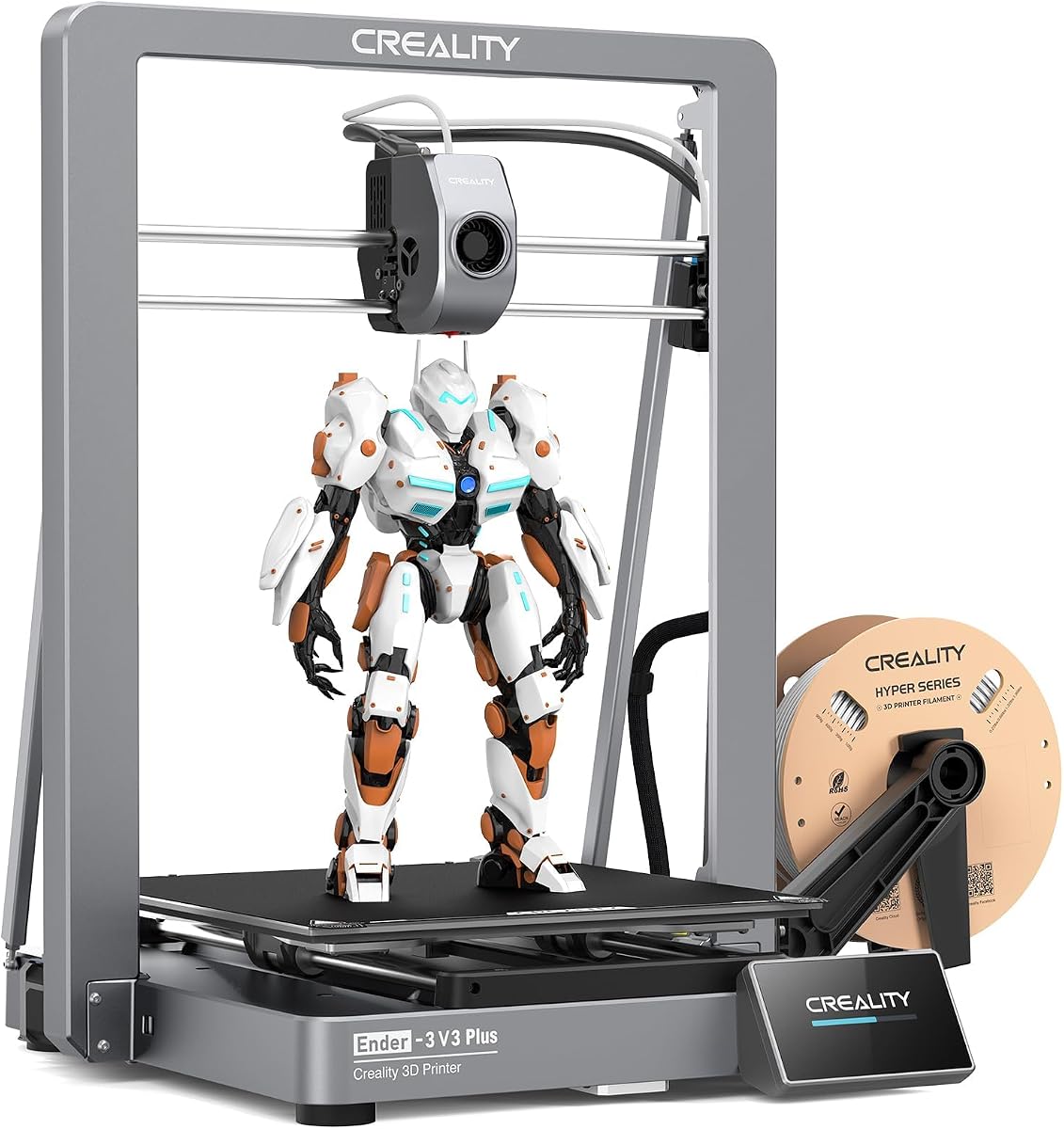
The Ender 3 V3 Plus provides a 300x300x330mm volume with CoreXZ motion for stability at high speeds. Auto calibration and tri-metal nozzle simplify setup and maintenance for quick prototyping.
We may earn a commission when you buy through this link, at no additional cost to you.
It is 12 times faster than standard printers and supports batch printing. The rigid frame reduces wobbling but some users report minor tuning needs.
While not the top-rated option, it offers solid speed and size for small labs. Beginners should review setup guides to avoid potential pitfalls.
Consider your need for speed versus ease of use. For fast small batches, this model delivers value.
CoreXZ and dual Y motors reduce wobbling at high speeds.
Tri-metal nozzle ensures wear resistance and smooth disassembly.
We may earn a commission when you buy through this link, at no additional cost to you.
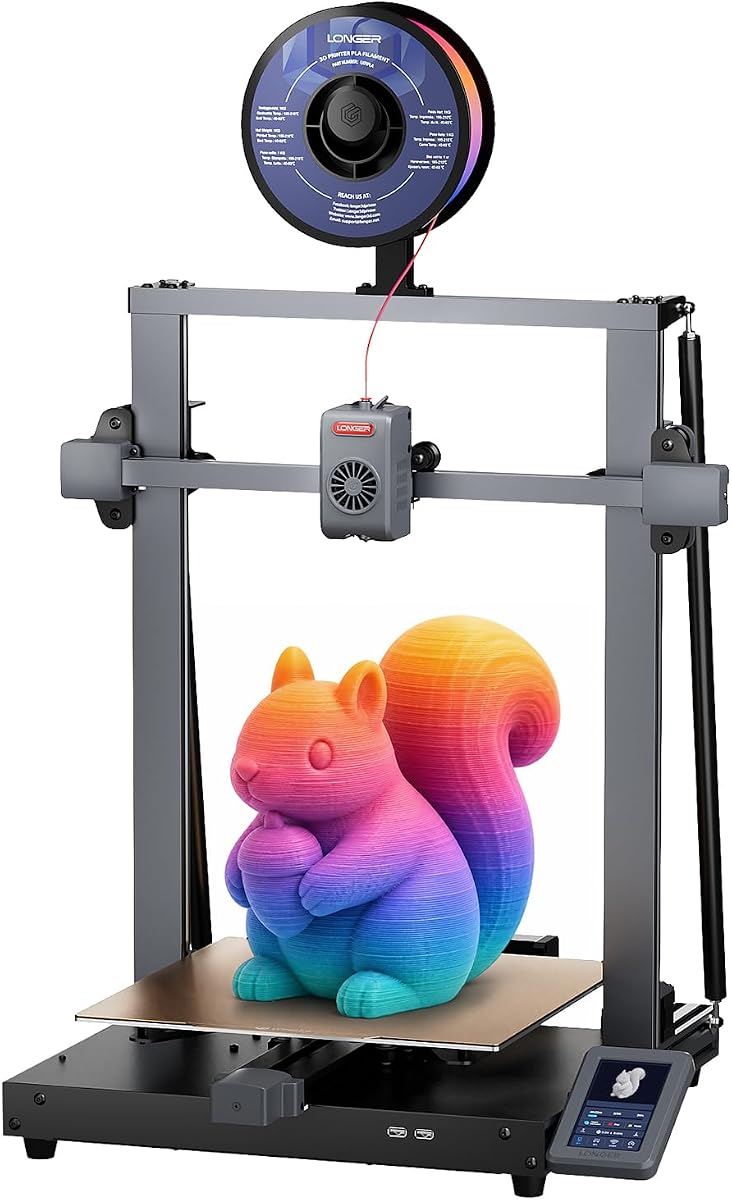
The LK5 Pro 3 ships 90% assembled with a reinforced triangular structure for stability. Its open source motherboard and silent drivers make it friendly for beginners learning FDM basics.
We may earn a commission when you buy through this link, at no additional cost to you.
Resume printing and filament detection reduce failures during long runs. The lattice glass plate simplifies model removal and dual blower kit aids cooling for cleaner prints.
While assembly requires effort, the structure ensures reliable results. It balances cost with performance for entry-level large printing projects.
Check review guides for optimal setup. For beginners needing large volume, this model offers a solid foundation.
90% pre-assembled design reduces setup time for first-time users.
Triangular structure and silent drivers ensure vibration-free prints.
We may earn a commission when you buy through this link, at no additional cost to you.
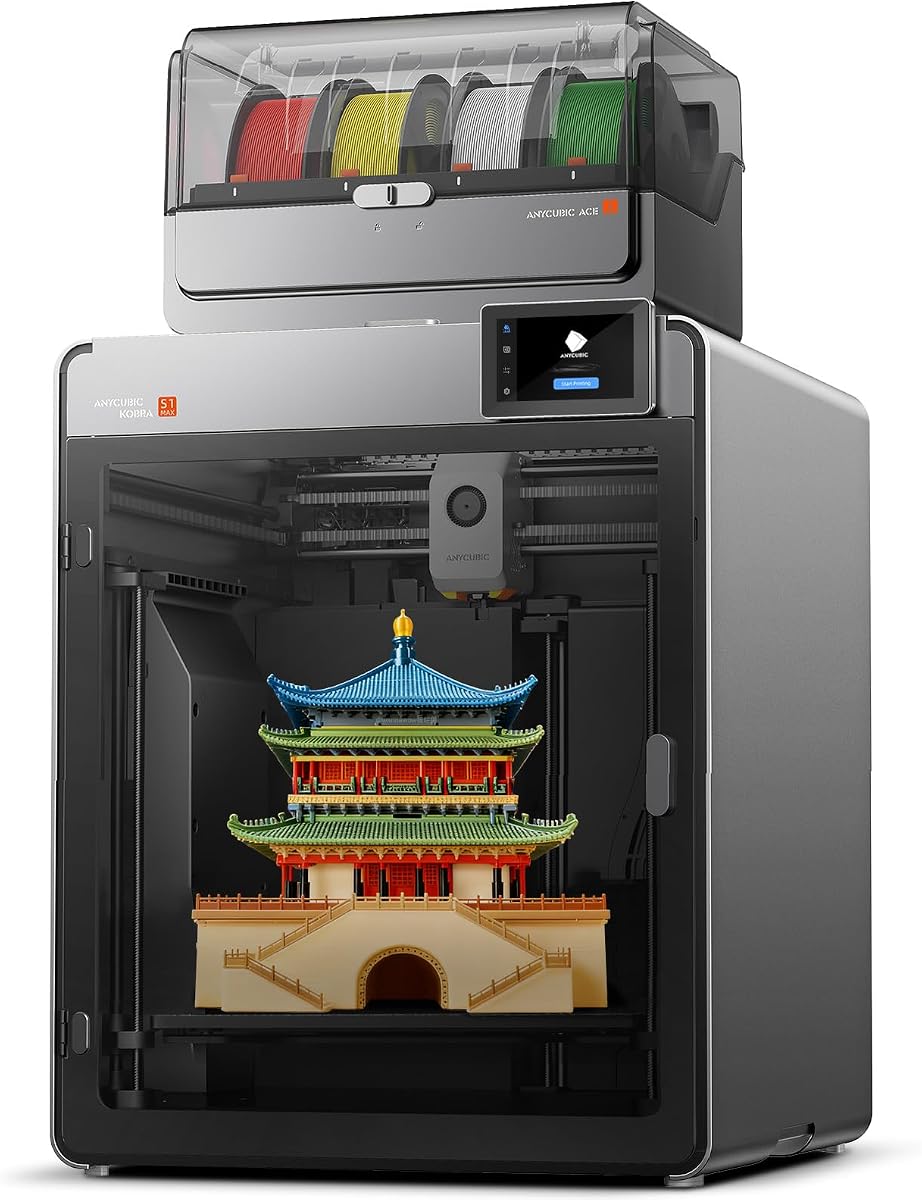
The Kobra S1 Max provides a 350mm cube with CoreXY motion and 600mm/s speeds. It supports multi-color printing via ACE 2 Pro units and uses LeviQ 3.0 for precise leveling.
We may earn a commission when you buy through this link, at no additional cost to you.
Active vibration compensation reduces ringing and heated chamber supports various materials. Titanium throat and hardened extruder ensure wear resistance and reliable feeding.
As a newer model, fewer reviews exist but specs are promising. It suits makers seeking enclosed reliability with multi-color options.
Verify compatibility before purchasing. For large format needs, this model offers solid specs.
Fully enclosed CoreXY ensures smooth motion and precision.
ACE 2 Pro units expand color options for complex designs.
We may earn a commission when you buy through this link, at no additional cost to you.
Selecting the right Fdm Printer for Large Prints depends on build volume, speed, material needs, and ease of use. These factors determine how well the machine fits your workflow and project demands.
Build volume defines the maximum size of your prints. Larger volumes allow you to create oversized parts or batch multiple pieces in one run without splitting models. Check dimensions carefully since tall or wide parts may require specific X, Y, and Z ranges.
Prioritize machines with 350mm or greater in each axis if you frequently need large parts. Ensure the machine can accommodate your tallest designs comfortably.
Higher speeds reduce wait times and improve productivity. Look for printers with 500mm/s or faster options combined with robust acceleration. Ensure high speed does not compromise layer quality or accuracy on your chosen materials.
Balance speed with precision. For prototypes, faster is better. For detailed parts, prioritize stability over raw speed.
Auto leveling simplifies setup and ensures consistent first layers. Features like 64-point mesh or auto Z-offset reduce manual adjustments. Reliable calibration is essential for large prints where adhesion matters most.
Choose models with fully automatic systems to save time and reduce failure rates. Check how often recalibration is needed for best results.
Heated chambers improve adhesion and reduce warping for materials like ABS and ASA. Some models include active heating up to 65°C which supports engineering-grade filaments. Ensure your printer can handle the temperature range you need.
Verify supported materials in the specs. High-temp nozzles and hardened tips extend tool life for abrasive filaments.
Direct drive extruders provide better control and support flexible filaments. Dual-gear systems enhance grip and reduce clogs during long prints. Robust extruders improve uptime and reliability for production work.
Look for high-flow extruders if you print large parts. They allow faster material delivery without sacrificing quality.
Remote access via WiFi or LAN helps manage large prints. Open source firmware offers customization while closed systems provide simplicity. AI monitoring and camera features add safety and transparency.
Choose connectivity that matches your workflow needs. Check if companion software includes print management and slicing tools.
Pre-assembled machines save setup time and reduce initial frustration. Modular designs and accessible parts simplify routine maintenance. Check availability of replacement parts and support options.
Opt for units with clear manuals and community support. Regular maintenance extends lifespan and ensures consistent results.
Compare features against your budget. High-end models offer speed and multi-color support but may cost more. Entry-level options provide large volume but might need more calibration.
Consider total cost including filaments and accessories. The best value combines performance with long-term reliability.
Begin by leveling the build plate using the auto or manual tools. Ensure the nozzle height is calibrated to prevent first layer issues. Use appropriate bed adhesion surfaces like PEI or glue sticks for best results.
Monitor prints regularly using the camera or software tools. Watch for filament jams or bed adhesion problems. Pause or stop early if you notice defects to save time and material.
Clean the nozzle and extruder periodically to maintain flow. Replace worn belts and gears when needed. Keep firmware updated to benefit from performance improvements and bug fixes.
For large prints, aim for at least 350mm in X, Y, and Z axes. This allows you to print full-scale prototypes or batch items without splitting. Check your tallest part size to confirm Z-height is sufficient.
A heated chamber helps prevent warping for materials like ABS and ASA. For PLA and PETG it may not be essential. Consider your material choices before deciding on chamber features.
Auto leveling is highly important as it ensures consistent first layers across large beds. Manual leveling can be tedious and error prone. Look for systems with 64-point leveling or similar precision.
Yes many modern models support multi-color printing using tool changers or filament systems. This adds complexity and cost but expands design options. Check compatibility with multi-color units before buying.
PLA PETG and ASA are reliable for large prints due to ease of use and warping resistance. Engineering materials like PC and PPA require higher temperatures. Always verify supported materials before printing.
Increase speed and acceleration where quality allows. Optimize orientation and support structures to minimize travel distance. Batch multiple small parts together to maximize volume efficiency.
Regularly clean the nozzle and check belt tension. Lubricate guide rails and replace worn extruder gears. Keep firmware updated to maintain performance and fix known issues.
Closed frames offer better thermal stability and safety for high-temp materials. Open frames suit PLA and easy maintenance. Choose based on material needs and workspace safety requirements.
The top picks offer strong build volumes and speeds for ambitious projects. Models like the K2 Plus Combo and Max4 Combo lead in multi-color and speed while the Ender 5 Max provides value for scale.
Focus on what matters most for your workflow such as material support ease of setup or connectivity. Large printers require more maintenance and calibration time so plan accordingly.
Check current pricing and availability before purchasing since specs and deals change. The best Fdm Printer for Large Prints fits your goals without compromising quality or reliability.