
Thermaltake GF1 Fully Modular ATX 850W Power Supply
4.4Editor score
80 Plus Gold certified efficiency
Smart Zero Fan technology
140mm fluid bearing fan
This guide compares the top 10 fully modular power supplies for gaming pcs, evaluating efficiency, build quality, and reliability to help you choose the right
Selecting the right power supply is critical for any gaming PC build. A fully modular design offers unmatched cable management flexibility, reducing clutter and improving airflow inside your case for better cooling performance.
We compared ten top-rated units based on efficiency certifications, ATX 3.1 compliance, and build quality. Each product was evaluated for its native PCIe 5.1 support and overall reliability under load conditions.
This guide shows detailed reviews and comparisons to help you decide. Note that availability and pricing change frequently, so verify current details before purchasing your next power supply unit.
4.4Editor score

4.7Editor score

4.8Editor score
The following comparison table details the specifications and features of all ten selected power supplies. This side-by-side view helps you quickly identify which unit fits your specific wattage and feature requirements.


The CORSAIR RM850x stands out as a top choice for gamers seeking a fully modular power supply. It holds a high rating for reliability and efficiency, making it a safe bet for high-end builds.
We may earn a commission when you buy through this link, at no additional cost to you.
Its Cybenetics Gold certification ensures low power consumption and heat generation. The native 12V-2×6 connector allows direct connection to new graphics cards without adapters.
While it is priced higher than some competitors, the quality of cables and components justifies the cost. The flexible embossed cables make routing much easier inside compact cases.
For users planning a future-proof gaming PC, this unit offers the best balance of features and performance. It is highly recommended for those prioritizing build quality and silence.
The ultra-flexible embossed cables reduce clutter and allow for cleaner airflow inside the PC case.
Native support for PCIe 5.1 ensures your power supply is ready for the next generation of graphics cards.
We may earn a commission when you buy through this link, at no additional cost to you.
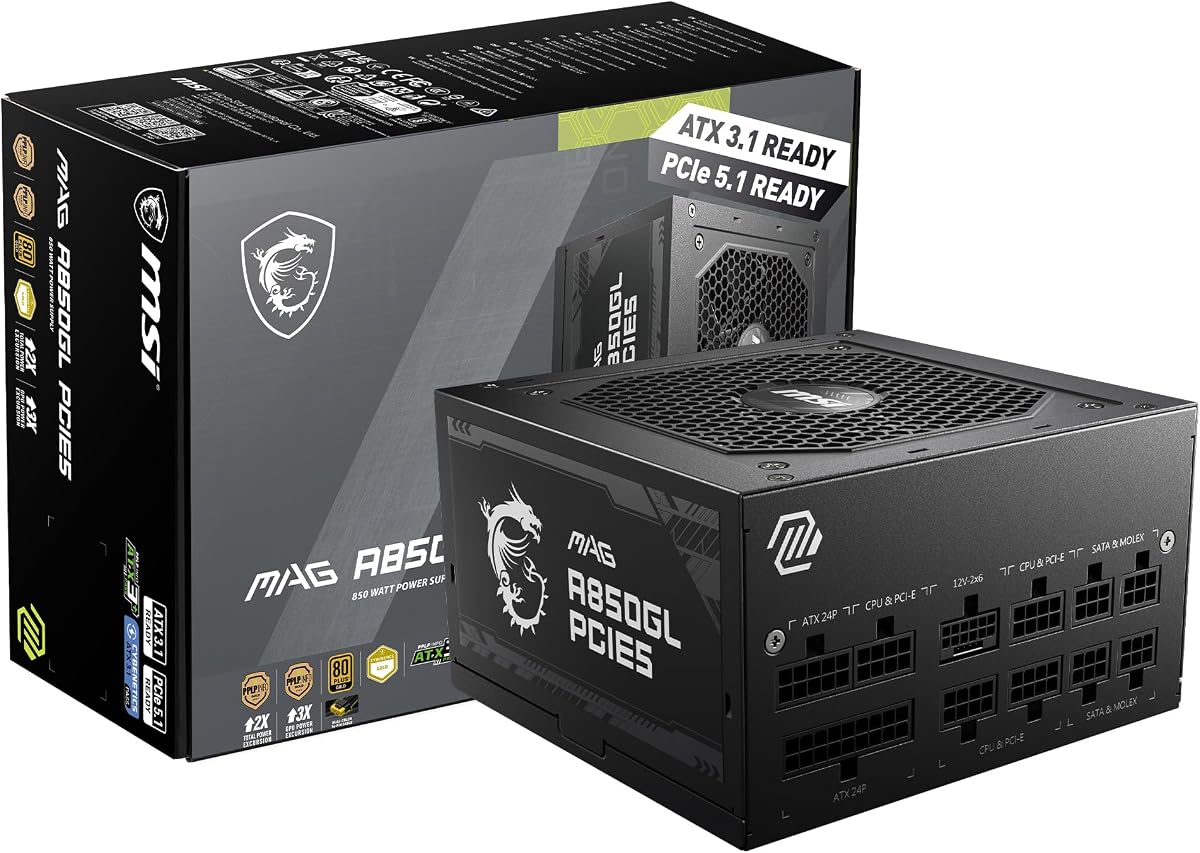
MSI offers a competitive option with the MAG A850GL PCIE5. This unit provides essential modern features at a more accessible price point compared to top-tier brands.
We may earn a commission when you buy through this link, at no additional cost to you.
It includes a native 12V-2×6 cable with dual-color connectors for easy identification. The ATX 3.1 compliance ensures it can handle transient power spikes from new GPUs.
Build quality is solid though not as premium as some rivals. The compact size is beneficial for smaller cases where space is at a premium.
Budget-conscious builders will appreciate the value this unit delivers. It is a practical choice for mid-range gaming PCs that need reliability without extra cost.
The smaller chassis footprint makes installation easier in tight cases without sacrificing power output capabilities.
You get essential modern features like ATX 3.1 support without paying for high-end extras you might not need.
We may earn a commission when you buy through this link, at no additional cost to you.
The RM850e is designed with a focus on silence and steady power delivery. It features a specially calculated fan curve that keeps noise levels low even under full load.
We may earn a commission when you buy through this link, at no additional cost to you.
Internal components include 105C-rated capacitors which promise longevity and stable voltage regulation. The modular cabling ensures a clean installation without unnecessary cables.
While it lacks some cosmetic extras, the internal engineering is robust. This unit is ideal for users who prioritize a quiet system environment over flashy features.
It serves as a reliable backbone for any gaming setup. The combination of low noise and high efficiency makes it a strong contender for home office gaming rigs.
The rifle bearing fan and custom curve ensure the system stays quiet during light gaming or everyday tasks.
Using high-temperature capacitors helps maintain electrical performance over many years of regular usage.
We may earn a commission when you buy through this link, at no additional cost to you.
For systems requiring significant power headroom, the RM1000x delivers 1000W of continuous output. It is built to handle high-end processors and multiple graphics cards if needed.
We may earn a commission when you buy through this link, at no additional cost to you.
Like its lower wattage sibling, it features Cybenetics Gold efficiency and fully modular cables. This ensures that energy is not wasted as heat and cables can be managed neatly.
The unit is large and expensive, which may not suit every user. However, for enthusiasts planning future upgrades, the extra capacity provides peace of mind.
This power supply is best suited for serious gaming rigs. It ensures stable performance even during intense gaming sessions with high power draw components.
1000 Watts of output gives ample room for future hardware upgrades without needing to replace the power supply.
Gold efficiency ratings mean less electricity is wasted, lowering long term energy costs for your system.
We may earn a commission when you buy through this link, at no additional cost to you.
Thermaltake presents a budget-friendly option with the GF1 series. It offers 80 Plus Gold efficiency and full modularity at a price point that is hard to beat.
We may earn a commission when you buy through this link, at no additional cost to you.
The Smart Zero Fan technology ensures the fan only spins when necessary, reducing noise during light usage. A single 12V rail provides stable power delivery to components.
While it lacks some advanced features found in premium models, it meets basic gaming requirements well. The low price makes it accessible for entry-level builders.
This unit is perfect for those on a tight budget. It provides reliable power and clean cable management without breaking the bank for a new system.
You get essential modularity and efficiency certification without the high cost associated with top tier brands.
The zero RPM mode keeps the system silent during low load activities like web browsing or office work.
We may earn a commission when you buy through this link, at no additional cost to you.
be quiet! lives up to its name with the Pure Power 13 M. This unit combines high Platinum efficiency with exceptional noise dampening technology.
We may earn a commission when you buy through this link, at no additional cost to you.
It features a semi-passive zero RPM mode that eliminates fan noise under low loads. The Cybenetics Platinum certification indicates superior energy savings and performance.
The price is higher due to the premium noise-reduction features. However, for users who demand a silent PC experience, this is a worthwhile investment.
This power supply is ideal for media centers or quiet gaming setups. It delivers robust power while keeping acoustic levels to an absolute minimum.
Platinum certification ensures that nearly all power is used by components rather than lost as heat.
The fan stops completely at low loads, ensuring a completely silent experience during light tasks.
We may earn a commission when you buy through this link, at no additional cost to you.
ASRock offers a strong contender with the Steel Legend SL-850G. It features 100% Japanese capacitors which are known for their durability and electrical stability.
We may earn a commission when you buy through this link, at no additional cost to you.
The unit achieves Platinum efficiency levels despite being priced competitively. This suggests a high level of internal engineering and component selection quality.
A decade of warranty coverage adds significant peace of mind for long-term users. It is a reliable choice for builders who prioritize hardware longevity over brand hype.
This power supply is great for those seeking hidden gems in the market. It delivers performance and quality that rival much more expensive units in the same category.
Japanese capacitors are known for their longevity and stability under high temperatures and constant use.
The FDB fan design ensures smooth and quiet operation even when the unit is under heavy load.
We may earn a commission when you buy through this link, at no additional cost to you.
The ROG Strix 1000W Platinum is a premium unit designed for enthusiasts. It features GaN MOSFETs which improve efficiency and reduce internal heat significantly.
We may earn a commission when you buy through this link, at no additional cost to you.
A unique GPU-First intelligent voltage stabilizer ensures your graphics card receives stable power. This can lead to smoother performance during demanding gaming sessions.
The price is high, reflecting the advanced technology used inside. It is aimed at users who demand the absolute best performance and are willing to pay for it.
For serious gamers and content creators, this unit is a top-tier investment. It delivers unmatched stability and efficiency that no other product in this list can match.
GaN MOSFETs allow for higher efficiency and better thermal management compared to standard silicon components.
The dedicated voltage stabilizer ensures your GPU gets clean power, reducing potential stuttering or crashes.
We may earn a commission when you buy through this link, at no additional cost to you.
ASUS TUF Gaming units focus on durability and ruggedness. This 1000W model uses military-grade components that pass demanding stress tests for reliability.
We may earn a commission when you buy through this link, at no additional cost to you.
The PCB is coated to protect against moisture and dust. Dual ball bearings ensure the fan lasts twice as long as standard sleeve bearing fans.
It includes a 16-pin PCIe cable ready for next-gen GPUs. This makes it a versatile choice for builders looking to keep their system relevant for years.
This power supply is ideal for harsh environments or heavy users. It combines high output with rugged features to ensure long-term system stability.
Military-grade components are tested to withstand extreme conditions, ensuring your system stays stable.
The PCB coating shields internal circuits from dust and moisture, extending the lifespan of the unit.
We may earn a commission when you buy through this link, at no additional cost to you.
The HX1500i is an extreme unit designed for multi-GPU setups or future-proofing. It delivers a massive 1500W of power to handle any system configuration.
We may earn a commission when you buy through this link, at no additional cost to you.
CORSAIR iCUE software allows you to monitor power settings and adjust fan curves dynamically. This level of control is rare in standard power supplies.
The price is significant, and the size is large. It is truly only for users who need every watt of power available for their specific workstation or rig.
For those who demand the absolute maximum power, this is the best option. It ensures that even the most demanding workloads never hit a power ceiling.
iCUE software gives you detailed monitoring and control over power settings for better system management.
1500 Watts ensures you can run multiple graphics cards and high-end components without any power limitations.
We may earn a commission when you buy through this link, at no additional cost to you.
Choosing the right power supply involves looking at wattage, efficiency, and specific connector support. This guide breaks down the most important factors to consider.
Determine your total system power needs by adding CPU and GPU TDP. Always leave headroom to ensure stability during peak loads.
Choose a unit that exceeds your calculated total by at least 20 percent for safety and efficiency.
Look for 80 Plus Gold or Platinum certification to minimize energy waste and heat generation. Higher efficiency means lower electricity bills.
Selecting a higher efficiency rating helps keep internal PC temperatures lower for better component longevity.
Newer standards support transient power spikes from modern graphics cards. Ensure the unit has native 12V-2×6 connectors.
ATX 3.1 compliance is crucial for next-generation hardware compatibility and future-proofing your build.
Fully modular designs allow you to connect only the cables needed. This reduces clutter and improves airflow inside the case.
Flexible and flat cables are preferred for easier routing in compact PC cases.
Check for high-quality internal components like Japanese capacitors and solid-state parts. These ensure long-term reliability and stable voltage.
Units with good build quality often come with longer warranty periods to protect your investment.
A longer warranty period indicates the manufacturer's confidence in product reliability. Look for units with at least 7 to 10 years of coverage.
Always register your product to activate the full warranty benefits immediately after purchase.
Consider the fan type and RPM for noise levels. Units with Zero RPM modes offer silent operation during light use.
Choose a PSU with good acoustic ratings if you value a quiet computing environment.
Set a realistic budget and prioritize essential features like wattage and efficiency over cosmetic extras. High quality units are an investment in system health.
Balance your spending to ensure you do not skimp on the power supply for the sake of other components.
Always ensure the PSU is switched off and unplugged before installing it in your PC case. Connect only the cables required for your components to keep cable management neat.
Regularly clean dust from the PSU intake and fan using compressed air. This helps maintain cooling efficiency and prevents overheating issues.
Avoid overloading the PSU by checking connector limits. Keep your system firmware updated to ensure stable power delivery during updates.
A fully modular power supply allows you to plug in only the cables you need. This reduces clutter and improves airflow inside your computer case significantly.
Yes, especially for newer graphics cards. ATX 3.1 ensures the power supply can handle transient power spikes without shutting down unexpectedly.
Typically 750W to 1000W is sufficient for most modern gaming PCs. Check the power requirements of your specific GPU and CPU to be sure.
Gold efficiency power supplies waste less electricity and generate less heat. They are often more reliable and save money on electricity over time.
Yes if you plan to use new high-end GPUs. A native connector provides safer and cleaner power delivery than using adapters.
A quality power supply can last 7 to 10 years or more. Replacing it when the warranty expires ensures your components remain protected.
No, a larger PSU does not directly improve gaming performance. It provides stable power headroom and ensures reliability under high load conditions.
No, cable pinouts vary between brands. Mixing cables can lead to electrical damage or fire hazards. Always use the cables provided with your PSU.
The CORSAIR RM850x and Thermaltake GF1 represent the best balance of value and performance for most users. They provide essential modern features at accessible price points.
Prioritize efficiency and ATX 3.1 compliance when making your final decision. These features ensure your system remains stable and ready for future hardware upgrades.
Always check current prices and availability before purchasing as deals change frequently. Choosing a reliable unit protects your valuable investment in PC components.