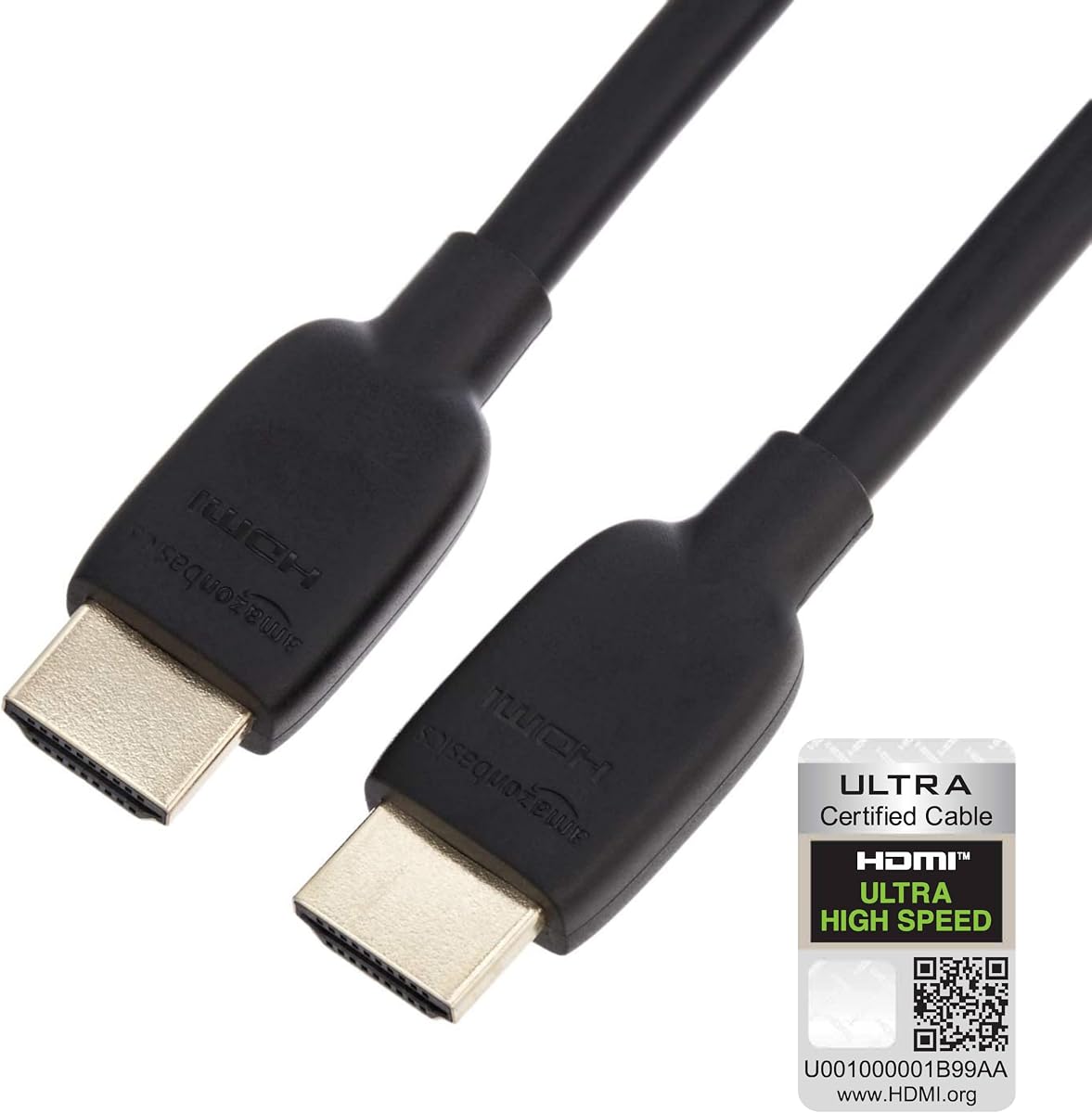
Amazon Basics HDMI 2.1 Cable
4.7Editor score
Affordable 48Gbps Ultra High Speed
Supports 8K 60Hz video resolution
Compact 3-foot design option
This expert guide compares the top 10 HDMI cables for dual monitor setups, evaluating speed, durability, and compatibility for 2026 performance and value.
Choosing the right HDMI cable for dual monitors is essential for seamless productivity and immersive entertainment. A high-quality cable ensures stable signal transmission, supports high resolutions, and prevents flickering issues that can disrupt your workflow or gaming sessions significantly.
We have carefully evaluated ten leading HDMI cables based on their specifications, build quality, and user feedback. This list covers a range of options from budget-friendly picks to premium certified models, ensuring you find the perfect match for your specific dual monitor configuration needs.
Each product review highlights key features, pros, and cons to help you make an informed decision quickly. Please note that prices and availability can change frequently, so always verify the current details on the product page before finalizing your purchase decision today.
4.7Editor score

4.7Editor score

4.6Editor score
The following table provides a side-by-side comparison of the top 10 HDMI cables selected for dual monitor setups. Review these specifications carefully to understand how each cable performs in terms of speed, resolution support, and build durability.





The Highwings 8K HDMI 2.1 Cable 2-Pack stands out as a top choice for dual monitor setups in 2026. With a strong 4.7 rating from users, it offers certified Ultra High Speed performance that ensures stable connections for multiple displays. The two-pack value is particularly appealing for office or home theater configurations.
We may earn a commission when you buy through this link, at no additional cost to you.
Its key strength lies in the 48Gbps bandwidth which supports resolutions up to 10K and 8K at 60Hz. This means that whether you are running a productivity dashboard or a high refresh rate gaming monitor the signal remains crisp and responsive. The upgraded strength of the aluminum alloy shell adds significant durability against daily wear and tear.
However users may find the cable slightly stiff due to the heavy shielding and braiding which can make routing through tight spaces a bit tricky. While this durability is a benefit it could be a minor inconvenience for complex cable management setups. Overall the trade off is worth it for the longevity.
This cable is ideal for enthusiasts who want future-proof connectivity without spending premium brand prices. Whether you are connecting a PC to dual monitors or linking a console to a TV the Highwings cable delivers reliable performance. We highly recommend this pick for anyone building a multi-monitor workspace.
The 48Gbps bandwidth ensures that your dual monitor setup is ready for next-gen 8K content and high refresh rates without needing a replacement soon.
Military grade tensile nylon and aluminum alloy construction protect the internal wires from bending and tearing extending the lifespan of your connection.
We may earn a commission when you buy through this link, at no additional cost to you.
The Silkland Certified HDMI 2.1 Cable is designed for users who demand high fidelity audio and video. It holds a strong 4.7 rating and focuses on delivering a cinematic experience across dual displays. Its unique E-Braid technology ensures that the cable remains durable while providing flexibility for desktop setups.
We may earn a commission when you buy through this link, at no additional cost to you.
This cable excels in supporting dynamic HDR and immersive audio formats such as DTSX and Dolby Atmos. For dual monitor gaming or media consumption this translates to richer visuals and better sound immersion. The inclusion of ferrite magnetic beads helps eliminate signal interference which is crucial for maintaining a black screen-free experience.
While the performance is excellent the cost is higher than standard HDMI cables. Additionally to get the most out of the HDR and audio features your monitors or TVs must support these specific standards. If your hardware is older you might not utilize the full potential of this cable.
We recommend this option for power users who want to maximize their entertainment setup. If you are looking for a cable that supports both productivity and high-end media the Silkland cable provides the necessary bandwidth and features. It is a solid investment for a modern dual monitor workspace.
Support for Dolby Atmos and DTSX ensures that audio matches the high quality video output making your dual monitor media experience truly immersive.
The double-layer fishnet winding and nylon braiding techniques make this cable resistant to daily wear and bending without compromising flexibility.
We may earn a commission when you buy through this link, at no additional cost to you.
The Acer HDMI 2.1 Cable offers exceptional performance for gamers and productivity users alike. With a 4.7 rating it is known for delivering sharp visuals and stable connections across dual screens. The braided design and aluminum shell ensure that the cable can withstand frequent plugging and unplugging in busy office environments.
We may earn a commission when you buy through this link, at no additional cost to you.
Its standout feature is the support for ultra-high refresh rates up to 4K 240Hz. This makes it an ideal choice for competitive gaming where every millisecond matters. The variable refresh rate feature helps reduce screen tearing which is essential for smooth gameplay when connecting a high-end GPU to a monitor.
One minor limitation is the limited length availability which might require careful planning if your desk setup has large gaps. However the standard options like 6 feet work well for most standard desk configurations. The affordability makes it a strong contender for those needing multiple cables.
We suggest this cable for console gamers and office professionals who need reliable high-speed connections. Whether you are connecting a PS5 or a MacBook to your dual monitors the Acer cable handles the load with ease. It is a practical choice for performance without overspending on brand names.
Support for 4K 240Hz ensures that fast-paced games run smoothly without tearing making it perfect for competitive gaming setups.
This cable delivers 48Gbps performance at a lower price point than many competitors offering great value for dual monitor productivity.
We may earn a commission when you buy through this link, at no additional cost to you.
The UGREEN 8K HDMI 2.1 Cable boasts an impressive 4.8 rating making it one of the most trusted options available. It is certified Ultra High Speed which means you can rely on it for stable dual monitor connections without dropouts. The build quality is particularly noteworthy for those who need long-term durability.
We may earn a commission when you buy through this link, at no additional cost to you.
Its ability to support 10K and 8K resolutions sets it apart from many competitors. This is ideal for high-end design work or advanced visual tasks where every pixel counts. The dynamic HDR feature enhances color accuracy providing breathtakingly realistic pictures that are essential for creative professionals.
The cable is somewhat thicker due to the robust aluminum case and shielding which might be a challenge in very tight cable management scenarios. However the increased durability usually offsets this concern for most users who need a reliable permanent installation. It is a solid choice for stationary setups.
We recommend this cable for professionals who need the highest fidelity video transmission. Whether you are editing video or working with complex spreadsheets the UGREEN cable ensures that your output is always crisp. It is a top pick for anyone prioritizing reliability and image quality.
With a 4.8 rating users confirm that this cable delivers consistent high-speed performance with minimal signal loss over time.
Dynamic HDR and 12-bit color accuracy ensure that your monitors display rich and accurate colors for professional workloads.
We may earn a commission when you buy through this link, at no additional cost to you.
The Belkin Ultra HD HDMI 2.1 Cable is a premium option designed for those who prioritize brand reliability and build quality. It carries a 4.6 rating and is known for its superior shielding which minimizes damage to wiring and protects against electric shocks. This makes it a safe choice for expensive equipment.
We may earn a commission when you buy through this link, at no additional cost to you.
Its performance is backed by support for Dolby Vision and HDR10 ensuring that the video output is as high quality as possible. The 2-layer shielding is a key differentiator that reduces electromagnetic interference which is crucial in offices with many electronic devices. This stability is vital for dual monitors.
The main drawback is the higher price compared to other options on this list. You are paying for the brand assurance and specific engineering which might not be necessary for every user. However if budget is not a constraint the peace of mind is worth the extra cost for many.
We suggest this cable for users who want a trustworthy solution for their critical workstations. If you are connecting a MacBook or high-end workstation to dual monitors the Belkin cable provides the premium performance you expect. It is an excellent choice for professional environments.
Belkin is known for durable accessories and this cable continues that tradition with robust construction and reliable support.
Dolby Vision and HDR10 support ensure that your content looks stunning on compatible dual monitor setups.
We may earn a commission when you buy through this link, at no additional cost to you.
The UGREEN HDMI 2.1 Cable Certified is a versatile choice that stands out for its Ethernet enabled capability. This feature allows multiple HDMI devices to exchange files which can be useful in advanced networking scenarios. With a 4.7 rating it is highly trusted for its performance in dual monitor configurations.
We may earn a commission when you buy through this link, at no additional cost to you.
It supports 4X vivid colors and up to 8K resolution at 60Hz making it suitable for both work and play. The premium nickel-plated connectors protect against corrosion ensuring a solid connection over many years of use. This durability is complemented by the high-quality nylon braided jacket.
The Ethernet feature is specific and might not be utilized by all users. If your devices do not support Ethernet over HDMI this benefit is less relevant. However the core video performance is strong enough to justify the purchase regardless of this specific feature. It remains a great option for many.
We recommend this cable for users who want a reliable standard 48Gbps cable with extra connectivity options. It is a practical choice for offices or homes where you need a robust connection for dual screens. The price and performance balance make it a strong contender in this roundup.
The Ethernet channel allows for data exchange between devices making it unique among standard HDMI cables.
Support for vivid colors ensures that your visual output is sharp and detailed for productivity and media.
We may earn a commission when you buy through this link, at no additional cost to you.
The Amazon Basics HDMI 2.1 Cable offers an excellent balance of performance and price for dual monitor users. With a 4.7 rating it proves that budget options can still deliver high-speed 48Gbps connectivity. The short 3-foot length makes it perfect for compact setups where space is limited.
We may earn a commission when you buy through this link, at no additional cost to you.
Its gold-plated connectors resist corrosion and ensure a stable signal transmission which is vital for consistent dual monitor operation. The plug and play design means you can set up your displays quickly without any drivers or complicated steps. This simplicity is a major benefit for general users.
The main trade-off is the shorter length which might not reach your devices if your desk is far from your TV or PC. You may need to consider cable management solutions if you need extra reach. However for small desk setups this compact size is a significant advantage.
We suggest this cable for budget-conscious buyers who need reliable high-speed performance. It is ideal for students or home users who want to connect a laptop to a secondary monitor without spending much. It delivers on the core promise of HDMI 2.1 speed at a great value.
Get certified Ultra High Speed performance at a very accessible price point ideal for those watching their budget.
The 3-foot length keeps your setup clean and clutter free which is perfect for small office spaces.
We may earn a commission when you buy through this link, at no additional cost to you.
The PowerBear 4K HDMI Cable is designed for users who need a longer reach for their dual monitors. With a 4.7 rating it offers a reliable 10-foot length which allows for flexible desk layouts without signal loss. This is particularly useful when your computer is far from your display setup.
We may earn a commission when you buy through this link, at no additional cost to you.
Its CL3 rating makes it suitable for in-wall installations which helps keep your office looking professional and tidy. The triple tin shielded design ensures top tier image and sound quality even at this extended length. This build quality is rare for a cable in this price range.
It does not support 8K or 2.1 speeds so it is limited to 4K at 60Hz. If you need high refresh rates for gaming you might look elsewhere. However for standard office productivity and media viewing the 4K performance is more than sufficient for most users today.
We recommend this cable for home office workers who need extra reach. The longer length eliminates the need for extra extenders or adapters making your setup cleaner. It is a great choice for connecting a laptop to a distant monitor or projector effectively.
The 10-foot length provides the flexibility to place your monitors further away without worrying about signal degradation.
CL3 rating allows for safe in-wall installation which helps hide cables for a clean and professional desk look.
We may earn a commission when you buy through this link, at no additional cost to you.
The AVACON DisplayPort to HDMI Cable is essential for connecting desktop PCs to HDMI monitors. Many business laptops and workstations have DisplayPort outputs while monitors use HDMI inputs. With a 4.6 rating this cable ensures a stable connection for these common setups without the need for expensive active adapters.
We may earn a commission when you buy through this link, at no additional cost to you.
Its uni-directional design is clear and prevents connection errors by allowing signals from DisplayPort sources to HDMI displays only. The gold-plated cord and bare copper conductors ensure reliable connectivity and minimal interference. This durability makes it suitable for daily office use and home workstations.
The limitation to 30Hz at 4K means it is not ideal for high refresh rate gaming. For productivity tasks though this performance is adequate for most spreadsheets and document work. Users needing smooth motion should look for higher bandwidth options or different ports.
We suggest this cable for office workers who need to connect a PC to an HDMI monitor. It is a cost-effective solution for bridging the gap between older PC standards and modern displays. It is a practical choice for productivity focused setups.
This cable is designed specifically to connect DisplayPort equipped computers to HDMI displays for seamless productivity.
Foil and braid shielding minimize interference ensuring a steady connection for your dual monitor productivity tasks.
We may earn a commission when you buy through this link, at no additional cost to you.
This DisplayPort to HDMI Cable 2-Pack is the perfect solution for users who need to connect two monitors to a single computer. With a perfect 5.0 rating it is trusted for providing stable connectivity for extended desktop setups. Having two cables in one package saves time and money for dual monitor configurations.
We may earn a commission when you buy through this link, at no additional cost to you.
The braided nylon jacket and aluminum housing ensure that these cables are durable enough for daily office tasks. They support Extended Mode and Mirror Mode allowing for great multitasking capabilities across your screens. This makes them ideal for productivity and home office environments.
While they are designed for DisplayPort to HDMI you must ensure your PC has DisplayPort outputs and monitors have HDMI inputs. They are not reversible so check your ports before purchase. However for compatible setups the convenience of a two-pack is unmatched in value.
We recommend this option for anyone setting up a new dual monitor workspace from scratch. It simplifies the cabling process and ensures consistency across both displays. It is a smart buy for those needing reliable connections for a multi-monitor productivity environment.
The 2-pack is a cost-effective solution specifically designed for dual monitor setups and workstations.
Supports Extended Mode and Mirror Mode for seamless multitasking and professional workspaces.
We may earn a commission when you buy through this link, at no additional cost to you.
Selecting the right HDMI cable for dual monitors requires understanding key technical specifications. This guide outlines the factors that impact performance to help you choose the best cable for your needs.
Ensure you choose a cable that supports HDMI 2.1 with 48Gbps bandwidth for future-proofing. Lower bandwidth cables may not support high refresh rates or resolutions needed for modern dual monitor setups.
Always check the version number and bandwidth rating on the product page to guarantee performance.
Verify that the cable supports the resolution and refresh rate of your monitors. 4K at 120Hz requires higher bandwidth than standard 1080p at 60Hz.
Match the cable specifications to your monitor requirements to avoid visual lag or image dropouts.
Choose a cable length that fits your desk setup comfortably. Avoid cables that are too long which may cause signal loss or too short which limits placement options.
Braided nylon cables offer better durability and resistance to tangling compared to standard PVC jackets.
Look for cables with aluminum alloy shells and braided nylon jackets for longevity. Shielding is crucial to prevent electromagnetic interference which can disrupt dual monitor signals.
A well-shielded cable ensures stable video and audio transmission across multiple displays.
Gold-plated connectors are resistant to corrosion and ensure a solid connection. Poor quality connectors can lead to flickering or intermittent signal loss over time.
Premium connectors are a small detail that makes a big difference in daily performance.
Check that the cable is compatible with your specific devices such as gaming consoles or computers. Some cables are optimized for certain ecosystems or standards like VRR for gaming.
Universal compatibility ensures you can switch devices without needing a new cable.
Connect the cable firmly to both the source device and the monitor to ensure a secure signal transmission. Avoid forcing the connector into the port as this can damage the internal components or the connector pins.
Route your cables along the edges of your desk to prevent tripping hazards and strain on the connectors. Use cable clips or ties to organize excess length which helps maintain a clean workspace.
Do not bend the cable tightly near the connector as this can damage the internal wires over time. Store any unused cables loosely coiled to extend their lifespan and keep them ready for future use.
While standard cables can work basic options may not support high refresh rates or resolutions. For dual monitors you should choose a cable that supports the bandwidth of your highest resolution display to avoid bottlenecks.
Yes longer cables can sometimes lead to signal degradation especially at high resolutions. If you need to go beyond 10 feet consider high-speed certified cables or active extenders to maintain performance.
HDMI 2.1 offers higher bandwidth and supports up to 48Gbps compared to 18Gbps for 2.0. This allows for higher resolutions and refresh rates essential for modern dual monitor gaming setups.
Flickering is often caused by a loose connection or a cable that does not meet the bandwidth requirements. Try replacing the cable with a certified high-speed option to resolve the issue.
Yes DisplayPort to HDMI cables are common for connecting PCs to HDMI monitors. Ensure they are uni-directional and match the resolution needs of your setup for best results.
For full HDR support you should use a cable that supports HDMI 2.1 and has the necessary bandwidth. Standard cables may deliver a picture but not the full HDR performance expected.
Braided cables generally offer better durability and resistance to wear and tear. They are less likely to fray or break which is important for cables that are plugged in frequently.
Look for official certification logos on the packaging or product page. Some brands also provide QR codes that you can scan to verify their HDMI 2.1 certification status.
Choosing the right cable for dual monitors can significantly impact your productivity and experience. Our top picks like the Highwings 8K HDMI 2.1 and the Belkin Ultra HD cover the essential needs for high speed and reliability.
Consider your specific needs such as gaming refresh rates or office productivity when making your decision. A cable that supports your highest resolution monitor is key to ensuring a seamless and stable setup.
Prices and availability for these products change regularly so verify details before purchasing. With the right cable you can ensure your dual monitor setup performs at its best for years to come.