
HDMI Splitter 1 in 3 Out 4K HDMI Distributor
4.6Editor score
4K@30Hz Resolution
Plug and Play
LED Indicators
Compare top HDMI Splitter for 3 Monitors for video quality, speed, and reliability in October 2026 to expand your display setup effectively.
Choosing the right HDMI Splitter for 3 Monitors can transform how you work or play by expanding your digital workspace. A good splitter ensures stable signals without lag or flicker, making it essential for multitasking and entertainment setups alike.
We evaluated leading models based on resolution support, build quality, and compatibility with modern devices. Our list includes options ranging from budget-friendly mirrors to advanced splitters supporting high refresh rates and audio extraction for versatile use cases.
Each pick highlights key strengths, limitations, and ideal use cases to help you decide quickly. Note that product availability and pricing may fluctuate, so verify details on the retailer site before making your final purchase decision today.
4.6Editor score

4.4Editor score
4.3Editor score
This side-by-side comparison helps you quickly identify which splitter matches your specific needs regarding resolution, ports, and build quality for reliable multi-monitor setups.


The UANTIN DisplayPort to HDMI Splitter stands out for its robust design and high-resolution support. With a 4.4 rating, it delivers reliable 4K@60Hz performance across three monitors, making it a top choice for professionals who need clear visuals without lag.
We may earn a commission when you buy through this link, at no additional cost to you.
Its aluminum casing ensures efficient heat dissipation, while the gold-plated interfaces minimize interference. Users appreciate the plug and play functionality, which means no driver installations are needed for most Windows systems. This makes setup quick for offices and home offices alike.
However, it requires a graphics card supporting at least 18Gbps bandwidth for extended displays. Mac users might face limitations as it only supports SST mirroring on those systems. These constraints are acceptable given the strong performance on compatible hardware.
If you need a reliable splitter for multiple HDMI monitors via DisplayPort, this model is highly recommended. It balances affordability with premium build quality, ensuring stable connections for gaming or productivity tasks.
The splitter requires a GPU with at least 18Gbps bandwidth to ensure stable multi-monitor extended displays at high resolutions.
Constructed with an all-aluminum casing and gold-plated ports, this device resists interference and overheating during long sessions.
We may earn a commission when you buy through this link, at no additional cost to you.
The NEWCARE 4K@60Hz HDMI Splitter is perfect for users who need to mirror content across multiple screens simultaneously. With a 4.2 rating, it ensures lag-free synchronization ideal for presentations or retail displays where uniform content is required.
We may earn a commission when you buy through this link, at no additional cost to you.
It includes a 4ft HDMI cable and power adapter, making it a complete solution out of the box. The auto downscaler allows mixing 4K and 1080P displays without issues, which adds flexibility to diverse setups. Its compatibility with gaming consoles like PS5 makes it versatile for entertainment.
Limitations include the lack of extended display support, meaning it cannot stretch a desktop across monitors. Audio connectivity is also restricted, as external speakers cannot be connected directly to the splitter. These trade-offs are minor if mirroring is your primary goal.
For home theaters or small offices needing synced displays, this splitter offers great value. It delivers crisp visuals at an affordable price point without requiring complex configurations or additional hardware.
The package includes the splitter, a 4ft HDMI cable, and a power adapter, ensuring you have everything needed for immediate setup.
This feature automatically adjusts signals so different resolution displays can work together under the same refresh rate.
We may earn a commission when you buy through this link, at no additional cost to you.
MT-ViKI delivers a reliable 1×4 HDMI splitter designed for long-term commercial use. With a 4.4 rating, it ensures consistent performance even during continuous operation. The included 5V/2A adapter prevents flickering issues common with USB-powered models in large setups.
We may earn a commission when you buy through this link, at no additional cost to you.
Its metal housing offers superior heat dissipation and EMI protection, vital for environments like conference rooms or retail stores. The built-in amplifier supports signal transmission up to 100ft total, reducing the need for signal boosters in larger spaces.
While limited to 4K@30Hz, this is sufficient for most digital signage and presentation needs. The mirror-only mode simplifies setup, ensuring all screens show the same content without configuration headaches. These features make it a robust choice for professional applications.
If you need to drive four screens from one source reliably, this model is a solid investment. It balances durability with functionality, ensuring your displays remain clear and stable throughout the day.
Built-in amplification allows for cable setups totaling up to 100 feet without signal degradation or loss of quality.
The rugged metal design is specifically intended to withstand the demands of 24/7 operation in busy environments.
We may earn a commission when you buy through this link, at no additional cost to you.
This splitter offers genuine extended display capabilities, making it ideal for multitasking professionals. With a 4.1 rating, it allows you to connect three monitors via HDMI from a single DisplayPort source. The nylon braided cable enhances durability for daily use.
We may earn a commission when you buy through this link, at no additional cost to you.
It supports resolutions up to 4K@60Hz, ensuring vivid visuals for design or data work. Compatibility spans desktop PCs from major brands, though it requires a GPU supporting at least 18Gbps bandwidth. This ensures smooth performance without bottlenecks during heavy tasks.
Mac users should note that it only supports mirroring on those systems, limiting productivity features. Additionally, it may not work with some integrated GPUs. These constraints are manageable if you have a dedicated PC graphics card for your setup.
For Windows users needing to expand their workspace beyond two screens, this is a practical solution. It provides the flexibility to arrange windows freely across monitors, boosting efficiency for complex workflows and creative tasks.
Unlike many splitters, this model allows distinct windows on each monitor, greatly enhancing multitasking productivity.
The device maintains 4K resolution across all three outputs at 60Hz, ensuring smooth and detailed visuals.
We may earn a commission when you buy through this link, at no additional cost to you.
Rated 4.6, this budget-friendly splitter delivers exceptional value for home entertainment. It duplicates HDMI signals to three screens with no noticeable lag, perfect for displaying games or movies in multiple rooms. Independent LED indicators simplify troubleshooting connectivity issues effectively.
We may earn a commission when you buy through this link, at no additional cost to you.
The aluminum casing ensures stable performance even during continuous operation, preventing overheating. Its compact size fits discreetly behind entertainment centers or desks without taking up much space. Most users report reliable connections with consoles and streaming devices.
While it does not support extended displays, this limitation is acceptable for mirroring needs. You must connect the included USB-C power cable during use, which adds a step to setup. For the price, these minor inconveniences are well worth it.
If you want to copy your screen to multiple TVs or monitors on a budget, this is a top choice. It balances performance and cost, ensuring you get clear visuals without breaking the bank for simple setups.
Each output port has an independent LED light, allowing you to quickly check which displays are receiving a signal.
Its small dimensions make it easy to hide or fit into tight spaces, keeping your setup looking clean.
We may earn a commission when you buy through this link, at no additional cost to you.
Designed for reliability, this splitter ensures zero latency across screens, making it ideal for financial trading desks. With a 4.3 rating, users appreciate that every monitor displays the exact same image in real time without delays. This precision is crucial for time-sensitive decisions.
We may earn a commission when you buy through this link, at no additional cost to you.
The aluminum build blocks electromagnetic interference, ensuring clean signals even in busy office environments. Independent LEDs help spot connection issues immediately, minimizing downtime during critical hours. Customer support is also accessible 24/7, adding peace of mind for professional users.
While 4K@30Hz may not satisfy high-end gamers, it is sufficient for trading software and dashboards. Power cables must be connected for operation, which is standard for stability. These factors make it a robust tool for professional monitoring needs.
If your work relies on synchronized, real-time data across multiple screens, this splitter delivers. It prioritizes stability and responsiveness over fancy features, ensuring your critical information is always visible.
The splitter guarantees no dropped frames or delays, which is vital for fast-paced environments like trading floors.
The metal casing prevents signal noise caused by other electronics, ensuring consistent video quality.
We may earn a commission when you buy through this link, at no additional cost to you.
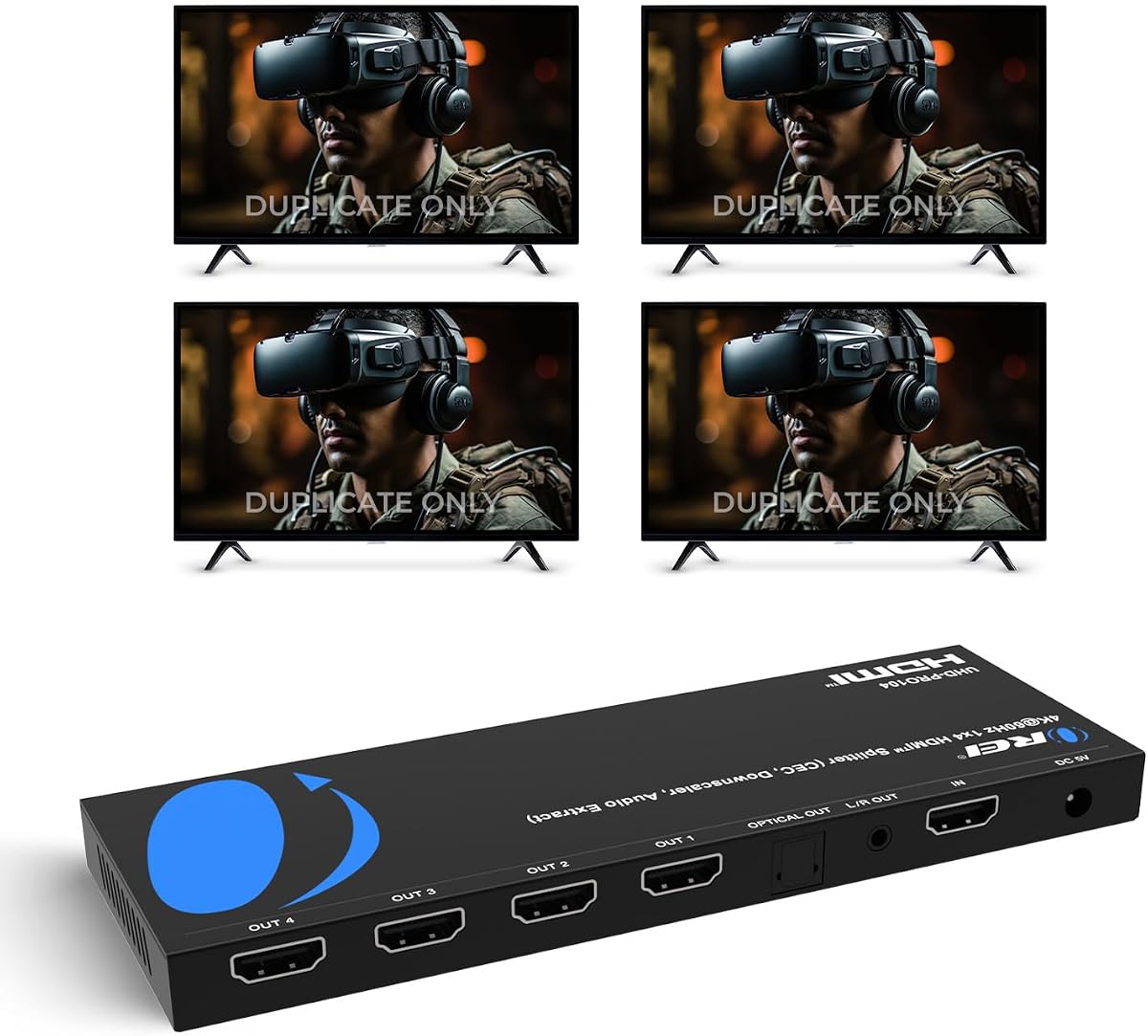
OREI's 1×4 splitter is a powerhouse for distributing high-quality video to multiple displays. With a 4.5 rating, it supports 4K@60Hz and a range of audio formats like Dolby TrueHD, ensuring immersive sound and visuals. It is perfect for home theaters with multiple viewing points.
We may earn a commission when you buy through this link, at no additional cost to you.
Its metal enclosure promotes better heat dissipation, enhancing longevity during extended movie marathons. The 18Gbps bandwidth ensures that signals remain sharp and responsive without compression artifacts. Users find the setup straightforward without needing any software or drivers.
It mirrors signals rather than extending them, which limits its use for productivity tasks. Cables longer than 30ft might experience instability, so keep connections moderate for best performance. These trade-offs are acceptable for entertainment-focused setups prioritizing quality.
If you want to enjoy content on four TVs simultaneously with high fidelity, this splitter excels. It balances resolution and audio performance, delivering a rich experience that modern AV systems demand.
The splitter supports advanced formats like Dolby TrueHD and DTS-HD Master Audio, ensuring high-quality surround sound.
With 18Gbps capacity, it handles high-resolution signals without bottlenecks or signal loss.
We may earn a commission when you buy through this link, at no additional cost to you.
This premium splitter stands out for its audio extraction capabilities, allowing you to separate sound from video. With a 4.3 rating, it supports HDR10+ and Dolby Vision, ensuring rich colors on compatible displays. It also includes downscaling for mixed-resolution setups, adding significant flexibility.
We may earn a commission when you buy through this link, at no additional cost to you.
Advanced EDID management ensures stable connections by communicating effectively with source devices. This minimizes black screens and flickering issues common with less sophisticated splitters. The HDMI 2.0b compliance makes it future-proof for modern streaming devices and consoles.
The price is higher than basic models, reflecting its advanced features. External power is required, which adds a bit of cable management. However, for users needing audio separation or HDR support, these costs are justified by the enhanced functionality.
If you require audio outputs or advanced video formats, this is the top-tier choice. It combines premium visual support with audio flexibility, making it versatile for high-end home theaters and conference rooms alike.
The device separates audio via optical or analog outputs, giving you more options for your sound system setup.
Full compliance with HDR10+ and Dolby Vision ensures dynamic contrast and color accuracy on supported TVs.
We may earn a commission when you buy through this link, at no additional cost to you.
This splitter pushes boundaries with HDMI 2.1 support, handling 8K@60Hz and 4K@120Hz effortlessly. With a 4.2 rating, it is designed for gamers who demand high refresh rates across displays. The Smart EDID management helps adjust signals for compatibility with different screen types.
We may earn a commission when you buy through this link, at no additional cost to you.
HDCP 2.3 compliance ensures content protection for modern streaming services without issues. It provides excellent support for variable refresh rates, which is essential for smooth gaming. The included power adapter guarantees stable performance even under high bandwidth loads.
It is limited to mirroring rather than extended displays, which may not suit productivity users. The high cost reflects its next-gen capabilities, which might be overkill for basic setups. However, for enthusiasts, it offers unmatched future-proofing.
If you have next-gen consoles or want to prepare your home theater for future resolutions, this model is ideal. It delivers the bandwidth needed for high-performance visuals without compromise on refresh rates.
It supports 4K at 120Hz and 1080P at 240Hz, ensuring smooth visuals for competitive gaming.
Support for 8K and HDR10+ ensures your setup remains relevant as technology evolves.
We may earn a commission when you buy through this link, at no additional cost to you.
UGREEN offers a reliable solution for distributing video signals to up to four displays. With a 4.4 rating, it supports 4K@60Hz and HDR, ensuring vibrant visuals for movies and games. The USB-powered design simplifies setup by avoiding bulky AC adapters in many cases.
We may earn a commission when you buy through this link, at no additional cost to you.
EDID control helps prevent black screens by matching the source device to display capabilities. Its compatibility spans consoles, PCs, and streaming devices, making it a versatile choice for mixed setups. Most users find it easy to integrate into existing systems.
While it lacks HDMI 2.1 features like 8K, it covers most current needs effectively. Continuous power is required, so you must keep it plugged in for operation. These factors make it a practical option for general multi-screen use.
If you want a no-fuss splitter for standard HD or 4K needs, this model delivers. It balances reliability and affordability, ensuring stable connections without complex configurations.
This feature allows you to select the optimal resolution to avoid signal mismatch issues with your displays.
Powering the device via USB reduces cable clutter compared to traditional wall plug adapters.
We may earn a commission when you buy through this link, at no additional cost to you.
Selecting the right splitter requires understanding key technical specifications to ensure compatibility and performance with your devices.
Ensure the splitter supports at least the maximum resolution of your monitors, such as 4K@60Hz for high-definition clarity. Some models only support lower refresh rates at 4K, which might affect smoothness for gaming or video.
Check that the bandwidth matches your needs, aiming for 18Gbps for standard 4K or higher for future-proofing with HDMI 2.1.
Determine whether you need to extend your desktop across monitors or simply mirror the same image on all screens. Extended mode is crucial for productivity, while mirroring suits entertainment or presentations.
Verify that the splitter supports your desired mode, as many budget units only offer mirroring without extended display capabilities.
Splitters that require external AC adapters tend to offer more stable signals than those powered solely by USB or the HDMI port itself. Consistent power prevents flickering and signal drops during prolonged use.
Look for models with included power supplies to avoid purchasing separate adapters and ensure reliable operation right out of the box.
Confirm that the splitter matches the input ports available on your source device, such as DisplayPort or HDMI. Mismatched ports can prevent any signal from being transmitted effectively.
Ensure the output ports match your monitors, with HDMI being the most common for modern displays to avoid needing extra adapters.
Metal housings are generally superior to plastic for heat dissipation, especially if the splitter runs continuously. Overheating can lead to signal instability or reduced device lifespan over time.
Choose models with robust construction if you plan to use the device in a commercial environment or for long hours daily.
Some advanced splitters include audio extraction features that let you separate sound to external speakers. This is useful if your monitors lack decent built-in speakers for movies or games.
Standard models pass audio through the HDMI cable, which works well if your displays handle audio directly without extra hardware needs.
Check compatibility with your specific OS, as some splitters function differently on macOS compared to Windows. Apple devices often have different protocols for multi-monitor setups that can cause issues.
Ensure the splitter is certified or tested for your system to avoid frustration during setup and daily use.
Look for brands that offer a warranty, typically one year, to protect against defects. Good customer support can help resolve technical issues quickly if the device stops working.
Researching brand reputation helps ensure you are investing in a product backed by reliable service if problems arise later.
Begin by connecting the power adapter to the splitter first to ensure stable signal initialization before attaching HDMI cables. Then connect your source device to the input port and your monitors to the output ports securely.
Allow your computer to recognize the displays in the system settings. Adjust resolution and orientation to match your setup needs, ensuring all screens show the correct content without flickering.
Keep the splitter in a well-ventilated area to prevent overheating during long sessions. Avoid bending or kinking HDMI cables excessively to maintain signal integrity and prolong the lifespan of your equipment.
Most standard HDMI splitters duplicate the same image across all connected screens, which is called mirroring. To extend your desktop, you need a splitter that specifically supports MST (Multi-Stream Transport) or extended display modes. Check the product specs to confirm extended mode support before purchasing.
Flickering often occurs due to insufficient power to the splitter or poor quality HDMI cables. Ensure the device is connected to a dedicated power adapter rather than relying on USB power alone. Using certified high-speed HDMI cables also helps prevent signal instability.
Yes, your graphics card must support the resolution and bandwidth required for 4K output. For example, achieving 4K at 60Hz typically needs a GPU supporting HDMI 2.0 or DisplayPort 1.2 at a minimum. Verify your card's specs to ensure compatibility with the splitter.
Many splitters work with Macs, but some may not support extended displays on macOS due to different protocols. Mirroring usually works fine. Review the product details for macOS compatibility notes to avoid limitations on Apple devices.
Quality splitters should not add noticeable lag if they support your monitor's refresh rate. Look for models that match your game's refresh rate, such as 120Hz or 60Hz, to maintain smooth gameplay without stuttering.
Standard HDMI cable length limits usually apply, often around 50 feet for reliable signals. If you need longer distances, consider active HDMI extenders or fiber optic cables to maintain signal strength without degradation.
We reviewed ten top-rated splitters offering various features like extended desktops, high refresh rates, and audio extraction. The UANTIN model stands out for productivity users, while budget options suit entertainment needs perfectly.
Prioritize resolution support and power stability to ensure a smooth experience across all your displays. Matching your graphics card and OS capabilities is equally important for avoiding compatibility hurdles.
Prices and availability can change over time, so check current listings before buying. With the right choice, you can effectively expand your digital workspace without compromising on visual quality.