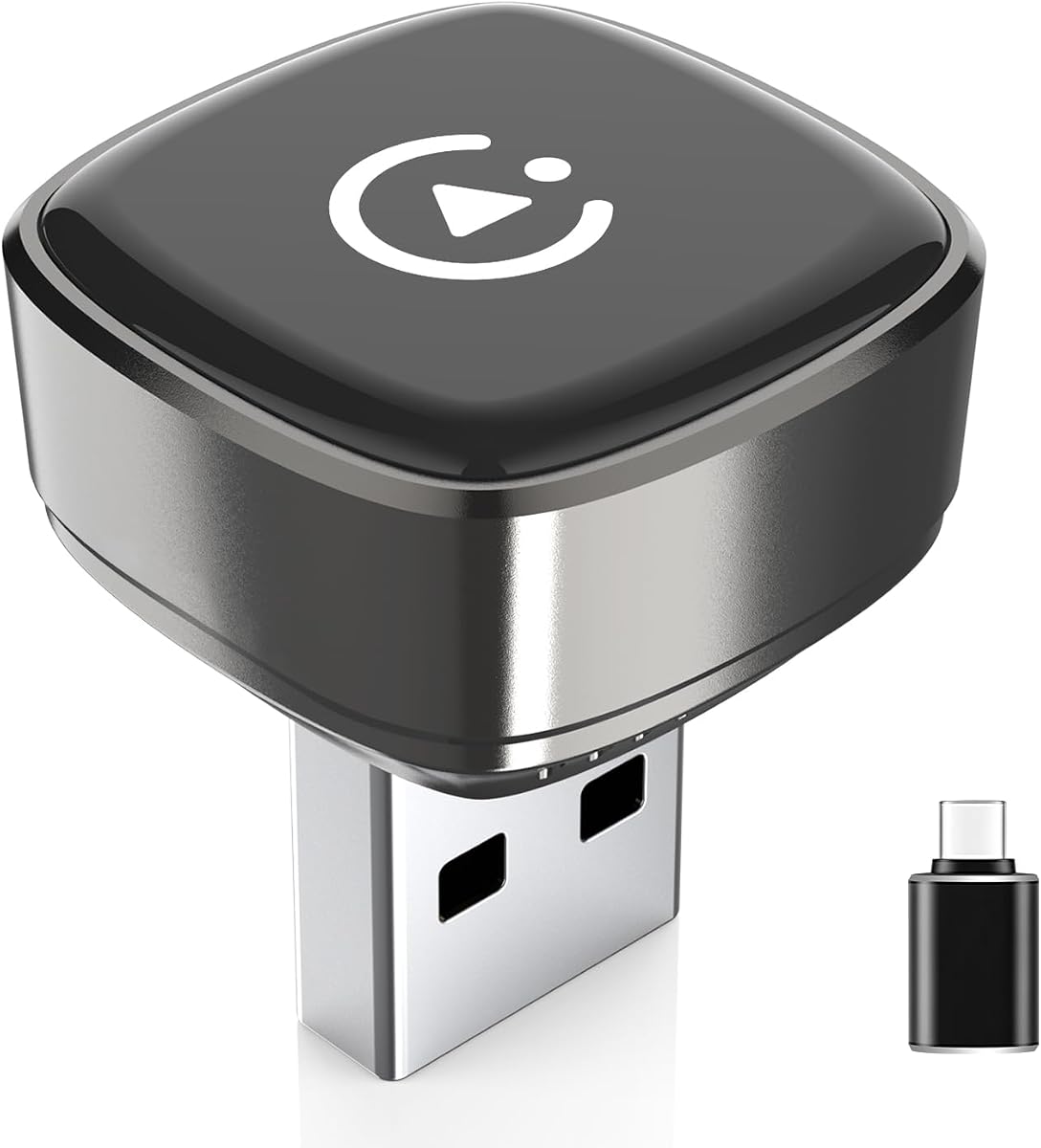
Wireless Carplay Adapter Grey
4.2Editor score
Compact stylish design
Auto reconnection feature
Supports 800 plus vehicles
This comprehensive guide compares the top Hulu Carplay adapters for 2026, evaluating compatibility, streaming performance, and wireless reliability to help you
Driving has evolved significantly with wireless connectivity solutions that transform how we interact with our vehicles. Hulu Carplay adapters offer a seamless way to enjoy streaming content directly on your car's infotainment screen while maintaining essential navigation and calling features. These devices bridge the gap between factory wired systems and modern wireless convenience, allowing passengers to access their favorite entertainment without cluttering the dashboard with cables.
Selecting the right adapter requires careful consideration of compatibility, signal stability, and specific streaming capabilities. Our team analyzed ten leading models based on user feedback, technical specifications, and real-world performance metrics. We prioritized devices that support factory wired CarPlay systems while offering robust wireless connectivity and reliable app streaming features for long journeys and daily commutes alike.
Each product in this roundup showcases unique strengths tailored to different driving scenarios and entertainment needs. You will find detailed breakdowns of setup processes, hardware construction, and ongoing support options for every model listed. Please note that pricing and availability fluctuate frequently, so always verify current details on the retailer site before making your final purchase decision.
4.2Editor score

2.9Editor score

3.4Editor score
The following table provides a side-by-side comparison of all ten selected adapters, highlighting their key specifications and compatibility details to help you quickly identify the most suitable option for your vehicle and entertainment needs.
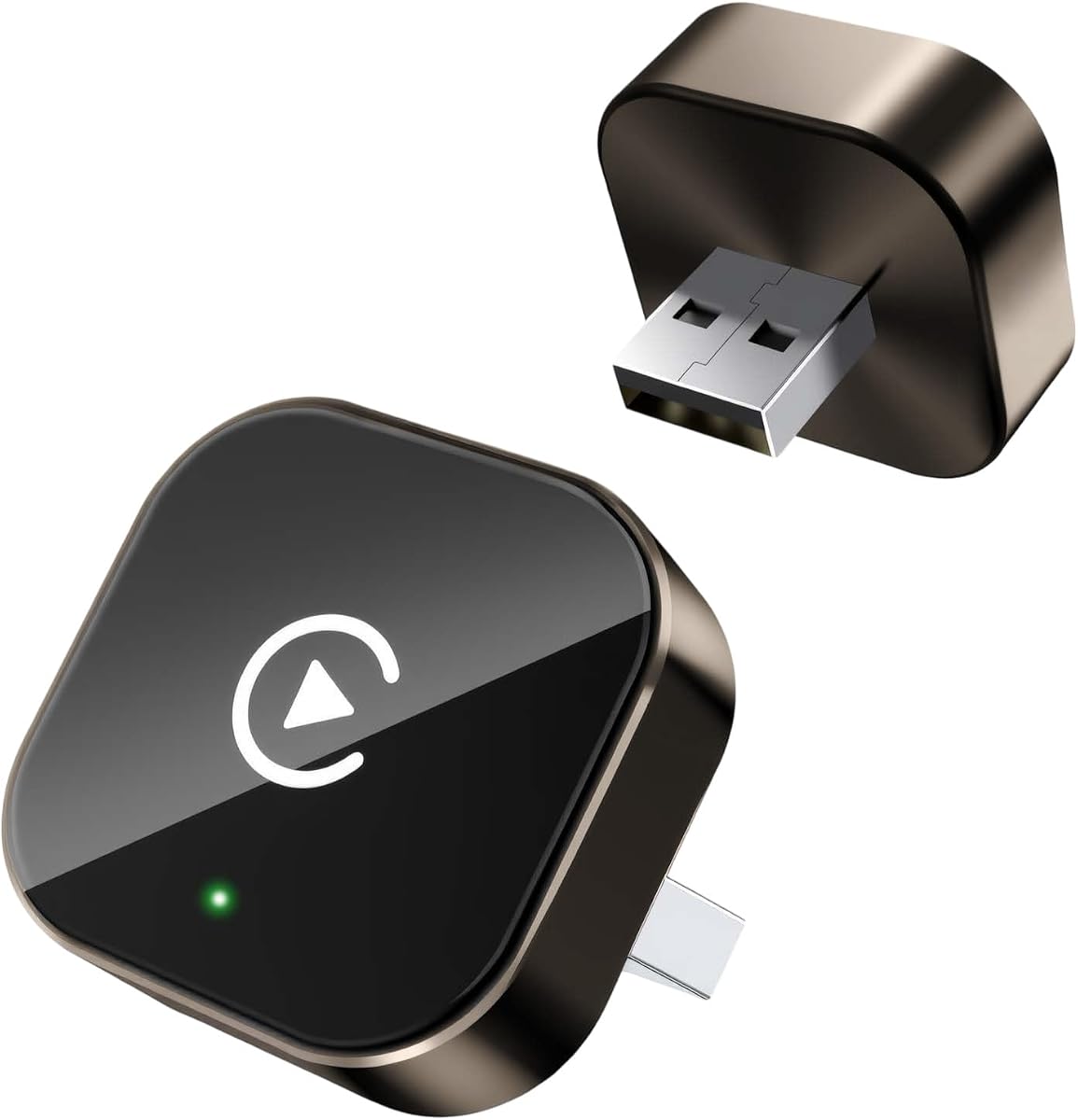


This wireless CarPlay adapter ranks first for its focus on simplicity and compact design. It aims to transform factory wired CarPlay systems into wireless experiences with minimal fuss. Users appreciate the metal construction and scratch-resistant acrylic surface that ensures longevity on the road. While the rating reflects some connectivity inconsistencies, the core function of wireless conversion remains its primary draw for drivers seeking cable-free convenience.
We may earn a commission when you buy through this link, at no additional cost to you.
The setup process is designed to be incredibly straightforward for non-technical users. You simply plug the device into the USB port, pair via Bluetooth, and enjoy wireless connectivity immediately. The auto-reconnect function is a standout feature that saves time on every trip by linking your phone as soon as you start the car. This feature eliminates the need for repeated manual operations during your commute.
However, the device does have limitations regarding signal stability on very bumpy roads. Some users report intermittent dropouts when driving through areas with weak cellular coverage or heavy traffic. The FCC certification ensures safety standards are met, but firmware updates are required to maintain optimal performance over time. These trade-offs are acceptable for those prioritizing size and ease of use over advanced streaming features.
This adapter is ideal for drivers who want a basic wireless upgrade without extra streaming capabilities. It works with eligible iPhones running iOS 10 or later and covers a wide range of factory CarPlay systems. If you value a clean dashboard and quick connections, this model offers a reliable entry point into wireless CarPlay technology at a competitive price point.
The adapter automatically links to your phone when the car starts, saving you time on every trip without manual intervention.
Built with high-quality metal casing and acrylic glass, it resists scratches and ensures stable signal transmission during long drives.
We may earn a commission when you buy through this link, at no additional cost to you.
The AUTOSKY AI Box Lite Flex stands out for its unique ability to let users choose specific streaming apps from a wide list. It transforms your factory wired CarPlay or Android Auto into a wireless experience while projecting apps like Hulu directly onto your vehicle screen. This flexibility is rare among standard adapters and appeals to users who want control over their entertainment options without coding.
We may earn a commission when you buy through this link, at no additional cost to you.
Setup is truly plug and play, maintaining all original touchscreen and steering wheel controls. You simply connect the device and enjoy streaming content via WiFi or mobile hotspot. The wide compatibility ensures it works with most vehicles equipped with wired systems. However, users must note that a touchscreen display is required for streaming apps and the WiFi module needs reconnection when switching modes.
Trade-offs include the need for separate app subscriptions and internet connection management. Streaming services require your own logins and the single WiFi module can cause connectivity hiccups when switching between CarPlay and streaming. Despite these limitations, the freedom to select apps makes it a strong candidate for entertainment-focused drivers. It balances OEM functionality with modern streaming needs effectively.
This adapter is best for users who want custom app selection and have compatible touchscreen displays. It works with a wide range of vehicles and phones, ensuring broad usability. If you value flexibility and do not mind managing WiFi connections manually, this device offers a compelling solution for streaming Hulu and other services while parked.
Unlike traditional boxes limited to fixed apps, this device lets you choose any two streaming apps to match your lifestyle and preferences.
Your original touchscreen, steering wheel buttons, and voice commands continue working exactly as designed by your vehicle manufacturer.
We may earn a commission when you buy through this link, at no additional cost to you.
This adapter delivers a significant performance boost with dual-band Wi-Fi and Bluetooth 5.4 technology. Users report a 40 percent improvement over older models, ensuring ultra-stable connections for GPS and music. The multi-core processor preserves original sound quality and vehicle controls without compromising functionality. Its high rating reflects consistent reliability across various 2016 and newer vehicle models.
We may earn a commission when you buy through this link, at no additional cost to you.
The setup process is designed to be effortless with a plug, pair, and play sequence. Once connected, the device auto-connects to your phone within seconds of entering the car. This ensures you can start your drive without waiting for manual pairing every time. The included USB-C dongle adds versatility for different port configurations found in modern vehicles.
While performance is strong, regular firmware updates are necessary to fix potential bugs and maintain speed. Some users note that the packaging includes specific instructions for pairing which might be slightly technical for beginners. However, lifetime technical support mitigates these concerns by providing expert assistance whenever issues arise. These minor hurdles do not detract from the overall reliability of the device.
This device is ideal for drivers seeking high-speed connectivity and long-term support. It works with iPhones running iOS 10 plus and supports most factory CarPlay systems from 2016 onwards. If you prioritize seamless streaming and responsive navigation, this adapter offers a robust solution that stands out in the competitive market for wireless CarPlay accessories.
Powered by a multi-core processor and upgraded chipset to preserve original sound quality and vehicle controls effectively.
The manufacturer offers lifetime technical support and regular firmware updates to ensure reliable performance with various apps.
We may earn a commission when you buy through this link, at no additional cost to you.
This upgraded adapter focuses on providing a clean aesthetic and reliable performance for factory-wired CarPlay vehicles. It features a durable construction with high-quality metal casing and an acrylic glass surface that resists scratches. The compact and minimalist appearance seamlessly matches most car interiors without looking obtrusive. Its 4.2 rating indicates solid satisfaction among users who value both looks and function.
We may earn a commission when you buy through this link, at no additional cost to you.
Setup involves a straightforward three-step process that requires no technical expertise. You simply plug it into the USB port, pair via Bluetooth, and enjoy wireless CarPlay instantly. The auto-reconnect function ensures your phone links automatically when you start the car, saving time on every trip. These features make daily commuting significantly more convenient for iPhone users.
Trade-offs include the need to enable both Wi-Fi and Bluetooth on your phone for stable connection. It does not support Android Auto which limits compatibility for mixed-device households. FCC certification ensures safety standards are met without signal interference. Despite these minor constraints, the overall build quality and ease of use make it a strong contender in the wireless adapter market.
This adapter is best for users seeking a stylish and reliable wireless upgrade for their iPhone. It works with eligible models running iOS 10 and covers a vast majority of factory-installed systems. If you prioritize design and ease of use over cross-platform support, this device delivers a smooth and clutter-free experience for your daily drive.
Made of high-quality metal casing and acrylic glass surface, the adapter is scratch-resistant and built for long-term use.
Its tight-fit structural design ensures stable signal transmission even on bumpy roads or winding mountain paths.
We may earn a commission when you buy through this link, at no additional cost to you.
This adapter targets families and shared vehicles by enabling multi-user seamless connection capabilities. It allows different drivers to switch between their phones without hassle, making it ideal for households with multiple iPhones. The 8-core processor ensures transmission rates are significantly faster than standard models. Its 4.3 rating highlights the practicality and performance that users experience in real-world scenarios.
We may earn a commission when you buy through this link, at no additional cost to you.
The ultra-light aluminum alloy dongle is designed to be compact and durable enough for daily use. It withstands heat dissipation tests ensuring it stays cool during long drives. Setup is simple and it supports a wide range of devices from 2016 and newer vehicles. The included USB C cable adds compatibility for modern port configurations found in current cars.
While performance is strong, the device requires specific settings to ensure smooth switching between users. Some users note that the auto-connect time varies based on vehicle head unit specifications. The 365-day warranty provides peace of mind but does not cover accidental damage. These limitations are outweighed by the convenience of shared device access and robust hardware build quality.
This adapter is ideal for families sharing a vehicle with multiple iPhones. It works with factory OEM wired CarPlay systems and offers high-speed connectivity for navigation and media. If you value quick auto-connection and seamless switching between drivers, this device offers a practical and reliable solution for modern automotive entertainment needs.
Designed for families, its multi-user memory allows seamless switching between multiple paired iPhones easily.
Our cables and metal boxes that have withstood 50,000+ tests, last 3× longer than plastic receiver.
We may earn a commission when you buy through this link, at no additional cost to you.
This adapter stands out for its HDMI input support allowing you to connect external streaming devices like Fire Stick or Roku. It enables simultaneous Wireless Apple CarPlay and streaming content, turning your vehicle into a mobile media hub. The dual functionality ensures you can access navigation and favorite apps all at once. It appeals to users looking for a versatile entertainment solution beyond standard CarPlay.
We may earn a commission when you buy through this link, at no additional cost to you.
Setup is plug and play without requiring any apps or complicated installation steps. You simply connect the device to your car's USB port and enjoy wireless CarPlay and HDMI streaming. The design works effortlessly with most vehicles supporting wired CarPlay ensuring smooth performance. However, the device acts as an adapter so you need your own subscriptions for apps like Netflix.
Trade-offs include the fact that it does not charge your phone while in video mode. The HDMI USB-C mode supports video only which limits charging capabilities during media consumption. Despite this, the ability to stream high-quality content on your vehicle's screen is a significant advantage. It balances connectivity and entertainment needs effectively for long journeys.
This adapter is best for users wanting to expand their car's entertainment capabilities with external devices. It works with most wired CarPlay vehicles and allows seamless integration of streaming media. If you prioritize entertainment variety and do not mind managing separate subscriptions, this device offers a powerful upgrade for your in-car experience.
Easily connect a streaming device like a Fire Stick or Roku to your car’s infotainment screen and enjoy apps on the go.
Seamlessly enjoy Wireless Apple CarPlay while simultaneously streaming content via HDMI without sacrificing one feature for another.
We may earn a commission when you buy through this link, at no additional cost to you.
This 2027 upgraded model offers a comprehensive feature set including AirPlay and Screen Mirroring capabilities. It transforms factory wired CarPlay with a dedicated 4-in-1 chipset architecture that supports multiple protocols. Users appreciate the 5-second auto-connect feature that ensures quick and consistent connection upon entering the car. The 3.9 rating suggests strong features but also some software limitations regarding streaming compatibility.
We may earn a commission when you buy through this link, at no additional cost to you.
The device supports dual-band Wi-Fi and Bluetooth 5.3 for stable low-latency connections. It preserves original car controls including steering wheel buttons and voice commands seamlessly. The aluminum alloy housing helps dissipate heat ensuring reliability during extended use. However, DRM-protected apps like Netflix and Hulu cannot be mirrored due to copyright restrictions which limits some entertainment options.
Trade-offs include variability in operation speed depending on vehicle head unit hardware. Some users report that the non-core features like screen mirroring may not be fully compatible with all phone models. These limitations are acceptable given the focus on wireless CarPlay functionality. The adapter remains a strong choice for those wanting a wide range of connectivity options.
This adapter is ideal for users who want AirPlay and Screen Mirroring alongside standard CarPlay features. It works with most 2016 to 2027 vehicles and includes both USB-A and USB-C cables. If you value a comprehensive connectivity package and do not need DRM streaming, this device offers a versatile upgrade for your driving experience.
After a quick ~15-second first pairing, it auto-connects to your last-used iPhone within just 5 seconds every time you start your car.
Use built-in AirPlay and Screen Mirroring to safely enjoy TikTok, YouTube, or your photo library on the larger car display.
We may earn a commission when you buy through this link, at no additional cost to you.
This adapter focuses on pre-installed video apps allowing users to stream content directly without downloads. It transforms wired CarPlay systems into wireless experiences with built-in support for major streaming platforms. Dual WiFi bands enable simultaneous CarPlay use and app streaming effectively. Its 3.4 rating reflects mixed user experiences with compatibility and app updates but highlights its streaming value.
We may earn a commission when you buy through this link, at no additional cost to you.
Setup requires selecting the matching CarPlay or Android Auto mode and plugging into the USB port. The device supports WiFi for pre-installed apps and USB drive support for offline playback. This flexibility ensures entertainment even in areas with spotty signals. However, additional app downloads are not supported so you must use the pre-loaded options available.
Trade-offs include the requirement for a factory touchscreen and the exclusion of BMW vehicles. Some users note that the Mini HDMI output requires separate cabling for rear seat viewing. The need for a hotspot for pre-installed apps adds complexity to the setup process. Despite these hurdles, the ability to watch movies during parking trips is a unique selling point.
This adapter is ideal for users who want pre-installed streaming options without managing downloads. It works with most vehicles with wired CarPlay and Android Auto systems. If you prioritize entertainment variety and offline playback capabilities, this device offers a practical solution for road trips and daily commuting alike.
Turn your car into a personal cinema with this CarPlay streaming adapter. Connect to your phone’s hotspot to stream shows.
Take your entertainment on the road! This adapter lets you play offline movies and music directly from a USB drive.
We may earn a commission when you buy through this link, at no additional cost to you.
This adapter provides excellent value with its compact design and broad vehicle compatibility. It supports over 800 vehicles ensuring it works with most factory-wired CarPlay systems. Users appreciate the automatic reconnection feature that connects instantly upon starting the car. The 4.2 rating reflects consistent satisfaction with its core wireless conversion functions.
We may earn a commission when you buy through this link, at no additional cost to you.
Setup is simple with a three-step process that requires no technical knowledge. You can quickly establish a connection and enjoy navigation and music without cables. The mini stylish design allows it to be hidden easily out of the way. These features make it a practical choice for drivers prioritizing convenience and affordability.
Trade-offs include the restriction to one phone connection at a time. It is not compatible with BMW or modified cars limiting its universal appeal. The lack of Android Auto support means it focuses primarily on iPhone users. Despite these limitations, the reliability and low price point make it a strong budget option.
This adapter is ideal for budget-conscious drivers seeking reliable wireless CarPlay functionality. It works with eligible iPhones running iOS 10 and newer vehicles. If you want to eliminate cable mess without spending a premium, this device offers a solid and efficient solution for everyday driving needs.
After the first successful connection, your phone will automatically connect to CarPlay every time you get in the car.
The carplay adapter is very small and can easily be hidden or mounted out of the way efficiently.
We may earn a commission when you buy through this link, at no additional cost to you.
This 2 in 1 adapter is unique for supporting both wireless CarPlay and Android Auto seamlessly. It allows families to switch between devices without swapping cables or unplugging. The ultra-compact design sits flush with the USB port to avoid clutter. Its 4.1 rating highlights the convenience and reliability users experience with this dual-platform functionality.
We may earn a commission when you buy through this link, at no additional cost to you.
Setup is app-free requiring only Bluetooth pairing for auto-reconnection in under three seconds. The device preserves OEM vehicle controls and features built-in protection against overheating. Lifetime technical support ensures you have help whenever needed. These features make it a trustworthy choice for households using mixed devices for navigation and calls.
Trade-offs include the requirement that both CarPlay and Android Auto systems must be factory wired. The device does not support Android Auto for iOS devices which is a standard limitation. Some users note that heat dissipation is critical during summer drives. Despite this, the dual platform support offers unmatched flexibility for mixed-device families.
This adapter is ideal for families using both iPhone and Android phones regularly. It works with over 1,000 vehicle models and provides a seamless wireless upgrade. If you value device flexibility and long-term support, this device delivers a practical and reliable solution for your driving experience.
Perfect for families using both iPhone and Android phones, allowing effortless switching without unplugging or swapping cables.
The tapered design plugs in tightly and sits flush with the USB port keeping your car interior neat and clutter-free.
We may earn a commission when you buy through this link, at no additional cost to you.
Selecting the right adapter involves balancing performance, compatibility, and streaming features to match your specific needs.
Ensure the adapter supports your vehicle's factory-wired CarPlay or Android Auto system. Check your vehicle's manual or online database to confirm that your infotainment unit is wired before purchasing. Most modern cars from 2016 onwards are supported, but some brands like BMW or Tesla may require specific configurations or may not be compatible at all.
Always verify your vehicle model year and infotainment system before buying to avoid compatibility issues.
Decide if you need an adapter that offers wireless streaming capabilities or just basic wireless CarPlay connection. Some adapters allow direct app streaming like Hulu while others require external devices connected via HDMI. Consider your entertainment needs and whether you want to watch content while parked or during the drive.
Choose a model that aligns with your streaming preferences to ensure you get the desired entertainment experience.
Look for adapters that feature plug-and-play functionality with minimal pairing steps. Simple setups reduce frustration and ensure you can start using the device immediately without technical knowledge. Auto-reconnect features are essential to save time on every trip by linking your phone automatically when you start the car.
Prioritize devices with auto-reconnect and simple pairing steps to save time and reduce technical hassles during setup.
Check for dual-band Wi-Fi support which provides better signal stability and faster transmission rates. Stable connections prevent lag during navigation and streaming ensuring a smooth user experience. Metal casing and tight-fit designs help maintain consistent signal transmission even on bumpy roads or winding paths.
Select adapters with dual-band Wi-Fi and durable construction to ensure reliable signal transmission and performance.
Consider extra capabilities like AirPlay, Screen Mirroring, or HDMI input support that extend functionality. Some adapters support USB drive playback or multi-user switching which adds value for family use. Evaluate these features against your specific needs to avoid paying for unnecessary capabilities.
Look for useful features like USB support or multi-user switching that add value to your driving experience.
Review the manufacturer's warranty period and technical support options to ensure long-term reliability. Lifetime firmware updates are crucial to fix bugs and optimize connection speeds over time. Strong customer support can help resolve setup issues quickly without requiring you to replace the device.
Choose brands offering lifetime updates and reliable technical support to maintain device performance over time.
Choose a compact adapter that fits discreetly without blocking ports or cluttering your dashboard. A minimalist design ensures the device does not obstruct your view or interfere with other controls. Lightweight materials like aluminum alloy help with heat dissipation and ensure the device remains cool during extended use.
Prioritize compact and lightweight designs to maintain a clean dashboard and prevent overheating during use.
Be aware of DRM restrictions that may prevent streaming certain protected apps like Netflix or Disney+. Some adapters only allow specific apps to be streamed while others require you to use your own subscriptions. Verify which apps are supported before purchasing to ensure you can access your preferred content.
Check supported app lists and DRM restrictions to confirm you can stream your preferred entertainment services.
Begin by inserting the adapter into your vehicle's USB port that originally supported wired CarPlay. Ensure the port is functioning correctly and capable of data transfer rather than charging only. Most adapters will automatically detect and initiate a connection sequence to your smartphone via Bluetooth.
Pair your device via Bluetooth and ensure both Wi-Fi and Bluetooth are enabled on your phone. Allow a few seconds for the initial connection to establish. After the first successful pairing, the adapter will auto-reconnect to your phone every time you start the car.
Keep the device clean and free of dust to prevent overheating during long drives. Avoid exposing the adapter to extreme temperatures or direct sunlight for extended periods. Regular firmware updates are recommended to maintain optimal performance and fix potential bugs.
Yes, certain adapters like the AUTOSKY AI Box Lite Flex allow direct streaming of apps like Hulu. These devices act as mini computers that project apps onto your infotainment screen. However, you must have a valid subscription and an internet connection either via mobile hotspot or built-in Wi-Fi.
Some adapters support both CarPlay and Android Auto enabling use with both iPhone and Android devices. Models like the Teeran 2 in 1 Adapter are designed for this dual platform support. However, you must ensure your car originally supports wired Android Auto for the wireless version to function correctly.
Connection issues often arise from Bluetooth or Wi-Fi settings being disabled on your phone. Try removing the device from your paired list and re-pairing it to reset the connection. Ensure that no other devices are competing for the Bluetooth signal and that the USB port is functioning correctly.
Most adapters are designed to draw power only when the car is running. However if left plugged in for extended periods while the car is off they can drain the battery. To avoid this, unplug the adapter when parking for long durations or use the auto-off features provided by the device.
Firmware updates are typically managed through the manufacturer's companion app or by connecting the device to a computer. Check the product manual for specific instructions on how to initiate updates. Keeping firmware up to date ensures better connectivity and security for your device.
Most wireless CarPlay adapters do not require monthly subscription fees to function. However streaming apps like Hulu or Netflix require their own separate subscriptions. The adapter itself is a hardware purchase and does not incur additional costs beyond electricity usage.
We have explored ten top-rated adapters that transform wired CarPlay systems into wireless experiences for modern drivers. Whether you prioritize compact design or streaming capabilities there is a model suited to your needs. The AUTOSKY AI Box Lite Flex stands out for custom app selection while the wireless Carplay Adapter Grey offers excellent value for basic conversion.
When selecting your adapter prioritize compatibility with your specific vehicle model and infotainment system. Features like auto-reconnect and dual-band Wi-Fi significantly improve daily usability and connection stability. Consider your household needs such as multi-user support or dual platform compatibility to ensure long-term satisfaction.
Prices and availability for these tech products fluctuate frequently so always check current details before buying. Read recent user reviews to confirm performance consistency with your specific car model. With the right choice you can enjoy a cleaner dashboard and seamless entertainment on every drive.