
Video Conference Lighting & Computer Light
4.1Editor score
Plug-and-play USB power
Three color modes available
Space-saving clip-on design
Finding the right internal PC work light can transform your workspace into a productivity haven. These lights reduce eye strain, eliminate screen glare, and provide consistent illumination for long hours of work or gaming.
We analyzed ten top-rated monitor light bars and desk lamps based on brightness, adjustability, eye-care features, and user feedback. Each product was evaluated for its ability to enhance your digital environment effectively.
Each pick below highlights key features, pros, cons, and ideal use cases. Prices and availability change frequently, so check current listings before purchasing to ensure you get the best deal today.
4.1Editor score

4.2Editor score

4.5Editor score
As an Amazon Associate we earn from qualifying purchases.
The following table provides a side-by-side comparison of all ten products, highlighting their core specifications, lighting modes, and unique features to help you make an informed decision quickly.
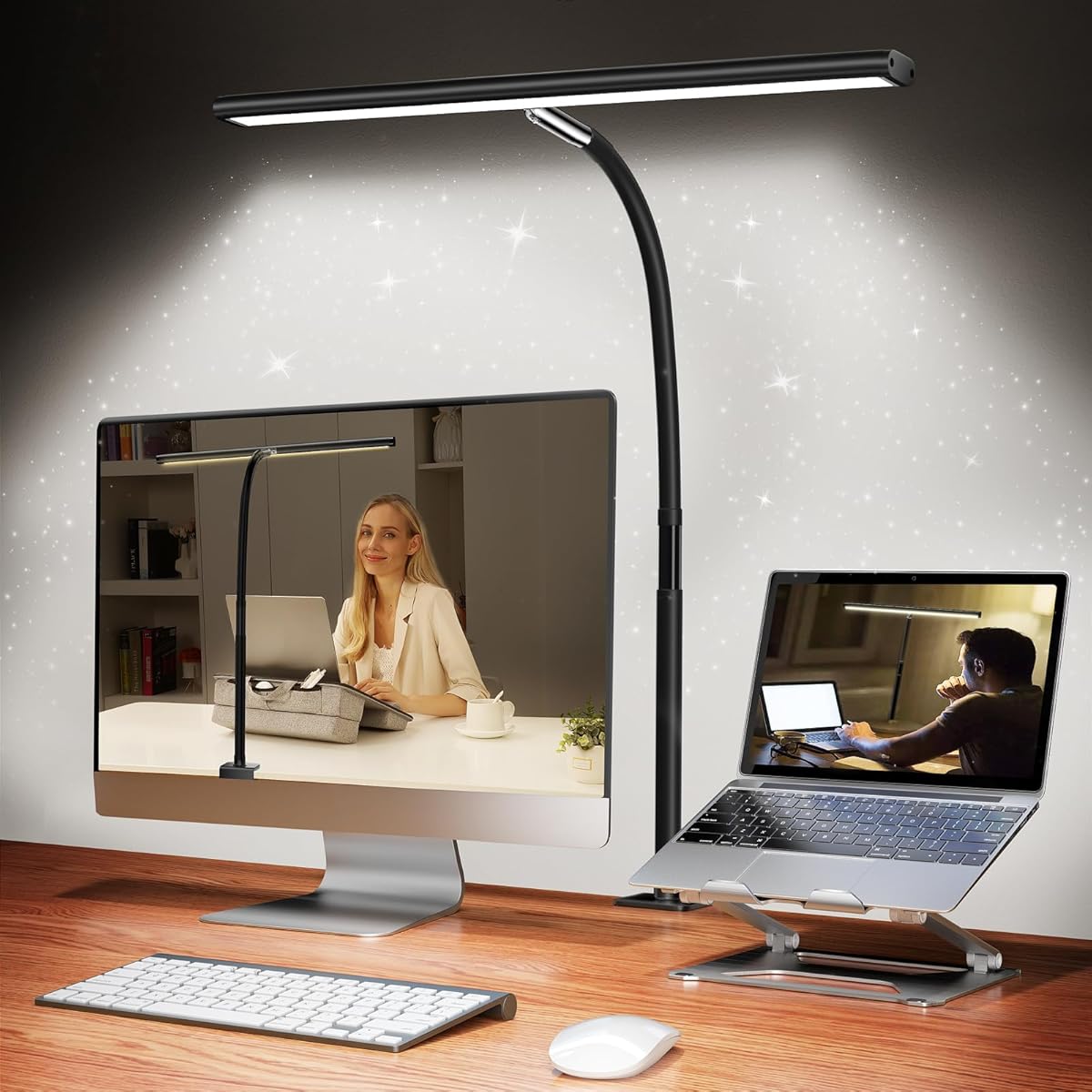



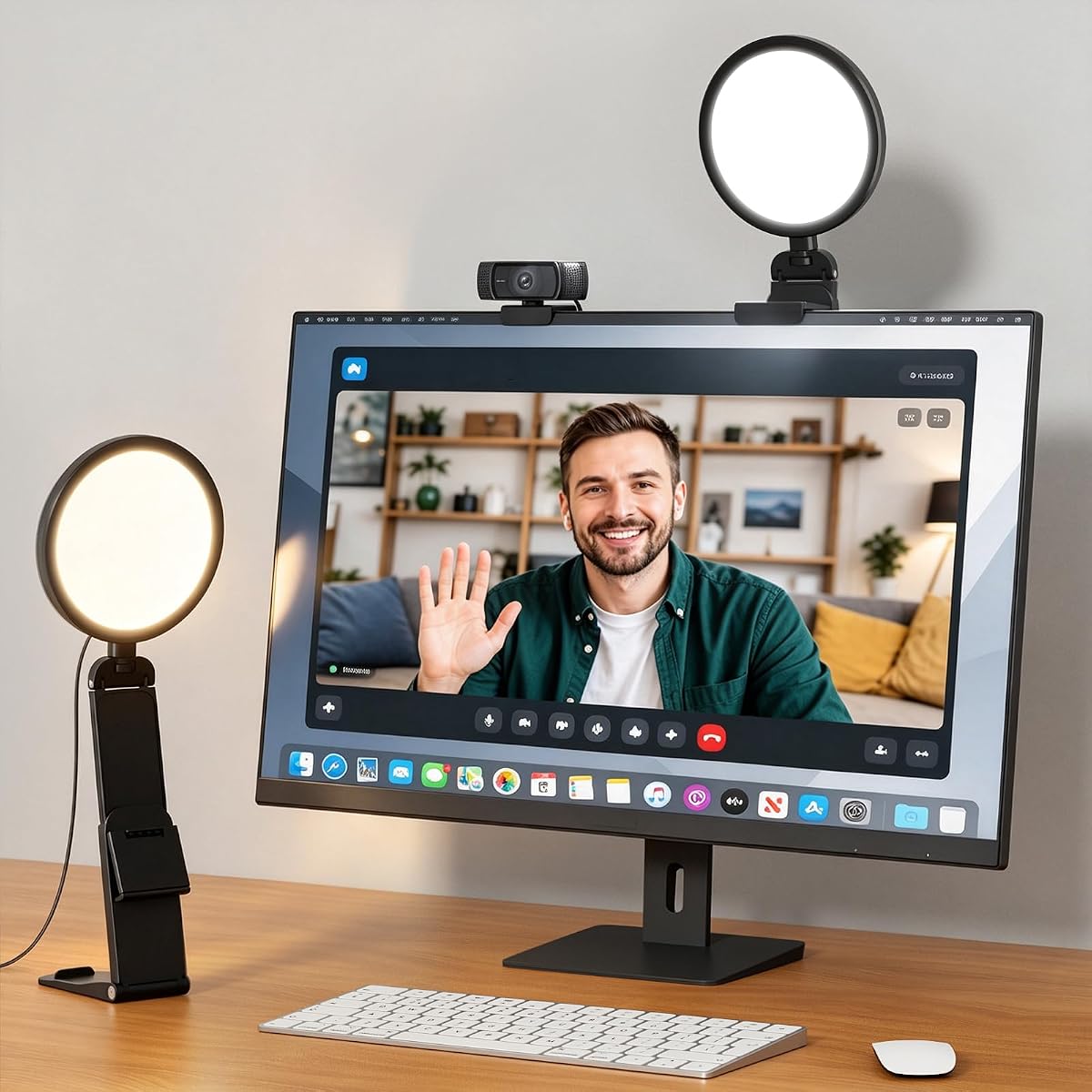

This monitor light bar stands out as the Editor's Choice due to its balanced performance and eye-care features. It delivers up to 800 lux of central brightness across a 30 by 20-inch area, ensuring your workspace is well-lit without glare. The rating of 4.2 stars reflects strong user satisfaction with its uniform illumination and ease of use.
We may earn a commission when you buy through this link, at no additional cost to you.
The standout qualities include the stepless dimming with memory function, which recalls your last settings automatically. This saves time during daily use. The mechanical ON/OFF switch allows for precise control over brightness and color temperature, while the USB power ensures broad compatibility with computers or adapters.
However, it lacks a wireless remote, which some users might prefer for convenience. Additionally, relying on USB power means you need an available port. These trade-offs are acceptable given the secure mounting design that doesn't occupy desk space.
This light is ideal for anyone seeking a clutter-free setup that minimizes eye strain. If you value uniform lighting and reliable performance without breaking the bank, this monitor light bar is a solid recommendation for your internal PC work needs.
The 11.8-inch bar provides significantly brighter and more uniform lighting than conventional desk lamps, eliminating dark spots.
Dimmable 45-degree lighting illuminates just your screen and desk, minimizing reflections and factors that cause digital eye strain.
We may earn a commission when you buy through this link, at no additional cost to you.
The Airlonv LED Desk Lamp offers exceptional flexibility with its 360-degree adjustable gooseneck and 17-inch wide bar. It achieves a 4.5-star rating thanks to its stepless dimming and color temperature control, allowing you to tailor lighting precisely to any task. The inclusion of a reliable power adapter adds value right out of the box.
We may earn a commission when you buy through this link, at no additional cost to you.
Its key strengths lie in the long flexible gooseneck that gives you full control over light direction. The aluminum and ABS material ensure excellent heat dissipation and a lifespan of up to 60,000 hours. Wire management keeps your desk organized, while the 85% energy savings compared to incandescent lamps reduce power costs.
One trade-off is that the clamp might not fit desks thicker than 2.36 inches, limiting compatibility. The lamp is also heavier than monitor light bars, which could affect portability. However, these issues are minor for stationary home office setups.
This lamp is best for users needing adjustable task lighting for crafting, sewing, or reading. If you want full directional control and a wide light range without screen glare, the Airlonv lamp is a reliable choice.
The long flexible gooseneck with 360-degree adjustment allows easy positioning for your preferred light direction.
The 17-inch lamp bar fully lights up your workspace, providing enough brightness for any task with uniform intensity.
We may earn a commission when you buy through this link, at no additional cost to you.
Logitech Litra Glow delivers natural skin tones and radiant looks through TrueSoft technology, making it perfect for video conferencing. Its 4.5-star rating highlights satisfaction with its cinematic color accuracy and wide, flattering light. The frameless diffuser ensures soft lighting that eliminates harsh shadows, ideal for streamers.
We may earn a commission when you buy through this link, at no additional cost to you.
Key strengths include the patent-pending 3-way monitor mount that allows precise positioning. You can fine-tune brightness and color temperature via the G HUB app or on-device controls. The design is safe for all-day streaming, having cleared strict UL testing guidelines for continuous use.
The main trade-off is the higher price compared to standard desk lamps, which might not suit budget-conscious buyers. It is also optimized for camera lighting rather than desk tasks. However, for content creators, these features justify the cost.
This light is recommended for streamers and professionals needing high-quality webcam lighting. If you want to look polished during meetings or broadcasts, Litra Glow offers the tools to achieve a professional on-camera look easily.
TrueSoft technology provides balanced, full-spectrum LED light that ensures natural skin tones and radiant looks.
The 3-way monitor mount allows adjustable height, tilt, and rotation for exact light placement on your desktop.
We may earn a commission when you buy through this link, at no additional cost to you.
The Pzloz Led Desk Lamp offers versatile lighting with 25 combination modes, including 5 color temperatures and brightness levels. Its wireless remote control is a standout feature, allowing easy switching without touching the lamp. The flexible design ensures suitable coverage for drafting, sewing, or studying.
We may earn a commission when you buy through this link, at no additional cost to you.
Key strengths include the 360-degree standing and 180-degree foldable swing arms, enabling adjustments to any angle. LED technology provides even illumination without glare or flicker, reducing eye strain. The memory function saves your last settings for convenience.
A trade-off is that the remote control might not work, though a free replacement is offered. The setup can be slightly complex due to multiple moving parts. These issues are minor given the lamp's versatility and energy efficiency.
This lamp suits users needing adaptable task lighting for multiple activities. If you value wireless control and adjustable arms for detailed work, the Pzloz lamp is a practical option for your office or home setup.
The wireless smart remote control lets you easily switch between modes and brightness levels without physical contact.
With 360-degree standing and 180-degree foldable arms, the lamp adjusts to any angle for optimal lighting coverage.
We may earn a commission when you buy through this link, at no additional cost to you.
This RGB Monitor Light Bar combines front task lighting with 9-mode RGB backlight for gaming ambiance. With a 4.1-star rating, it appeals to users seeking both function and style. The dual tactile buttons allow independent control, making it easy to switch modes instantly.
We may earn a commission when you buy through this link, at no additional cost to you.
Key strengths include the 45-degree beam angle that targets the desk and screen without direct eye exposure. The retractable clip with silicone pad fits most monitors securely. USB-C power ensures flexible placement with laptops or power banks.
A trade-off is that the front light may not be as bright as dedicated task lamps. Managing two controls could also be less intuitive for some. However, for gaming setups, this adds value without desk clutter.
This light is perfect for gamers and movie enthusiasts wanting dynamic lighting. If you want to balance task work with vibrant ambiance, this RGB bar delivers a customized experience without taking up space.
The 9-mode RGB backlight casts vibrant colors behind your screen, creating the perfect atmosphere for gaming or movies.
A 45-degree beam angle lights only your desk and screen, reducing eye strain during long sessions.
We may earn a commission when you buy through this link, at no additional cost to you.
ShineTech's dual-head design spans 31.5 inches, providing wide, even illumination for desks up to 71 inches. It achieves a 4.5-star rating for its 50 customizable lighting modes and auto-off timer. The gooseneck arm ensures accurate task lighting for dual monitor setups.
We may earn a commission when you buy through this link, at no additional cost to you.
Key strengths include the touch controls for precise adjustment of color and brightness. The memory function saves settings, while timers help save energy. The sturdy metal clamp secures desks up to 2.9 inches thick with protective pads.
One trade-off is the clamp requirement, which may not suit all desk types. The larger size might also be overkill for small spaces. However, these are acceptable for home offices needing comprehensive coverage.
This lamp is ideal for professionals or students with dual monitors. If you need reliable, wide-range lighting without glare, ShineTech offers a durable solution tailored for modern workspaces.
The adjustable double-head design spans 31.5 inches, providing wide illumination for large desks and dual monitors.
Built-in auto-off timers of 10 and 45 minutes ensure energy-saving use without leaving the light on overnight.
We may earn a commission when you buy through this link, at no additional cost to you.
This 2-pack provides excellent value for those needing lights for multiple devices. With a 4.3-star rating, it delivers 450 Lumens and high CRI accuracy for natural features in videos. The foldable bracket and portable design make it easy to carry between locations.
We may earn a commission when you buy through this link, at no additional cost to you.
Key strengths include the 50 dimmable modes and high CRI over 97.8, ensuring vivid video lighting. The screen-safe hang clip avoids damage, and the USB power ensures plug-and-play convenience. It offers flexibility for remote work and content creation.
Trade-offs include a smaller light head compared to bars, which might limit desk illumination. Controls are basic, lacking advanced app integration. However, the dual units make up for this in versatility.
This light is best for remote workers needing reliable webcam lighting. If you want value and portability for calls, the LitONES 2-pack is a practical choice for everyday video conferencing.
High CRI greater than 97.8 ensures natural true color accuracy for vivid and clear features in your video.
Weighting 11.7 oz with compact size, it fits easily in bags for travel to office or outdoor setups.
We may earn a commission when you buy through this link, at no additional cost to you.
Xiaomi's light bar offers premium features like a wireless remote and Ra95 color index for natural color. Its 4.4-star rating reflects satisfaction with the asymmetric polished design that prevents screen reflections. The USB Type-C connection auto-turns on when your computer powers up.
We may earn a commission when you buy through this link, at no additional cost to you.
Key strengths include the wireless remote using 2.4GHz for seamless control. The custom optical glass reduces eye fatigue by eliminating glare. It doesn't take desktop space, keeping your setup minimal and organized.
Trade-offs include a higher price point and limited tilt/rotation compared to gooseneck lamps. However, for monitor lighting, it offers precision and quality that justify the cost for professionals.
This light is suited for professionals wanting a clutter-free workspace. If you prioritize color accuracy and premium design, the Xiaomi bar delivers an all-new lighting experience efficiently.
The high Ra95 color rendering index reveals true natural color and detail for accurate object representation.
A 2.4GHz wireless remote control lets you adjust brightness and color temperature with ease.
We may earn a commission when you buy through this link, at no additional cost to you.
Logitech G Litra Beam elevates gaming with TrueSoft technology and professional lighting effects. Its 4.5-star rating highlights satisfaction with cinematic color accuracy and preset customization via the G HUB app. The design fits where other lights can't, ensuring a clean gaming space.
We may earn a commission when you buy through this link, at no additional cost to you.
Key strengths include the 3-way adjustable stand and multiple mount points for endless positioning. Color temperature settings range from warm to cool, tailored to gameplay. UL testing clearance ensures safe all-day streaming.
The main trade-off is the high cost, which is premium. It is also optimized for gaming rather than desk tasks. However, for enthusiasts, these features justify the investment.
This light is perfect for serious gamers seeking pro-level looks. If you want customizable lighting effects and reliability, Litra Beam is a top choice to enhance your streaming or gaming setup.
Adjustable brightness and color temperature settings let you precisely tailor the light to your liking.
The 3-way adjustable stand and multiple mount points offer endless positioning flexibility during gameplay.
We may earn a commission when you buy through this link, at no additional cost to you.
This USB LED panel provides professional illumination at a budget price. With a 4.1-star rating, it offers flicker-free light ideal for remote work. The inline controller allows easy adjustment of color modes and brightness without software.
We may earn a commission when you buy through this link, at no additional cost to you.
Key strengths include the magnetic base and clip mounting for versatility. It eliminates harsh shadows for video calls, ensuring you look your best. The plug-and-play design requires no drivers, starting immediately upon connection.
Trade-offs include a basic build and limited mounting options compared to premium lights. However, for budget-conscious users, it delivers essential features without compromising quality.
This light is best for students and remote professionals needing simple upgrades. If you want cost-effective lighting for Zoom or Teams, this panel is a practical entry point.
This light provides clear, flicker-free natural illumination to enhance your appearance during video calls.
Simply plug into a USB port to start using it immediately with no batteries or software required.
We may earn a commission when you buy through this link, at no additional cost to you.
Choosing the right internal PC work light depends on your specific workspace needs, budget, and desired features.
Consider the width of your workspace to determine the necessary coverage. Lights wider than 11 inches suit large desks, while narrow bars fit small setups.
Measure your desk or monitor to ensure the light fits properly without obstruction.
Look for lights with adjustable brightness and color temperature to reduce eye strain. Options with goosenecks offer more directional control.
Select a model that allows you to position light exactly where needed.
USB-powered lights offer convenience by connecting directly to your computer. Ensure your ports are available for plug-and-play use.
Check if the model includes an adapter for alternative power options.
Clamps are secure but require compatible desk thickness. Magnetic or clips offer portability but may lack stability.
Verify mounting compatibility with your monitor or desk to avoid installation issues.
Prioritize lights with flicker-free technology and blue light filters to protect eyes during long use. Dimmable options reduce glare.
Choose models designed to minimize reflections on screens.
Features like memory settings or remote controls add convenience. App-based controls allow preset customization for different tasks.
Decide if advanced settings justify the higher cost for your needs.
Materials like metal or high-quality ABS ensure longevity. Check for heat dissipation features to prevent overheating.
Opt for reputable brands with warranties to protect your investment.
Prices vary from budget-friendly panels to premium gaming lights. Determine your maximum spend to narrow down options.
Balance cost with essential features to avoid overspending on unnecessary extras.
Position the light directly above or slightly in front of your monitor to eliminate glare. Ensure it does not obstruct your view of the screen.
Adjust the brightness and color temperature to match your environment. Use warmer tones at night to reduce eye fatigue.
Clean the light periodically with a soft cloth to maintain brightness. Avoid using harsh chemicals that could damage the LED surface.
Yes, many are designed with dual modes for task and ambiance. RGB lights add atmosphere, while focused bars reduce eye strain during long sessions.
Most clamp or retractable clips accommodate curved screens. Check compatibility specs to ensure a secure fit for your monitor type.
Yes, as long as you have a USB port or adapter. They work independently for reading or crafting outside digital work.
Properly designed lights reduce strain with even illumination and glare control. Ensure brightness is not too high for your environment.
Use a soft, dry cloth to wipe the surface. Avoid abrasive materials that could scratch the diffuser or housing.
Most models accept USB power from computers, adapters, or power banks. Check specific requirements for voltage compatibility.
LED technology uses significantly less energy than incandescent bulbs. They provide bright light while consuming minimal power.
Yes, especially with 2-packs or dual-head designs. Ensure your setup allows for multiple mounts without clutter.
We highlighted ten top-rated lights, from budget panels to premium gaming models. Each offers unique benefits for different needs.
Prioritize eye-care features and adjustability to maximize comfort. Consider your workspace size and mounting requirements before deciding.
Prices and availability change frequently. Check current listings to ensure you get the best deal on your chosen light.