
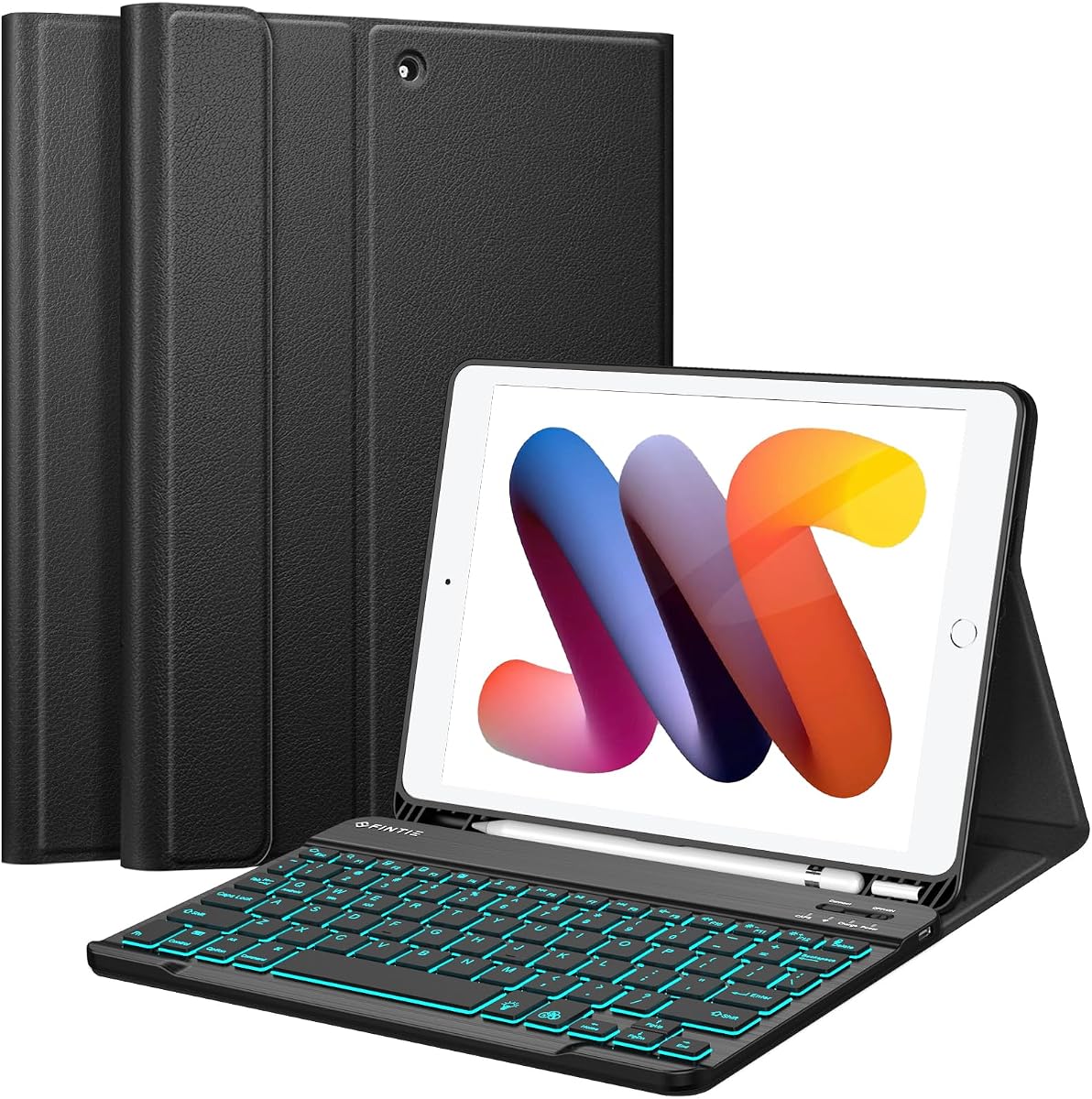
Hamile for iPad 9/8/7th Generation Case with Keyboard 10.2 Inch – Wireless
4.5Editor score
Long battery life
Detachable magnetic keyboard
Multiple viewing angles
Finding the right keyboard case for your iPad can transform how you work and create. It adds functionality while keeping your device safe from daily wear and tear.
We evaluated ten highly rated options based on build quality, typing comfort, battery life, and overall value. Each pick offers unique features to suit different user preferences.
Every recommendation includes key specs and pros to help you decide quickly. Keep in mind that availability and details may shift, so verify current listings before buying.
4.5Editor score

4.4Editor score

4.4Editor score
As an Amazon Associate we earn from qualifying purchases.
This side-by-side comparison highlights the core features of each keyboard case option. Look closely at compatibility, battery specs, and unique functions to find your match.



This TUNKARMOR case offers a complete laptop-like experience for iPad users. It ranks highly for its versatility, combining protection with a functional keyboard and mouse.
We may earn a commission when you buy through this link, at no additional cost to you.
Key strengths include the detachable keyboard that magnetically snaps on and the seven color backlight options. The auto sleep and wake function helps manage battery life effectively.
A trade-off is that it is not compatible with other iPad models, so verification is required. The included mouse adds value but may take time to adjust to.
Buyers seeking an all-in-one solution will appreciate the comprehensive feature set. It is a strong choice for students or professionals needing portability and typing support.
Works with multiple generations including 7th, 8th, and 9th models as well as Air 3rd and Pro 10.5.
The bundled mouse allows for precise cursor control, making navigation and multitasking easier than using touch alone.
We may earn a commission when you buy through this link, at no additional cost to you.
The FINTIE case stands out for its impressive battery longevity. Users can type for extended periods without needing to recharge the keyboard frequently.
We may earn a commission when you buy through this link, at no additional cost to you.
Its mechanical scissor keys provide a comfortable and low noise typing experience. The seven backlight options ensure visibility in dim environments.
The lack of a trackpad limits cursor control to screen taps or external mice. This might be a drawback for those expecting full laptop navigation.
Ideal for users who prioritize typing comfort and battery endurance. It serves well for writers or note-takers who value long usage times.
The built-in 420mAh battery supports up to 230 hours of use and switches to energy-saving mode after inactivity.
Scissor keys with rebound features reduce noise and enhance tactile feedback during long writing sessions.
We may earn a commission when you buy through this link, at no additional cost to you.
The typecase model is a premium choice with a precision trackpad that transforms iPad navigation. It brings laptop-like control directly to the keyboard case.
We may earn a commission when you buy through this link, at no additional cost to you.
Its patented 360 hinge allows for multiple use modes, from typing to viewing. The RGB backlight adds a stylish touch to the interface.
The price is higher than many other options which may limit its appeal for budget shoppers. Setup can also be more involved due to the trackpad.
Those seeking a full laptop replacement will find this option compelling. It is best suited for power users needing multitouch gestures.
Multi-gesture controls on the trackpad let you scroll, zoom, and switch tasks seamlessly without touching the screen.
The 360 hinge is stress tested for thousands of cycles, ensuring durability through frequent adjustments.
We may earn a commission when you buy through this link, at no additional cost to you.
The Hamile case delivers essential features at a budget friendly price point. It offers a reliable typing experience without breaking the bank.
We may earn a commission when you buy through this link, at no additional cost to you.
It includes a detachable magnetic keyboard and seven color backlight modes. The battery life supports extended use between charges.
Materials may feel less premium compared to higher priced alternatives. Also, it lacks a trackpad which limits navigation options.
Perfect for students or casual users wanting affordable protection and typing. It balances cost and functionality well for daily tasks.
This option offers core features like backlight and pencil storage at a lower cost than many competitors.
Multiple viewing angles allow you to position the iPad comfortably for typing or media consumption.
We may earn a commission when you buy through this link, at no additional cost to you.
This generic case provides support for iOS, Android, and Windows systems. It is versatile for users switching between multiple operating systems.
We may earn a commission when you buy through this link, at no additional cost to you.
The heat dissipation design helps prevent overheating during long sessions. Full shortcut keys enhance productivity with common commands.
Battery life is shorter compared to others listed in this guide. Users should plan to charge more frequently if used heavily.
It suits users needing cross-platform compatibility. The protective design and shortcut keys offer practical benefits for daily use.
Switching between systems is simple by pressing function keys with the letter row for custom layouts.
A honeycomb grid design on the back improves airflow to keep your tablet cooler during extended use.
We may earn a commission when you buy through this link, at no additional cost to you.
Logitech is known for durability. This slim folio offers exceptional battery life with replaceable coin cells lasting up to four years.
We may earn a commission when you buy through this link, at no additional cost to you.
Key spacing is well designed for comfort. It includes iOS shortcut keys for quick access to media and volume controls.
The lack of backlight means typing in the dark is difficult. Also, users need to keep extra batteries on hand for replacements.
Best for those who value reliability and long-term use. It fits well for office or home desk setups needing low maintenance.
Smart power management allows the keyboard to run for years without frequent charging or battery swaps.
Keys are spaced to reduce crowding, making typing sessions more ergonomic during extended periods of use.
We may earn a commission when you buy through this link, at no additional cost to you.
KBCASE offers a sleek and slim option in a light blue color. It provides a clean look for casual users.
We may earn a commission when you buy through this link, at no additional cost to you.
Scissor structure keys ensure a relaxed tactile experience. The case includes heat dissipation and wave shock absorption for protection.
It does not have a trackpad for cursor control. Also, the color options are limited compared to other brands.
Good for users wanting a stylish yet functional cover. It balances design and utility effectively for everyday use.
The ultra-thin keyboard is easy to carry and adds minimal bulk to the iPad when attached.
Solid keyboard case and wave shock absorption provide comprehensive protection against drops and minor impacts.
We may earn a commission when you buy through this link, at no additional cost to you.
Dexnor brings a magnetic floating cantilever stand to the mix. This design allows for easy angle adjustments while typing.
We may earn a commission when you buy through this link, at no additional cost to you.
It includes a built-in trackpad and 650mAh battery for extended usage. The pencil holder ensures your stylus is always close.
The case is somewhat heavier than other options due to the hinge mechanism. It may not be the lightest travel choice.
Ideal for users needing a sturdy stand and trackpad. It fits well for travel or work where stability is key.
Durable aluminum alloy hinge guarantees a sturdy magnetic connection, instantly transforming your tablet into a laptop.
Seamlessly supporting multi-finger gestures, the trackpad opens up a new realm of control for tasks.
We may earn a commission when you buy through this link, at no additional cost to you.
INFILAND focuses on zero-lag typing with responsive keys. It aims to make typing feel smooth and efficient.
We may earn a commission when you buy through this link, at no additional cost to you.
The precision trackpad helps with cursor control and navigation. It also includes a pencil holder for quick access.
Battery life is average compared to higher capacity options. Materials feel standard and might not last as long as premium brands.
Great for fast typists wanting responsiveness. It is a practical choice for work or study needing quick input.
The magnetic Bluetooth keyboard delivers instant key response with stable, satisfying keystrokes and no missed inputs.
Browse the web and manage files easily with a responsive trackpad that brings smooth cursor control to your iPad.
We may earn a commission when you buy through this link, at no additional cost to you.
This KBCASE model stands out with a 360-degree swivel and touchpad. It offers versatile viewing angles for various tasks.
We may earn a commission when you buy through this link, at no additional cost to you.
The hardshell design protects all sides of the tablet effectively. A pencil holder ensures easy access for your stylus.
It lacks backlighting which may affect typing in low light. Also, it might be harder to find compared to other brands.
Best for users needing rotational views and a trackpad. It suits home or office use where flexibility is key.
Keyboard case supports 360 degree swivel and 180 degree flip, providing multiple viewing angles for typing or reading.
With trackpad keyboard, you can easily tap, scroll, and swipe without needing to touch the screen constantly.
We may earn a commission when you buy through this link, at no additional cost to you.
Selecting the right keyboard case depends on what features matter most to you. Consider these factors to find a match that fits your workflow.
Ensure the case lists your specific iPad model number starting with A2270 or A2428. Mismatched models will not fit properly.
Always verify compatibility with your exact iPad generation before purchasing.
Look for cases with built-in batteries that offer 80 hours or more. Longer battery life reduces how often you need to charge.
Prioritize models with fast charging options if you need to power up quickly.
A keyboard with adjustable backlight helps in low light settings. Seven color options add personalization but are not essential for everyone.
Choose a case with backlighting if you type in dim environments often.
A built-in trackpad allows for easier cursor control. Not all cases include this, so decide if you need laptop-style navigation.
If you prefer tapping the screen, a trackpad may not be necessary.
Check for materials like PU leather and TPU back shells for protection. Hardshell designs protect all sides from drops and scratches.
Look for models with reinforced edges to prevent damage from everyday bumps.
A built-in pencil holder keeps your Apple Pencil safe and accessible. This feature prevents the stylus from getting lost in a bag.
Ensure the holder is snug enough to hold the pencil securely.
Scissor keys offer a comfortable typing experience similar to laptops. Mechanical switches are often quieter and more responsive.
Select a keyboard style that feels good to your fingers during long sessions.
Budget options offer basic features while premium models include trackpads and longer batteries. Determine how much you want to spend.
Set a budget range and compare features within that limit.
To start pairing your keyboard case, turn it on and enable Bluetooth on your iPad. Follow the on-screen prompts to complete the connection.
Keep the keyboard clean by wiping it with a dry cloth. Avoid liquid spills near the keys to prevent damage to the electronics.
Store the case in a safe place when not in use. Charging the battery before storage extends its overall lifespan and performance.
Many of the listed cases support 7th, 8th, and 9th Generation models. Always check the model number before purchasing to be sure.
Most of these cases come with a built-in keyboard. You just need to pair the keyboard once via Bluetooth.
Yes, most cases have pencil holders or slots that allow you to keep your stylus handy while typing.
Press the Fn key with the designated letter key to change the layout. This lets you use the keyboard with multiple systems.
Trackpads work with most iOS apps, but some gestures may be limited. Check compatibility with your preferred software.
Yes, many models have detachable keyboards via magnets or cables. This allows you to use the case as a simple cover.
We reviewed ten top options ranging from budget picks to premium models. Each offers unique benefits depending on your needs.
Focus on battery life and typing comfort if you use your iPad for long periods. Trackpads and pencil holders add convenience.
Check current availability and verify your model number before buying. Prices and features may vary slightly between vendors.