
HP 14 inch Laptop
4.5Editor score
Intel N150 Processor
14 inch Anti-glare Display
USB-C and HDMI Ports
Choosing the right laptop for Zoom calls requires balancing performance, display quality, and audio features to ensure seamless virtual communication. A good device handles video encoding smoothly while maintaining battery life throughout long meetings without lag or distraction.
We evaluated ten top-rated products including laptops and essential accessories like lighting and webcams. Our comparison focuses on processor power, camera clarity, microphone quality, and portability to identify tools that excel in professional remote work environments.
Each pick showcases specific strengths for different budgets and needs, from budget-friendly options to premium models with advanced AI features. Note that prices fluctuate frequently so check current listings before making your final purchase decision today.
4.5Editor score

5.0Editor score

5.0Editor score
As an Amazon Associate we earn from qualifying purchases.
The following table provides a side-by-side look at all ten products to help you quickly compare key specifications and features for your next video conferencing setup.





This HP 14 inch laptop offers a solid foundation for virtual meetings with its efficient Intel N150 processor and lightweight build. It scores highly for budget-conscious users needing reliable performance without breaking the bank during daily video conferencing tasks.
We may earn a commission when you buy through this link, at no additional cost to you.
The 14 inch non-touch display provides clear visuals at 250 nits with anti-glare coating to reduce eye strain during long calls. Connectivity is versatile with USB 3.0 Type-C and Type-A ports plus HDMI for easy external monitor setup.
While the 4GB RAM and 128GB SSD are modest, the included 1TB cloud storage expands your workspace significantly for files needed during presentations. The slim profile makes it easy to transport between home and office environments seamlessly.
Ideal for students or professionals on a tight budget who prioritize portability and basic meeting functionality over high-end gaming or heavy multitasking capabilities.
Weighing just 3.24 pounds with a slim 0.71-inch profile this laptop is easy to carry in a backpack without shoulder strain.
Multiple ports including USB-C and HDMI allow you to connect projectors or external displays effortlessly during group presentations.
We may earn a commission when you buy through this link, at no additional cost to you.
Proper lighting makes a massive difference in how you appear on Zoom calls and this ring light kit addresses that need directly. It clips securely to your monitor and offers adjustable brightness and color temperature to suit any room condition.
We may earn a commission when you buy through this link, at no additional cost to you.
The circular design distributes light evenly across your face avoiding harsh shadows or glare that can make video quality look unprofessional. With three color temperature options you can match the warm light of your living room or cool office lights.
Powered via USB it draws power from your laptop or a wall adapter making it convenient to use anywhere without needing extra outlets. The flexible rotation lets you direct light exactly where needed for optimal facial illumination.
Best for remote workers struggling with dim rooms or harsh overhead lighting who want an affordable upgrade to their video appearance.
Five brightness levels and three color temperatures let you fine-tune the output to match your environment perfectly.
The clip-on design requires no tools and installs quickly on most monitor edges for immediate use.
We may earn a commission when you buy through this link, at no additional cost to you.
This model stands out for its focus on communication quality with a True Vision 720p HD camera featuring temporal noise reduction for clearer video. Dual array microphones help isolate your voice from background noise ensuring you are heard clearly in meetings.
We may earn a commission when you buy through this link, at no additional cost to you.
The inclusion of a dedicated Microsoft Copilot key speeds up access to AI tools that can summarize meetings or draft emails while you talk. This thoughtful feature enhances productivity for users relying heavily on virtual collaboration tools daily.
Portability remains a priority with a slim profile and long battery life ideal for taking calls throughout the workday without constant charging. The full-size keyboard and multi-touch imagepad make navigation comfortable during long work sessions.
A top pick for professionals who want a lightweight laptop optimized specifically for voice and video clarity in remote work environments.
Temporal noise reduction in the camera and dual array mics ensure crisp visuals and clear audio transmission.
A dedicated Copilot key provides quick access to helpful AI tools during your workflow.
We may earn a commission when you buy through this link, at no additional cost to you.
For heavy users requiring robust performance during complex video calls while running multiple apps this 15.6 inch laptop delivers with 16GB RAM and 512GB SSD. The Intel N150 processor handles 20 plus browser tabs smoothly without lag ensuring stable meetings.
We may earn a commission when you buy through this link, at no additional cost to you.
Security is enhanced with a fingerprint sensor allowing 0.2 second login via Windows Hello to protect sensitive work data. A 2-year warranty and US-based customer support add peace of mind for business or educational use cases.
The 15.6 inch FHD display offers ample space for sharing screens during presentations and the flat-lay hinge allows easy document sharing across tables. Backlit keys and multiple ports support versatile connectivity for external devices.
Ideal for power users and students needing high-speed storage and ample memory for multitasking alongside high-definition video conferencing.
16GB RAM and NVMe SSD ensure fast boots and smooth multitasking for demanding workloads.
Hardware-level encryption and fingerprint unlock protect your files from unauthorized access securely.
We may earn a commission when you buy through this link, at no additional cost to you.
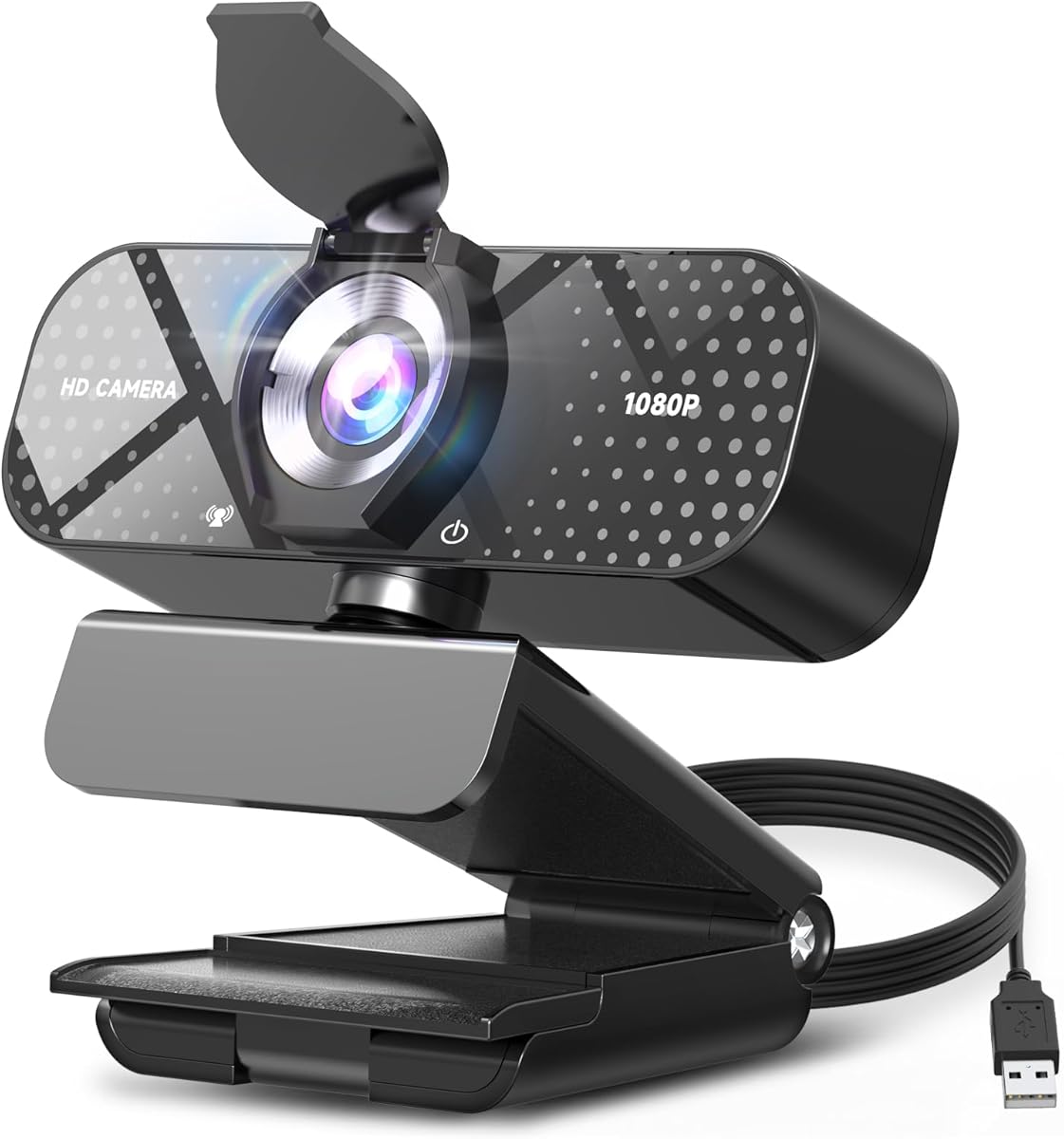
Upgrading to a dedicated webcam can significantly improve how you look on calls compared to standard laptop cameras. This model captures 1080p video at 30fps with a wide-angle lens to capture more detail and color vibrancy.
We may earn a commission when you buy through this link, at no additional cost to you.
Automatic light correction dynamically adjusts brightness so you look good even in dim or bright rooms. The noise-canceling microphone ensures your voice is clear without picking up background noises like typing or traffic.
A privacy cover slides over the lens when not in use providing security and peace of mind. Plug-and-play compatibility with USB 2.0 and 3.0 means no drivers are required for immediate setup.
Best for anyone needing a high-quality camera upgrade for professional streaming or frequent video conferencing.
1080p resolution and wide-angle lens capture crisp vibrant images for professional video calls.
Included privacy cover allows immediate blocking of the lens when camera is unused.
We may earn a commission when you buy through this link, at no additional cost to you.
This desk lamp uses advanced edge-lit technology to deliver uniform soft illumination perfect for reducing eye strain during long meetings. High CRI ratings ensure colors appear natural and vibrant on video for a professional look.
We may earn a commission when you buy through this link, at no additional cost to you.
The ergonomic design allows height adjustment from 22 to 32.5 inches plus 360 degree rotation to position light exactly right. A sturdy metal base with non-slip pads keeps it stable on any surface without sliding.
With 10 brightness levels and 3 color temperatures you can customize the ambiance for work or streaming. It doubles as a reading lamp when not in use for video calls.
Ideal for home office setups where flexible positioning and high color accuracy are priorities for video quality.
High CRI rating ensures true-to-life color rendering for professional video appearances.
Adjustable height and rotation allow you to find the perfect lighting angle for your desk.
We may earn a commission when you buy through this link, at no additional cost to you.
A compact and affordable solution for improving video call lighting this ring light features a 6-inch circular design to soften illumination on your face. Multiple mode switches let you cycle through warm mixed and cold lighting to match your environment.
We may earn a commission when you buy through this link, at no additional cost to you.
High CRI performance ensures accurate color reproduction so your video looks vivid and realistic. The curved lampshade design helps prevent glare and protects your eyes during extended work sessions.
Easy to carry and install with a clip-on design it works well for travel or temporary setups. Dimming levels allow fine control over intensity to avoid harsh lighting effects.
Best for budget-conscious users seeking a simple and effective lighting upgrade for remote meetings.
Curved lampshade design reduces glare while providing soft even illumination.
Switch between warm mixed and cold lights to match your room ambiance easily.
We may earn a commission when you buy through this link, at no additional cost to you.
Designed for professionals needing a reliable machine for daily tasks and meetings this laptop offers a balanced feature set with Office 365 included. The 14-inch display provides a micro-edge design for comfortable viewing during video chats.
We may earn a commission when you buy through this link, at no additional cost to you.
Multiple ports including USB-C HDMI and SD card reader support versatile peripheral connections. The Intel Quad-Core N150 processor handles standard workflows efficiently although the UFS storage is slower than NVMe options.
The included earphones add value for calls where built-in audio may not be sufficient. Windows 11 Home ensures a modern interface with security features for business use.
A practical choice for small businesses or students needing a complete package with essential software.
Micro-edge bezels maximize screen space for a comfortable viewing experience.
One-year Office 365 subscription provides full access to productivity apps.
We may earn a commission when you buy through this link, at no additional cost to you.
This model emphasizes cloud integration with 1TB of storage to keep your files accessible anywhere without filling local disk space. The dedicated Copilot key offers quick AI assistance for meetings and documents.
We may earn a commission when you buy through this link, at no additional cost to you.
With up to 11 hours of video playback it provides extended usage without frequent charging. Multiple ports and Wi-Fi 6 support ensure seamless wireless networking for video calls.
The lightweight chassis makes it easy to carry for travel or commuting. Dual array microphones and True Vision camera support clear virtual communication.
Ideal for users who rely on cloud storage and want AI tools integrated into their hardware.
1TB cloud storage complements local SSD for expanded file access.
Copilot key provides instant access to AI features during work.
We may earn a commission when you buy through this link, at no additional cost to you.
Using two light bars this setup provides even brighter illumination than single ring lights for professional streaming and calls. Remote and touch controls let you adjust settings quickly during a meeting without touching the device.
We may earn a commission when you buy through this link, at no additional cost to you.
Rotatable design supports 360 degree horizontal and 180 degree vertical rotation to adapt to any desk angle. Adjustable sizing fits most monitors and screens for versatile mounting options.
Eye protection technology ensures soft flicker-free light to reduce strain during long sessions. Built-in sponge pads protect your monitor from scratches when installed.
Best for content creators needing high-quality lighting control with dual bar even illumination.
Two light bars provide even and brighter illumination for professional video.
Remote and touch options allow quick adjustments without physical contact.
We may earn a commission when you buy through this link, at no additional cost to you.
Selecting the right device involves evaluating camera microphone processor and battery features that impact your video communication experience directly.
A capable processor is essential to handle video encoding while running other apps without lag. Look for models with at least quad-core architecture to ensure smooth multi-tasking during calls.
Prioritize newer generations of Intel or AMD CPUs for efficient performance and better battery life during meetings.
Built-in HD cameras with noise reduction or auto-light features help you look professional on screen. Higher resolution like 720p or 1080p ensures clarity and detail in your image.
If your laptop has a basic camera consider budgeting for an external 1080p webcam for better results.
Clear audio is as important as video for effective communication. Dual array microphones with noise cancellation help isolate your voice and filter out background sounds.
Test microphone quality before purchasing and consider external options if built-in options are unclear.
A larger screen helps you see meeting participants and shared content clearly. Anti-glare coatings reduce eye strain during long video sessions in bright rooms.
FHD resolution ensures sharp text and images for comfortable viewing during presentations.
Long battery life ensures you stay connected throughout the workday without needing an outlet. Aim for at least 8 hours of real-world usage to handle extended calls and travel.
Check reviews for actual battery performance since advertised times can vary significantly.
Versatile ports like USB-C HDMI allow easy connection to projectors or external monitors. Ensure your laptop has enough ports for your peripherals to avoid carrying dongles.
Wi-Fi 6 support improves connection stability for high-quality video streaming.
Lightweight laptops make it easier to move between rooms or offices. A slim profile fits into backpacks without adding excessive weight during commutes.
Consider the weight if you travel frequently for work or remote meetings.
Reliable customer support and warranty coverage protect your investment. Look for brands with local service options for quick repairs or replacements.
Check return policies to ensure you can exchange the device if it does not meet expectations.
Position your laptop at eye level using a stand or stack of books to ensure the camera captures your face directly. This angle improves engagement and makes you appear more professional during meetings.
Ensure your lighting is soft and in front of you rather than behind to avoid silhouettes. Use external ring lights or position natural light sources to brighten your face evenly for clear visuals.
Keep your device updated with the latest security patches and software drivers for optimal performance. Clean your screen and keyboard regularly to prevent dirt buildup that can affect touch sensitivity or display clarity.
Ideally you want a quad-core processor 8GB of RAM and at least 256GB of storage to handle video calls smoothly. A dedicated HD webcam and noise-canceling microphone are also key for clear communication.
While many modern laptops have decent cameras an external 1080p webcam can significantly improve image quality and lighting adaptability for professional use cases.
Battery life is critical if you attend calls away from power outlets. Aim for at least 8 hours of real usage to cover a full workday without interruption.
Yes budget laptops with efficient processors can handle basic Zoom calls well as long as you manage background apps to prevent performance slowdowns during meetings.
Screen size does not directly affect video quality but larger screens improve visibility of shared content and participant grids making collaboration more comfortable.
USB-C and HDMI ports are useful for connecting to external monitors or projectors. Ensure you have enough USB ports for peripherals like webcams or headsets.
Use a headset with a boom mic for better voice clarity and background noise isolation compared to built-in laptop microphones during meetings.
Some models feature optimized audio video drivers and dedicated communication keys that enhance the Zoom experience but most modern laptops work well with the platform.
We found the HP Everyday Slim Laptop stands out for its enhanced camera and microphone features tailored for virtual meetings. It offers excellent value with strong audio video performance at a competitive price.
When selecting your device prioritize camera clarity microphone quality and battery life to ensure seamless communication. Balance these needs against your budget and whether you need a portable 14 inch or a larger 15 inch screen.
Remember that prices for these products change frequently so review current listings and promotions before buying to get the best deal today.