
Amazon Basics Stereo 2.0 Speakers
4.4Editor score
USB-powered for simplicity
In-line volume control
3.5mm Aux input
This guide compares the top external speakers for MacBook setups, evaluating sound quality, connectivity options, and design features to help you choose the
Enhancing your MacBook audio experience requires the right external speakers to deliver clear sound and deep bass for media consumption.
We compared ten top-rated models based on connectivity, sound output, design compatibility, and user reviews to find the best options.
Each pick highlights key features and performance notes, but remember that prices and availability may change frequently online.
4.4Editor score

4.4Editor score
4.5Editor score
This side-by-side comparison breaks down key specifications for all ten models, helping you identify the right fit for your workspace needs.




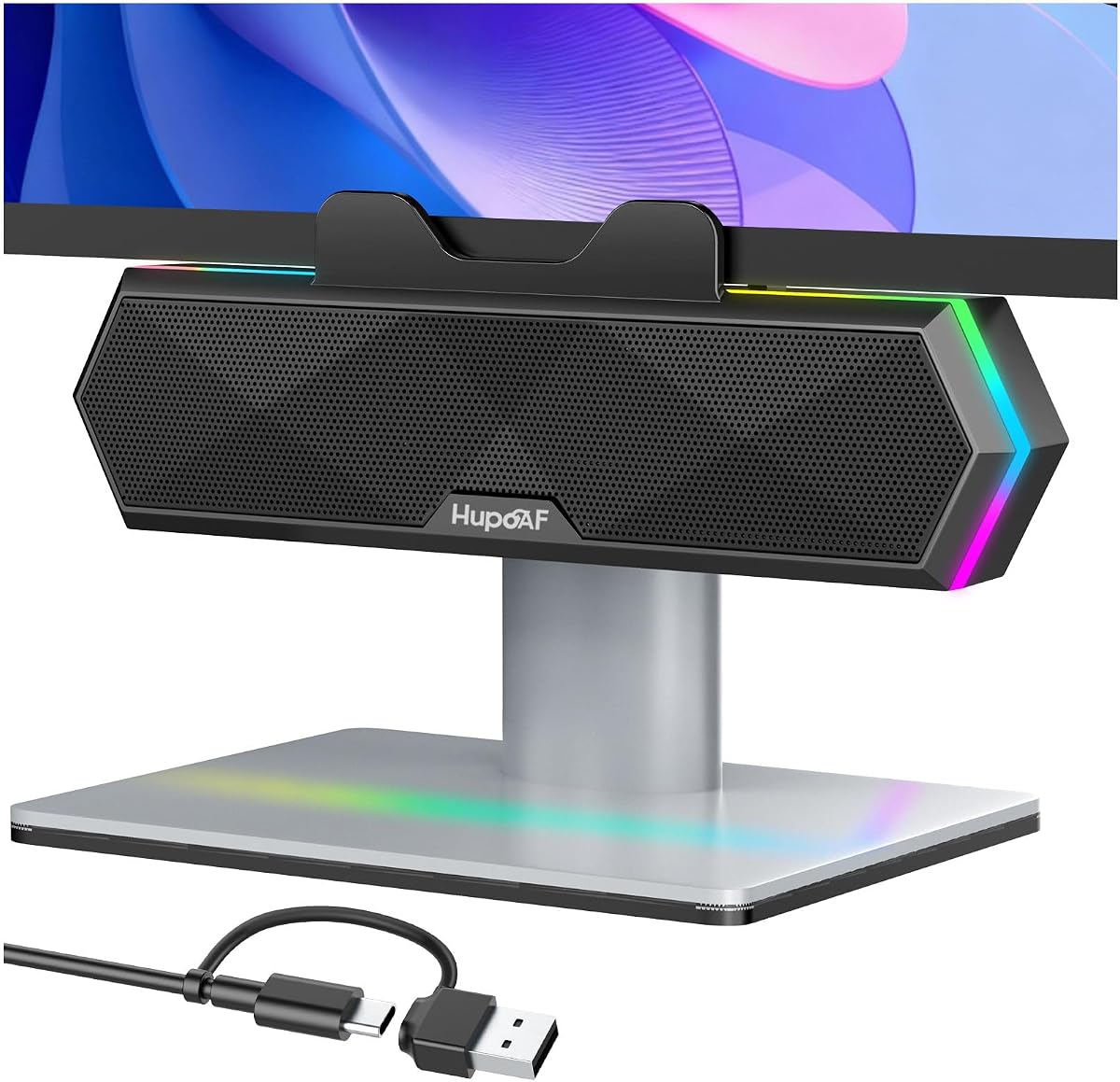
This clip-on monitor speaker stands out with adaptive channel switching that ensures sound remains balanced regardless of mounting position.
We may earn a commission when you buy through this link, at no additional cost to you.
Its dual ultra-magnetic drivers deliver loud stereo sound with deep bass, while the USB-C adapter ensures compatibility with modern MacBooks.
The touch controls are intuitive, but note that the speaker is designed exclusively for computers and may not work with TVs.
It is an excellent choice for Mac users needing a compact, powerful speaker solution that saves desktop space without sacrificing audio quality.
The built-in G-sensor automatically adjusts left and right channels based on whether the speaker is clipped to the top or bottom of the monitor.
The non-slip spring clamp mounts securely to monitor edges, freeing up valuable desk space for your keyboard and accessories.
We may earn a commission when you buy through this link, at no additional cost to you.
The Amazon Basics Stereo 2.0 Speakers offer reliable audio performance at an entry-level price point, making them ideal for casual listeners.
We may earn a commission when you buy through this link, at no additional cost to you.
They feature a simple USB connection for power and a 3.5mm aux input for flexibility, along with in-line volume control for quick adjustments.
While they lack advanced features like Bluetooth, their compact design and scratch-free finish ensure they fit neatly into any office setup.
Budget-conscious Mac users will appreciate this no-frills solution that delivers clear sound without the need for complex configuration or additional drivers.
Drawing power directly from your MacBook's USB port eliminates the need for separate power bricks, keeping your workspace tidy.
The scratch-free padded base prevents your speakers from sliding around or scratching your desk surface during daily use.
We may earn a commission when you buy through this link, at no additional cost to you.
The Logitech Z207 brings wireless versatility to your MacBook setup with Bluetooth 4.2 and convenient Easy-Switch technology for multiple devices.
We may earn a commission when you buy through this link, at no additional cost to you.
Its passive radiator extends bass performance, while the on-speaker controls and headphone jack add practical touches for daily use.
Users can switch between their phone and computer without reconnecting, making it convenient for multitasking environments.
This model is perfect for Mac users who prioritize wireless freedom and seamless transitions between audio sources without sacrificing sound clarity.
Simply pause audio on one device and press play on another to instantly switch control between connected devices effortlessly.
Convenient physical buttons for volume and power are located directly on the speakers, saving you from navigating system menus.
We may earn a commission when you buy through this link, at no additional cost to you.
The Creative Pebble V3 updates the classic design with USB-C connectivity and Bluetooth 5.0, delivering 50% more volume than its predecessor.
We may earn a commission when you buy through this link, at no additional cost to you.
Clear Dialog Audio Processing ensures spoken words remain intelligible without increasing background noise, which is ideal for video calls.
The elevated drivers at 45 degrees direct sound straight to your ears, creating a focused listening experience in any workspace.
Mac users seeking modern connectivity and rich sound in a compact package will find this speaker both functional and aesthetically pleasing.
With native USB-C support, the Pebble V3 draws power and audio data through a single cable, reducing clutter significantly.
This feature isolates speech frequencies, making YouTube videos and calls clearer without affecting the overall sound quality.
We may earn a commission when you buy through this link, at no additional cost to you.
The Edifier M60 delivers premium audio performance with 66W RMS power and Hi-Res Audio certification, ensuring rich and detailed sound.
We may earn a commission when you buy through this link, at no additional cost to you.
Its cap-sensitive touch panel offers intuitive control, while LDAC Bluetooth codec support allows high-quality wireless streaming from Android devices.
The included aluminum stands angle the speakers at 15 degrees to direct sound properly to your ears for accurate listening.
For Mac users seeking professional-grade audio quality and modern connectivity, the M60 represents a significant upgrade over standard speakers.
Both wired and wireless connections support Hi-Res Audio, preserving the full detail of high-fidelity music files.
Bluetooth 5.3 with LDAC transmits up to 990 kbps, offering wireless audio quality close to wired connections.
We may earn a commission when you buy through this link, at no additional cost to you.
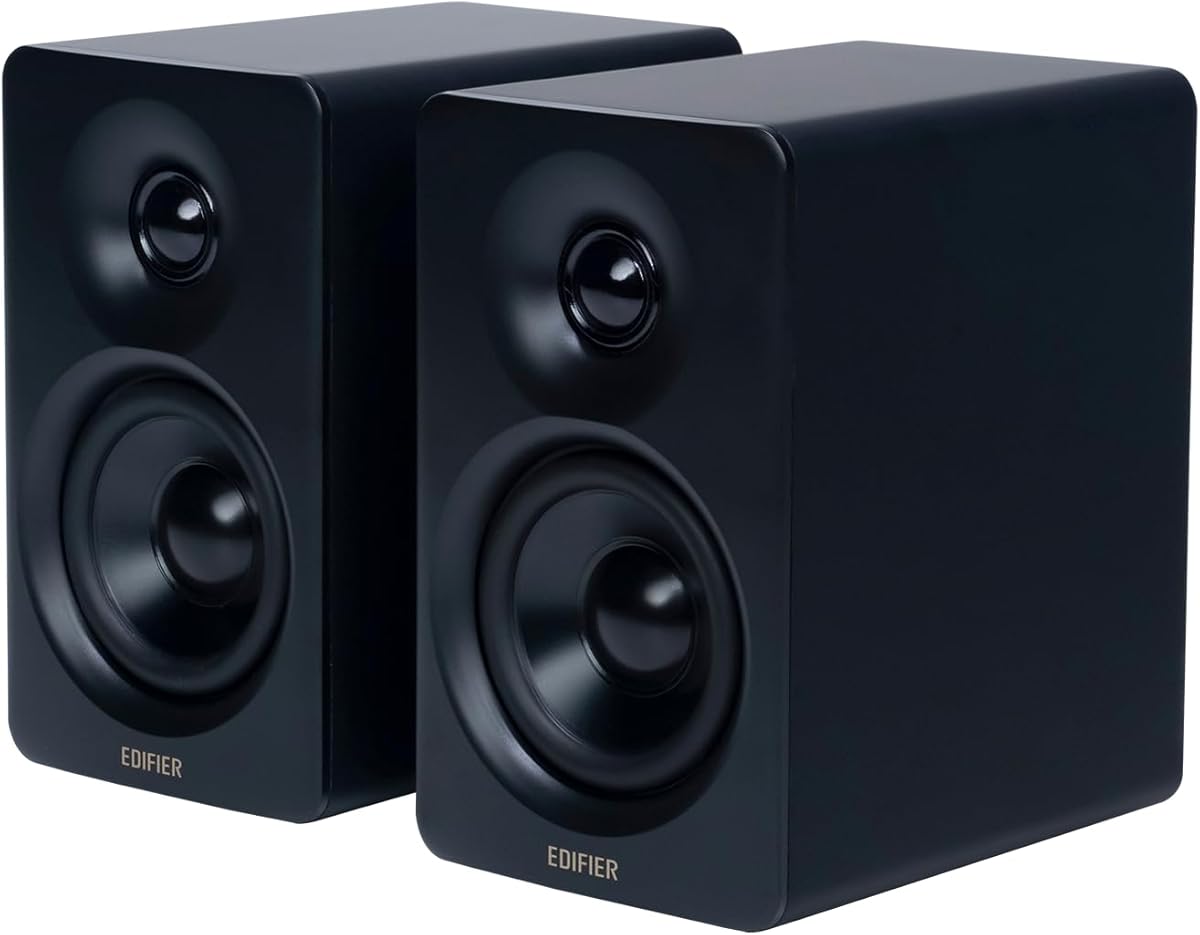
The Edifier MR3 is designed for accurate sound reproduction with Hi-Res Audio certification and a flat frequency response across 52Hz to 40kHz.
We may earn a commission when you buy through this link, at no additional cost to you.
It offers balanced TRS, RCA, and AUX inputs for professional connectivity, making it suitable for audio production and editing tasks.
The MDF cabinet reduces resonance distortion, ensuring the sound you hear is true to the source material without coloration.
Mac users involved in creative work will benefit from its precise monitoring capabilities and flexible connectivity options for various devices.
The flat response curve ensures that mixes and edits sound consistent across different playback systems and environments.
Medium-density fiberboard cabinet construction minimizes internal reflections for cleaner, more accurate sound output.
We may earn a commission when you buy through this link, at no additional cost to you.
The Upgraded USB Soundbar provides a straightforward solution for Mac users needing immediate audio improvement without complex setup processes.
We may earn a commission when you buy through this link, at no additional cost to you.
It connects via a single USB cable that supplies both power and audio, making it highly compatible with macOS systems right out of the box.
Built-in dual 3W drivers deliver louder sound with enhanced bass, offering a clear upgrade over built-in laptop speakers.
This affordable option is ideal for users who want reliable performance and easy compatibility with minimal technical configuration required.
The speaker works with macOS without requiring additional drivers, ensuring immediate usability after plugging into a USB port.
By combining power and audio into one USB connection, the setup remains neat and clutter-free on any desk surface.
We may earn a commission when you buy through this link, at no additional cost to you.
The FUNLOGY Speaker features a unique 30-degree upward tilt that optimizes sound direction toward your ears for an immersive listening experience.
We may earn a commission when you buy through this link, at no additional cost to you.
Despite its small size, it delivers clear highs and mids with punchy bass thanks to dual 48mm full-range drivers.
The volume dial control provides easy access to audio adjustments, while the noise-reducing design ensures minimal static during use.
Users seeking a compact, ergonomically designed speaker that saves desk space without compromising on sound clarity will appreciate this model.
The 30-degree tilt focuses sound directly at your ears, improving clarity even at lower volume levels.
A gold-plated AUX input minimizes signal noise and interference for cleaner audio transmission.
We may earn a commission when you buy through this link, at no additional cost to you.
The Dell Speakerphone SP3022 is certified for Microsoft Teams and Zoom, making it an ideal choice for Mac users focused on professional conferencing.
We may earn a commission when you buy through this link, at no additional cost to you.
Its full duplex audio allows multiple people to speak simultaneously while maintaining clarity through AI noise cancellation features.
LED indicators provide clear visual cues for call status and volume levels, ensuring intuitive operation during busy workdays.
Business professionals who prioritize clear communication and seamless meeting integration will find this device a reliable addition to their workspace.
This technology allows simultaneous talking and listening, ensuring natural conversation flow during virtual meetings.
Clear LED lights indicate call status, volume, and mute settings, reducing the need to check software interfaces.
We may earn a commission when you buy through this link, at no additional cost to you.
The RGB Clip-On Speaker combines powerful audio with customizable lighting, making it perfect for Mac users who want a stylish gaming setup.
We may earn a commission when you buy through this link, at no additional cost to you.
Its dual ultra-magnetic drivers produce deep bass and crisp highs, while the six RGB modes allow you to match your desk aesthetics.
The clip-on design keeps your desktop clear, and the touch controls let you adjust sound or lighting without interrupting your workflow.
Gamers and enthusiasts looking for both performance and visual flair will appreciate this speaker's versatility and high user satisfaction rating.
Six vibrant lighting options let you customize your desk ambiance, with an option to turn them off for work focus.
The non-slip spring clamp secures the speaker to monitor edges, freeing up desk space for other equipment.
We may earn a commission when you buy through this link, at no additional cost to you.
Selecting the right external speakers for your MacBook involves considering connectivity, sound quality, design, and specific use cases.
MacBooks often have limited ports, so speakers with USB-C or Bluetooth support are essential for compatibility. USB-C provides power and audio in one cable, while Bluetooth offers wireless flexibility.
Look for models with USB-C or Bluetooth to ensure seamless connection without needing extra adapters.
Speakers with higher RMS wattage generally deliver louder and clearer sound. For multimedia, look for enhanced bass and full-range drivers.
Prioritize speakers with higher RMS ratings for clearer audio during work and entertainment.
Clip-on or compact designs save valuable desk space. Consider whether your workspace needs a freestanding unit or something mounted on your monitor.
Choose a design that matches your desk layout to maximize usable space.
Prices vary significantly from budget-friendly options under $25 to premium models exceeding $150. Decide how much you are willing to spend for desired features.
Balance your budget with feature requirements to find the best value.
Advanced models include features like dialogue enhancement or EQ adjustments. These improve clarity for calls and movies without manual tweaks.
Look for dialogue processing or EQ controls for better customization of audio output.
If you move between locations, lightweight and wireless speakers are ideal. Models with USB power avoid the need for separate adapters.
Pick lightweight, USB-powered models if portability is a priority.
Materials like metal finishes or MDF cabinets reduce resonance and improve durability. A sturdy build ensures long-term reliability.
Select speakers with durable materials for longevity and reduced audio distortion.
Physical volume dials or touch controls offer convenience over using system settings. Ensure controls are accessible during use.
Opt for physical or touch controls for quick volume adjustments.
Connect your speakers using the appropriate cable, such as USB-C or USB-A. Ensure your MacBook recognizes the external audio device in the Sound settings before use.
Adjust the volume using the speaker's physical controls or your MacBook system preferences to avoid distortion at high levels.
Keep the speakers away from direct sunlight and moisture. Periodically clean dust from the drivers using a soft dry cloth to maintain audio quality.
Most USB speakers work with older MacBooks using USB-A adapters. If your model only has USB-C, you may need a USB-C to USB-A dongle for compatibility.
Most models are plug-and-play and do not require additional drivers. However, you may need to update your Mac audio settings to recognize the external device.
The Dell Speakerphone SP3022 is certified for Teams and Zoom, offering full duplex audio and noise cancellation that ensures clear communication during calls.
Yes, most Bluetooth speakers pair easily with MacBooks. Ensure the speaker is in pairing mode and select it from your Mac Bluetooth settings.
Clip-on speakers use non-slip clamps designed for stable mounting. Check the monitor edge thickness specifications to ensure your monitor is compatible.
USB-C provides both power and audio in one cable for stable connection, while Bluetooth offers wireless flexibility but requires separate power or batteries.
Advanced speakers often have EQ options in mobile apps. Most users find the default settings sufficient, but you can adjust for personal preference.
Use a soft, dry cloth to gently wipe the exterior. Avoid using water or cleaning liquids directly on the speaker surface to prevent damage.
The top picks including the Creative Pebble V3 and Edifier M60 offer strong audio quality and connectivity for various needs.
Consider your priorities like budget, design, and sound requirements before making a final decision on the best model for your setup.
Prices fluctuate regularly, so always check current pricing and availability online before purchasing to ensure the best deal.