
H.265 H.264 4K HDMI to IP Network Video Encoder
4.7Editor score
Advanced dual encoding chip
Simultaneous multi-stream
HDCP decryption support
This guide compares the top H265 H264 HDMI Iptv Encoders for streaming, IPTV, and broadcasting with detailed specs, pros, and cons to help you choose.
Finding the right encoder for your streaming needs can be challenging given the variety of formats and protocols available today. Modern devices must handle high-resolution inputs while delivering stable outputs over networks. This guide focuses on models that support H.265 and H.264 standards for efficient video compression and broad compatibility.
We evaluated ten real products based on their encoding capabilities, protocol support, and user feedback. Each option was reviewed for features like resolution handling, audio input options, and ease of setup. The list covers a range of budgets and use cases from simple live streaming to professional IPTV distribution.
Each pick in this list shows specific strengths and potential limitations based on the provided product data. You will find details on encoding chips, supported protocols, and customization options. Please note that prices and availability can change, so always verify the latest details before purchasing.
4.7Editor score

4.5Editor score

4.4Editor score
This section provides a side-by-side comparison of all ten products to help you identify the best fit for your specific streaming or IPTV requirements. We highlight key specifications such as resolution support, protocol options, and unique features for each model.
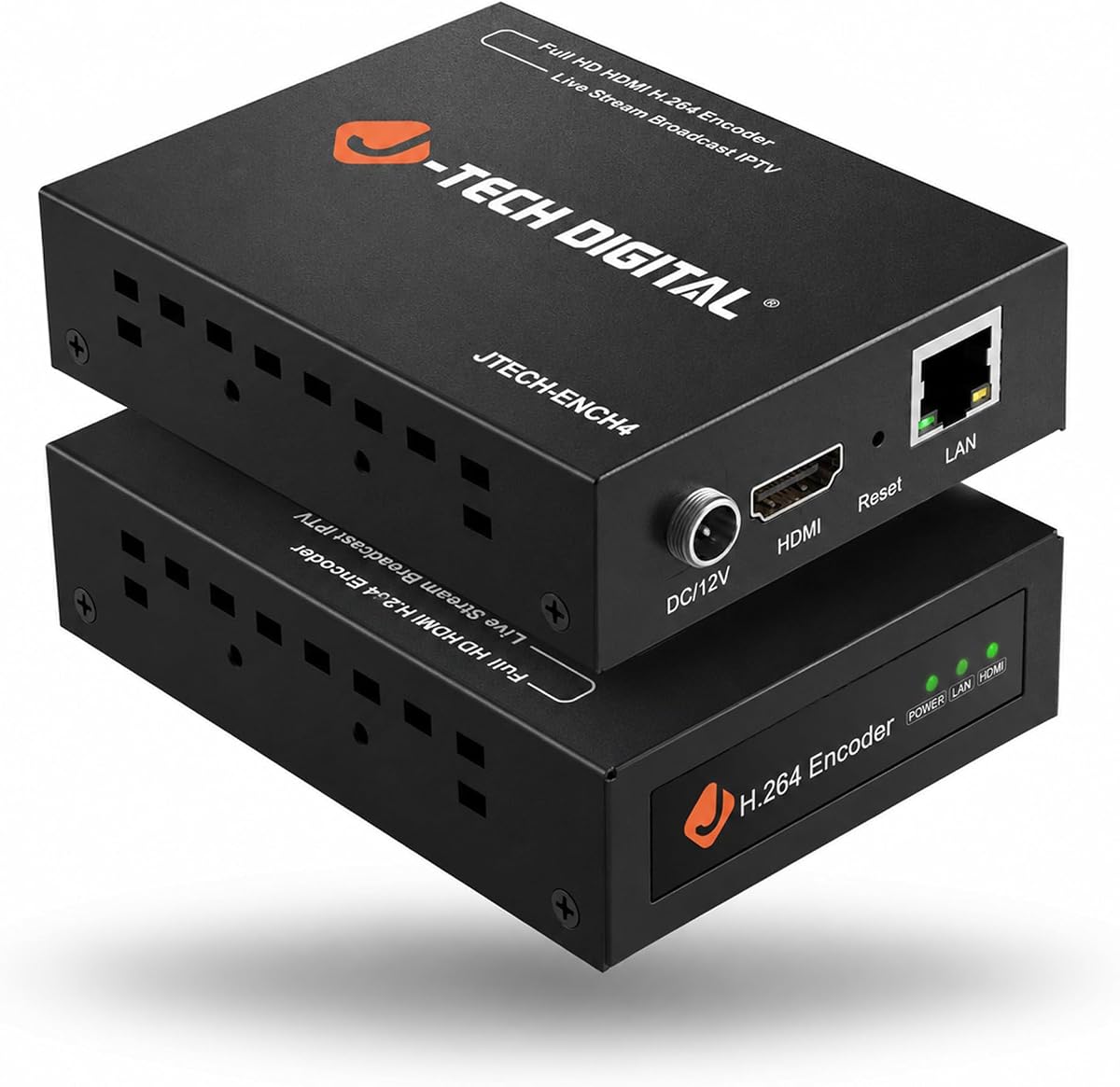


This encoder is a top choice for those needing reliable 4K streaming capabilities. It offers strong performance with support for multiple protocols like RTSP and RTMP. Users appreciate the stability and ease of setup for live events or IPTV systems.
We may earn a commission when you buy through this link, at no additional cost to you.
The device supports 4K UHD input and output with a frame rate up to 30fps at 4K. It handles HDCP 1.4 decryption effectively which allows it to decode various high-definition sources. You can adjust parameters like resolution and bitrate to match your needs.
While it offers powerful features the setup requires some network knowledge which might be a hurdle for beginners. The device is designed for professional use cases where customization is key. Ensuring your network can handle the streams is important.
If you need a robust encoder that handles 4K and multiple protocols this is a strong pick. It works well for streaming to platforms like YouTube and Facebook. The lifetime warranty adds value for long-term use.
The device supports multiple protocols including HTTP RTSP RTMP and HLS allowing flexible streaming options.
You can add text captions logos and adjust video settings like cropping or rotation for a unique look.
We may earn a commission when you buy through this link, at no additional cost to you.
This model stands out with a high user rating and broad protocol support. It is a great budget option for streaming to multiple platforms like YouTube and Twitch. The device handles 4K input and offers stable network transmission.
We may earn a commission when you buy through this link, at no additional cost to you.
You can use multiple protocols including WebRTC and RTSP for flexible streaming setups. It supports up to four video streams with different protocols which is useful for multi-platform broadcasting. The HDCP decryption helps with high-definition sources.
Setting up WebRTC might require specific network configurations which can be complex for some users. The device is designed for ease of use but advanced features need some technical input. Ensure your network is compatible with these protocols.
If you need a cost-effective encoder with strong features this is an excellent choice. It works well for home studios or small business streaming. The high rating suggests reliable performance for most users.
Push streams to YouTube Facebook and Twitch simultaneously without extra equipment using the device protocols.
The device uses HDMI to Ethernet technology for stable and low-latency transmission suitable for live events.
We may earn a commission when you buy through this link, at no additional cost to you.
This J-Tech Digital model is known for its support of high frame rate inputs. It handles 4K at 60Hz and outputs at 1080P which is useful for smooth streaming. The device supports a wide range of protocols including ONVIF.
We may earn a commission when you buy through this link, at no additional cost to you.
You can control settings like bitrate and IP remotely via the web GUI. Adding text or logos to the video stream is supported for branding. The device offers free lifetime technical support which is a plus.
Note that sub-streams have lower resolution than the main stream which might limit quality for some uses. The device is well-designed for professional use but requires network knowledge. Ensure your setup matches the protocol needs.
If you need high input frame rates this encoder is a solid option. It works well for broadcasts that require smooth video. The technical support helps with any setup issues.
Adjust bitrate FPS and IP settings remotely via the web interface for easy control.
The device supports VLC playback by entering the encoder IP address URL for testing.
We may earn a commission when you buy through this link, at no additional cost to you.
This encoder simplifies setup by allowing browser-based control without additional software. It is compact and fits well in small spaces or equipment racks. The device supports 1080P60 streaming which is standard for many broadcasts.
We may earn a commission when you buy through this link, at no additional cost to you.
You can add OSD text and logos directly to the stream for branding. The device uses hardware encoding to reduce bandwidth usage while maintaining quality. It supports multiple protocols including WebRTC and SRT for flexibility.
While setup is easy it does require basic networking knowledge for advanced setups. You may need to know your IP address and protocol settings. Ensure your network is configured for stable streaming.
If you need a simple and compact encoder this is a good fit. It works well for quick setups where software installation is not possible. The browser interface makes management straightforward.
Set up in minutes through any browser without installing drivers or software for easier operation.
Add scrolling text logos or timestamps directly to the stream using the built-in OSD generator.
We may earn a commission when you buy through this link, at no additional cost to you.
This encoder allows you to output two video streams from a single HDMI input. Each stream can use different protocols which is ideal for diverse streaming needs. It supports a variety of protocols including RTSP and HLS for broad compatibility.
We may earn a commission when you buy through this link, at no additional cost to you.
You can customize the output by adding text logos or adjusting resolution and frame rate. The device offers SDK and API support for secondary development which adds flexibility for enterprise needs. Lifetime support is included.
The price is higher than some budget options but the dual output capability adds value. If you need to push streams to multiple servers this is a strong option. Consider your need for customization before buying.
If you need multiple streams from one input this encoder is a good choice. It works well for complex setups requiring different protocol outputs. The SDK support is a bonus for developers.
Choose between different streaming types to reduce bandwidth or enhance image quality as needed.
SDK API and CGI documents are available for custom feature development and enterprise needs.
We may earn a commission when you buy through this link, at no additional cost to you.
This device is designed for 1080P HD streaming with realistic color reproduction. It supports multiple video streams and handles various protocols like RTMP and SRT. You can add text or logos to your video stream for branding.
We may earn a commission when you buy through this link, at no additional cost to you.
The encoder ensures stable transmission with low latency which is key for live events. You can adjust parameters like resolution and bitrate to match your needs. It supports both HDMI audio and line-in audio inputs.
The setup process involves using the instruction manual which is detailed but requires some attention. Users should be comfortable with network settings to use all features. The device is well-suited for professional streaming.
If you need reliable HD streaming this encoder is a solid choice. It works well for platforms like YouTube and Facebook. The customizable settings allow for tailored output.
Adjust sound quality with dual inputs for HDMI and line-in audio for unique streams.
Push streams to YouTube Facebook Twitch and Vimeo without additional equipment using the device protocols.
We may earn a commission when you buy through this link, at no additional cost to you.
This premium model includes Power over Ethernet which simplifies installation by using one cable. It handles 4K at 60Hz input and outputs at 1080P for smooth streaming. The device supports analog audio input which is useful for external mixers.
We may earn a commission when you buy through this link, at no additional cost to you.
You can add custom logos and a no signal screen for branding. The encoder supports multiple platforms for maximum reach. It comes with free lifetime technical support to assist with any issues.
Using PoE requires a compatible network switch which might be an added cost. The device is designed for professional AV setups and requires attention to network hardware. Ensure your switch supports PoE for best results.
If you need a high-end encoder with PoE this is a great option. It works well for fixed installations where cabling is complex. The analog audio support adds versatility for audio setups.
Power over Ethernet support allows both power and data through a single cable for easier setup.
Add text overlays logos and a custom no signal image for a branded professional stream.
We may earn a commission when you buy through this link, at no additional cost to you.
This encoder handles 4K UHD input and supports a wide range of protocols for streaming. It allows for four simultaneous video streams with different protocols which is useful for diverse needs. The device ensures stable transmission with low latency.
We may earn a commission when you buy through this link, at no additional cost to you.
You can adjust core parameters and add text or logos to your video stream. It supports dual audio inputs and has customization options for a unique brand style. The instruction manual helps with setup.
Using advanced features like custom protocols requires technical knowledge which might be a barrier for beginners. The device is designed for professional use cases where flexibility is key. Ensure your network is ready for multiple streams.
If you need a versatile encoder with 4K support this is a strong pick. It works well for complex streaming setups with multiple outputs. The protocol variety allows for flexible integration.
The device uses HDMI to Ethernet core connection technology for stable and low latency transmission.
Add text or logos to the video stream and adjust parameters for a unique brand live stream style.
We may earn a commission when you buy through this link, at no additional cost to you.
This encoder is extremely compact and light making it ideal for portable setups. It can be powered via USB which eliminates the need for an extra adapter. The device supports cloud-based control via the DDMALL Cloud System.
We may earn a commission when you buy through this link, at no additional cost to you.
You can edit the OSD in real time during streaming which allows for dynamic branding. The device supports standard protocols like RTMP and RTSP for streaming to major platforms. It offers lifetime technical support for users.
Since it is a newer model there is no user rating available yet. The cloud control adds flexibility but requires internet connection for remote monitoring. Ensure your network is stable for remote access.
If you need a portable encoder this is a great choice. It works well for on-the-go streaming or limited spaces. The USB power option makes it easy to deploy anywhere.
Control and monitor the encoder remotely from anywhere with an internet connection via the cloud system.
Add custom text images or logos on the stream at any location during live operation.
We may earn a commission when you buy through this link, at no additional cost to you.
This encoder has a perfect user rating and offers strong 4K UHD support. It handles up to 3840 x 2160P at 30fps which is ideal for high-resolution streams. The device allows for dual stream encoding with different resolutions.
We may earn a commission when you buy through this link, at no additional cost to you.
You can control the encoder via a web interface or telnet for flexible remote access. This makes management easy for users who need to adjust settings from anywhere. It supports multiple protocols for IPTV and streaming.
The device is designed for efficient video transfer over networks which helps with limitations. You can adapt streams to different terminals by adjusting bit rates and resolutions. The interface is user-friendly for most tasks.
If you need a reliable 4K encoder this is a top choice. It works well for IPTV and high-resolution broadcasts. The web UI control adds convenience for managing streams remotely.
Supports dual streams with different resolutions and bit rates to adapt to different terminals.
Web UI and telnet access provide choices to control the encoder anytime and anywhere.
We may earn a commission when you buy through this link, at no additional cost to you.
When selecting an encoder for streaming or IPTV there are several factors to consider to ensure it meets your needs. These devices convert HDMI signals to network streams and support various protocols for distribution. Understanding these features helps you choose the right model.
Look for encoders that support the input resolution you need such as 4K or 1080P. Some models handle 4K at 30fps while others support 60Hz for smoother motion. Ensure the output matches your streaming platform requirements.
Encoders should support protocols like RTSP RTMP HLS and SRT for flexible streaming. Some models offer WebRTC or ONVIF which are useful for specific applications. Check if the device supports multicast for IPTV systems.
Consider whether the encoder supports both HDMI audio and line-in inputs. This flexibility allows you to mix audio from different sources. Adjusting sound quality is important for professional streams.
Browser-based setup without additional software simplifies operation. Look for devices with intuitive interfaces and clear manuals. DHCP support helps avoid IP conflicts on your network.
OSD options to add text logos or timestamps can enhance your branding. Some models allow video cropping or rotation for tailored output. These features help create a unique live stream style.
Lifetime technical support is a valuable feature for long-term use. Check if the manufacturer offers warranty coverage for replacement. Good support ensures you can resolve issues quickly.
Power over Ethernet (PoE) simplifies installation by using one cable. Ensure your network can handle the bandwidth for multiple streams. Consider compact designs for limited spaces.
Connect the HDMI input from your source device to the encoder and plug in the Ethernet cable. Power the device if it does not support PoE. Ensure your network has a stable connection for streaming.
These devices convert HDMI video signals into network streams using H.265 or H.264 compression standards. They are used for streaming to platforms or distributing content over IPTV systems. They support various protocols for flexible delivery.
No only some models support Power over Ethernet which requires a PoE switch. Others need a separate power adapter. Check the product specifications before purchasing to ensure compatibility with your setup.
Many encoders allow simultaneous output to multiple platforms using different protocols. This enables you to push streams to YouTube Facebook and Twitch simultaneously. It is useful for reaching a wider audience.
Most models allow browser-based setup without additional PC software. You can access the web interface to configure settings. This makes the device easy to manage from a computer or mobile device.
Common protocols include RTMP RTSP HLS SRT and HTTP. Some models support WebRTC or ONVIF for specific uses. Check the product details to ensure the encoder fits your streaming needs.
Many encoders include OSD features to add text logos or timestamps. You can customize these to match your branding needs. It is helpful for event information or security labeling.
The top picks offer a range of features from budget-friendly options to premium models with PoE support. Each encoder provides different strengths in protocol support and resolution handling. Choose based on your specific streaming needs.