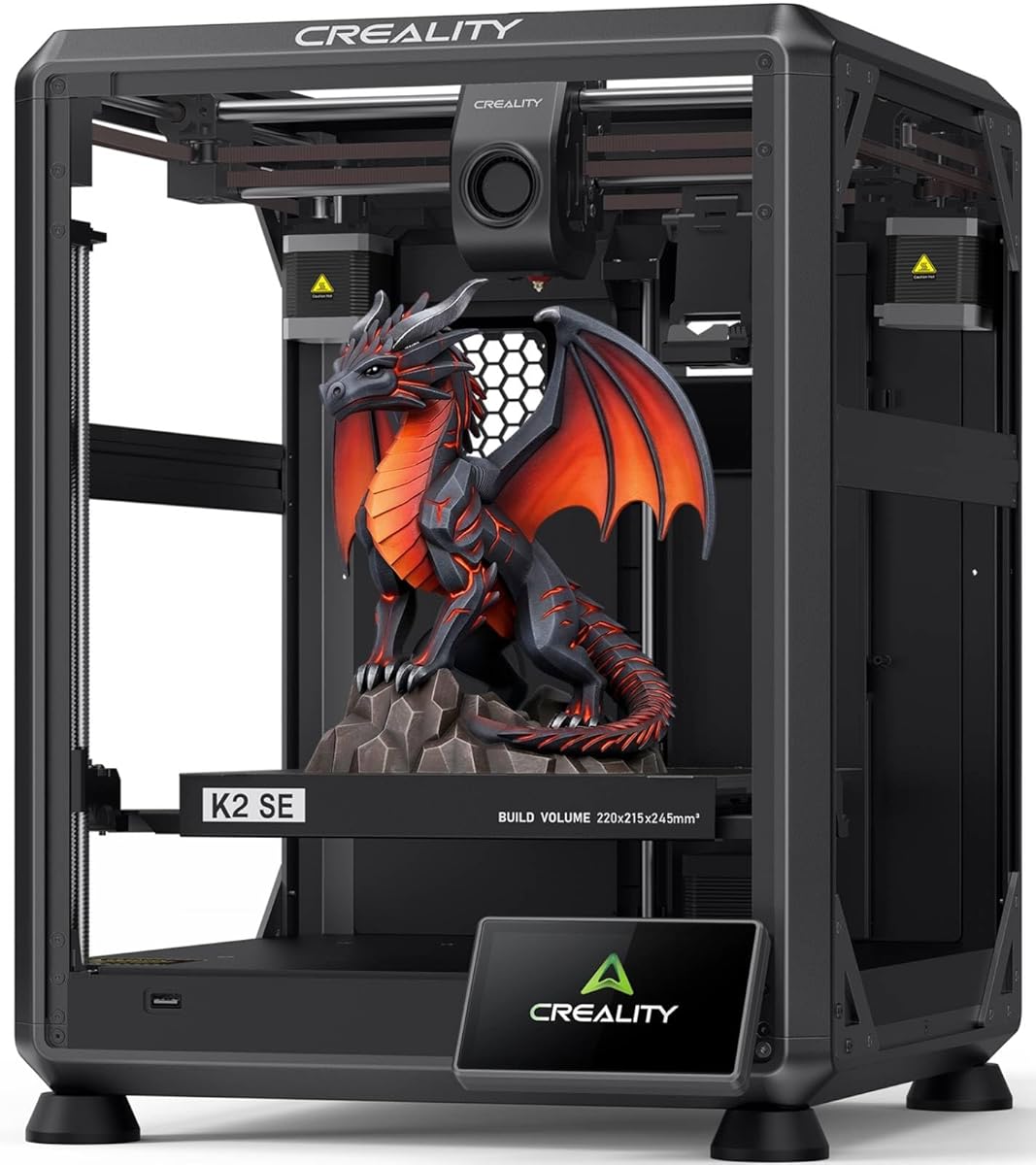
Creality K2 SE
3.8Editor score
Solid metal build frame
Fast 500mm/s speed
Expandable multicolor support
Discover the top 3D printers for cosplay props compared on speed, size, and material support to bring your costume visions to life.
Cosplay enthusiasts need reliable tools to bring intricate designs to life. The right 3D printer for cosplay props ensures detailed armor, weapons, and accessories are created with precision and efficiency.
We compared ten leading models based on build volume, print speed, material compatibility, and ease of use. Each option offers unique strengths for creators ranging from beginners to professional costume makers.
This guide highlights specific features that matter most for props like helmets and shields. Prices and availability change frequently, so verify current details before making your final purchase decision.
3.8Editor score

4.7Editor score

4.0Editor score
The following table provides a side-by-side comparison of key specifications for each model to help you identify the best fit for your specific prop-making needs.





The Bambu Lab P2S Combo stands out as the top choice for serious prop makers. It combines high-speed printing with a multi-color AMS 2 Pro system that allows for intricate details without manual part swaps.
We may earn a commission when you buy through this link, at no additional cost to you.
Its PMSM Servo Extruder and Active Flowrate Compensation ensure every layer of your printed object stays sharp and smooth. This delivers flawless corners and consistent results essential for professional-looking armor pieces.
While the P2S itself does not support multi-color printing, the Combo version required includes the AMS 2 Pro which enables seamless multi-color and multi-material printing. It features built-in filament drying at up to 65 °C keeping every spool ready for flawless prints.
Creators should choose this if they want a reliable tool that minimizes waiting time. The AI failure detection and quick-swap nozzles make professional-grade 3D printing effortless even for beginners working on complex cosplay builds.
The AMS 2 Pro enables seamless multi-color and multi-material 3D printing so you can bring vibrant designs to life.
The Adaptive Airflow System automatically balances cooling and heat retention to keep overhangs crisp or maintain chamber temperature.
We may earn a commission when you buy through this link, at no additional cost to you.
The Bambu Lab A1 offers an impressive balance of speed and precision at an entry-level price. It features an acceleration of 10,000 mm/s² which delivers blazing-fast printing while maintaining exceptional accuracy for detailed prop components.
We may earn a commission when you buy through this link, at no additional cost to you.
Say goodbye to manual calibration hassles because the A1 takes care of all calibration processes automatically. It ensures optimal performance for every print with precise Z-offset and bed-leveling so you can focus on design rather than tuning.
Achieve consistently smooth prints with active flow rate compensation which actively adjusts flow rate according to readings to extrude with accuracy. The 1-Clip quick swap nozzle ensures convenient maintenance while active motor noise canceling allows you to focus on your work.
Beginners and hobbyists will appreciate this seamless experience. Although multi-color printing requires the separate AMS lite unit the base printer provides a quiet and user-friendly environment ideal for first-time prop builders.
Experience unparalleled speed and precision with an acceleration of 10,000 mm/s² while maintaining exceptional accuracy and detail.
The printer handles all calibration processes automatically to ensure optimal performance for every print without manual hassle.
We may earn a commission when you buy through this link, at no additional cost to you.
The Sovol SV08 MAX redefines true large-format printing for creators needing to print full-scale props in one go. With up to 500×500×500mm³ of print space it empowers you to tackle oversized props and full-scale prototypes with blazing-fast 700mm/s performance.
We may earn a commission when you buy through this link, at no additional cost to you.
Its CoreXY Kinematics enable faster acceleration reduced vibration and unmatched print precision due to compact design and minimal moving mass. An advanced Eddy Current Scanning system delivers high-speed contactless bed leveling with exceptional accuracy to ensure a perfectly leveled bed before every print.
The hotend supports a maximum temperature of 300°C which perfectly handles a wider range of advanced filaments such as ABS ASA PC and PA. While the heating module needs to be purchased separately this printer is designed with a reserved interface for a Heated Chamber module.
This machine is ideal for ambitious projects where size matters. The built-in 1280×720 HD camera enables seamless remote monitoring and time-lapse recording so you can track progress without being physically present during long prints.
SV08 Max redefines true large-format printing by slashing print times by up to 50 percent with up to 500x500x500mm print space.
Delivers high-speed contactless bed leveling with exceptional accuracy to detect even the smallest surface deviations before every print.
We may earn a commission when you buy through this link, at no additional cost to you.
The FLASHFORGE Creator 5 Pro flips the script with four preloaded preheated toolheads each ready with its own filament. Instead of spending time loading and unloading filament material changes take a simple toolhead swap so you can spend less time waiting and more time creating.
We may earn a commission when you buy through this link, at no additional cost to you.
Push multi-material printing beyond the ordinary with four independent toolheads that automatically switch between materials keeping your workflow seamless and hands-free. It supports a wide range including PLA PETG TPU ABS PVA ASA PA-CF and PET-CF giving you material freedom to turn ambitious ideas into parts.
The C5P fights gravity with an adaptive airflow system that rapidly refreshes the chamber with cool air to help each layer set at just the right moment. For low-temperature filaments like PLA this continuous airflow keeps overhangs crisp bridges clean and tricky angles beautifully sharp.
This printer offers precise engineering features for those who need high durability. A 320°C hardened nozzle handles demanding filaments while the 65°C actively heated chamber maintains uniform heat across the build area for stronger layer bonding and less warping.
Four preloaded preheated toolheads ready with own filament allow simple toolhead swaps instead of time-consuming loading and unloading.
A 320C hardened nozzle and 65C actively heated chamber maintain uniform heat for stronger layer bonding and less warping.
We may earn a commission when you buy through this link, at no additional cost to you.
The Bambu Lab P1S combines speed and enclosure to deliver professional results. It prints up to 500mm/s with 20000 mm/s² acceleration allowing you to focus on creating instead of waiting around for your masterpieces to finish.
We may earn a commission when you buy through this link, at no additional cost to you.
Its fully enclosed body improves print performance for advanced filaments while ensuring safety and stability. Automatic bed leveling makes 3D printing easy and the user-friendly design ensures a hassle-free assembly experience for all skill levels.
Bring your designs to life with vibrant multi-color printing capabilities but note that connecting the Bambu Lab AMS is required. This setup allows for up to 16 colors which can bring extra depth to your cosplay props.
Ideal filaments include PLA PETG TPU and ABS. While not recommended for carbon fiber reinforced polymer the P1S offers a robust and reliable workflow for most standard cosplay parts needing strong structural integrity.
Bring your designs to life with vibrant multi-color and multi-material printing capabilities perfect for showcasing your creativity.
Fully enclosed body improves print performance for advanced filaments while automatic bed leveling ensures successful prints every time.
We may earn a commission when you buy through this link, at no additional cost to you.
The Creality K2 SE features a die-cast aluminum alloy frame corner gussets and dual-side crossbeams for exceptional rigidity. This solid metal build minimizes frame flex during rapid movement ensuring reliable dimensional accuracy and professional surface finishes across large models.
We may earn a commission when you buy through this link, at no additional cost to you.
Driven by a lightweight CoreXY motion system it delivers up to 500mm/s high-speed printing with 20000mm/s² acceleration. The built-in vibration sensor and input shaping algorithm actively reduce ringing and resonance for smoother walls and sharper details even at fast speeds.
K2 SE is the upgrade of K1 SE and is fully compatible with the Creality CFS multicolor system sold separately. When upgraded the printer unlocks advanced multicolor 3D printing with automatic filament identification relay switching and seamless multicolor slicing via Creality Print.
Enjoy a true out-of-the-box setup with just a 5-minute assembly. The one-tap leveling system eliminates manual adjustments improving first-layer success rates and simplifying the workflow for both beginners and advanced users seeking consistent results.
Die-cast aluminum alloy frame corner gussets and dual-side crossbeams offer exceptional rigidity for high-precision 3D printing.
Fully compatible with the Creality CFS multicolor system sold separately to unlock advanced multicolor 3D printing when needed.
We may earn a commission when you buy through this link, at no additional cost to you.
The FLASHFORGE Adventurer 5M Pro reaches speeds up to 600mm/s powered by an all-metal CoreXY frame and 20,000mm/s² acceleration. Integrated vibration compensation algorithms eliminate ghosting and ringing for smooth high-precision surface finishes ideal for detailed cosplay items.
We may earn a commission when you buy through this link, at no additional cost to you.
Features a tool-free quick-release nozzle mechanism for effortless 3-second replacements across multiple sizes. One-click full auto-leveling ensures precise bed calibration and a perfect first layer every time to simplify your workflow significantly.
Built with an integrated dual filtration system and a fully enclosed chamber it ensures a clean printing environment and thermal stability. It operates quietly under 50dB for seamless home office or classroom use while maintaining high performance.
With a 280°C max nozzle temperature and a 110°C heated bed it reliably prints engineering materials like ABS ASA and PETG-CF as well as standard PLA and PETG. A built-in camera allows for real-time monitoring and time-lapse video creation.
Powered by an all-metal CoreXY frame and 20,000mm/s² acceleration to reach speeds up to 600mm/s quickly.
Features a tool-free quick-release nozzle mechanism for effortless 3-second replacements across multiple nozzle sizes.
We may earn a commission when you buy through this link, at no additional cost to you.
Featuring 4 independent toolheads and a 7-second FlashSwap changer this printer switches nozzles without flushing filament. This completely eliminates massive purge waste drastically slashing operational overhead and material costs while achieving up to 5X faster multi-color printing speeds.
We may earn a commission when you buy through this link, at no additional cost to you.
Designed for industrial engineering the fully enclosed frame features an active heated chamber up to 65°C to prevent warping in advanced filaments. Print confidently with ABS PC and PA to unlock ultimate design versatility and produce robust industrial parts.
Built on a ultra-rigid integrated architecture combining a CoreXY motion structure precision linear rails and 1.5GT high-torque timing belts it delivers rapid printing speeds up to 600mm/s without sacrificing accuracy. It effectively eliminates high-speed ghosting and mechanical vibrations for consistent results.
Prioritizing workspace safety the dual HEPA 13 and activated carbon system effectively traps ultrafine particles and fumes from filaments. Paired with a continuous airflow system it maintains a safe odorless and thermally stable production environment for you and your workspace.
Featuring 4 independent toolheads and a 7-second FlashSwap changer that switches nozzles without flushing filament to eliminate purge waste.
Designed for industrial engineering with an active heated chamber up to 65C to prevent warping in advanced filaments.
We may earn a commission when you buy through this link, at no additional cost to you.
The Creator 5 Pro features an active chamber heating system that maintains a stable temperature up to 65°C. This ensures consistent interlayer adhesion and minimizes warping when printing high-performance materials like ABS ASA PC and Nylon delivering professional-grade results.
We may earn a commission when you buy through this link, at no additional cost to you.
The advanced air system features an outside-in cooling mode that protects prints from drafts while preventing nozzle clogging. The fully sealed enclosure combined with a HEPA13 internal recirculation filter effectively captures volatile particles and odors during printing.
Achieve true multicolor and multi-material printing without color mixing or cross-contamination with four completely independent toolheads. This dedicated nozzle design eliminates color transition delays significantly improving printing efficiency for multi-color projects while ensuring pristine color separation and material purity.
With a blistering 600mm/s print speed and 30,000mm/s² acceleration it handles high-throughput projects effortlessly. Automatic platform leveling and toolhead offset calibration guarantee flawless first layers so you do not waste time on failed starts.
Maintains a stable temperature up to 65C to ensure consistent interlayer adhesion and minimize warping on high-performance materials.
An outside-in cooling mode protects prints from drafts while preventing nozzle clogging during the printing process.
We may earn a commission when you buy through this link, at no additional cost to you.
The Creality K2 Pro Combo works seamlessly with the CFS Smart Filament System enabling up to 16-color and multi-material printing. Auto filament identification intelligent feeding and moisture-proof storage provide a hassle-free worry-free printing experience for complex prop projects.
We may earn a commission when you buy through this link, at no additional cost to you.
Creality K2 Pro 3D Printer offers a 300x300x300mm large build volume ideal for printing big prototypes or multiple small parts in one batch. Increase productivity and reduce wait times with efficient batch printing perfect for ambitious creators and professionals.
This printer is powered by FOC step-servo motors system and linear rails achieving up to 600 mm/s print speeds with 20,000 mm/s² acceleration. It maintains a stable chamber temperature up to 60°C preventing corner warping with filaments like ASA and PPA.
Chamber AI Camera enables 24 hours monitoring including print failure detection build plate check and time-lapse filming while Nozzle AI Camera auto-tunes flow rate in real-time. The high-performance direct drive extruder handles abrasive filaments like carbon fiber with hardened steel gears.
The CFS Smart Filament System enables up to 16-color and multi-material printing with auto filament identification.
Chamber AI Camera enables 24 hours monitoring while Nozzle AI Camera auto-tunes flow rate in real-time.
We may earn a commission when you buy through this link, at no additional cost to you.
Choosing the right 3D printer requires balancing performance budget and ease of use to create high-quality props.
Build volume determines how large a part you can print in one piece. For cosplay props like helmets or full shields a large build volume reduces the need for assembly and joining separate parts later.
Look for printers with at least 300x300mm bed size for most medium to large props to ensure you can print complete pieces efficiently.
Fast print speeds significantly reduce waiting times for large props. Modern high-speed models can reach 600mm/s or more which translates to hours saved on every print job.
Prioritize models with high acceleration rates to maintain quality while printing quickly without sacrificing detail on your costume pieces.
Cosplay props require strong lightweight materials like ABS or PETG that can withstand wear and painting. A printer capable of engineering filaments ensures durability and professional finish.
Choose a model with a heated chamber and high nozzle temperature to handle advanced materials that resist warping during printing.
Multi-color printing allows for intricate designs without hand painting small details. Look for printers with multi-filament systems like AMS or CFS to achieve vibrant accents on your props.
Ensure the system supports your preferred color count so you can plan complex props with confidence from the start.
Beginners benefit from printers with auto-bed leveling and calibration features that reduce manual tuning and failure risks. This lets you focus on design rather than technical adjustments.
Look for user-friendly interfaces and quick-swap nozzles to minimize maintenance time during long cosplay project seasons.
Fully enclosed printers contain heat and fumes which is vital when working with ABS or other engineering materials indoors. This ensures safety in home or office environments.
Choose models with HEPA filtration or carbon filters to maintain clean air while printing continuously for large props.
Prices vary widely from affordable options under $300 to industrial models over $1000. Determine your budget early to avoid overspending on unnecessary features.
Balance initial investment against long-term material savings and time efficiency to find the best value for your needs.
Start by loading filament correctly into the extruder or AMS system. Securely tighten the filament reel and run it through the guide path to prevent tangles during long prints.
Use slicing software to set appropriate temperature and speed settings for your chosen material. Ensure the build plate is clean and calibrated to guarantee successful first layers every time.
Maintain your printer by cleaning the nozzle and checking for loose parts periodically. Store filament in dry environments to avoid moisture which can cause clogs and poor print quality.
The Sovol SV08 MAX is ideal for large props due to its massive 500x500x500mm build volume. Its fast 700mm/s speed and high-temperature nozzle support durable materials needed for big costume pieces.
Yes models like the Bambu Lab P2S Combo with AMS 2 Pro support seamless multi-color printing. The FLASHFORGE Creator 5 Pro also offers independent toolheads for multi-material builds without purging waste.
The Bambu Lab A1 is highly user-friendly with full-auto calibration and a simple touchscreen. It requires minimal setup and ensures high success rates for first-time prop creators.
Yes an enclosed printer helps maintain stable temperatures which is crucial for ABS. Models like the Bambu Lab P1S or FLASHFORGE Adventurer 5M Pro are fully enclosed for reliable engineering prints.
PLA is good for beginners but ABS and PETG offer better durability for wearable props. High-performance filaments like ASA and PA resist warping and environmental damage better.
Entry-level options start around $300 while mid-range models range from $400 to $900. Industrial features cost more but save time and material waste on complex cosplay builds.
Yes many printers have build volumes large enough for helmets in one piece. Choose models with high accuracy and enclosure to ensure smooth surfaces suitable for painting and finishing.
Regularly clean the print bed and replace nozzles as needed to prevent clogs. Keep filament dry and lubricate moving parts to maintain smooth operation throughout your cosplay season.
The top picks include the Bambu Lab P2S Combo for speed and color versatility alongside the Sovol SV08 MAX for large projects. The FLASHFORGE Creator 5 Pro leads in multi-material options for complex designs.
Prioritize build volume and material compatibility when selecting a model. A reliable enclosed system with auto calibration will save hours and reduce frustration for your costume work.
Prices and availability change so check current offers before buying. Select the printer that best fits your prop size and color needs for successful cosplay creation.