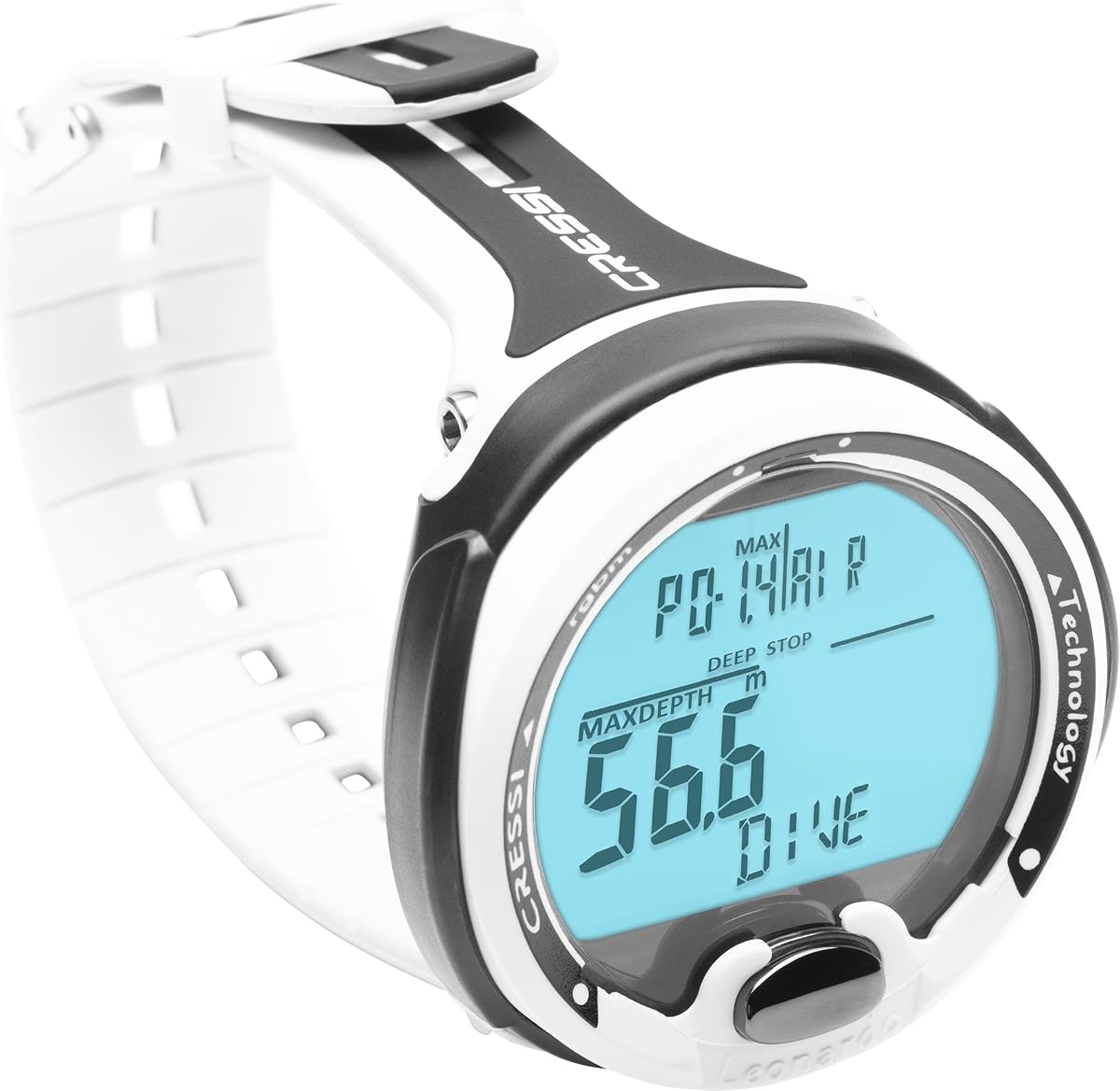
CRESSI Leonardo 2.0
4.2Editor score
One-button navigation
Air and Nitrox modes
Visual and audible alarms
This guide compares the best dive computer for beginners including top models like Mares Puck Pro and Garmin Descent G2 with detailed feature breakdowns.
Finding the right dive computer for beginners is essential for safety and enjoyment underwater. New divers need devices that offer clear displays, intuitive menus, and reliable decompression algorithms to build confidence during their early dives.
We evaluated ten top-rated models based on ease of use, display quality, battery life, and connectivity features. Each product was selected for its ability to support new divers while providing room to grow as skills improve over time.
Each pick highlights key specifications, pros, and cons to help you make an informed decision. Prices and availability can change frequently so always check current listings before purchasing your next essential diving gear.
4.2Editor score

4.8Editor score

4.7Editor score
Below is a detailed side-by-side comparison of all ten models featured in this guide. Use this table to quickly identify key specifications and features that match your specific diving needs and budget constraints.


The Mares Puck Pro EZ stands out as the top recommendation for new divers seeking reliability and ease of use. With its clear high-contrast screen and intuitive single-button design, it ensures you can access critical dive data quickly without confusion underwater.
We may earn a commission when you buy through this link, at no additional cost to you.
This model supports single gas Nitrox compatibility which allows beginners to upgrade their training without needing a new device immediately. The Bluetooth connectivity enables seamless transfer of dive logs to your smartphone for easy tracking and sharing of your progress over time.
While it lacks a built-in compass which might limit navigation for some users the simplicity is a major plus for those focused on mastering basic diving skills first. The 100 dive battery life ensures it lasts through an entire season without needing frequent battery changes.
If you want a dependable computer that balances affordability with essential features this is the ideal starting point. Its reputation for durability and straightforward operation makes it a trusted choice among dive shops worldwide for first-time buyers entering the sport.
The single-button interface simplifies menu navigation making it easy to cycle through data screens even while wearing thick gloves underwater during active dives.
Seamless Bluetooth pairing allows you to upload dive logs to your smartphone instantly for review and analysis after your daily adventure sessions.
We may earn a commission when you buy through this link, at no additional cost to you.
The CRESSI Leonardo 2.0 offers excellent value for beginners who want essential features without breaking the bank. Its Italian craftsmanship is evident in the build quality while the single-button interface keeps operation simple and stress-free underwater.
We may earn a commission when you buy through this link, at no additional cost to you.
This device supports Air Nitrox and Gauge modes providing versatility as your skills evolve. The visual and audible alarms ensure you never miss critical dive data helping you maintain safety during every session. Connectivity with iOS and Android devices enhances data tracking capabilities significantly.
While the display may not be as high-contrast as premium models it remains readable in most lighting conditions. The infrared data transfer capability allows for convenient log management though Bluetooth might be more convenient for some users.
For those prioritizing cost effectiveness and solid functionality this watch-style computer is a fantastic entry-level option. It strikes a balance between performance and price making diving accessible to more people starting their underwater journey.
Switch easily between Air and Nitrox modes to accommodate different gas mixes as you progress through training certifications without purchasing new equipment.
Visual and audible alarms prompt you to pay attention to important dive data ensuring you stay within safe limits throughout your entire underwater experience.
We may earn a commission when you buy through this link, at no additional cost to you.
The Garmin Descent X30 is a premium choice that combines rugged durability with advanced features for divers ready to invest in top-tier gear. Its large vibrant color display makes viewing data effortless even in challenging underwater environments.
We may earn a commission when you buy through this link, at no additional cost to you.
Surface GPS integration allows you to navigate to dive sites and mark entry and exit points accurately. The NDL Aware depth metrics show how depth changes impact your no-decompression limit providing real-time feedback to optimize your dive time effectively.
The use of recycled ocean-bound plastics in the housing reflects a commitment to sustainability without compromising performance. Four metal leakproof buttons ensure reliable operation even under pressure making it suitable for various diving conditions you may encounter.
While it comes at a higher price point the advanced features justify the cost for serious divers. If you plan to grow into technical diving or want the best tech available this model offers a future-proof solution.
Navigate to dive sites and mark entry points with precision using the built-in GPS feature for seamless underwater logistics.
Dive with confidence across different gas mixes including trimix as your certifications expand without needing to upgrade your computer again soon.
We may earn a commission when you buy through this link, at no additional cost to you.
Safety is paramount for new divers and the Mares Puck Pro EZ delivers with its industry-leading Buhlmann ZH-L16C algorithm. This provides reliable decompression calculations ensuring you stay within safe limits during every dive you undertake underwater.
We may earn a commission when you buy through this link, at no additional cost to you.
The clear high-contrast screen ensures you can read depth time and no-deco limits instantly without squinting. Single-button interface reduces cognitive load allowing you to focus on your surroundings rather than struggling with complex menus.
While some advanced models offer more data fields the Puck Pro EZ prioritizes clarity and reliability over complexity. This focus on essential data points prevents information overload and keeps your attention on what matters most for safety.
For divers who prioritize safety above all else this computer provides peace of mind. Its trusted algorithm and readable display make it a solid choice for those who want to minimize risks while learning the ropes.
Industry-leading decompression calculations ensure you stay within safe limits and avoid decompression sickness risks during dives.
High-contrast screen ensures all critical data is visible at a glance to reduce stress during challenging underwater conditions.
We may earn a commission when you buy through this link, at no additional cost to you.
The Shearwater Research Peregrine excels in battery performance offering up to 30 hours of use on a single charge. This eliminates concerns about running out of power during extended diving trips where access to charging points may be limited.
We may earn a commission when you buy through this link, at no additional cost to you.
Its USB wireless charging station is included making it convenient to keep the device powered without specialized cables. The two-button interface is designed to be simple to navigate with a state-aware menu structure that adapts to your current dive context.
Stainless steel buttons add durability and resistance to corrosion ensuring longevity even in saltwater environments. While it may be larger and more expensive than basic models the reliability and features justify the investment for serious divers.
If you frequently embark on multi-day diving adventures this computer ensures you won't be tethered to power sources. Its balance of performance and endurance makes it a strong contender for those planning extensive travel.
Enjoy up to 30 hours of operation on medium brightness to ensure uninterrupted monitoring throughout long diving expeditions.
Included USB wireless station allows for quick and easy recharging without hunting for specialized cables during travel.
We may earn a commission when you buy through this link, at no additional cost to you.
The SUUNTO D5 stands out with its color display and vibration alarms providing clear alerts even in noisy underwater environments. The 100-meter waterproof rating ensures it can handle depth requirements for most recreational diving activities effectively.
We may earn a commission when you buy through this link, at no additional cost to you.
Wireless tank pressure monitoring allows you to track air levels without a separate gauge reducing bulk on your gear. The digital compass provides essential navigation support helping you maintain your bearing during underwater exploration without carrying extra tools.
While battery life may vary depending on usage settings the convenience of wireless features adds significant value. The sleek design and color interface make it visually appealing and easy to interact with during dives.
For divers who prioritize visual feedback and modern tech this model offers a compelling package. Its combination of alerts and connectivity features supports a proactive approach to dive management and safety.
Physical vibrations alert you to critical dive data ensuring you stay aware of your status even in noisy conditions underwater.
Track air levels without extra gauges to reduce gear bulk and streamline your dive setup for better comfort.
We may earn a commission when you buy through this link, at no additional cost to you.
The Cressi Donatello is uniquely versatile supporting both scuba and freediving modes in one device. This makes it an excellent choice for divers who enjoy breath-hold sessions as well as traditional tank diving without needing separate computers.
We may earn a commission when you buy through this link, at no additional cost to you.
The single-button interface simplifies navigation allowing you to focus on your ascent planning with user-selectable deep stops. This feature enhances safety by giving you control over decompression stops tailored to your dive profile.
Optional IR interface compatibility allows you to transfer logs to your PC for review though it requires specific software. The build quality is solid and the price point makes it accessible for those wanting flexibility without a high cost.
If you plan to try multiple types of diving this computer adapts to your needs effortlessly. It balances simplicity with enough features to keep you safe and organized across different underwater activities.
Seamlessly switch between scuba and freediving modes to support diverse training goals without buying separate units.
Select deep stops manually to tailor your ascent profile for better safety and decompression management during dives.
We may earn a commission when you buy through this link, at no additional cost to you.
The Cressi Raffaello distinguishes itself with a built-in digital compass removing the need for a separate navigation tool. This integration streamlines your wrist setup and ensures you always have directional data available when you need it most underwater.
We may earn a commission when you buy through this link, at no additional cost to you.
RGBM-based mixed-gas planning provides precise preparation for multiple gas mixes supporting more advanced dive planning needs. The long-lasting battery life offers four years of expected operation reducing maintenance downtime and costs over the device's lifespan.
Both Bluetooth and USB connectivity options give you flexibility in how you transfer dive logs to your devices. The four operating modes including apnea and gauge cover a wide range of activities making it a versatile tool.
If navigation is a priority for your diving this computer saves you from carrying extra gear. Its comprehensive feature set ensures you have all the tools you need in one compact device.
Navigate underwater effortlessly without carrying extra gear since the integrated compass provides reliable directional guidance at all times.
Enjoy up to four years of battery life reducing frequent replacement needs and ensuring you are ready for every dive.
We may earn a commission when you buy through this link, at no additional cost to you.
The Garmin Descent Mk3i is a high-tech marvel for divers who love advanced features and detailed data. Its AMOLED display offers stunning clarity while the SubWave sonar technology allows you to exchange messages with other divers underwater.
We may earn a commission when you buy through this link, at no additional cost to you.
Dive readiness tools analyze lifestyle factors like sleep and stress to advise if you are prepared for diving. DiveView maps provide bathymetric contours for over 4000 dive sites helping you find new locations with confidence and ease.
Smartwatch capabilities including health monitoring make it a daily wearable beyond diving. While the setup may feel complex initially the wealth of features offers unmatched utility for tech-savvy individuals seeking comprehensive insights into their diving performance.
If you want a device that merges diving with advanced health and navigation tech this is the top choice. Its integration of modern features creates a holistic experience for those who value data above all else.
Analyze lifestyle factors like sleep and stress to ensure you are physically prepared for safe diving sessions.
Access thousands of dive sites with bathymetric contours to help you explore new locations confidently underwater.
We may earn a commission when you buy through this link, at no additional cost to you.
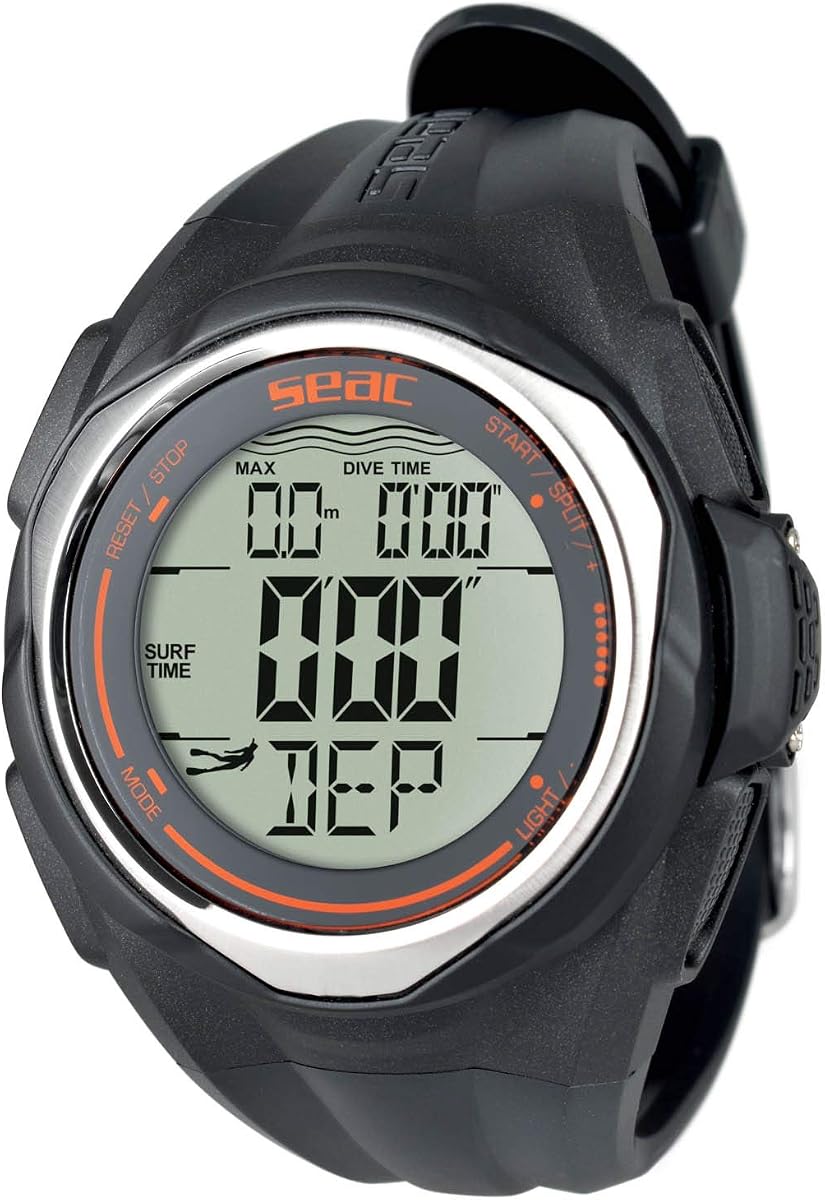
The SEAC Partner is an ultra-affordable option focused on basic freediving needs without complex features. It includes a stopwatch and countdown function essential for tracking breath-hold times effectively during training or recreational sessions.
We may earn a commission when you buy through this link, at no additional cost to you.
Recording up to 99 dives allows you to keep track of your progress over time. The 100-meter water resistance ensures it handles depth well while the backlit display improves readability in low-light conditions underwater.
While it lacks Bluetooth or advanced algorithms it covers the essentials for beginners who want to start freediving safely. The simplicity reduces distractions allowing you to focus on your breathing and technique rather than data screens.
For those on a tight budget looking to try freediving this computer is a reliable starting point. It offers the core functionality needed to monitor safety and track performance without unnecessary cost or complexity.
Accurately track dive times with built-in stopwatch tools to monitor your progress during breath-hold training sessions.
Read data in low-light conditions with the backlight ensuring visibility even in dark water environments.
We may earn a commission when you buy through this link, at no additional cost to you.
Choosing the right dive computer involves weighing several factors to match your needs and diving style. This guide explains key aspects to consider before making your purchase.
A clear high-contrast display is vital for reading critical data like depth and time underwater. Look for models with large fonts or backlighting to ensure visibility in low-light environments.
Prioritize screens that remain legible without straining your eyes during deep dives.
Beginners benefit from simple navigation systems like single-button or two-button interfaces. These reduce the chance of making mistakes while managing menus underwater.
Choose a design that feels natural and allows quick access to essential information during dives.
Bluetooth or wireless transfer capabilities make it easy to upload logs to your phone or PC for analysis. This feature helps track your progress and share experiences with others easily.
Opt for models offering modern connectivity to simplify post-dive data management.
Ensure the computer supports modes you plan to use such as Air, Nitrox, or Freediving. Versatility allows the device to grow with your skills without requiring replacement.
Select units that align with your current and future diving certifications.
Long battery life ensures you won't face interruptions during multi-day trips or frequent dives. Look for models with replaceable batteries or efficient charging systems.
Check expected usage hours to ensure reliability over your diving seasons.
Features like built-in compasses, tank pressure monitoring, or GPS can enhance convenience. Decide which extras add value for your specific diving style.
Avoid paying for features you won't use to keep costs manageable.
Build quality matters for longevity especially in saltwater environments. Look for corrosion-resistant materials and robust casing.
Invest in a model that withstands regular wear and tear over time.
Determine a budget that fits your financial situation while covering essential needs. Avoid overspending on features you won't utilize immediately.
Balance cost with functionality to find the best value for your entry-level experience.
Always test your dive computer in a controlled environment like a pool before your first open water dive. This allows you to familiarize yourself with the interface without risking safety during deep underwater exploration.
Rinse the device with fresh water after every dive to remove salt and debris. Store it in a cool dry place away from direct sunlight to maintain battery and display longevity over time.
Regularly check battery levels and replace or recharge as needed to ensure consistent performance. Keeping your device in good condition prevents unexpected failures during critical diving moments underwater.
Yes having your own dive computer ensures you can monitor your personal safety limits regardless of the guide's equipment. It provides peace of mind and helps you track your own time and depth accurately.
Many beginner computers support Nitrox modes out of the box if you have the certification. It allows you to use enriched air mixes safely with proper training on settings.
Most modern models use Bluetooth to sync with mobile apps. Some older models require USB cables or infrared ports for PC transfers depending on the manufacturer.
While helpful a built-in compass is not strictly necessary for guided dives. It becomes more valuable as you advance and dive without direct supervision underwater.
A well-maintained dive computer can last 5 to 10 years. Battery replacements and firmware updates can extend its usefulness for many diving seasons.
Some models like the Cressi Donatello include freediving modes. Standard computers may not track breath-hold data so check features before purchasing.
Dive computers are waterproof but not all are battery-sealed for submersion. Most use sealed compartments so external battery changes are not done underwater.
We have explored top models like the Mares Puck Pro EZ and CRESSI Leonardo 2.0 which excel in usability and value. Each picks offers distinct strengths suitable for new divers seeking safety and reliability.
Prioritize ease of use and clarity when selecting your first computer. Features like simple menus and clear displays reduce stress allowing you to focus on your underwater experience.
Remember to check current prices and availability before purchasing. Investing in a quality device early on sets a strong foundation for your diving adventures for years to come.