
HP 14 Laptop 2025
4.3Editor score
16GB RAM + 628GB Storage
Quad-Core Intel Processor N150
Lifetime Office 2024 Included
Discover the best laptops with lifetime Microsoft Office included. This guide compares top business and student models featuring perpetual licenses for
Finding a laptop with lifetime Microsoft Office can save you money and hassle. These machines come preloaded with essential apps like Word and Excel without subscription fees. Whether you are a student or professional, having reliable tools ready out of the box is crucial for success.
We evaluated ten top models to bring you this comprehensive roundup. Our analysis focused on performance, screen quality, storage capacity, and the specifics of the included software license. We checked user feedback and technical specs to ensure each pick offers real value for everyday tasks and heavier workloads.
Each entry below highlights key strengths and potential drawbacks to help you decide. Note that prices and availability can shift quickly due to demand and inventory changes. Always verify the final cost and warranty details before purchasing to ensure you get the best deal available today.
4.3Editor score

4.3Editor score

5.0Editor score
This table provides a side-by-side look at the ten selected laptops. You can compare their core specifications including processor type, memory, storage, and display size to find the best match for your needs.



This HP 17-inch laptop stands out as a powerful workhorse for those needing screen real estate. It earns its top ranking by combining a large display with robust performance features that support heavy multitasking without breaking the bank. The inclusion of a lifetime Microsoft Office license adds significant value right out of the box.
We may earn a commission when you buy through this link, at no additional cost to you.
At its core lies an 8-core Intel i3-N305 processor paired with 16GB of RAM. This combination ensures smooth performance when juggling multiple browser tabs, video calls, and document editing simultaneously. The 1TB storage solution splits between an internal SSD and an external drive, offering ample space for files without cluttering the system.
While the display resolution is HD+ rather than full HD, the larger 17.3-inch size compensates by providing more workspace. Users should note the weight and bulk may make it less ideal for frequent travel compared to smaller models. However, for stationary home offices or desk setups, this trade-off is often acceptable.
This model is best suited for small business owners or students who need a reliable desktop replacement. It delivers essential productivity tools and hardware power at a competitive price point. If you prioritize screen size and storage over ultra-portability, this laptop is a strong recommendation.
The pre-installed Microsoft Office Professional Plus license allows use without monthly subscriptions, saving money long term.
Having both internal SSD speed and external drive capacity means you can manage large datasets easily.
We may earn a commission when you buy through this link, at no additional cost to you.
Budget-conscious buyers will appreciate this HP 14 model for its balance of price and capability. It offers a surprising amount of memory and storage flexibility for its cost bracket. The green finish adds a touch of style while keeping the device lightweight for daily commuting or campus use.
We may earn a commission when you buy through this link, at no additional cost to you.
Equipped with 16GB of RAM, this machine handles multitasking better than many competitors in its class. The Intel N150 processor is sufficient for web browsing, document editing, and streaming media. The storage setup includes internal UFS space plus an external drive, ensuring you have room for growing file libraries.
The processor is the main compromise here, as it is not designed for heavy video editing or gaming. However, for general business and study tasks, it performs reliably. The inclusion of Copilot AI suggests future-proofing for productivity enhancements that may become standard features soon.
Choose this laptop if you need an affordable yet capable machine for everyday tasks. It is perfect for students or remote workers who need Windows 11 Pro features without paying a premium. The lifetime Office license further cements its status as a top value option.
The slim chassis makes it easy to slip into a backpack for travel or daily commuting.
Built-in Copilot support can help streamline workflows with intelligent assistance in Windows.
We may earn a commission when you buy through this link, at no additional cost to you.
This high-end model offers exceptional specs that cater to power users needing significant resources. The combination of 32GB RAM and a 2TB SSD ensures that even demanding applications run smoothly without slowdowns. It justifies its premium price with raw hardware capability and included accessories that enhance the unboxing experience.
We may earn a commission when you buy through this link, at no additional cost to you.
The Intel i3-N305 processor benefits greatly from the ample memory, allowing for complex multitasking and data processing. The large SSD provides fast boot times and quick file access, which is vital for productivity. Users also get a USB hub and pouch, adding immediate utility without extra purchases.
The lack of a backlit keyboard might be a drawback for those working in low light environments. Despite the high RAM and storage, the display remains HD+ rather than 4K, focusing more on utility than pixel density. Still, the performance metrics are impressive for a business laptop in this category.
This device is ideal for professionals managing large datasets or running multiple virtual machines. If you need top-tier specs and want to avoid future upgrades, this model delivers. The lifetime Office license ensures you have all necessary software tools ready for immediate deployment.
With 32GB RAM you can run dozens of browser tabs and apps without performance drops.
The 2TB PCIe SSD offers vast space combined with high-speed data transfer capabilities.
We may earn a commission when you buy through this link, at no additional cost to you.
This HP model distinguishes itself with a touchscreen display in a business-oriented package. The touch capability makes it easier to interact with content directly, which can be useful for presentations or navigating specific software interfaces. It balances modern features with practical hardware choices for daily work.
We may earn a commission when you buy through this link, at no additional cost to you.
Powered by a 6-Core Intel i3 processor and 16GB of RAM, it handles typical office tasks with ease. The 1TB SSD ensures quick start-ups and responsive performance when accessing documents or media. The inclusion of Copilot AI Chat points to a focus on integrated productivity tools within the operating system.
While the screen is touch-enabled, the resolution remains standard HD, which is sufficient for text and basic graphics. Some users might find the battery life adequate but not exceptional for all-day unplugged use. The risk of fingerprints on the glass is a minor inconvenience compared to the utility it offers.
Opt for this laptop if you prefer interacting with content via touch gestures. It suits professionals who present frequently or enjoy a more intuitive interface. The lifetime Office license ensures compatibility with standard business workflows without extra costs.
The touchscreen allows for direct scrolling and selection that simplifies content review.
Copilot AI features help automate tasks and suggest content changes efficiently.
We may earn a commission when you buy through this link, at no additional cost to you.
Visual clarity is a highlight here thanks to the Full HD display resolution. This makes text sharper and images more vibrant compared to lower resolution panels. It is an excellent choice for users who spend hours reading documents or watching content on their laptop screen.
We may earn a commission when you buy through this link, at no additional cost to you.
The 8-Core Intel i3-N305 processor ensures that performance matches the screen quality. It handles multitasking well and supports efficient power usage to extend battery life during travel. The 16GB RAM provides headroom for running complex software or many browser tabs simultaneously.
The laptop is designed to be portable with a slim profile that fits easily into bags. While the battery life is strong, users should note that USB-C might not support charging on all models so carrying the original charger is key. The absence of extra accessories means you may need to buy peripherals separately.
This laptop is perfect for users prioritizing display quality and battery endurance. It works well for remote work or studying where screen comfort is paramount. The included lifetime Office suite ensures you are ready to work immediately upon setup.
Full HD resolution delivers sharp text and clear images for professional presentation.
Optimized power management allows for extended usage away from a power outlet.
We may earn a commission when you buy through this link, at no additional cost to you.
Designed with students in mind, this model balances cost and essential features well. The inclusion of a 2021 Office license means you can create assignments and resumes without worrying about subscription costs. The silver finish keeps it looking professional and suitable for campus or office environments.
We may earn a commission when you buy through this link, at no additional cost to you.
With a 6-Core processor and 12GB RAM, it handles standard schoolwork smoothly. The 256GB SSD provides quick access to files though you may need cloud storage for larger media projects. The touchscreen adds versatility for note-taking or navigating educational software effectively.
Storage is the main limitation here so managing files carefully is important for long-term use. The N/A rating suggests limited user feedback but specs indicate a functional build. For general writing and research tasks, the performance remains reliable without significant lag.
This laptop is a solid choice for learners needing a dependable machine for coursework. It offers the right mix of features for digital learning without unnecessary bloat. Always verify current inventory status since availability may fluctuate for student-focused bundles.
Pre-installed Office tools help students stay organized from day one without extra fees.
The PCIe SSD ensures fast start times so you are ready to learn quickly.
We may earn a commission when you buy through this link, at no additional cost to you.
This Premium 17-inch model targets users who want a larger screen for media consumption. The HD+ display provides enough space to split windows or watch videos comfortably. It is a practical choice for home entertainment alongside work duties.
We may earn a commission when you buy through this link, at no additional cost to you.
Performance is driven by an 8-Core processor and 16GB RAM which keeps applications running smoothly. The 512GB SSD offers a balance of speed and storage for most users. Wi-Fi 6 ensures stable connections which are vital for streaming or online meetings.
While the webcam is standard 720p which is adequate for calls. The absence of USB-C data might limit modern peripheral usage. For users relying on HDMI and USB-A ports this limitation is less critical. The lifetime Office license adds convenience for document work.
Ideal for home office setups where screen real estate is a priority. It offers a solid blend of performance and convenience without excessive bloat. Ensure you have necessary ports for your specific setup before purchase to avoid issues.
The wide 17-inch screen makes watching movies or editing spreadsheets more enjoyable.
Wi-Fi 6 support provides faster wireless speeds for modern home networks.
We may earn a commission when you buy through this link, at no additional cost to you.
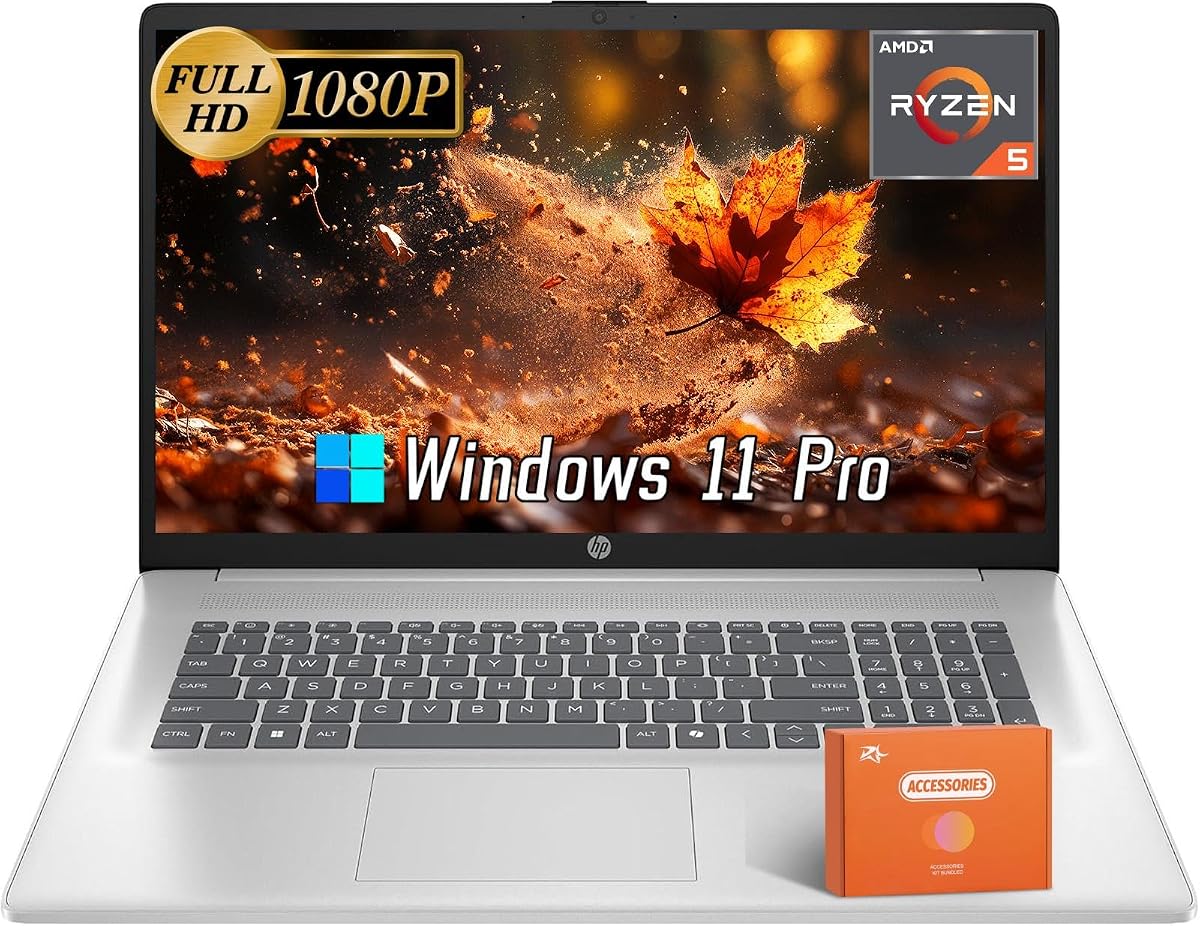
This model stands out for its use of an AMD Ryzen processor and integrated Radeon graphics. It is designed for users who might engage in light creative tasks beyond standard word processing. The FHD+ display offers clear visuals for design work or detailed viewing.
We may earn a commission when you buy through this link, at no additional cost to you.
The 16GB RAM supports multitasking well and the 512GB SSD keeps systems responsive. Anti-glare coating on the screen helps reduce eye strain during long sessions. Connectivity is supported by modern Wi-Fi 6 standards ensuring stable network performance.
N/A ratings suggest this is a newer listing with fewer verified user reviews. The price point is competitive considering the AMD hardware features. Verify availability as stock levels for AMD models can vary compared to Intel counterparts.
Choose this if you prefer AMD architecture for integrated graphics performance. It is suitable for creative students or small business tasks requiring better visual output. Confirm the bundle contents to see if extra accessories are included with purchase.
AMD Radeon Graphics handle light design tasks better than integrated Intel solutions.
Anti-glare coating reduces reflections for clearer viewing in bright environments.
We may earn a commission when you buy through this link, at no additional cost to you.
Powered by an Intel i5 processor this laptop offers strong computational power for general tasks. The inclusion of a USB hub provides extra convenience for connecting multiple peripherals. It is a practical choice for office work that requires reliability and speed.
We may earn a commission when you buy through this link, at no additional cost to you.
Intel Iris Xe graphics support better visual performance than standard integrated options. This helps with media playback and basic graphical applications. The 16GB RAM ensures smooth operation when running several applications simultaneously without slowdowns.
The lack of a backlit keyboard might be a challenge in darker settings. The webcam is standard quality which is fine for routine video calls but not for high-end streaming. Users should check if the screen backlight meets their specific environmental needs.
This laptop is ideal for professionals needing a robust CPU and extra USB ports. It balances performance with essential features well for daily use. Always check for the latest firmware updates to ensure all drivers function correctly.
The i5 processor delivers fast response times for complex calculations and apps.
Included USB hub allows easy connection of mice and drives without adapter clutter.
We may earn a commission when you buy through this link, at no additional cost to you.
Portability is the main selling point of this ultrabook model. Its smaller 14-inch design makes it easy to carry around for work or study. The anti-glare display ensures good visibility in various lighting conditions without needing brightness adjustments.
We may earn a commission when you buy through this link, at no additional cost to you.
It includes an external drive to supplement internal storage which is helpful given the internal capacity. The Intel N150 processor handles basic tasks well though it may struggle with heavy loads. 8GB RAM is sufficient for standard document work and web browsing.
Users planning heavy multitasking might find 8GB limiting but upgrades may be restricted. The lifetime Office license is a significant inclusion that enhances value. Wi-Fi 6 ensures you stay connected with fast wireless speeds wherever you go.
This laptop is a great option for mobile professionals who need a lightweight machine. It balances essential features with convenience for on-the-go productivity. Verify warranty terms to understand support options in case of hardware issues.
The slim chassis fits easily into most bags for daily commuting or travel.
External drive inclusion helps users manage files without upgrading internal parts.
We may earn a commission when you buy through this link, at no additional cost to you.
Selecting the right laptop involves more than just checking the included software. Consider these factors to ensure you get a machine that meets your performance and reliability needs.
The processor determines how quickly your laptop can handle tasks. For general use, a Quad-Core or 6-Core i3 is often sufficient. If you run many apps or edit media, look for higher core counts or i5 models to avoid lag.
Prioritize processors with higher base frequencies and newer generations for longevity.
RAM controls how many programs can run at once without slowing down. 16GB is the sweet spot for smooth multitasking in 2026. 8GB models work for basic tasks but may limit your workflow efficiency over time.
Choose at least 16GB for comfortable performance with modern web browsers and Office apps.
SSD storage speeds up boot times and file access significantly. Aim for 512GB or more to store documents and media. Some models split storage with external drives which is useful for backups but check total usable space.
Ensure you have enough internal space for your OS and essential files.
Screen size and resolution affect comfort and clarity. Full HD is preferred for sharp text but HD+ offers larger real estate. Anti-glare finishes reduce eye strain during long work sessions.
Select a display size that fits your workspace and visual comfort needs.
Verify the exact version of Office included such as 2021 or 2024. Ensure it is activated and permanent rather than a trial period. Check if you need to activate it manually or if it comes ready to use.
Avoid installing 365 versions on these devices to prevent license conflicts.
Check for necessary ports like USB-C, HDMI, and SD card readers. Wi-Fi 6 support is standard and provides faster wireless speeds. Ensure you have enough ports for your peripherals to avoid buying extra adapters.
Aim for versatile connectivity to support modern accessories and displays.
Portable use depends on battery endurance. Look for ratings of 6 to 10 hours for reliable all-day use. Check fast charging support if you often need quick top-ups during busy days.
Battery life varies by usage so consider your typical daily patterns.
Most models offer a standard one-year warranty. Check if the seller provides extended options or tech support. Understanding return policies is vital in case the unit arrives defective.
Always review support terms to ensure peace of mind after purchase.
Once unboxed check that Windows and Office update automatically. Allow the system to complete initial setup before using apps to ensure all drivers are current.
Keep your laptop on a hard surface to allow proper airflow. Avoid covering vents to prevent overheating which can reduce battery life and performance.
Back up your important files regularly using the included external drive or cloud services. This protects your data from accidental loss or hardware issues over time.
Lifetime means you can use that specific version of Office permanently without paying monthly fees. It usually includes key apps like Word and Excel. You do not need to renew the license but may not get future version upgrades.
You can install Office 365 but it will replace the lifetime license. Ensure you back up your data first. The lifetime key may stop working if you switch to a subscription model.
These laptops come pre-activated so no key is needed. If you see a prompt follow the on-screen guide. Check that the version matches the product description to avoid issues.
Yes 16GB is sufficient for most business tasks like browsing and spreadsheets. It allows smooth multitasking with many tabs open. This is better than 8GB which might lag with heavy workloads.
FHD offers higher resolution making text sharper and images clearer. HD screens are functional but may look less detailed on larger sizes. Consider FHD if you view visual content frequently.
Windows 11 Pro includes built-in security tools. Some models might offer a trial of third-party software. You can rely on Windows Defender for basic protection and free.
Yes most models include a built-in HD webcam and microphone. The quality is generally good for Zoom or Teams meetings. Privacy covers might be needed for sensitive environments.
We have reviewed ten solid options ranging from budget to premium choices. The HP 17 and HP 14 models stand out for their balance of specs and included software.
Focus on the processor and RAM to ensure longevity for your work needs. The lifetime license saves money and removes subscription hassles for daily tasks.
Remember to check the latest prices and availability before buying. Inventory changes fast so verify your chosen model is in stock today.